
路由器逆向分析------binwalk工具的详细使用说明
本文博客地址:http://blog.csdn.net/qq1084283172/article/details/66971242
一、binwalk工具的基本用法介绍
1.获取帮助信息

$ binwalk -h

# 或者

$ binwalk --help
2.固件分析扫描

$ binwalk firmware.bin

# 或者

$ binwalk firmware.bin | head
3.提取文件系统
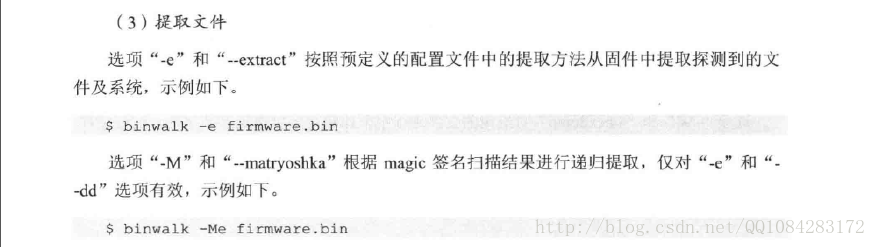
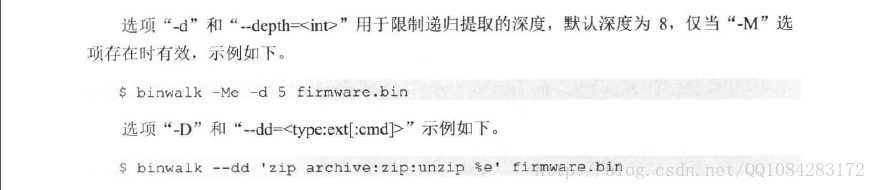
# 使用默认的预定义配置文件extract.conf

$ binwalk -e firmware.bin

# 使用指定自定义的配置文件my_extract.conf

$ binwalk --extract=./my_extract.conf firmware.bin
4.设置过滤选项
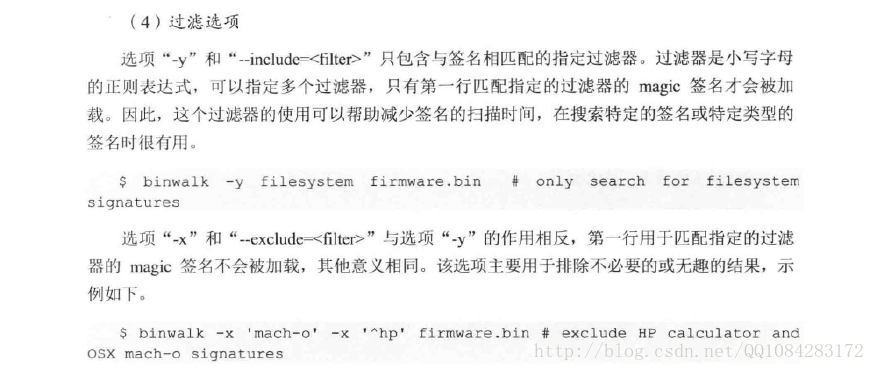
5.显示完整的扫描结果

6.固件文件的比较


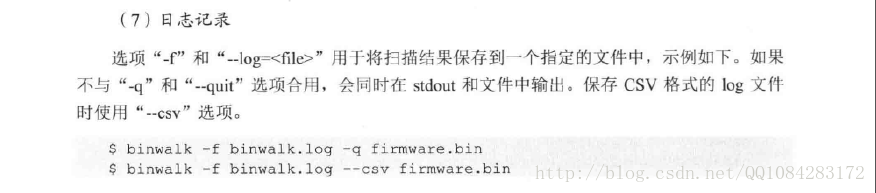
7.日志记录
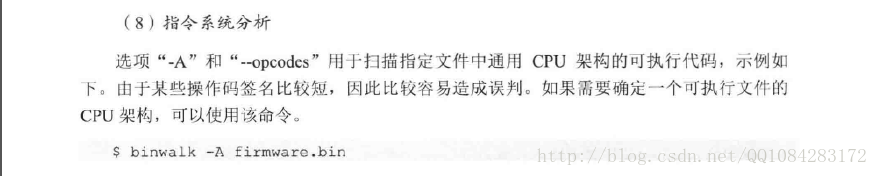
8.指令系统分析
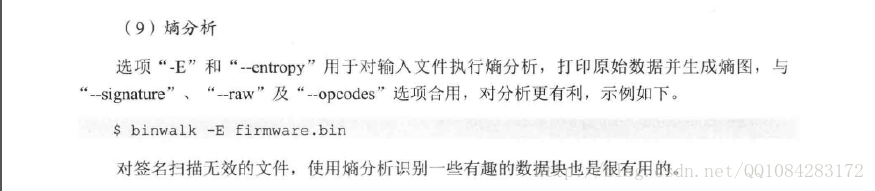
9.熵分析
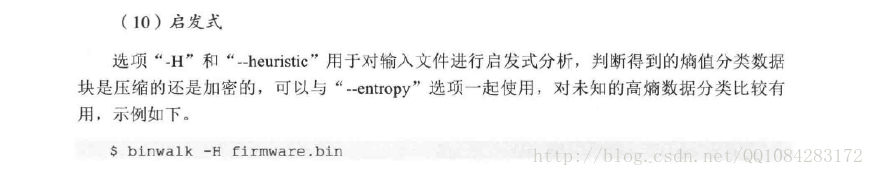
10.启发式分析
11.使用指定插件分析扫描固件(已经去掉)
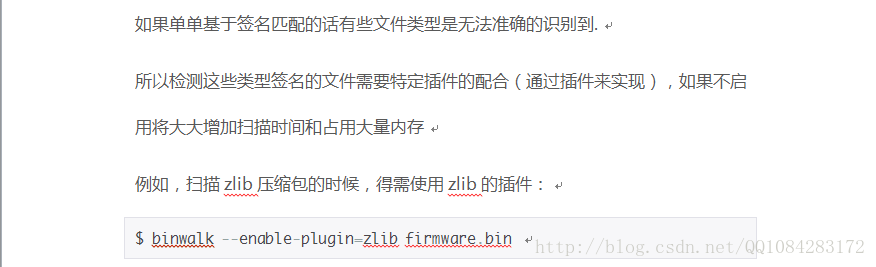
$ binwalk --enable-plugin=zlib firmware.bin 12.手动提取文件
-D, --dd=<type[:ext[:cmd]]>
Extracts files identified during a --signature scan.
Multiple --dd options may be specified.
- type is a *lower case* string contained in the signature description (regular expressions are supported)
- ext is the file extension to use when saving the data disk (default none)
- cmd is an optional command to execute after the data has been saved to disk
By default, the file name is the hexadecimal offset where the signature was found, unless an alternate file name is specified in the signature itself.
The following example demonstrates specifying an extraction rule using the --dd option that will extract any signature that contains the string 'zip archive' with a file extension of 'zip', and subsequently execute
the 'unzip' command. Additionally, PNG images are extracted as-is with a 'png' file extension.
Note the use of the '%e' placeholder. This placeholder will be replaced with the relative path to the extracted file when the unzip command is executed:
$ binwalk -D 'zip archive:zip:unzip %e' -D 'png image:png' firmware.bin
13.binwalk工具的插件功能
在最新版的binwalk工具中关于插件的功能已经没有了,下图是原来有的插件功能。

参考资料:
《揭秘家用路由器0day漏洞挖掘技术》
《Binwalk:后门(固件)分析利器》 错误不少,不少功能介绍在最新版的binwalk中已经去掉了。
二、binwalk工具的使用帮助
$ binwalk -h帮助命令的结果:
Binwalk v2.1.2b

Craig Heffner, http://www.binwalk.org

Usage: binwalk [OPTIONS] [FILE1] [FILE2] [FILE3] ...

Disassembly Scan Options:

    -Y, --disasm                 Identify the CPU architecture of a file using the capstone disassembler

    -T, --minsn=<int>            Minimum number of consecutive instructions to be considered valid (default: 500)

    -k, --continue               Don't stop at the first match

Signature Scan Options:

    -B, --signature              Scan target file(s) for common file signatures

    -R, --raw=<str>              Scan target file(s) for the specified sequence of bytes

    -A, --opcodes                Scan target file(s) for common executable opcode signatures

    -m, --magic=<file>           Specify a custom magic file to use

    -b, --dumb                   Disable smart signature keywords

    -I, --invalid                Show results marked as invalid

    -x, --exclude=<str>          Exclude results that match <str>

    -y, --include=<str>          Only show results that match <str>

Extraction Options:

    -e, --extract                Automatically extract known file types

    -D, --dd=<type:ext:cmd>      Extract <type> signatures, give the files an extension of <ext>, and execute <cmd>

    -M, --matryoshka             Recursively scan extracted files

    -d, --depth=<int>            Limit matryoshka recursion depth (default: 8 levels deep)

    -C, --directory=<str>        Extract files/folders to a custom directory (default: current working directory)

    -j, --size=<int>             Limit the size of each extracted file

    -n, --count=<int>            Limit the number of extracted files

    -r, --rm                     Delete carved files after extraction

    -z, --carve                  Carve data from files, but don't execute extraction utilities

Entropy Analysis Options:

    -E, --entropy                Calculate file entropy

    -F, --fast                   Use faster, but less detailed, entropy analysis

    -J, --save                   Save plot as a PNG

    -Q, --nlegend                Omit the legend from the entropy plot graph

    -N, --nplot                  Do not generate an entropy plot graph

    -H, --high=<float>           Set the rising edge entropy trigger threshold (default: 0.95)

    -L, --low=<float>            Set the falling edge entropy trigger threshold (default: 0.85)

Raw Compression Options:

    -X, --deflate                Scan for raw deflate compression streams

    -Z, --lzma                   Scan for raw LZMA compression streams

    -P, --partial                Perform a superficial, but faster, scan

    -S, --stop                   Stop after the first result

Binary Diffing Options:

    -W, --hexdump                Perform a hexdump / diff of a file or files

    -G, --green                  Only show lines containing bytes that are the same among all files

    -i, --red                    Only show lines containing bytes that are different among all files

    -U, --blue                   Only show lines containing bytes that are different among some files

    -w, --terse                  Diff all files, but only display a hex dump of the first file

General Options:

    -l, --length=<int>           Number of bytes to scan

    -o, --offset=<int>           Start scan at this file offset

    -O, --base=<int>             Add a base address to all printed offsets

    -K, --block=<int>            Set file block size

    -g, --swap=<int>             Reverse every n bytes before scanning

    -f, --log=<file>             Log results to file

    -c, --csv                    Log results to file in CSV format

    -t, --term                   Format output to fit the terminal window

    -q, --quiet                  Suppress output to stdout

    -v, --verbose                Enable verbose output

    -h, --help                   Show help output

    -a, --finclude=<str>         Only scan files whose names match this regex

    -p, --fexclude=<str>         Do not scan files whose names match this regex

    -s, --status=<int>           Enable the status server on the specified port
三、binwalk工具官方的使用帮助说明
-B, --signature
This performs a signature analysis of the specified files; if no other analysis options are specified, this is the default.
Use this option when you wish to combine the signature analysis with additional analyzers, such as--entropy:
$ binwalk --signature firmware.bin

DECIMAL     HEX         DESCRIPTION

-------------------------------------------------------------------------------------------------------------------

0           0x0         DLOB firmware header, boot partition: "dev=/dev/mtdblock/2"

112         0x70        LZMA compressed data, properties: 0x5D, dictionary size: 33554432 bytes, uncompressed size: 3797616 bytes

1310832     0x140070    PackImg section delimiter tag, little endian size: 13644032 bytes; big endian size: 3264512 bytes

1310864     0x140090    Squashfs filesystem, little endian, version 4.0, compression:lzma, size: 3264162 bytes,  1866 inodes, blocksize: 65536 bytes, created: Tue Apr  3 04:12:22 2012
-R,
--raw=<string>
This allows you to search the specified file(s) for a custom string. The search string can include escaped octal and/or hexadecimal values.
Use this option when you need to search for a custom sequence of raw bytes:
$ binwalk -R "\x00\x01\x02\x03\x04" firmware.bin

DECIMAL     HEX         DESCRIPTION

-------------------------------------------------------------------------------------------------------------------

377654      0x5C336     Raw string signature
-A,
--opcodes
This instructs binwalk to search the specified file(s) for executable opcodes common to a variety of CPU architectures. Note that some opcode signatures are short and thus are prone to producing false positive results.
Use this when you need to locate executable code in a file, or if you need to determine the architecture of a executable file:
$ binwalk -A firmware.bin

DECIMAL         HEX             DESCRIPTION

-------------------------------------------------------------------------------------------------------------------

268             0x10C           MIPS instructions, function prologue

412             0x19C           MIPS instructions, function prologue

636             0x27C           MIPS instructions, function prologue

812             0x32C           MIPS instructions, function epilogue

920             0x398           MIPS instructions, function epilogue

948             0x3B4           MIPS instructions, function prologue

1056            0x420           MIPS instructions, function epilogue

1080            0x438           MIPS instructions, function prologue

1356            0x54C           MIPS instructions, function epilogue

1392            0x570           MIPS instructions, function prologue

1836            0x72C           MIPS instructions, function epilogue

2012            0x7DC           MIPS instructions, function prologue

2260            0x8D4           MIPS instructions, function epilogue

2512            0x9D0           MIPS instructions, function prologue

2552            0x9F8           MIPS instructions, function epilogue
-m,
--magic=<file>
Load an alternate magic signature file instead of the default.
Use this if you have a custom
magic signature file containing signatures you want to search for:
$ binwalk -m ./foobar.mgc firmware.bin

DECIMAL         HEX             DESCRIPTION

-------------------------------------------------------------------------------------------------------------------

268             0x10C           Foobar

412             0x19C           Foobar

636             0x27C           Foobar
-b,
--dumb
Disables "smart" signature matching.
Useful when smart signature keywords in false positive signatures cause other valid signatures to be missed (e.g., via the jump-to-offset keyword):
$ binwalk -b firmware.bin
-I,
--invalid
Displays all results, even those marked as invalid.
Useful if you think that binwalk is treating a valid file as invalid, but can produce a lot of garbage output:
$ binwalk -I firmware.bin
-x,
--exclude=<filter>
Excludes signatures that match the specified exclude filter. Filters are lower-case regular expressions; multiple filters may be specified.
Magic signatures whose first line matches the specified filter will not be loaded at all; thus, the use of this filter can help decrease signature scan times.
Useful for excluding unneeded or uninteresting results:
$ binwalk -x 'mach-o' -x '^hp' firmware.bin # exclude HP calculator and OSX mach-o signatures
-y,
--include=<filter>
Includes only signatures that match the specified include filter. Filters are lower-case regular expressions; multiple filters may be specified.
Only magic signatures whose first line matches the specified filter will be loaded; thus, the use of this filter can help decrease signature scan times.
Useful when searching only for specific signatures or types of signatures:
$ binwalk -y 'filesystem' firmware.bin # only search for filesystem signatures
-Y,
--disasm
Attempts to identify the CPU architecture of executable code contained in a file using the capstone disassembler.
Specifying --verbose with this scan
will additionally print the disassembled instructions.
Generally more robust than the simple signature analysis performed by --opcodes,
but supports fewer architectures:
$ binwalk --disasm firmware.bin

DECIMAL       HEXADECIMAL     DESCRIPTION

--------------------------------------------------------------------------------

428           0x1AC           MIPS executable code, 32/64-bit, little endian, at least 750 valid instructions
-T,
--minsn
Set the minimum number of consecutive instructions for a --disasm result
to be considered valid. The default is 500 instructions:
$ binwalk --minsn=1200 -Y firmware.bin

DECIMAL       HEXADECIMAL     DESCRIPTION

--------------------------------------------------------------------------------

428           0x1AC           MIPS executable code, 32/64-bit, little endian, at least 1250 valid instructions
-k,
--continue
Instruct --disasm to not stop at the
first result:
$ binwalk --continue -Y firmware.bin

DECIMAL       HEXADECIMAL     DESCRIPTION

--------------------------------------------------------------------------------

428           0x1AC           MIPS executable code, 32/64-bit, little endian, at least 1250 valid instructions

1048576       0x100000        MIPS executable code, 32/64-bit, little endian, at least 1250 valid instructions

...
-E,
--entropy
Performs an entropy analysis on the input file(s), prints raw entropy data and generates entropy graphs.
Entropy analysis can be combined with --signature, --raw,
or --opcodes for a better understanding of the target file(s).
Useful for identifying sections of interesting data that a signature scan may have missed:
$ binwalk -E firmware.bin

DECIMAL       HEXADECIMAL     ENTROPY

--------------------------------------------------------------------------------

0             0x0             Rising entropy edge (0.983751)

1155072       0x11A000        Falling entropy edge (0.000000)

1181696       0x120800        Rising entropy edge (0.990546)

3780608       0x39B000        Falling entropy edge (0.000000)
When combined with the --verbose option,
the raw entropy calculated for each data block is printed:
$ binwalk -E --verbose firmware.bin

DECIMAL         HEX             ENTROPY ANALYSIS

--------------------------------------------------------------------------------

0               0x0             0.964914

1024            0x400           0.978591

2048            0x800           0.973048

3072            0xC00           0.976195

4096            0x1000          0.976072

5120            0x1400          0.976734

6144            0x1800          0.976861

7168            0x1C00          0.972385

8192            0x2000          0.972518

...
PYTHON API WARNING: The graphing module used by binwalk (pyqtgraph)
invokes os._exitupon completion; this is apparently necessary to handle various QT issues. When running binwalk from the command line, entropy analysis is always done last, causing little
worry. However, if invoking entropy analysis via the API, be sure to disable graphing (--nplot)
to prevent your script from exiting prematurely.
-J,
--save
Automatically saves the entropy plot generated by --entropy to
a PNG file instead of displaying it.
$ binwalk --save -E firmware.bin
-Q,
--nlegend
Omits the legend from the entropy plot(s) generated by --entropy:
$ binwalk --entropy -Q firmware.bin
-N,
--nplot
Disables graphical entropy plots for the --entropy scan.
$ binwalk --entropy -N firmware.bin
-H,
--high=<float>
Sets the rising edge entropy trigger level. Only valid when used with --entropy.
The specified value should be between 0 and 1:
$ binwalk --entropy -H .9 firmware.bin
-L,
--low=<float>
Sets the falling edge entropy trigger level. Only valid when used with --entropy.
The specified value should be between 0 and 1:
$ binwalk --entropy -L .3 firmware.bin
-W,
--hexdump
Performs a hex dump of the input file(s) and color-codes bytes as follows:
- Green - These bytes were
the same in all files - Red - These
bytes were different in all files - Blue -
These bytes were only different in some files
Any arbitrary number of files may be diffed; additional useful options are --block, --offset, --lengthand --terse:
$ binwalk -W --block=8 --length=64 firmware1.bin firmware2.bin firmware3.bin
-G,
--green
Only display lines that contain green bytes during a --hexdump:
$ binwalk -W --green firmware1.bin firmware2.bin firmware3.bin
-i,
--red
Only display lines that contain red bytes during a --hexdump:
$ binwalk -W --red firmware1.bin firmware2.bin firmware3.bin
-U,
--blue
Only display lines that contain blue bytes during a --hexdump:
$ binwalk -W --blue firmware1.bin firmware2.bin firmware3.bin
-w,
--terse
When performing a --hexdump, only
display a hex dump of the first file.
Useful when diffing many files that don't all fit on the screen:
$ binwalk -W --terse firmware1.bin firmware2.bin firmware3.bin
-e,
--extract
Loads common --dd extraction rules from
a predefined file.
$ binwalk -e firmware.bin
-D,
--dd=<type[:ext[:cmd]]>
Extracts files identified during a --signature scan.
Multiple --dd options may be specified.
- type is a *lower case* string contained in the signature description (regular expressions are supported)
- ext is the file extension to use when saving the data disk (default none)
- cmd is an optional command to execute after the data has been saved to disk
By default, the file name is the hexadecimal offset where the signature was found, unless an alternate file name is specified in the signature itself.
The following example demonstrates specifying an extraction rule using the --dd option that will extract any signature that contains the string 'zip archive' with a file extension of 'zip', and subsequently execute
the 'unzip' command. Additionally, PNG images are extracted as-is with a 'png' file extension.
Note the use of the '%e' placeholder. This placeholder will be replaced with the relative path to the extracted file when the unzip command is executed:
$ binwalk -D 'zip archive:zip:unzip %e' -D 'png image:png' firmware.bin
-M,
--matryoshka
This option will recursively scan extracted files during a --signature scan.
Only valid when used with--extract or --dd.
$ binwalk -e -M firmware.bin
-C,
--directory=<str>
Set the output directory for extracted data (default: current working directory).
Only applicable when used with the --extract or --dd options:
$ binwalk -e --directory=/tmp firmware.bin
-d,
--depth=<int>
Limit the --matryoshka recursion
depth. By default, the depth is set to 8.
Only applicable when used with the --matryoshka option:
$ binwalk -Me -d 5 firmware.bin
-j,
--size=<int>
Limit the size of data carved out of the target file(s). By default, there is no size limit.
Only valid when used with --extract or --dd.
Note that this option does not limit the size of data extracted / decompressed by external extraction utilities.
Useful when carving or extracting data from large files with limited disk space:
$ binwalk -e --size=0x100000 firmware.bin
-r,
--rm
Cleans up zero-size files and files that couldn't be processed by extraction utilities during extraction.
Only valid when used with --extract or --dd.
Useful for cleaning up false-positive files copied out of the target file(s) during extraction:
$ binwalk -e -r firmware.bin
-z,
--carve
Performs data carving only, does not execute external extraction utilities.
Only valid when used with --extract or --dd.
Useful for when you want to simply carve data from the target file(s), but not automatically extract / decompress that data:
$ binwalk -e --carve firmware.bin
-X,
--deflate
Identifies probable raw deflate compressed data streams by brute-force.
Useful for recovering data from files with corrupt/modified/missing headers. May be combined with --lzma.
This scan can be slow, so it is useful to limit the scanned area with --offset and/or --length:
$ binwalk --deflate -o 0x100 -l 10000 firmware.bin
-Z,
--lzma
Identifies probable raw LZMA compressed data streams by brute-force.
Useful for recovering data from files with corrupt/modified/missing headers. May be combined with --deflate.
Due to the various number of LZMA compression options this scan can be very slow, so it is useful to limit the scanned area with --offset and/or --length:
$ binwalk --lzma -o 0x100 -l 10000 firmware.bin
-P,
--partial
Only search for compression streams using common compression options. Can significantly improve the speed of --lzma scans:
$ binwalk --partial -Z -o 0x100 -l 10000 firmware.bin
-S,
--stop
When used with the --lzma and/or --deflate options,
this will stop the scan after the first result is displayed:
$ binwalk --stop -Z firmware.bin
-l,
--length=<int>
Sets the number of bytes to analyze in a target file:
$ binwalk --length=0x100 firmware.bin
-o,
--offset=<int>
Sets the starting offset at which to begin analyzing a target file. A negative offset (distance from End-Of-File) may also be specified:
$ binwalk --offset=0x100 firmware.bin
-O,
--base=<int>
Sets the base address for all printed offsets. This value will be added to the raw file offset of all printed results:
$ binwalk --base=0x80001000 firmware.bin
-K,
--block=<int>
Sets the block size, in bytes, used during analysis.
When used with --entropy, this determines
the size of each block analyzed during entropy analysis.
When used with --hexdump, this sets
the number of bytes displayed per line in the hex output.
$ binwalk --diff -K 8 firmware1.bin firmware2.bin
-g,
--swap=<int>
Reverses every n bytes before scanning them:
$ binwalk --swap=2 firmware.bin
-f,
--log=<file>
Log scan results to the specified file.
Data saved to the log file will be identical to that displayed in the terminal unless --csv is
specified.
Data will be saved to the log file even if --quiet is
specified:
$ binwalk --log=binwalk.log firmware.bin
-c,
--csv
Causes log data to be saved in CSV format. This option is ignored if used with --cast or --hexdump.
Only valid when combined with the --log option:
$ binwalk --log=binwalk.log --csv firmware.bin
-t,
--term
Formats output to the current terminal window width.
Useful for making long line-wrapped output more readable:
$ binwalk --term firmware.bin

DECIMAL     HEX         DESCRIPTION

-------------------------------------------------------------------------------------------------------

0           0x0         DLOB firmware header, boot partition: "dev=/dev/mtdblock/2"

112         0x70        LZMA compressed data, properties: 0x5D, dictionary size: 33554432

                        bytes, uncompressed size: 3805904 bytes

1310832     0x140070    PackImg section delimiter tag, little endian size: 15741184 bytes; big

                        endian size: 3272704 bytes

1310864     0x140090    Squashfs filesystem, little endian, version 4.0, compression:lzma,

                        size: 3268870 bytes,  1860 inodes, blocksize: 65536 bytes, created:

                        Mon Apr 22 04:56:42 2013
-q,
--quiet
Disables output to stdout.
Most convenient when used with --log or
verbose scans like --entropy:
$ binwalk --quiet -f binwalk.log firmware.bin
-v,
--verbose
Enables verbose output, including target file MD5 and scan timestamp.
If specified twice, output from external extraction utilities will be displayed if --extract has
also been specified:
$ binwalk --verbose firmware.bin

Scan Time:     2013-11-10 21:04:04

Signatures:    265

Target File:   firmware.bin

MD5 Checksum:  6b91cdff1b4f0134b24b7041e079dd3e

DECIMAL     HEX         DESCRIPTION

-------------------------------------------------------------------------------------------------------------------

0           0x0         DLOB firmware header, boot partition: "dev=/dev/mtdblock/2"

112         0x70        LZMA compressed data, properties: 0x5D, dictionary size: 33554432 bytes, uncompressed size: 3805904 bytes

1310832     0x140070    PackImg section delimiter tag, little endian size: 15741184 bytes; big endian size: 3272704 bytes

1310864     0x140090    Squashfs filesystem, little endian, version 4.0, compression:lzma, size: 3268870 bytes,  1860 inodes, blocksize: 65536 bytes, created: Mon Apr 22 04:56:42 2013
-h,
--help
Displays binwalk help output:
$ binwalk --help
-a,
--finclude=<str>
Only scan files whose names match the given regex string. Particularly useful when combined with--matryoshka and --extract
$ binwalk -M -e --finclude='\.bin$' firmware.bin
-p,
--fexclude=<str>
Do not scan files whose names match the given regex string. Particularly useful when combined with --matryoshka and --extract
$ binwalk -M -e --fexclude='\.pdf$' firmware_archive.zip
-s,
--status=<int>
Enable the status server on the specified port number. The status server listens on localhost only and prints out human readable ASCII data related to the current scan status. You can connect to it with telnet, netcat,
etc.
https://github.com/devttys0/binwalk/wiki/Quick-Start-Guide
路由器逆向分析------binwalk工具的详细使用说明的更多相关文章
- 路由器逆向分析------binwalk工具的安装
本文博客链接:http://blog.csdn.net/qq1084283172/article/details/65441110 一.binwalk工具运行支持的平台 binwalk工具安装支持的平 ...
- 路由器逆向分析------firmware-mod-kit工具安装和使用说明
本文博客地址:http://blog.csdn.net/qq1084283172/article/details/68061957 一.firmware-mod-kit工具的安装 firmware-m ...
- 路由器逆向分析------Running Debian MIPS Linux in QEMU
本文博客地址:http://blog.csdn.net/qq1084283172/article/details/70176583 下面的文章内容主要参考英文博客<Running Debian ...
- 路由器逆向分析------在QEMU MIPS虚拟机上运行MIPS程序(ssh方式)
本文博客地址:http://blog.csdn.net/qq1084283172/article/details/69652258 在QEMU MIPS虚拟机上运行MIPS程序--SSH方式 有关在u ...
- 路由器逆向分析------MIPS系统网络的配置(QEMU)
本文博客地址:http://blog.csdn.net/qq1084283172/article/details/69378333 MIPS系统网络的配置 使用QEMU 模拟正在运行的MIPS系统并 ...
- 路由器逆向分析------sasquatch和squashfs-tools工具的安装和使用
本文博客地址:http://blog.csdn.net/qq1084283172/article/details/68942660 一.sasquatch工具的安装和使用 sasquatch工具支持对 ...
- 路由器逆向分析------MIPS交叉编译环境的搭建(Buildroot)
本文博客地址:http://blog.csdn.net/qq1084283172/article/details/68950682 为了能在我们熟悉的windows或者ubuntu下开发mips架构的 ...
- 路由器逆向分析------在Linux上安装IDA Pro
本文博客地址:http://blog.csdn.net/qq1084283172/article/details/69665905 01.在Linux系统上安装Linux版本的IDA Pro Linu ...
- 路由器逆向分析------QEMU的下载和安装(Linux平台)
本文博客地址:http://blog.csdn.net/qq1084283172/article/details/68953160 一.QEMU源码的下载和编译 QEMU源码的github下载地址:h ...
随机推荐
- HDOJ-1074(动态规划+状态压缩)
Doing Homework HDOJ-1074 1.本题主要用的是状态压缩的方法,将每种状态用二进制压缩表示 2.状态转移方程:dp[i|(1<<j)]=min(dp[i|(1<& ...
- c++:一个辅助类让内存泄漏现原形!
前言 对于c++而言,如何查找内存泄漏是程序员亘古不变的话题:解决之道可谓花样繁多.因为最近要用到QT写程序,摆在我面前的第一个重要问题是内存防泄漏.如果能找到一个简单而行之有效的方法,对后续开发大有 ...
- MarkFormat,一个在Word中使用Mark进行格式化的插件
MarkFormat(标记格式化),是一款在Word中基于标记进行格式化的工具. 让我们看下具体效果. 首先是有标记的文本 点击格式化之后 点击去除标记之后(去除标记也会进行格式化) 如果想要恢复标记 ...
- CVE-2019-20372-Nginx error_page 请求走私
一.漏洞简介 Nginx 1.17.7之前版本中 error_page 存在安全漏洞.攻击者可利用该漏洞读取未授权的Web页面. 二.漏洞影响 Ngnix < 1.17.7 三.复现过程 错误代 ...
- 通达OA 前台任意用户登录漏洞复现
漏洞描述 通达OA是一套办公系统.通达OA官方于4月17日发布安全更新.经分析,在该次安全更新中修复了包括任意用户登录在内的高危漏洞.攻击者通过构造恶意请求,可以直接绕过登录验证逻辑,伪装为系统管理身 ...
- FreeBSD Fcitx 输入法框架设置
#FreeBSD# 在.cshrc和/etc/csh.cshrc中进行如下配置,此配置可以解决部分窗口fcitx无效的问题. setenv QT4_IM_MODULE fcitx setenv GTK ...
- 手把手教你DNS劫持挂马
出品|MS08067实验室(www.ms08067.com) 本文作者:BlackCat(Ms08067内网安全小组成员) 首先学习DNS劫持之前,务必要了解下DNS是个什么玩意. DNS(域名系统) ...
- vue全家桶常用命名
1,版本查看 node -vnpm -v2,修改NPM的缓存目录和全局目录路径 D盘node目录下创建两个目录,分别是node_cache和node_global,这是用来放安装过程的缓存文件以及最终 ...
- ch1_6_6求解门禁系统问题
import java.util.HashMap; import java.util.Scanner; public class ch1_6_6求解门禁系统问题 { public static voi ...
- k8s删除节点
k8s 删除节点 线上环境 # ctl get nodes NAME STATUS ROLES AGE VERSION 10.0.0.123 Ready <none> 104d v1.20 ...