
ASP.NET Core 2.2 基础知识(七) 选项模式
承接上一篇 配置,
选项模式是专门用类来表示相关配置的服务.
基本选项配置
新建一个选项类,该类必须是包含无参数的构造函数的非抽象类.
    public class MyOptions

    {

        public MyOptions()

        {

            Id = ;

            Name = "refuge";

        }

        public int Id { get; set; }

        public string Name { get; set; }

    }
添加到服务容器,并绑定到配置:
    public class Startup

    {

        ......

        public IConfiguration Configuration { get; }

        public void ConfigureServices(IServiceCollection services)

        {

            services.AddMvc().SetCompatibilityVersion(CompatibilityVersion.Version_2_2);

            services.Configure<MyOptions>(Configuration);

        }

        ......

    }
测试控制器:
    [Route("api/[controller]/[action]")]

    [ApiController]

    public class TestController : ControllerBase

    {

        private readonly IOptions<MyOptions> _options;

        public TestController(IOptions<MyOptions> options)

        {

            _options = options;

            _config = config;

        }

        public MyOptions Get()

        {

            return _options.Value;

        }

    }
结果:
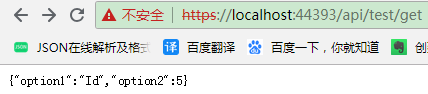
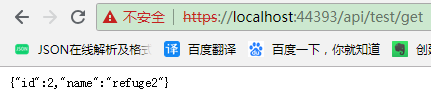
通过委托配置选项
        public void ConfigureServices(IServiceCollection services)

        {

            services.Configure<MyOptions>(options =>

            {

                //这些值会替代 MyOptions 构造函数中设置的值.

                //原因很简单,肯定是对象创建了,才会执行这个委托.

                options.Id = ;

                options.Name = "refuge2";

            });

        }
通过文件配置简单选项
新建一个json文件:
{

  "Id": ,

  "Name": "refuge3"

}
        public void ConfigureServices(IServiceCollection services)

        {

            services.AddMvc().SetCompatibilityVersion(CompatibilityVersion.Version_2_2);

            ConfigurationBuilder builder = new ConfigurationBuilder();

            IConfigurationRoot config = builder.AddJsonFile(path: @"E:\Git\Source\Repos\MyOption\Demo1\jsonconfig.json", optional: true, reloadOnChange: true).Build();

            services.Configure<MyOptions>(config);

        }
还可以读取文件中的某个节点配置简单选项
修改 json 文件,增加 subsection 节点.
{

  "Id": ,

  "Name": "refuge3",

  "SubSection": {

    "Id": 4,

    "Name": "refuge4"

  }

}
        public void ConfigureServices(IServiceCollection services)

        {

            ConfigurationBuilder builder = new ConfigurationBuilder();

            IConfigurationRoot config = builder.AddJsonFile(@"E:\Git\Source\Repos\MyOption\Demo1\jsonconfig.json", true, true).Build();

            services.Configure<MyOptions>(config.GetSection("subsection"));

        }
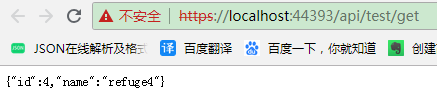
上面这些例子中的获取到的 MyOptions 对象都是单例的.比如通过文件配置简单选项,即使 AddJsonFile 方法最后一个参数是 true ,配置数据也不会更新.要实现更新需要使用下面这个接口.
通过 IOptionsSnapshot 重新加载配置数据
修改 TestController :
[Route("api/[controller]/[action]")]

    [ApiController]

    public class TestController : ControllerBase

    {

        private readonly IOptionsSnapshot<MyOptions> _options;

        public TestController(IOptionsSnapshot<MyOptions> options)

        {

            _options = options;

        }
        public MyOptions Get()

        {

            return _options.Value;

        }
    }
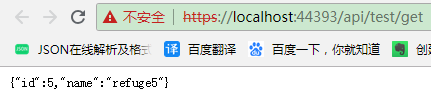
第一次请求:
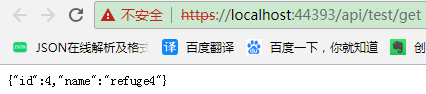
修改 json 文件后,刷新页面
通过别名配置选项
        public void ConfigureServices(IServiceCollection services)

        {

            services.AddMvc().SetCompatibilityVersion(CompatibilityVersion.Version_2_2);

            services.Configure<MyOptions>("option1", Configuration);

            services.Configure<MyOptions>("option2", options =>

            {

                options.Id = 6;

                options.Name = "refuge6";

            });

        }
修改 TestController
    [Route("api/[controller]/[action]")]

    [ApiController]

    public class TestController : ControllerBase

    {

        private readonly IOptionsSnapshot<MyOptions> _options;

        public TestController(IOptionsSnapshot<MyOptions> options)

        {

            _options = options;

        }

        public IEnumerable<MyOptions> Get()

        {

            for (int i = ; i < ; i++)

            {

                yield return _options.Get("option" + i);

            }

        }

    }

当启用多个配置服务时,指定的最后一个配置源优于其他源.
未完待续...
ASP.NET Core 2.2 基础知识(七) 选项模式的更多相关文章
- ASP.NET Core 2.2 基础知识(十八) 托管和部署 概述
为了方便演示,以 .NET Core 控制台应用程序讲解. 我们新建一个控制台应用程序,安装 "Newtonsoft.Json" Nuget 包,然后右键点击该项目,选择" ...
- ASP.NET Core 2.2 基础知识(十二) 发送 HTTP 请求
可以注册 IHttpClientFactory 并将其用于配置和创建应用中的 HttpClient 实例. 这能带来以下好处: 提供一个中心位置,用于命名和配置逻辑 HttpClient 实例. 例如 ...
- ASP.NET Core 2.2 基础知识(六) 配置(内含MySql+EF)
先上一段代码,了解一下 .NET Core 配置数据的结构. 新建一个 控制台项目,添加一个文件 json.json ,文件内容如下: { "country": "cn& ...
- ASP.NET Core 2.2 基础知识(十六) SignalR 概述
我一直觉得学习的最好方法就是先让程序能够正常运行,才去学习他的原理,剖析他的细节. 就好像这个图: 所以,我们先跟着官方文档,创建一个 SignalR 应用: https://docs.microso ...
- ASP.NET Core 2.2 基础知识(十四) WebAPI Action返回类型(未完待续)
要啥自行车,直接看手表 //返回基元类型 public string Get() { return "hello world"; } //返回复杂类型 public Person ...
- ASP.NET Core 2.2 基础知识(十三) WebAPI 概述
我们先创建一个 WebAPI 项目,看看官方给的模板到底有哪些东西 官方给出的模板: [Route("api/[controller]")] [ApiController] pub ...
- ASP.NET Core 2.2 基础知识(十一) ASP.NET Core 模块
ASP.NET Core 应用与进程内的 HTTP 服务器实现一起运行.该服务器实现侦听 HTTP 请求,并在一系列请求功能被写到 HttpContext 时,将这些请求展现到应用中. ASP.NET ...
- ASP.NET Core 2.2 基础知识(十) Web服务器 - Kestrel
ASP.NET Core 应用与进程内的 HTTP 服务器实现一起运行.该服务器实现侦听 HTTP 请求,并在一系列请求功能被写到 HttpContext 时,将这些请求展现到应用中. ASP.NET ...
- ASP.NET Core 2.2 基础知识(九) 使用托管服务实现后台任务
在 ASP.NET Core 中,后台任务作为托管服务实现.托管服务是一个类,而且必须实现 IHostedService 接口,该接口定义了两个方法: StartAsync(CancellationT ...
随机推荐
- [HEOI2017]分手是祝愿 期望概率dp 差分
经分析可知:I.操作每个灯可看做一种异或状态 II.每个状态可看做是一些异或状态的异或和,而且每个异或状态只能由它本身释放或放入 III.每一种异或状态只有存在不存在两中可行状态,因此这些灯只有同时处 ...
- java AWT repaint paint update 方法
paint(Graphic g): awt调用这个方法有2种形式.程序驱动方式和系统驱动方式. 在系统驱动的情况下(比如界面第一次显示组件),系统会判断组件的显示区域,然后向事件分发线程发出调用pai ...
- MySQL使用笔记(六)条件数据记录查询
By francis_hao Dec 17,2016 条件数据记录查询 mysql> select field1,field2-- from table_name where 条件; 其中 ...
- codeforces803D. Magazine Ad
D. Magazine Adtime limit per test1 secondmemory limit per test256 megabytesinputstandard inputoutput ...
- python 闭包与装饰器
1.闭包--返回子函数名 作用:使用子函数之外的父函数的变量 闭包就是你调用了一个函数a,这个函数a反悔了一个子函数名b,这个返回的函数b就叫做闭包 代码举例 def a(): test = 'aa' ...
- session超时设置+超时页面跳转
session超时设置,方法有三种: (1)在主页面或者公共页面中加入:session.setMaxInactiveInterval(600);参数600单位是秒,即在没有10分钟活动后,sessio ...
- 动态规划&字符串:最长公共子串
还是直接上转移方程: 动规只能解决O(n^2)的最长公共子串问题 使用后缀数组或者SAM可以高效地解决这个问题 所以,对于这个问题,动规的代码就不给出了 直接给出SAM的实现,也为以后学习SAM打下一 ...
- HDFS 的Trash回收站
1)在core-site.xml文件中添加这个配置 在每个节点(不仅仅是主节点)上添加配置 core-site.xml,增加如下内容 <property> <name>fs.t ...
- 【BZOJ4774】修路 [斯坦纳树]
修路 Time Limit: 20 Sec Memory Limit: 256 MB Description Input Output 仅一行一个整数表示答案. Sample Input 5 5 2 ...
- vue入门介绍
vue:解决前端大型应用的开发,将之前几十个.几百个.更多的HTML页面集成1个html页面(单页面应用)jquery:前端方法库bootstrap:UI组件库 angular/react这两个框架都 ...