
CSS3 GPU硬件加速
1、代码(未添加GPU加速代码)
 <!DOCTYPE html>

 <html lang="zh-CN">

     <head>

         <meta charset="UTF-8">

         <meta http-equiv="X-UA-Compatible" content="IE=edge,chrome=1">

         <meta name="viewport" content="width=device-width,initial-scale=1,minimum-scale=1,maximum-scale=1,user-scalable=no" />

         <title></title>

         <meta name="keywords" content="##,##,##,##,##,##">

         <meta name="description" content="###....">

         <meta name="format-detection" content="telephone=no,email=no">

         <meta name="apple-mobile-web-app-status-bar-style" content="black">

         <meta name="apple-mobile-web-app-capable" content="yes">

         <meta name="apple-touch-fullscreen" content="yes">

         <style>

             .animation {

                 -webkit-animation: rotateIn 1s .2s ease both infinite;

                 -moz-animation: rotateIn 1s .2s ease both infinite;

             }

             @-webkit-keyframes rotateIn {

                 0% {

                     -webkit-transform-origin: center center;

                     -webkit-transform: rotate(-200deg);

                     opacity: 0

                 }

                 100% {

                     -webkit-transform-origin: center center;

                     -webkit-transform: rotate(0);

                     opacity: 1

                 }

             }

             @-moz-keyframes rotateIn {

                 0% {

                     -moz-transform-origin: center center;

                     -moz-transform: rotate(-200deg);

                     opacity: 0

                 }

                 100% {

                     -moz-transform-origin: center center;

                     -moz-transform: rotate(0);

                     opacity: 1

                 }

             }

         </style>

     </head>

     <body>

         <img src="img/aaa.jpg" class="animation" />

     </body>

 </html>
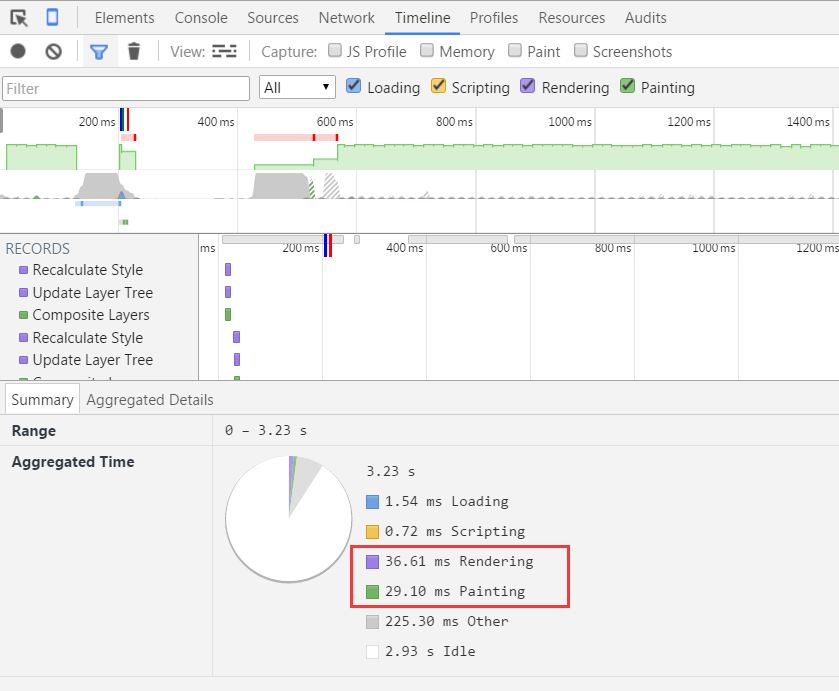
F12控制台Timeline记录:
2、代码(添加GPU加速代码)
-webkit-transform: translateZ(0)
 <!DOCTYPE html>

 <html lang="zh-CN">

     <head>

         <meta charset="UTF-8">

         <meta http-equiv="X-UA-Compatible" content="IE=edge,chrome=1">

         <meta name="viewport" content="width=device-width,initial-scale=1,minimum-scale=1,maximum-scale=1,user-scalable=no" />

         <title></title>

         <meta name="keywords" content="##,##,##,##,##,##">

         <meta name="description" content="###....">

         <meta name="format-detection" content="telephone=no,email=no">

         <meta name="apple-mobile-web-app-status-bar-style" content="black">

         <meta name="apple-mobile-web-app-capable" content="yes">

         <meta name="apple-touch-fullscreen" content="yes">

         <style>

             .animation {

                 -webkit-animation: rotateIn 1s .2s ease both infinite;

                 -moz-animation: rotateIn 1s .2s ease both infinite;

             }

             @-webkit-keyframes rotateIn {

                 0% {

                     -webkit-transform-origin: center center;

                     -webkit-transform: rotate(-200deg) translateZ(0);

                     opacity: 0;

                 }

                 100% {

                     -webkit-transform-origin: center center;

                     -webkit-transform: rotate(0);

                     opacity: 1

                 }

             }

             @-moz-keyframes rotateIn {

                 0% {

                     -moz-transform-origin: center center;

                     -moz-transform: rotate(-200deg) translateZ(0);

                     opacity: 0;

                 }

                 100% {

                     -moz-transform-origin: center center;

                     -moz-transform: rotate(0);

                     opacity: 1

                 }

             }

         </style>

     </head>

     <body>

         <img src="img/aaa.jpg" class="animation" />

     </body>

 </html>
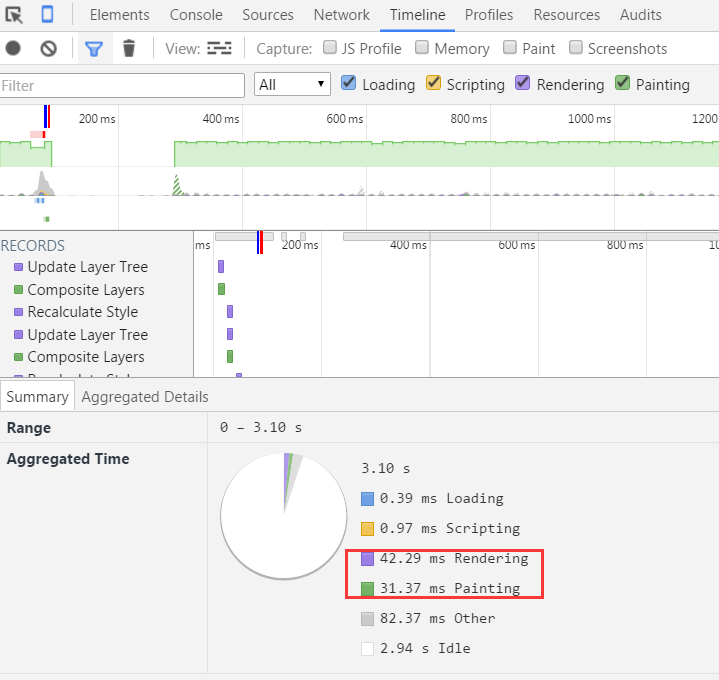
F12控制台Timeline记录:
3、代码(添加GPU加速代码)
-webkit-backface-visibility: hidden;

-webkit-perspective: 1000;
 <!DOCTYPE html>

 <html lang="zh-CN">

     <head>

         <meta charset="UTF-8">

         <meta http-equiv="X-UA-Compatible" content="IE=edge,chrome=1">

         <meta name="viewport" content="width=device-width,initial-scale=1,minimum-scale=1,maximum-scale=1,user-scalable=no" />

         <title></title>

         <meta name="keywords" content="##,##,##,##,##,##">

         <meta name="description" content="###....">

         <meta name="format-detection" content="telephone=no,email=no">

         <meta name="apple-mobile-web-app-status-bar-style" content="black">

         <meta name="apple-mobile-web-app-capable" content="yes">

         <meta name="apple-touch-fullscreen" content="yes">

         <style>

             .animation {

                 -webkit-animation: rotateIn 1s .2s ease both infinite;

                 -moz-animation: rotateIn 1s .2s ease both infinite;

             }

             @-webkit-keyframes rotateIn {

                 0% {

                     -webkit-transform-origin: center center;

                     -webkit-transform: rotate(-200deg) translateZ(0);

                     opacity: 0;

                     -webkit-backface-visibility: hidden;

                     -webkit-perspective: 1000;

                 }

                 100% {

                     -webkit-transform-origin: center center;

                     -webkit-transform: rotate(0);

                     opacity: 1

                 }

             }

         </style>

     </head>

     <body>

         <img src="img/aaa.jpg" class="animation" />

     </body>

 </html>
F12控制台Timeline记录:
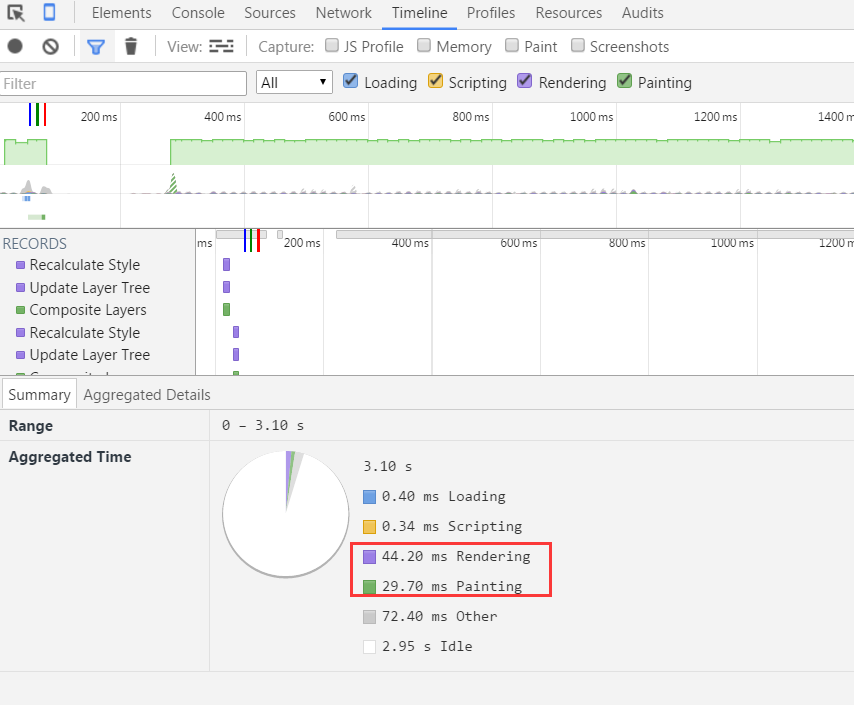
总结:好像没有什么大的优化,渲染和绘制时间差的不多。需要继续研究。
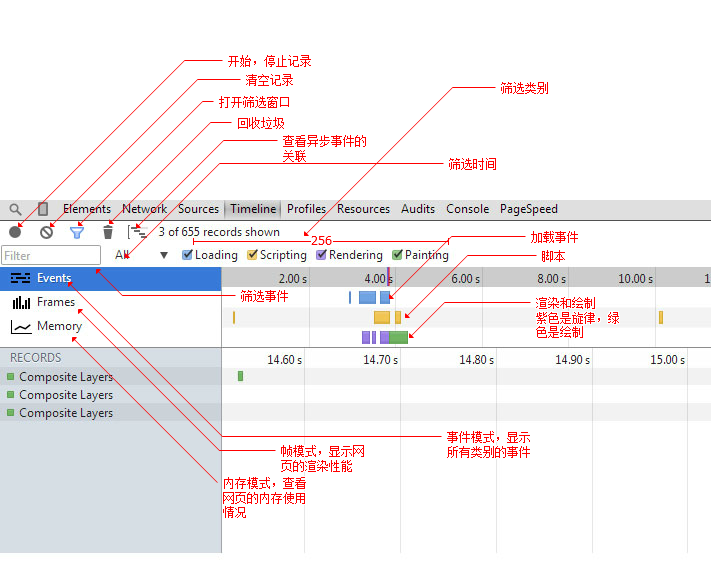
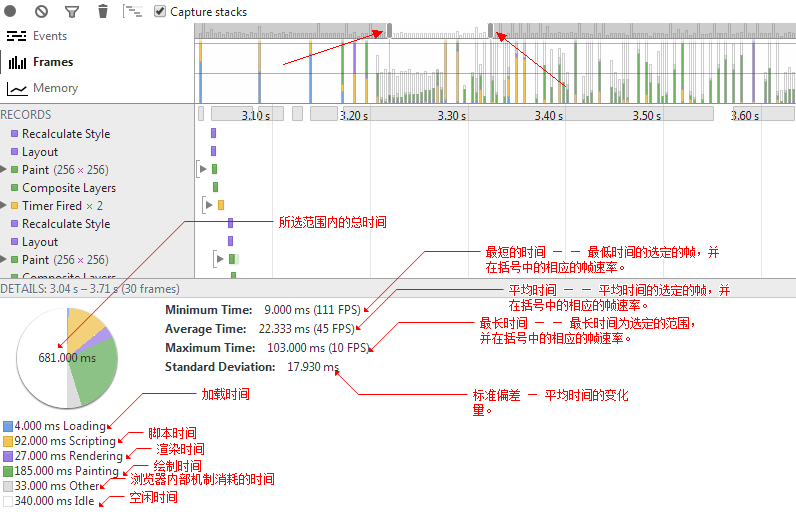
附:timeline用法
CSS3 GPU硬件加速的更多相关文章
- 使用CSS3开启GPU硬件加速提升网站动画渲染性能
遇到的问题: 网站本身设计初衷就没有打算支持IE8及以下版本浏览器,并不是因为代码兼容性问题,而是真的不想迁就那些懒得更新自己操作系统和浏览器的用户,毕竟是我自己的网站,所以我说了算!哈哈~ 没有了低 ...
- GPU硬件加速原理 /转
现代浏览器大都可以利用GPU来加速页面渲染.每个人都痴迷于60桢每秒的顺滑动画.在GPU的众多特性之中,它可以存储一定数量的纹理(一个矩形的像素点集合)并且高效地操作这些纹理(比如进行特定的移动.缩放 ...
- GPU硬件加速
现代浏览器大都可以利用GPU来加速页面渲染.每个人都痴迷于60桢每秒的顺滑动画.在GPU的众多特性之中,它可以存储一定数量的纹理(一个矩形的像素点集合)并且高效地操作这些纹理(比如进行特定的移动.缩放 ...
- [IE9] GPU硬件加速
IE9 的一个重大改进就是使用了GPU硬件加速来渲染网页. 那么GPU硬件加速到底能够带来多大的性能提升? 你可以在IE的测试案例网站(http://ie.microsoft.com/testdr ...
- GPU硬件加速相关
从android3.0开始,2D渲染开始支持硬件加速,即在view的Canvas上的绘图操作可以用GPU来加速. 硬件加速会使app消耗更多的内存. 如果配置文件中,Target API level ...
- CSS3开启硬件加速
{ transform: translateZ(0); transform: translate3d(0,0,0);}<!-- transform: translateZ(0); transfo ...
- Android 显示系统:飞思卡尔平台图形界面与GPU硬件加速
图形是Android平台中的一个大主题,包含java/jni图形框架和2d/3d图形引擎(skia.OpenGL-ES.renderscript). 本文档描述了飞思卡尔设备上的一般Android图形 ...
- javascript 手势(swipeLeft,swipeRight)滑动中使用css3动画卡顿,开启硬件加速
今天,在做一个移动端项目,遇到了css3动画卡顿的现象. 例图: 在手势滑动中(swipeLeft,swipeRight)遇到了动画卡顿的现象,最后使用了css3动画-webkit-transform ...
- Minimit Anima – 硬件加速的 CSS3 动画插件
Minimit Anima 是一个实现 CSS3 Transforms 和 Transitions 动画的 jQuery 插件.基于硬件加速的 CSS3 动画执行更快,而且它有一个类似于 jQuery ...
随机推荐
- maven进阶:一个多模块项目
一个多模块项目通过一个父POM 引用一个或多个子模块来定义.父项目,通过以下配置,将子项目关联. <packaging>pom</packaging> <modules& ...
- shell中的括号(小括号,中括号,大括号)及单引号、 双引号,反引号(``)
一.小括号,园括号() 1.单小括号 () ①命令组.括号中的命令将会新开一个子shell顺序执行,所以括号中的变量不能够被脚本余下的部分使用.括号中多个命令之间用分号隔开,最后一个命令可以没有分号, ...
- @selector 如何调用在另一个类中的静态函数?
可以在同一个类的methodName这个函数中再调用另一个类中的静态方法
- struts2中<welcome-file>index.action</welcome-file>直接设置action,404的解决方案
这几天的项目页面的访问全部改为.action访问,在修改首页时遇到了问题.将web.xml文件中<welcome-file>index.action</welcome-file> ...
- Xcode界面切换动画效果
CATransition *animation = [CATransition animation]; [animation setDuration:0.2f]; [animation setTimi ...
- C# 模拟网站登陆
实现此功能首先需要借助一些抓包工具,对相应的网站登陆过程进行分析,此过程根据网站的不同,可能复杂,也可能很简单.常用的抓包工具FF下FireBug和IE下的HttpWatch.这两个工具很强大,以此工 ...
- SpringMVC处理方法的数据绑定
一.SpringMVC数据绑定流程 Spring MVC通过反射机制对目标处理方法的签名进行解析,将请求消息中的信息以一定的方式转换并绑定到处理方法的入参中.数据绑定的核心部件是DataBinder, ...
- 系统对接API调用
在与公司外部系统对接时,API接口一般采用REST风格,对外暴露HTTP服务.只需要将入参封装好,并发起HTTP请求即可.具体请求流程如下图所示: 数据格式 API调用参数分为系统参数和业务参数,请求 ...
- Python在Windows下操作CH341DLL
#! /usr/bin/env python #coding=utf-8 import os import time from ctypes import * class USBI2C(): ch34 ...
- 微信小程序Nginx环境配置
环境配置概述 主要内容: SSL免费证书申请步骤 Nginx HTTPS 配置 TLS 1.2 升级过程 微信小程序要求使用 https 发送请求,那么Web服务器就要配置成支持 https,需要先申 ...