
使用UIScreenEdgePanGestureRecognizer写iOS7侧边栏
使用UIScreenEdgePanGestureRecognizer写iOS7侧边栏
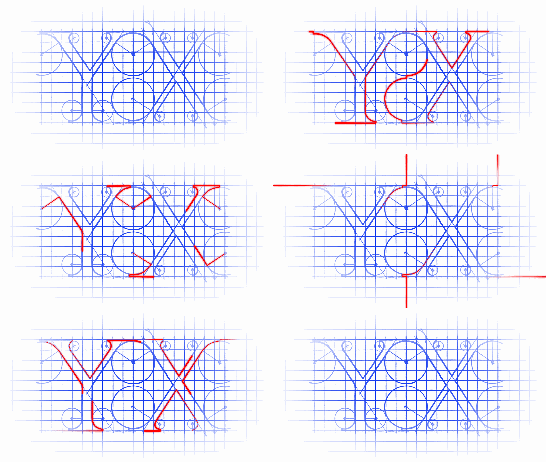
A UIScreenEdgePanGestureRecognizer looks for panning (dragging) gestures that start near an edge of the screen. The system uses screen edge gestures in some cases to initiate view controller transitions. You can use this class to replicate the same gesture behavior for your own actions.
UIScreenEdgePanGestureRecognizer看起来像pan手势,它是检测屏幕边缘的pan手势的。系统在某些controller转场的时候会使用这个手势。你也可以使用这个手势做其他的事情。
源码:
#import "RootViewController.h"

@interface RootViewController ()<UIGestureRecognizerDelegate>

{

    CGFloat  _centerX;

    CGFloat  _centerY;

    UIView  *_backgroundView;

}

@end

@implementation RootViewController

- (void)viewDidLoad

{

    [super viewDidLoad];

    // 存储坐标

    _centerX = self.view.bounds.size.width / ;

    _centerY = self.view.bounds.size.height / ;

    self.view.backgroundColor = [UIColor blackColor];

    // 屏幕边缘pan手势(优先级高于其他手势)

    UIScreenEdgePanGestureRecognizer *leftEdgeGesture = \

    [[UIScreenEdgePanGestureRecognizer alloc] initWithTarget:self

                                                      action:@selector(handleLeftEdgeGesture:)];

    leftEdgeGesture.edges = UIRectEdgeLeft;           // 屏幕左侧边缘响应

    [self.view addGestureRecognizer:leftEdgeGesture]; // 给self.view添加上

    // 设置一个UIView用来替换self.view,self.view用来当做背景使用

    _backgroundView = [[UIView alloc] initWithFrame:self.view.bounds];

    _backgroundView.backgroundColor = [UIColor yellowColor];

    [self.view addSubview:_backgroundView];

    // 展示的view

    UIView *showView_01 = [[UIView alloc] initWithFrame:CGRectMake(, , , )];

    showView_01.tag = 0x1;

    showView_01.backgroundColor = [UIColor redColor];

    [_backgroundView addSubview:showView_01];

}

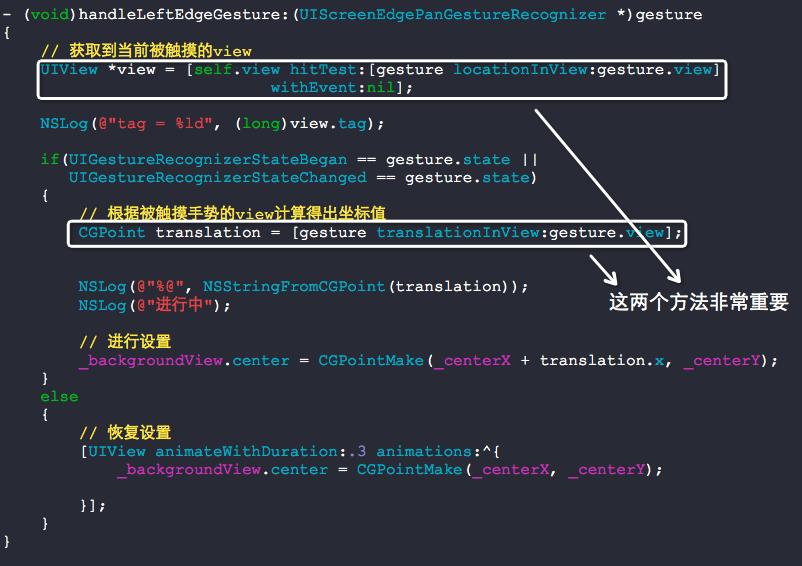
- (void)handleLeftEdgeGesture:(UIScreenEdgePanGestureRecognizer *)gesture

{

    // 获取到当前被触摸的view

    UIView *view = [self.view hitTest:[gesture locationInView:gesture.view]

                            withEvent:nil];

    NSLog(@"tag = %ld", (long)view.tag);

    if(UIGestureRecognizerStateBegan == gesture.state ||

       UIGestureRecognizerStateChanged == gesture.state)

    {

        // 根据被触摸手势的view计算得出坐标值

        CGPoint translation = [gesture translationInView:gesture.view];

        NSLog(@"%@", NSStringFromCGPoint(translation));

        NSLog(@"进行中");

        // 进行设置

        _backgroundView.center = CGPointMake(_centerX + translation.x, _centerY);

    }

    else

    {

        // 恢复设置

        [UIView animateWithDuration:. animations:^{

            _backgroundView.center = CGPointMake(_centerX, _centerY);

        }];

    }

}

@end
RootViewController.m
 处理手势:
处理手势:
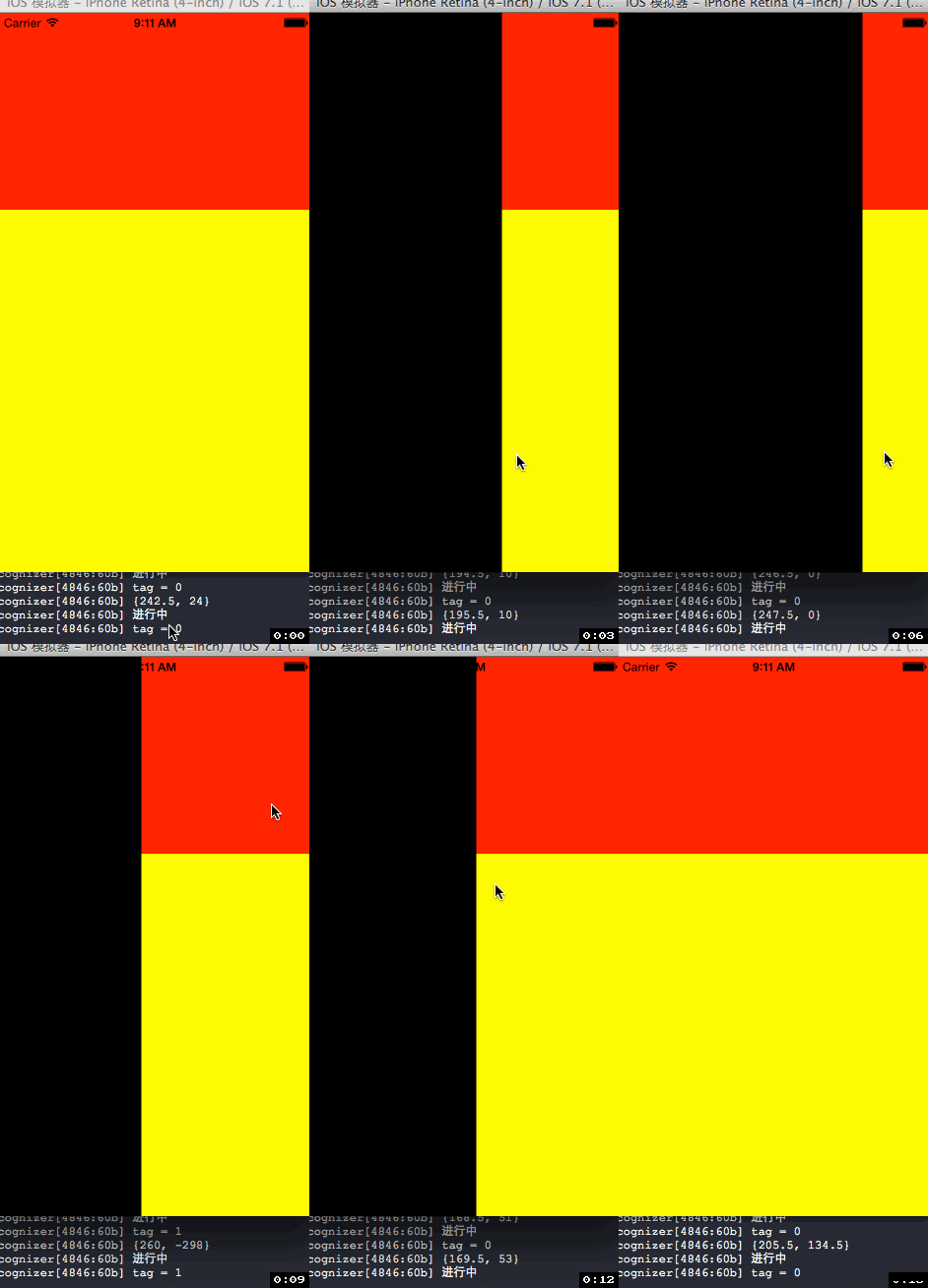
效果如下图:
如果想与其他手势并发操作,实现如下代理即可:
- (BOOL)gestureRecognizer:(UIGestureRecognizer *)gestureRecognizer shouldRecognizeSimultaneouslyWithGestureRecognizer:(UIGestureRecognizer *)otherGestureRecognizer {
return YES;
}
使用UIScreenEdgePanGestureRecognizer写iOS7侧边栏的更多相关文章
- 使用TFHpple解析html
使用TFHpple解析html https://github.com/topfunky/hpple 前期准备工作 引入静态库文件 添加库文件的 header search paths(注意,必须选中 ...
- iOS html格式解析
使用TFHpple解析html https://github.com/topfunky/hpple 前期准备工作 引入静态库文件 添加库文件的 header search paths(注意,必须选中 ...
- 使用Ant Design写一个仿微软ToDo
实习期的第一份活,自己看Ant Design的官网学习,然后用Ant Design写一个仿微软ToDo. 不做教学目的,只是记录一下. 1.学习 Ant Design 是个组件库,想要会用,至少要知道 ...
- 史上最全的常用iOS的第三方框架
文章来源:http://blog.csdn.net/sky_2016/article/details/45502921 图像: 1.图片浏览控件MWPhotoBrowser 实现了一个照片 ...
- 常用iOS的第三方框架
图像:1.图片浏览控件MWPhotoBrowser 实现了一个照片浏览器类似 iOS 自带的相册应用,可显示来自手机的图片或者是网络图片,可自动从网络下载图片并进行缓存.可对图片进行缩放等 ...
- iOS:抽屉侧滑动画两种形式(1、UIView侧滑 2、ViewController侧滑)
前言: 在iOS中抽屉动画是很常用的一种技术,使用它有很炫的体验效果,为app增添特色,形式就两种,一个是UIView的侧滑,另一个就是ViewController的侧滑. 实现方式: 抽屉侧滑动画有 ...
- 一些Demo链接
youtube下载神器:https://github.com/rg3/youtube-dl我擦咧vim插件:https://github.com/Valloric/YouCompleteMevim插件 ...
- iOS 中有用的开源库
youtube下载神器:https://github.com/rg3/youtube-dl vim插件:https://github.com/Valloric/YouCompleteMe vim插件配 ...
- ios的一些开源资源
1. http://www.open-open.com/lib/view/open1428646127375.html vim插件:https://github.com/Valloric/YouCom ...
随机推荐
- python - 斐波那契(Fibonacci)数列
斐波那契数列即数列中每一项等于它前面两项的和,公式如下: f(n) = f(n-1) + f(n-2) n>2 ----- 递推公式 f(n) = 1 ...
- nginx常用配置2
## 一.Nginx中虚拟主机配置 ### 1.基于域名的虚拟主机配置 1.修改宿主机的hosts文件(系统盘/windows/system32/driver/etc/HOSTS) linux : ...
- ACM java写法入门
打2017icpc沈阳站的时候遇到了大数的运算,发现java与c++比起来真的很赖皮,竟然还有大数运算的函数,为了以后打比赛更快的写出大数的算法并且保证不错,特意在此写一篇博客, 记录java的大数运 ...
- 使用git配合idea使用oschina代码仓库初级教程
http://git.oschina.net/ 这个是开源中国的代码仓库是免费的,可以建100和仓库,私有也是免费的 第一步,创建 oschina代码仓库,这里就忽略了.很简单.去注册一个简单几步就可 ...
- C语言实现链表
#include<stdio.h>#include<malloc.h>#include<stdlib.h> typedef struct Node { int ...
- lua热重载
热重载,就是不重新开unity让代码的变化直接看出来,一般在开发时候使用 lua中通过require导入的文件,最终都存在package.loaded这个table中.require会判断是否文件已经 ...
- Python基础(6) - 基本语句
Python print(在Python 3.0中就变成了函数了) print语句是把对象用文本化的形式输出到标准的输出流上. Operation Interpretation print spam ...
- Bash编程(5) Shell方法
shell的方法在相同的进程内执行,与调用它的脚本一致.对于方法来说,脚本中的所有变量均可见,且不需要执行export.方法中可以创建局部变量,且不影响正在调用的脚本. 1. 定义语法 (1) Kor ...
- Vue路由开启keep-alive时的注意点
Vue路由开启keep-alive时的注意点 这个不是业务的要求,但是看到每次进入页面就重新渲染DOM然后再获取数据更新DOM,觉得作为一个前端工程师有必要优化下的加载逻辑,正好vue提供了 ke ...
- [PY3]——实现一个优先级队列
import heapq class PriorityQueue: def __init__(self): self._queue=[] self._index=0 def push(self,ite ...