
Qt-QML-Slider-滑块-Style-后继
首先了,先把我上篇文章的demo准备好,不过我上次写的被我删除了,这次就重新写了一个,上代码
import QtQuick 2.5

import QtQuick.Controls 1.4

import QtQuick.Controls.Styles 1.4

ApplicationWindow {

    visible: true

    width: 1366

    height: 768

    title: qsTr("DLSlider")

    Slider

    {

        width: 600

        height: 20

        x: (parent.width - width)/2

        y: (parent.height - height)/2

        value: 0.1

        stepSize: 0.01

        onValueChanged:

        {

            console.log(value)

        }

        style: SliderStyle

        {

            handle: Rectangle

            {

                anchors.centerIn: parent;

                color:control.pressed ? "white":"lightgray";

                border.color: "gray";

                border.width: 2;

                width: 34;

                height: 34;

                radius: 12;

                Text{

                    anchors.centerIn: parent;

                    text: control.value;

                    color: "red";

                }

            }

            groove:Rectangle

            {

                implicitHeight:8

                color:"gray"

                radius:8

            }

        }

    }

}
详细解释大家可以看上一篇博客
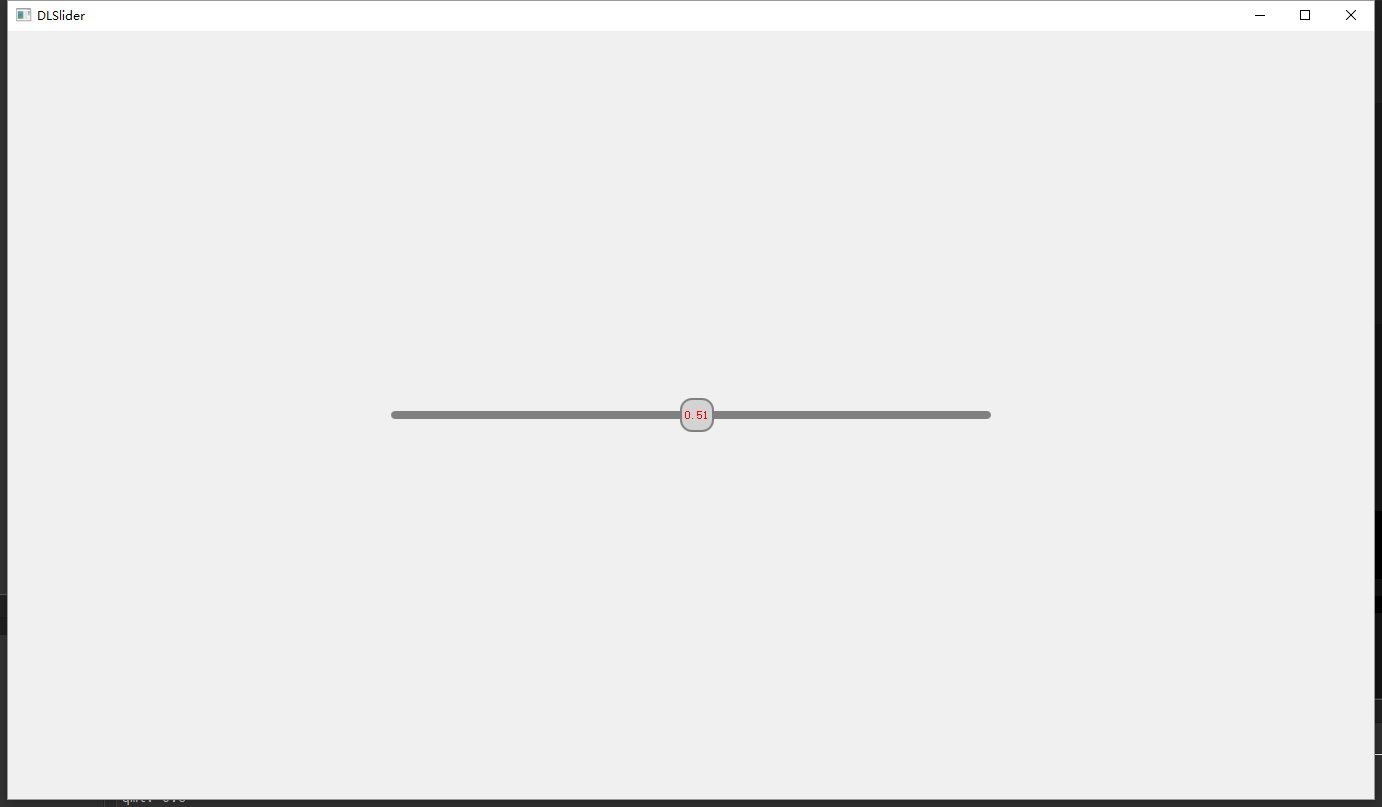
这是目前的样式,和上一篇中基本一样,但是不是我要的样式
这里将说下升级版

这样的效果是我想要的效果,上面是进度条,下面是可以拖动的指针,不过呢,能力有限,没有通过编写style实现成功,我用了一个投机取巧的办法来实现。
下面先上我最后的效果截图
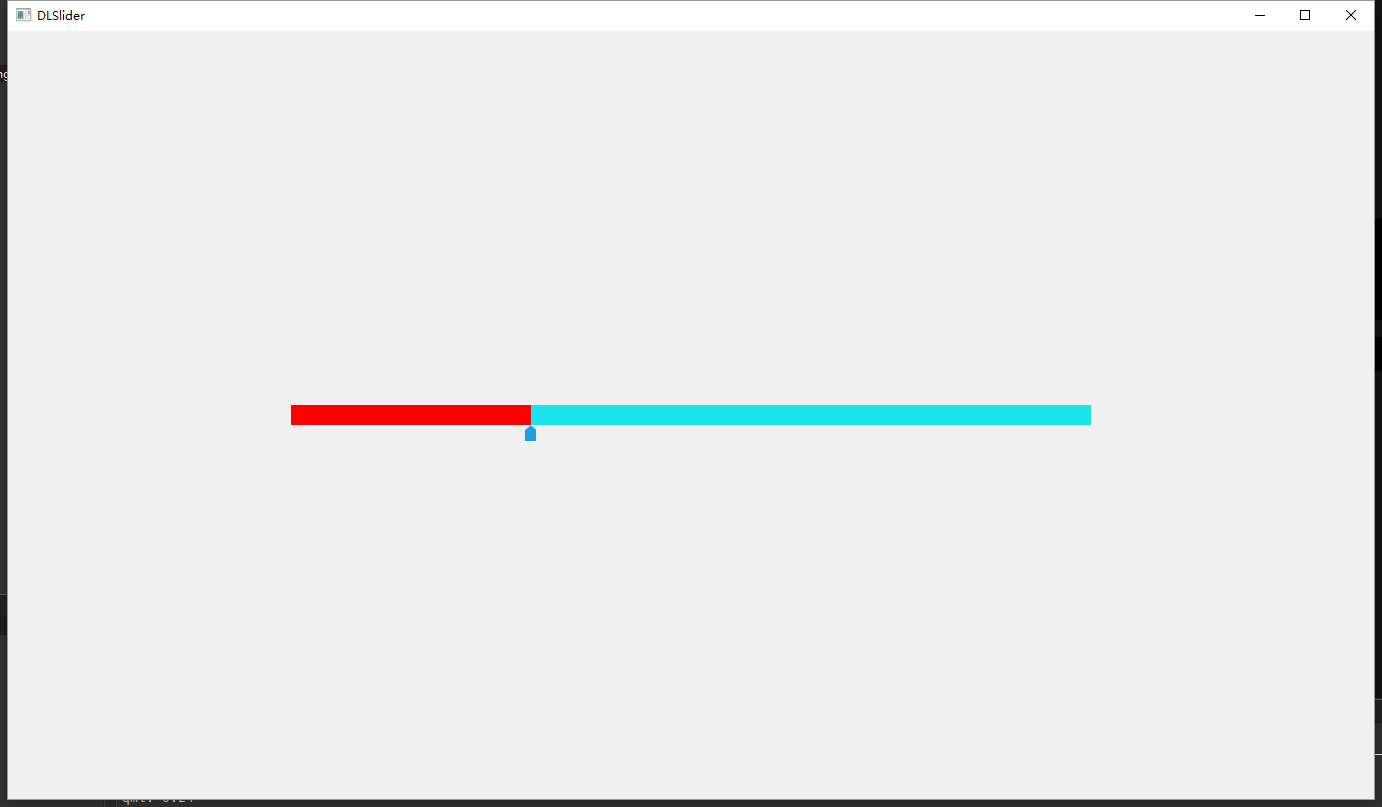
上源代码
import QtQuick 2.5

import QtQuick.Controls 1.4

import QtQuick.Controls.Styles 1.4

ApplicationWindow {

    visible: true

    width: 1366

    height: 768

    title: qsTr("DLSlider")

    Rectangle

    {

        id:line_parent

        width: 800

        height: 20

        x: (parent.width - width)/2

        y: (parent.height - height)/2

        color: "#1ae5ec"

        Rectangle

        {

            id:line_child

            height: line_parent.height

            anchors.top:parent.top

            anchors.left: parent.left

            width: parent.width*m_Slider.value

            color: "red"

        }

    }

    Slider

    {

        id:m_Slider

        anchors.top: line_parent.top

        anchors.left: line_parent.left

        anchors.leftMargin: -5.5

        height: line_parent.height*2

        width: line_parent.width+11

        value: 0.1

        stepSize: 0.01

        onValueChanged:

        {

            console.log(value)

        }

        style: SliderStyle

        {

            handle: Rectangle

            {

                anchors.horizontalCenter:parent.horizontalCenter

                anchors.bottom:parent.bottom

                width:11

                height:16

                color:"transparent"

                Image {

                    width: 11

                    height: 16

                    anchors.horizontalCenter: parent.horizontalCenter

                    anchors.bottom: parent.bottom

                    anchors.bottomMargin: -8

                    source: "qrc:/Images/ppointer.png"

                }

            }

            groove:Rectangle

            {

                color:"transparent"

            }

        }

    }

}
剩下的需要大家自行对比了,困了,要睡觉了

Qt-QML-Slider-滑块-Style-后继的更多相关文章
- Qt QML referenceexamples attached Demo hacking
/********************************************************************************************* * Qt ...
- 表单(下)-EasyUI Spinner 微调器、EasyUI Numberspinner 数值微调器、EasyUI Timespinner 时间微调器、EasyUI Slider 滑块
EasyUI Spinner 微调器 扩展自 $.fn.validatebox.defaults.通过 $.fn.spinner.defaults 重写默认的 defaults. 微调器(spinne ...
- Qt qml 单例模式
Qt qml 单例模式,没什么好说的,看代码吧.单例模式很适合做全局的配置文件. [示例下载] http://download.csdn.net/detail/surfsky/8539313 [以下是 ...
- Qt qml listview 列表视图控件(下拉刷新、上拉分页、滚动轴)
Qt qml listview下拉刷新和上拉分页主要根据contentY来判断.但要加上顶部下拉指示器.滚动条,并封装成可简单调用的组件,着实花了我不少精力:) [先看效果] [功能] 下拉刷新 ...
- qt qml qchart 图表组件
qt qml qchart 图表组件 * Author: Julien Wintz * Created: Thu Feb 13 23:41:59 2014 (+0100) 这玩意是从chart.js迁 ...
- qt qml中PropertyAnimation的几种使用方法
qml文章 qt qml中PropertyAnimation的几种使用方法 动画应用场景有以下几种: 首先如果一个Rectangle.动画是要改变它的x和y值 1,Rectangle一旦被创建,就要移 ...
- easyUI slider滑块,在加载出来后,easyUI slider滑块禁用方法
easyUI slider滑块禁用 如下图easyUI slider滑块,在加载出来后,需要禁止拉动 easyUI slider滑块禁用方法 //禁用$(s1).slider({ disabled:t ...
- 指定Qt程序运行的style,比如fusion(以前没见过QStyleFactory)
转载请注明文章:指定Qt程序运行的style,比如fusion 出处:多客博图 代码很简单,如下: #include <QtWidgets/QApplication> #include ...
- Qt qml的软件架构设计
google: qt qml application architecture 有很多资源. 1 https://www.ics.com/blog/multilayered-architecture- ...
- Qt Quick 常用元素:TabView(选项卡) 与 Slider(滑块)
一.TabView TabView 可以实现类似 Windows 任务管理器的界面,有人叫 TabView 为标签控件,有人又称之为选项卡控件,我们知道它就是这么个东西就行了.现在来介绍 TabVie ...
随机推荐
- v-bind:的基本用法
1. v-bind:class(根据需求进行选择) <style> .box{ background-color: #ff0; } .textColor{ color: #000; } . ...
- 说说DBA职责和目标
数据库管理员(Database Administrator,简称DBA),是从事管理和维护数据库管理系统(DBMS)的相关工作人员的统称,他属于运维工程师的一个分支,主要负责业务数据库从设计.测试到部 ...
- hdu 1026 Ignatius and the Princess I(BFS+优先队列)
传送门: http://acm.hdu.edu.cn/showproblem.php?pid=1026 Ignatius and the Princess I Time Limit: 2000/100 ...
- c++构造函数详解(转)
c++构造函数的知识在各种c++教材上已有介绍,不过初学者往往不太注意观察和总结其中各种构造函数的特点和用法,故在此我根据自己的c++编程经验总结了一下c++中各种构造函数的特点,并附上例子,希望对初 ...
- LeetCode20.有效的括号 JavaScript
给定一个只包括 '(',')','{','}','[',']' 的字符串,判断字符串是否有效. 有效字符串需满足: 左括号必须用相同类型的右括号闭合. 左括号必须以正确的顺序闭合. 注意空字符串可被认 ...
- direct path write 等待事件导致数据库hang
同事反应十几分钟前数据库好像挂起了一会,让我排查数据库是否存在什么问题. 第一反应看当前数据库还是否有什么等待事件,结果有direct path write等待事件. 于是抓了问题时间段20分钟的AS ...
- DB数据源之SpringBoot+MyBatis踏坑过程(六)mysql中查看连接,配置连接数量
DB数据源之SpringBoot+MyBatis踏坑过程(六)mysql中查看连接,配置连接数量 liuyuhang原创,未经允许禁止转载 系列目录连接 DB数据源之SpringBoot+Mybati ...
- ajax 与 axios区别
Ajax: Ajax 即“Asynchronous Javascript And XML”(异步 JavaScript 和 XML),是指一种创建交互式网页应用的网页开发技术. Ajax = 异步 J ...
- python3爬取全站美眉图片
爬取网站:https://www.169tp.com/xingganmeinv 该网站美眉图片有数百页,每页24张,共上万张图片,全部爬取下来 import urllib.request import ...
- 使用百度编辑器--ueditor,后台接收提交编辑的内容,HTML不见了, 赋值不了,赋值之后,html暴露出来了??
1.提交编辑好的内容, 后台post 接收发现 html 不见了,这个时候也许就是转义的问题, 既可以试试 $content = htmlspecialchars(stripslashes(input ...