
Filebeat的安装和使用(Linux)
安装 filebeat-7.9.3(与Elasticsearch版本一致)
考虑到Elasticsearch 比较费硬盘空间,所以目前项目中只上传error的日志。详细日志还是去具体服务器查看(没有专门运维)
普通安装:
- 上传并解压filebeat-7.9.3-linux-x86_64.tar.gz,
- 修改 filebeat.yml,
- 启动 ./filebeat -c filebeat.yml -e
Docker 安装
docker pull elastic/filebeat:7.9.3
将 filebeat.yml 文件传到linux 服务器 /opt/filebeat 目录中
filebeat.inputs:

# Each - is an input. Most options can be set at the input level, so

# you can use different inputs for various configurations.

# Below are the input specific configurations.

- type: log

  enabled: true

  paths:

    - /opt/logs/ai_api_dev/*.log

    # - /opt/logs/ai_api_dev/*error*.log # 只看error

    #- D:\Projects\logs\*.log

  fields:

    # 额外添加的字段

    project-name: ai_api_dev

  exclude_lines: ['DEBUG']

  tags: ["ai_api_dev"]

- type: log

  enabled: true

  paths:

    - /opt/logs/ai_schedule_dev/*.log

  fields:

    project-name: ai_ecgreport_schedule_dev

  exclude_lines: ['DEBUG']

  tags: ["ai_schedule_dev"]

# ---------------------------- Elasticsearch Output ----------------------------

output.elasticsearch:

  # Array of hosts to connect to.

  hosts: ["172.16.3.61:9200"]

  indices:

    - index: "ai_api_dev_%{[agent.version]}-%{+yyyy.MM.dd}"

      when.contains:

        tags: "ai_api_dev"

    - index: "ai_schedule_dev_%{[agent.version]}-%{+yyyy.MM.dd}"

      when.contains:

        tags: "ai_schedule_dev"

processors:

  - drop_fields:

      fields: ['agent']

      when.contains:

        tags: "ai_api_dev"

  - drop_fields:

      fields: ['agent']

      when.contains:

        tags: "ai_schedule_dev"
文件权限 755 ,不能是777,否则会报
Exiting: error loading config file: config file ("filebeat.yml") can only be writable by the owner but the permissions are "-rwxrwxrwx" (to fix the permissions use: 'chmod go-w /usr/share/filebeat/filebeat.yml')
#运行

docker run --name filebeat --restart always --privileged=true -d \

	-v /opt/filebeat/logs/:/logs/ \

	-v /opt/filebeat/filebeat.yml:/usr/share/filebeat/filebeat.yml   \

	-v /data/tenant/service/:/data/tenant/service \

	-v /opt/logs/:/opt/logs/ \

	elastic/filebeat:7.9.3

#查看日志

docker logs --tail=100 -f d69
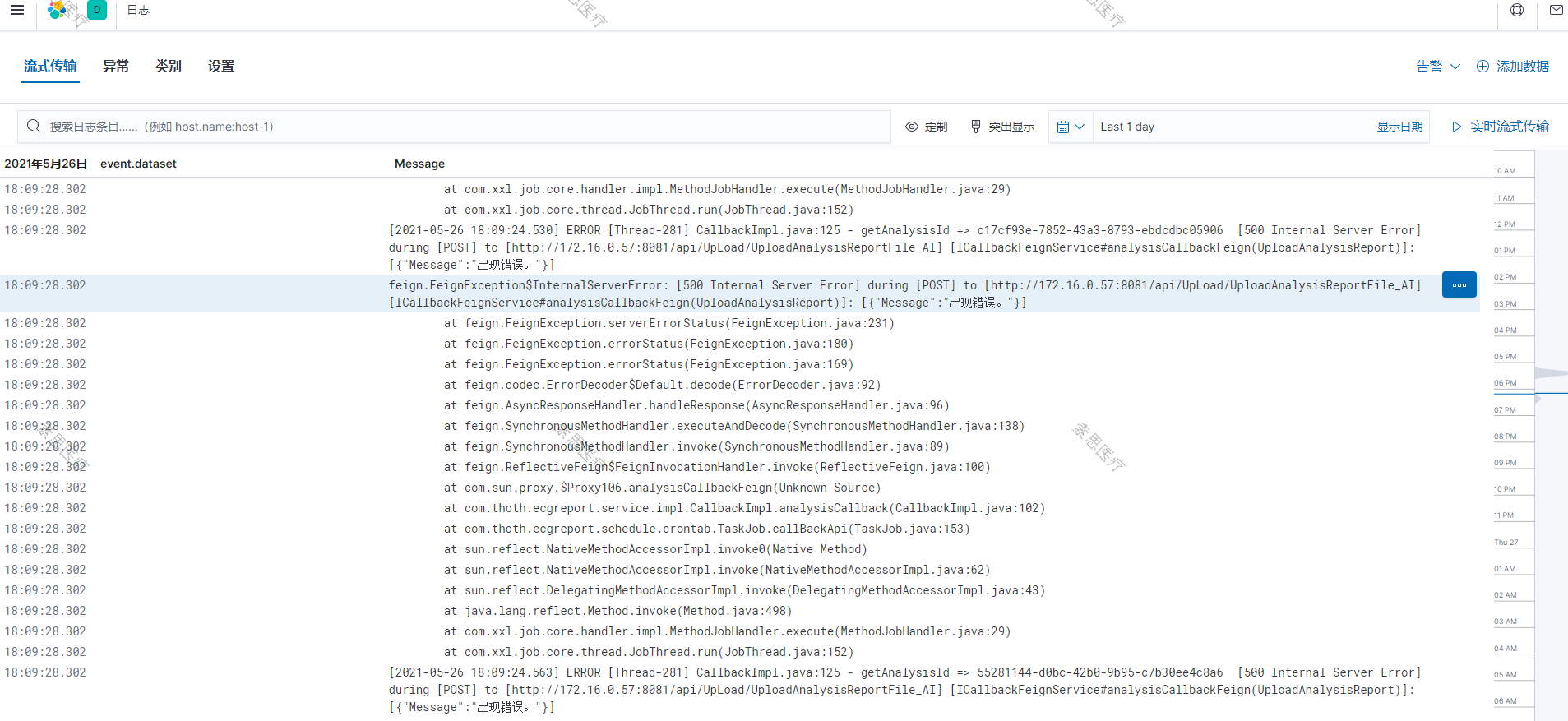
Observability => 日志
Filebeat的安装和使用(Linux)的更多相关文章
- 在同一个硬盘上安装多个 Linux 发行版及 Fedora 21 、Fedora 22 初体验
在同一个硬盘上安装多个 Linux 发行版 以前对多个 Linux 发行版的折腾主要是在虚拟机上完成.我的桌面电脑性能比较强大,玩玩虚拟机没啥问题,但是笔记本电脑就不行了.要在我的笔记本电脑上折腾多个 ...
- UEFI模式安装Win10和Linux双系统
最近心血来潮,想装一个Linux.Windows双系统,吸取上次安装的经验,这次一定都要使用UEFI模式启动,需要注意的是必须是支持此种启动模式的系统(一般解压之后都有efi文件夹不需要刻录),这次遇 ...
- VirtualBox下安装rhel5.5 linux系统
以前也用过VMware server和VMware workstation虚拟机,现在使用了一段时间VirtualBox,感觉它比较轻巧,很适合我,在Win7系统下用起来很方便.下面详细介绍下在Vir ...
- (转)Linux下安装rar fou linux
在Linux下安装rar fou linux rar for linux 软件下载地址:http://www.rarsoft.com/download.htm 到目前为止最新的版本为4.10 beta ...
- Windows与Linux的双系统的安装顺序及Linux的补救办法
如果安装多重引导,最好先安装Windows再安装Linux系统,因为: Linux在安装的时候,你可以选择将引导加载程序安装在MBR或个别分区的启动扇区,而且Linux的loader可以手动设置菜单( ...
- Ubuntu安装wps for linux
1.WPS For Linux 2013 还是只提供了32位版本,我用的是 64位 Ubuntu,如果您也是64位系统,还需要提前安装一些32位的库文件. sudo apt-get install i ...
- Ubuntu 12.04 安装sougou for linux
安装sougou for linux: 1.卸载原有的输入法,fcitx或ibus.如卸载fcitx: sudo apt-get remove fcitx*(如不需保留配置文件用purge) sudo ...
- 如何在CentOS 5.x 中安装Windows Azure Linux Agent (WALA)
Qing Liu Tue, Mar 10 2015 3:06 AM 在今天的这一个章节中,我们主要讨论在CentOs 5.x 中如何安装Windows Azure Linux Agent 2.11 ...
- Centos下安装配置LAMP(Linux+Apache+MySQL+PHP)
Centos下安装配置LAMP(Linux+Apache+MySQL+PHP) 关于LAMP的各种知识,还请大家自行百度谷歌,在这里就不详细的介绍了,今天主要是介绍一下在Centos下安装,搭建一 ...
- VMware Workstation 12 Player之安装林耐斯-Linux Deepin -系统
VMware Workstation 12 Player之安装林耐斯-Linux Deepin -系统... ============= ============= ============= === ...
随机推荐
- atest
#include<iostream> using namespace std; int main() { reutrn 0; }
- 嵌入式C编码规范
每个程序员都有自己的编码风格,自己喜欢就好. 嵌入式C编码规范 上述博文来自转载
- STL multimap容器
multimap容器 multimap容器保存的是有序的键/值对,但是可以保存重复的元素.multimap中会出现具有相同键值的元素序列.multimap大部分成员函数的使用方式和map相同.因为重复 ...
- Codeforces Round #706 (Div. 2) A-D题解
写在前边 链接:Codeforces Round #706 (Div. 2) \(A,B,C,D\),这场有点简单,不过由于A写炸了后边题连看都没看就溜了,就从上大分变成了掉大分 A. Split i ...
- 如何赋予 GPT/LLM 自我意识1
引子 这个周末OpenAI搞了一个大新闻,围绕 Sam Altman 和 Ilya Sutskever 的各种讨论遍地开花,而其中一个关注点就是他们对于 AGI 降临态度上的偏差.本文不打算讨论公司治 ...
- EF Core预编译模型Compiled Model
前言 最近还在和 npgsql 与 EF Core 斗争,由于 EF Core 暂时还不支持 AOT,因此在 AOT 应用程序中使用 EF Core 时,会提示问题: 听这个意思,似乎使用 Compi ...
- React 中常用技术
可以少去理解一些不必要的概念,而多去思考为什么会有这样的东西,它解决了什么问题,或者它的运行机制是什么? 1. React 中导出和导入 1.1 ES6 解析 ES6 的模块化的基本规则或特点: 每一 ...
- python之猜数字小游戏
import random#随机数函数 a = random.randint(0, 50)#随机0-50之内的整数 print('------------------SWS工作室----------- ...
- JAVA学习week1
本周: 认识到Java是一门面向对象的编程语言,不仅吸收了C++语言的各种优点,还摒弃了C++里难以理解的多继承.指针等概念,因此Java语言具有功能强大和简单易用两个特征.Java语言作为静态面向对 ...
- Mysql中的FOREIGN_KEY_CHECKS方法【外键约束作用】
一.命令行 首先FOREIGN_KEY_CHECKS方法的作用是用来启动和关闭外键约束的方法. 二.外键约束 即数据库中两个数据表之间的某个列建立的一种联系.MySQL通过外键约束的引入,可以使得数据 ...