
quarkus依赖注入之三:用注解选择注入bean
欢迎访问我的GitHub
这里分类和汇总了欣宸的全部原创(含配套源码):https://github.com/zq2599/blog_demos
本篇概览
- 本文是《quarkus依赖注入》系列的第三篇,前文咱们掌握了创建bean的几种方式,本篇趁热打铁,学习一个与创建bean有关的重要知识点:一个接口如果有多个实现类时,bean实例应该如何选择其中的一个呢?可以用注解来设定bean的选择逻辑
- 如果您熟悉spring,此刻应该会想到ConditionalXXX注解,下面的代码来自spring官方,注解ConditionalOnProperty的作用是根据配置信息来控制bean是否实例化,本篇咱们要掌握的是quarkus框架下的类似控制逻辑
@Service

@ConditionalOnProperty(

  value="logging.enabled",

  havingValue = "true",

  matchIfMissing = true)

class LoggingService {

    // ...

}
- 本篇主要是通过实例学习以下五个注解的用法
- LookupIfProperty,配置项的值符合要求才能使用bean
- LookupUnlessProperty,配置项的值不符合要求才能使用bean
- IfBuildProfile,如果是指定的profile才能使用bean
- UnlessBuildProfile,如果不是指定的profile才能使用bean
- IfBuildProperty,如果构建属性匹配才能使用bean
源码下载
- 本篇实战的完整源码可在GitHub下载到,地址和链接信息如下表所示(https://github.com/zq2599/blog_demos)
| 名称 | 链接 | 备注 |
|---|---|---|
| 项目主页 | https://github.com/zq2599/blog_demos | 该项目在GitHub上的主页 |
| git仓库地址(https) | https://github.com/zq2599/blog_demos.git | 该项目源码的仓库地址,https协议 |
| git仓库地址(ssh) | git@github.com:zq2599/blog_demos.git | 该项目源码的仓库地址,ssh协议 |
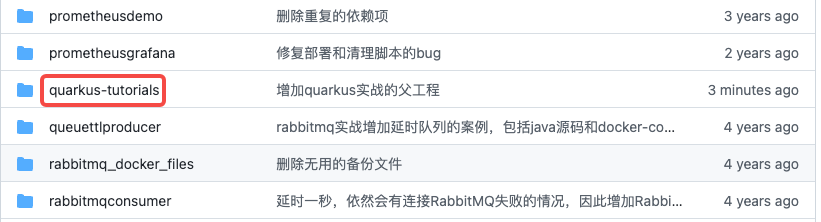
- 这个git项目中有多个文件夹,本次实战的源码在quarkus-tutorials文件夹下,如下图红框
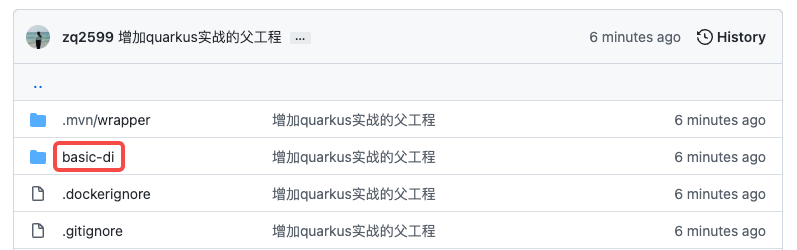
- quarkus-tutorials是个父工程,里面有多个module,本篇实战的module是basic-di,如下图红框
LookupIfProperty,配置项的值符合要求才能使用bean
- 注解LookupIfProperty的作用是检查指定配置项,如果存在且符合要求,才能通过代码获取到此bean,
- 有个关键点请注意:下图是官方定义,可见LookupIfProperty并没有决定是否实例化beam,它决定的是能否通过代码取到bean,这个代码就是Instance<T>来注入,并且用Instance.get方法来获取

- 定义一个接口TryLookupIfProperty.java
public interface TryLookupIfProperty {

    String hello();

}
- 以及两个实现类,第一个是TryLookupIfPropertyAlpha.java
public class TryLookupIfPropertyAlpha implements TryLookupIfProperty {

    @Override

    public String hello() {

        return "from " + this.getClass().getSimpleName();

    }

}
- 第二个TryLookupIfPropertyBeta.java
public class TryLookupIfPropertyBeta implements TryLookupIfProperty {

    @Override

    public String hello() {

        return "from " + this.getClass().getSimpleName();

    }

}
- 然后就是注解LookupIfProperty的用法了,如下所示,SelectBeanConfiguration是个配置类,里面有两个方法用来生产bean,都用注解LookupIfProperty修饰,如果配置项service.alpha.enabled的值等于true,就会执行tryLookupIfPropertyAlpah方法,如果配置项service.beta.enabled的值等于true,就会执行tryLookupIfPropertyBeta方法
package com.bolingcavalry.config;

import com.bolingcavalry.service.TryLookupIfProperty;

import com.bolingcavalry.service.impl.TryLookupIfPropertyAlpha;

import com.bolingcavalry.service.impl.TryLookupIfPropertyBeta;

import io.quarkus.arc.lookup.LookupIfProperty;

import javax.enterprise.context.ApplicationScoped;

public class SelectBeanConfiguration {

    @LookupIfProperty(name = "service.alpha.enabled", stringValue = "true")

    @ApplicationScoped

    public TryLookupIfProperty tryLookupIfPropertyAlpha() {

        return new TryLookupIfPropertyAlpha();

    }

    @LookupIfProperty(name = "service.beta.enabled", stringValue = "true")

    @ApplicationScoped

    public TryLookupIfProperty tryLookupIfPropertyBeta() {

        return new TryLookupIfPropertyBeta();

    }

}
- 然后来验证注解LookupIfProperty是否生效,下面是单元测试代码,有两处需要注意的地方,稍后会提到
package com.bolingcavalry;

import com.bolingcavalry.service.TryLookupIfProperty;

import com.bolingcavalry.service.impl.TryLookupIfPropertyAlpha;

import io.quarkus.test.junit.QuarkusTest;

import org.junit.jupiter.api.Assertions;

import org.junit.jupiter.api.BeforeAll;

import org.junit.jupiter.api.Test;

import javax.enterprise.inject.Instance;

import javax.inject.Inject;

@QuarkusTest

public class BeanInstanceSwitchTest {

    @BeforeAll

    public static void setUp() {

        System.setProperty("service.alpha.enabled", "true");

    }

    // 注意,前面的LookupIfProperty不能决定注入bean是否实力话,只能决定Instance.get是否能取到,

    //所以此处要注入的是Instance,而不是TryLookupIfProperty本身

    @Inject

    Instance<TryLookupIfProperty> service;

    @Test

    public void testTryLookupIfProperty() {

        Assertions.assertEquals("from " + tryLookupIfPropertyAlpha.class.getSimpleName(),

                                service.get().hello());

    }

}
- 上述代码有以下两点要注意
- 注意TryLookupIfProperty的注入方式,对这种运行时才能确定具体实现类的bean,要用Instance的方式注入,使用时要用Instance.get方法取得bean
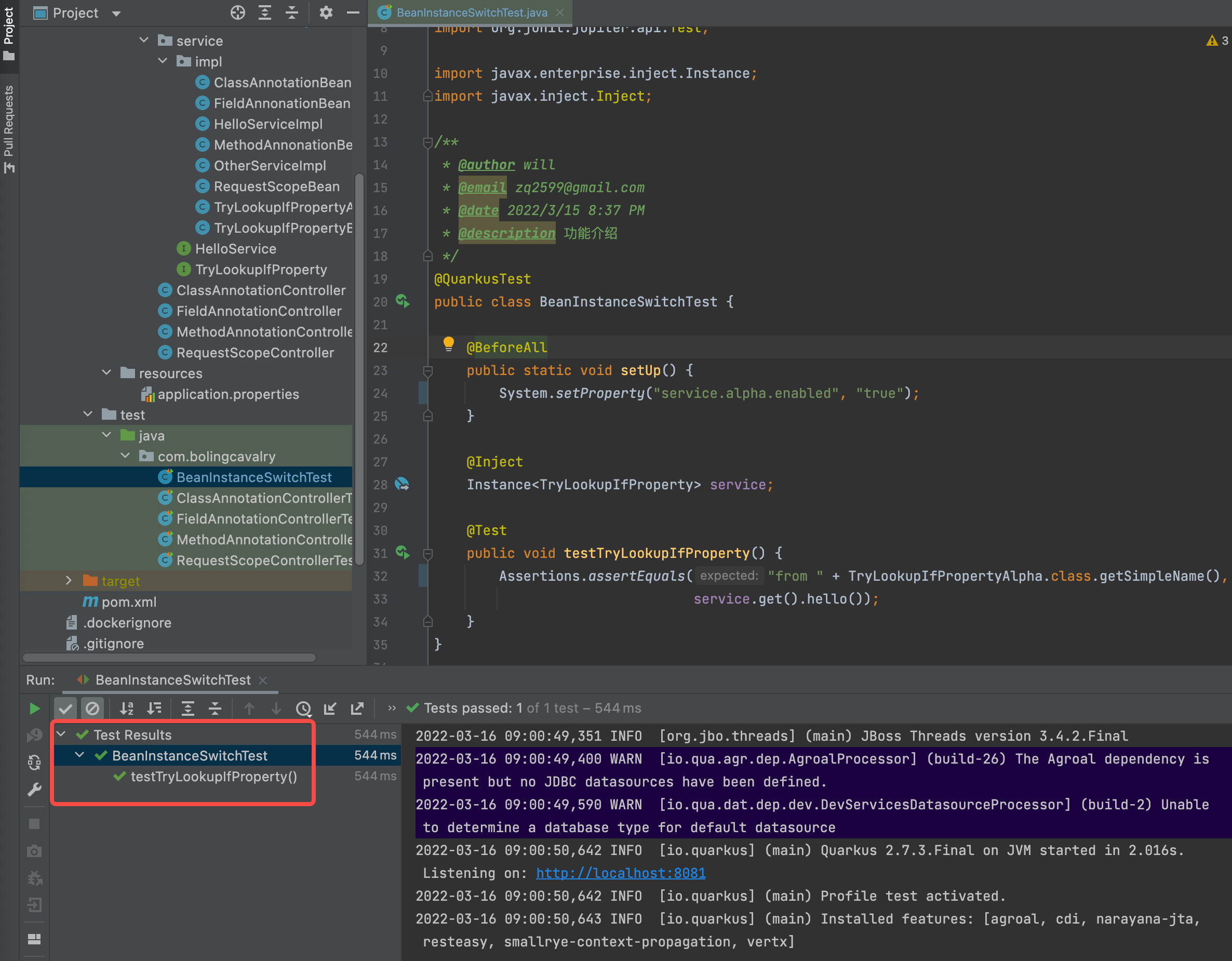
- 单元测试的BeforeAll注解用于指定测试前要做的事情,这里用System.setProperty设置配置项service.alpha.enabled,所以,理论上SelectBeanConfiguration.tryLookupIfPropertyAlpha方法应该会执行,也就是说注入的TryLookupIfProperty应该是TryLookupIfPropertyAlpha实例,所以testTryLookupIfProperty中用assertEquals断言预测:TryLookupIfProperty.hello的值来自TryLookupIfPropertyAlpha
- 执行单元测试,如下图,符合预期
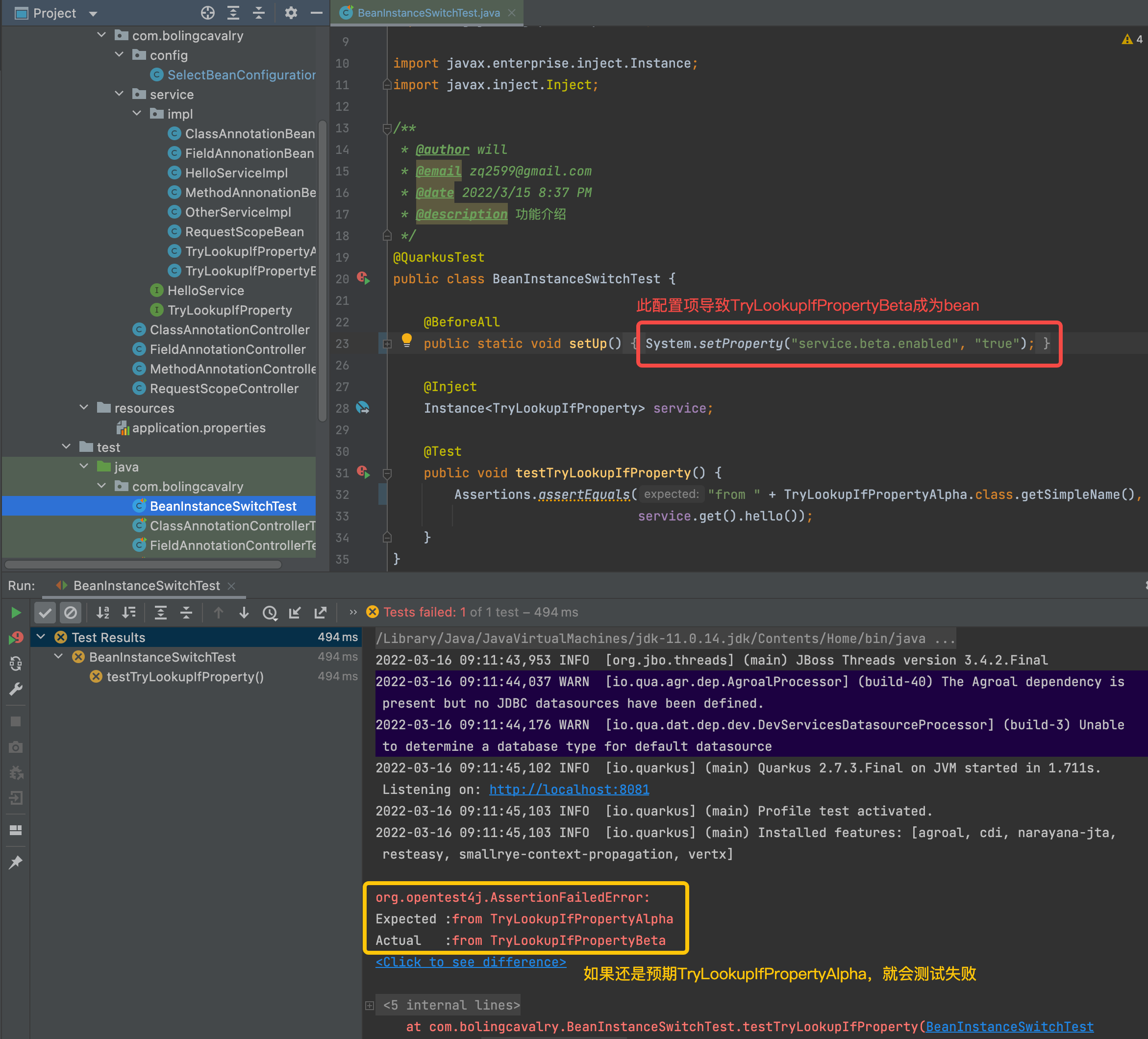
- 修改BeanInstanceSwitchTest.setUp,将service.alpha.enabled改成service.alpha.enabled,如此理论上SelectBeanConfiguration.tryLookupIfPropertyBeta方法应该会执行,实例化的应该就是TryLookupIfPropertyBeta,那么本次单元测试就不能通过了
- 如下图,果然,注入的实例变成了TryLookupIfPropertyBeta,但是预期的还是之前的TryLookupIfPropertyAlpha,于是测试失败
LookupUnlessProperty,配置项的值不符合要求才能使用bean
LookupIfProperty的意思是配置项的值符合要求才会创建bean,而LookupUnlessProperty恰好相反,意思是配置项的值不符合要求才能使用bean
为了验证LookupUnlessProperty的效果,修改SelectBeanConfiguration.java,只修改tryLookupIfPropertyBeta方法的注解,由从之前的LookupIfProperty改为LookupUnlessProperty,属性也改为service.alpha.enabled,现在的逻辑是:如果属性service.alpha.enabled的值是true,就执行tryLookupIfPropertyAlpha,如果属性service.alpha.enabled的值不是true,就执行tryLookupIfPropertyBeta
public class SelectBeanConfiguration {

    @LookupIfProperty(name = "service.alpha.enabled", stringValue = "true")

    @ApplicationScoped

    public TryLookupIfProperty tryLookupIfPropertyAlpha() {

        return new TryLookupIfPropertyAlpha();

    }

    @LookupUnlessProperty(name = "service.alpha.enabled", stringValue = "true")

    @ApplicationScoped

    public TryLookupIfProperty tryLookupIfPropertyBeta() {

        return new TryLookupIfPropertyBeta();

    }

}
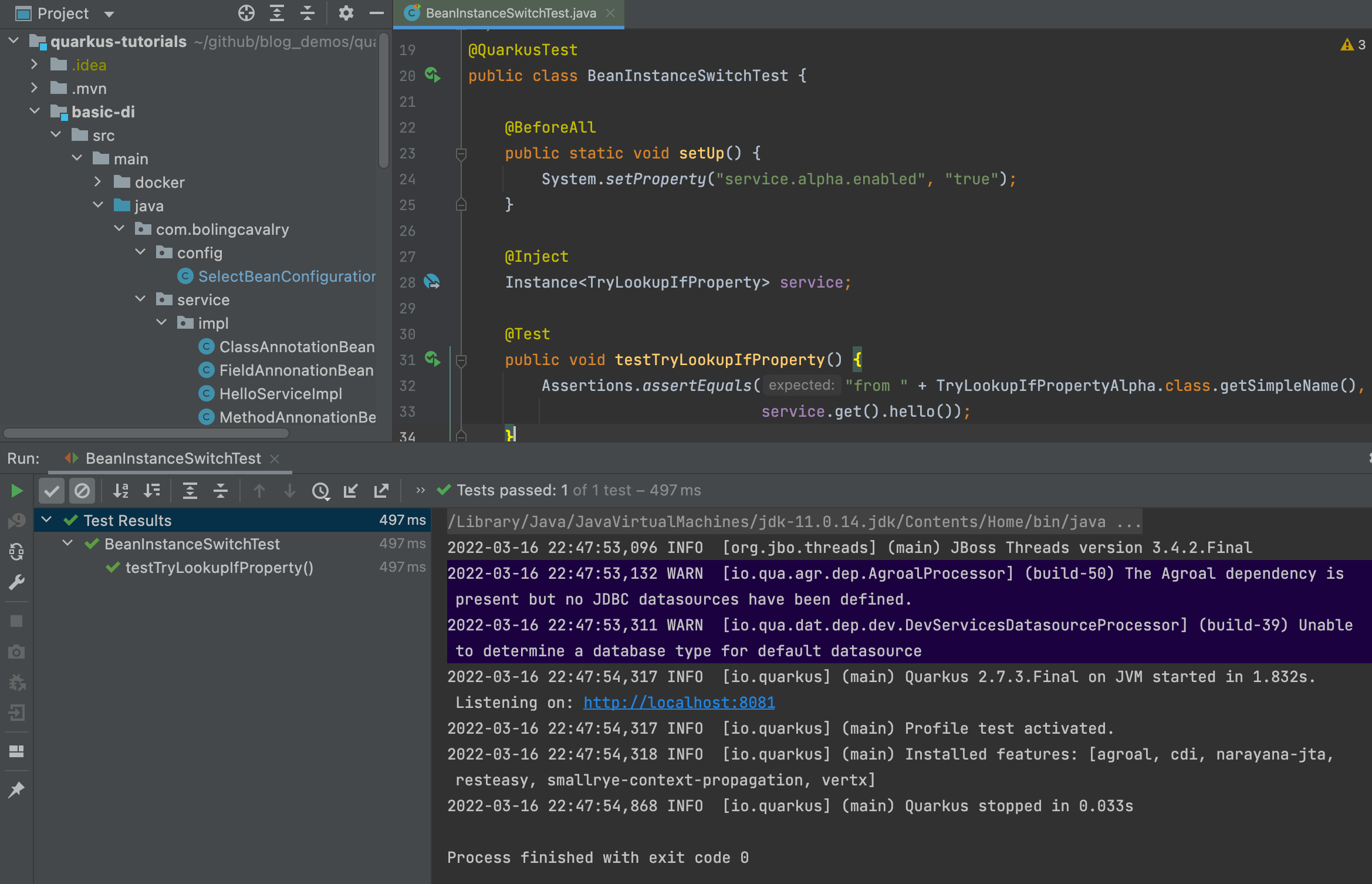
- 打开刚才的BeanInstanceSwitchTest.java,setUp方法中将service.alpha.enabled的值设为true
@BeforeAll

public static void setUp() {

	System.setProperty("service.alpha.enabled", "true");

}
- 运行单元测试,如下图,符合预期
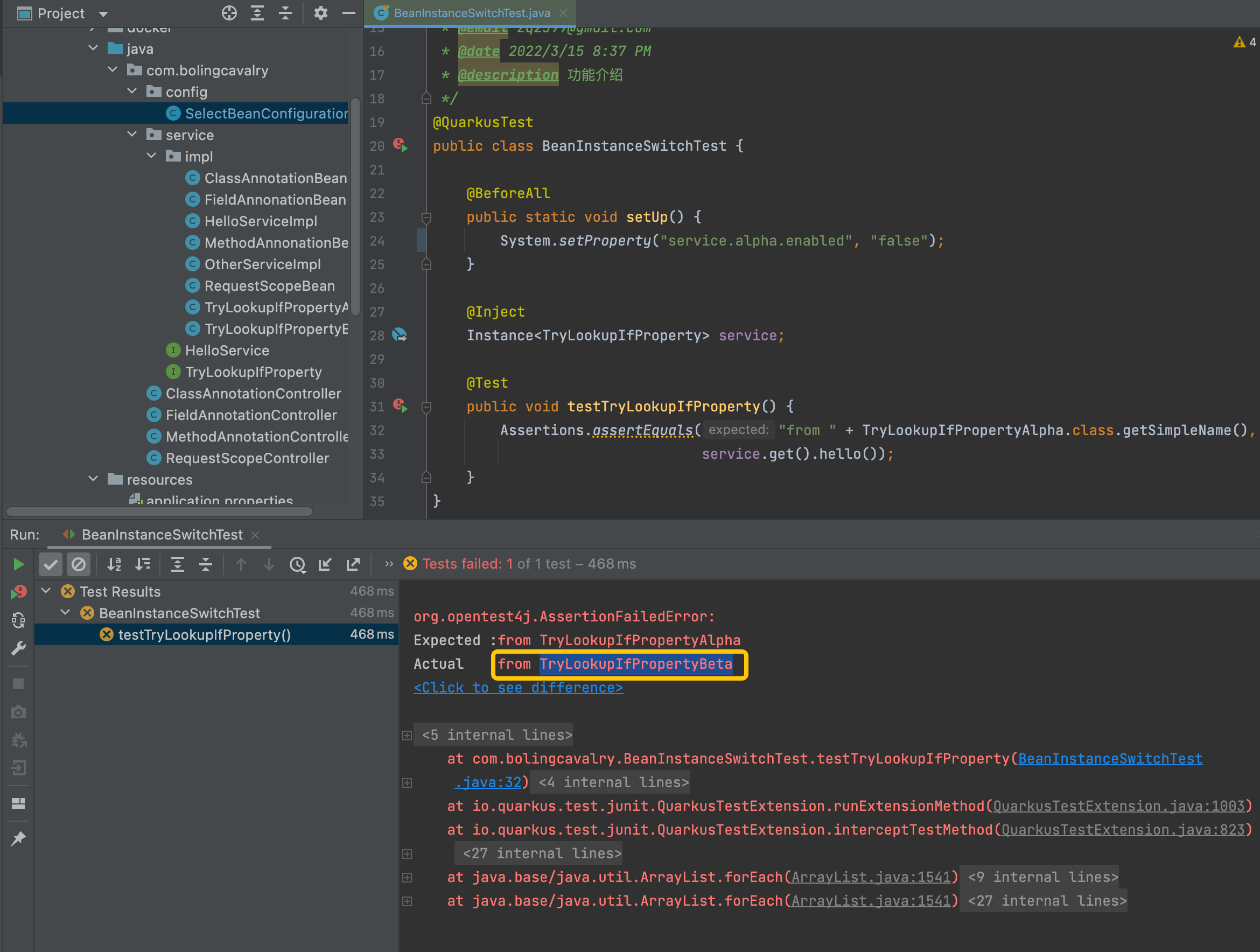
现在把service.alpha.enabled的值设为false,单元测试不通过,提示返回值是TryLookupIfPropertyBeta,这也是符合预期的,证明LookupUnlessProperty已经生效了
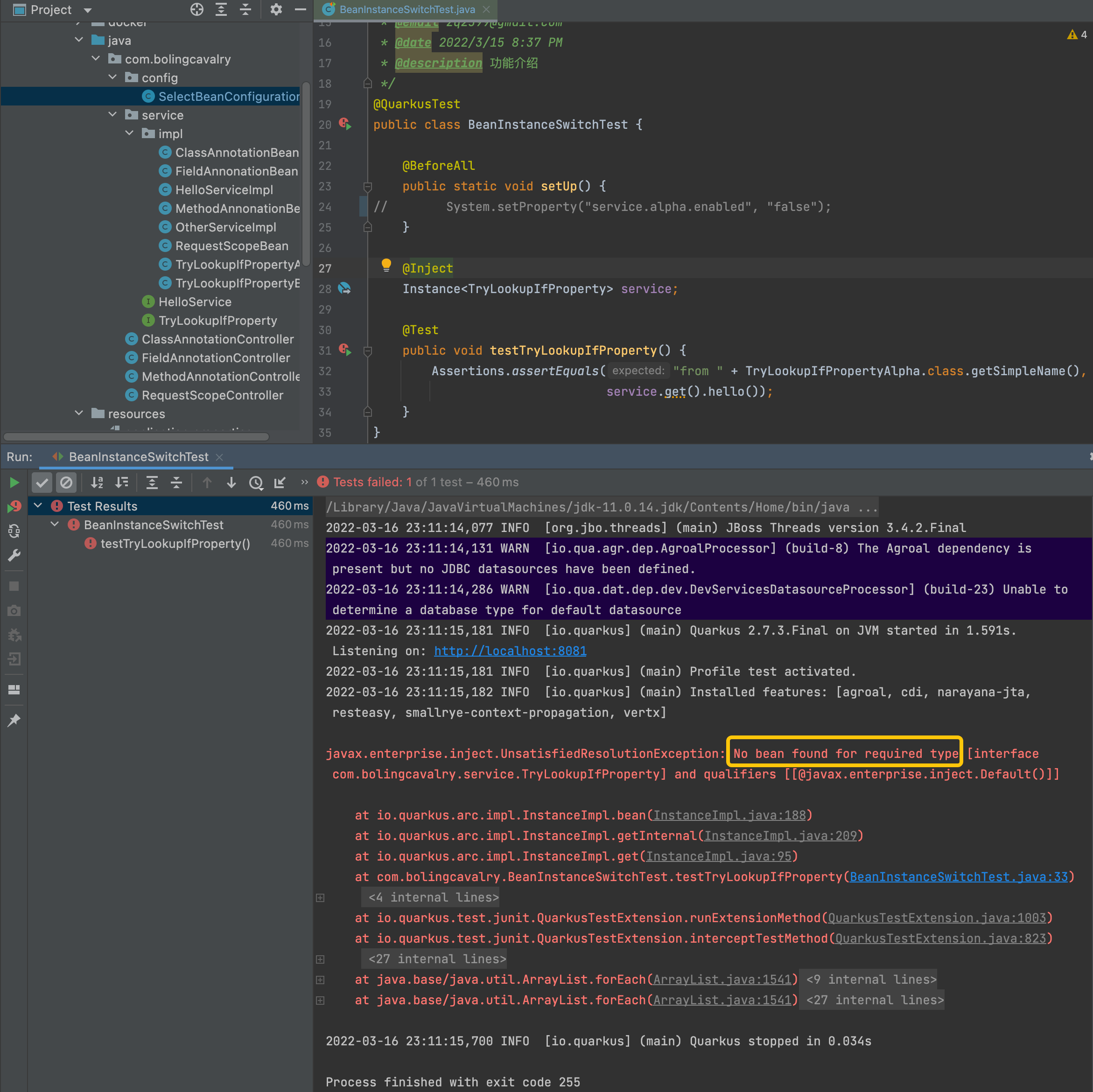
此刻您可能会好奇,如果配置项service.alpha.enabled不存在会如何,咱们将setUp方法中的System.setProperty这段代码删除,这样配置项service.alpha.enabled就不存在了,再次执行单元测试,发现SelectBeanConfiguration类的tryLookupIfPropertyAlpha和tryLookupIfPropertyBeta两个方法都没有执行,导致没有TryLookupIfProperty类型的bean
这时候您应该发现了一个问题:如果配置项service.alpha.enabled不存在的时候如何返回一个默认bean,以避免找不到bean呢?
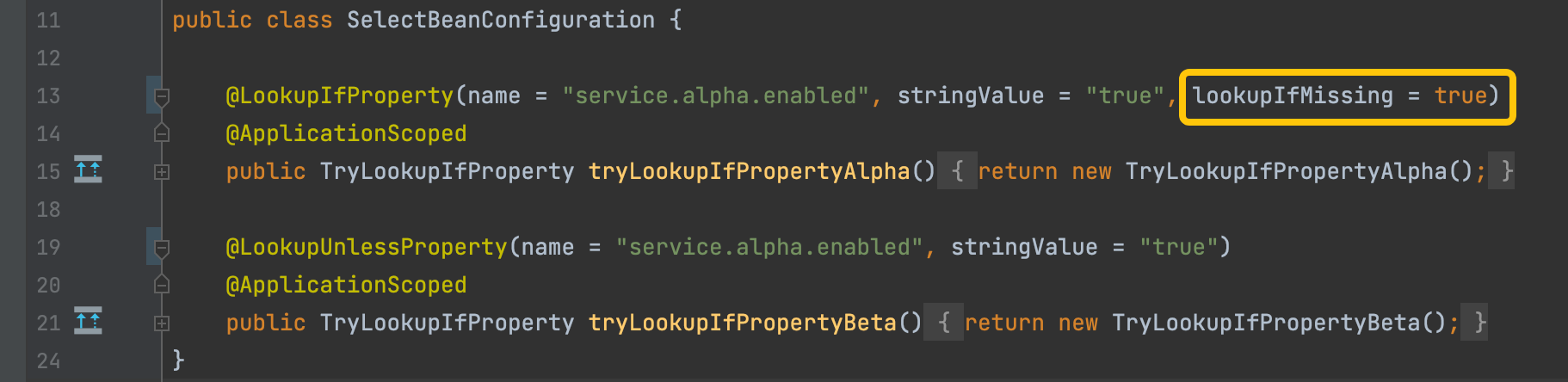
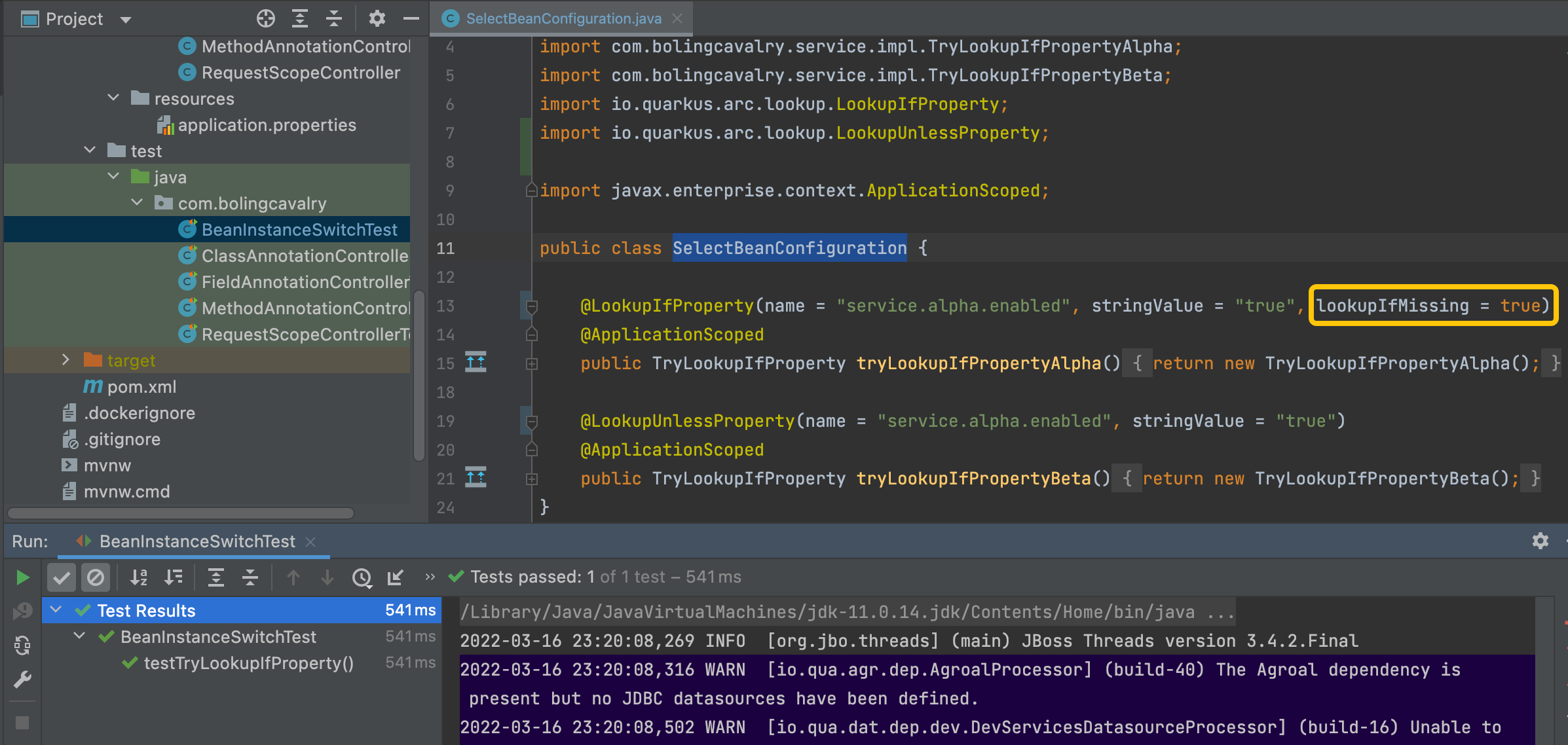
LookupIfProperty和LookupUnlessProperty都有名为lookupIfMissing的属性,意思都一样:指定配置项不存在的时候,就执行注解所修饰的方法,修改SelectBeanConfiguration.java,如下图黄框所示,增加lookupIfMissing属性,指定值为true(没有指定的时候,默认值是false)
- 再次运行单元测试,如下图,尽管service.alpha.enabled不存在,但lookupIfMissing属性起了作用,SelectBeanConfiguration.tryLookupIfPropertyAlpha方法还是执行了,于是测试通过
IfBuildProfile,如果是指定的profile才能使用bean
- 应用在运行时,其profile是固定的,IfBuildProfile检查当前profile是否是指定值,如果是,其修饰的bean就能被业务代码使用
- 对比官方对LookupIfProperty和IfBuildProfile描述的差别,LookupIfProperty决定了是否能被选择,IfBuildProfile决定了是否在容器中
# LookupIfProperty,说的是be obtained by programmatic

Indicates that a bean should only be obtained by programmatic lookup if the property matches the provided value.

# IfBuildProfile,说的是be enabled

the bean will only be enabled if the Quarkus build time profile matches the specified annotation value.
- 接下来写代码验证,先写个接口
public interface TryIfBuildProfile {

    String hello();

}
- 再写两个实现类,第一个是TryIfBuildProfileProd.java
public class TryIfBuildProfileProd implements TryIfBuildProfile {

    @Override

    public String hello() {

        return "from " + this.getClass().getSimpleName();

    }

}
- 第二个TryIfBuildProfileDefault.java
public class TryIfBuildProfileDefault implements TryIfBuildProfile {

    @Override

    public String hello() {

        return "from " + this.getClass().getSimpleName();

    }

}
- 再来看IfBuildProfile的用法,在刚才的SelectBeanConfiguration.java中新增两个方法,如下所示,应用运行时,如果profile是test,那么tryIfBuildProfileProd方法会被执行,还要注意的是注解DefaultBean的用法,如果profile不是test,那么quarkus的bean容器中就没有TryIfBuildProfile类型的bean了,此时DefaultBean修饰的tryIfBuildProfileDefault方法就会被执行,导致TryIfBuildProfileDefault的实例注册在quarkus容器中
@Produces

@IfBuildProfile("test")

public TryIfBuildProfile tryIfBuildProfileProd() {

	return new TryIfBuildProfileProd();

}

@Produces

@DefaultBean

public TryIfBuildProfile tryIfBuildProfileDefault() {

	return new TryIfBuildProfileDefault();

}
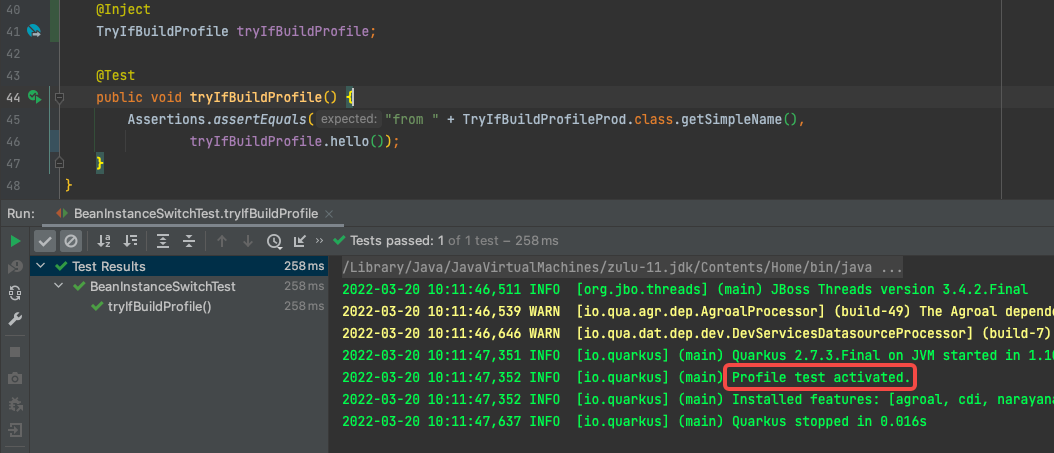
单元测试代码写在刚才的BeanInstanceSwitchTest.java中,运行单元测试是profile被设置为test,所以tryIfBuildProfile的预期是TryIfBuildProfileProd实例,注意,这里和前面LookupIfProperty不一样的是:这里的TryIfBuildProfile直接注入就好,不需要Instance<T>来注入
@Inject

TryIfBuildProfile tryIfBuildProfile;

@Test

public void testTryLookupIfProperty() {

	Assertions.assertEquals("from " + TryLookupIfPropertyAlpha.class.getSimpleName(),

                            service.get().hello());

}

@Test

public void tryIfBuildProfile() {

	Assertions.assertEquals("from " + TryIfBuildProfileProd.class.getSimpleName(),

                tryIfBuildProfile.hello());

}
执行单元测试,如下图,测试通过,红框显示当前profile确实是test
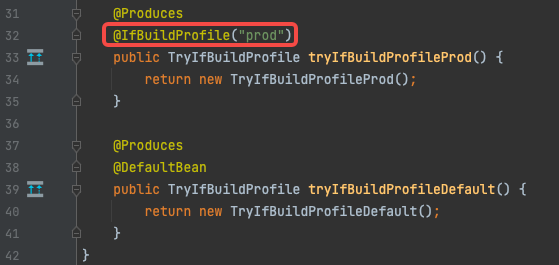
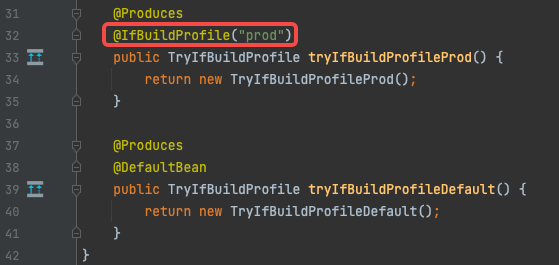
- 再来试试DefaultBean的是否正常,修改SelectBeanConfiguration.java的代码,如下图红框,将IfBuildProfile注解的值从刚才的test改为prod,如此一来,再执行单元测试时tryIfBuildProfileProd方法就不会被执行了,此时看tryIfBuildProfileDefault方法能否执行
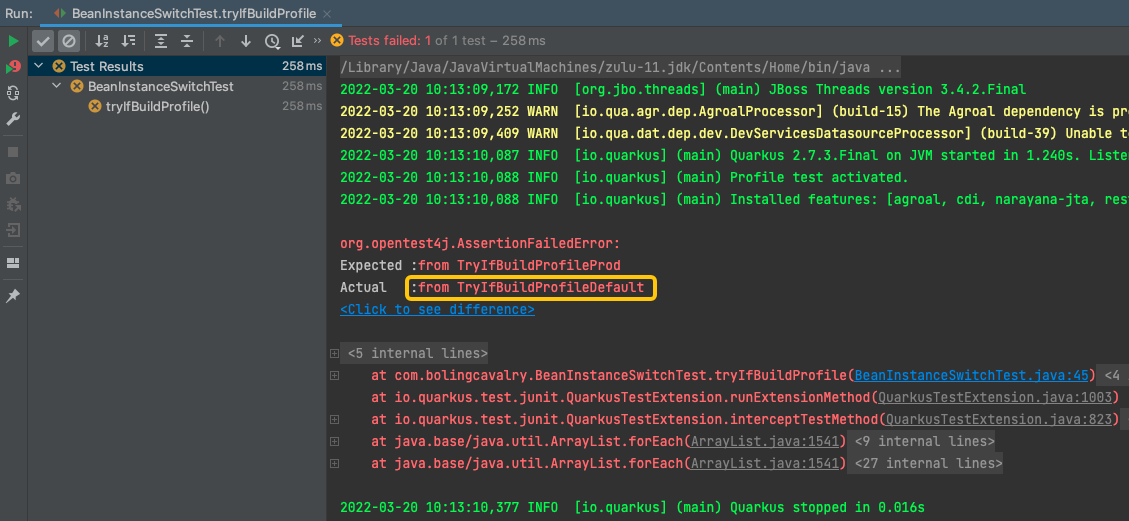
- 执行单元测试,结果如下图,黄框中的内容证明是tryIfBuildProfileDefault方法被执行,也就是说DefaultBean正常工作
UnlessBuildProfile,如果不是指定的profile才能使用bean
- UnlessBuildProfile的逻辑与IfBuildProfile相反:如果不是指定的profile才能使用bean
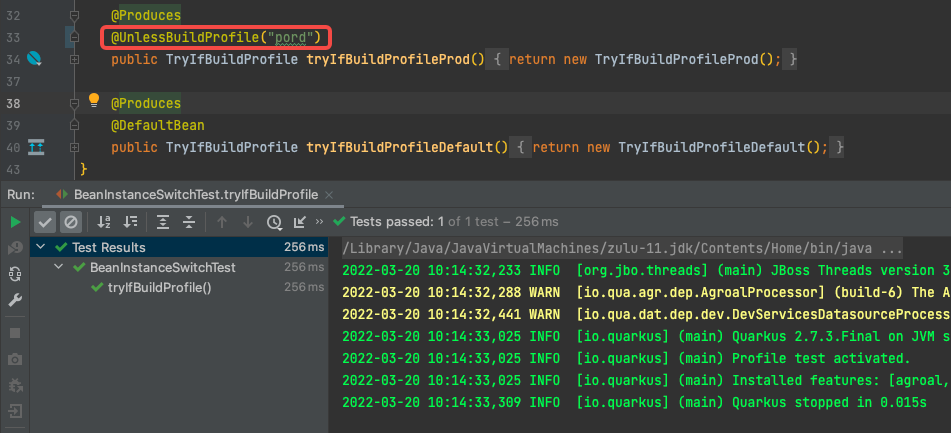
- 回顾刚才测试失败的代码,如下图红框,单元测试的profile是test,下面要求profile必须等于prod,因此测试失败,现在咱们将红框中的IfBuildProfile改为UnlessBuildProfile,意思是profile不等于prod的时候bean可以使用
- 执行单元测试,如下图,这一次顺利通过,证明UnlessBuildProfile的作用符合预期
IfBuildProperty,如果构建属性匹配才能使用bean
- 最后要提到注解是IfBuildProperty是,此注解与LookupIfProperty类似,下面是两个注解的官方描述对比,可见IfBuildProperty作用的熟悉主要是构建属性(前面的文章中提到过构建属性,它们的特点是运行期间只读,值固定不变)
# LookupIfProperty的描述,如果属性匹配,则此bean可以被获取使用

Indicates that a bean should only be obtained by programmatic lookup if the property matches the provided value.

# IfBuildProperty的描述,如果构建属性匹配,则此bean是enabled

the bean will only be enabled if the Quarkus build time property matches the provided value
- 限于篇幅,就不写代码验证了,来看看官方demo,用法上与LookupIfProperty类似,可以用DefaultBean来兜底,适配匹配失败的场景
@Dependent

public class TracerConfiguration {

    @Produces

    @IfBuildProperty(name = "some.tracer.enabled", stringValue = "true")

    public Tracer realTracer(Reporter reporter, Configuration configuration) {

        return new RealTracer(reporter, configuration);

    }

    @Produces

    @DefaultBean

    public Tracer noopTracer() {

        return new NoopTracer();

    }

}
- 至此,基于多种注解来选择bean实现的学习已经完成,依靠配置项和profile,已经可以覆盖多数场景下bean的确认,如果这些不能满足您的业务需求,接下来的文章咱们继续了解更多灵活的选择bean的方式
欢迎关注博客园:程序员欣宸
quarkus依赖注入之三:用注解选择注入bean的更多相关文章
- Spring第七弹—依赖注入之注解方式注入及编码解析@Resource原理
注入依赖对象可以采用手工装配或自动装配,在实际应用中建议使用手工装配,因为自动装配会产生未知情况,开发人员无法预见最终的装配结果. 手工装配依赖对象 手工装配依赖对象,在这种方式中又有两种编 ...
- Spring_02 注入类型值、利用引用注入类型值、spring表达式、与类相关的注解、与依赖注入相关的注解、注解扫描
注意:注入基本类型值在本质上就是依赖注入,而且是利用的set方式进行的依赖注入 1 注入基本类型的值 <property name="基本类型的成员变量名" value=&q ...
- SSM框架之Spring(3)IOC及依赖注入(基于注解的实现)
Spring(3)IOC及依赖注入(基于注解的实现) 学习基于注解的 IoC 配置,大家脑海里首先得有一个认知,即注解配置和 xml 配置要实现的功能都是一样 的,都是要降低程序间的耦合.只是配置的形 ...
- 002-Spring4 快速入门-项目搭建、基于注解的开发bean,Bean创建和装配、基于注解的开发bean,Bean初始化销毁、Bean装配,注解、Bean依赖注入
一.项目搭建 1.项目创建 eclipse→project explorer→new→Project→Maven Project 默认配置即可创建项目 2.spring配置 <dependenc ...
- Spring Boot2(007):关于Spring beans、依赖注入 和 @SpringBootApplication 注解
一.关于Spring beans 和 依赖注入(Dependency Injection) spring boot 和 Spring 全家桶无缝衔接,开发过程中可以很轻松地使用 Spring 全家桶的 ...
- spring 四种依赖注入方式以及注解注入方式
平常的java开发中,程序员在某个类中需要依赖其它类的方法,则通常是new一个依赖类再调用类实例的方法,这种开发存在的问题是new的类实例不好统一管理,spring提出了依赖注入的思想,即依赖类不由程 ...
- EJB通过注解方式注入并使用其他EJB或者服务、配置JBoss数据源
通过注解方式注入并使用其他EJB或者服务 真实项目EJB对象很多,EJB之间也可以互相调用, 在项目HelloWorld下新建接口Other在cn.hqu.ejb3下: public interfac ...
- Spring_day02--课程安排_Spring的bean管理(注解)(注解创建对象/注入属性、配置文件和注解混合使用)
Spring_day02 上节内容回顾 今天内容介绍 Spring的bean管理(注解) 注解介绍 Spring注解开发准备 注解创建对象 注解注入属性 配置文件和注解混合使用 AOP概念 AOP原理 ...
- Unit02: 参数值注入 、 基于注解的组件扫描
Unit02: 参数值注入 . 基于注解的组件扫描 (4)IOC (Inversion Of Controll 控制反转) 什么是IOC? 对象之间的依赖关系由容器来建立. 什么是DI? (Depen ...
- Guice 注入(@Inject注解)
带有@Inject注解的类 使用 injector.getInstance初始化 http://blog.csdn.net/java_le/article/details/24851251 Googl ...
随机推荐
- 响应式的 switchboard:让又大又慢的Vue/AIpine 页面爆快
我的提示: AIpine 是一个js 库,官网口号是 "一个新的轻量极javascript框架",其实我之前也没接触过,翻译这篇文章时才注意到 官方地址: [AIpine.js]h ...
- 关于vue3 上传图片到七牛云
引子:前端程序猿,很少写博客,担心有一些技术很牛逼的大佬看不上,还喜欢怼人,玻璃心容易影响心情,这个是我自己在项目上遇到的,也百度参考了很多大佬的文章,感觉多少有点不全,然后就自己整理一下,当一个笔记 ...
- 2021-05-04:给定一个非负整数c,你要判断是否存在两个整数a和b,使得a*a+b*b=c。【举例】c=5时,返回true。c=4时,返回true。c=3时,返回false。
2021-05-04:给定一个非负整数c,你要判断是否存在两个整数a和b,使得aa+bb=c.[举例]c=5时,返回true.c=4时,返回true.c=3时,返回false. 福大大 答案2021- ...
- 蓝桥杯真题 平面切分(Set自定义去重)
题目详情 资源限制 内存限制:256.0MB C/C++时间限制:1.0s Java时间限制:3.0s Python时间限制:5.0s 问题描述 平面上有 N 条直线,其中第 i 条直线是 y=Ai⋅ ...
- SignalR WebSocket通讯机制
1.什么是SignalR ASP.NET SignalR 是一个面向 ASP.NET 开发人员的库,可简化向应用程序添加实时 Web 功能的过程. 实时 Web 功能是让服务器代码在可用时立即将内容推 ...
- kali系统安装redis步骤
环境: 攻击机:Kali 5.16.0-kali7-amd64 192.168.13.78 靶机: Kali 5.16.0-kali7-amd64 192.168.13.94 安装 ...
- Redash 可视化BI系统部署安装及简单使用
这篇文章主要为介绍一下Redash的使用和安装 概览 Redash 主要使用的语言为 Python 和 TypeScript 这个安装主要是基于Docker 来安装的,官网教程基本没有不是基于Dock ...
- ODOO13 之十 :Odoo 13开发之后台视图 – 设计用户界面
Odoo 13开发之后台视图 – 设计用户界面 本文将学习如何为用户创建图形化界面来与图书应用交互.我们将了解不同视图类型和小组件(widgets)之间的差别,以及如何使用它们来提供更优的用户体验. ...
- find提权
更新中.............. find 常用参数 语法:find [path-] [expression] path为查找路径,.为当前路径,/为根目录 expression即为参数 -name ...
- PicoRV32-on-PYNQ-Z2: An FPGA-based SoC System——RISC-V On PYNQ项目复现
本文参考: 1️⃣ 原始工程 2️⃣ 原始工程复现教程 3️⃣ RISCV工具链安装教程 本文工程: https://bhpan.buaa.edu.cn:443/link/4B08916BF2CDB4 ...