
七月在线爬虫班学习笔记(五)——scrapy spider的几种爬取方式
第五课主要内容有:
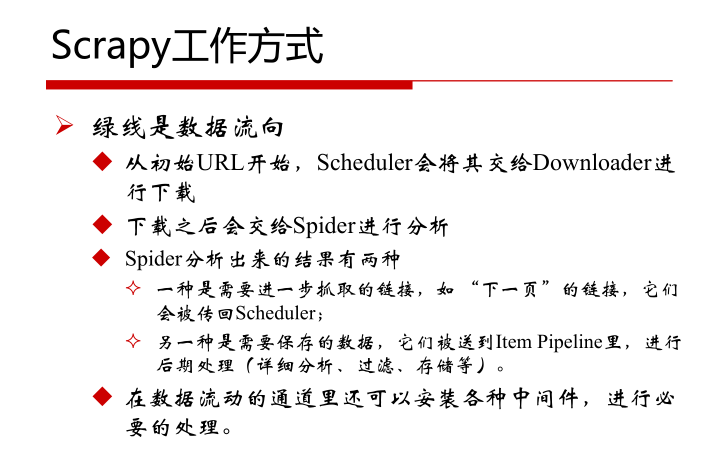
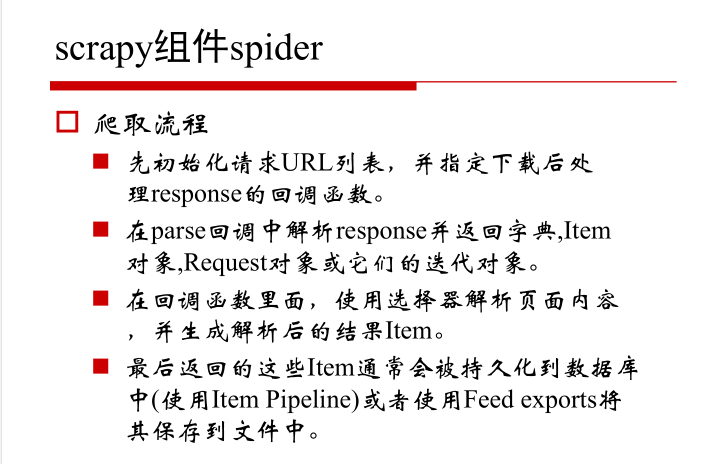
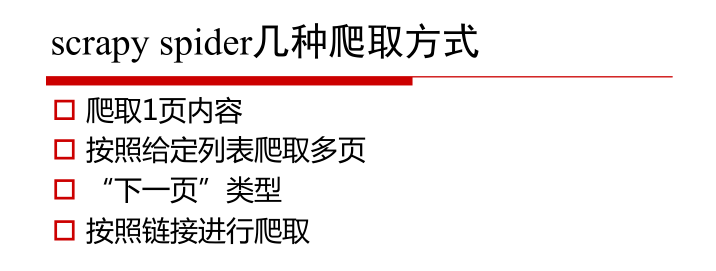
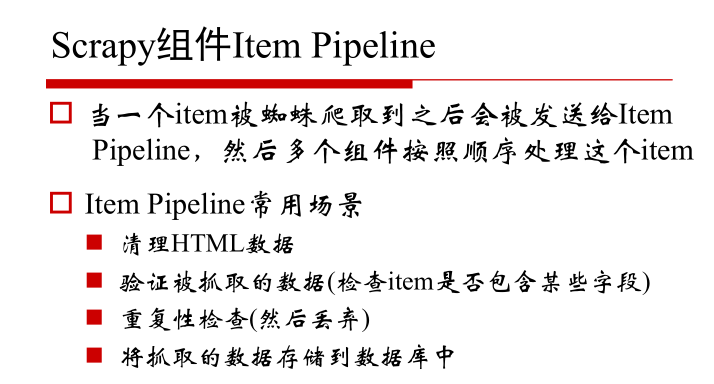
- Scrapy框架结构,组件及工作方式
- 单页爬取-julyedu.com
- 拼URL爬取-博客园
- 循环下页方式爬取-toscrape.com
- Scrapy项目相关命令-QQ新闻
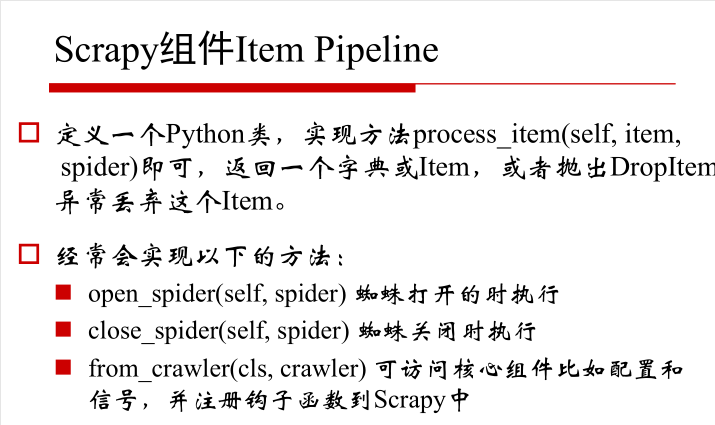
1.Scrapy框架结构,组件及工作方式


2.单页爬取-julyedu.com
#by 寒小阳(hanxiaoyang.ml@gmail.com)---七月在线讲师

#Python2

import scrapy

class JulyeduSpider(scrapy.Spider):

    name = "julyedu"

    start_urls = [

        'https://www.julyedu.com/category/index',

    ]

    def parse(self, response):

        for julyedu_class in response.xpath('//div[@class="course_info_box"]'):

            print julyedu_class.xpath('a/h4/text()').extract_first()

            print julyedu_class.xpath('a/p[@class="course-info-tip"][1]/text()').extract_first()

            print julyedu_class.xpath('a/p[@class="course-info-tip"][2]/text()').extract_first()

            print response.urljoin(julyedu_class.xpath('a/img[1]/@src').extract_first())

            print "\n"

            yield {

                'title':julyedu_class.xpath('a/h4/text()').extract_first(),

                'desc': julyedu_class.xpath('a/p[@class="course-info-tip"][1]/text()').extract_first(),

                'time': julyedu_class.xpath('a/p[@class="course-info-tip"][2]/text()').extract_first(),

                'img_url': response.urljoin(julyedu_class.xpath('a/img[1]/@src').extract_first())

            }
3.拼URL爬取-博客园
#by 寒小阳(hanxiaoyang.ml@gmail.com)

import scrapy

class CnBlogSpider(scrapy.Spider):

    name = "cnblogs"

    allowed_domains = ["cnblogs.com"]

    start_urls = [

        'http://www.cnblogs.com/pick/#p%s' % p for p in xrange(1, 11)

        ]

    def parse(self, response):

        for article in response.xpath('//div[@class="post_item"]'):

            print article.xpath('div[@class="post_item_body"]/h3/a/text()').extract_first().strip()

            print response.urljoin(article.xpath('div[@class="post_item_body"]/h3/a/@href').extract_first()).strip()

            print article.xpath('div[@class="post_item_body"]/p/text()').extract_first().strip()

            print article.xpath('div[@class="post_item_body"]/div[@class="post_item_foot"]/a/text()').extract_first().strip()

            print response.urljoin(article.xpath('div[@class="post_item_body"]/div/a/@href').extract_first()).strip()

            print article.xpath('div[@class="post_item_body"]/div[@class="post_item_foot"]/span[@class="article_comment"]/a/text()').extract_first().strip()

            print article.xpath('div[@class="post_item_body"]/div[@class="post_item_foot"]/span[@class="article_view"]/a/text()').extract_first().strip()

            print ""

            yield {

                'title': article.xpath('div[@class="post_item_body"]/h3/a/text()').extract_first().strip(),

                'link': response.urljoin(article.xpath('div[@class="post_item_body"]/h3/a/@href').extract_first()).strip(),

                'summary': article.xpath('div[@class="post_item_body"]/p/text()').extract_first().strip(),

                'author': article.xpath('div[@class="post_item_body"]/div[@class="post_item_foot"]/a/text()').extract_first().strip(),

                'author_link': response.urljoin(article.xpath('div[@class="post_item_body"]/div/a/@href').extract_first()).strip(),

                'comment': article.xpath('div[@class="post_item_body"]/div[@class="post_item_foot"]/span[@class="article_comment"]/a/text()').extract_first().strip(),

                'view': article.xpath('div[@class="post_item_body"]/div[@class="post_item_foot"]/span[@class="article_view"]/a/text()').extract_first().strip(),

            }
4.找到‘下一页’标签进行爬取
import scrapy

class QuotesSpider(scrapy.Spider):

    name = "quotes"

    start_urls = [

        'http://quotes.toscrape.com/tag/humor/',

    ]

    def parse(self, response):

        for quote in response.xpath('//div[@class="quote"]'):

            yield {

                'text': quote.xpath('span[@class="text"]/text()').extract_first(),

                'author': quote.xpath('span/small[@class="author"]/text()').extract_first(),

            }

        next_page = response.xpath('//li[@class="next"]/@herf').extract_first()

        if next_page is not None:

            next_page = response.urljoin(next_page)

            yield scrapy.Request(next_page, callback=self.parse)
5.进入链接,按照链接进行爬取
#by 寒小阳(hanxiaoyang.ml@gmail.com)

import scrapy

class QQNewsSpider(scrapy.Spider):

    name = 'qqnews'

    start_urls = ['http://news.qq.com/society_index.shtml']

    def parse(self, response):

        for href in response.xpath('//*[@id="news"]/div/div/div/div/em/a/@href'):

            full_url = response.urljoin(href.extract())

            yield scrapy.Request(full_url, callback=self.parse_question)

    def parse_question(self, response):

        print response.xpath('//div[@class="qq_article"]/div/h1/text()').extract_first()

        print response.xpath('//span[@class="a_time"]/text()').extract_first()

        print response.xpath('//span[@class="a_catalog"]/a/text()').extract_first()

        print "\n".join(response.xpath('//div[@id="Cnt-Main-Article-QQ"]/p[@class="text"]/text()').extract())

        print ""

        yield {

            'title': response.xpath('//div[@class="qq_article"]/div/h1/text()').extract_first(),

            'content': "\n".join(response.xpath('//div[@id="Cnt-Main-Article-QQ"]/p[@class="text"]/text()').extract()),

            'time': response.xpath('//span[@class="a_time"]/text()').extract_first(),

            'cate': response.xpath('//span[@class="a_catalog"]/a/text()').extract_first(),

        }
七月在线爬虫班学习笔记(五)——scrapy spider的几种爬取方式的更多相关文章
- 七月在线爬虫班学习笔记(六)——scrapy爬虫整体示例
第六课主要内容: 爬豆瓣文本例程 douban 图片例程 douban_imgs 1.爬豆瓣文本例程 douban 目录结构 douban --douban --spiders --__init__. ...
- 七月在线爬虫班学习笔记(二)——Python基本语法及面向对象
第二课主要内容如下: 代码格式 基本语法 关键字 循环判断 函数 容器 面向对象 文件读写 多线程 错误处理 代码格式 syntax基本语法 a = 1234 print(a) a = 'abcd' ...
- 【学习笔记】Python 3.6模拟输入并爬取百度前10页密切相关链接
[学习笔记]Python 3.6模拟输入并爬取百度前10页密切相关链接 问题描述 通过模拟网页,实现百度搜索关键词,然后获得网页中链接的文本,与准备的文本进行比较,如果有相似之处则代表相关链接. me ...
- Dynamic CRM 2013学习笔记(十)客户端几种查询数据方式比较
我们经常要在客户端进行数据查询,下面分别比较常用的几种查询方式:XMLHttpRequest, SDK.JQuery, SDK.Rest. XMLHttpRequest是最基本的调用方式,JQuery ...
- (3)分布式下的爬虫Scrapy应该如何做-递归爬取方式,数据输出方式以及数据库链接
放假这段时间好好的思考了一下关于Scrapy的一些常用操作,主要解决了三个问题: 1.如何连续爬取 2.数据输出方式 3.数据库链接 一,如何连续爬取: 思考:要达到连续爬取,逻辑上无非从以下的方向着 ...
- scrapy爬虫框架学习笔记(一)
scrapy爬虫框架学习笔记(一) 1.安装scrapy pip install scrapy 2.新建工程: (1)打开命令行模式 (2)进入要新建工程的目录 (3)运行命令: scrapy sta ...
- Scrapy:学习笔记(2)——Scrapy项目
Scrapy:学习笔记(2)——Scrapy项目 1.创建项目 创建一个Scrapy项目,并将其命名为“demo” scrapy startproject demo cd demo 稍等片刻后,Scr ...
- go微服务框架kratos学习笔记五(kratos 配置中心 paladin config sdk [断剑重铸之日,骑士归来之时])
目录 go微服务框架kratos学习笔记五(kratos 配置中心 paladin config sdk [断剑重铸之日,骑士归来之时]) 静态配置 flag注入 在线热加载配置 远程配置中心 go微 ...
- C#可扩展编程之MEF学习笔记(五):MEF高级进阶
好久没有写博客了,今天抽空继续写MEF系列的文章.有园友提出这种系列的文章要做个目录,看起来方便,所以就抽空做了一个,放到每篇文章的最后. 前面四篇讲了MEF的基础知识,学完了前四篇,MEF中比较常用 ...
随机推荐
- GTID做mysql主从时报错
今天在做主从同步时,显示slave_IO线程为NO ,并且报如下错误 Slave_IO_Running: No ... Last_IO_Error: Fatal error: The slave I/ ...
- Log4net详细说明
1.概述 log4net是.Net下一个非常优秀的开源日志记录组件.log4net记录日志的功能非常强大.它可以将日志分不同的等级,以不同的格式,输出到不同的媒介.本文主要是介绍如何在Visual S ...
- python---- pyqt 十字光标
# encoding: UTF-8 import sys,os import pyqtgraph as pg import datetime as dt import numpy as np impo ...
- 成功解决internal/modules/cjs/loader.js:596 throw err; ^ Error: Cannot find module 'express'
^ Error: Cannot find module 'express'根据提示我们就可以知道,没有找到express这个模块,解决办法就是:npm install express
- laravel框架的注入
如果项目太大,最好采用注入的方式 首先在 根目录/app/ 下创建个service文件夹来 在控制器层可以调用 调用方法
- mac电脑上不能用移动硬盘的原因和方法
原因: 一般性是因为这个移动硬盘的格式是 NTFS 格式的,对于这种格式的磁盘格式,在苹果系统中却是不支持往硬盘里写入数据的 解决方法: 方法一: ntfs的格式分区,这种格式分区与我们的苹果电脑自身 ...
- Vue2全家桶之二:vue-router(路由)详细教程,看这个就够了
作者:东西里本文转载于:https://www.jianshu.com/p/514c7588e877来源:简书 转载仅供自己日后看方便. 由于Vue在开发时对路由支持的不足,于是官方补充了vue- ...
- K8s+jenkins实现提升效率 —— 一些小记录
尝试下K8s + jenkins的组合,非常方便.在这里记录一下: kubernetes版本: 1.10 + deployment.yaml apiVersion: v1 kind: Service ...
- Google Analytics电子商务篇(Universal版)
Google Analytics是一款用于统计分析网站流量.浏览行为,可用于衡量用户与您网站的互动情况的全新方式.最近刚接触不久,发现其功能真的十分强大,记录下电子商务配置方法.(新手,老鸟勿喷) G ...
- C++标准模板库(STL)之Stack
1.Stack的常用用法 stack:栈,一个后进先出的容器. 1.1.stack的定义 加上头文件#include<stack>和using namespace std; stack&l ...