
Linux 使用nexus搭建maven私服
一、搭建
1.下载nexus
https://www.sonatype.com/download-oss-sonatype
2.上传到/root
3.解压
tar -zxvf nexus-3.12.1-01-unix.tar.gz -C /usr/local/
4.修改配置文件
♦端口
vim /usr/local/nexus-3.12.1-01/etc/nexus-default.properties
♦防火墙
vim  /etc/sysconfig/iptables
		-A INPUT -m state --state NEW -m tcp -p tcp --dport 8081 -j ACCEPT
5.登陆浏览器打开
http://192.168.56.102:8081/
	账号admin
	密码 admin123
	System Requirement: max file descriptors [4096] likely too low, increase to at least [65536].
6.修改ulimit
vim /etc/security/limits.conf
 	新增
 	* soft nofile 65535
	* hard nofile 65535
7.设置开机自启动
二、使用
1.仓库类型
proxy:代理仓库,用于代理远程仓库
group:仓库组,通常包含了多个代理仓库和宿主仓库,在项目中只要引入仓库组就可以下载到代理仓库和宿主仓库中的包
hosted:宿主仓库,内部项目、付费jar
	releases  发布内部release版本的仓库
	snapshots 发布内部snapshots版本的仓库
	third 自建第三方jar
2.配置代理
选择阿里云http://maven.aliyun.com/nexus/content/groups/public/
3.本地maven配置
<?xml version="1.0" encoding="UTF-8"?>
<settings xmlns="http://maven.apache.org/SETTINGS/1.0.0" xmlns:xsi="http://www.w3.org/2001/XMLSchema-instance"
    xsi:schemaLocation="http://maven.apache.org/SETTINGS/1.0.0 http://maven.apache.org/xsd/settings-1.0.0.xsd">

<pluginGroups>
</pluginGroups>

<proxies>
</proxies>

<servers>
 <!-- id需要跟pom.xml的一样-->
    <server>
  	 <id>releases</id>
  	 <username>admin</username>
  	 <password>admin123</password>
  	</server>

  	<server>
  	 <id>snapshots</id>
  	  <username>admin</username>
  	 <password>admin123</password>
  	</server>
</servers>

<mirrors>
    <mirror>
      <id>repo1</id>
      <mirrorOf>*</mirrorOf>
      <name>Human Readable Name</name>
      <url>http://39.98.204.96:8081/repository/bjaxyh/</url>
    </mirror>
    <mirror>
        <id>osc</id>
        <mirrorOf>central</mirrorOf>
        <url>http://maven.aliyun.com/nexus/content/repositories/central</url>
    </mirror>

    <mirror>
        <id>osc_thirdparty</id>
        <mirrorOf>thirdparty</mirrorOf>
        <url>http://maven.aliyun.com/nexus/content/repositories/central</url>
    </mirror>
</mirrors>

<profiles>
    <profile>
 <!-- 私有库地址-->
    <repositories>
        <repository>
            <id>nexus</id> <!-- 私有仓库唯一标识-->
            <name>local private nexus</name><!--私有库名称 -->
			<!--私有库地址-->
            <url>http://39.98.204.96:8081/repository/bjaxyh/</url>
            <releases>
                <enabled>true</enabled><!--是否下载releases版本构件-->
            </releases>
            <snapshots>
                <enabled>false</enabled><!--是否下载snapshots版本构件-->
            </snapshots>
        </repository>
    </repositories>
<!--插件库地址-->
    <pluginRepositories>
        <pluginRepository>
            <id>nexus</id>
            <name>local private nexus</name>
            <url>http://39.98.204.96:8081/repository/bjaxyh/</url>
            <releases>
                <enabled>true</enabled>
            </releases>
            <snapshots>
                <enabled>false</enabled>
            </snapshots>
        </pluginRepository>
    </pluginRepositories>
    </profile>

    <profile>
        <id>osc</id>
        <activation>
            <activeByDefault>true</activeByDefault>
        </activation>

        <repositories>
            <repository>
                <id>osc</id>
                <url>http://maven.aliyun.com/nexus/content/repositories/central</url>
            </repository>
        </repositories>

        <pluginRepositories>
            <pluginRepository>
                <id>osc</id>
                <url>http://maven.aliyun.com/nexus/content/repositories/central</url>
            </pluginRepository>
        </pluginRepositories>
    </profile>
</profiles>

</settings>
4.修改pom
<!--pom.xml 远程仓库的配置  id要跟本地maven的setting.xml相同 -->
  <distributionManagement>
        <repository>
            <id>releases</id>
            <name>Ruizhi Release Repository</name>
            <url>http://192.168.56.101:8081/repository/maven-releases/</url>
        </repository>

        <snapshotRepository>
            <id>snapshots</id>
            <name>Ruizhi Snapshot Repository</name>
            <url>http://192.168.56.101:8081/repository/maven-snapshots/</url>
        </snapshotRepository>
    </distributionManagement>
5.测试是否nexus搭建成功
pom添加本地没有的依赖,看nexus会不会代理
mvn deploy 看是否成功推送至nexus
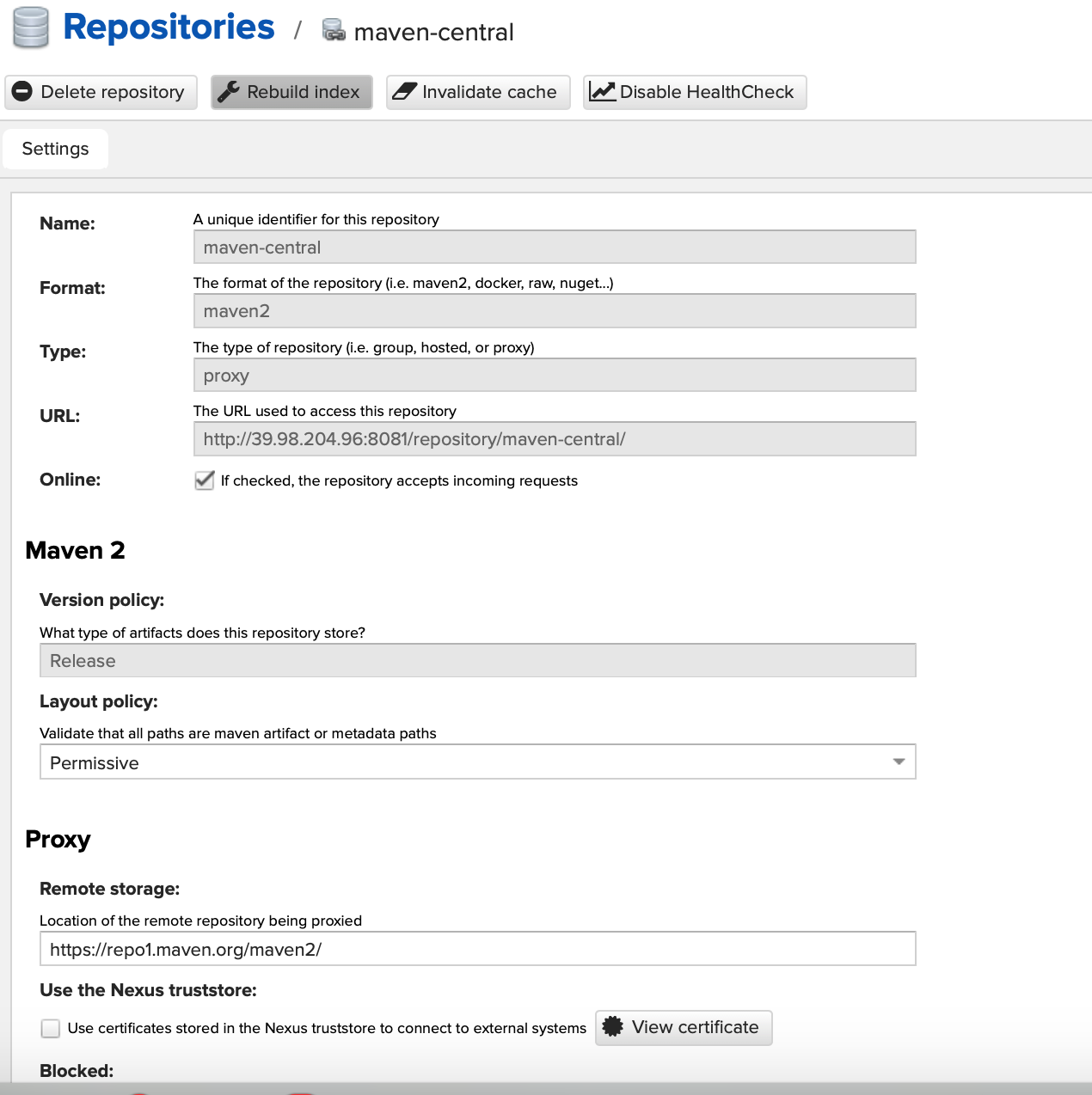
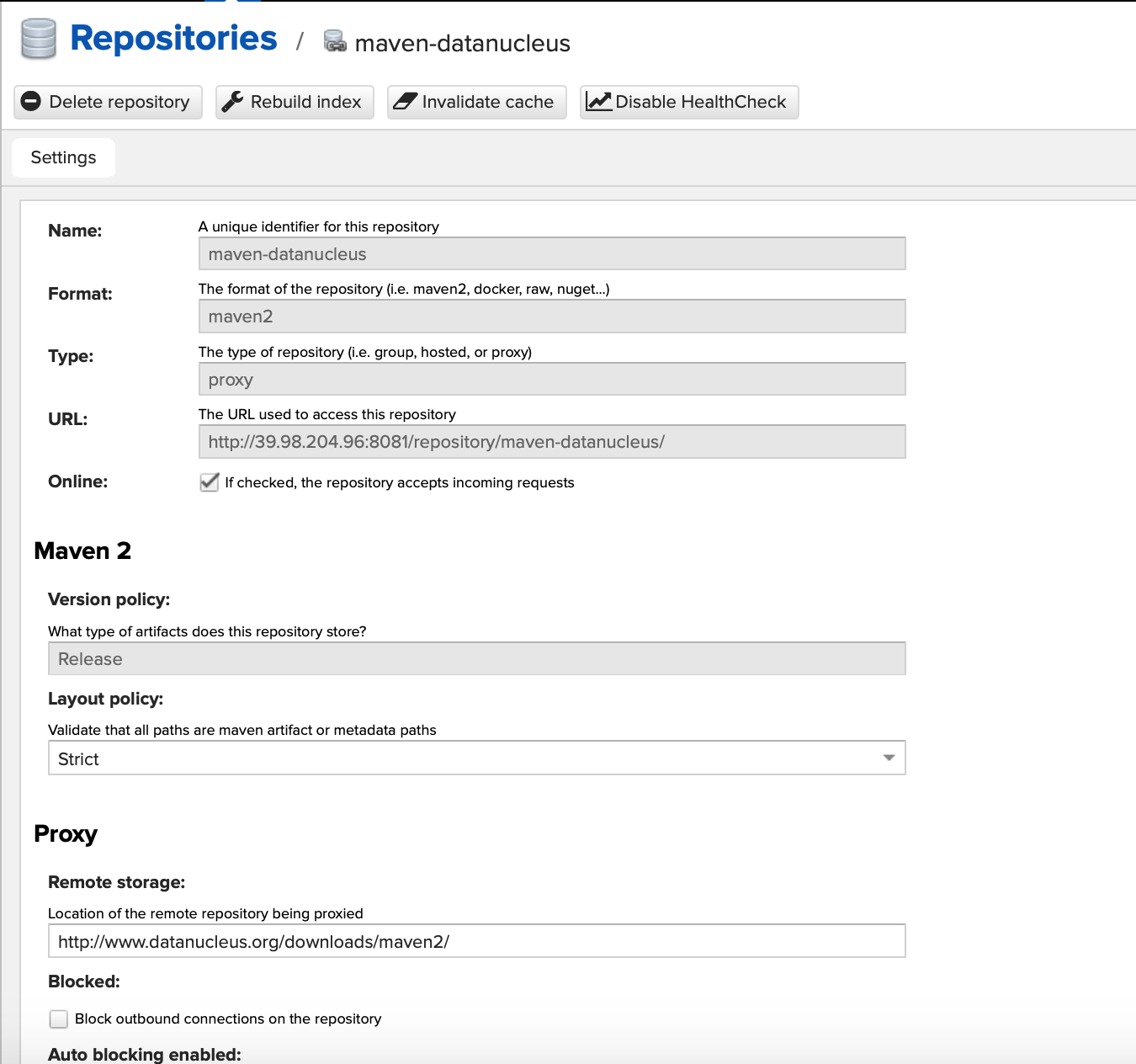
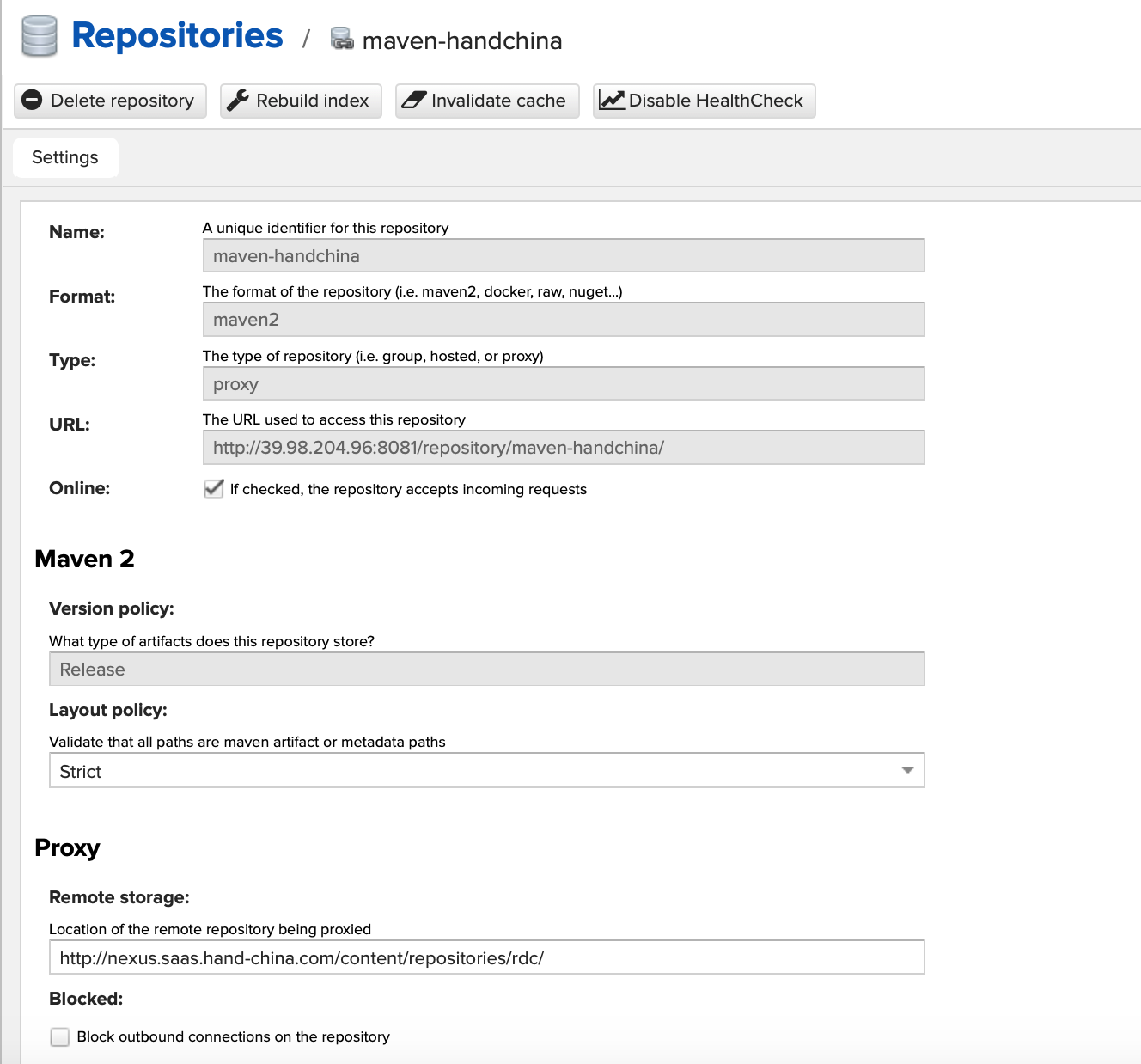
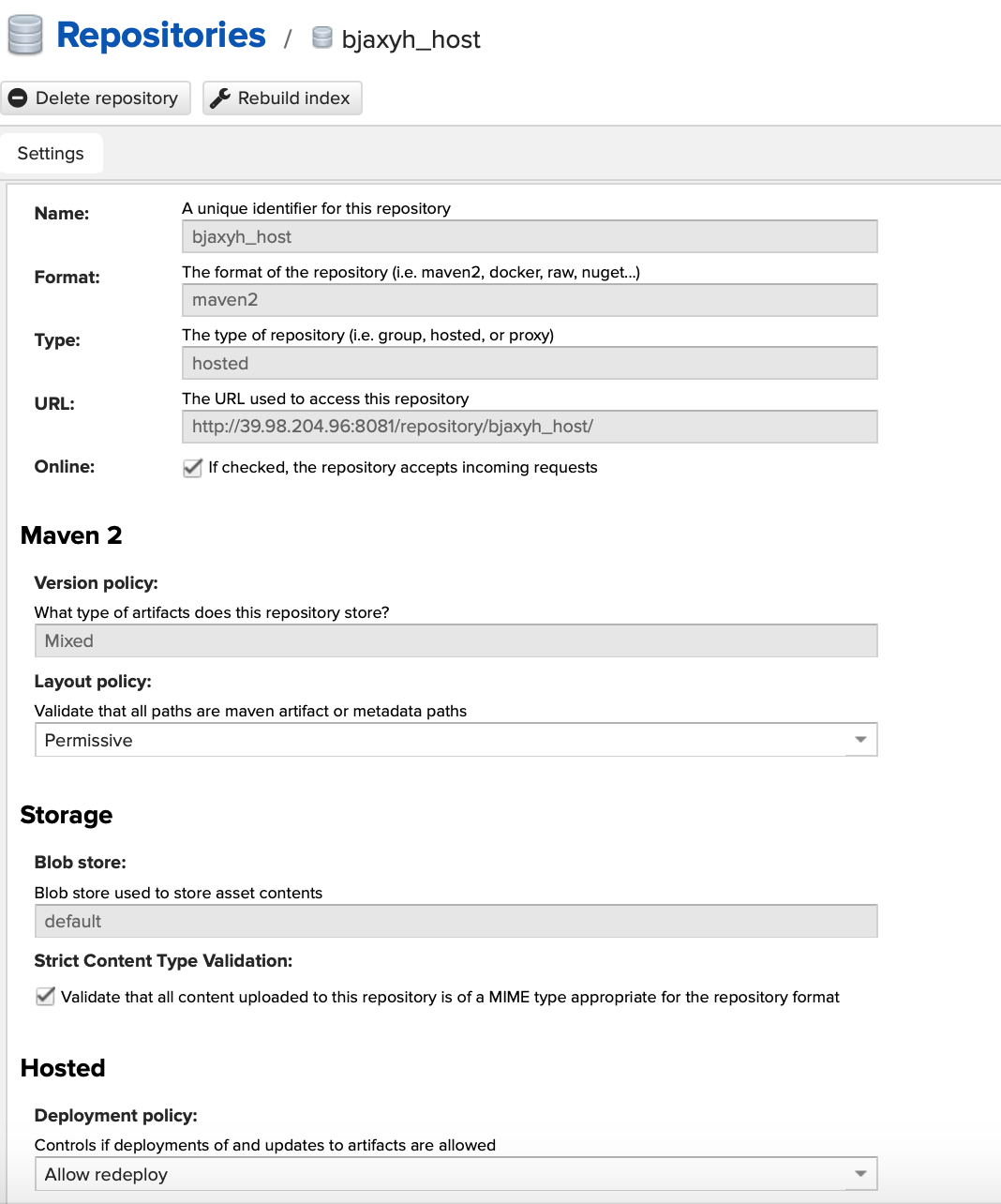
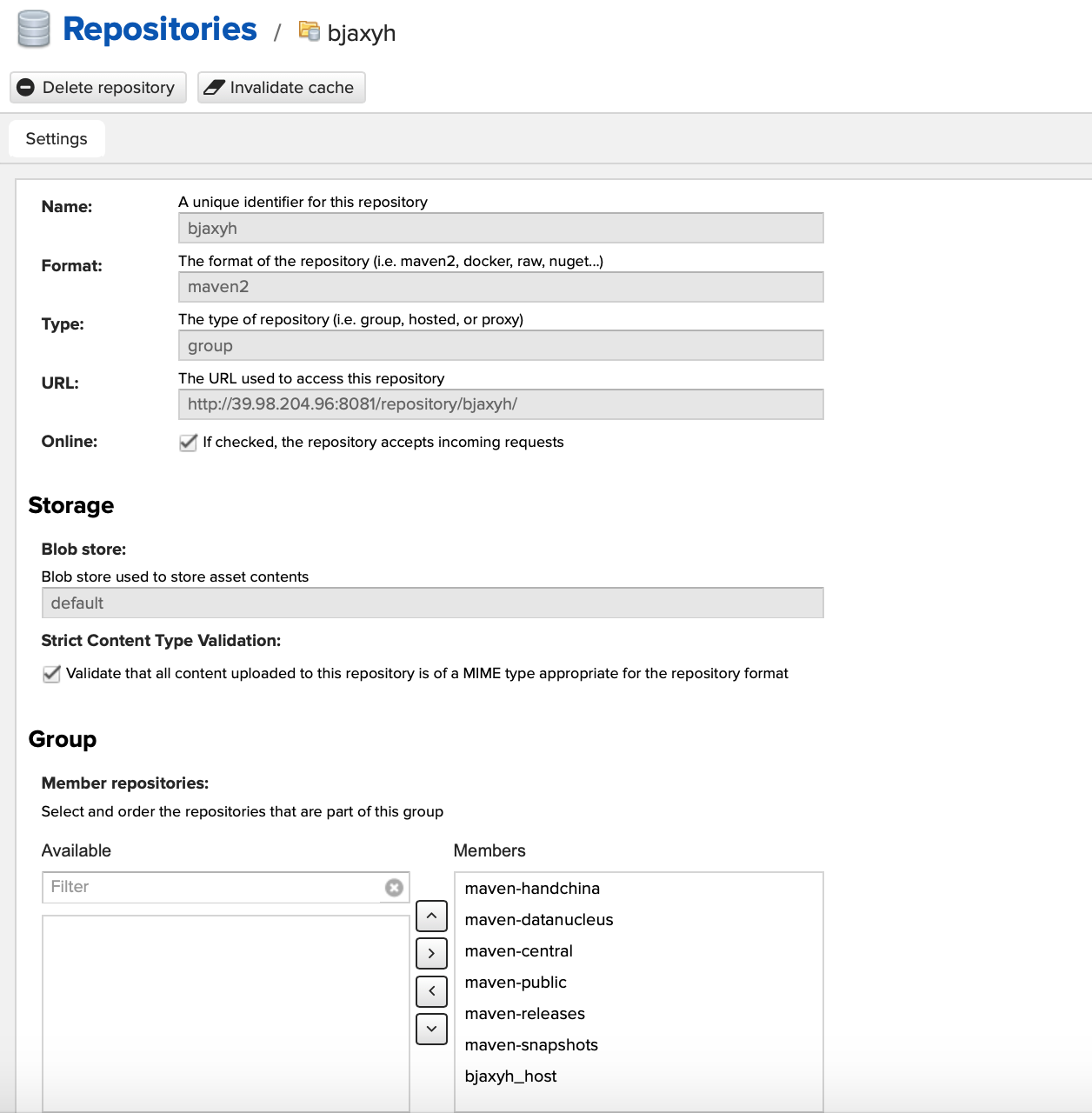
三、nexus图片观赏
四、pom.xml
<project xmlns="http://maven.apache.org/POM/4.0.0" xmlns:xsi="http://www.w3.org/2001/XMLSchema-instance"
  xsi:schemaLocation="http://maven.apache.org/POM/4.0.0 http://maven.apache.org/xsd/maven-4.0.0.xsd">
  <modelVersion>4.0.0</modelVersion>

  <groupId>axyh_springboot</groupId>
  <artifactId>axyh_springboot</artifactId>
  <packaging>jar</packaging>

  <parent>
    <groupId>com.anxinyiheng</groupId>
    <artifactId>axyh_parent</artifactId>
    <version>0.0.1-SNAPSHOT</version>
    <relativePath /> <!-- lookup parent from repository -->
  </parent>

  <properties>
    <project.build.sourceEncoding>UTF-8</project.build.sourceEncoding>
  </properties>

  <dependencies>

  </dependencies>

 <distributionManagement>
         <repository>
             <!--此id要与setting.xml里面server的id对应-->
             <id>releases</id>
             <name>releases Repository</name>
             <url>http://39.98.204.96:8081/repository/maven-releases/</url>
         </repository>
         <snapshotRepository>
             <id>snapshots</id>
             <name>snapshots</name>
             <url>http://39.98.204.96:8081/repository/maven-snapshots/</url>
         </snapshotRepository>
     </distributionManagement>
 <build>
    <plugins>
      <plugin>
        <groupId>org.springframework.boot</groupId>
        <artifactId>spring-boot-maven-plugin</artifactId>
        <executions>
          <execution>
            <goals>
              <goal>repackage</goal><!--可以把依赖的包都打包到生成的Jar包中 -->
            </goals>
          </execution>
        </executions>
      </plugin>
    </plugins>
  </build>

</project>
Linux 使用nexus搭建maven私服的更多相关文章
- Linux使用nexus搭建maven私服
一.准备工作 系统:LINUX JDK:已安装(未安装详见jdk安装教程:http://www.cnblogs.com/muzi1994/p/5818099.html) ...
- Maven-004-使用 Nexus 搭建 maven 私服
从去年至今,自己一直在学习自动化测试工具,想利用自动化工具尽可能的将重复的.关键的.耗时耗力的工作实现自动化,减轻日常测试工作,提升测试效率.在学习的过程中,将 maven 作为了项目开发管理工具,进 ...
- Maven使用笔记(五)Sonatype Nexus 搭建Maven 私服
1. 为什么使用Nexus 如果没有私服,我们所需的所有构件都需要通过maven的中央仓库和第三方的Maven仓库下载到本地, 而一个团队中的所有人都重复的从maven仓库下载构件无疑加大了仓库的负载 ...
- Maven——使用Nexus搭建Maven私服
原文:http://www.cnblogs.com/xdp-gacl/p/4068967.html Maven学习总结(九)--使用Nexus搭建Maven私服 一.搭建nexus私服的目的 为什么要 ...
- (转)Maven学习总结(九)——使用Nexus搭建Maven私服
孤傲苍狼只为成功找方法,不为失败找借口! Maven学习总结(九)——使用Nexus搭建Maven私服 一.搭建nexus私服的目的 为什么要搭建nexus私服,原因很简单,有些公司都不提供外网给项目 ...
- Maven学习二:使用Nexus搭建Maven私服及相关配置
处于安全等原因的考虑,一些企业内部网络是不允许访问外部网络的,但是项目内部搭建的项目又是Maven架构,这样就需要企业在内部网络中搭建自己的Maven仓库服务,再者一些大型企业或者内部模块化组件化划分 ...
- 使用Nexus搭建Maven私服问题总结
#业务场景 最近项目要交付给客户了,之前项目开发和测试一直都是使用公司内部的一套环境,项目交付后客户购置了大量服务器,也要将整套测试环境迁移至客户的服务器上,后续的需求变更以及新需求的开发都会在客户服 ...
- nexus搭建maven私服及私服jar包上传和下载
nexus搭建maven私服及私服jar包上传和下载 标签: nexus管理maven库snapshot 2017-06-28 13:02 844人阅读 评论(0) 收藏 举报 分类: Maven(1 ...
- nexus 搭建 maven 私服
nexus 搭建 maven 私服 本机环境 Win 8 JDK 7 Maven 3.2 Nexus 2.11 版本选择 http://www.sonatype.org/nexus/archivedn ...
随机推荐
- Laravel 系列入门教程(三)【最适合中国人的 Laravel 教程】
在本篇文章中,我们将尝试构建一个带后台的简单博客系统.我们将会使用到 路由.MVC.Eloquent ORM 和 blade 视图系统. 简单博客系统规划 我们在教程一中已经新建了一个继承自 Eloq ...
- 索引堆(Index Heap)
首先我们先来看一个由普通数组构建的普通堆. 然后我们通过前面的方法对它进行堆化(heapify),将其构建为最大堆. 结果是这样的: 对于我们所关心的这个数组而言,数组中的元素位置发生了改变.正是因为 ...
- JAVA代码根据经纬度范围计算WGS84与谷歌全球墨卡托包含的切片数目与拼接图像像素尺寸
根据项目需求编写的代码. 适用场景:在网络地图上,比如天地图与谷歌地图,用户用鼠标在地图上拉一个矩形框,希望下载该矩形框内某一层级的瓦片数据,并将所有瓦片拼接成一个完整的,包含地理坐标的tif图像. ...
- SSIS 包部署错误 0xC0010014
SSIS 包部署错误 0xC0010014 Reinhard 在部署 SSIS 包时,提示如下错误. 由于错误 0xC0010014"发生了一个或多个错误.在此消息之前应有更为具体的错误消息 ...
- iOS----------关于UDID和UUID的一些理解
一.UDID(Unique Device Identifier) UDID是Unique Device Identifier的缩写,中文意思是设备唯一标识. 在很多需要限制一台设备一个账号的应用中经 ...
- 轻松搭建Xposed Hook
0x2.导入xposed库文件XposedBridgeApi-XX.jar,将库文件放在app/lib目录下,自己创建一个lib目录,别放在libs目录下,否则会出错,然后导入库,修改 Scope 为 ...
- leetcode-9.回文数(水仙花数)
leetcode-9.回文数(水仙花数) 题意:给定整数,判断是否是水仙花数(回文数),返回判断结果 算法: 1.判断负数, 如果是负数直接返回false 2.将整数逐位拆解,用数组存储 3.遍历数组 ...
- recovery 升级前兼容性检查(Vendor Interface Object)
从android P(9.0)版本开始,我们发现编译出来的OTA升级了里面多了一个文件,compatibility.zip,这个里面存储这system与vendor分区的一些特性,用来做升级前的兼容性 ...
- Hive分区
注意:必须在表定义时指定对应的partition字段. 一.指定分区 1.单分区 建表语句:create table day_table(id int, content string) partiti ...
- spring4笔记----web.xml中2.4以上版本Listener的配置
基本上没用过Servlet2.4以下版本,所以2.4版本以下不必学了 <?xml version="1.0" encoding="UTF-8"?> ...