
利用jsonconvert来转换json数据格式 (对象转为json)
今天学了一下.net的WCF组件,边心血来潮,想着现在不都是前后分离,调接口开发不,于是赶紧写了一简单的后台数据,哈哈 废话不多说,直接上代码;
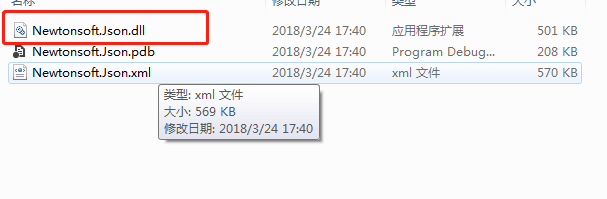
注意需要导入库!
实体类:Customer
using System;

using System.Collections.Generic;

using System.Linq;

using System.Text;

using System.Threading.Tasks;

namespace domain

{

    public class Customer

    {

        public string CustomerId { set; get; }

        public string CompanyName { set; get; }

        public string ContactName { set; get; }

        public string Address { set; get; }

        public string test1 { set; get; }

    };

}
WCF接口
using System;

using System.Collections.Generic;

using System.Linq;

using System.Runtime.Serialization;

using System.ServiceModel;

using System.ServiceModel.Web;

using System.Text;

namespace 接口测试学习1

{

    // 注意: 使用“重构”菜单上的“重命名”命令,可以同时更改代码和配置文件中的接口名“IService1”。

    [ServiceContract]

    public interface IService1

    {

        [OperationContract]

        string GetData(int value);

        [OperationContract]

        CompositeType GetDataUsingDataContract(CompositeType composite);

        // TODO: 在此添加您的服务操作

        [OperationContract]

        string GetDataJson(string customer);

    }

    // 使用下面示例中说明的数据约定将复合类型添加到服务操作。

    [DataContract]

    public class CompositeType

    {

        bool boolValue = true;

        string stringValue = "Hello ";

      [DataMember]

        public bool BoolValue

        {

            get { return boolValue; }

            set { boolValue = value; }

        }

          [DataMember]

        public string StringValue

        {

            get { return stringValue; }

            set { stringValue = value; }

        }

    }

}
WCF接口的实现类
using System;

using System.Collections.Generic;

using System.Linq;

using System.Runtime.Serialization;

using System.ServiceModel;

using System.ServiceModel.Web;

using System.Text;

using System.Data.SqlClient;

using domain;

using Newtonsoft.Json;

namespace 接口测试学习1

{

    // 注意: 使用“重构”菜单上的“重命名”命令,可以同时更改代码、svc 和配置文件中的类名“Service1”。

    // 注意: 为了启动 WCF 测试客户端以测试此服务,请在解决方案资源管理器中选择 Service1.svc 或 Service1.svc.cs,然后开始调试。

    public class Service1 : IService1

    {

        public string GetData(int value)

        {

            return string.Format("You entered: {0}", value);

        }

        public CompositeType GetDataUsingDataContract(CompositeType composite)

        {

            if (composite == null)

            {

                throw new ArgumentNullException("composite");

            }

            if (composite.BoolValue)

            {

                composite.StringValue += "Suffix";

            }

            return composite;

        }

        public string GetDataJson(string customer)

        {

            string strcon = "Data Source=192.168.99.28;Initial Catalog=EDU;User Id=Pos;Password=Pos;";

            SqlConnection con = new SqlConnection(strcon);

            List<Customer> list = new List<Customer>();

            try

            {

                con.Open();

                //将执行的sql

             //   string sql = "select * from Customer";

                string sql = string.Format("select * from {0}", customer);

                //创建命令对象,指定要执行sql语句与连接对象conn

                SqlCommand cmd = new SqlCommand(sql, con);

                Console.WriteLine("打开成功,状态" + con.State);

                //执行查询返回结果集

                SqlDataReader sdr = cmd.ExecuteReader();

                while (sdr.Read())

                {

                    Customer c = new Customer();

                    c.CustomerId = sdr["CustomerId"].ToString();

                    c.CompanyName = sdr["CompanyName"].ToString();

                    c.ContactName = sdr["ContactName"].ToString();

                    c.Address = sdr["Address"].ToString();

                    c.test1 = sdr["test1"].ToString();

                    list.Add(c);

                }

            } catch (Exception ex)

            {

                Console.WriteLine(ex.Message);

            }

            finally {

            //关闭连接

            con.Close();

           // Console.WriteLine("总共查询了" + count +"条数据");

         //   Console.ReadKey();

            Console.WriteLine(list.Capacity);

            }

            //再把list集合进行序列化,转json

            string json = JsonConvert.SerializeObject(list);

            Console.WriteLine(json);

            Console.ReadKey();

            return json;

        }

    }

}
利用jsonconvert来转换json数据格式 (对象转为json)的更多相关文章
- java对象转为json字符串
1.使用fastjson开源json工具类库 2.java类未添加get()和set()方法,java对象初始化时,使用fastjson解析,得到的json字符串有时为空{} 3.Java对象转为js ...
- fastjson对象转为json字符串日期格式变为时间戳问题
今天尝试将map集合转为json对象时遇到一个问题.map中的value为日期格式如"2019-03-01",在使用JSONObject.toJSON(map).toString( ...
- Razor 将C#对象转换成Javascript对象, json还原被转码的字符 "·· HTML转义符
Razor 将C#对象转换成Javascript对象 在Razor中使用Json字符串,特殊字符被自动转义(如:\"->") @{ var jsonStr = Html.Ra ...
- Jackson-将对象转为Json字符串
SpringMVC-处理JSON 1.引入jackson依赖 <properties> <jackson.version>1.9.13</jackson.version& ...
- FastJSON将Java对象转为json,日期显示时间戳未格式化解决办法
JSON版本:FastJson Java 对象转换为 JSON 格式 定义以下 Person JavaBean: public class Person { @JSONField(name = &qu ...
- jackson简单使用,对象转json,json转对象,json转list
添加jackson依赖: // https://mvnrepository.com/artifact/com.fasterxml.jackson.core/jackson-core compile g ...
- ajax使用json数据格式--无效的 JSON 基元
ajax使用json数据格式提交 一开始这么写的 var flobj = { UserId: userid, ForbidSDT: ForbidSDT, ForbidEDT: ForbidEDT } ...
- JSON数组对象和JSON字符串的转化,map和JSON对象之间的转化
这种用法包括前端和后端: 前端: 1. 转化为JSON对象方便操作 var jsonObj = JSON.parse(str); 得到的是一个json数组对象,可以通过 for (var p in j ...
- json数据格式 net.sf.json.JSONException: A JSONObject text must begin with '{' at character 1 of Error:(findColumns1)Read timed out
substring(3)的用法http://www.w3school.com.cn/jsref/jsref_substring.asp 可能一:sb是要转化的数据,以sb是String为例 ...
随机推荐
- 用游戏杆控制WPF中三维模型
原文:用游戏杆控制WPF中三维模型 用游戏杆控制WPF中三维模型 今天心情比较好,不写WF的文章了,换个主题.写一个我最最最擅长的内容. 例子下载: http://files.cnblogs. ...
- Angular route传参
从 router-link-page1 跳转 router-link-page2 和 router-link-page3 通过自定义路由 设置router-link-page2的路由后有3个参数,pa ...
- WPF学习笔记:(二)数据绑定模式与INotifyPropertyChanged接口
数据绑定模式共有四种:OneTime.OneWay.OneWayToSource和TwoWay,默认是TwoWay.一般来说,完成数据绑定要有三个要点:目标属性是依赖属性.绑定设置和实现了INotif ...
- WPF特效-鱼游动动画
原文:WPF特效-鱼游动动画 实现思路: 通过VisualBrush Binding方式获取鱼局部图像,在Viewport3D中创建ModelVisual3D块并把获取到的局部 ...
- IIS基本介绍
应用程序池-网站-应用程序 1 应用程序池 设置应用程序的各种设置,新建.修改应用程序的时候可以选择应用程序池 2 [站外图片上传中...(image-3924c8-1511163001873 ...
- qt 透明度设置(setWindowOpacity 和 setAutoFillBackground 和 带透明度的画刷填充就好了)
1,父窗口透明// 设置背景图片 QPalette pa;setAutoFillBackground(true);pa.setBrush(QPalette::Background,QBrush(QPi ...
- Java CLASSPATH 引发的问题
# 问题 在做 OJ 的时候,由于程序需要编译运行,出于安全性考虑,我选择利用类 ProcessBuilder ,一个通过命令行调用 Java 程序的类. 我在 Eclipse 中或者在 CMD 中执 ...
- 【C#】wpf添加gif动图支持
原文:[C#]wpf添加gif动图支持 1.nuget里下载XamlAnimatedGif包,然后安装. 2.添加XamlAnimatedGif包的命名空间:xmlns:gif="https ...
- swift4.0 Http 请求
// // HttpHelper.swift // NavigateDemo // // Created by yixin ran on 07/08/2017. // Copyright © 2017 ...
- Windows程序设计画图实现哆啦A梦
在看雪论坛上看到的一个帖子,很喜欢,转载一下.原文地址:http://bbs.pediy.com/showthread.php?t=138630哆啦A梦是画出来的,不知道作者算这些坐标位置算了多久,真 ...