
Delphi APP 開發入門(五)GPS 定位功能
Delphi APP 開發入門(五)GPS 定位功能
發表時間:2014/06/03|
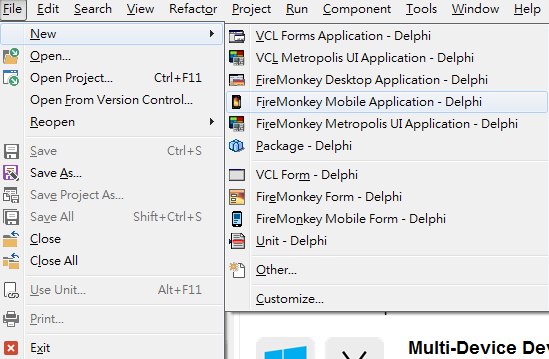
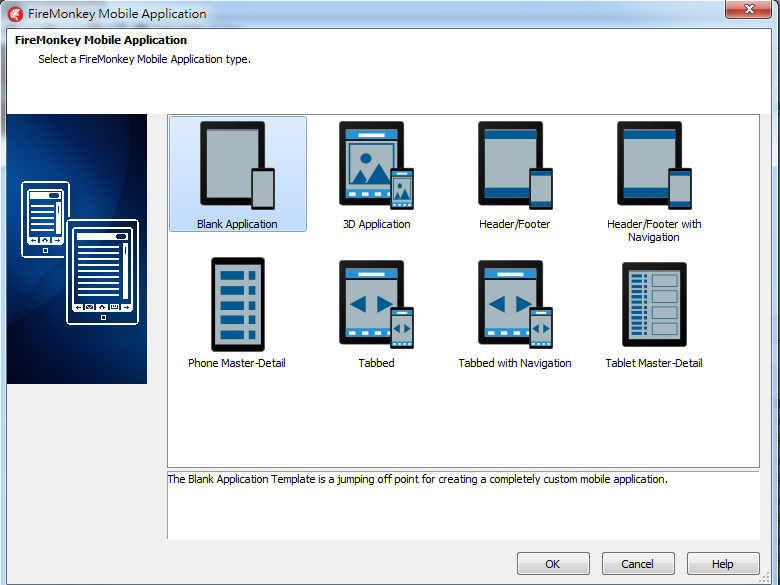
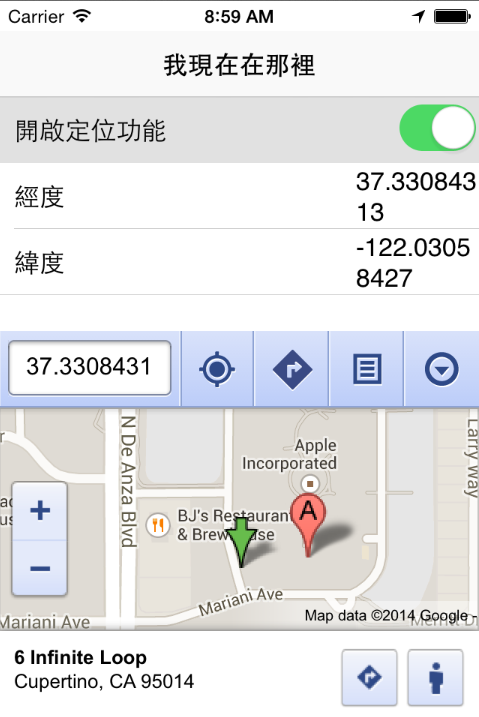
在行動裝置的應用上,大多會離不開GPS定位以及地圖功能。今天就來教大家製作一個簡易的定位結合地圖的APP-「我現在在那裡」,讀者們可以利用這個超級簡單的APP延伸進階成其他的應用。 一、開啟一個新的Mobile專案
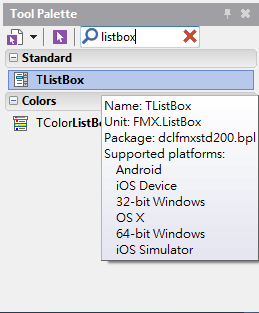
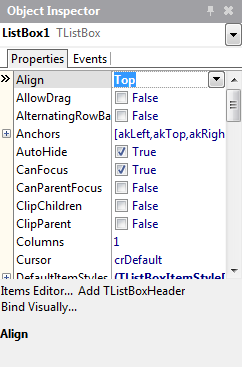
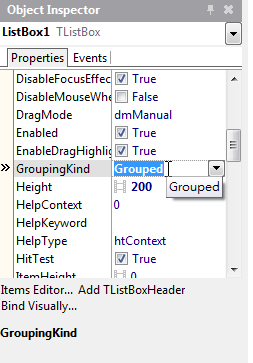
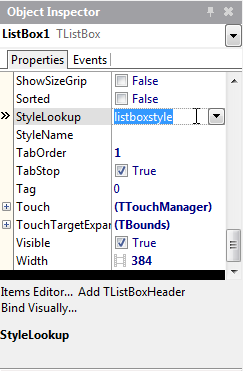
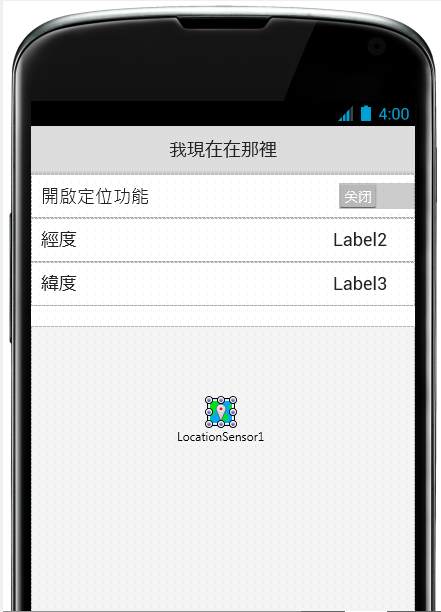
二、在畫面上放置一個ListBox元件,屬性設定如下 Align : Top GroupingKind : Grouped StyleLookup: ListboxStyle
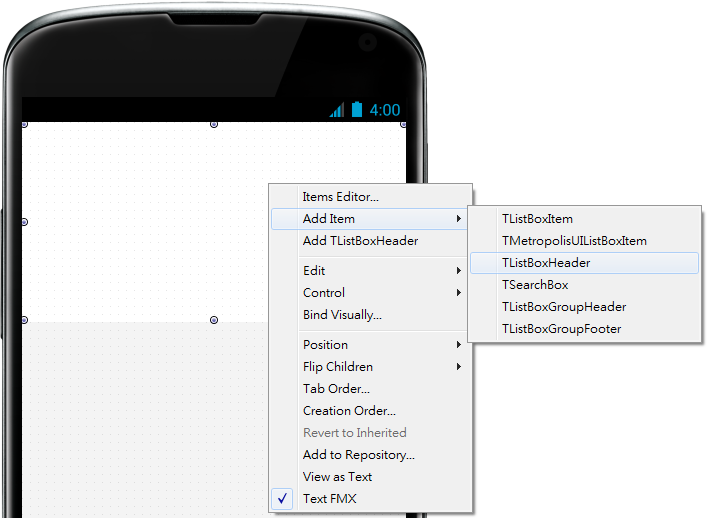
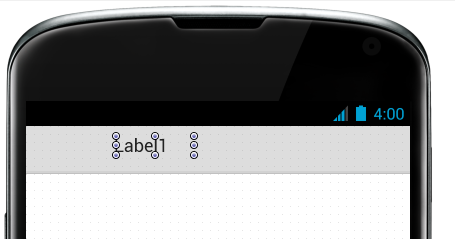
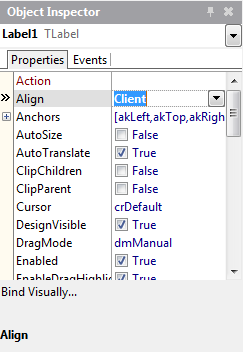
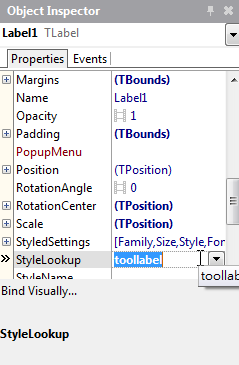
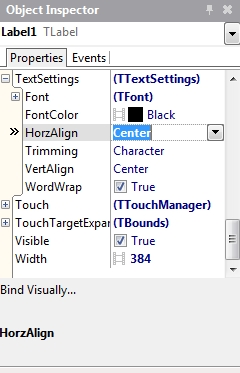
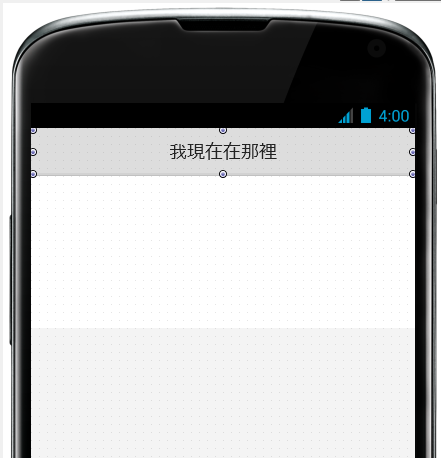
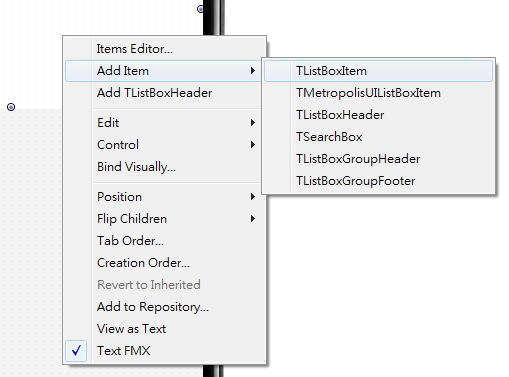
三、接著我們要在上面增加一個程式的抬頭,在ListBox按右鍵,Add Item -> TListBoxHeader。接著在ListBoxHeader上新增一個Label,把屬性設定如下 Align : Client StyleLookup: toollabel Text: 我現在在那裡 TextSettings->HorzAlign: Center
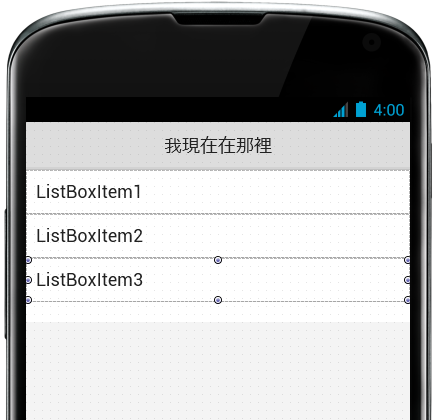
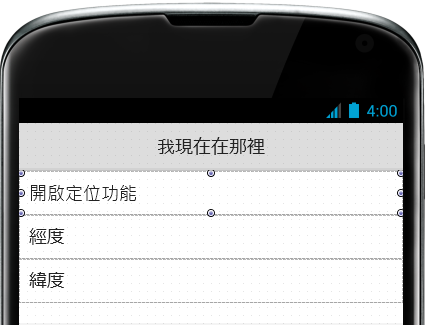
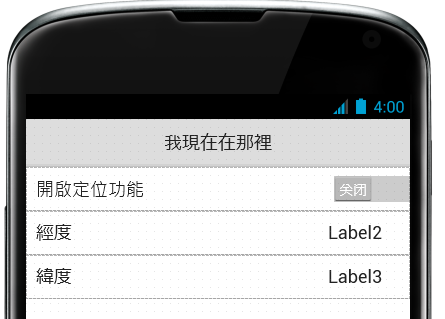
四、接著在畫面上設定定位功能的開關跟顯示經緯度,一樣在Listbox上右鍵Add Item -> TListBoxItem建立三次。修改每個ListBoxItem的Text屬性為開啟定位功能、經度、緯度。 五、在上面放上TSwitch跟Label元件如下。
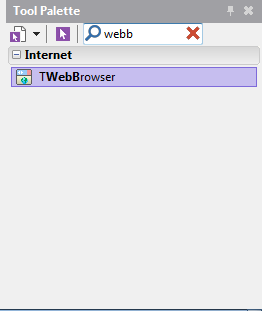
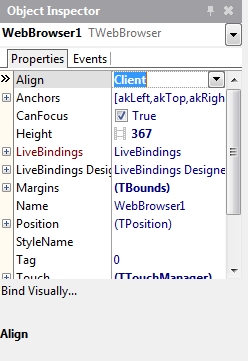
六、接著要顯示Google 地圖,在畫面上放置TWebBrowser元件,把Align設為Client。
七、最後在畫面上放上LocationSensor元件即完成畫面佈置。
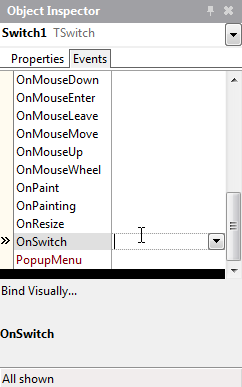
八、正式開始寫程式囉!需要寫程式的地方只有二個,一個是打開LocationSensor定位,另一個是顯示在地圖上。在Switch的OnSwitch事件中,輸入以下程式
procedure TForm1.Switch1Switch(Sender: TObject); 九、接著在LocationSensor的OnLocationChanged事件輸入以下程式
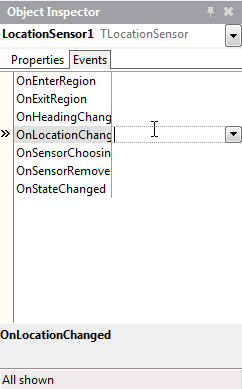
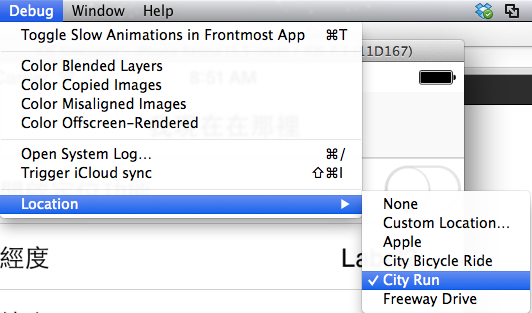
procedure TForm1.LocationSensor1LocationChanged(Sender: TObject; 十、接著可以執行了!這邊是透過iOS模擬器執行的,如果要看到動態變動經緯度的效果,可以在模擬器的Debug -> Location ->設定成 City Run就會自動變動位置了。
這幾個禮拜下來,是不是覺得Delphi的開發時間大部份都是在拖拖拉拉畫面中渡過呢?培養了興趣之後,下週我們要開始回歸到比較嚴肅的基本語法課程囉 |

Delphi APP 開發入門(五)GPS 定位功能的更多相关文章
- Delphi APP 開發入門(六)Object Pascal 語法初探
Delphi APP 開發入門(六)Object Pascal 語法初探 分享: Share on facebookShare on twitterShare on google_plusone_sh ...
- Delphi APP 開發入門(八)SQLite資料庫
Delphi APP 開發入門(八)SQLite資料庫 分享: Share on facebookShare on twitterShare on google_plusone_share 閲讀次 ...
- Delphi APP 開發入門(七)通知與雲端推播
Delphi APP 開發入門(七)通知與雲端推播 分享: Share on facebookShare on twitterShare on google_plusone_share 閲讀次數: ...
- Delphi APP 開發入門(四)簡易手電筒
Delphi APP 開發入門(四)簡易手電筒 分享: Share on facebookShare on twitterShare on google_plusone_share 閲讀次數:32 ...
- Delphi APP 開發入門(十)REST Client 開發
Delphi APP 開發入門(十)REST Client 開發 分享: Share on facebookShare on twitterShare on google_plusone_share ...
- Delphi APP 開發入門(九)拍照與分享
Delphi APP 開發入門(九)拍照與分享 分享: Share on facebookShare on twitterShare on google_plusone_share 閲讀次數:30 ...
- Delphi APP 開發入門(三)簡易計算機
Delphi APP 開發入門(三)簡易計算機 分享: Share on facebookShare on twitterShare on google_plusone_share 閲讀次數:68 ...
- Delphi APP 開發入門(二)Android/iOS設定,Hello World
Delphi APP 開發入門(二)Android/iOS設定,Hello World 分享: Share on facebookShare on twitterShare on google_plu ...
- Delphi APP 開發入門(一)重生的 Delphi
Delphi APP 開發入門(一)重生的 Delphi 分享: Share on facebookShare on twitterShare on google_plusone_share 閲讀 ...
随机推荐
- before伪类的超有用应用技巧——水平菜单竖线分隔符
方法一.li前面加before伪类 <!doctype html> <html dir="ltr" lang="zh-CN"> < ...
- Asp.net - Razor - 将Model中变量的值赋值给Javascript变量
<script type="text/javascript"> @{var _userID = Model.UserId.HasValue ? Model.UserId ...
- Java线程之CompletionService批处理任务
如果你向Executor提交了一个批处理任务,并且希望在它们完成后获得结果,怎么办呢? 为此你可以保存与每个任务相关联的Future,然后不断地调用 timeout为零的get,来检验Future是否 ...
- C语言数组的概念
在<C语言数据输出大汇总以及轻量进阶>一节中我们举了一个例子,是输出一个 4×4 的整数矩阵,代码如下: #include <stdio.h> #include <std ...
- oracle数据库查询时间sql
select * from cc_picture_info where PICTURE_SOURCE = 3 AND UPLOAD_TIME > to_date('2017-03-29 16:5 ...
- Code Forces Bear and Forgotten Tree 3 639B
B. Bear and Forgotten Tree 3 time limit per test2 seconds memory limit per test256 megabytes inputst ...
- react-native 学习(二)
上一节讲到了 react-native的开发环境的配置,,这一节我门具体讲讲怎么看样式,怎么调试 看样式的话 有一个 神奇 react-native-developer tools(个人推荐,可选择性 ...
- $obj->0
w对象 数组 分别对内存的 消耗 CI result() This method returns the query result as an array of objects, or an empt ...
- time-based DB
这类时间序列数据库最多,使用也最广泛.一般人们谈论时间序列数据库的时候指代的就是这一类存储.按照底层技术不同可以划分为三类. 直接基于文件的简单存储:RRD Tool,Graphite Whisper ...
- python基础-第六篇-6.1生成器与迭代器
迭代器 特点: 访问者不需要关心迭代器内部的结构,仅需通过next()方法不断去取下一个内容 不能随机访问集合中的某个值 ,只能从头到尾依次访问 访问到一半时不能往回退 便于循环比较大的数据集合,节省 ...