
IOS之笑脸app
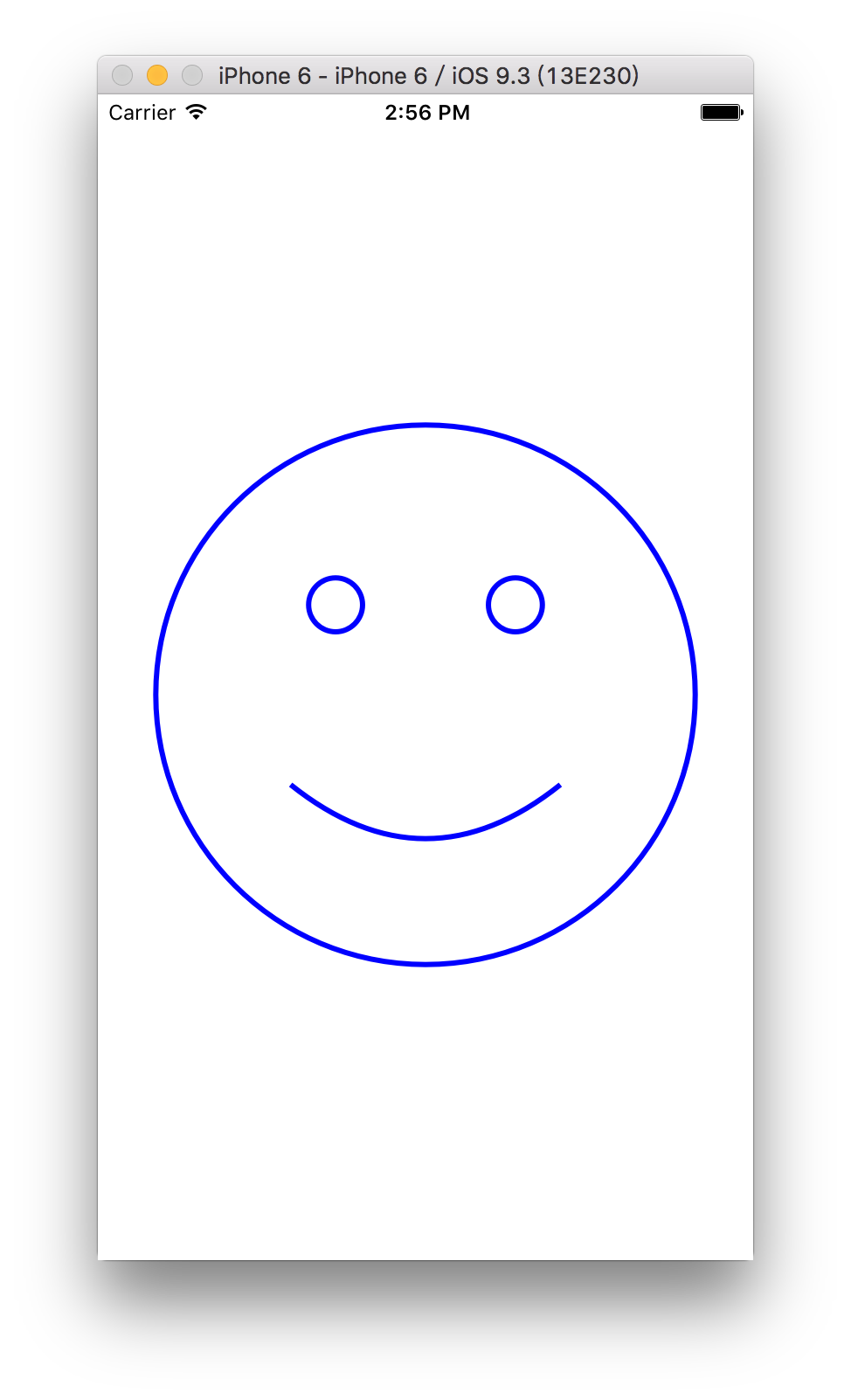
ios笑脸app实现
import UIKit

@IBDesignable

class FaceView: UIView {

    @IBInspectable

    var lineWidth:CGFloat=3{didSet{setNeedsLayout()}}

    @IBInspectable

    var color:UIColor = UIColor.blueColor(){didSet{setNeedsLayout()}}

    @IBInspectable

    var scale:CGFloat=0.9{didSet{setNeedsLayout()}}

    var faceCenter:CGPoint{

        return convertPoint(center, fromView: superview)

    }

    var faceRadius:CGFloat{

         return min(bounds.size.width, bounds.size.height)/2*scale

    }

    private struct Scaling {

        static let FaceRadiusToEyeRadiusRatio: CGFloat = 10

        //大圆半径(face半径)与小圆半径(eye半径)的比率,次数越小,小圆越大.因为 下面bezierPathForEye的方法中定义 eyeRadius = faceRadius / Scaling.FaceRadiusToEyeRadiusRatio

        static let FaceRadiusToEyeOffsetRatio: CGFloat = 3

        //大圆与小圆的偏移率,此数越大,小圆的圆心距大圆越近

        static let FaceRadiusToEyeSeparationRatio: CGFloat = 1.5

        //两个小圆之间在大圆内的分离比率

        static let FaceRadiusToEyeMounthWidthRatio: CGFloat = 1

        static let FaceRadiusToEyeMounthHeightRatio: CGFloat = 3

        static let FaceRadiusToEyeMounthOffsetRatio: CGFloat = 3

    }

    private enum Eye {

        case Left , Right

    }

    private func bezierPathForEye(whichEye: Eye) -> UIBezierPath {

        //此处定义的方法为设置一只眼睛的位置,上面定义了左右眼的枚举,可通过调用.Left.Right来实现两个位置的设定

        let eyeRadius = faceRadius / Scaling.FaceRadiusToEyeRadiusRatio

        //定义小圆半径是大圆半径的几分之几,此处因为FaceRadiusToEyeRadiusRatio: CGFloat = 10 故为十分之一

        let eyeVerticalOffset = faceRadius / Scaling.FaceRadiusToEyeOffsetRatio

        //小圆的垂直偏距

        let eyeHorizontalSeparation = faceRadius / Scaling.FaceRadiusToEyeSeparationRatio

        //小圆的水平距离

        var eyeCenter = faceCenter

        eyeCenter.y -= eyeVerticalOffset

        //此处相当于是用大圆圆心的y坐标减去小圆圆心的y坐标,故小圆圆心在大圆圆心之上.若为加,则在下

        switch whichEye {

        case .Left: eyeCenter.x -= eyeHorizontalSeparation / 2

        //相当于大圆圆心的x坐标减去(小圆圆心的x坐标除以2),即在大圆圆心的左侧

        case .Right: eyeCenter.x += eyeHorizontalSeparation / 2

            //此处加,即在右侧

        }

        let path = UIBezierPath(arcCenter: eyeCenter, radius: eyeRadius, startAngle: 0, endAngle: CGFloat(2*M_PI), clockwise: true) //画圆

        path.lineWidth = lineWidth //设定线宽

        return path

    }

    private func bezierPathForSmile(fractionOfMaxSmile: Double) -> UIBezierPath {

        let mouthWidth = faceRadius / Scaling.FaceRadiusToEyeMounthWidthRatio

        //大圆半径与线宽的比率,此处线宽=大圆半径

        let mouthHeight = faceRadius / Scaling.FaceRadiusToEyeMounthHeightRatio

        //mouthHeight即线的中点到圆心的距离

        let mouthVerticalOffset = faceRadius / Scaling.FaceRadiusToEyeMounthOffsetRatio

        let smileHeight = CGFloat(max(min(fractionOfMaxSmile, 1), -1)) * mouthHeight

        //此处max(min(fractionOfMaxSmile, 1), -1)限定了笑脸指数只能在-1到1之间,fractionOfMaxSmile这个参数可以自行设定,如果设定的大于1,则只取1,设定小于-1,则只取-1

        let start = CGPoint(x: faceCenter.x - mouthWidth / 2, y: faceCenter.y + mouthVerticalOffset)  //设置起点

        let end = CGPoint(x: start.x + mouthWidth, y: start.y)  //设置终点

        let cp1 = CGPoint(x: start.x + mouthWidth / 3 , y: start.y + smileHeight) //设置曲线点1,此处mouthWidth / 3用于调节曲线的弧度

        let cp2 = CGPoint(x: end.x - mouthWidth / 3, y: cp1.y)  //设置曲线点2

        let path = UIBezierPath()

        path.moveToPoint(start)

        path.addCurveToPoint(end, controlPoint1: cp1, controlPoint2: cp2)

        path.lineWidth = lineWidth

        return path

    }

    override func drawRect(rect: CGRect) {

        let facePath=UIBezierPath(arcCenter: faceCenter, radius: faceRadius, startAngle: 0, endAngle: CGFloat(2*M_PI), clockwise: true)

        facePath.lineWidth=lineWidth

        color.set()

        facePath.stroke()

        bezierPathForEye(.Left).stroke()

        bezierPathForEye(.Right).stroke()

        let smiliness = 0.8

        let smilePath = bezierPathForSmile(smiliness)

        smilePath.stroke()

    }

}- IBDesignable可以在storyboard中看到自定义的uiview
- IBInspectable使属性可以改变
利用协议与代理联结数据源
protocol FaceViewDataSource:class {

    func smilnessForFaceView(sender:FaceView)->Double?

}
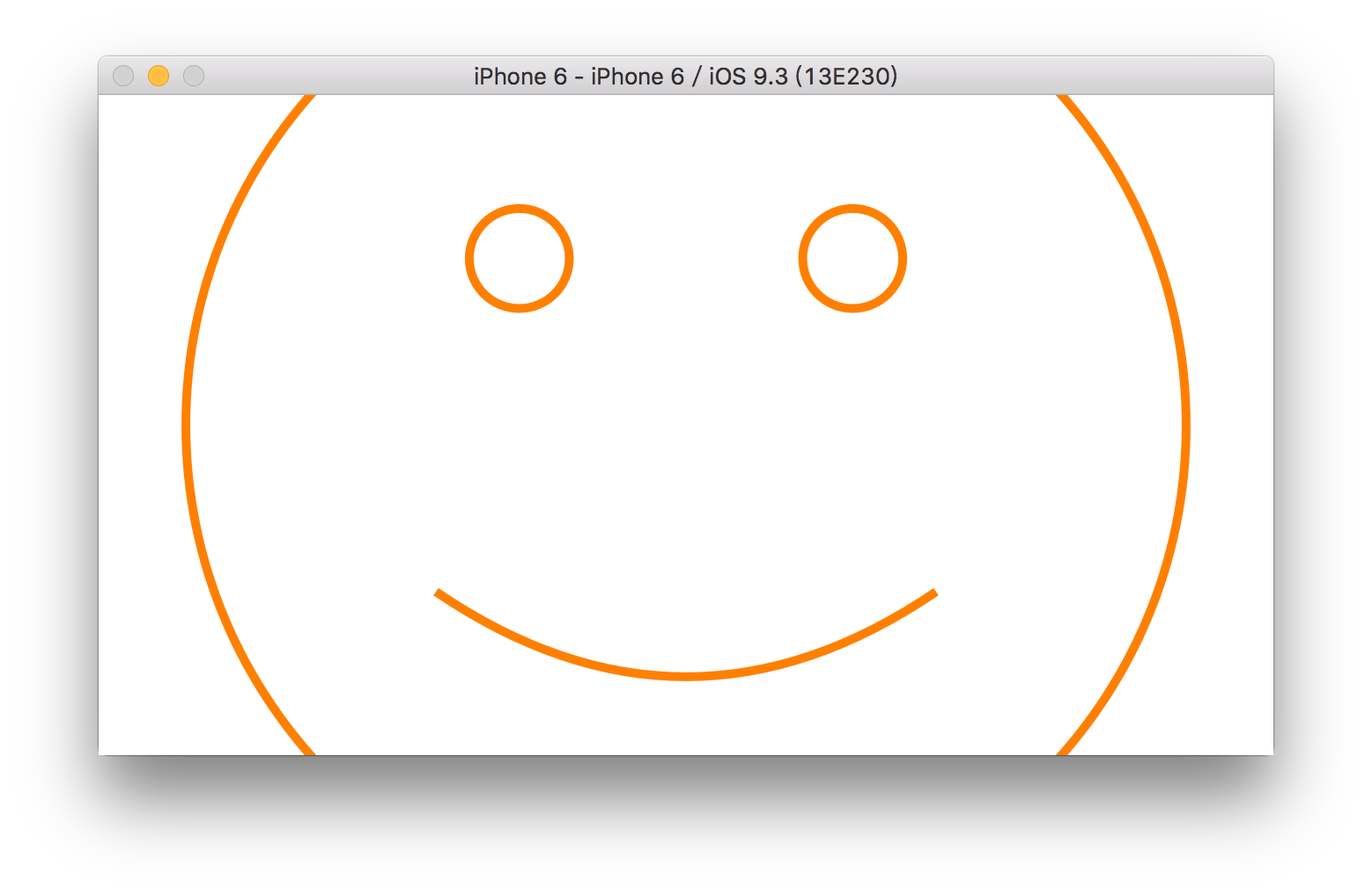
手势识别实现缩放与改变笑脸弧度
 @IBOutlet weak var faceView: FaceView!{

        didSet{

            faceView.dataSource=self

            faceView.addGestureRecognizer(UIPinchGestureRecognizer(target: faceView, action: "scale:"))

            //faceView.addGestureRecognizer(UIPanGestureRecognizer(target: self, action: "changeHappiness:"))

        }

    }

    private struct Constants{

        static let HappinessGestureScale:CGFloat=4

    }

    @IBAction func changeHappiness(sender: UIPanGestureRecognizer) {

        switch sender.state {

        case .Ended:

            fallthrough

        case .Changed:

            let translation=sender.translationInView(faceView)

            let happinessChange = -Int(translation.y/Constants.HappinessGestureScale)

            if happinessChange != 0{

                happiness+=happinessChange

                sender.setTranslation(CGPoint.zero, inView: faceView)

            }

        default:

            break

        }

    }

    func scale(gesture:UIPinchGestureRecognizer){

        if gesture.state == .Changed{

            scale*=gesture.scale

            gesture.scale=1

        }

}源代码:Happiness
IOS之笑脸app的更多相关文章
- iOS高仿app源码:纯代码打造高仿优质《内涵段子》
iOS高仿app源码:纯代码打造高仿优质<内涵段子>收藏下来 字数1950 阅读4999 评论173 喜欢133 Github 地址 https://github.com/Charlesy ...
- 分分钟解决iOS开发中App启动广告的功能
前不久有朋友需要一个启动广告的功能,我说网上有挺多的,他说,看的不是很理想.想让我写一个,于是乎,抽空写了一个,代码通俗易懂,简单的封装了一下,各种事件用block回调的,有俩种样式的广告,一种是全屏 ...
- iOS UIKit:App
1.App生命周期 IOS架构是由许多设计模式实现,如model-view-controller 和 delegation模式. 1.1 main函数 与其它框架类似,IOS框架的入口也是从main函 ...
- 【HELLO WAKA】WAKA iOS客户端 之一 APP分析篇
由于后续篇幅比较大,所以调整了内容结构. 全系列 [HELLO WAKA]WAKA iOS客户端 之一 APP分析篇 [HELLO WAKA]WAKA iOS客户端 之二 架构设计与实现篇 [HELL ...
- <iOS开发>之App上架流程(2017)
本文主要介绍了App上架流程,以及上架过程中会遇到的一些问题. 一.App上架前的准备. 上架前,需要开发人员有苹果开发者账号,具体请阅读苹果开发者账号注册申请流程.本文是在已经拥有开发者账号的前提下 ...
- ios 推送app badge 数字累加操作
ios 推送app badge 数字累加操作: 一:此数字需要后台配合: 二:大致原理: 后台发推送时,第一次 传badge 为1,往后,依次累加操作即可: 当用户打开app时,app向后台发送请求, ...
- iOS 轻松使用 App 数据统计
想获取用户各项行为数据吗? 想轻松查看用户行为图表吗? 想高效进行 App 运营管理吗? 想,来我带你玩转 App 数据统计.这里我使用专业.轻便的 JAnalytics. 本文内容分为两部分:代码示 ...
- IOS研究之App转让流程须知具体介绍
网络上有非常多开发人员提问怎么转让App并想知道具体的流程.实际上Appstore的App转让流程还是比較简单的.以下特酷吧依据自己的实际操作总结下iOS Appstore中App的转让流程.供 ...
- 有谁知道什么工具测试IOS手机上APP的性能软件啊?
有谁知道什么工具测试IOS手机上APP的性能软件啊?
随机推荐
- Effective Java 学习笔记之所有对象都通用的方法
一.覆盖equals时请遵守通用约定 1.满足下列任何一个条件时,不需要覆盖equals方法 a.类的每个实例本质上都是唯一的.此时就是Object中equals方法所表达的含义. b.不关心类是否提 ...
- BZOJ1036——树的统计count
1.题目大意:给你一棵树,有三种操作 1>qmax,询问u到v中间点权的最大值 2>qsum,询问u到v中间点权和 3>change,把u这个节点的权值改为v 2.分析:树链剖分的裸 ...
- css3 animation 属性众妙
转自:凹凸实验室(https://aotu.io/notes/2016/11/28/css3-animation-properties/) 本文不会详细介绍每个 css3 animation 属性(需 ...
- 2016年10月31日--网页 Windows对象操作
Window.opener:打开当前窗口的源窗口,如果当前窗口是首次启动浏览器打开的,则opener是null. Window.open(URL,name,features,replace):open ...
- 使用uwsgi 部署python web服务
uwsgi, wsgi协议的一个很好的实现,源码在这里:https://github.com/unbit/uwsgi c语言编写,有兴趣可以研究下. 上DEMO: wsgi_server.py def ...
- Tomcat端口占用
Tomcat端口占用问题 1.打开cmd,运行 netstat -aon!findstr "8080"查看该端口中运行的服务: 2.运行taskkill /pid PID /F 强 ...
- JQuery知识点链接
1.深入理解jQuery插件开发 http://learn.jquery.com/plugins/basic-plugin-creation/ 2.jQuer ...
- Tesseract-OCR 3.05 躲过语言文字识别(运行程序+中英日韩语言包)
最新版本 静态编译 tesseract 3.05.00dev leptonica-1.73 libgif 5.1.3 : libjpeg 8c : libpng 1.6.16 : libtiff 3. ...
- WP8图片缩放功能实现
最近在学习WP8,想实现WP微信中查看图片时的放大缩小功能. 网上找了两个解决方案: 1 利用GestureListener 这个类在Microsoft.Phone.Controls.Toolkit中 ...
- 为Kindeditor控件添加图片自动上传功能
Kindeditor是一款功能强大的开源在线HTML编辑器,支持所见即所得的编辑效果.它使用JavaScript编写,可以无缝地与多个不同的语言环境进行集成,如.NET.PHP.ASP.Java等.官 ...