
pytest文档29-allure-pytest(最新最全,保证能搞成功!)
前言
之前写了个pytest的allure相关的教程,只是停留在环境搭建完成,后续一直没用,小编一直不喜欢这种花里胡哨的报告。
没办法,领导就喜欢这种,小伙伴们也喜欢,所以还是得把allure用起来,年底了,给领导一个漂亮的报告,也好加鸡腿
之前用的是pytest-allure-adaptor插件,一年多前写的了,很古老了,跟不上时代了,不能吸引当代的小青年,这里用最新的allure-pytest,符合当代小青年的口味。
allure-pytest 环境准备
windows环境相关:
python 3.6版本
pytest 4.5.0版本
allure-pytest 2.8.6 最新版
使用pip安装pytest和allure-pytest,加上--index-url地址,下载会快一些
pip install pytest4.5.0 --index-url https://pypi.douban.com/simple
pip install allure-pytest2.8.6 --index-url https://pypi.douban.com/simple
安装完成之后,打开一个你之前写的pytest脚本,看能不正常使用,如果报错:AttributeError: module 'allure' has no attribute 'severity_level'
这个是之前 pytest-allure-adaptor 这个插件与 allure-pytest 不能共存,卸载掉 pytest-allure-adaptor
pip uninstall pytest-allure-adaptor
allure命令行工具
allure是一个命令行工具,需要去github上下载最新版https://github.com/allure-framework/allure2/releases
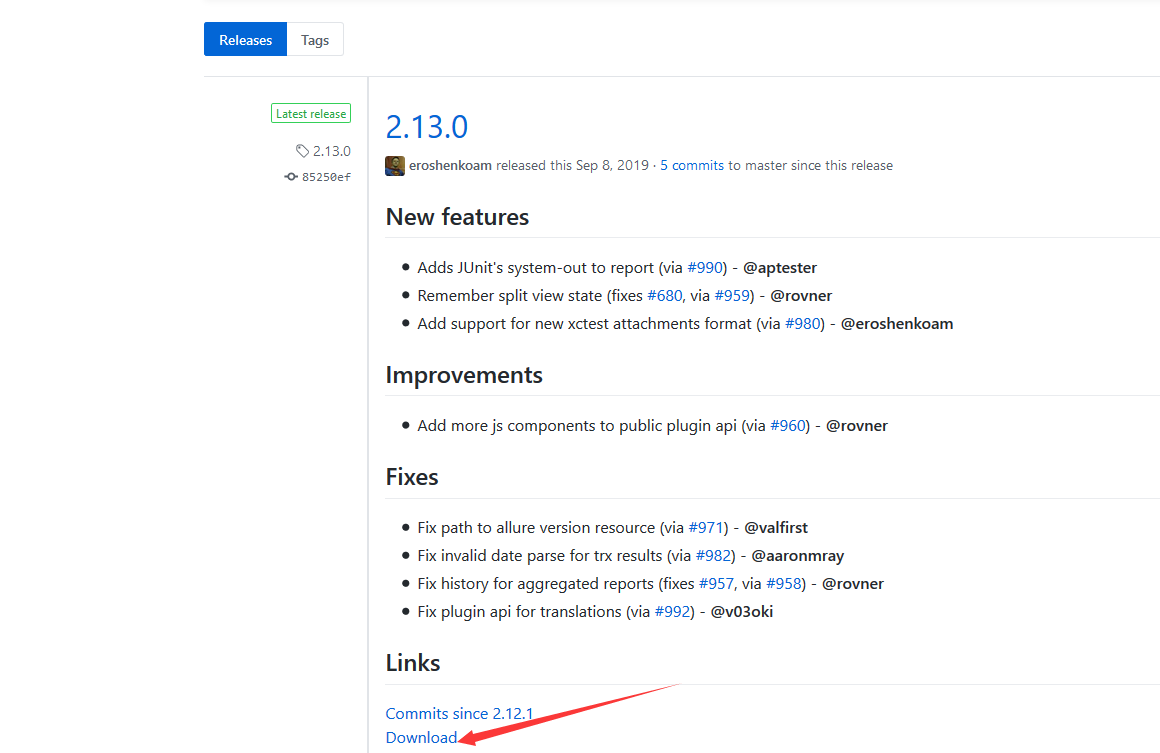
下载完成之后,解压到本地电脑
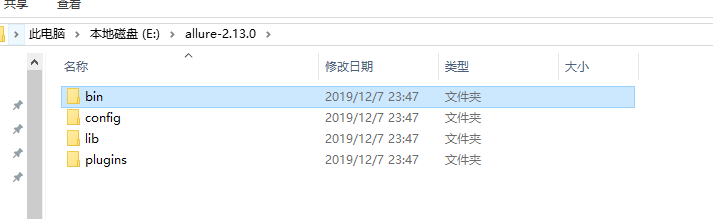
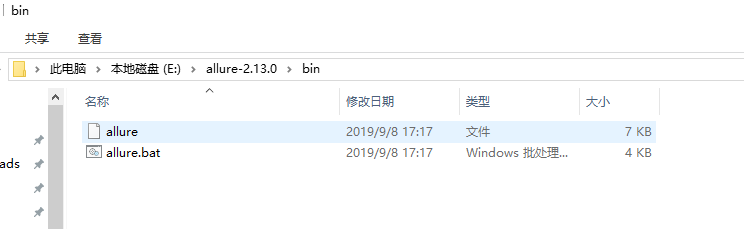
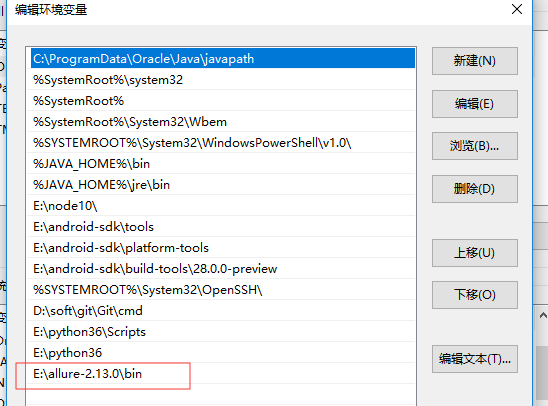
把bin目录添加到环境变量Path下
用例demo
conftest.py内容
import pytest

@pytest.fixture(scope="session")

def login():

    print("用例先登录")
test_allure_demo.py内容
import allure

import pytest

@allure.step("步骤1:点xxx")

def step_1():

    print("111")

@allure.step("步骤2:点xxx")

def step_2():

    print("222")

@allure.feature("编辑页面")

class TestEditPage():

    '''编辑页面'''

    @allure.story("这是一个xxx的用例")

    def test_1(self, login):

        '''用例描述:先登录,再去执行xxx'''

        step_1()

        step_2()

        print("xxx")

    @allure.story("打开a页面")

    def test_2(self, login):

        '''用例描述:先登录,再去执行yyy'''

        print("yyy")
运行用例
cd到test_allure_demo.py所在的目录文件,命令行执行
pytest --alluredir ./report/allure_raw
D:\soft\code\xuexipytest>pytest --alluredir ./report/allure_raw

============================= test session starts =============================

platform win32 -- Python 3.6.0, pytest-4.5.0, py-1.5.4, pluggy-0.13.1

rootdir: D:\soft\code\xuexipytest

plugins: allure-pytest-2.8.6, forked-0.2, html-1.19.0, metadata-1.7.0, repeat-0.7.0, xdist-1.23.2

collected 9 items

case\test_allure_demo.py ..                                              [ 22%]

case\test_x.py ......                                                    [ 88%]

case\test_y.py .                                                         [100%]

============================== 9 passed in 0.21s ==============================
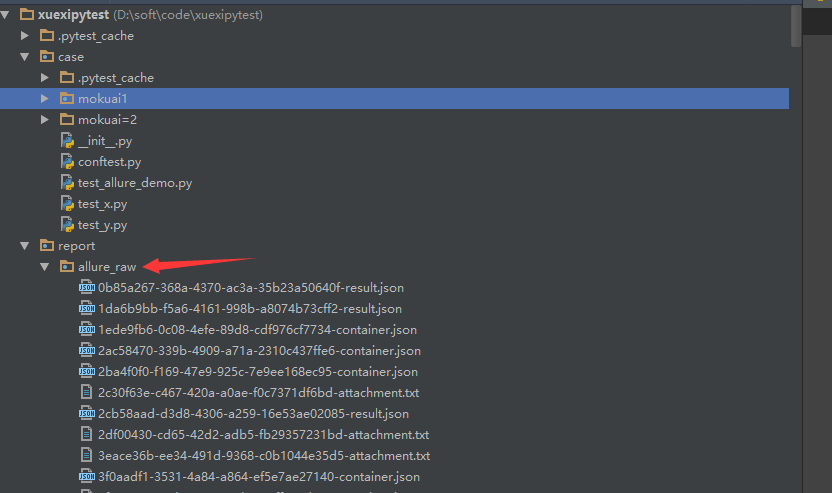
执行完成后,在当前目录下,report目录会生成一个allure_raw的原始文件,这个只是测试报告的原始文件,不能打开成html的报告
打开html的报告需要启动allure服务,启动命令如下
allure serve report/allure_raw
启动服务,它会自动给个端口,直接用默认浏览器打开了
D:\soft\code\xuexipytest>allure serve report/allure_raw

Generating report to temp directory...

Report successfully generated to C:\Users\dell\AppData\Local\Temp\6056757827461248074\allure-report

Starting web server...

2019-12-08 00:41:09.921:INFO::main: Logging initialized @2228ms to org.eclipse.jetty.util.log.StdErrLog

Server started at <http://192.168.1.125:35346/>. Press <Ctrl+C> to exit
查看报告
浏览器上打开的报告内容
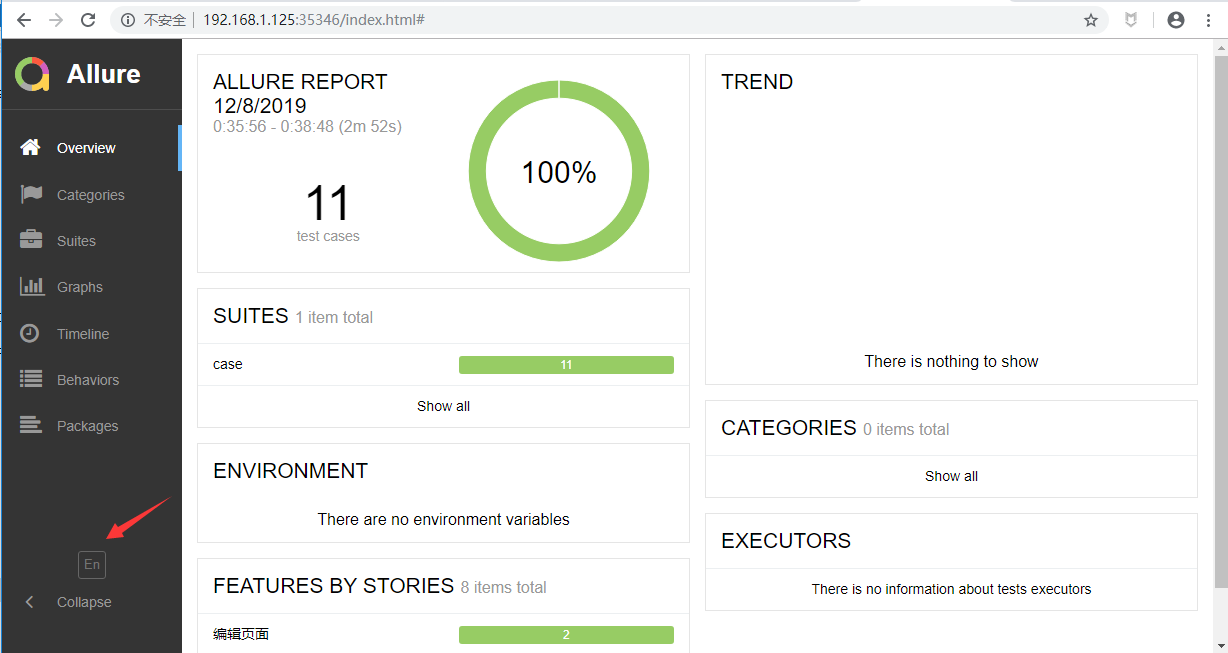
点 EN 按钮可以查看中文报告
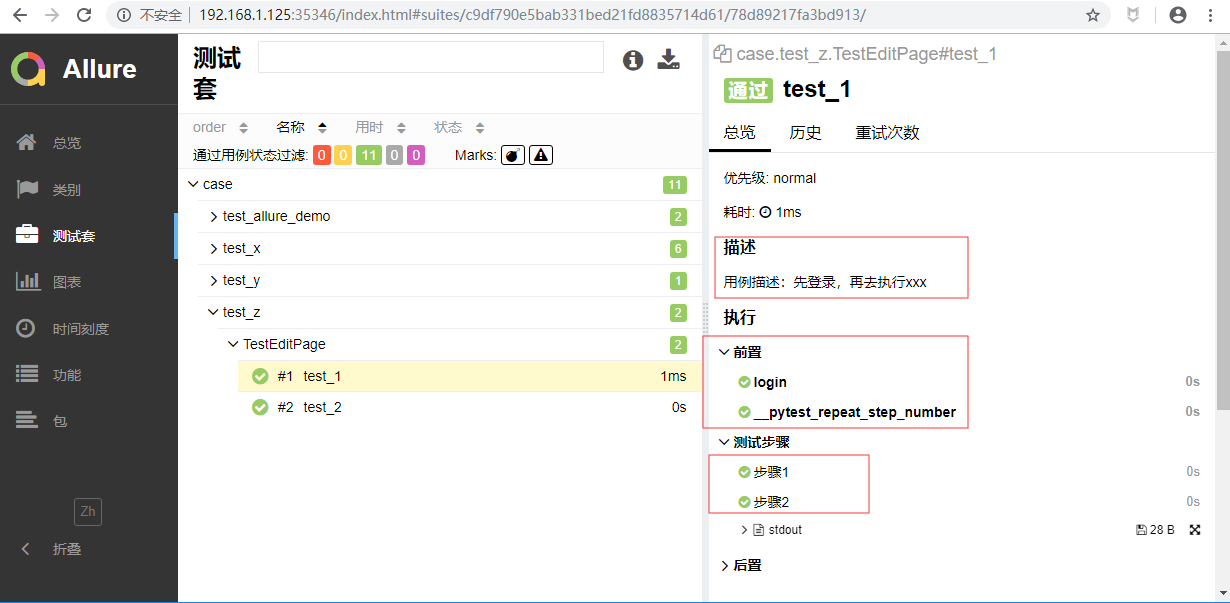
打开测试套件,可以查看报告的详情,显示的还是很详细的
pytest文档29-allure-pytest(最新最全,保证能搞成功!)的更多相关文章
- pytest文档3-pycharm运行pytest
前言 上一篇pytest文档2-用例运行规则已经介绍了如何在cmd执行pytest用例,平常我们写代码在pycharm比较多 写完用例之后,需要调试看看,是不是能正常运行,如果每次跑去cmd执行,太麻 ...
- pytest文档3-pytest+Allure+jenkins+邮箱发送
前言: 虽然网上有很多邮件配置的文章,但还是想自己写一下配置的过程,因为在中间也碰到了不同坑.按照这个文档配置的话,99%都可以成功. 一.jenkins 配置邮箱 1.打开jenkins后进入点 ...
- pytest文档2-pytest+Allure+jenkins+邮箱发送
前言: 上一章节讲解了tomcat+jenkins的环境搭建,这一章节主要讲一下Allure报告在jenkins上的配置 步骤: 1.新建一个item 2.输入项目的名称,选择自由风格,点击保存 3. ...
- pytest文档1-pytest+Allure+jenkins+邮箱发送
前言: 1.pytest+allure是目前很多公司使用较多的一种报告样式,因为它更详细,各种指标更直观(简单的说就是看着更高大上,更能装X). 环境准备: 1.Windows10 2.Allure ...
- pytest文档7-pytest-html生成html报告
前言 pytest-HTML是一个插件,pytest用于生成测试结果的HTML报告.兼容Python 2.7,3.6 pytest-html 1.github上源码地址[https://github. ...
- pytest文档51-内置fixture之cache使用
前言 pytest 运行完用例之后会生成一个 .pytest_cache 的缓存文件夹,用于记录用例的ids和上一次失败的用例. 方便我们在运行用例的时候加上--lf 和 --ff 参数,快速运行上一 ...
- pytest文档46-关于https请求警告问题(InsecureRequestWarning: Unverified HTTPS request is being made)
前言 使用 pytest 执行 https 请求用例的时候,控制台会出现警告:InsecureRequestWarning: Unverified HTTPS request is being mad ...
- pytest文档19-doctest测试框架
前言 doctest从字面意思上看,那就是文档测试.doctest是python里面自带的一个模块,它实际上是单元测试的一种. 官方解释:doctest 模块会搜索那些看起来像交互式会话的 Pytho ...
- pytest文档1-环境准备与入门
前言 首先说下为什么要学pytest,在此之前相信大家已经掌握了python里面的unittest单元测试框架,那再学一个框架肯定是需要学习时间成本的. 刚开始我的内心是拒绝的,我想我用unittes ...
- pytest文档56-插件打包上传到 pypi 库
前言 pytest 的插件完成之后,可以上传到 github,方便其他小伙伴通过 pip 源码安装.如果我们想通过 pip install packages 这种方式安装的话,需上传到 pypi 仓库 ...
随机推荐
- Vue+cordova开发App
Vue+cordova开发App https://www.imooc.com/article/70062
- VMWare虚拟机提示:锁定文件失败,打不开磁盘...模块"Disk"启动失败的解决办法
我出现该问题的原因: 昨天电脑一下子卡死,于是我就重启了电脑,重启之后我没有打开VMware虚拟机,结果第二天一上班打开VMware就发现出现了“锁定文件失败,打不开磁盘......模块"D ...
- STL ——map、set、unordered_map、unordered_set
1.map和set map和set底层实现均是红黑树 map支持下标操作,set不支持下标操作. set的迭代器是const的,不允许修改元素的值:map允许修改value,但不允许修改key. se ...
- python 绘制词云图
1. 先下载并安装nltk包,准备一张简单的图片存入代码所在文件目录,搜集英文停用词表 import nltk nltk.download() 2. 绘制词云图 import re import nu ...
- day6_logging模块
#!/usr/bin/env python # -*- coding: utf-8 -*- # @Time : 2019/7/11 9:12 # @Author : 大坏男孩 # @File : da ...
- 解决angular单页面页面底部跳转到新页面滚动条不在顶部的问题
以上jquery,下面js this.router.events.subscribe((event) => { document.body.scrollTop=0; }); 另一种写法 impo ...
- go 学习笔记之环境搭建
千里之行始于足下,开始 Go 语言学习之旅前,首先要搭建好本地开发环境,然后就可以放心大胆瞎折腾了. Go 的环境安装和其他语言安装没什么特别注意之处,下载安装包下一步下一步直到完成,可能唯一需要注意 ...
- 金山云笔试题:AKM函数
1. 题目描述 /** 阿克曼(Ackmann)函数 [题目描述] 阿克曼(Ackmann)函数A(m,n)中,m,n定义域是非负整数(m<=3,n<=10),函数值定义为: akm(m, ...
- 物联网架构成长之路(35)-利用Netty解析物联网自定义协议
一.前言 前面博客大部分介绍了基于EMQ中间件,通信协议使用的是MQTT,而传输的数据为纯文本数据,采用JSON格式.这种方式,大部分一看就知道是熟悉Web开发.软件开发的人喜欢用的方式.由于我也是做 ...
- Azure EA (2) 使用Postman访问国内Azure Billing API
<Windows Azure Platform 系列文章目录> 本文介绍的是国内由世纪互联运维的Azure China 请读者先看一下之前的文档内容:Azure EA (1) 查看国内Az ...