
搭建springboot项目
1.搭建环境windows10+jdk1.8+eclipse4.8+maven
2.为了学习微服务架构学习搭建基础项目
3.分为两种搭建方式为maven项目和单独建立springboot项目(eclipse需要安装相关的插件)
第一种使用maven搭建
1)创建maven项目 file--new---other --maven-project
2) 配置pom文件将springbootz相关的包引入
<?xml version="1.0" encoding="UTF-8"?>
<project xmlns="http://maven.apache.org/POM/4.0.0" xmlns:xsi="http://www.w3.org/2001/XMLSchema-instance"
xsi:schemaLocation="http://maven.apache.org/POM/4.0.0 http://maven.apache.org/xsd/maven-4.0.0.xsd">
<modelVersion>4.0.0</modelVersion>
<!-- spring boot基本环境 -->
<parent>
<groupId>org.springframework.boot</groupId>
<artifactId>spring-boot-starter-parent</artifactId>
<version>1.5.6.RELEASE</version>
</parent>
<groupId>com.wj</groupId>
<artifactId>springboot</artifactId>
<version>0.0.1-SNAPSHOT</version>
<name>springboot</name>
<!-- FIXME change it to the project's website -->
<url>http://www.example.com</url>
<properties>
<project.build.sourceEncoding>UTF-8</project.build.sourceEncoding>
<maven.compiler.source>1.7</maven.compiler.source>
<maven.compiler.target>1.7</maven.compiler.target>
</properties>
<dependencies>
<dependency>
<groupId>junit</groupId>
<artifactId>junit</artifactId>
<version>4.11</version>
<scope>test</scope>
</dependency>
<!--web应用基本环境配置 -->
<dependency>
<groupId>org.springframework.boot</groupId>
<artifactId>spring-boot-starter-web</artifactId>
</dependency>
</dependencies>
<build>
<pluginManagement><!-- lock down plugins versions to avoid using Maven defaults (may be moved to parent pom) -->
<plugins>
<plugin>
<artifactId>maven-clean-plugin</artifactId>
<version>3.0.0</version>
</plugin>
<!-- see http://maven.apache.org/ref/current/maven-core/default-bindings.html#Plugin_bindings_for_jar_packaging -->
<plugin>
<artifactId>maven-resources-plugin</artifactId>
<version>3.0.2</version>
</plugin>
<plugin>
<artifactId>maven-compiler-plugin</artifactId>
<version>3.7.0</version>
</plugin>
<plugin>
<artifactId>maven-surefire-plugin</artifactId>
<version>2.20.1</version>
</plugin>
<plugin>
<artifactId>maven-jar-plugin</artifactId>
<version>3.0.2</version>
</plugin>
<plugin>
<artifactId>maven-install-plugin</artifactId>
<version>2.5.2</version>
</plugin>
<plugin>
<artifactId>maven-deploy-plugin</artifactId>
<version>2.8.2</version>
</plugin>
<!-- spring-boot-maven-plugin插件就是打包spring boot应用的 -->
<plugin>
<groupId>org.springframework.boot</groupId>
<artifactId>spring-boot-maven-plugin</artifactId>
</plugin>
</plugins>
</pluginManagement>
</build>
</project>
3)创建先关的资源文件包 src/main/java 和src/main/resources
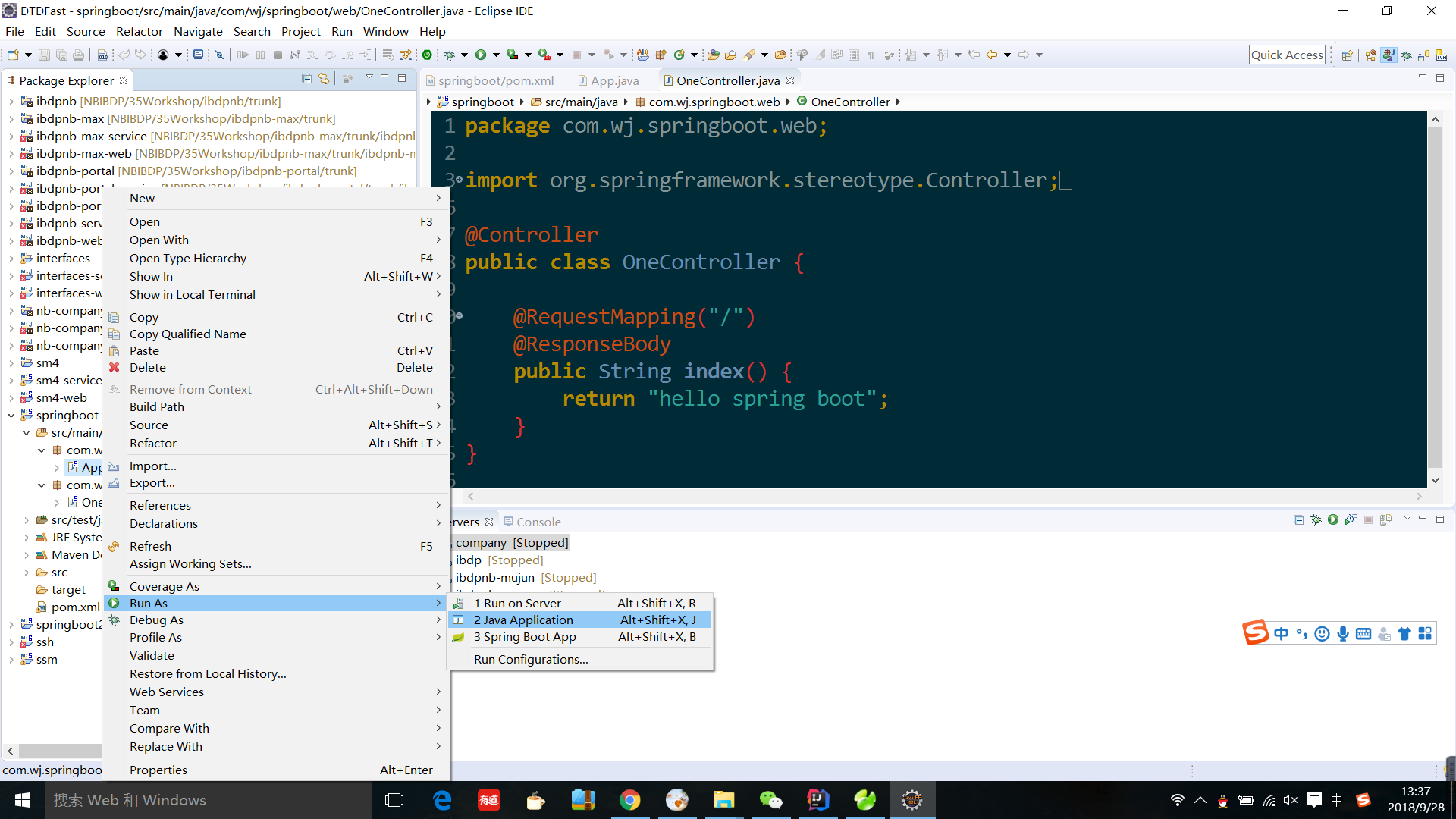
4) 创建测试的类
新建目录com.springboot和com.spring.web两个目录
在com.wj.spring目录下新建类App.java
package com.wj.springboot;
import org.springframework.boot.SpringApplication;
import org.springframework.boot.autoconfigure.SpringBootApplication;
/**
* Hello world!
*
*/
@SpringBootApplication
public class App {
public static void main(String[] args) {
SpringApplication.run(App.class, args);
}
}
在com.wj.spring.web下新建类OneController.java
package com.wj.springboot.web;
import org.springframework.stereotype.Controller;
import org.springframework.web.bind.annotation.RequestMapping;
import org.springframework.web.bind.annotation.ResponseBody;
@Controller
public class OneController {
@RequestMapping("/")
@ResponseBody
public String index() {
return "hello spring boot";
}
}
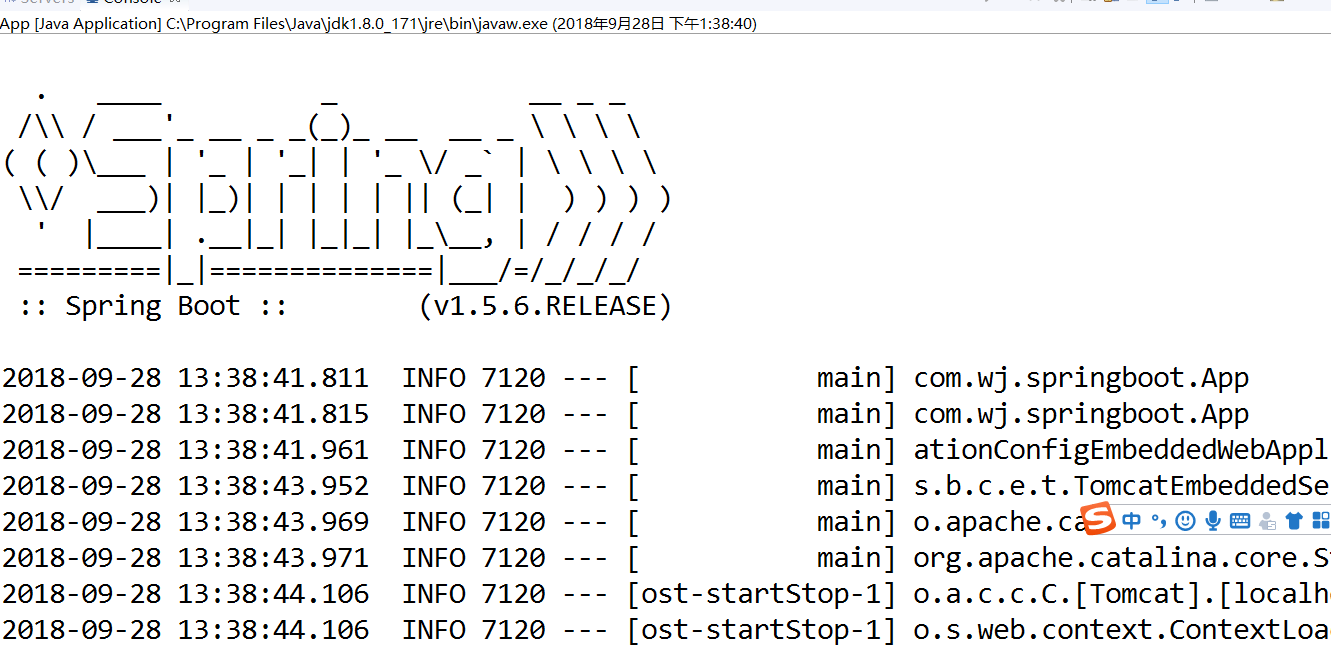
5)然后run运行App.java启动项目,看日志输出窗口出现下图
6)在浏览器打开路径http://localhost:8080出现下边的图例
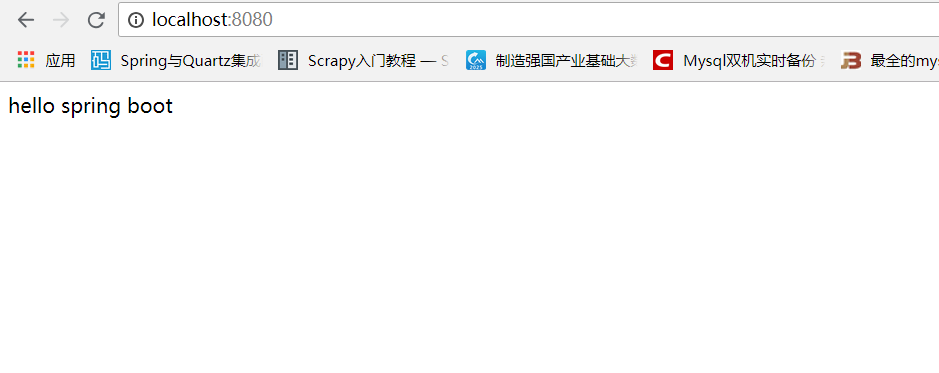
即搭建成功
第二种通过新建springboot项目创建
1)eclipse安装springboot相关插件
首先查看eclispe的版本
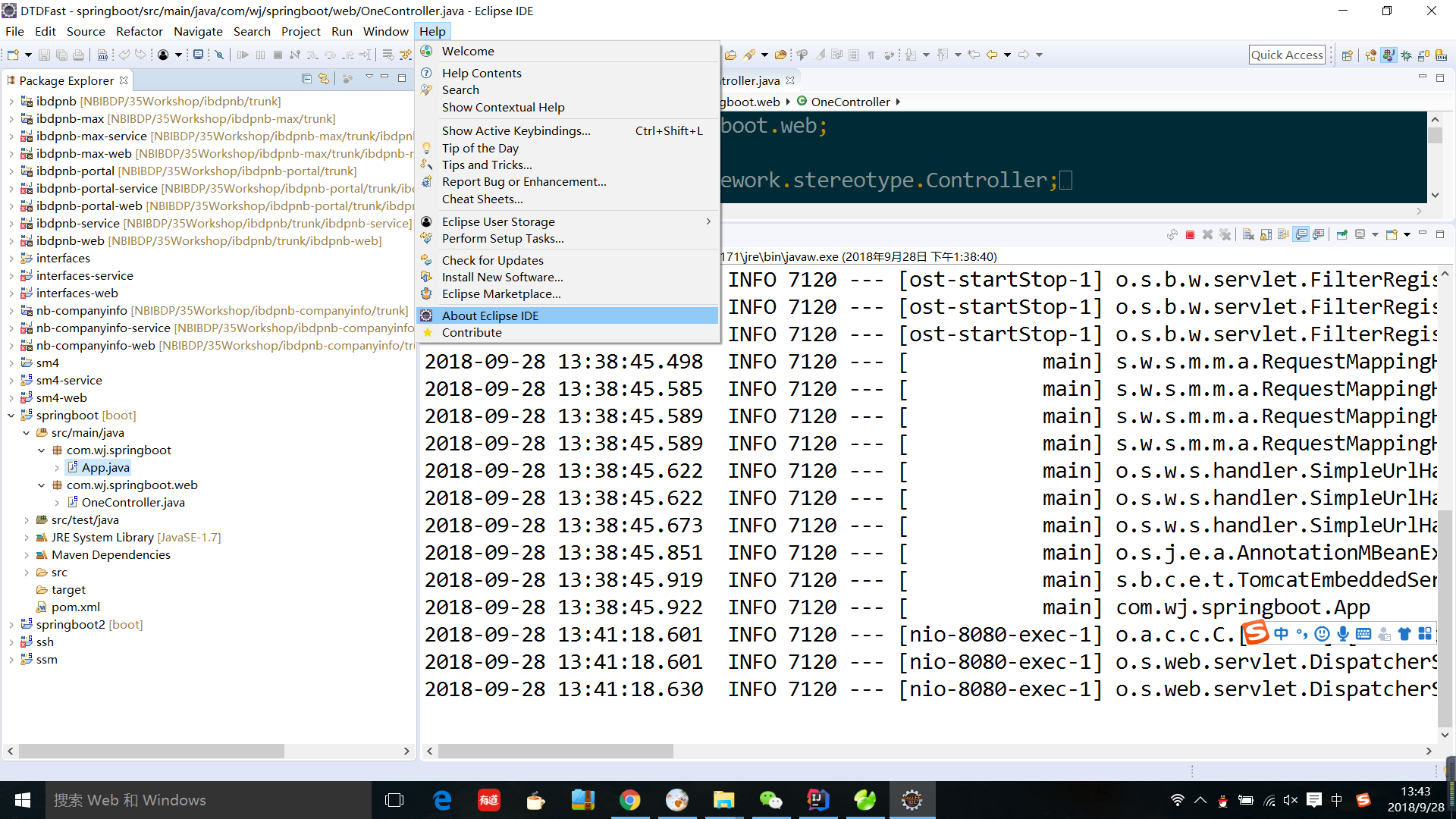
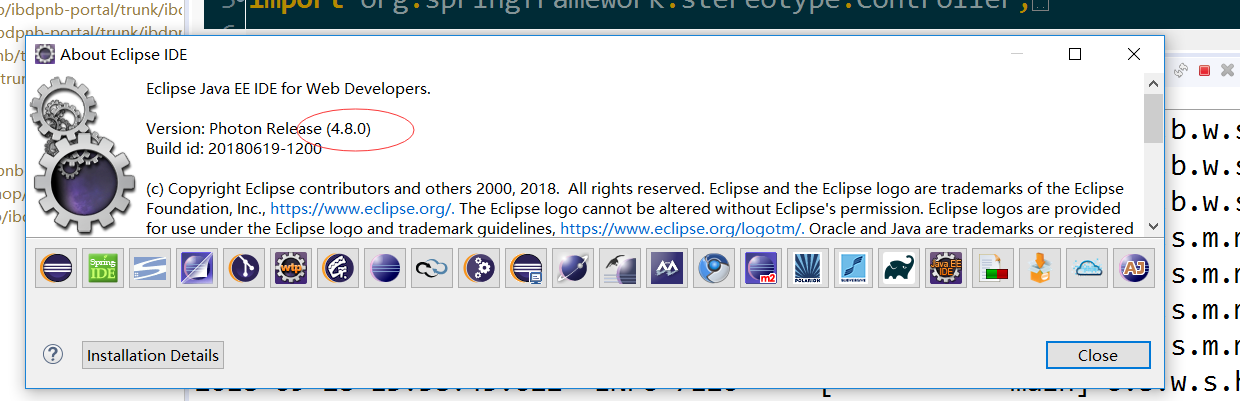
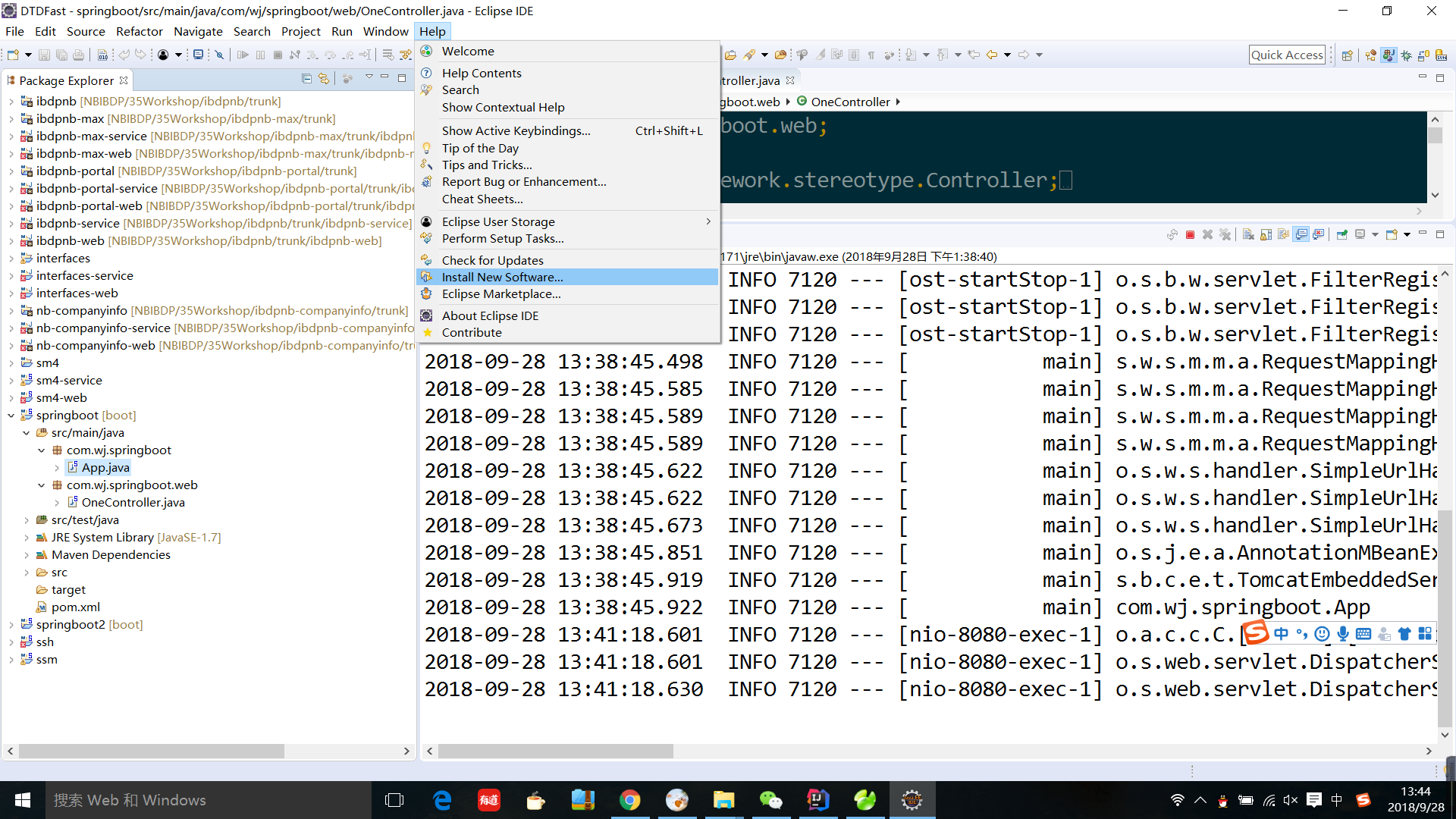
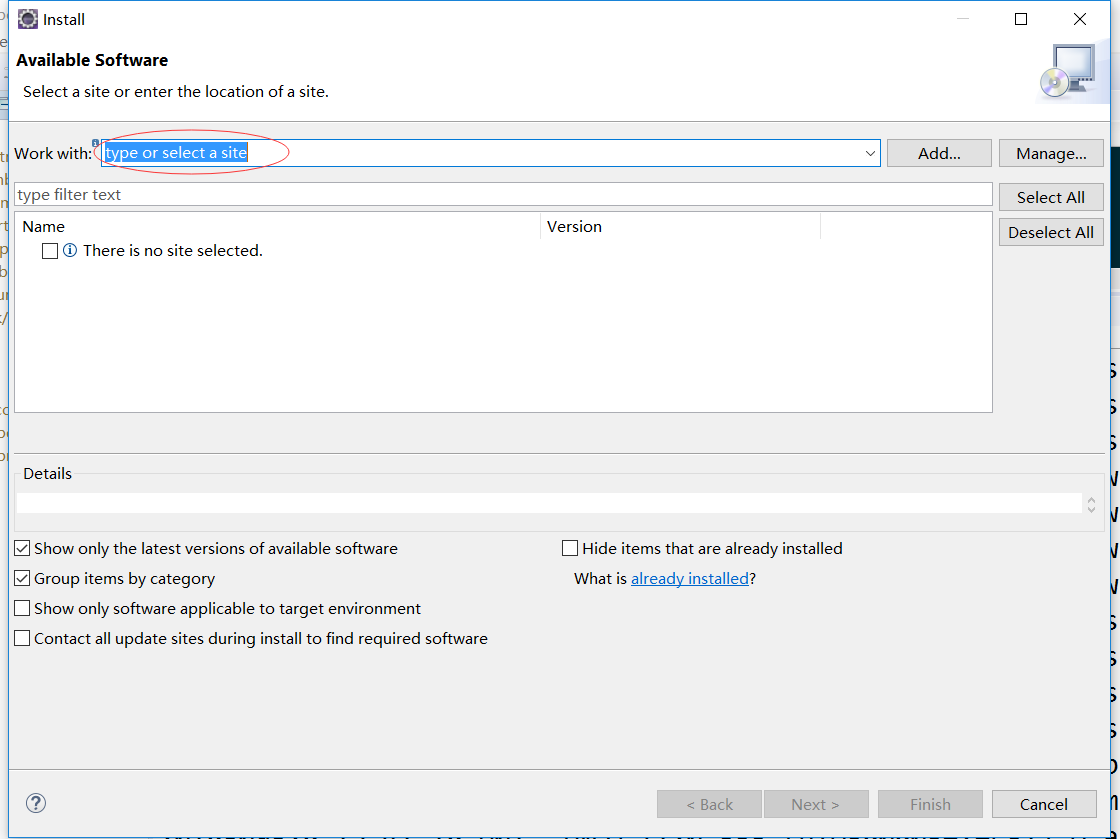
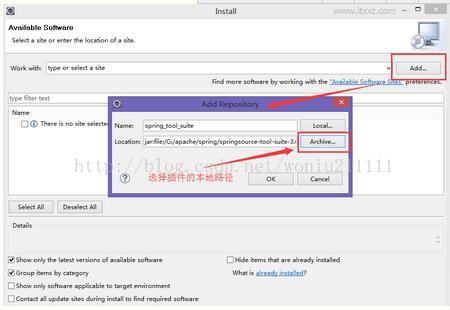
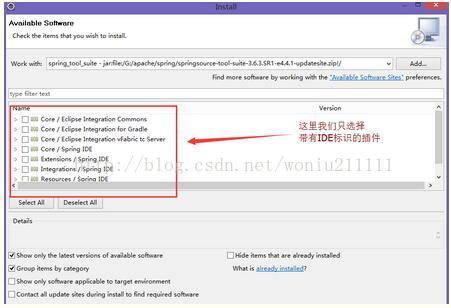
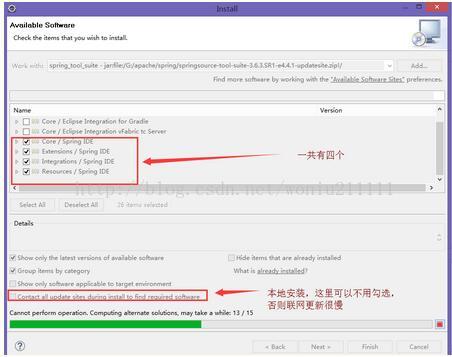
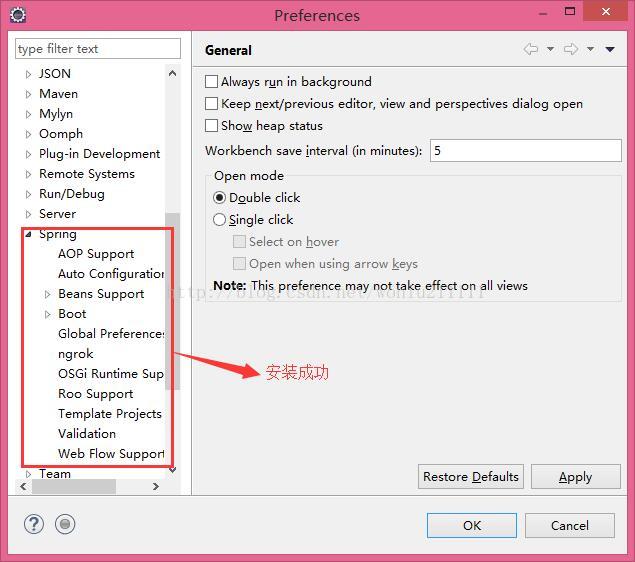
然后安装springboot相关插件spring-tool-suite
Eclipse --> Help--> Install new Sofware
2)创建项目
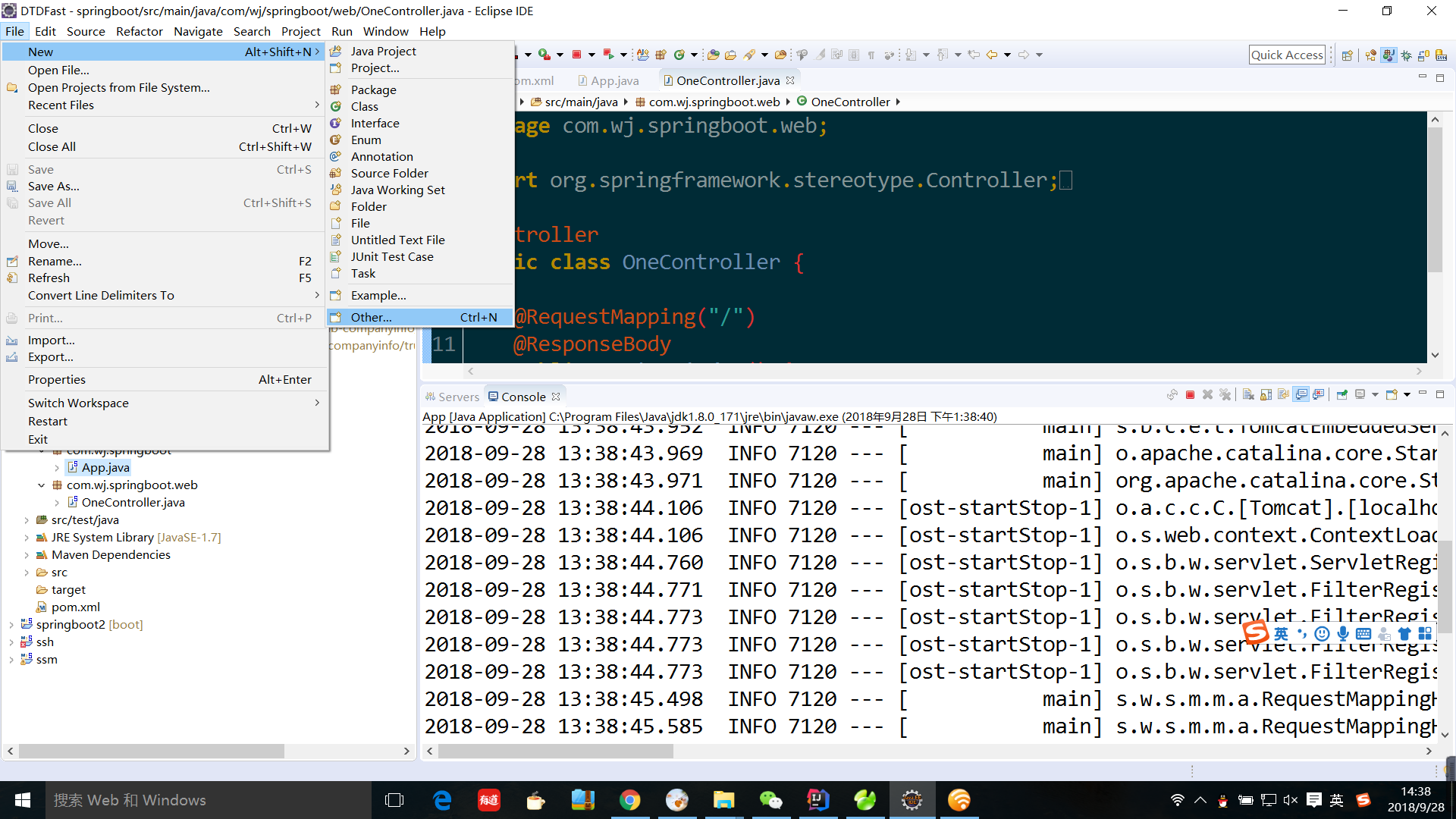

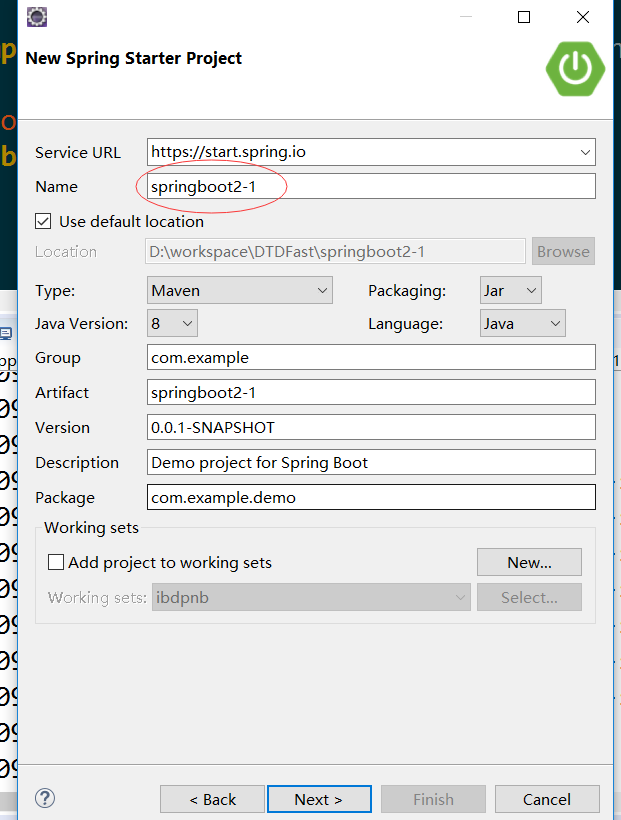
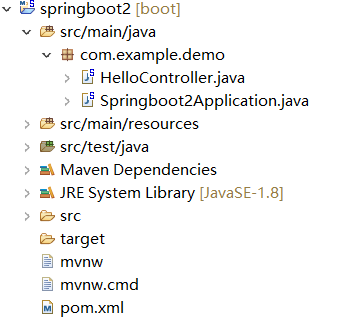
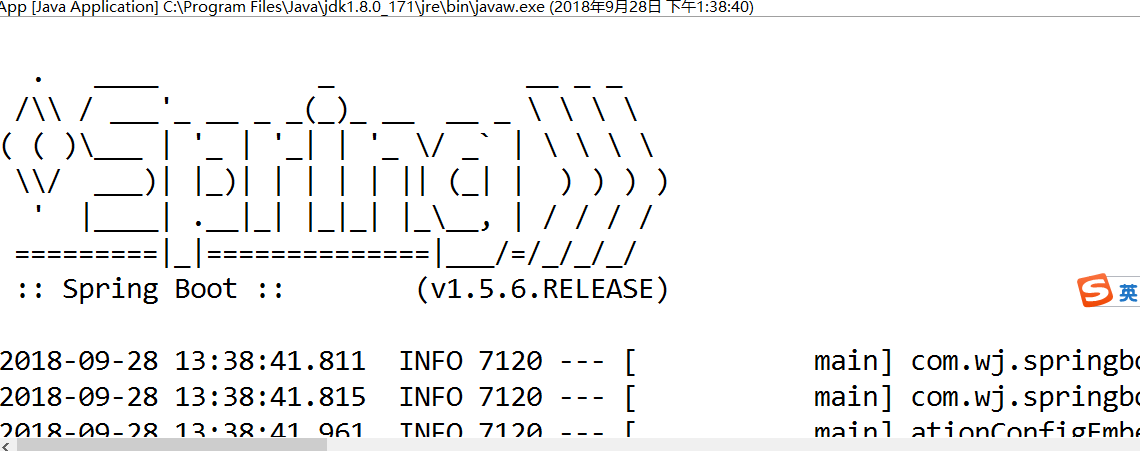
3)run运行springbootsApplication.java
4)浏览器 访问http://localhost:8080
搭建springboot项目的更多相关文章
- 在线官网Spring Initializr 或 IntelliJ IDEA 快速搭建springboot项目
Spring Boot是由Pivotal团队提供的全新框架,设计目的是用来简化新Spring应用的初始搭建以及开发过程.它主要推崇的是'消灭配置’,实现零配置. 那么,如何快速新建一个一个spring ...
- SpringBoot从入门到精通一(idea优雅搭建SpringBoot项目)
前言 在没有SpringBoot之前,我们搭建的是SSM(SpingMVC+Spring+Mybatis)项目,在搭建SSM项目的时候,我们要经过一系列的繁琐配置,例如:application,web ...
- 小D课堂-SpringBoot 2.x微信支付在线教育网站项目实战_2-2.快速搭建SpringBoot项目,采用IDEA
笔记 2.快速搭建SpringBoot项目,采用IDEA 简介:使用SpringBoot start在线生成项目基本框架并导入到IDEA中 参考资料: IDEA使用文档 ...
- 小D课堂-SpringBoot 2.x微信支付在线教育网站项目实战_2-1.快速搭建SpringBoot项目,采用Eclipse
笔记 1.快速搭建SpringBoot项目,采用Eclipse 简介:使用SpringBoot start在线生成项目基本框架并导入到eclipse中 1.站点地址:http://start. ...
- idea:spring initializr无web勾选,maven方式搭建springboot项目。jdk7创建springboot项目的版本不兼容问题。
一.idea 使用spring initializr不选择web搭建springboot项目 1.file => new => project 2.直接next到finish结束. 3.完 ...
- 使用IDEA快速搭建Springboot项目
Spring Boot是由Pivotal团队提供的全新框架,设计目的是用来简化新Spring应用的初始搭建以及开发过程.它主要推崇的是'消灭配置’,实现零配置. 下面就介绍一下如何使用idea快速搭建 ...
- 搭建 SpringBoot 项目(前端页面 + 数据库 + 实现源码)
SpringBoot 项目整合源码 SpringBoot 项目整合 一.项目准备 1.1 快速创建 SpringBoot 项目 1.2 项目结构图如下 1.3 数据表结构图如下 1.4 运行结果 二. ...
- idea快速搭建springboot项目
Spring Boot是由Pivotal团队提供的全新框架,设计目的是用来简化新Spring应用的初始搭建以及开发过程.它主要推崇的是'消灭配置',实现零配置. 那么,如何在idea中创建一个spri ...
- STS搭建SpringBoot项目
开发工具:推荐IDEA . Spring Tool Suit 虽然很简单,但还是记录一下,图个热闹. 开始 >>> 1. File --> New --> Spring ...
- 网站后台搭建--springboot项目是如何创建的
在创建项目之前先说一下ide的问题,从学习软件开始一直到一个月之前,开发用的IDE都是Eclipse,对,就是这个远古时代的开发工具,在使用过程中虽然总是遇到各种bug,但内心里还是存在着一丝理解的想 ...
随机推荐
- JQuery漂浮广告代码
<!doctype html><html><head><meta charset="utf-8"><title>jque ...
- react项目 路径优化
- 阿里,百度,腾讯招聘 Java 程序员的技术标准
阿里巴巴篇 扎实的计算机专业基础,包括算法和数据结构,操作系统,计算机网络,计算机体系结构,数据库等 具有扎实的Java编程基础,理解IO.多线程等基础框架 熟练使用Linux系统的常用命令及shel ...
- 网络测速 php代码
<?php /*=====http://hi.csdn.net/yinyiniao=====*/ $fp=fopen("cs.txt","w"); for ...
- BigInteger方法总结
BigInteger 可以用来解决数据的溢出问题. 下面我总结几种关于BigInteger的常用用法: 1.probablePrime和nextprobablePrime.(判断质数,并返回) Big ...
- 一些baidu面经
百度问的一些问题供参考: 1. epoll 和 select,epoll 两种模式,阻塞非阻塞: 2. 两个严格递增链表找出相同的元素组成新的链表: ref1 ref 3. 网络传输中如何传送一个 ...
- kettle 合并记录
转自: http://blog.itpub.net/post/37422/464323 看到别人的脚本用到 合并记录 步骤,学下下. 该步骤用于将两个不同来源的数据合并,这两个来源的数据分别为旧数据和 ...
- 计算Pan手势到指定点的角度
计算Pan手势到指定点的角度 效果图: 源码: // // RootViewController.m // Circle // // Copyright (c) 2014年 Y.X. All righ ...
- iOS设计模式 - 适配器
iOS设计模式 - 适配器 效果 说明 1. 为了让客户端尽可能的通用,我们使用适配器模式来隔离客户端与外部参数的联系,只让客户端与适配器通信. 2. 本教程实现了适配器模式的类适配器与对象适配器两种 ...
- 关于动态门户WEB博雅互动的源代码(HTML+CSS+javascript)
<!DOCTYPE html> <html lang="en"> <head> <meta charset="UTF-8&quo ...