
python 音频可视化
代码整理好放在 github 上了: https://github.com/darkchii/visualize
bilibili 演示视频:https://www.bilibili.com/video/av77372866 2020-03-23 13:23:01 还是给一个 pydub(需要自己配置好ffmpeg)正确使用姿势,因为 mp3 格式太常见:
import numpy as np

import pyaudio

from pydub import AudioSegment, effects

import matplotlib.pyplot as plt

from matplotlib.animation import FuncAnimation

p = pyaudio.PyAudio()

sound = AudioSegment.from_file(file='../xxx.mp3')

left = sound.split_to_mono()[0]

fs = left.frame_rate

size = len(left.get_array_of_samples())

channels = left.channels

stream = p.open(

    format=p.get_format_from_width(left.sample_width,),

    channels=channels,

    rate=fs,

    # input=True,

    output=True,

)

stream.start_stream()

fig = plt.figure()

ax1, ax2 = fig.subplots(2, 1)

ax1.set_ylim(0, 0.5)

ax2.set_ylim(-1.5, 1.5)

ax1.set_axis_off()

ax2.set_axis_off()

window = int(0.02*fs) # 20ms

f = np.linspace(20, 20*1000, window // 2)

t = np.linspace(0, 20, window)

lf1, = ax1.plot(f, np.zeros(window // 2), lw=1)

lf2, = ax2.plot(t, np.zeros(window), lw=1)

def update(frames):

    if stream.is_active():

        slice = left.get_sample_slice(frames, frames + window)

        data = slice.raw_data

        stream.write(data)

        y = np.array(slice.get_array_of_samples()) / 30000 # 归一化

        yft = np.abs(np.fft.fft(y)) / (window // 2)

        lf1.set_ydata(yft[:window // 2])

        lf2.set_ydata(y)

    return lf1, lf2,

ani = FuncAnimation(fig, update, frames=range(0, size, window), interval=0, blit=True)

plt.show()
截图:
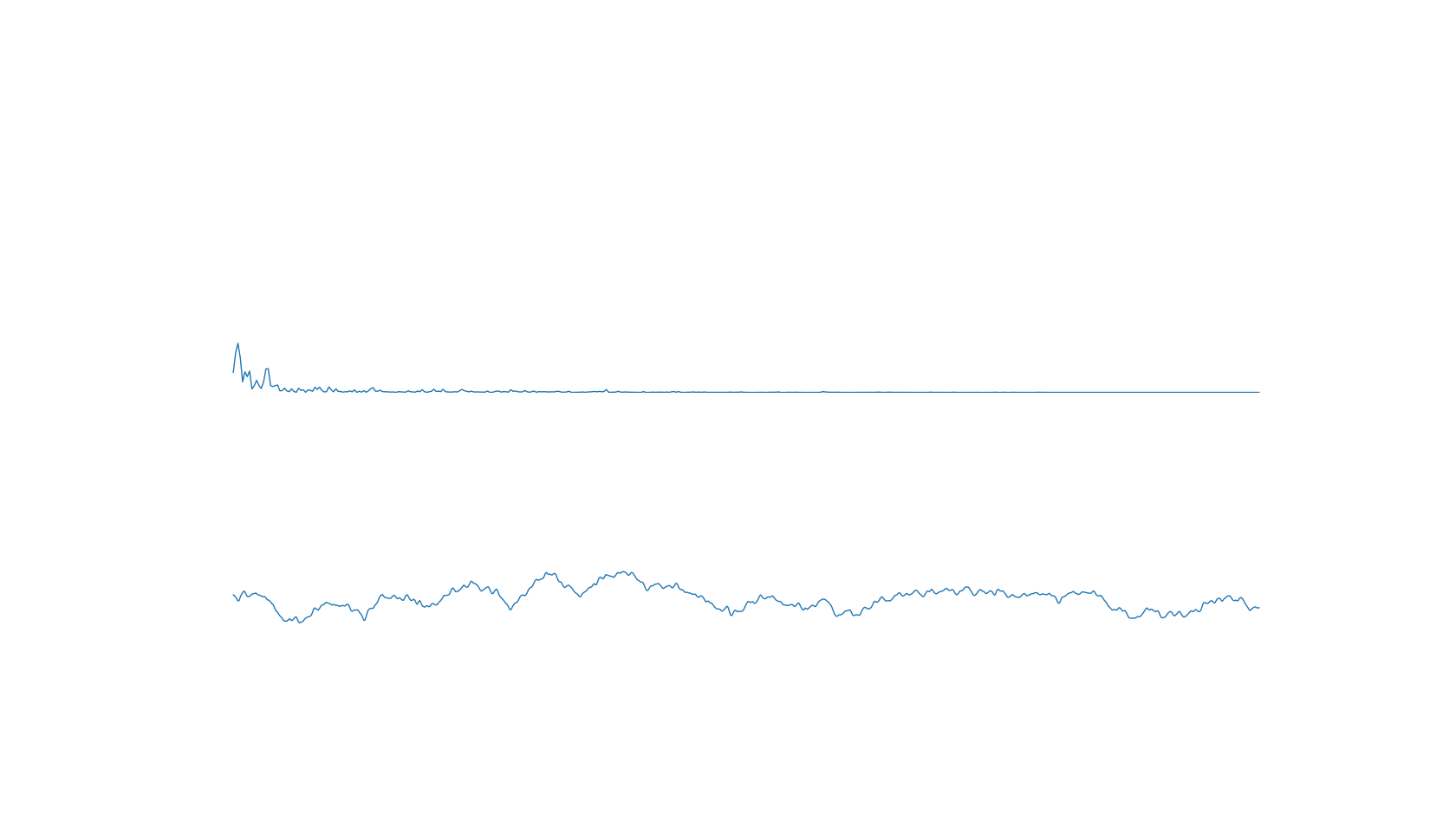
2020-02-25 14:50:27 Animation:
注:pyaudio open 调节参数 format 有惊喜(取值范围{1, 2, 4, 8, 16,...})
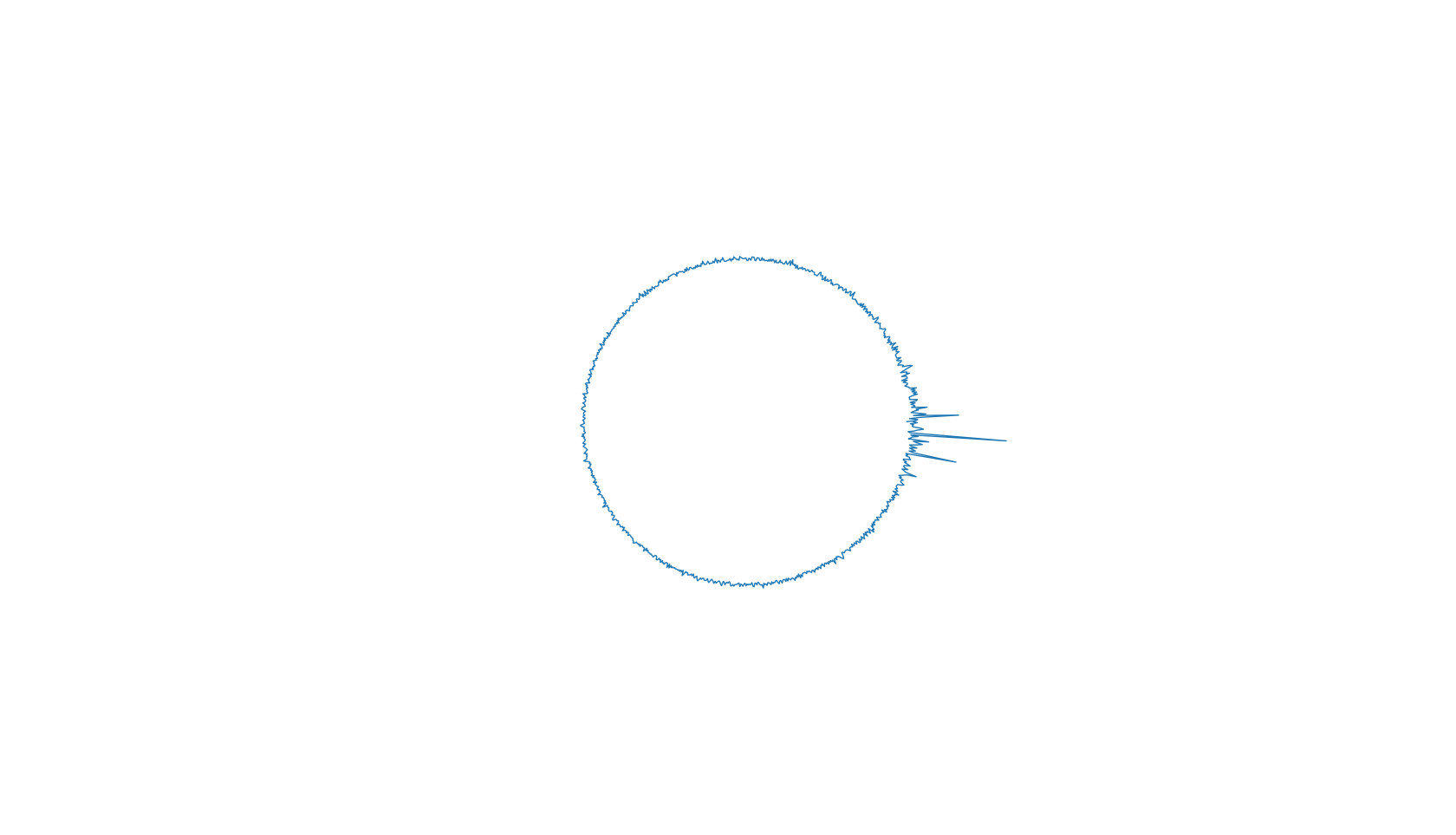
极坐标版:
import matplotlib.pyplot as plt

from scipy.signal import detrend

# from scipy.fftpack import fft

import numpy as np

import pyaudio

from _tkinter import TclError

import struct

import wave

# import librosa

from pydub import AudioSegment

from matplotlib.animation import FuncAnimation

chunk = 1024

p = pyaudio.PyAudio()

# sound = AudioSegment.from_file(file='../Music/xxx.mp3')

# rdata = sound.get_array_of_samples()

wf = wave.open('../Music/xxx.wav')

stream = p.open(

    format=8,

    channels=wf.getnchannels(),

    rate=wf.getframerate(),

    # input=True,

    output=True,

    # frames_per_buffer=chunk

)

fig = plt.figure()

ax = fig.gca(projection='polar')

# ax.set_ylim(0, 1)

ax.set_axis_off()

lf, = ax.plot(np.linspace(0, 2 * np.pi, chunk), np.zeros(chunk), lw=1)

def init():

    stream.start_stream()

    return lf,

def update(frame):

    if stream.is_active():

        data = wf.readframes(chunk)

        stream.write(data)

        data_int = struct.unpack(str(chunk * 4) + 'B', data)

        y_detrend = detrend(data_int)

        yft = np.abs(np.fft.fft(y_detrend))

        y_vals = yft[:chunk] / (chunk * chunk * 4)

        ind = np.where(y_vals > (np.max(y_vals) + np.min(y_vals)) / 2)

        y_vals[ind[0]] *= 2

        lf.set_ydata(y_vals)

    return lf,

ani = FuncAnimation(fig, update, frames=None,

                    init_func=init, interval=0, blit=True)

plt.show()
截图:
stem 版:
import matplotlib.pyplot as plt

from scipy.signal import detrend

# from scipy.fftpack import fft

import numpy as np

import pyaudio

from _tkinter import TclError

import struct

import wave

# import librosa

from pydub import AudioSegment

from matplotlib.animation import FuncAnimation

chunk = 1024

p = pyaudio.PyAudio()

# sound = AudioSegment.from_file(file='../Music/xxx.mp3')

# rdata = sound.get_array_of_samples()

wf = wave.open('../Music/xxx.wav')

stream = p.open(

    format=8,

    channels=wf.getnchannels(),

    rate=wf.getframerate(),

    # input=True,

    output=True,

    # frames_per_buffer=chunk

)

fig = plt.figure()

ax = fig.gca()

ax.set_ylim(0, 1)

ax.set_axis_off()

lf = ax.stem(np.linspace(20, 20000, chunk), np.zeros(chunk), basefmt=':', use_line_collection=True)

lf.markerline.set_color([0.8, 0.2, 0, 0.5])

def init():

    stream.start_stream()

    return lf

def update(frame):

    if stream.is_active():

        data = wf.readframes(chunk)

        stream.write(data)

        data_int = struct.unpack(str(chunk * 4) + 'B', data)

        y_detrend = detrend(data_int)

        yft = np.abs(np.fft.fft(y_detrend))

        y_vals = yft[:chunk] / (chunk * chunk)

        ind = np.where(y_vals > (np.max(y_vals) + np.min(y_vals)) / 2)

        y_vals[ind[0]] *= 4

        lf.markerline.set_ydata(y_vals)

    return lf

ani = FuncAnimation(fig, update, frames=None,

                    init_func=init, interval=0, blit=True)

plt.show()
semilogx 版:
import matplotlib.pyplot as plt

from scipy.signal import detrend

# from scipy.fftpack import fft

import numpy as np

import pyaudio

from _tkinter import TclError

import struct

import wave

# import librosa

from pydub import AudioSegment

from matplotlib.animation import FuncAnimation

chunk = 1024

p = pyaudio.PyAudio()

# sound = AudioSegment.from_file(file='../Music/xxx.mp3')

# rdata = sound.get_array_of_samples()

wf = wave.open('../Music/xxx.wav')

stream = p.open(

    format=8,

    channels=wf.getnchannels(),

    rate=wf.getframerate(),

    # input=True,

    output=True,

    # frames_per_buffer=chunk

)

fig = plt.figure()

ax = fig.gca()

ax.set_ylim(0, 1)

ax.set_axis_off()

lf, = ax.semilogx(np.linspace(20, 20000, chunk), np.zeros(chunk), lw=1, color='lightblue')

def init():

    stream.start_stream()

    return lf,

def update(frame):

    if stream.is_active():

        data = wf.readframes(chunk)

        stream.write(data)

        data_int = struct.unpack(str(chunk * 4) + 'B', data)

        y_detrend = detrend(data_int)

        yft = np.abs(np.fft.fft(y_detrend))

        y_vals = yft[:chunk] / (chunk * chunk)

        ind = np.where(y_vals > (np.max(y_vals) + np.min(y_vals)) / 2)

        y_vals[ind[0]] *= 4

        lf.set_ydata(y_vals)

    return lf,

ani = FuncAnimation(fig, update, frames=None,

                    init_func=init, interval=0, blit=True)

plt.show()
2020-02-25 12:18:49 更新一下:
这次更新是给一个很勉强的通过音频数据来播放音乐并展示 fft 效果的代码,实际上仅仅只是播放音乐很简单,wav 波形文件只需要 wave 即可,想要 mp3 或者其他支持较广类型的音频文件格式,使用 pydub 包更好.。(更新:使用 pydub 不需要解包,只需要通过 get_array_of_samples() 就可以获取数据,raw_data 是字节数组,用于加载到输出流)
但还是给个代码:
import matplotlib.pyplot as plt

from vispy.plot import Fig

from matplotlib.colors import LightSource

from matplotlib import cm

from scipy.signal import detrend

from scipy.fftpack import fftn

import numpy as np

import pyaudio

from _tkinter import TclError

import struct

import wave

# import librosa

import array

from pydub import AudioSegment

from pydub.utils import get_array_type

chunk = 1024

p = pyaudio.PyAudio()

# sound = AudioSegment.from_file(file='../Music/1563833285950.mp3')

# left = sound.split_to_mono()[1]

# bit_depth = left.sample_width * 8

# array_type = get_array_type(bit_depth)

# numeric_array = array.array(array_type, left.raw_data)

wf = wave.open('../Music/1563833285950.wav')

stream = p.open(

    format=p.get_format_from_width(wf.getsampwidth()),

    channels=wf.getnchannels(),

    rate=wf.getframerate(),

    # input=True,

    output=True,

    # frames_per_buffer=chunk

)

stream.start_stream()

freq = np.linspace(20, 20000, chunk)

yf = np.zeros(chunk)

fig = plt.figure()

ax = fig.gca()

lf, = ax.semilogx(freq, yf, lw=1, color='lightblue')

ax.set_ylim(0, 1)

ax.set_axis_off()

plt.show(block=False)

start = 0

while stream.is_active():

    data = wf.readframes(chunk)

    if len(data) < chunk:

        break

    stream.write(data)

    data_int = struct.unpack(str(chunk * 4) + 'B', data)

    y_detrend = detrend(data_int)

    yft = np.abs(fftn(y_detrend))

    y_vals = yft[:chunk] / (128 * chunk)

    lf.set_ydata(y_vals)

    try:

        ax.figure.canvas.draw()

        ax.figure.canvas.flush_events()

    except TclError:

        stream.stop_stream()

        stream.close()

        break
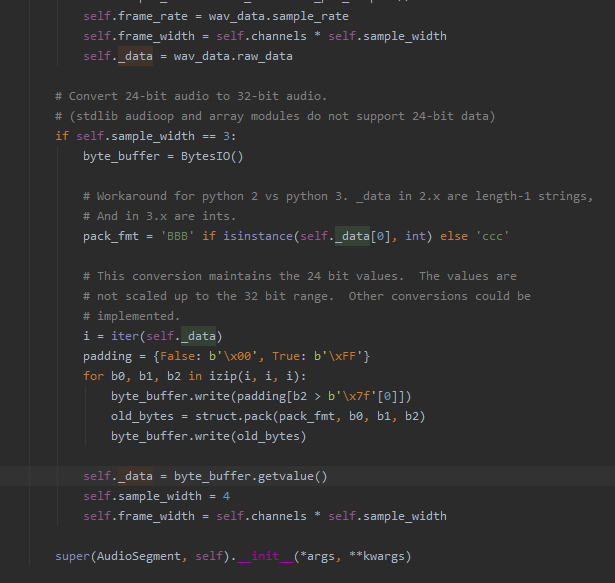
给个 pydub 将数据合成到包的源码截图:
2019-12-31 15:45:34 再来一个:
极坐标版:
import matplotlib.pyplot as plt

from matplotlib.colors import LightSource

from matplotlib import cm

from scipy.signal import detrend

import numpy as np

import pyaudio

from _tkinter import TclError

import struct

channels = 1

rate = 48000

chunk = 2048

p = pyaudio.PyAudio()

stream = p.open(

    format=pyaudio.paInt16,

    channels=channels,

    rate=rate,

    input=True,

    frames_per_buffer=chunk

)

stream.start_stream()

theta = np.linspace(0.0, rate, chunk)

radii = np.zeros(chunk)

fig = plt.figure()

ax = fig.gca(projection='polar')

lf = ax.stem(theta, radii, basefmt=':', use_line_collection=True)

lf.markerline.set_color([0.8, 0.2, 0, 0.5])

ax.set_rorigin(0)

ax.set_axis_off()

plt.show(block=False)

while stream.is_active():

    data = stream.read(chunk)

    data_int = struct.unpack(str(chunk * 2) + 'B', data)

    y_detrend = detrend(data_int)

    yft = np.abs(np.fft.fft(y_detrend))

    y_vals = yft[:chunk] / (128 * chunk)

    lf.markerline.set_ydata(y_vals)

    try:

        ax.figure.canvas.draw()

        ax.figure.canvas.flush_events()

    except TclError:

        stream.stop_stream()

        stream.close()

        break
笛卡尔直角坐标版:
import matplotlib.pyplot as plt

from matplotlib.colors import LightSource

from matplotlib import cm

from scipy.signal import detrend

import numpy as np

import pyaudio

from _tkinter import TclError

import struct

channels = 1

rate = 48000

chunk = 2048

p = pyaudio.PyAudio()

stream = p.open(

    format=pyaudio.paInt16,

    channels=channels,

    rate=rate,

    input=True,

    frames_per_buffer=chunk

)

stream.start_stream()

theta = np.linspace(0.0, rate, chunk)

radii = np.zeros(chunk)

fig = plt.figure()

ax = fig.gca()

lf = ax.stem(theta, radii, basefmt=':', use_line_collection=True)

lf.markerline.set_color([0.8, 0.2, 0, 0.5])

ax.set_ylim(0, 1)

ax.set_axis_off()

plt.show(block=False)

while stream.is_active():

    data = stream.read(chunk)

    data_int = struct.unpack(str(chunk * 2) + 'B', data)

    y_detrend = detrend(data_int)

    yft = np.abs(np.fft.fft(y_detrend))

    y_vals = yft[:chunk] / (128 * chunk)

    lf.markerline.set_ydata(y_vals)

    try:

        ax.figure.canvas.draw()

        ax.figure.canvas.flush_events()

    except TclError:

        stream.stop_stream()

        stream.close()

        break
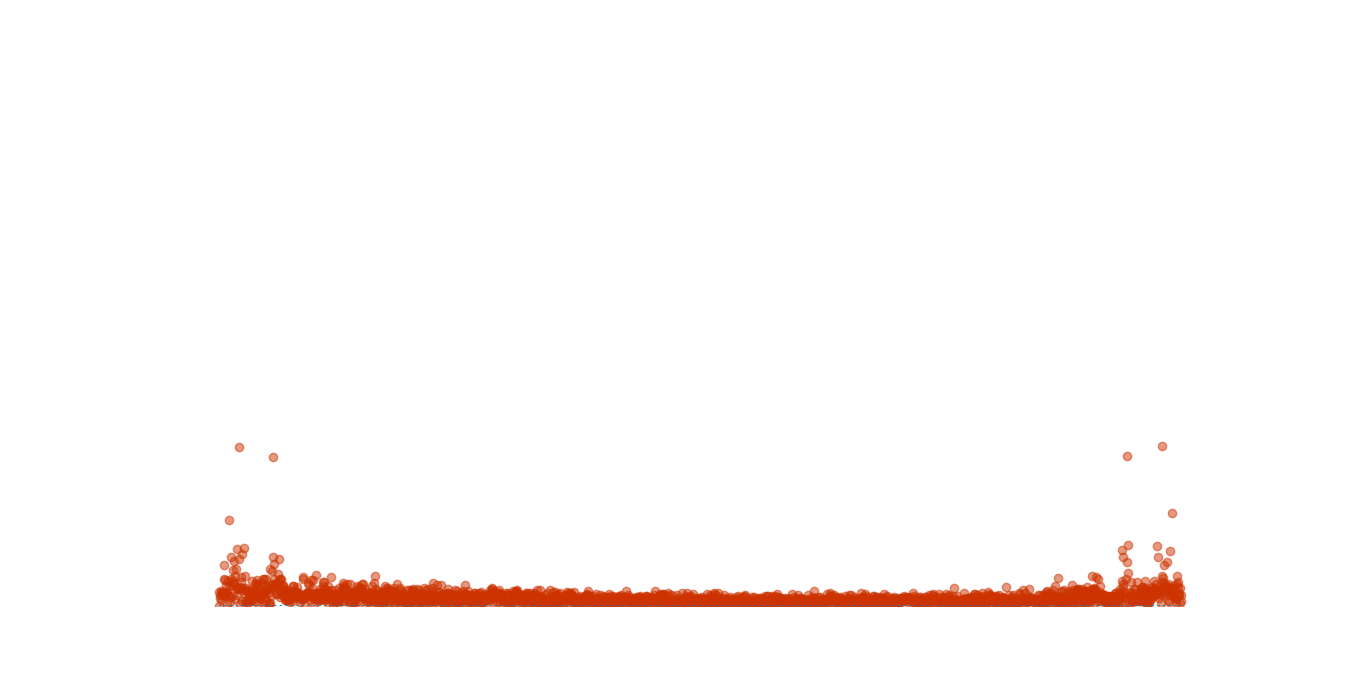
运行截图:
2019-12-30 14:05:57 再来更新一个版本(可惜我的电脑跑起来非常卡):
from scipy.signal import detrend

import numpy as np

import pyaudio

from _tkinter import TclError

import struct

channels = 1

rate = 48000

chunk = 2048

p = pyaudio.PyAudio()

stream = p.open(

    format=pyaudio.paInt16,

    channels=channels,

    rate=rate,

    input=True,

    frames_per_buffer=chunk

)

stream.start_stream()

theta = np.linspace(0.0, 2. * np.pi, chunk, endpoint=False)

radii = np.zeros(chunk)

fig = plt.figure()

ax = fig.gca(projection='polar')

lf = ax.bar(x=theta, height=radii, width=0.02, bottom=-2.0, alpha=0.5)

ax.set_axis_off()

plt.show(block=False)

while stream.is_active():

    data = stream.read(chunk)

    data_int = struct.unpack(str(chunk * 2) + 'B', data)

    y_detrend = detrend(data_int)

    yft = np.abs(np.fft.fft(y_detrend))

    y_vals = yft[:chunk] / (128 * chunk)

    for rect, y_val, color in zip(lf.patches, y_vals, plt.cm.Spectral(y_vals * 8)):

        rect.set_height(y_val)

        rect.set_facecolor(color)

    try:

        ax.figure.canvas.draw()

        ax.figure.canvas.flush_events()

    except TclError:

        stream.stop_stream()

        stream.close()

        break
2019-11-28 20:58:07 更新,围绕在圆环上的2d 版(一开始sb了,直接加在 y 轴上 = =,幸好马上意识到需要做向量旋转):
from _tkinter import TclError

import pyaudio

import numpy as np

import matplotlib.pyplot as plt

import struct

from scipy.signal import savgol_filter, detrend, lfilter

channels = 1

rate = 48000

chunk = 1024 * 2

p = pyaudio.PyAudio()

stream = p.open(

    format=pyaudio.paInt16,

    channels=channels,

    rate=rate,

    input=True,

    # output=True,

    frames_per_buffer=chunk

)

stream.start_stream()

R = 2

t = np.linspace(0, 2*np.pi, chunk * 2)

xf = R*np.cos(t)

yf = R*np.sin(t)

fig, ax = plt.subplots(figsize=(7, 7))

lf, = ax.plot(xf, yf, lw=1)

ax.set_xlim(-3, 3)

ax.set_ylim(-3, 3)

ax.set_axis_off()

plt.show(block=False)

fwhm = 20

while stream.is_active():

    data = stream.read(chunk)

    data_int = struct.unpack(str(chunk * 2) + 'B', data)

    y_detrend = detrend(data_int)

    # z_smooth = savgol_filter(data_int, window_length=len(data_int) - 1, mode='valid')

    # box = np.ones(fwhm) / fwhm

    # z_smooth = np.convolve(y_detrend, box, mode='valid')

    yft = np.abs(np.fft.fft(y_detrend))

    y_vals = yft / (256 * chunk)

    ind = np.where(y_vals > np.mean(y_vals))

    y_vals[ind[0]] *= 4

    lf.set_xdata(xf + y_vals * np.cos(t))

    lf.set_ydata(yf + y_vals * np.sin(t))

    try:

        ax.figure.canvas.draw()

        ax.figure.canvas.flush_events()

    except TclError:

        stream.stop_stream()

        stream.close()

        break
运行截图:

2019-11-28 16:47:13 更新,3D 版:
from _tkinter import TclError

import pyaudio

import numpy as np

import matplotlib.pyplot as plt

import struct

from scipy.signal import savgol_filter, detrend, lfilter

channels = 1

rate = 48000

chunk = 1024 * 2

p = pyaudio.PyAudio()

stream = p.open(

    format=pyaudio.paInt16,

    channels=channels,

    rate=rate,

    input=True,

    # output=True,

    frames_per_buffer=chunk

)

stream.start_stream()

R = 20

t = np.linspace(0, 2*np.pi, chunk * 2)

xf = R*np.cos(t)

yf = R*np.sin(t)

# fig, ax = plt.subplots(figsize=(14, 5))

fig = plt.figure()

ax = fig.gca(projection='3d')

lf, = ax.plot(xf, yf, np.zeros(chunk * 2), lw=2)

# ax.set_xlim(20, rate / 2)

# ax.set_ylim(20, rate / 2)

ax.set_zlim(-0.2, 1.2)

ax.set_axis_off()

plt.show(block=False)

fwhm = 20

while stream.is_active():

    data = stream.read(chunk)

    data_int = struct.unpack(str(chunk * 2) + 'B', data)

    z_detrend = detrend(data_int)

    # z_smooth = savgol_filter(data_int, window_length=len(data_int) - 1, mode='valid')

    # box = np.ones(fwhm) / fwhm

    # z_smooth = np.convolve(z_detrend, box, mode='valid')

    zf = np.abs(np.fft.fft(z_detrend))

    z_vals = zf / (256 * chunk)

    ind = np.where(z_vals > np.mean(z_vals))

    z_vals[ind[0]] *= 4

    lf.set_xdata(xf)

    lf.set_ydata(yf)

    lf.set_3d_properties(z_vals)

    try:

        ax.figure.canvas.draw()

        ax.figure.canvas.flush_events()

    except TclError:

        stream.stop_stream()

        stream.close()

        break
运行截图:
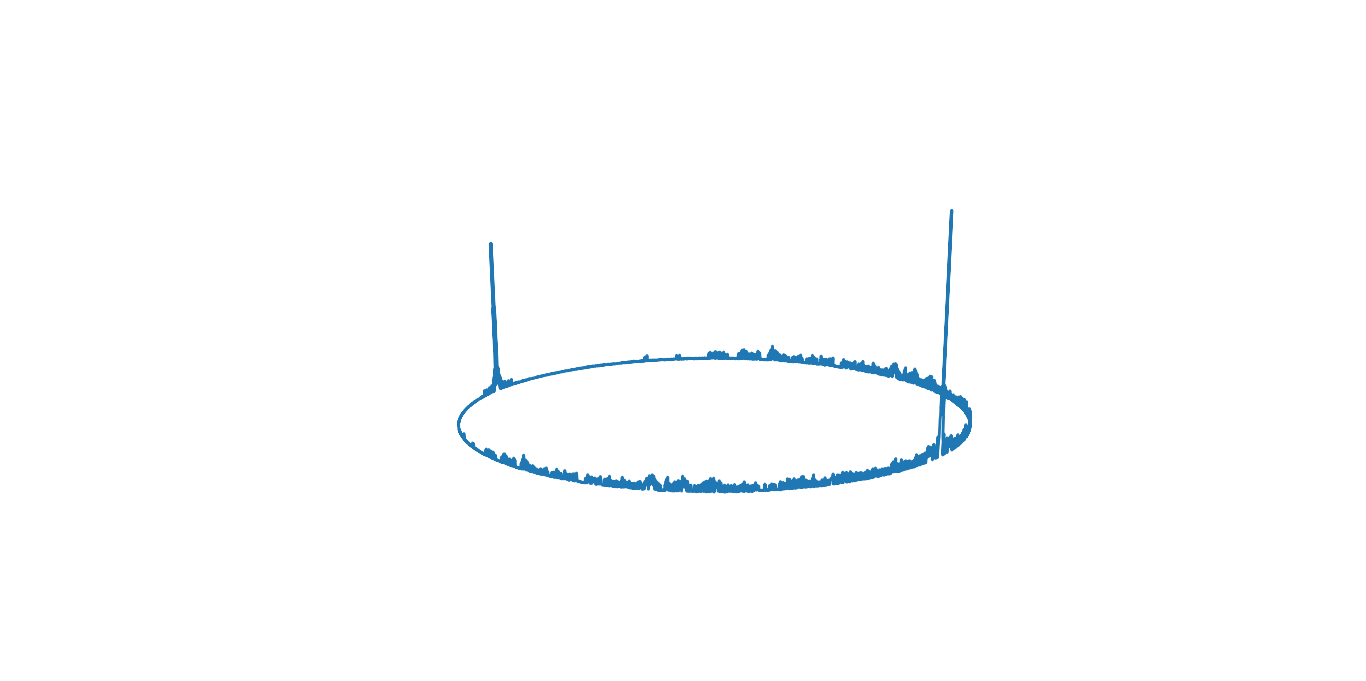
23:27:12 更新,为了更加突出重要的频率,我又加了一些代码,就是把振幅大于平均值的那些振幅加倍,主要代码如下:
y_vals = yf[:chunk] / (256 * chunk)

ind = np.where(y_vals > np.mean(y_vals))

y_vals[ind[0]] *= 4

lf.set_ydata(y_vals)
22:17:15 更新,因为 python 3.8 和 scipy 暂时不兼容,所以用不了scipy 对信号做平滑处理,不过网上找了一段代码,效率不错,这是链接,或者直接把下面代码加到合适的地方。
width = 20

box = np.ones(width) / width

y_smooth = np.convolve(data_int, box, mode='same')

yf = np.fft.fft(y_smooth)

...
21:58:43 更新,测试了一下对原始信号做平滑处理,发现效率十分低,完全没法看效果,不过目前用的是自己实现的高斯滤波算法。。。
以下为原文
这里的简单原理就是获取输入输出设备中的数据(注意驱动什么的没有问题,能用麦克风),然后 matplotlib 绘制出来,想要看到音乐的节奏振动就再 fft 一下。至于如何不断更新波形,matplotlib 有一个 animation 方法可以用(见下面第二种方法),但实际上我用了之后发现显示效果不如第一种(可能是姿势不对)。之前用 matlab 做的,也很不错。
第一种方法(波形显示更流畅,代码参考这个视频):
from _tkinter import TclError

import pyaudio

import numpy as np

import matplotlib.pyplot as plt

import struct

channels = 1

rate = 44100

chunk = 1024 * 2

p = pyaudio.PyAudio()

stream = p.open(

    format=pyaudio.paInt16,

    channels=channels,

    rate=rate,

    input=True,

    output=True,

    frames_per_buffer=chunk

)

stream.start_stream()

xf = np.linspace(0, rate, chunk)

fig, ax = plt.subplots()

lf, = ax.semilogx(xf, np.zeros(chunk), '-', lw=1)

ax.set_xlim(20, rate / 2)

ax.set_ylim(0, 1)

plt.show(block=False)

while stream.is_active():

    data = stream.read(chunk)

    data_int = struct.unpack(str(chunk * 2) + 'B', data)

    yf = np.fft.fft(data_int)

    lf.set_ydata(np.abs(yf[:chunk]) / (128 * chunk))

    try:

        ax.figure.canvas.draw()

        ax.figure.canvas.flush_events()

    except TclError:

        stream.stop_stream()

        stream.close()

        break
第二种方法:
import pyaudio

import numpy as np

# from scipy.fftpack import fft

import matplotlib.pyplot as plt

import struct

from matplotlib.animation import FuncAnimation

channels = 1

rate = 44100

chunk = 1024 * 2

p = pyaudio.PyAudio()

stream = p.open(

    format=pyaudio.paInt16,

    channels=channels,

    rate=rate,

    input=True,

    output=True,

)

stream.start_stream()

x = np.arange(0, 2*chunk, 2)

xf = np.linspace(0, rate, chunk)

fig, (ax1, ax2) = plt.subplots(2)

l, = ax1.plot(x, np.zeros(chunk), '-', lw=1)

lf, = ax2.semilogx(xf, np.zeros(chunk), '-', lw=1)

ax1.set_xlim(0, 2*chunk)

ax1.set_ylim(0, 255)

ax2.set_xlim(20, rate / 2)

ax2.set_ylim(0, 1)

plt.setp(ax1, xticks=[0, chunk, 2 * chunk], yticks=[0, 128, 255])

def gen():

    while stream.is_active():

        data = stream.read(chunk)

        data_int = struct.unpack(str(chunk*2) + 'B', data)

        data_np = np.array(data_int, dtype='b')[::2] + 128

        yf = np.fft.fft(data_int)

        yield data_np, yf

def init():

    lf.set_ydata(np.random.rand(chunk))

    return lf,

def update(data):

    ax1.figure.canvas.draw()

    ax2.figure.canvas.draw()

    l.set_ydata(data[0])

    lf.set_ydata(np.abs(data[1][:chunk]) / (128 * chunk))

    return lf,

animate = FuncAnimation(fig, update, gen, blit=True, interval=0, repeat=False, init_func=init)

plt.show()

stream.stop_stream()

stream.close()
python 音频可视化的更多相关文章
- Python数据可视化编程实战——导入数据
1.从csv文件导入数据 原理:with语句打开文件并绑定到对象f.不必担心在操作完资源后去关闭数据文件,with的上下文管理器会帮助处理.然后,csv.reader()方法返回reader对象,通过 ...
- Python数据可视化——使用Matplotlib创建散点图
Python数据可视化——使用Matplotlib创建散点图 2017-12-27 作者:淡水化合物 Matplotlib简述: Matplotlib是一个用于创建出高质量图表的桌面绘图包(主要是2D ...
- 【转】Python——plot可视化数据,作业8
Python——plot可视化数据,作业8(python programming) subject1k和subject1v的形状相同 # -*- coding: utf-8 -*- import sc ...
- Python数据可视化-seaborn库之countplot
在Python数据可视化中,seaborn较好的提供了图形的一些可视化功效. seaborn官方文档见链接:http://seaborn.pydata.org/api.html countplot是s ...
- Python数据可视化编程实战pdf
Python数据可视化编程实战(高清版)PDF 百度网盘 链接:https://pan.baidu.com/s/1vAvKwCry4P4QeofW-RqZ_A 提取码:9pcd 复制这段内容后打开百度 ...
- [Python] Python 学习 - 可视化数据操作(一)
Python 学习 - 可视化数据操作(一) GitHub:https://github.com/liqingwen2015/my_data_view 目录 折线图 散点图 随机漫步 骰子点数概率 文 ...
- 【数据科学】Python数据可视化概述
注:很早之前就打算专门写一篇与Python数据可视化相关的博客,对一些基本概念和常用技巧做一个小结.今天终于有时间来完成这个计划了! 0. Python中常用的可视化工具 Python在数据科学中的地 ...
- Python数据可视化的四种简易方法
摘要: 本文讲述了热图.二维密度图.蜘蛛图.树形图这四种Python数据可视化方法. 数据可视化是任何数据科学或机器学习项目的一个重要组成部分.人们常常会从探索数据分析(EDA)开始,来深入了解数据, ...
- python --数据可视化(一)
python --数据可视化 一.python -- pyecharts库的使用 pyecharts--> 生成Echarts图标的类库 1.安装: pip install pyecharts ...
随机推荐
- 推荐一款疫情期间适合在家办公的远程工具,仅需IP和密码轻松实现远程管理
这段时间,受疫情影响,很多企业都开启了居家办公模式.但疫情突发,大多数人的办公资料没有拷贝打包,对于居家办公的人,尤其是运维人员来说,很难完成顺利完成工作. 像向日葵.teamviewer之类的远程软 ...
- Charles老版本教程
链接:http://pan.baidu.com/s/1c16PxEo 刮开有奖->密码:dbml 初级篇: 1.1设置代理 1.2参数设置+界面介绍 1.3屏蔽多余数据 1.4请求重发 1.5 ...
- mysql必知必会--排序检索数据
排序数据 其实,检索出的数据并不是以纯粹的随机顺序显示的.如果不排 序,数据一般将以它在底层表中出现的顺序显示.这可以是数据最初 添加到表中的顺序.但是,如果数据后来进行过更新或删除,则此顺 序将会受 ...
- Programming on C 学习笔记
目录 include不同的声明方式有什么不同? if defined 与 #ifdef 有什么区别? undef 是怎么工作的? 如何利用 typedef 来定义数组? 枚举中,如果有个元素被赋予值, ...
- Golang模块之HTTP
HTTP客户端和服务端 Go语言中内置net/http包提供了HTTP客户端和服务端的实现 HTTP服务端 package main import ( "encoding/json" ...
- AGC011-C Squared Graph
题意 给定一个\(n\)个点\(m\)条边的图,构建一个\(n^2\)个点的图,新图的每个点都可以看成一个二元组,新图上的点\((a,b)和(a′,b′)\)之间有边,当且仅当原图中\((a,a′), ...
- 解决jmeter5.1高版本linux CPU,IO,Memory监控性能测试 java.lang.NoSuchMethodError: org.apache.jmeter.samplers.SampleSaveConfiguration.setFormatter(Ljava/t
jmeter中也可以监控服务器的CPU和内存使用情况,但是需要安装一些插件还需要在被监测服务器上开启服务. 安装性能监控插件(jmeter-plugins)后报如下错误,是由于jmeter版本过高jm ...
- Bootstrap 手机屏幕自适应的响应式布局开关
head中添加 <meta name="viewport" content="width=device-width, initial-scale=1, shrink ...
- 185.nvm和node.js环境配置
安装nvm nvm(Node Version Manager)是一个用来管理node版本的工具,我们之所以使用node,是因为我们需要使用node中的npm(Node Package Manager) ...
- QFile文件读写
参考代码 .h文件 #ifndef MYWIDGET_H #define MYWIDGET_H #include <QWidget> #include <QFile> #inc ...