
Dynamics 365 marketing中添加自定义渠道磁贴
Dynamics 365 marketing中默认的渠道只有Marketing Email和Marketing Activity,想要添加其他渠道必须自定义磁贴,自定义磁贴的步骤如下:
1、创建实体
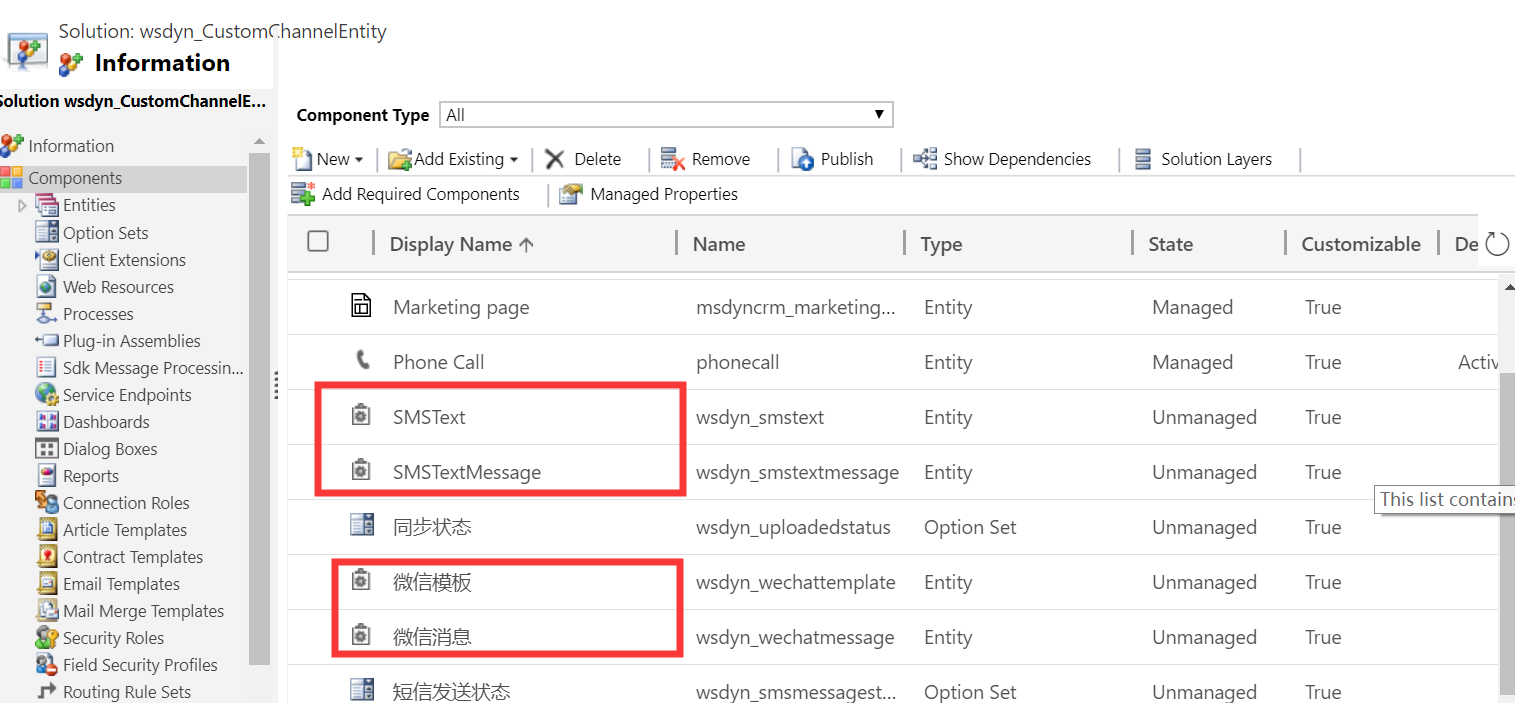
我创建了短信模板和短信消息实体
2、创建磁贴
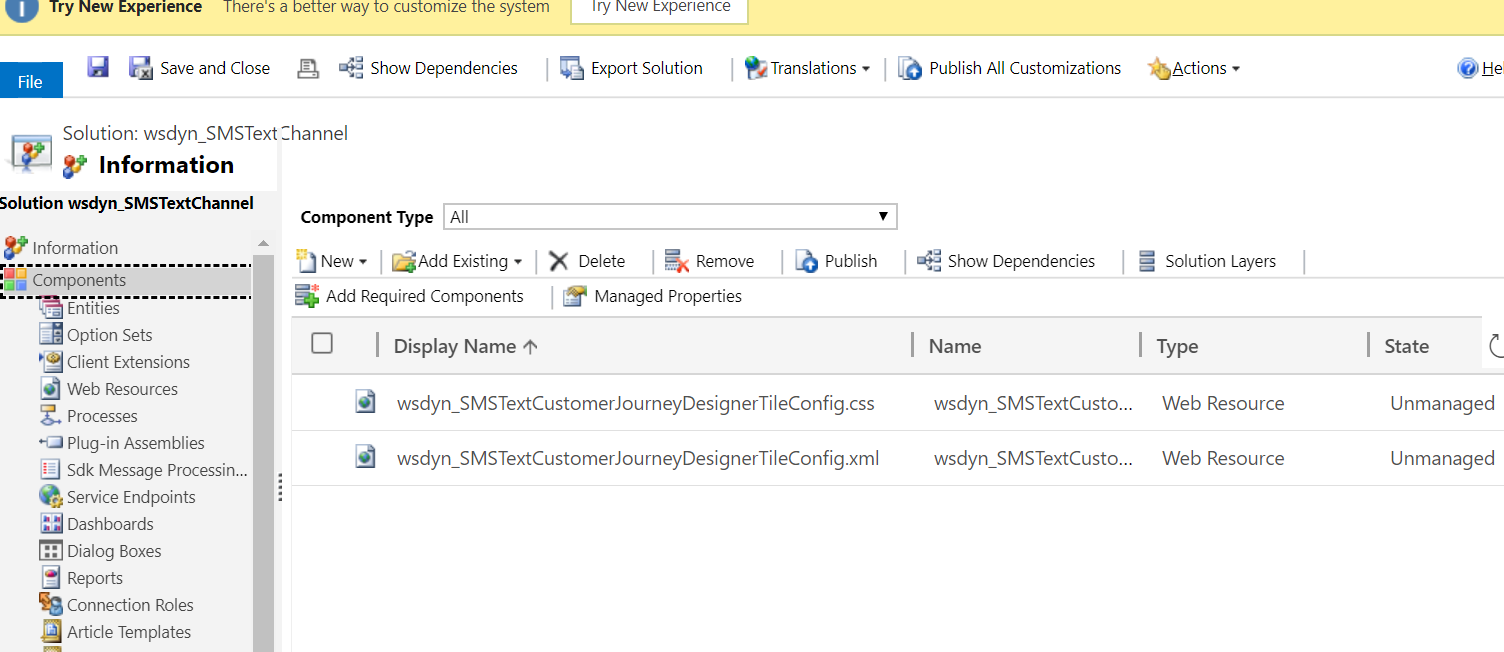
新建一个解决方案,往里面添加一个.css文件和一个.xml文件,定义磁贴相关的属性和样式
<?xml version="1.0" encoding="utf-8"?>

<!-- file name should only contain alpha-numeric characters and underscore -->

<!-- format: <fileNamePrefix>CustomerJourneyDesignerTileConfig.xml> -->

<LibraryTile>

  <!-- mandatory -->

  <!-- icon: CSS class defining your tile icon-->

  <!-- fontFamily: CSS class defining font-family for your icon-->

  <!-- cssFileName: your CSS file name in CRM-->

  <Definition icon="wsdyn_SMSTextTile" fontFamily="wsdyn_SMSTextSymbolFont" cssFileName="wsdyn_SMSTextCustomerJourneyDesignerTileConfig.css" />

  <!-- mandatory -->

  <ChannelProperties>

    <!-- mandatory -->

    <EntityType>wsdyn_smstext</EntityType>

    <EntitySetName>wsdyn_smstext</EntitySetName>

    <TitleFieldName>subject</TitleFieldName>

    <ComplianceField>wsdyn_donetsmstext</ComplianceField>

    <!-- optional -->

    <!-- Lookup view id for your entity-->

    <LookupViewId>6AC84005-DB4A-47B0-B8F8-1E3824FA15A4</LookupViewId>

    <!--Insights form id for your entity -->

    <InsightsMainFormId>A59C997D-45CF-47FE-BB8D-F8D169617747</InsightsMainFormId>

    <!--Quick view form id for your entity -->

    <QuickViewFormId>A59C997D-45CF-47FE-BB8D-F8D169617747</QuickViewFormId>

  </ChannelProperties>

  <!-- optional -->

  <ResponseTypes>

    <ResponseType id="sent">

      <Labels>

        <!-- Labels should always have a Label for 1033 -->

        <Label locId="1033">Sent</Label>

      </Labels>

    </ResponseType>

    <ResponseType id="delivered">

      <Labels>

        <!-- Labels should always have a Label for 1033 -->

        <Label locId="1033">Delivered</Label>

      </Labels>

    </ResponseType>

    <ResponseType id="keyword" custom="True">

      <!-- there should be only one response type with attribute custom=true -->

      <Labels>

        <!-- Labels should always have a Label for 1033 -->

        <Label locId="1033">Keyword match</Label>

      </Labels>

    </ResponseType>

  </ResponseTypes>

  <!-- mandatory -->

  <Labels>

    <!-- Labels should always have a Label for 1033 -->

    <Label locId="1033">SMS Text</Label>

    <Label locId="2052">短信</Label>

  </Labels>

  <!-- mandatory -->

  <Tooltips>

    <!-- Tooltips should always have a tooltip for 1033 -->

    <!-- mandatory -->

    <Tooltip locId="1033">Create a SMS Text Message</Tooltip>

    <Tooltip locId="2052">创建短信记录</Tooltip>

    <!-- optional -->

  </Tooltips>

</LibraryTile>
@font-face {

    /* The font-family name should be unique. Recommendation: use the config (XML) file name generated without the file extension */

    /* Assuming the config file name is

sample_SpecialTileCustomerJourneyDesignerTileConfig.xml so the example uses 'sample_SpecialTileCustomerJourneyDesignerTileConfig' below*/

    /* format: font-family: '<config xml file name generated by CRM>' */ font-family: 'wsdyn_SMSTextCustomerJourneyDesignerTileConfig';

    src: url('data:font/opentype;base64, <fontInBase64String=>') format('woff');

}

/* The fileNamePrefix is determined from the configuration (XML) file name:

<YourConfigFilenamePrefix>CustomerJourneyDesignerTileConfig.xml */

/* Example: config file 'sample_SpecialTileCustomerJourneyDesignerTileConfig.xml' */ /* Then the prefix is 'sample_SpecialTile'*/

/* format: <fileNamePrefix>SymbolFont */

.wsdyn_SMSTextSymbolFont {

    /* font-family value defined in the font-face directive */ font-family: 'wsdyn_SMSTextCustomerJourneyDesignerTileConfig';

}

/* format: <fileNamePrefix>::before */

.wsdyn_SMSTextTile::before { /* your tile icon code */

    content: "\EFF4";

}

/* format: #libraryElementCustom_<fileNamePrefix>  > span.lib-iconContainer */

#libraryElementCustom_wsdyn_SMSText > span.lib-iconContainer { /*background color for your tile icon in the library panel*/

    background-color: #005C62;

}

/* format: .Custom_<fileNamePrefix> span.tileImageWrapper */

.Custom_wsdyn_SMSText span.tileImageWrapper {

    /*background color for your tile icon in the library panel*/ background-color: #005C62;

}

/* format: .Custom_<fileNamePrefix>.tileOutline.selected */

.Custom_wsdyn_SMSText.tileOutline.selected {

    /*Color for border; Rendered when your tile is selected*/ border-color: #0072c6;

}

/* format: .Custom_<fileNamePrefix>.tileLeftBorder */

.Custom_wsdyn_SMSText.tileLeftBorder {

    /*Color for left border rendered on the tile when drawn on canvas*/ border-left-color: #0072c6;

}
3、创建插件(基于msdyncrm_CustomChannelActivity的创建插件)调用接口,并在接口中调用msdyncrm_CustomChannelActivityCreateInteraction更新状态,使得Customer Journey的Trigger能捕获到状态的更新
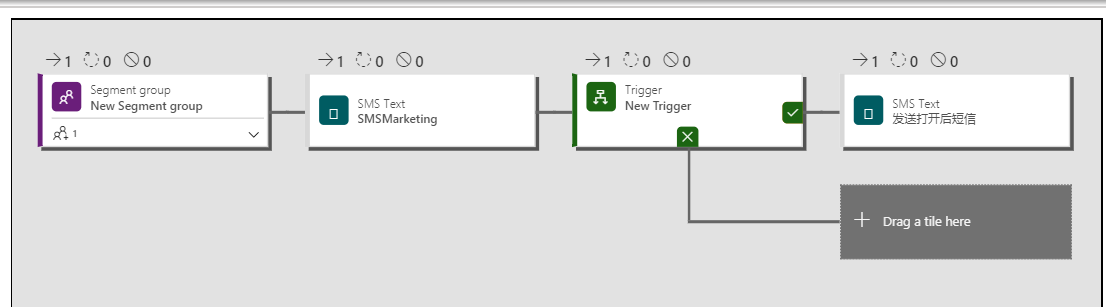
4、可以在Customer Journey中使用自定义渠道磁铁了
Dynamics 365 marketing中添加自定义渠道磁贴的更多相关文章
- Dynamics 365 CE中AsyncOperationBase表记录太多,影响系统性能怎么办?
微软动态CRM专家罗勇 ,回复311或者20190311可方便获取本文,同时可以在第一间得到我发布的最新博文信息,follow me!我的网站是 www.luoyong.me . 本文主要是根据微软官 ...
- Dynamics 365 CE中使用FetchXML进行聚合运算
微软动态CRM专家罗勇 ,回复328或者20190429可方便获取本文,同时可以在第一间得到我发布的最新博文信息,follow me! Dynamics 365 Customer Engagement ...
- 在 Microsoft Dynamics 365 Online中如何调试Plugins in
How to debug plugins in Microsoft Dynamics 365 Online 调试方式请查阅https://www.linkedin.com/pulse/how-debu ...
- Dynamics 365 CRM 开发架构简介
Dynamics 365 CRM提供了多种编程模型,你可以灵活地按需选用最佳模式. 本文是对Dynamics 365 CRM编程模型的综述. 概览 下图表明了Dynamics 365 CRM的主要可编 ...
- 初次接触Dynamics 365
最近项目上需要用到微软的Dynamics 365 这个产品,Bing上搜索了一下,看了很多大佬在博客上分享了使用Dynamics 365的经验,简单了解了Dynamics 365 是什么,也有很多大企 ...
- 将Dynamics 365中的用户及其角色、角色导出到Excel中
关注本人微信和易信公众号: 微软动态CRM专家罗勇 ,回复240或者20161204可方便获取本文,同时可以在第一间得到我发布的最新的博文信息,follow me!我的网站是 www.luoyong. ...
- 不借助工具在浏览器中通过Web API执行Dynamics 365操作(Action)实例
摘要: 本人微信和易信公众号: 微软动态CRM专家罗勇 ,回复262或者20170727可方便获取本文,同时可以在第一间得到我发布的最新的博文信息,follow me!我的网站是 www.luoyon ...
- Dynamics 365中部分账号使用系统明显缓慢怎么办?先这么干!
摘要: 本人微信和易信公众号: 微软动态CRM专家罗勇 ,回复263或者20170828可方便获取本文,同时可以在第一间得到我发布的最新的博文信息,follow me!我的网站是 www.luoyon ...
- 自定义工作流活动报错:您无法登陆系统。原因可能是您的用户记录或您所属的业务部门在Microsoft Dynamics 365中已被禁用。
本人微信和易信公众号: 微软动态CRM专家罗勇 ,回复265或者20170926可方便获取本文,同时可以在第一间得到我发布的最新的博文信息,follow me!我的网站是 www.luoyong.me ...
随机推荐
- [bzoj4827] [洛谷P3723] [Hnoi2017] 礼物
Description 我的室友最近喜欢上了一个可爱的小女生.马上就要到她的生日了,他决定买一对情侣手 环,一个留给自己,一 个送给她.每个手环上各有 n 个装饰物,并且每个装饰物都有一定的亮度.但是 ...
- 如何使用Serilog.AspNetCore记录ASP.NET Core3.0的MVC属性
这是Serilog系列的第三篇文章. 第1部分-使用Serilog RequestLogging减少日志详细程度 第2部分-使用Serilog记录所选的终结点属性 第3部分-使用Serilog.Asp ...
- window平台基于influxdb + grafana + jmeter 搭建性能测试实时监控平台
一.influxdb 安装与配置 1.1 influxdb下载并安装 官网无需翻墙,但是下载跳出的界面需要翻墙,我这里提供下载链接:https://dl.influxdata.com/influxdb ...
- [校内训练19_09_02]C
题意 给出一棵N 个节点的树,树上的每个节点都有一个权值$a_i$. 有Q 次询问,每次在树上选中两个点u, v,考虑所有在简单路径u, v 上(包括u, v)的点构成的集合S. 求$\sum_{w∈ ...
- java单例五种实现模式梳理
java单例五种实现模式 饿汉式(线程安全,调用效率高,但是不能延时加载) 一上来就把单例对象创建出来了,要用的时候直接返回即可,这种可以说是单例模式中最简单的一种实现方式.但是问题也比较明显.单例在 ...
- ArrayList.subList方法使用总结
ArrayList.subList方法使用总结 示例 List<String> list=new ArrayList<>(); list.add("d"); ...
- geoserver wfs属性查询
Geoserver参考连接:http://docs.geoserver.org/latest/en/user/services/wfs/reference.html 使用实例: http://loca ...
- Docker三剑客之Machine
前言简介 Docker-machine(中文翻译docker机):一种提供管理多个docker主机的工具:提供docker主机容器的远程创建.管理.删除等功能:这样的docker主机容器前辈们称之为D ...
- Spring博客专栏
1. IOC和DI的理解 2. IOC的实现原理-反射与工厂模式 3. Spring进阶之路 4. SpringBoot配置类的使用 5. @ModelAttribute详解 6. @RequestP ...
- 深入解读大厂java面试必考基本功-HashMap集合
课程简介 HashMap集合在企业开发中是必用的集合同时也是面试官面试率很高的集合,因为HashMap里面涉及了很多的知识点,可以比较全面考察面试者的基本功,想要拿到一个好offer,这是一个迈不过的 ...