
Spring boot Sample 005之spring-boot-profile
一、环境
1.1、Idea 2020.1
1.2、JDK 1.8
二、目的
三、步骤
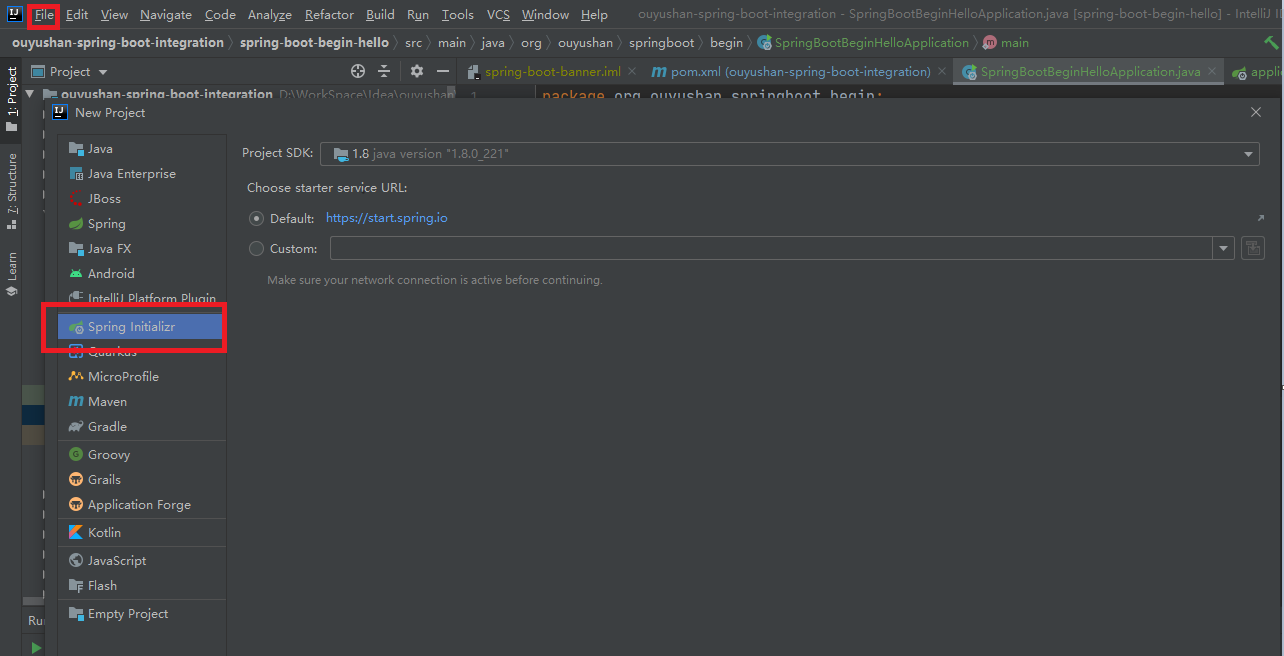
3.1、点击File -> New Project -> Spring Initializer,点击next
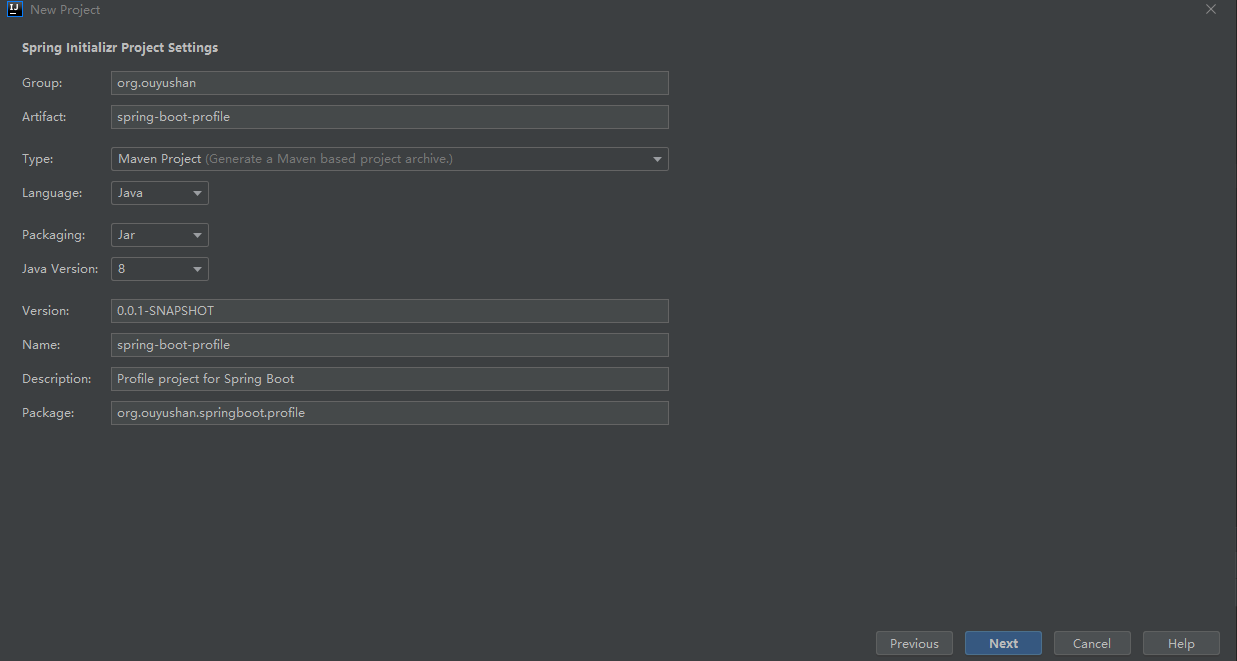
3.2、在对应地方修改自己的项目信息
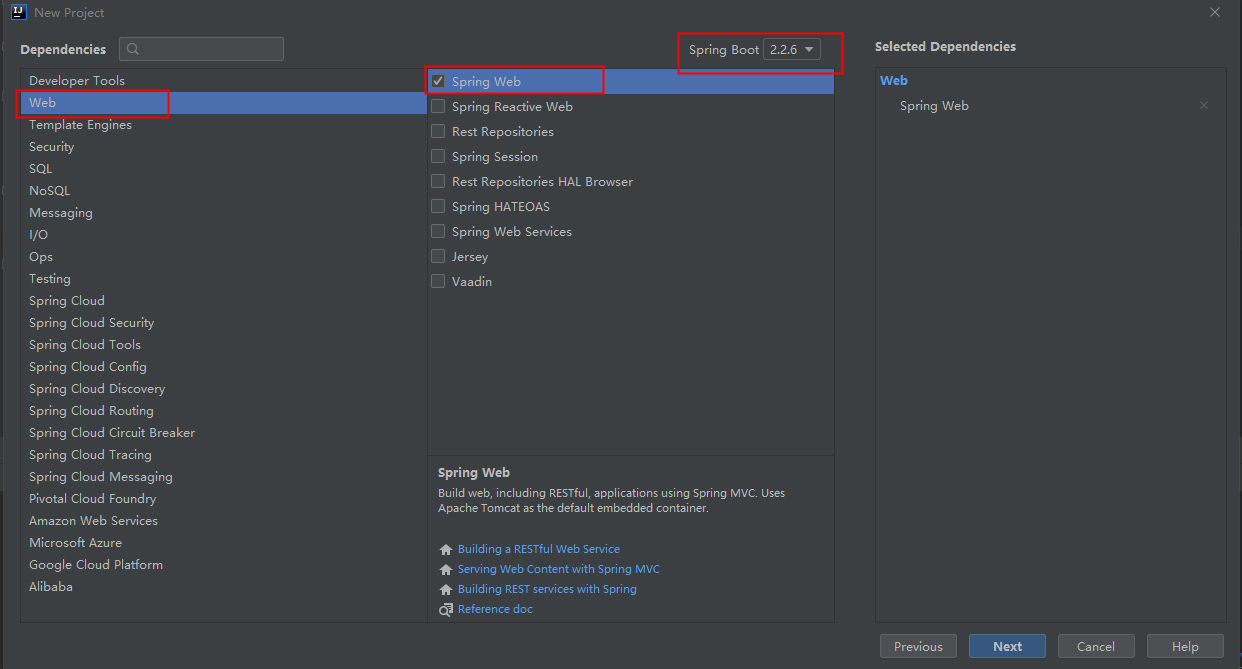
3.3、选择Web依赖,选中Spring Web。可以选择Spring Boot版本,本次默认为2.2.6,点击Next
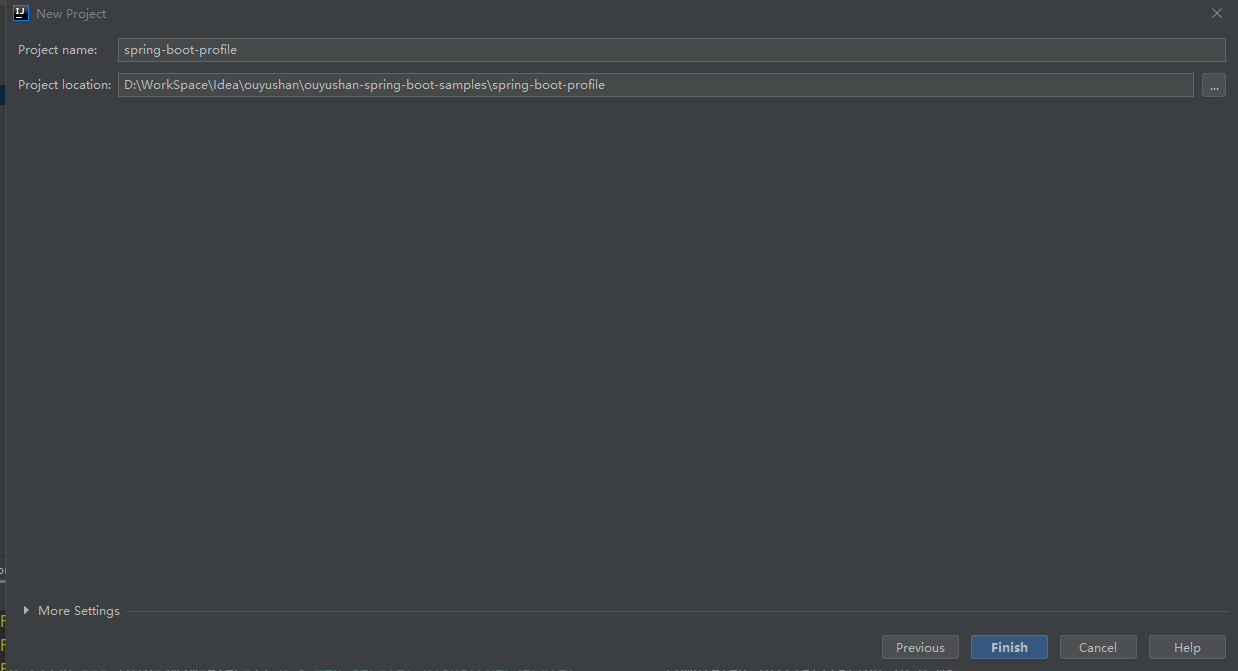
3.4、编辑工程名和项目路径,确定后点击Finish完成
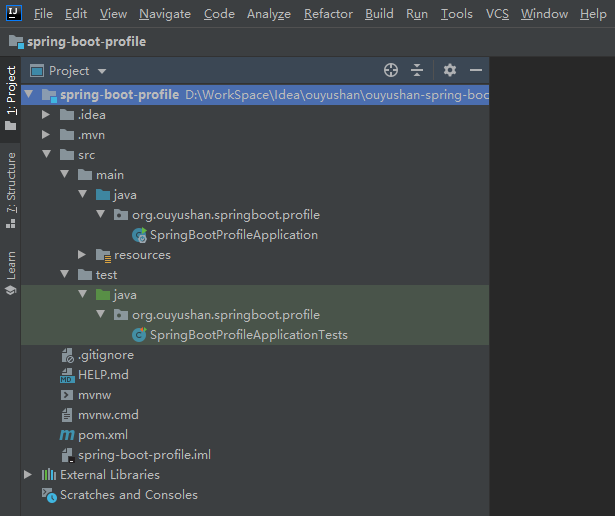
3.5、项目结构
四、添加测试文件
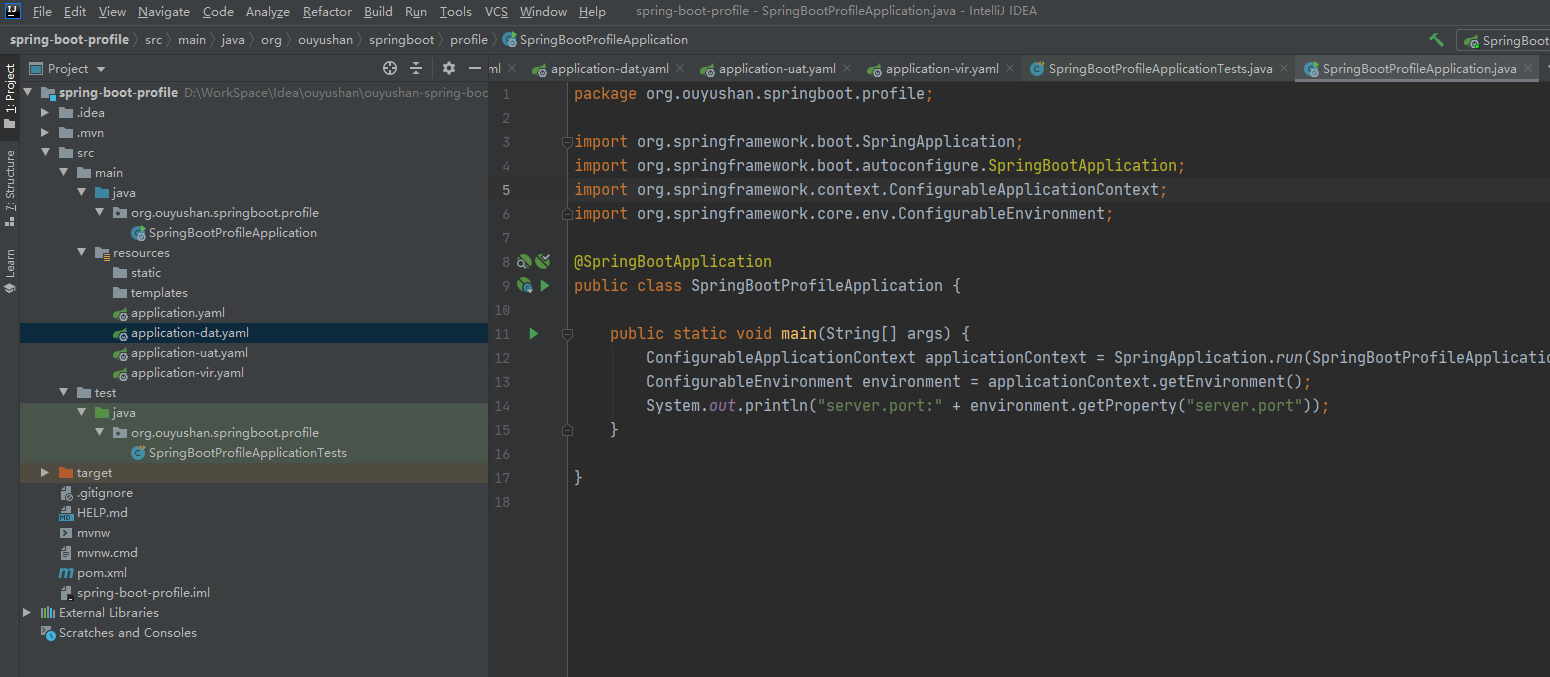
package org.ouyushan.springboot.profile;

import org.springframework.boot.SpringApplication;

import org.springframework.boot.autoconfigure.SpringBootApplication;

import org.springframework.context.ConfigurableApplicationContext;

import org.springframework.core.env.ConfigurableEnvironment;

@SpringBootApplication

public class SpringBootProfileApplication {

    public static void main(String[] args) {

        ConfigurableApplicationContext applicationContext = SpringApplication.run(SpringBootProfileApplication.class, args);

        ConfigurableEnvironment environment = applicationContext.getEnvironment();

        System.out.println("server.port:" + environment.getProperty("server.port"));

    }

}
4.1、配置默认application.yaml
spring:

  profiles:

    active: dat

  jackson:

    date-format: yyyy-MM-dd HH:mm:ss

    time-zone: Asia/Chongqing
4.2、配置application-dat.yaml:
server:

  port: 7070
4.3、配置application-uat.yaml:
server:

  port: 8080
4.4、配置application-vir.yaml:
server:

  port: 9090

五、知识点
一般将公共属性配置在application.yaml中,与环境相关的属性配置在对应的配置中,只需在application.yaml中配置

spring:

  profiles:

    active: uat
Spring boot Sample 005之spring-boot-profile的更多相关文章
- Spring boot Sample 012之spring-boot-web-upload
一.环境 1.1.Idea 2020.1 1.2.JDK 1.8 二.目的 spring boot 整合web实现文件上传下载 三.步骤 3.1.点击File -> New Project -& ...
- Spring boot Sample 0010之spring-boot-web-freemarker
一.环境 1.1.Idea 2020.1 1.2.JDK 1.8 二.目的 spring boot 整合freemarker模板开发web项目 三.步骤 3.1.点击File -> New Pr ...
- Spring boot Sample 009之spring-boot-web-thymeleaf
一.环境 1.1.Idea 2020.1 1.2.JDK 1.8 二.目的 spring boot 整合thymeleaf模板开发web项目 三.步骤 3.1.点击File -> New Pro ...
- Spring boot Sample 006之spring-boot-custom-servlet
一.环境 1.1.Idea 2020.1 1.2.JDK 1.8 二.步骤 2.1.点击File -> New Project -> Spring Initializer,点击next 2 ...
- Spring Boot (五)Spring Data JPA 操作 MySQL 8
一.Spring Data JPA 介绍 JPA(Java Persistence API)Java持久化API,是 Java 持久化的标准规范,Hibernate是持久化规范的技术实现,而Sprin ...
- 初入spring boot(七 )Spring Data JPA
Spring Data JPA通过提供基于JPA的Repository极大地减少JPA作为数据访问方案的代码量. 1.定义数据访问层 使用Spring Data JPA建立数据访问层十分简单,只需定义 ...
- Spring Boot配置篇(基于Spring Boot 2.0系列)
1:概述 SpringBoot支持外部化配置,配置文件格式如下所示: properties files yaml files environment variables command-line ar ...
- Spring 5.x 、Spring Boot 2.x 、Spring Cloud 与常用技术栈整合
项目 GitHub 地址:https://github.com/heibaiying/spring-samples-for-all 版本说明: Spring: 5.1.3.RELEASE Spring ...
- Spring Boot-初学01 -使用Spring Initializer快速创建Spring Boot项目 -@RestController+spEL -实现简单SpringBoot的Web页面
1.IDEA:使用 Spring Initializer快速创建项目 IDE都支持使用Spring的项目创建向导快速创建一个Spring Boot项目: 选择我们需要的模块:向导会联网创建Spring ...
随机推荐
- spring mvc 实现文件上传
例:用户注册提交一个头像文件 第一步,创建项目 ,导入jar包 做文件上传除了要导入spring常规的jar包外,还要导入commons-fifileupload和commons-io这两个jar包. ...
- Coursera课程笔记----C程序设计进阶----Week 1&2
C程序中的函数(Week 1&2) 函数 函数的定义 对函数的普遍认识:y=f(x) C语言中的常用函数: 平方根: r = sqrt(100.0) 底数x的y次幂:k = pow(x,y) ...
- Cassandra数据建模
1. 概述 Apache Cassandra将数据存储在表中,每个表都由行和列组成.CQL(Cassandra查询语言)用于查询存储在表中的数据.Apache Cassandra数据模型基于查询并针 ...
- [hdu1023]递推
http://acm.hdu.edu.cn/showproblem.php?pid=1023 如果把栈里面的元素个数表示成状态,每一步(共2 * n步)的状态构成的状态序列的种数就是答案,令dp[i] ...
- NetCore项目实战篇06---服务注册与发现之consul
至此,我们的解决方案中新建了三个项目,网关(Zhengwei.Gateway).认证中心(Zhengwei.Identity)和用户资源API(Zhengwei.Use.Api).当要访问用户API的 ...
- JAVA异常以及字节流
异常 JAVA异常可以分为编译时候出现的异常和执行时候出现的异常 JVM默认处理异常的方法是抛出异常 异常处理 //第一种 try{ 可能会出错的代码 }catch{ 发生异常后处置方法 }final ...
- FF按钮点击后表单提交
如果发现<button>提交</button>点击后,所在的表单在ff中自动提交了,则需要添加属性 type='button'! 我也是百度的,记在这里以后方便查看!
- Codeforces Round #643 (Div. 2)(C ~ E)
C. Count Triangles 题目链接 : https://codeforces.com/contest/1355/problem/C 题目大意 : 给你 A , B , C , D 问有多少 ...
- 【Net】CEF浏览IISExpress运行Web项目
前言 本文介绍在Winform桌面应用中,使用IISExpress做Host主机,启动.Net平台的Web项目. 浏览Web网页使用CEF开源组件. 准备 首先创建Winform项目WinFormII ...
- Java—线程的生命周期及线程控制方法详解
线程生命周期5种状态 介绍 线程的生命周期经过新建(New).就绪(Runnable).运行(Running).阻塞(Bolocked)和死亡(Dead) 状态转换图 新建(New) 程序使用 ...