
QT事件处理–notify()
转载至:https://www.deeplearn.me/349.html
一、说明
Qt 处理事件的方式之一:”继承 QApplication 并重新实现 notify()函数”。Qt 调用 QApplication 来发送一个事件,重新实现 notify()函数是在事件过滤器得到所有事件之前获得它们的唯一方法。事件过滤器使用更为便利。因为可以同时有多个事件过滤器。而 notify()函数只有一个。
二、函数的使用
重新实现的 QApplication 类 MyApplication 的头文件 myapplication.h 如下:
#ifndef MYAPPLICATION_H

#define MYAPPLICATION_H

#include <QApplication>

#include <QEvent>

class MyApplication : public QApplication

{

public:

    MyApplication(int & argc, char ** argv);

public:

    bool notify(QObject *receiver, QEvent *e);

};

#endif
myapplication.cpp 文件如下:
#include "myapplication.h"

#include <QMouseEvent>

MyApplication::MyApplication(int & argc, char ** argv) : QApplication(argc, argv)

{

}

 bool MyApplication::notify(QObject *receiver, QEvent *e)

 {

     //屏蔽 MouseButtonPress、MouseButtonRelease 和 MouseMove 事件

     if (e->type() == QEvent::MouseButtonPress || e->type() == QEvent::MouseButtonRelease || e->type() == QEvent::MouseMove)

     {

        return true;

     }

     return QApplication::notify(receiver, e);

 }
mainwindow.h 文件如下:
#ifndef MAINWINDOW_H

#define MAINWINDOW_H

#include <QtGui/QMainWindow>

#include <QPushButton>

#include <QMouseEvent>

class MainWindow : public QMainWindow

{

    Q_OBJECT

public:

    MainWindow(QWidget *parent = );

    ~MainWindow();

protected:

    bool eventFilter(QObject *obj, QEvent *e);

private:

    QPushButton *button;

};

#endif
mainwindow.cpp 文件如下:
#include "mainwindow.h"

MainWindow::MainWindow(QWidget *parent)

    : QMainWindow(parent)

{

    button = new QPushButton;

    this->setCentralWidget(button);

}

MainWindow::~MainWindow()

{

}

bool MainWindow::eventFilter(QObject *obj, QEvent *e)

{

    if (obj == button)         //响应 button 的 MouseButtonPress 和 MouseButtonRelease 事件

    {

        if (e->type() == QEvent::MouseButtonPress)

        {

            QMouseEvent *event = static_cast<QMouseEvent*> (e);

            button->setText(QString("Press: %1, %2").arg(QString::number(event->x()), QString::number(event->y())));

            return true;

        }

        else if (e->type() == QEvent::MouseButtonRelease)

        {

            QMouseEvent *event = static_cast<QMouseEvent*> (e);

            button->setText(QString("Release: %1, %2").arg(QString::number(event->x()), QString::number(event->y())));

            return true;

        }

        else

        {

            return false;

        }

    }

    return QMainWindow::eventFilter(obj, e);

}
main.cpp 文件如下:
#include <QtGui/QApplication>

#include <QtCore/QTextCodec>

#include "mainwindow.h"

#include "myapplication.h"

int main(int argc, char *argv[])

{

    MyApplication a(argc, argv);

    QTextCodec::setCodecForTr(QTextCodec::codecForName("gb18030"));

    MainWindow mainwindow;

    a.installEventFilter(&mainwindow);  //为 QApplication 注册过滤器

    mainwindow.setWindowTitle(QObject::tr("继承 QApplication 并重新实现 notify()函数"));

    mainwindow.resize(, );

    mainwindow.show();

    return a.exec();

}
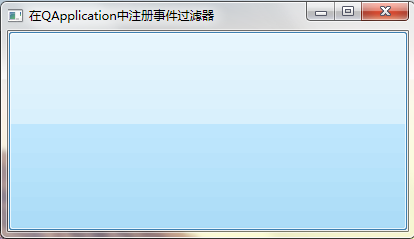
运行程序,可以发现 button 不管是点击、释放还是拖动鼠标,都不会显示任何文本。因为我们已经子类化 QApplication,事件在到达 QApplication 的事件过滤器之前,会先到达 QApplication 的 notify()函数,我们已经在子类化的 MyApplication 中屏蔽了 MouseButtonPress、MouseButtonRelease 事件。所以为 MyApplication 对象注册的事件过滤器不起作用。程序运行界面为:
QT事件处理–notify()的更多相关文章
- Qt事件处理机制
研一的时候开始使用Qt,感觉用Qt开发图形界面比MFC的一套框架来方便的多.后来由于项目的需要,也没有再接触Qt了.现在要重新拾起来,于是要从基础学起. Now,开始学习Qt事件处理机制. 先给出原文 ...
- QT事件过滤器(QT事件处理的5个层次:自己覆盖或过滤,父窗口过滤,Application过滤与通知)
Qt事件模型一个真正强大的特色是一个QObject 的实例能够管理另一个QObject 实例的事件. 让我们试着设想已经有了一个CustomerInfoDialog的小部件.CustomerInfoD ...
- 【转】Qt 事件处理机制 (下篇)
转自:http://mobile.51cto.com/symbian-272816.htm 在Qt中,事件被封装成一个个对象,所有的事件均继承自抽象类QEvent. 接下来依次谈谈Qt中有谁来产生.分 ...
- 9、Qt 事件处理机制
原文地址:http://mobile.51cto.com/symbian-272812.htm 在Qt中,事件被封装成一个个对象,所有的事件均继承自抽象类QEvent. 接下来依次谈谈Qt中有谁来产生 ...
- Qt 事件处理的五个层次
看了这篇文章(见http://devbean.blog.51cto.com/448512/231861),然后经过自己的思考,把Qt事件处理的五个层次.同时也是Qt时间处理的流程画了出来.若有不对请批 ...
- Qt 事件处理机制
Qt 事件处理机制 因为这篇文章写得特别好,将Qt的事件处理机制能够阐述的清晰有条理,并且便于学习.于是就装载过来了(本文做了排版,并删减了一些冗余的东西,希望原主勿怪),以供学习之用. 简介 在Qt ...
- QT开发(十二)——QT事件处理机制
一.QT事件简介 QT程序是事件驱动的, 程序的每个动作都是由内部某个事件所触发.QT事件的发生和处理成为程序运行的主线,存在于程序整个生命周期. 常见的QT事件类型如下: 键盘事件: 按键按下和松开 ...
- Qt 事件处理机制 (下篇)
继续我们上一篇文章继续介绍,Qt 事件处理机制 (上篇) 介绍了Qt框架的事件处理机制:事件的产生.分发.接受和处理,并以视窗系统鼠标点击QWidget为例,对代码进行了剖析,向大家分析了Qt框架如何 ...
- 【转】解读Qt 事件处理机制(上篇)
[转自]:http://mobile.51cto.com/symbian-272812.htm 在Qt中,事件被封装成一个个对象,所有的事件均继承自抽象类QEvent. 接下来依次谈谈Qt中有谁来产生 ...
随机推荐
- robot framework 命令行执行用例与自带的run configurations运行用例
一.cmd中运行命令 1.执行整个项目下的所有用例: pybot 项目路径.例如: pybot F:\EC\RF_Api 2.执行某个suite中的所有用例: pybot -s 项目路径\suite文 ...
- java并发初探ReentrantWriteReadLock
java并发初探ReentrantWriteReadLock ReenWriteReadLock类的优秀博客 ReentrantReadWriteLock读写锁详解 Java多线程系列--" ...
- 几款Java模板引擎的性能评测
参评的几款模板引擎为:XMLTemplate(简称XT)Velocity(简称VT)CommonTemplate(简称CT)FreeMarker(简称FT)Smarty4j(简称ST)直接的java代 ...
- 搜索await page.waitForSelector(allResultsSelector);
/** * Copyright 2017 Google Inc. All rights reserved. * * Licensed under the Apache License, Version ...
- 侧边栏下拉时箭头的旋转动画(treeView控件)
//点击菜单时箭头旋转 let treeView = document.getElementsByClassName("treeview");//let解决闭包问题 let las ...
- NCSC敦促开发者淘汰Python 2
导读 Python 2.x即将结束生命,英国国家网络安全中心(NCSC)敦促开发人员尽快从Python 2.x迁移到Python 3.x.越快越好.Python 2.x将于2020年1月1日停止使用, ...
- UVA10820 交表 Send a Table
\(\Large\textbf{Description:} \large{输入n,求有多少个二元组(x,y)满足:1\leqslant x,y\leqslant n,且x和y互素.}\) \(\Lar ...
- 面试题之xml解析?
题目是:用java程序将xml中的数据保存到实体对象中,如何实现? xml如下: <?xml version="1.0" encoding="UTF-8" ...
- bzoj 4754: [Jsoi2016]独特的树叶
不得不说这是神题. %%% http://blog.csdn.net/samjia2000/article/details/51762811 #include <cstdio> #in ...
- Java提升四:Stream流
1.Stream流的定义 Stream是Java中的一个接口.它的作用类似于迭代器,但其功能比迭代器强大,主要用于对数组和集合的操作. Stream中的流式思想:每一步只操作,不存储. 2.Strea ...