
Matplotlib新手上路(下)
接上篇继续,这次来演示下如何做动画,以及加载图片
一、动画图
import numpy as np

import matplotlib.pyplot as plt

import matplotlib.animation as animation

fig, ax = plt.subplots()

x = np.arange(0, 2 * np.pi, 0.01)

line, = ax.plot(x, np.sin(x))

def init():

    line.set_ydata([np.nan] * len(x))  # Y轴值归0,Mac上加不加这句,都一样

    return line,

def animate(i):

    line.set_ydata(np.sin(x + i / 100))  # update the data.

    return line,

ani = animation.FuncAnimation(

    # blit在Mac上只能设置False,否则动画有残影

    fig, animate, init_func=init, interval=2, blit=False, save_count=50)

init()

plt.show()
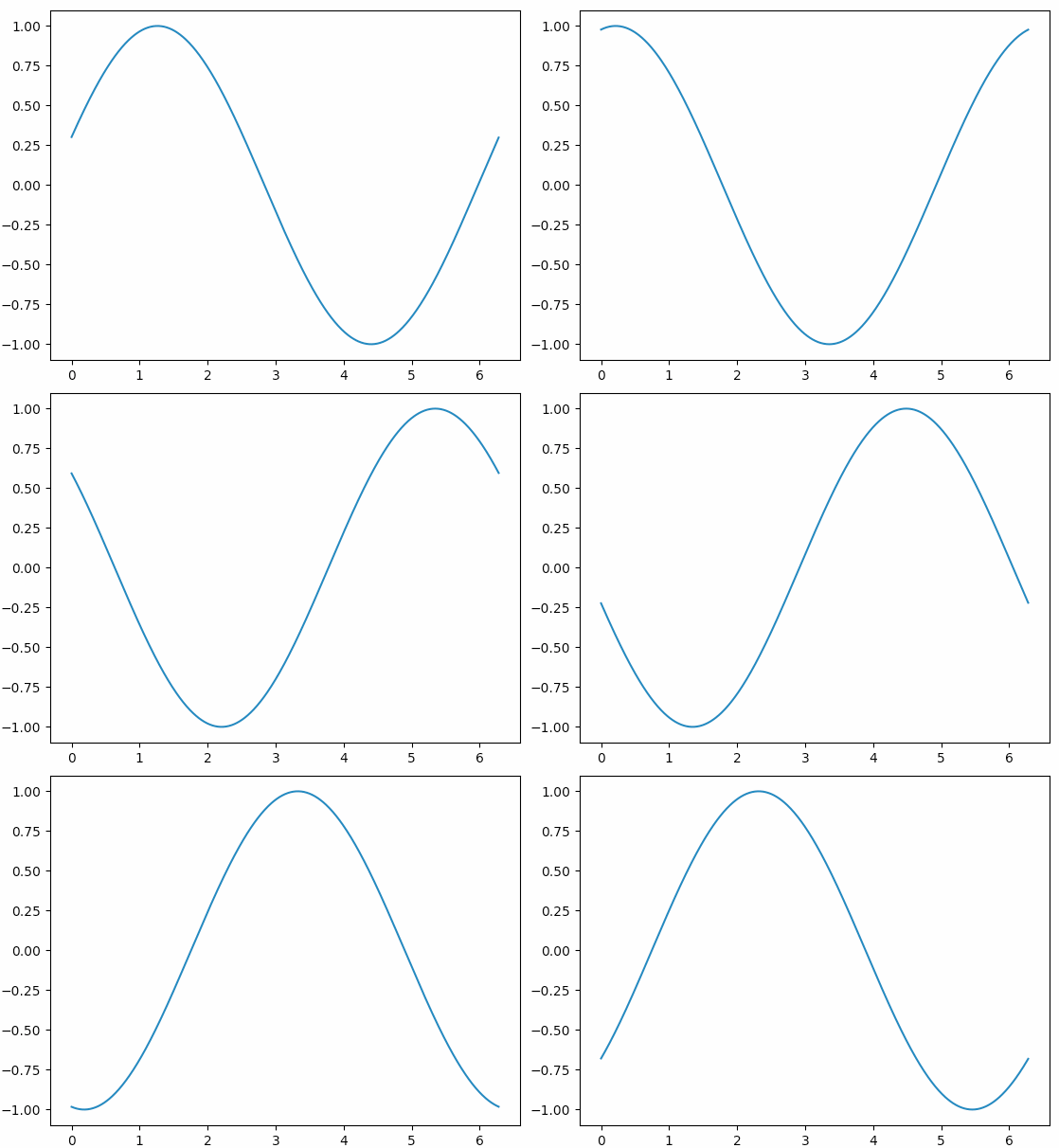
基本套路是:init()函数中给定图象的初始状态,然后animate()函数中每次对函数图象动态调整一点点,最后用FuncAnimation把它们串起来。
再来看一个官网给的比较好玩的示例:
from numpy import sin, cos

import numpy as np

import matplotlib.pyplot as plt

import scipy.integrate as integrate

import matplotlib.animation as animation

G = 9.8  # acceleration due to gravity, in m/s^2

L1 = 1.0  # length of pendulum 1 in m

L2 = 1.0  # length of pendulum 2 in m

M1 = 1.0  # mass of pendulum 1 in kg

M2 = 1.0  # mass of pendulum 2 in kg

def derivs(state, t):

    dydx = np.zeros_like(state)

    dydx[0] = state[1]

    del_ = state[2] - state[0]

    den1 = (M1 + M2) * L1 - M2 * L1 * cos(del_) * cos(del_)

    dydx[1] = (M2 * L1 * state[1] * state[1] * sin(del_) * cos(del_) +

               M2 * G * sin(state[2]) * cos(del_) +

               M2 * L2 * state[3] * state[3] * sin(del_) -

               (M1 + M2) * G * sin(state[0])) / den1

    dydx[2] = state[3]

    den2 = (L2 / L1) * den1

    dydx[3] = (-M2 * L2 * state[3] * state[3] * sin(del_) * cos(del_) +

               (M1 + M2) * G * sin(state[0]) * cos(del_) -

               (M1 + M2) * L1 * state[1] * state[1] * sin(del_) -

               (M1 + M2) * G * sin(state[2])) / den2

    return dydx

# create a time array from 0..100 sampled at 0.05 second steps

dt = 0.05

t = np.arange(0.0, 20, dt)

# th1 and th2 are the initial angles (degrees)

# w10 and w20 are the initial angular velocities (degrees per second)

th1 = 120.0

w1 = 0.0

th2 = -10.0

w2 = 0.0

# initial state

state = np.radians([th1, w1, th2, w2])

# integrate your ODE using scipy.integrate.

y = integrate.odeint(derivs, state, t)

x1 = L1 * sin(y[:, 0])

y1 = -L1 * cos(y[:, 0])

x2 = L2 * sin(y[:, 2]) + x1

y2 = -L2 * cos(y[:, 2]) + y1

fig = plt.figure()

ax = fig.add_subplot(111, autoscale_on=False, xlim=(-2, 2), ylim=(-2, 2))

ax.set_aspect('equal')

ax.grid()

line, = ax.plot([], [], 'o-', lw=2)

time_template = 'time = %.1fs'

time_text = ax.text(0.05, 0.9, '', transform=ax.transAxes)

def init():

    line.set_data([], [])

    time_text.set_text('')

    return line, time_text

def animate(i):

    thisx = [0, x1[i], x2[i]]

    thisy = [0, y1[i], y2[i]]

    line.set_data(thisx, thisy)

    time_text.set_text(time_template % (i * dt))

    return line, time_text

ani = animation.FuncAnimation(fig, animate, np.arange(1, len(y)),

                              interval=25, blit=False, init_func=init)

plt.show()
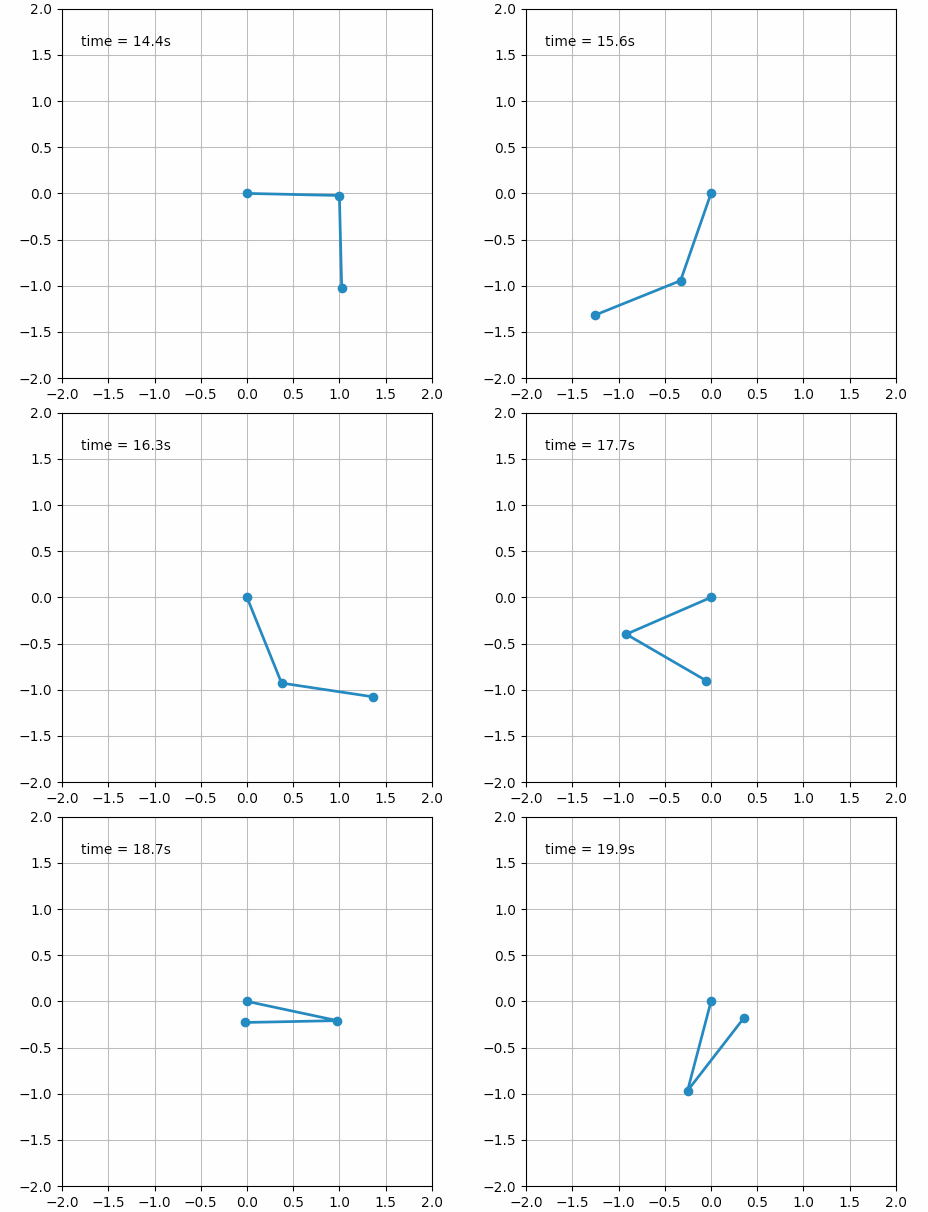
甚至还可以创建一些艺术气息的动画:
import numpy as np

import matplotlib.pyplot as plt

from matplotlib.animation import FuncAnimation

# Fixing random state for reproducibility

np.random.seed(19680801)

# Create new Figure and an Axes which fills it.

fig = plt.figure(figsize=(5, 5))

ax = fig.add_axes([0, 0, 1, 1], frameon=False)

ax.set_xlim(0, 1), ax.set_xticks([])

ax.set_ylim(0, 1), ax.set_yticks([])

# Create rain data

n_drops = 50

rain_drops = np.zeros(n_drops, dtype=[('position', float, 2),

                                      ('size',     float, 1),

                                      ('growth',   float, 1),

                                      ('color',    float, 4)])

# Initialize the raindrops in random positions and with

# random growth rates.

rain_drops['position'] = np.random.uniform(0, 1, (n_drops, 2))

rain_drops['growth'] = np.random.uniform(50, 200, n_drops)

# Construct the scatter which we will update during animation

# as the raindrops develop.

scat = ax.scatter(rain_drops['position'][:, 0], rain_drops['position'][:, 1],

                  s=rain_drops['size'], lw=0.3, edgecolors=rain_drops['color'],

                  facecolors='none')

def update(frame_number):

    # Get an index which we can use to re-spawn the oldest raindrop.

    current_index = frame_number % n_drops

    # Make all colors more transparent as time progresses.

    rain_drops['color'][:, 3] -= 1.0/len(rain_drops)

    rain_drops['color'][:, 3] = np.clip(rain_drops['color'][:, 3], 0, 1)

    # Make all circles bigger.

    rain_drops['size'] += rain_drops['growth']

    # Pick a new position for oldest rain drop, resetting its size,

    # color and growth factor.

    rain_drops['position'][current_index] = np.random.uniform(0, 1, 2)

    rain_drops['size'][current_index] = 5

    rain_drops['color'][current_index] = (0, 0, 0, 1)

    rain_drops['growth'][current_index] = np.random.uniform(50, 200)

    # Update the scatter collection, with the new colors, sizes and positions.

    scat.set_edgecolors(rain_drops['color'])

    scat.set_sizes(rain_drops['size'])

    scat.set_offsets(rain_drops['position'])

# Construct the animation, using the update function as the animation director.

animation = FuncAnimation(fig, update, interval=10)

plt.show()

二、加载图片
import matplotlib.pyplot as plt

import matplotlib.image as mpimg

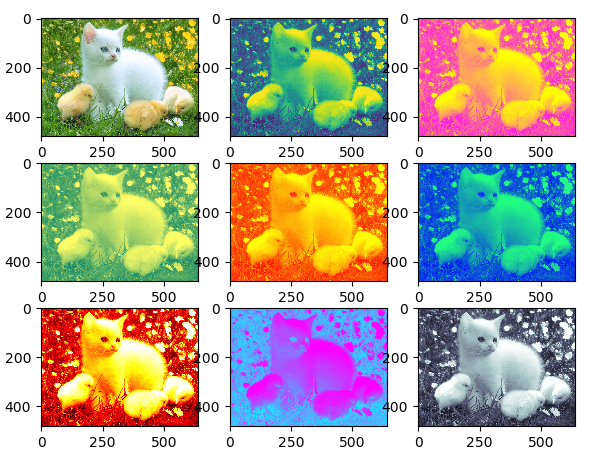
img = mpimg.imread('cat.png') # 随便从网上捞的一张图片,保存到当前目录下

lum_img = img[:, :, 0]

# plt.figure()

plt.subplot(331)

plt.imshow(img)

plt.subplot(332)

plt.imshow(lum_img)

plt.subplot(333)

plt.imshow(lum_img, cmap="spring")

plt.subplot(334)

plt.imshow(lum_img, cmap="summer")

plt.subplot(335)

plt.imshow(lum_img, cmap="autumn")

plt.subplot(336)

plt.imshow(lum_img, cmap="winter")

plt.subplot(337)

plt.imshow(lum_img, cmap="hot")

plt.subplot(338)

plt.imshow(lum_img, cmap="cool")

plt.subplot(339)

plt.imshow(lum_img, cmap="bone")

plt.show()
Matplotlib新手上路(下)的更多相关文章
- Matplotlib新手上路(中)
接上回继续 一.多张图布局(subplot) 1.1 subplot布局方式 import matplotlib.pyplot as plt plt.figure() plt.subplot(3, 2 ...
- Matplotlib新手上路(上)
matplotlib是python里用于绘图的专用包,功能十分强大.下面介绍一些最基本的用法: 一.最基本的划线 先来一个简单的示例,代码如下,已经加了注释: import matplotlib.py ...
- php大力力 [001节]2015-08-21.php在百度文库的几个基础教程新手上路日记 大力力php 大力同学 2015-08-21 15:28
php大力力 [001节]2015-08-21.php在百度文库的几个基础教程新手上路日记 大力力php 大力同学 2015-08-21 15:28 话说,嗯嗯,就是我自己说,做事认真要用表格,学习技 ...
- OpenGL教程之新手上路
Jeff Molofee(NeHe)的OpenGL教程- 新手上路 译者的话:NeHe的教程一共同拥有30多课,内容翔实,而且不断更新 .国内的站点实在应该向他们学习.令人吃惊的是,NeHe提供的例程 ...
- webpack4配置详解之新手上路初探
前言 经常会有群友问起webpack.react.redux.甚至create-react-app配置等等方面的问题,有些是我也不懂的,慢慢从大家的相互交流中,也学到了不少. 今天就尝试着一起来聊 ...
- 转-spring-boot 注解配置mybatis+druid(新手上路)-http://blog.csdn.net/sinat_36203615/article/details/53759935
spring-boot 注解配置mybatis+druid(新手上路) 转载 2016年12月20日 10:17:17 标签: sprinb-boot / mybatis / druid 10475 ...
- Ocelot 新手上路
新手上路,老司机请多多包含!Ocelot 在博园里文章特别多,但是按照其中一篇文章教程,如果经验很少或者小白,是没法将程序跑向博主的结果. 因此总结下 参考多篇文章,终于达到预期效果. Oce ...
- 新手上路——it人如何保持竞争力
新手上路——如何保持竞争力 JINGZHENGLI 套用葛大爷的一句名言:21世纪什么最贵,人才.哪你是人才还是人材?还是人财或人裁?相信大家都不是最后一种.何如保持住这个光环呢?就需要我们保持我们独 ...
- Dart语言快速学习上手(新手上路)
Dart语言快速学习上手(新手上路) // 声明返回值 int add(int a, int b) { return a + b; } // 不声明返回值 add2(int a, int b) { r ...
随机推荐
- 集成Struts2+Spring+Hibernate_两种方案
集成Struts2+Spring+Hibernate 第一种方案:让Spring创建Struts2的Action,不让Spring完全管理Struts2的Action Struts2 Act ...
- 开源监控系统整合Nagios+Cacti+Nconf详解
1.配置好yum源,为了提高效率建议搭建本地yum源 yum install -y http* yum install -y mysql* yum install -y php-* yum in ...
- sqlserver循环
普通while循环 1 循环5来修改学生信息 循环遍历修改记录 DECLARE @i int set @i=0 while @i<5 BEGIN update Student set demo ...
- 在Mac上安装GTK(go语言GUI)
1.在终端输入:xcode-select --install 安装command line工具, 如果安装了Xcode, 就直接跳过该步骤 2. 在终端输入:ruby -e "$(curl ...
- go语言标准库 时刻更新
Packages Standard library Other packages Sub-repositories Community Standard library ▾ Name Synops ...
- RestTemplate -springwebclient
1 使用jar版本 - spring-web-4.3.8.RELEASE.jar 场景:backend,post请求远端,header中加入accessToken,用于权限控制 HttpHeaders ...
- shell expect权威指南和实战
一.概述 我们通过Shell可以实现简单的控制流功能,如:循环.判断等.但是对于需要交互的场合则必须通过人工来干预,有时候我们可能会需要实现和交互程序如telnet服务器等进行交互的功能.而expec ...
- (四)CXF处理JavaBean以及复合类型
前面讲的是处理简单类型,今天这里来讲下CXF处理JavaBean以及复合类型,比如集合: 这里实例是客户端传一个JavaBean,服务器端返回集合类型: 在原来的项目实例基础上,我们先创建一个实体类U ...
- 委托Func和Action【转】
平时我们如果要用到委托一般都是先声明一个委托类型,比如: private delegate string Say(); string说明适用于这个委托的方法的返回类型是string类型,委托名Say后 ...
- hdu 1875 给出每个结点的坐标 权值为两点间的距离 (MST)
Sample Input2210 10 //坐标20 2031 12 21000 1000 Sample Output1414.2 //最小权值和*100 保留1位小数oh! //不 ...