
潭州课堂25班:Ph201805201 爬虫高级 第三课 sclapy 框架 腾讯 招聘案例 (课堂笔记)
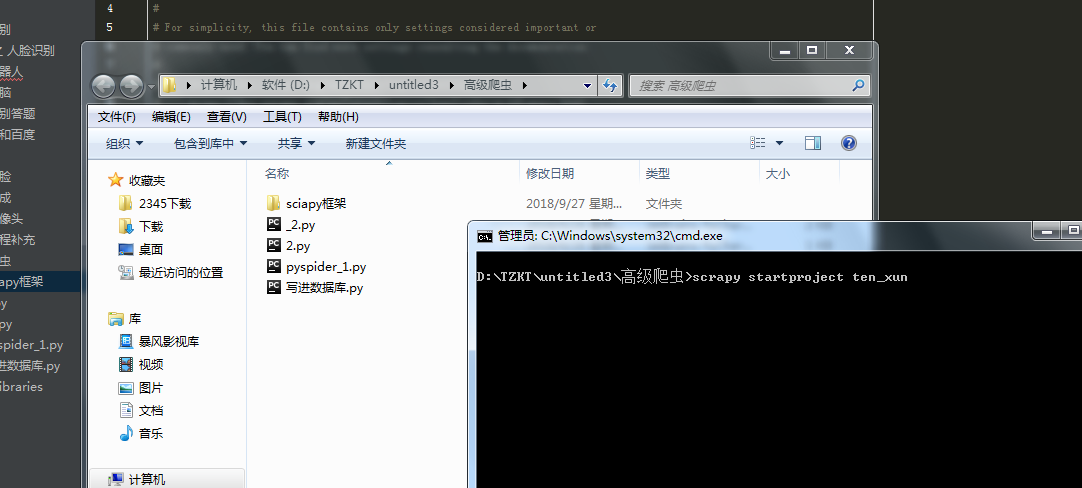
到指定目录下,创建个项目
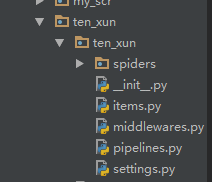
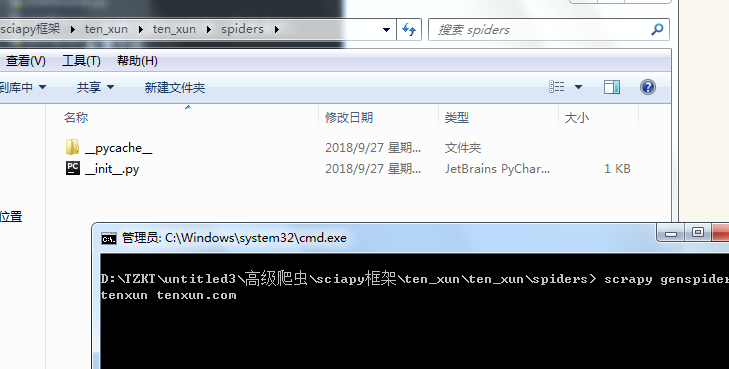
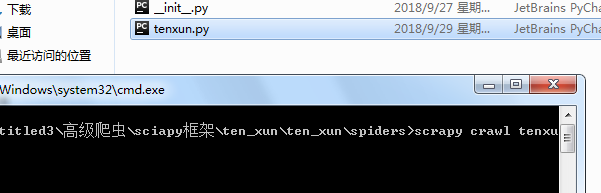
进到 spiders 目录 创建执行文件,并命名
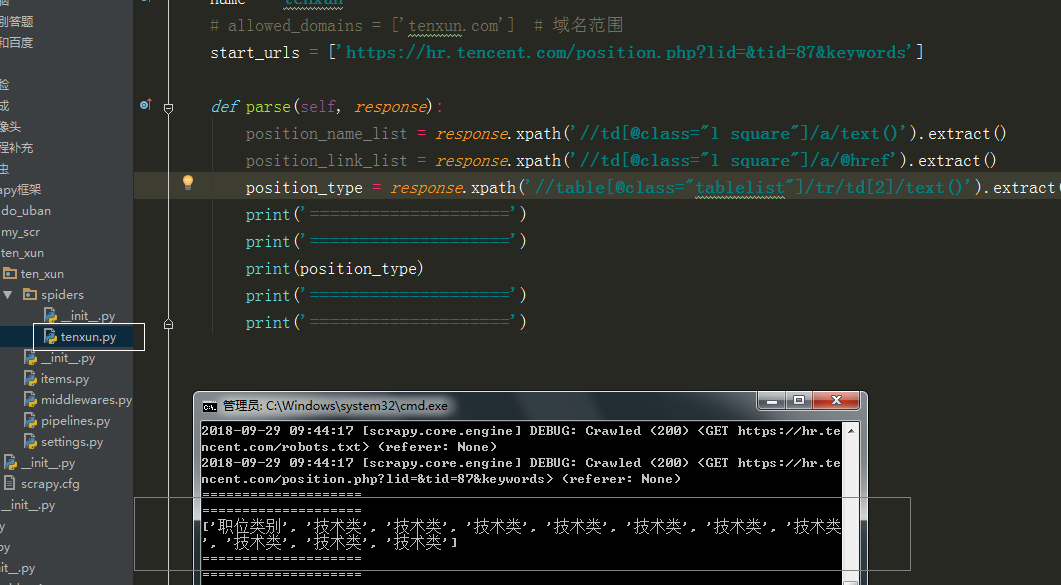
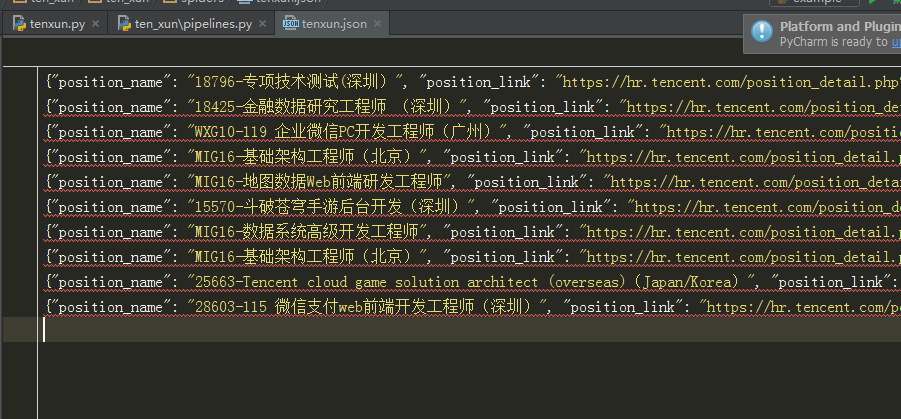
运行调试
执行代码,:
# -*- coding: utf-8 -*-

import scrapy

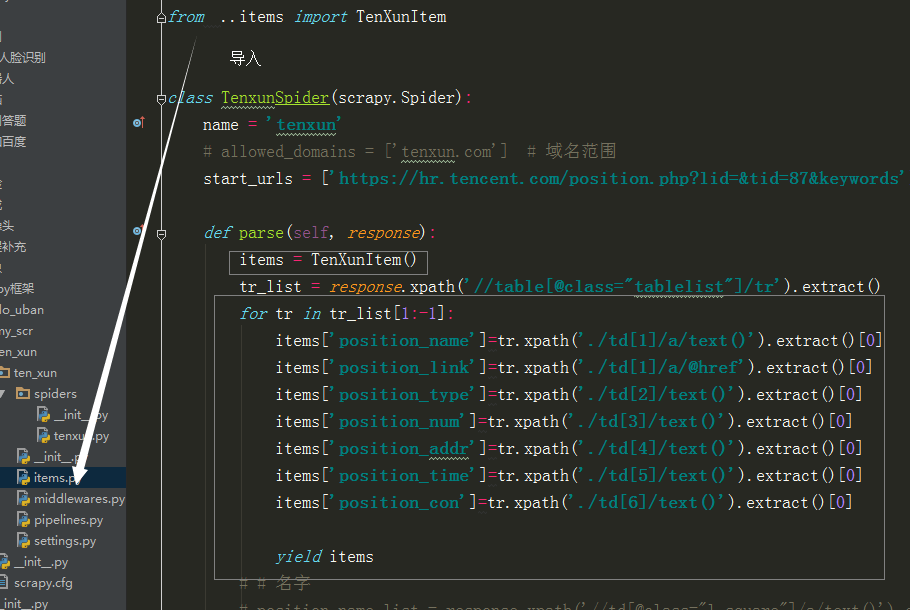
from ..items import TenXunItem

class TenxunSpider(scrapy.Spider):

    name = 'tenxun'

    # allowed_domains = ['tenxun.com']  # 域名范围

    start_urls = ['https://hr.tencent.com/position.php?lid=&tid=87&keywords']

    burl = 'https://hr.tencent.com/'

    def parse(self, response):

        tr_list = response.xpath('//table[@class="tablelist"]/tr')

        for tr in tr_list[1:-1]:

            item = TenXunItem()

            item['position_name']=tr.xpath('./td[1]/a/text()').extract()[0]

            item['position_link']=self.burl+tr.xpath('./td[1]/a/@href').extract()[0]

            item['position_type']=tr.xpath('./td[2]/text()').extract()[0]

            item['position_num']=tr.xpath('./td[3]/text()').extract()[0]

            item['position_addr']=tr.xpath('./td[4]/text()').extract()[0]

            item['position_time']=tr.xpath('./td[5]/text()').extract()[0]

            # yield item

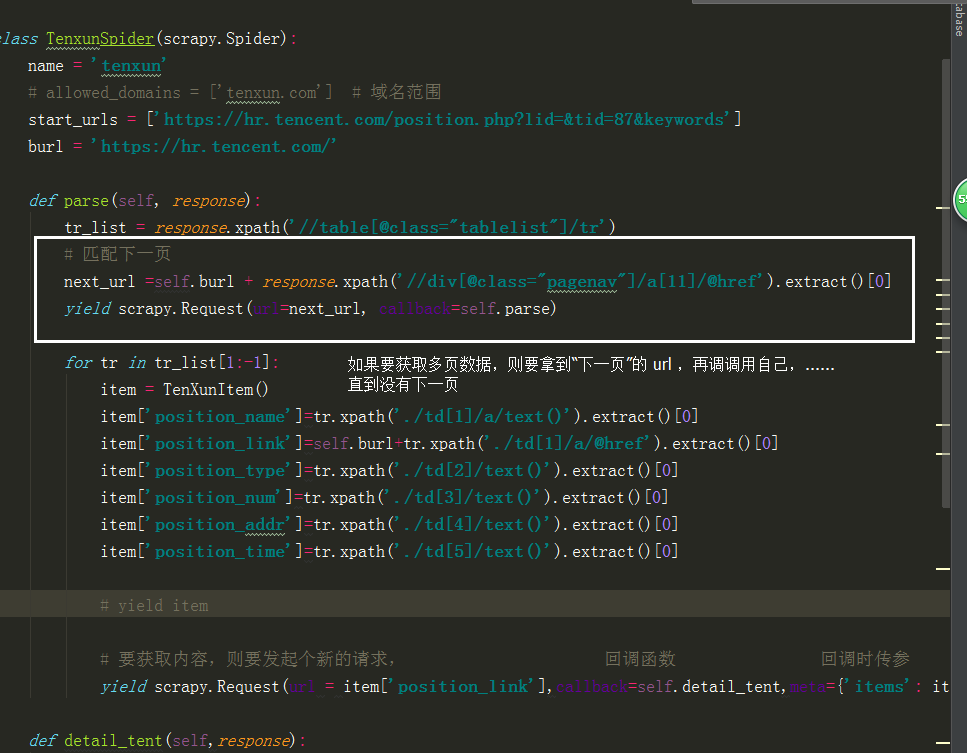
        # 匹配下一页

        next_url =self.burl + response.xpath('//div[@class="pagenav"]/a[11]/@href').extract()[0]

        yield scrapy.Request(url=next_url, callback=self.parse)

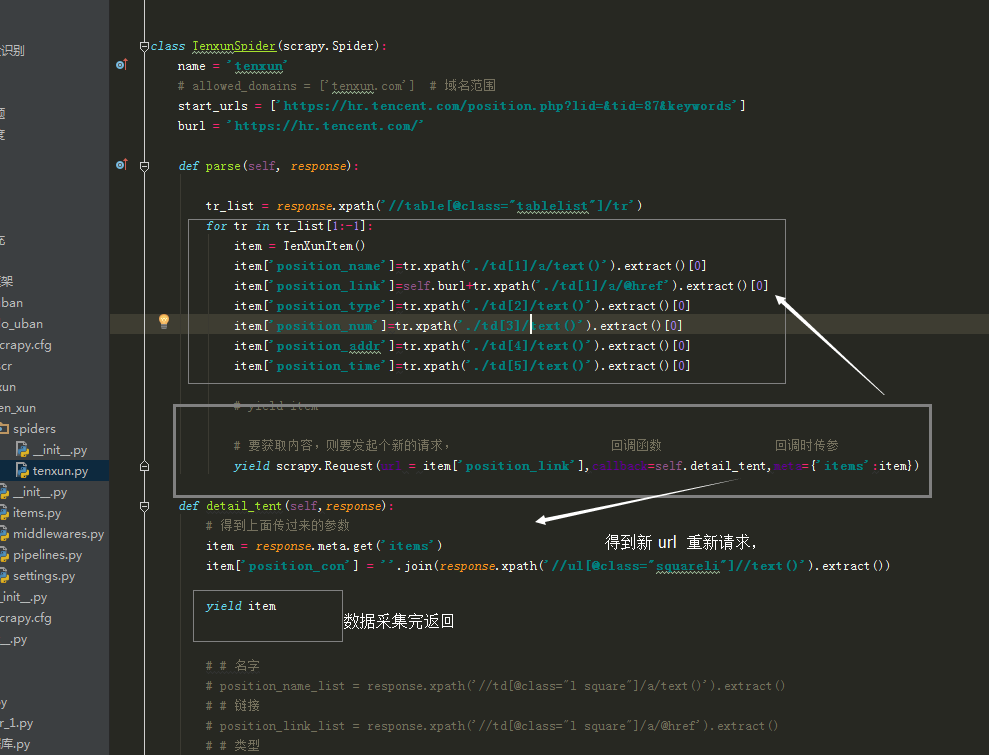
            # 要获取内容,则要发起个新的请求,                      回调函数                回调时传参

            yield scrapy.Request(url = item['position_link'],callback=self.detail_tent,meta={'items': item})

    def detail_tent(self,response):

        # 得到上面传过来的参数

        item = response.meta.get('items')

        item['position_con'] = ''.join(response.xpath('//ul[@class="squareli"]//text()').extract())

        yield item

        # # 名字

        # position_name_list = response.xpath('//td[@class="l square"]/a/text()').extract()

        # # 链接

        # position_link_list = response.xpath('//td[@class="l square"]/a/@href').extract()

        # # 类型

        # position_type_list = response.xpath('//table[@class="tablelist"]/tr/td[2]/text()').extract()

        # # 人数

        # position_num_list = response.xpath('//table[@class="tablelist"]/tr/td[3]/text()').extract()

        # print('====================')

        # print('====================')

        # print(self.burl + tr_list[2].xpath('./td[1]/a/@href').extract()[0])

        # print('====================')

        # print('====================')
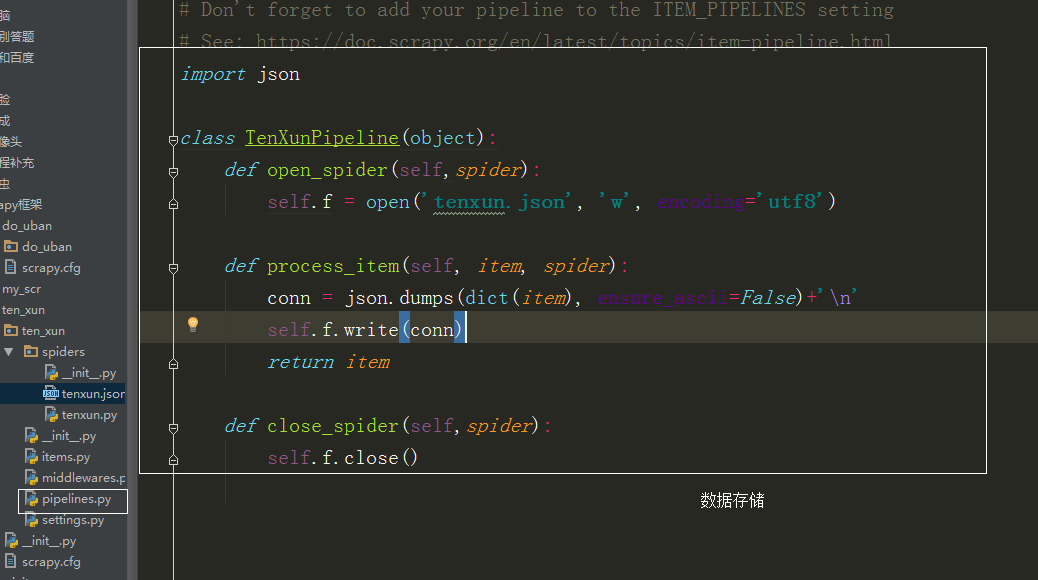
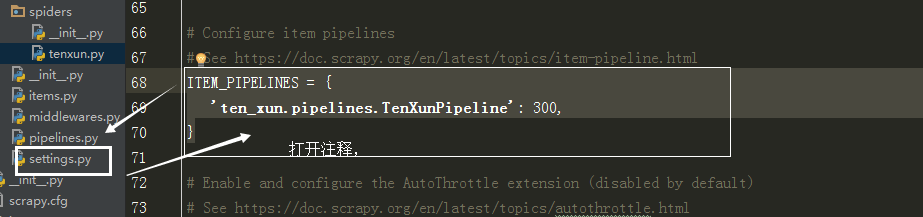
pipelines.py
# -*- coding: utf-8 -*-

# Define your item pipelines here

#

# Don't forget to add your pipeline to the ITEM_PIPELINES setting

# See: https://doc.scrapy.org/en/latest/topics/item-pipeline.html

import json

class TenXunPipeline(object):

    def open_spider(self,spider):

        self.f = open('tenxun.json', 'w', encoding='utf8')

    def process_item(self, item, spider):

        conn = json.dumps(dict(item), ensure_ascii=False)+'\n'

        self.f.write(conn)

        return item

    def close_spider(self,spider):

        self.f.close()
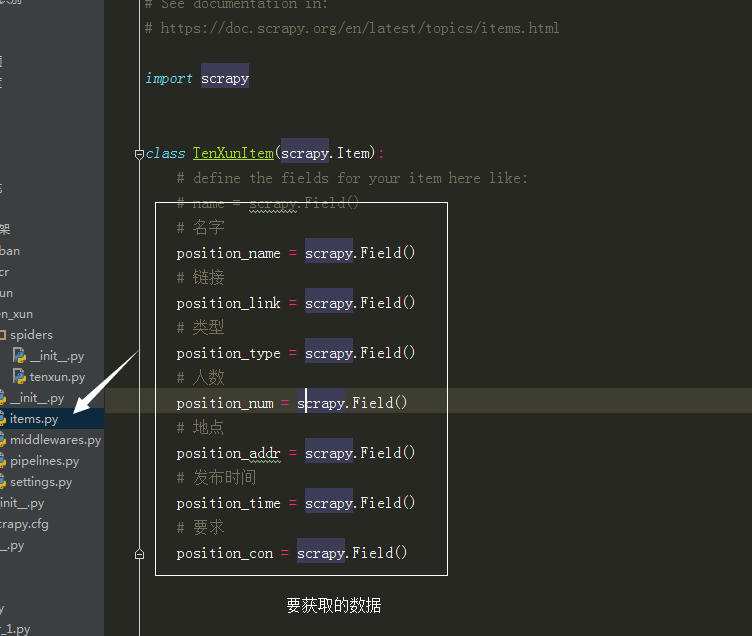
items.py
# -*- coding: utf-8 -*-

# Define here the models for your scraped items

#

# See documentation in:

# https://doc.scrapy.org/en/latest/topics/items.html

import scrapy

class TenXunItem(scrapy.Item):

    # define the fields for your item here like:

    # name = scrapy.Field()

    # 名字

    print('00000000000000001111111111111111')

    position_name = scrapy.Field()

    # 链接

    position_link = scrapy.Field()

    # 类型

    position_type = scrapy.Field()

    # 人数

    position_num = scrapy.Field()

    # 地点

    position_addr = scrapy.Field()

    # 发布时间

    position_time = scrapy.Field()

    # 要求

    position_con = scrapy.Field()
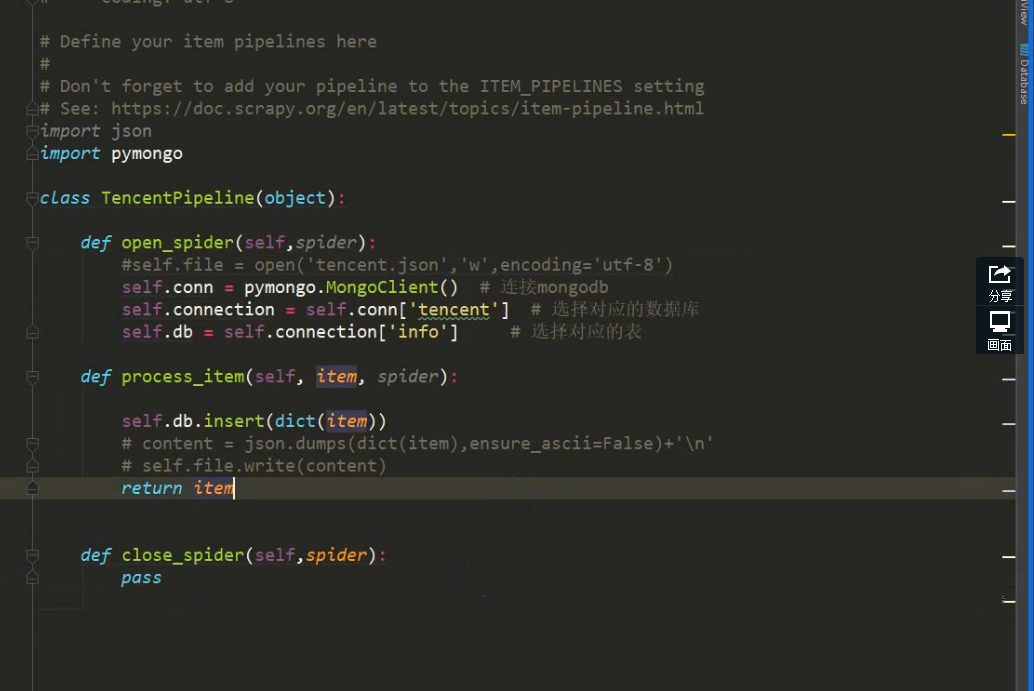
存入数据库:
潭州课堂25班:Ph201805201 爬虫高级 第三课 sclapy 框架 腾讯 招聘案例 (课堂笔记)的更多相关文章
- 潭州课堂25班:Ph201805201 爬虫高级 第七课 sclapy 框架 爬前程网 (课堂笔)
定时对该网页数据采集,所以每次只爬第一个页面就可以, 创建工程 scrapy startproject qianchen 创建运行文件 cd qianchenscrapy genspider qian ...
- 潭州课堂25班:Ph201805201 爬虫高级 第六课 sclapy 框架 中间建 与selenium对接 (课堂笔记)
因为每次请求得到的响应不一定是正常的, 也可以在中间建中与个类的方法,自动更换头自信,代理Ip, 在设置文件中添加头信息列表, 在中间建中导入刚刚的列表,和随机函数 class UserAgent ...
- 潭州课堂25班:Ph201805201 爬虫高级 第五课 sclapy 框架 日志和 settings 配置 模拟登录(课堂笔记)
当要对一个页面进行多次请求时, 设 dont_filter = True 忽略去重 在 scrapy 框架中模拟登录 创建项目 创建运行文件 设请求头 # -*- coding: utf-8 ...
- 潭州课堂25班:Ph201805201 爬虫高级 第四课 sclapy 框架 crawispider类 (课堂笔记)
以上内容以 spider 类 获取 start_urls 里面的网页 在这里平时只写一个,是个入口,之后 通过 xpath 生成 url,继续请求, crawispider 中 多了个 rules ...
- 潭州课堂25班:Ph201805201 爬虫高级 第十三 课 代理池爬虫检测部分 (课堂笔记)
1,通过爬虫获取代理 ip ,要从多个网站获取,每个网站的前几页2,获取到代理后,开进程,一个继续解析,一个检测代理是否有用 ,引入队列数据共享3,Queue 中存放的是所有的代理,我们要分离出可用的 ...
- 潭州课堂25班:Ph201805201 爬虫高级 第十一课 Scrapy-redis分布 项目实战 (课堂笔
- 潭州课堂25班:Ph201805201 爬虫高级 第十课 Scrapy-redis分布 (课堂笔记)
利用 redis 数据库,做 request 队列,去重,多台数据共享, scrapy 调度 基于文件每户,默认只能在单机运行, scrapy-redis 默认把数据放到 redis 中,实现数据共享 ...
- 潭州课堂25班:Ph201805201 爬虫高级 第八课 AP抓包 SCRAPY 的图片处理 (课堂笔记)
装好模拟器设置代理到 Fiddler 中, 代理 IP 是本机 IP, 端口是 8888, 抓包 APP斗鱼 用 format 设置翻页
- 潭州课堂25班:Ph201805201 爬虫基础 第三课 urllib (课堂笔记)
Python网络请求urllib和urllib3详解 urllib是Python中请求url连接的官方标准库,在Python2中主要为urllib和urllib2,在Python3中整合成了url ...
随机推荐
- UML和模式应用4:初始阶段(5)--用例编写的准则
1.前言 本文主要介绍用例编写时所遵循的几条基本准则. 2.用例编写的准则 2.1 以本质的风格编写用例 如系统认证,而不要说 需要输入ID进行认证等 2.2 编写简洁的用例 如系统认证,不要说 这个 ...
- 使用neo4j-import工具导入数据
从Neo4j2.2版本开始,系统就自带了一个大数据量的导入工具:neo4j-import,可支持并行.可扩展的大规模csv数据导入(本例版本为:3.4.7版本) 1.前提条件 关闭neo4j 无法在原 ...
- Linux驱动开发必看详解神秘内核(完全转载)
Linux驱动开发必看详解神秘内核 完全转载-链接:http://blog.chinaunix.net/uid-21356596-id-1827434.html IT168 技术文档]在开始步入L ...
- java并发编程系列二:原子操作/CAS
什么是原子操作 不可被中断的一个或者一系列操作 实现原子操作的方式 Java可以通过锁和循环CAS的方式实现原子操作 CAS( Compare And Swap ) 为什么要有CAS? Compar ...
- Win10 + Visual Studio 2017 下 OpenCV无法显示图像的问题
测试代码如下: #include "stdafx.h" #include<opencv2\opencv.hpp> #include<opencv2\highgui ...
- java中不同类型的数值占用字节数
在Java中一共有8种基本数据类型,其中有4种整型,2种浮点类型,1种用于表示Unicode编码的字符单元的字符类型和1种用于表示真值的boolean类型.(一个字节等于8个bit) 1.整型 类型 ...
- insmod 时报错“Unknown symbol”问题的解决
在加载驱动模块时报错: “ Unknown symbol CFG80211_SupBandReInit (err 0)” 查看了内核代码以及加载上的symbol(命令为 cat /proc/kalls ...
- 修改tomcat的server.xml配置web项目
<!-- VideoWeb:自己编写的web项目名 path:表示当输入访问项目.. 如果path="" URL=localhost:8080就可以访问项目了 如果path= ...
- S5PV210 PWM定时器
第一节 S5PV210的PWM定时器S5PV210共有5个32bit的PWM定时器,其中定时器0.1.2.3有PWM功能,定时器4没有输出引脚.PWM定时器使用PCLK_PSYS作为时钟源,相关知识可 ...
- [学习笔记]Javascript可选的分号
1.前言 由于Javascript有自动识别一句语句的结尾,但是缺少必要分号作为结尾符,会降低代码的可读性和整洁性.通过javascript权威指南By淘宝前端团队译,这分号还算比较好玩的. 2.样例 ...