
Spring Boot笔记六:Thymeleaf介绍
什么是thymeleaf?
thymeleaf是一个模板引擎,是用来在Spring Boot中代替JSP的
引用thymeleaf
        <dependency>

            <groupId>org.springframework.boot</groupId>

            <artifactId>spring-boot-starter-thymeleaf</artifactId>

        </dependency>
控制thymeleaf的版本号(thymelaf3以上的话,layout必须2以上才支持)
    <properties>

        <thymeleaf.version>3.0.11.RELEASE</thymeleaf.version>

        <thymeleaf-layout-dialect.version>2.1.1</thymeleaf-layout-dialect.version>

    </properties>
创建最简单的thymeleaf
thymeleaf默认的路径是classpath://templates,必须是这个路径才能识别
我们在templates文件夹下面新建一个Vae.html,然后在Controller里面写一个方法去调用这个html
    @RequestMapping("/Vae")

    public String thymeleafTest(){

        return "Vae";

    }
点击运行,如图:
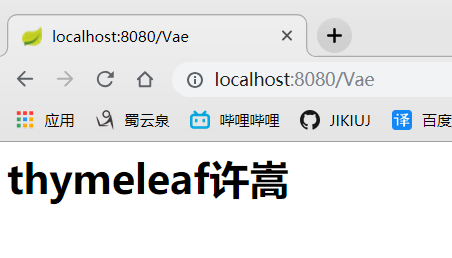
完美,我们已经新建了一个最简单的thymeleaf了
thymeleaf语法
可以去官网下载文档查看
- 写一个hello传到html,我的Controller改为这样
    @RequestMapping("/Vae")

    public String thymeleafTest(Map<String,Object> map){

        map.put("hello","你好");

        return "Vae";

    }
前端的html需要做两个地方
- 引入thymeleaf的声明,这样写thymeleaf就会有提示
<html xmlns:th="http://www.thymeleaf.org">
- 用thymeleaf
<div th:text="${hello}">欢迎</div>
写完之后,整个前端html就是这样
<html>

<html xmlns:th="http://www.thymeleaf.org">

<body>

<h1>thymeleaf许嵩</h1>

<div th:text="${hello}">欢迎</div>

</body>

</html>
重启,再来访问,如图:
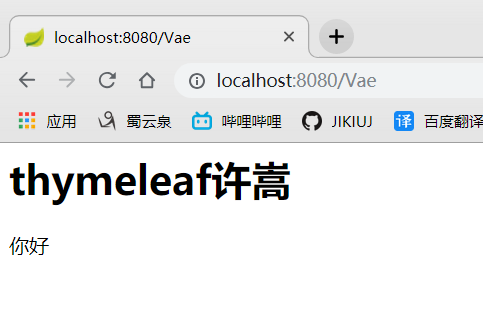
非常好,写th:text后面的${},让我想起来了JSP里面的EL。可以发现我
含有thymeleaf语法的html文件只有经过thymeleaf模板解析之后生效,项目之外就变成一个普通的HTML了
- th可以替换任意的HTML元素
<div id="${hello}" class="${hello}" th:text="${hello}"></div>
- thymeleaf表达式
${}:这个我们已经用过了,就是取值的

*{}:这个是代指${},例如Person类有name属性,${Person.name}=*{name}

#{}:获取国际化内容

@{}:定义url的,例如 @{https://localhost:8080(id=${Id})}

~{}:片段引用表达式
Spring Boot笔记六:Thymeleaf介绍的更多相关文章
- Spring Boot笔记(六) springboot 集成 timer 定时任务
个人博客网:https://wushaopei.github.io/ (你想要这里多有) 1.创建具体要执行的任务类: package com.example.poiutis.timer; im ...
- spring boot 学习(二)spring boot 框架整合 thymeleaf
spring boot 框架整合 thymeleaf spring boot 的官方文档中建议开发者使用模板引擎,避免使用 JSP.因为若一定要使用 JSP 将无法使用. 注意:本文主要参考学习了大神 ...
- Spring Boot 2 (六):使用 Docker 部署 Spring Boot 开源软件云收藏
Spring Boot 2 (六):使用 Docker 部署 Spring Boot 开源软件云收藏 云收藏项目已经开源3年多了,作为当初刚开始学习 Spring Boot 的练手项目,使用了很多当时 ...
- Spring Boot(十六):使用Jenkins部署Spring Boot
Spring Boot(十六):使用Jenkins部署Spring Boot jenkins是devops神器,介绍如何安装和使用jenkins部署Spring Boot项目 jenkins搭建 部署 ...
- spring boot 笔记--第三章
spring boot 笔记 第三章,使用Spring boot 构建系统: 强烈建议支持依赖管理的构建系统,Maven或Gradle 依赖管理: Spring Boot的每版本都会提供它支持的依赖列 ...
- spring boot / cloud (六) 开启CORS跨域访问
spring boot / cloud (六) 开启CORS跨域访问 前言 什么是CORS? Cross-origin resource sharing(跨域资源共享),是一个W3C标准,它允许你向一 ...
- Spring boot 整合 Mybatis + Thymeleaf开发web(二)
上一章我把整个后台的搭建和逻辑给写出来了,也贴的相应的代码,这章节就来看看怎么使用Thymeleaf模板引擎吧,Spring Boot默认推荐Thymeleaf模板,之前是用jsp来作为视图层的渲染, ...
- Spring Boot入门(六):使用MyBatis访问MySql数据库(注解方式)
本系列博客记录自己学习Spring Boot的历程,如帮助到你,不胜荣幸,如有错误,欢迎指正! 本篇博客我们讲解下在Spring Boot中使用MyBatis访问MySql数据库的简单用法. 1.前期 ...
- WebFlux 集成 Thymeleaf 、 Mongodb 实践 - Spring Boot(六)
这是泥瓦匠的第105篇原创 文章工程: JDK 1.8 Maven 3.5.2 Spring Boot 2.1.3.RELEASE 工程名:springboot-webflux-5-thymeleaf ...
随机推荐
- 67 个JavaScript和CSS实用工具、库与资源
在这篇文章中,我不会与大家谈论大型的前端框架,如 React.Angular.Vue 等,也没有涉及那些流行的代码编辑器,如 Atom.VS Code.Sublime,我只想与大家分享一个有助于提升开 ...
- Codeforces Round #545 Div. 1自闭记
A:求出该行该列各有多少个比其小的取max,该行该列各有多少个比其大的取max,加起来即可. #include<iostream> #include<cstdio> #incl ...
- python字符编码与文件打开
一 字符编码 储备知识点: 1.计算机系统分为三层: 应用程序 操作系统 计算机硬件 2.运行Python程序的三个步骤 1.先启动python解释器 2.再将python文件当做普通的文本文件读入内 ...
- Unnitest测试框架总结
Unnitest总结 第一点,setUp和tearDown方法 l 每次执行test开头的用例都会执行setUp和tearDown方法 l 如: import unittest class M ...
- 【XSY2753】Lcm 分治 FWT FFT 容斥
题目描述 给你\(n,k\),要你选一些互不相同的正整数,满足这些数的\(lcm\)为\(n\),且这些数的和为\(k\)的倍数. 求选择的方案数.对\(232792561\)取模. \(n\leq ...
- Codeforces Global Round 2 D. Frets On Fire (动态开点线段树,沙雕写法)
题目链接:D. Frets On Fire 思路:明明可以离散化+二分写,思路硬是歪到了线段树上,自闭了,真实弟弟,怪不得其他人过得那么快 只和查询的区间长度有关系,排完序如果相邻的两个点的差值小于等 ...
- 【agc013d】Piling Up(动态规划)
[agc013d]Piling Up(动态规划) 题面 atcoder 洛谷 有\(n\)个球,颜色为黑白中的一种,初始时颜色任意. 进行\(m\)次操作,每次操作都是先拿出一个求,再放进黑白各一个, ...
- 跨SQL注入
概念 SQL Injection按照字面意思来翻译就是"SQL注射",常被叫做"SQL注入",它的含义就是利用某些数据库的外部接口把用户数据插入到实际数据库操作 ...
- poj3630 Phone List
spy on一下,发现是trie裸题,结果一交就T... 然后把cin改成scanf就A了... trie的空间一定要开足,要不然RE #include <cstdio> #include ...
- A1087. All Roads Lead to Rome
Indeed there are many different tourist routes from our city to Rome. You are supposed to find your ...