
Spring Boot笔记六:Thymeleaf介绍
什么是thymeleaf?
thymeleaf是一个模板引擎,是用来在Spring Boot中代替JSP的
引用thymeleaf
        <dependency>

            <groupId>org.springframework.boot</groupId>

            <artifactId>spring-boot-starter-thymeleaf</artifactId>

        </dependency>
控制thymeleaf的版本号(thymelaf3以上的话,layout必须2以上才支持)
    <properties>

        <thymeleaf.version>3.0.11.RELEASE</thymeleaf.version>

        <thymeleaf-layout-dialect.version>2.1.1</thymeleaf-layout-dialect.version>

    </properties>
创建最简单的thymeleaf
thymeleaf默认的路径是classpath://templates,必须是这个路径才能识别
我们在templates文件夹下面新建一个Vae.html,然后在Controller里面写一个方法去调用这个html
    @RequestMapping("/Vae")

    public String thymeleafTest(){

        return "Vae";

    }
点击运行,如图:
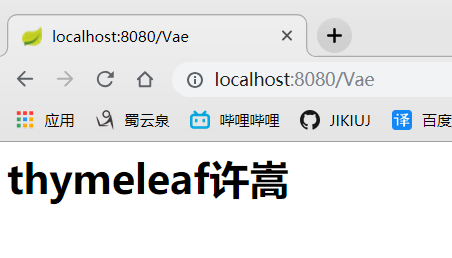
完美,我们已经新建了一个最简单的thymeleaf了
thymeleaf语法
可以去官网下载文档查看
- 写一个hello传到html,我的Controller改为这样
    @RequestMapping("/Vae")

    public String thymeleafTest(Map<String,Object> map){

        map.put("hello","你好");

        return "Vae";

    }
前端的html需要做两个地方
- 引入thymeleaf的声明,这样写thymeleaf就会有提示
<html xmlns:th="http://www.thymeleaf.org">
- 用thymeleaf
<div th:text="${hello}">欢迎</div>
写完之后,整个前端html就是这样
<html>

<html xmlns:th="http://www.thymeleaf.org">

<body>

<h1>thymeleaf许嵩</h1>

<div th:text="${hello}">欢迎</div>

</body>

</html>
重启,再来访问,如图:
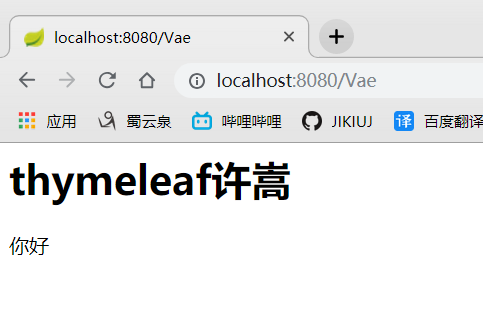
非常好,写th:text后面的${},让我想起来了JSP里面的EL。可以发现我
含有thymeleaf语法的html文件只有经过thymeleaf模板解析之后生效,项目之外就变成一个普通的HTML了
- th可以替换任意的HTML元素
<div id="${hello}" class="${hello}" th:text="${hello}"></div>
- thymeleaf表达式
${}:这个我们已经用过了,就是取值的

*{}:这个是代指${},例如Person类有name属性,${Person.name}=*{name}

#{}:获取国际化内容

@{}:定义url的,例如 @{https://localhost:8080(id=${Id})}

~{}:片段引用表达式
Spring Boot笔记六:Thymeleaf介绍的更多相关文章
- Spring Boot笔记(六) springboot 集成 timer 定时任务
个人博客网:https://wushaopei.github.io/ (你想要这里多有) 1.创建具体要执行的任务类: package com.example.poiutis.timer; im ...
- spring boot 学习(二)spring boot 框架整合 thymeleaf
spring boot 框架整合 thymeleaf spring boot 的官方文档中建议开发者使用模板引擎,避免使用 JSP.因为若一定要使用 JSP 将无法使用. 注意:本文主要参考学习了大神 ...
- Spring Boot 2 (六):使用 Docker 部署 Spring Boot 开源软件云收藏
Spring Boot 2 (六):使用 Docker 部署 Spring Boot 开源软件云收藏 云收藏项目已经开源3年多了,作为当初刚开始学习 Spring Boot 的练手项目,使用了很多当时 ...
- Spring Boot(十六):使用Jenkins部署Spring Boot
Spring Boot(十六):使用Jenkins部署Spring Boot jenkins是devops神器,介绍如何安装和使用jenkins部署Spring Boot项目 jenkins搭建 部署 ...
- spring boot 笔记--第三章
spring boot 笔记 第三章,使用Spring boot 构建系统: 强烈建议支持依赖管理的构建系统,Maven或Gradle 依赖管理: Spring Boot的每版本都会提供它支持的依赖列 ...
- spring boot / cloud (六) 开启CORS跨域访问
spring boot / cloud (六) 开启CORS跨域访问 前言 什么是CORS? Cross-origin resource sharing(跨域资源共享),是一个W3C标准,它允许你向一 ...
- Spring boot 整合 Mybatis + Thymeleaf开发web(二)
上一章我把整个后台的搭建和逻辑给写出来了,也贴的相应的代码,这章节就来看看怎么使用Thymeleaf模板引擎吧,Spring Boot默认推荐Thymeleaf模板,之前是用jsp来作为视图层的渲染, ...
- Spring Boot入门(六):使用MyBatis访问MySql数据库(注解方式)
本系列博客记录自己学习Spring Boot的历程,如帮助到你,不胜荣幸,如有错误,欢迎指正! 本篇博客我们讲解下在Spring Boot中使用MyBatis访问MySql数据库的简单用法. 1.前期 ...
- WebFlux 集成 Thymeleaf 、 Mongodb 实践 - Spring Boot(六)
这是泥瓦匠的第105篇原创 文章工程: JDK 1.8 Maven 3.5.2 Spring Boot 2.1.3.RELEASE 工程名:springboot-webflux-5-thymeleaf ...
随机推荐
- kubernetes 基本命令
查询命令: kubectl get pods -n kube-system kubectl get ClusterRole -n kube-system kubectl get ClusterRole ...
- OneinStack——PHP多版本共存
前言 我事先安装的是LNMP环境,PHP版本为7.2,但是现在环境需要一个PHP5.6,所以就准备安装个上版本,顺带写个安装教程,写完后我发现了原来有直接安装的命令!所以后面的内容大家可以忽略了!从配 ...
- 大佬RQY真的强
今天听了大佬RQY的讲话,做一下总结吧(这里就不吹了,dalao不需要吹) 第一点,基础真的很重要.什么是基础呢?就是你今年学的觉得难到爆啊什么鬼题啊这是我学过的最zz的东西啊怎么会有这种东西啊&am ...
- CODEFORCES掉RATING记 #3
比赛:Codeforces Round #426 (Div. 2) 时间:2017.7.30晚 开场先看AB A:给你两个方向,和旋转次数(每次旋转90度),问你旋转方向是什么 B:给你一个字符串,问 ...
- Ajax传递List对象到前台展示问题遇到的坑
后台Json转换 后台传递的List对象,如果对象是实体类,实体类和另一个表关联,就可能会出现以下错误 org.hibernate.LazyInitializationException: faile ...
- Awesome-3d
1.素描-你的3D内容在网络,移动,AR,和虚拟现实. 2.跨平台AR SDK =======================
- python学习日记(数据结构习题)
元素分类 有如下值li= [11,22,33,44,55,66,77,88,99,90],将所有大于 66 的值保存至字典的第一个key中,将小于 66 的值保存至第二个key的值中.即: {'k1' ...
- 【CF865D】Buy Low Sell High(贪心)
[CF865D]Buy Low Sell High(贪心) 题面 洛谷 CF 题解 首先有一个\(O(n^2)\)的\(dp\)很显然,设\(f[i][j]\)表示前\(i\)天手中还有\(j\)股股 ...
- SQL表的基本操作
1.创建表: create table 表名 ( [列名] [数据类型] [约束], [列名] [数据类型] [约束], ) 2.修改基本表: alert table[表名] [add 新列名 数据类 ...
- CF集萃1
因为cf上一堆水题,每个单独开一篇博客感觉不太好,就直接放一起好了. CF1096D Easy Problem 给定字符串,每个位置删除要代价.求最小代价使之不含子序列"hard" ...