
iOS自定义从底部弹上来的View
概述
详细
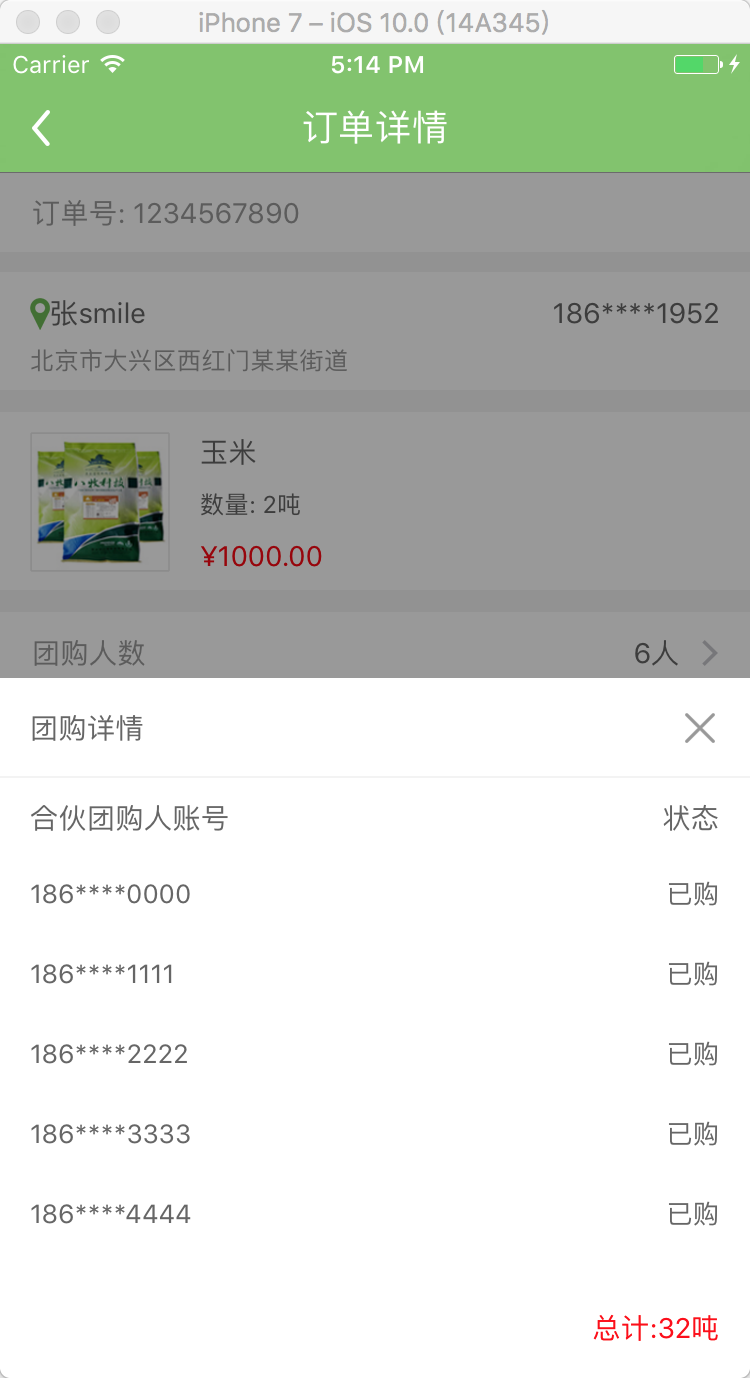
在一些少数据没必要跳转下个界面,我们的产品大大就设计了在当前界面的底部弹上来一个View!
看下项目里截图:
一、主要思路
1、首先封装这个自定义蒙层弹起View: ZLBounceView
2、在ZLTuanNumView里添加你需要的视图 View
3、使用代理和模型传值
二、程序实现
Step1. 首先封装这个自定义蒙层弹起View: ZLBounceView
设置界面相关:
- (void)setupContent {

    self.frame = CGRectMake(0, 0, UI_View_Width, ZLBounceViewHight);

    //alpha 0.0  白色   alpha 1 :黑色   alpha 0~1 :遮罩颜色,逐渐

    self.backgroundColor = [UIColor colorWithRed:0 green:0 blue:0 alpha:0.4];

    self.userInteractionEnabled = YES;

    [self addGestureRecognizer:[[UITapGestureRecognizer alloc] initWithTarget:self action:@selector(disMissView)]];

    if (_contentView == nil) {

        _contentView = [[UIView alloc]initWithFrame:CGRectMake(0, UI_View_Height - ZLTuanNumViewHight, UI_View_Width, ZLBounceViewHight)];

        _contentView.backgroundColor = [UIColor whiteColor];

        [self addSubview:_contentView];

        // 右上角关闭按钮

        UIButton *closeBtn = [UIButton buttonWithType:UIButtonTypeCustom];

        closeBtn.frame = CGRectMake(_contentView.width - 20 - 15, 15, 20, 20);

        [closeBtn setImage:[UIImage imageNamed:@"guanbi"] forState:UIControlStateNormal];

        [closeBtn addTarget:self action:@selector(disMissView) forControlEvents:UIControlEventTouchUpInside];

        [_contentView addSubview:closeBtn];

    }

}
展示从底部向上弹出的UIView(包含遮罩):
- (void)showInView:(UIView *)view {

    if (!view) {

        return;

    }

    [view addSubview:self];

    [view addSubview:_contentView];

    [_contentView setFrame:CGRectMake(0, UI_View_Height, UI_View_Width, ZLBounceViewHight)];

    [UIView animateWithDuration:0.3 animations:^{

        self.alpha = 1.0;

        [_contentView setFrame:CGRectMake(0, UI_View_Height - ZLBounceViewHight, UI_View_Width, ZLBounceViewHight)];

    } completion:nil];

}
移除从上向底部弹下去的UIView(包含遮罩):
- (void)disMissView {

    [_contentView setFrame:CGRectMake(0, UI_View_Height - ZLBounceViewHight, UI_View_Width, ZLBounceViewHight)];

    [UIView animateWithDuration:0.3f

                     animations:^{

                         self.alpha = 0.0;

                         [_contentView setFrame:CGRectMake(0, UI_View_Height, UI_View_Width, ZLBounceViewHight)];

                     }

                     completion:^(BOOL finished){

                         [self removeFromSuperview];

                         [_contentView removeFromSuperview];

                     }];

}
.h 文件里露出方法:
//展示从底部向上弹出的UIView(包含遮罩)

- (void)showInView:(UIView *)view;
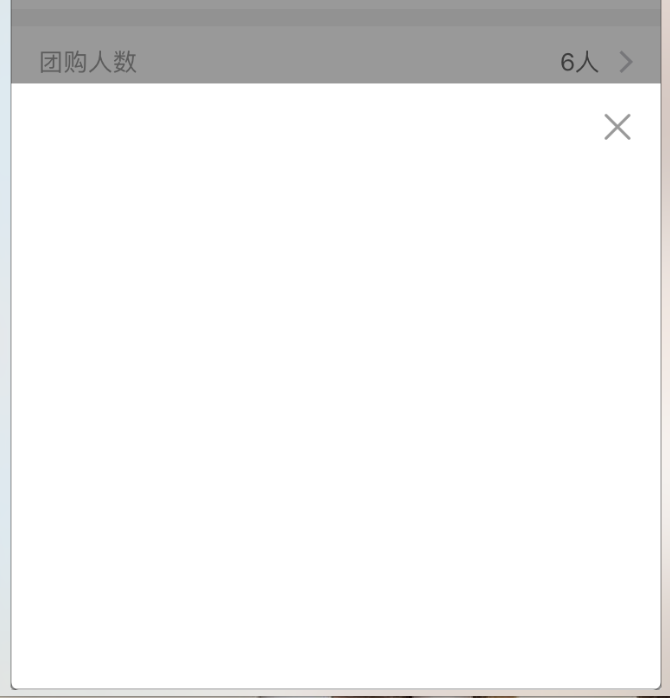
现在的效果图:
Step2. 在ZLBounceView里添加你需要的视图 View, 这里以我的 tableView 为例
<UITableViewDelegate, UITableViewDataSource>
自定义ZLBounceView:
        UITableView *detailTableView = [[UITableView alloc] init];

        detailTableView.backgroundColor = [UIColor clearColor];

        detailTableView.frame = CGRectMake(0, CGRectGetMaxY(partner.frame), UI_View_Width, ZLBounceViewHight - tuan.frame.size.height - partner.frame.size.height - 50 - 20);

        [_contentView addSubview:detailTableView];

        detailTableView.delegate = self;

        detailTableView.dataSource = self;

        self.detailTableView = detailTableView;

        self.detailTableView.separatorStyle = UITableViewCellSeparatorStyleNone;
UITableViewDelegate: 这里用假数据测试
- (UITableViewCell *)tableView:(UITableView *)tableView cellForRowAtIndexPath:(NSIndexPath *)indexPath {

    static NSString *ID = @"cell";

    UITableViewCell *cell = [tableView dequeueReusableCellWithIdentifier:ID];

    if (cell == nil) {

        cell = [[UITableViewCell alloc] initWithStyle:UITableViewCellStyleValue1 reuseIdentifier:ID];

        cell.backgroundColor = [UIColor clearColor];

        cell.textLabel.font = [UIFont systemFontOfSize:13];

        cell.textLabel.textColor = ZLColor(102, 102, 102);

        cell.detailTextLabel.font = [UIFont systemFontOfSize:13];

        cell.detailTextLabel.textColor = ZLColor(102, 102, 102);

    }

    cell.selectionStyle = UITableViewCellSelectionStyleNone;

    // 假数据

    cell.textLabel.text = [NSString stringWithFormat:@"%ld", (long)indexPath.row];

    cell.detailTextLabel.text = @"已购";

    self.total.text = [NSString stringWithFormat:@"总计:%@吨", @"100"];

    return cell;

}
Step3. 使用代理和模型传值
3.1 在当前ViewController中的所需按钮,添加点击事件
[testBtn addTarget:self action:@selector(testBtnClicked) forControlEvents:UIControlEventTouchUpInside];
3.2 添加点击事件则为创建当前弹起View
// 详情展开view

@property (nonatomic, strong) ZLBounceView *tuanNumView;
- (void)testBtnClicked {

    _tuanNumView = [[ZLBounceView alloc]init];

    [_tuanNumView showInView:self.view];

}
3.3 我这里使用假数据,正常情况则是请求数据或者上个界面的数据用 Model 传过来
_tuanNumView.tuanModel = self.orderModel;
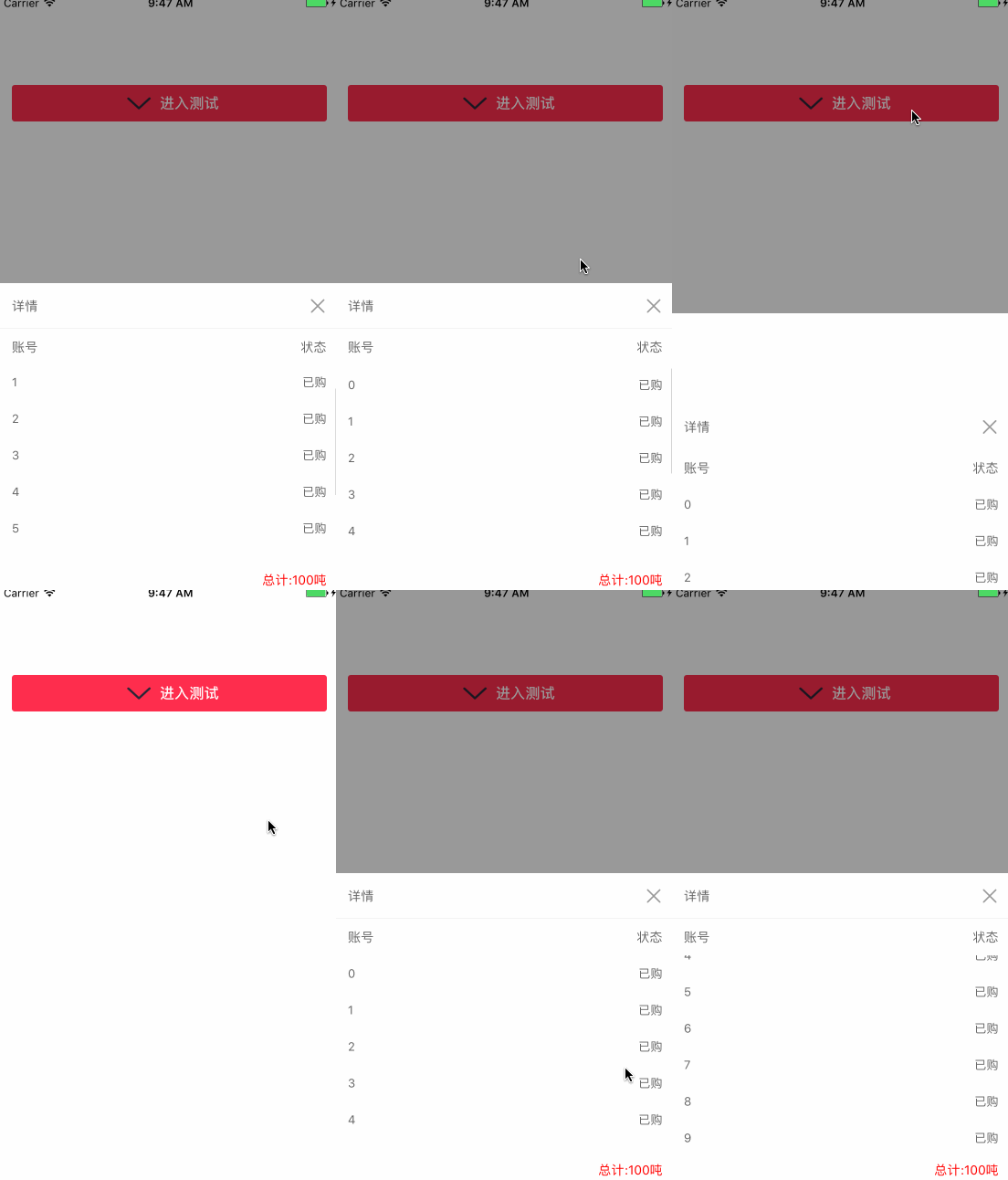
Step4. 加载从底部向上弹起的UIView; 点击一下遮罩或界面上关闭按钮,页面会自动下去(从上向下)
运行效果图如下:
三、其他补充
压缩文件截图:
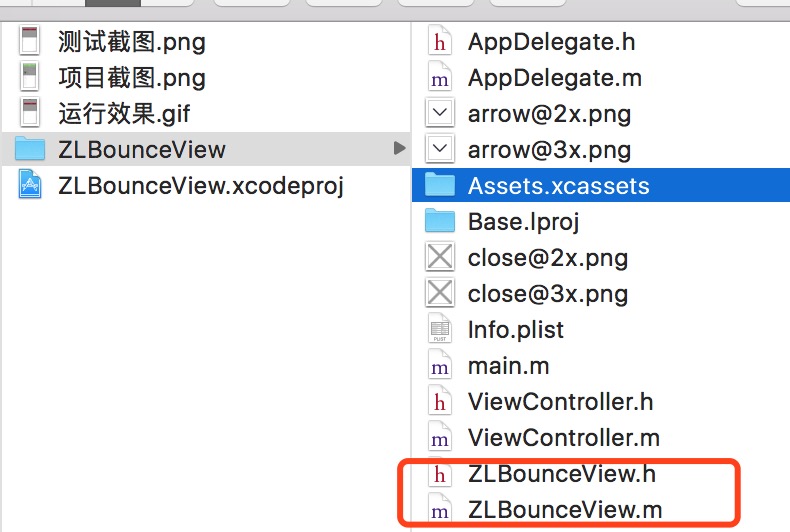
目前是项目中直接操作, 界面性问题可以根据自己项目需求调整即可, 具体可参考代码, 项目能够直接运行!
注:本文著作权归作者,由demo大师发表,拒绝转载,转载需要作者授权
iOS自定义从底部弹上来的View的更多相关文章
- iOS 可高度自定义的底部弹框
技术: iOS Objective-C 概述 一个可以让开发者通过编写 tableView 的内容随心所欲的定制自己想要的底部弹框 详细 代码下载:http://www.demodashi.com ...
- MUI 自定义从底部弹出的弹出框
1)效果: 点击“点击就送”那个按钮之后,弹窗从底部弹出并自带蒙层,然后点击弹窗之外的灰色部分就从底部消失: 第一步:引入 mui.css或者mui.min.css 引入 mui.min.js或者mu ...
- MUI 自定义从底部弹出的弹出框内容
最近做的项目都是在使用mui做手机网页,大致是下面的这种弹出效果 首先,引入 mui.css或者mui.min.css 引入 mui.min.js或者mui.js 第二步:<a href=&qu ...
- iOS - (简单平移动画/弹出View的使用)
在iOS 开发中,使用平移动画的频率越来越高,给人的感觉就是很炫酷很流畅,起到增强用户体验的作用.在APP开发中实现动画效果有很多种方式,但我目前是使用较多的是平移动画,顺便也在此做一些小小的总结,大 ...
- 仿iOS底部弹出popUpWindow
上面为弹出来的效果 popUpWindow布局: <?xml version="1.0" encoding="utf-8"?> <Linear ...
- UIPresentationController - iOS自定义模态弹出框
参考: https://developer.apple.com/library/archive/featuredarticles/ViewControllerPGforiPhoneOS/Definin ...
- 转 android 从底部弹出一个popuwindow,渐入渐出效果。我这里是用在购物车需要选择购买选项的操作。
最近要改客户端,需要实现一个从底部弹出的popuwindow,像我这种渣渣android技术,能整出popuwindow但是整不出动画,百度之,记录一下. 从下面这个地址转的 http://blog. ...
- iOS自定义转场动画的实现
iOS中熟悉的是导航栏中的push和pop这两种动画效果,在这里我们可以自己实现自己想要的一些转场动画 下面是我自己创建转场动画的过程 1.新建一个文件继承自NSObject ,遵循协议UIViewC ...
- 微信小程序之底部弹框预约插件
代码地址如下:http://www.demodashi.com/demo/13982.html 一.前期准备工作: 软件环境:微信开发者工具 官方下载地址:https://mp.weixin.qq.c ...
随机推荐
- 【微信小程序】微信小程序 文本过长,自动换行的问题
小程序开发过程出现的问题: 文本过长,以致于在view中显示不全,没有自动换行的问题 解决方法: 在wxss样式文件中添加样式 .font-break { word-break:break-all; ...
- hadoop安装入门
1.jdk安装和配置 1.1下载最新jdk文件 http://www.oracle.com/technetwork/java/javase/downloads/jdk7-downloads-18802 ...
- java程序的运行方式
1.JAR File JAR 文件用于压缩和发布,而且还用于部署和封装库.组件和插件程序,并可被像编译器和 JVM 这样的工具直接使用 有点类似于net中的dll 2.Runnable JAR Fil ...
- 使用spring中的@Transactional注解时,可能需要注意的地方
前情提要 在编写业务层方法时,会遇到很多需要事务提交的操作,spring框架为我们提供很方便的做法,就是在需要事务提交的方法上添加@Transactional注解,比起我们自己开启事务.提交以及控制回 ...
- java 中的resultset的类型
结果集(ResultSet)是数据中查询结果返回的一种对象,可以说结果集是一个存储查询结果的对象,但是结果集并不仅仅具有存储的功能,他同时还具有操纵数据的功能,可能完成对数据的更新等. 结果集读取数据 ...
- 科幻大片中那些牛X代码真相
在<黑客帝国>中,救世主Neo的队友通过屏幕上"1"和"0"构成的数据流,就能看到鲜活的画面,这应该算是科幻大片中对代码最极致的表现了.其他科幻电影 ...
- Android中操作SQLite数据库
我又回到了安卓的学习当中,忙来忙去终于忙的差不多有时间做自己的事情了,这感觉实在是太棒了!!本来想写android的控件以及他们的监视器的,但是我查了查android的手册,基本上都能查到,但是查有些 ...
- Oracle中的日期处理方法
日期处理方法 当前日期和时间 Select sysdate from dual; 本月最后 ...
- 虚拟机配置Cognos报错CFG-ERR-0106
在虚拟机中安装Cognos 之后,启动了好多次,都启动失败,如下图所示,错误如下图所示 已确保已下信息设置正确 1:内容库配置OK 2:Java_home OK 3:字符集OK ----------- ...
- 使用Python脚本批量裁切栅格
对栅格的裁切,我们通常使用裁切(数据管理-栅格-栅格处理)或按掩膜提取(空间分析-提取分析)来裁切,裁切的矢量要素通常是一个要素图层或Shape文件.如果要进行批量处理,可以使用ToolBox中的批量 ...