
prometheus-监控docker服务器
1. prometheus-监控docker服务器
prometheus-监控docker服务器
cAdvisor(Container Advisor):用于收集正在运行的容器资源使用和性能信息。
docker部署cAdvisor示例:
docker run -d \

--volume=/:/rootfs:ro \

--volume=/var/run:/var/run:ro \

--volume=/sys:/sys:ro \

--volume=/var/lib/docker/:/var/lib/docker:ro \

--volume=/dev/disk/:/dev/disk:ro \

--publish=8080:8080 \

--detach=true \

--name=cadvisor \

google/cadvisor:latest
案例: 监控docker服务器
监控执行命令
docker run -d \

--volume=/:/rootfs:ro \

--volume=/var/run:/var/run:ro \

--volume=/sys:/sys:ro \

--volume=/var/lib/docker/:/var/lib/docker:ro \

--volume=/dev/disk/:/dev/disk:ro \

--publish=8080:8080 \

--detach=true \

--name=cadvisor \

google/cadvisor:latest
执行创建监控docker服务
[root@VM-0-17-centos ~]# docker run -d \

> --volume=/:/rootfs:ro \

> --volume=/var/run:/var/run:ro \

> --volume=/sys:/sys:ro \

> --volume=/var/lib/docker/:/var/lib/docker:ro \

> --volume=/dev/disk/:/dev/disk:ro \

> --publish=8080:8080 \

> --detach=true \

> --name=cadvisor \

> google/cadvisor:latest

Unable to find image 'google/cadvisor:latest' locally

latest: Pulling from google/cadvisor

ff3a5c916c92: Pull complete

44a45bb65cdf: Pull complete

0bbe1a2fe2a6: Pull complete

Digest: sha256:815386ebbe9a3490f38785ab11bda34ec8dacf4634af77b8912832d4f85dca04

Status: Downloaded newer image for google/cadvisor:latest

78d6d7db3b715f5800346cd592575a4b7be5e644e198dbf95160e64c3545fa53
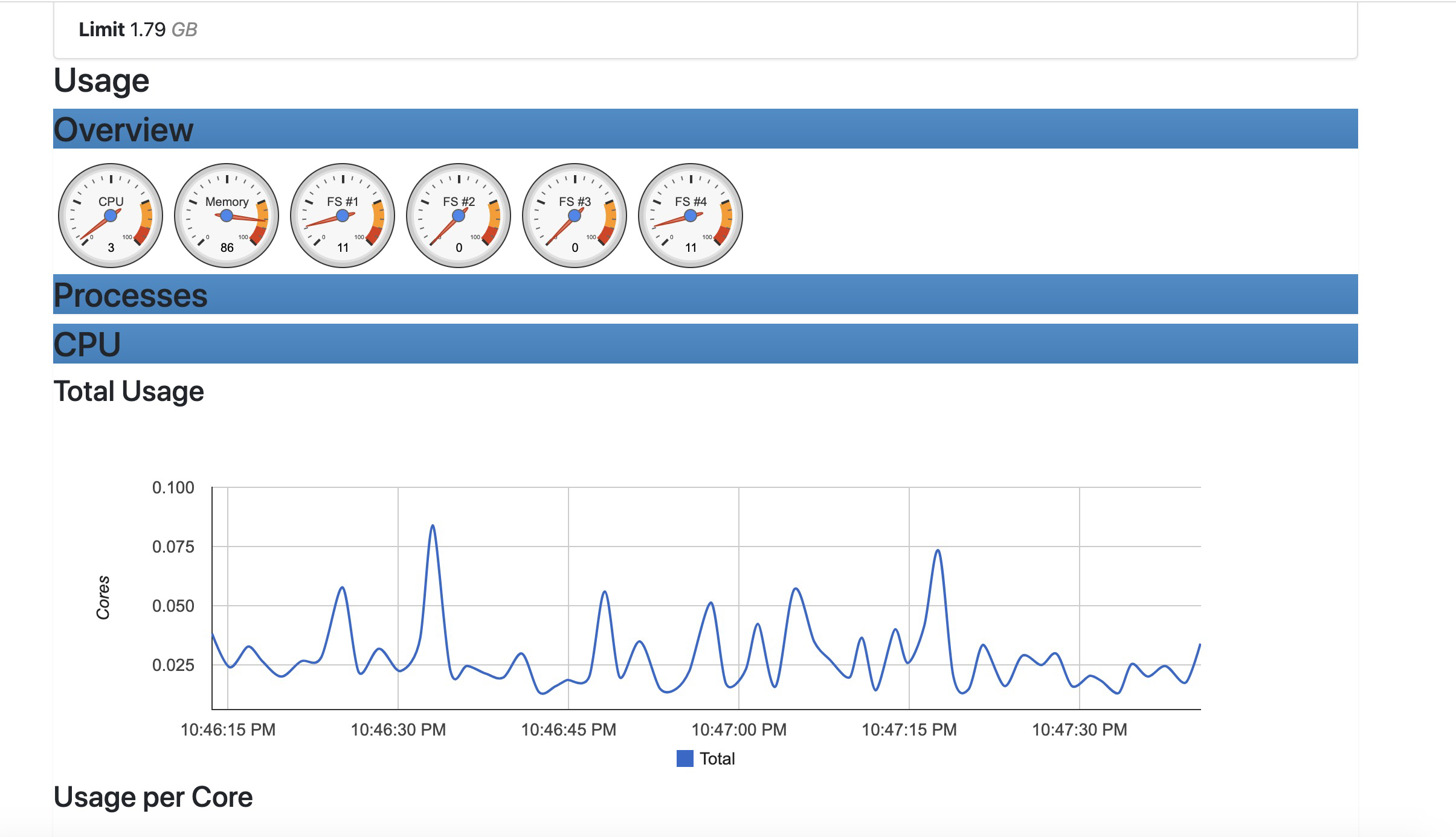
进行数据访问http://ip:8080
配置prometheus添加服务
[root@prometheus ~]# cd /opt/monitor/

[root@prometheus monitor]# ll

total 23072

drwxr-xr-x 2 3434 3434       93 Jun  7 14:39 alertmanager

-rw-r--r-- 1 root root 23624308 May 11 04:11 alertmanager-0.22.0-rc.1.linux-amd64.tar.gz

drwxr-xr-x 8 root root      157 Jun  6 17:18 grafana

drwxr-xr-x 5 3434 3434      145 Jun  7 17:07 prometheus

[root@prometheus monitor]# cd prometheus/

[root@prometheus prometheus]# ll

total 167980

drwxr-xr-x 2 3434 3434       38 Mar 17 04:20 console_libraries

drwxr-xr-x 2 3434 3434      173 Mar 17 04:20 consoles

-rw-r--r-- 1 3434 3434    11357 Mar 17 04:20 LICENSE

-rw-r--r-- 1 3434 3434     3420 Mar 17 04:20 NOTICE

-rwxr-xr-x 1 3434 3434 91044140 Mar 17 02:10 prometheus

-rw-r--r-- 1 3434 3434     1043 Jun  7 17:07 prometheus.yml

-rwxr-xr-x 1 3434 3434 80944687 Mar 17 02:12 promtool

drwxr-xr-x 2 root root       22 Jun  7 14:43 rules

[root@prometheus prometheus]# vim prometheus.yml

[root@prometheus prometheus]# cat prometheus.yml

# my global config

global:

  scrape_interval:     15s # Set the scrape interval to every 15 seconds. Default is every 1 minute.

  evaluation_interval: 15s # Evaluate rules every 15 seconds. The default is every 1 minute.

  # scrape_timeout is set to the global default (10s).

# Alertmanager configuration

alerting:

  alertmanagers:

  - static_configs:

    - targets:

       - 127.0.0.1:9093

# Load rules once and periodically evaluate them according to the global 'evaluation_interval'.

rule_files:

  - "rules/*.yml"

  # - "second_rules.yml"

# A scrape configuration containing exactly one endpoint to scrape:

# Here it's Prometheus itself.

scrape_configs:

  # The job name is added as a label `job=<job_name>` to any timeseries scraped from this config.

  - job_name: 'prometheus'

    # metrics_path defaults to '/metrics'

    # scheme defaults to 'http'.

    static_configs:

    - targets: ['127.0.0.1:9090']

  - job_name: 'linux server'

    static_configs:

      - targets: ['121.4.78.187:9100']

        labels:

          prod: 'web1'

  - job_name: 'docker server'

    static_configs:

      - targets: ['121.4.63.211:8080']

        labels:

          prod: 'web2'
重新加载prometheus服务
[root@prometheus prometheus]# /bin/systemctl restart prometheus

[root@prometheus prometheus]# /bin/systemctl status prometheus

● prometheus.service - prometheus

   Loaded: loaded (/usr/lib/systemd/system/prometheus.service; enabled; vendor preset: disabled)

   Active: active (running) since Mon 2021-06-07 22:53:36 CST; 4s ago

 Main PID: 14647 (prometheus)

   CGroup: /system.slice/prometheus.service

           └─14647 /opt/monitor/prometheus/prometheus --config.file=/opt/monitor/prometheus/prometheus.yml

Jun 07 22:53:36 prometheus prometheus[14647]: level=info ts=2021-06-07T14:53:36.914Z caller=head.go:740 component=tsdb msg="WAL segment loaded" segment=1...egment=19

Jun 07 22:53:36 prometheus prometheus[14647]: level=info ts=2021-06-07T14:53:36.958Z caller=head.go:740 component=tsdb msg="WAL segment loaded" segment=1...egment=19

Jun 07 22:53:36 prometheus prometheus[14647]: level=info ts=2021-06-07T14:53:36.990Z caller=head.go:740 component=tsdb msg="WAL segment loaded" segment=1...egment=19

Jun 07 22:53:36 prometheus prometheus[14647]: level=info ts=2021-06-07T14:53:36.990Z caller=head.go:740 component=tsdb msg="WAL segment loaded" segment=1...egment=19

Jun 07 22:53:36 prometheus prometheus[14647]: level=info ts=2021-06-07T14:53:36.990Z caller=head.go:745 component=tsdb msg="WAL replay completed" checkpo....353439ms

Jun 07 22:53:36 prometheus prometheus[14647]: level=info ts=2021-06-07T14:53:36.993Z caller=main.go:799 fs_type=XFS_SUPER_MAGIC

Jun 07 22:53:36 prometheus prometheus[14647]: level=info ts=2021-06-07T14:53:36.993Z caller=main.go:802 msg="TSDB started"

Jun 07 22:53:36 prometheus prometheus[14647]: level=info ts=2021-06-07T14:53:36.993Z caller=main.go:928 msg="Loading configuration file" filename=/opt/mo...theus.yml

Jun 07 22:53:36 prometheus prometheus[14647]: level=info ts=2021-06-07T14:53:36.996Z caller=main.go:959 msg="Completed loading of configuration file" filename=/op…µs

Jun 07 22:53:36 prometheus prometheus[14647]: level=info ts=2021-06-07T14:53:36.996Z caller=main.go:751 msg="Server is ready to receive web requests."

Hint: Some lines were ellipsized, use -l to show in full.
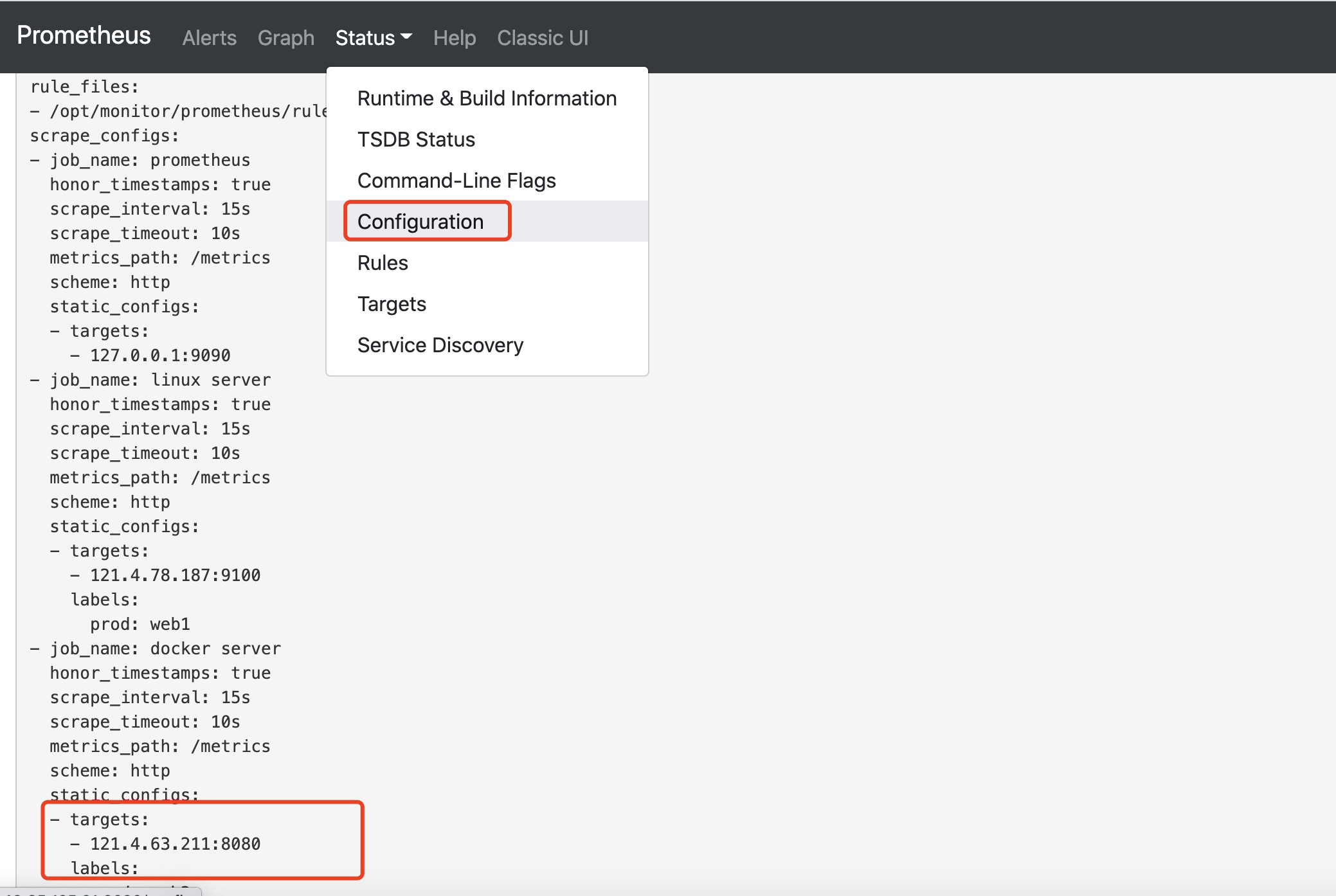
浏览器验证prometheus配置文件是否生成
使用grafana进行监控docker服务数据展示
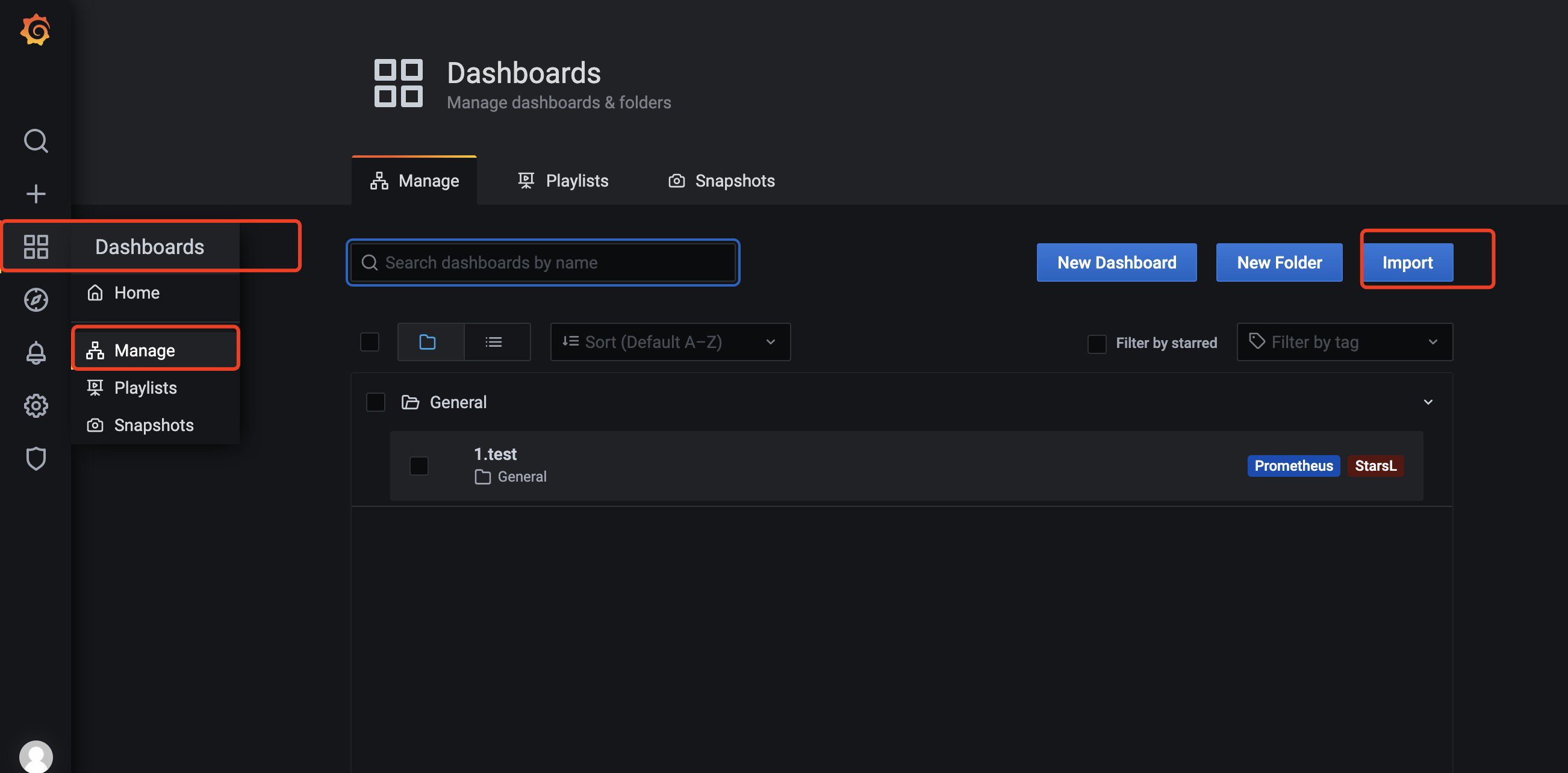
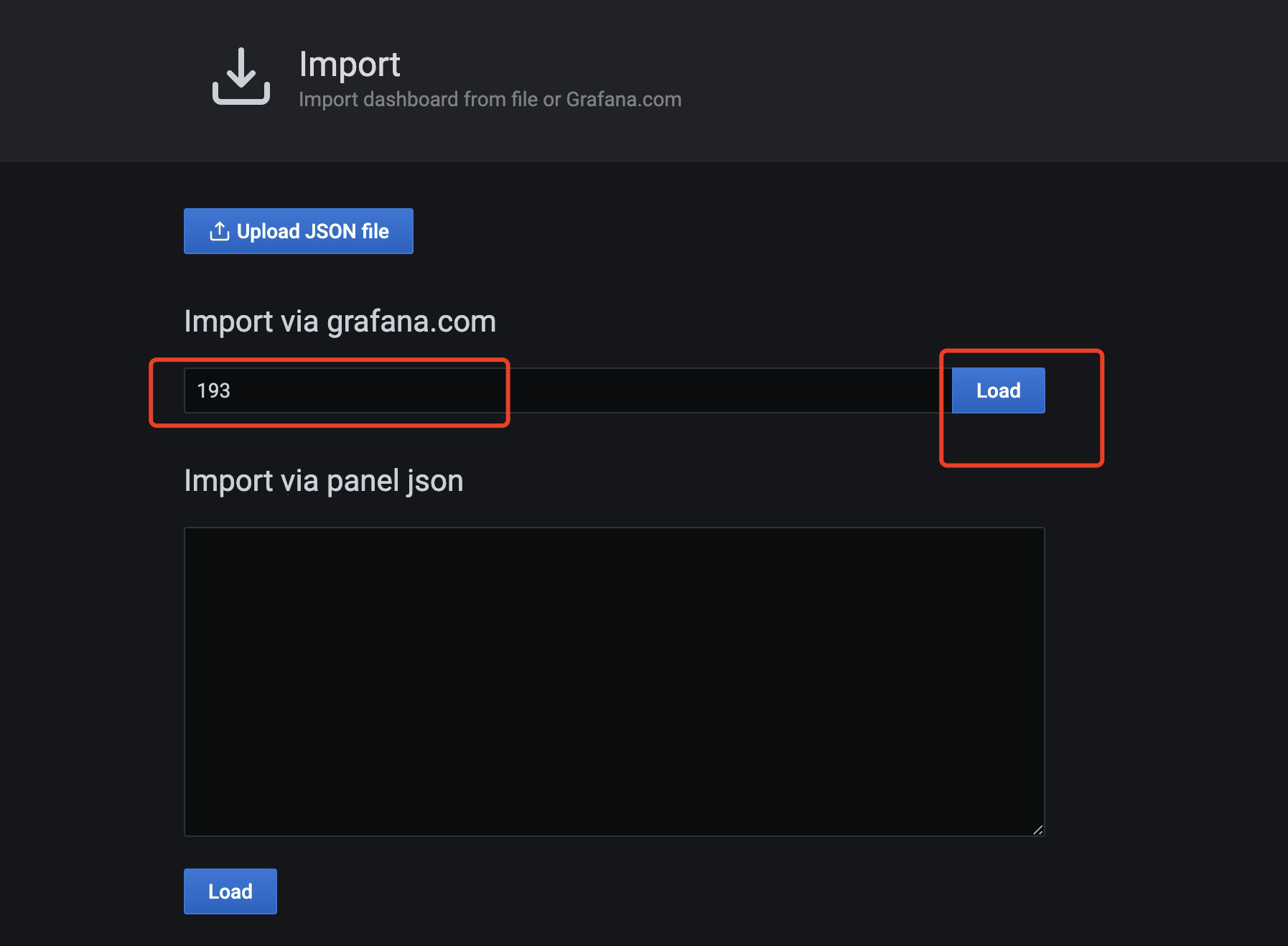
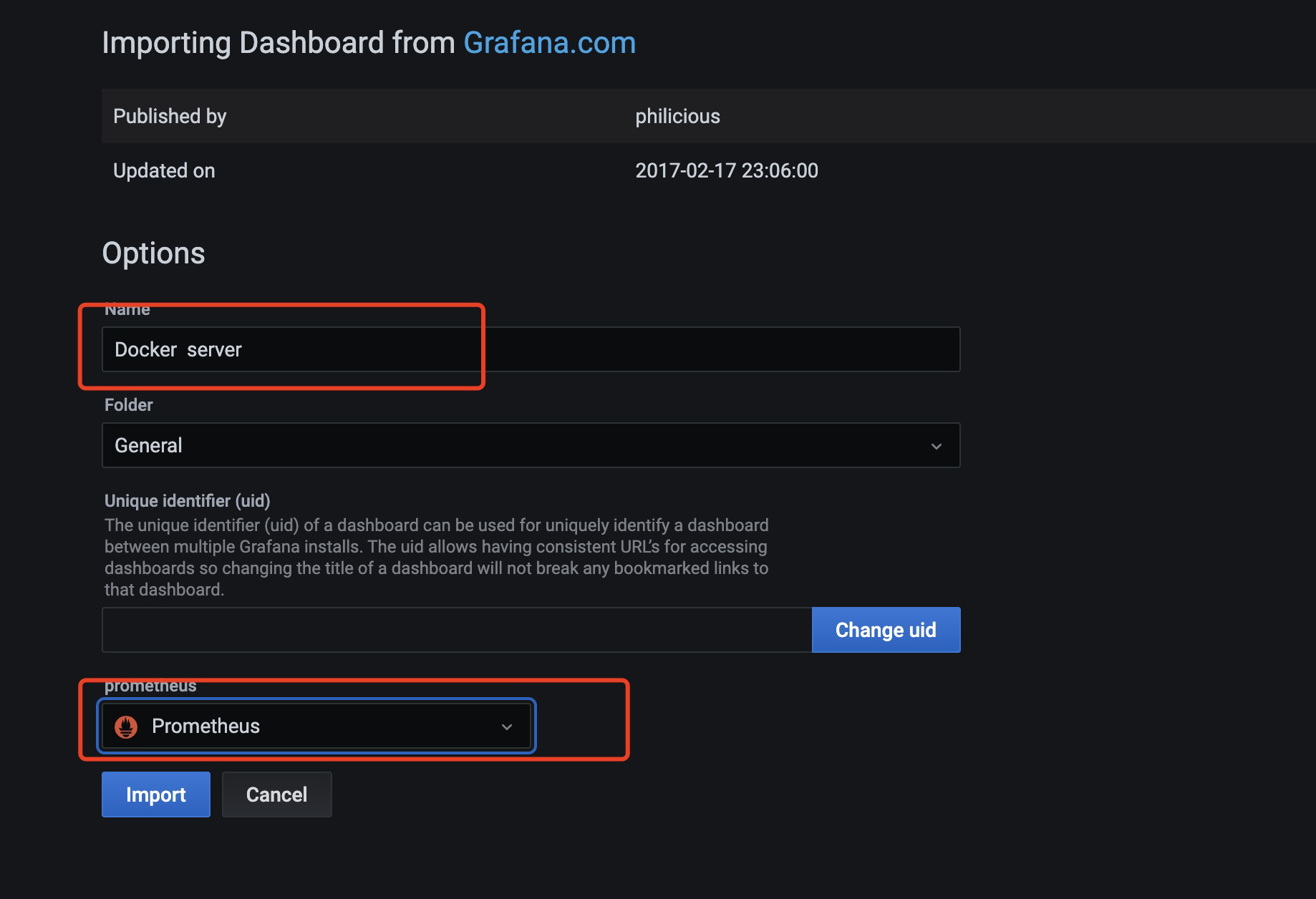
导入监控docker的仪表盘,ID为193
填写名称,选择数据源
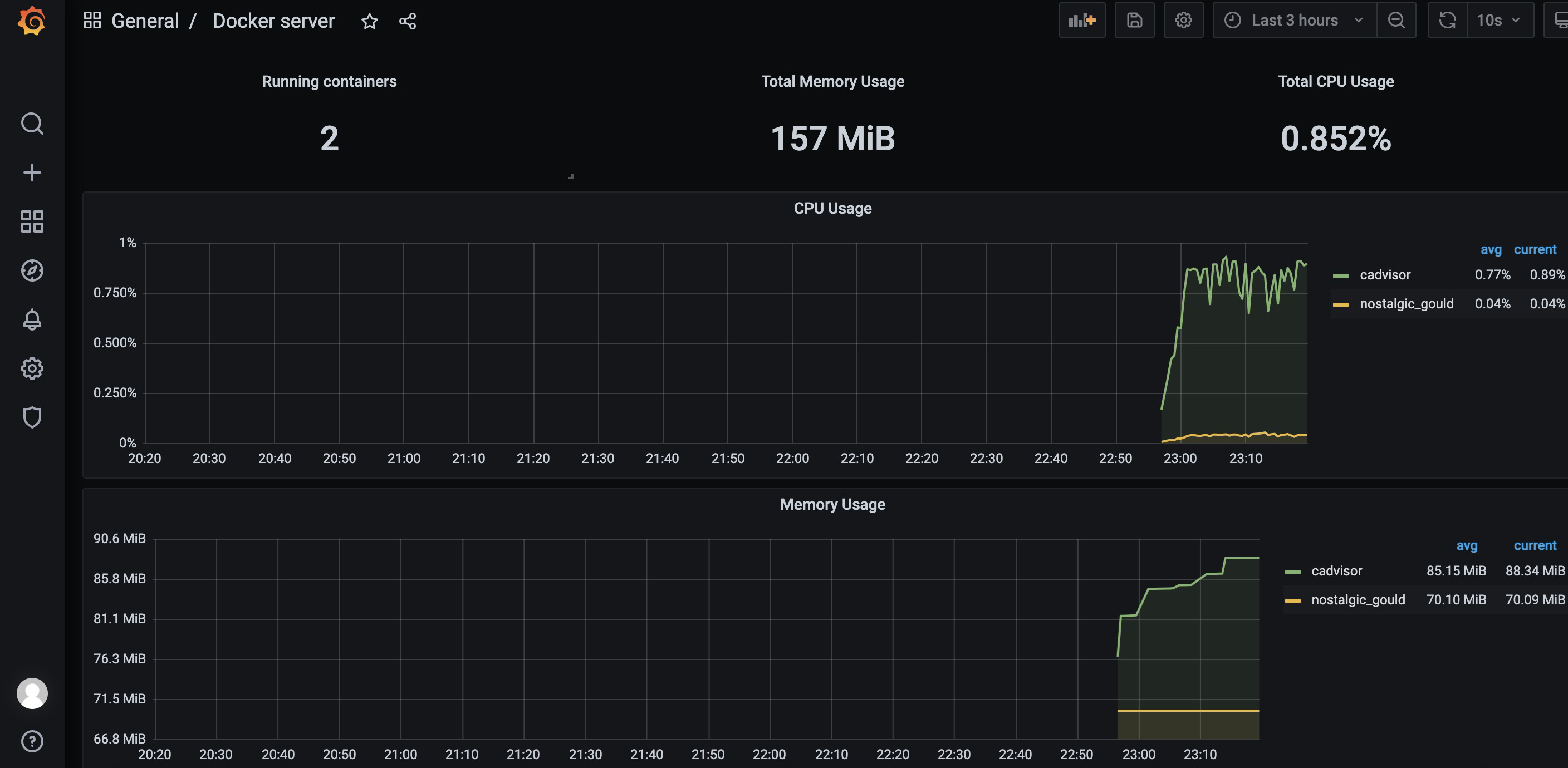
发现已有监控数据了
监控docker服务添加一个导航栏
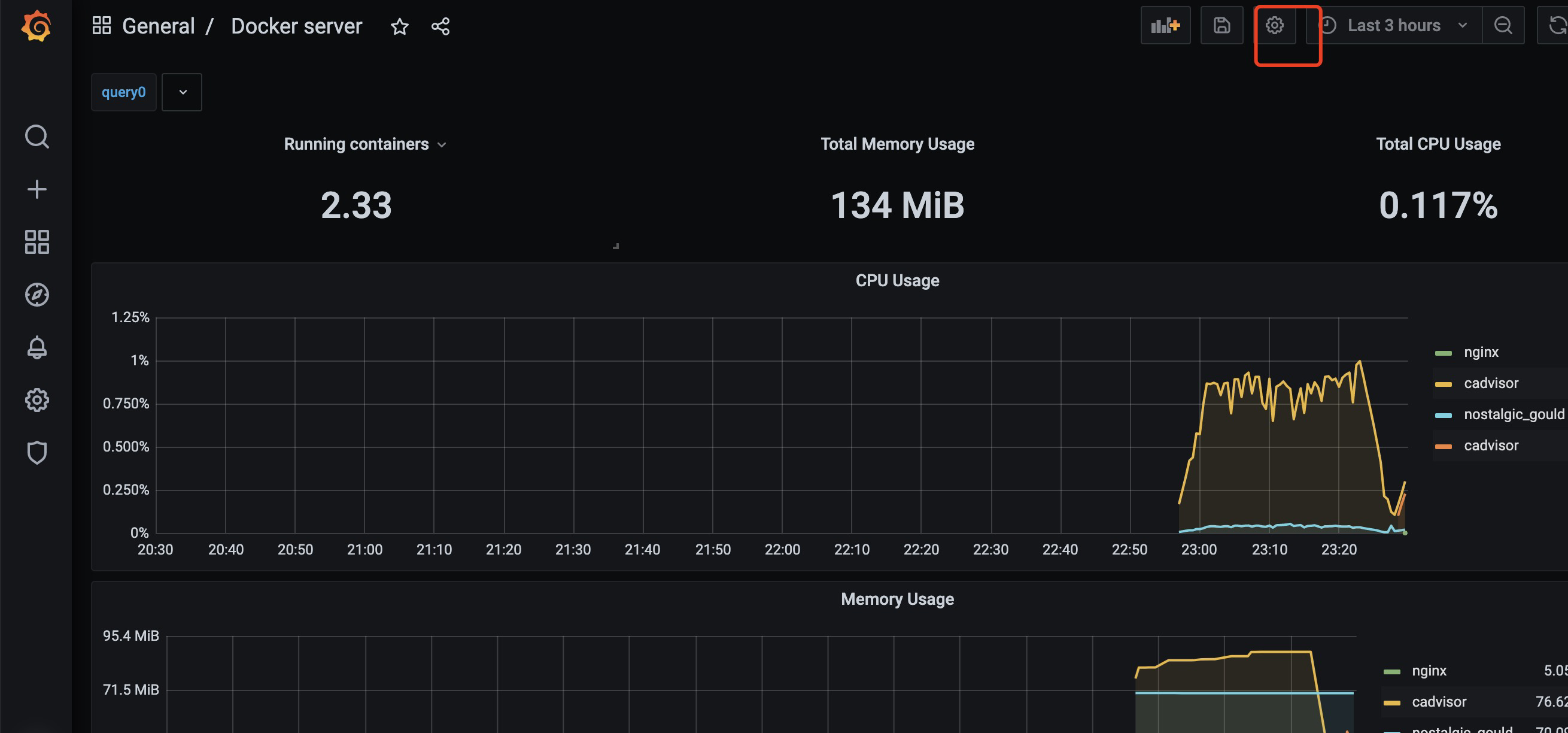
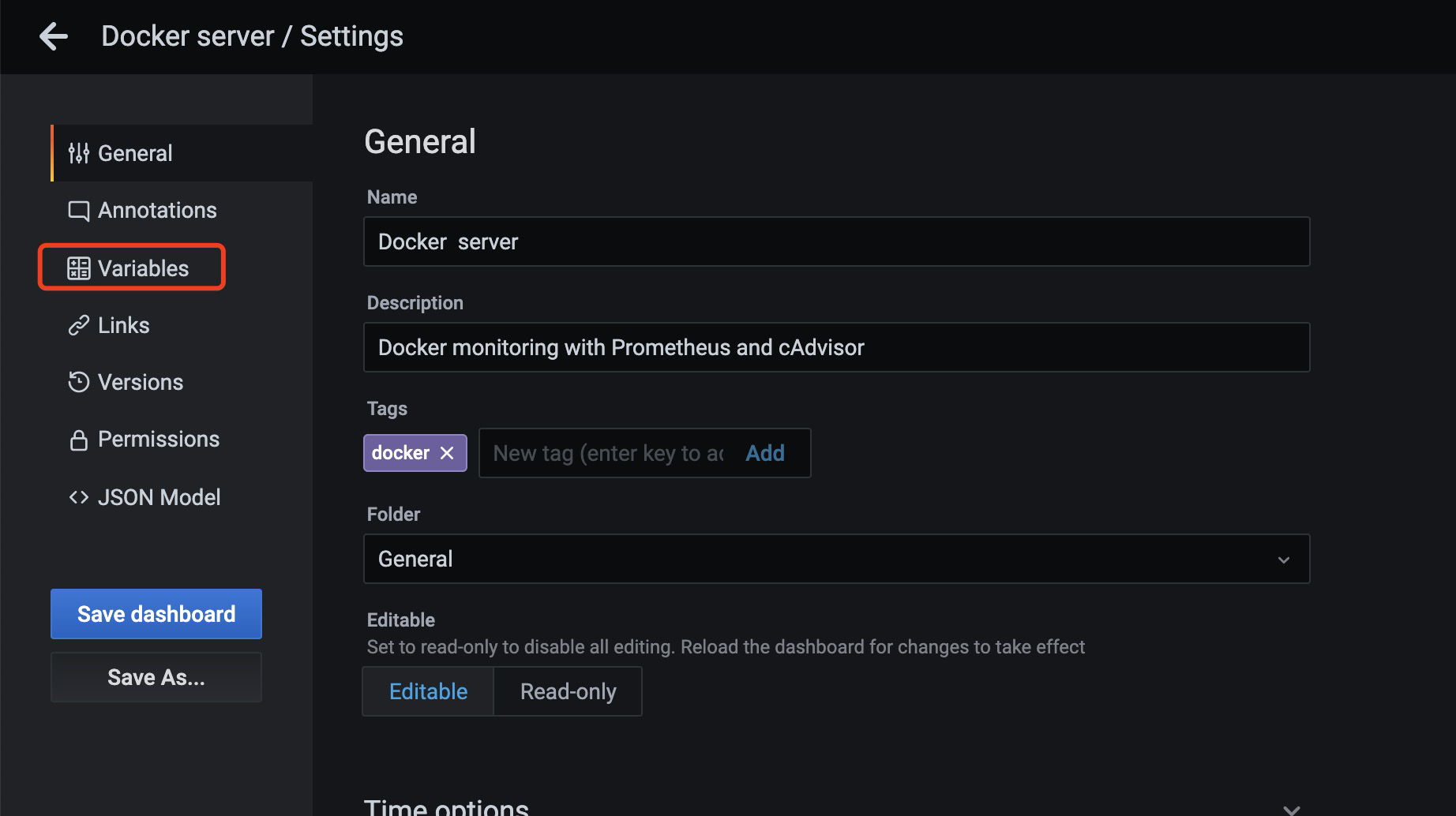
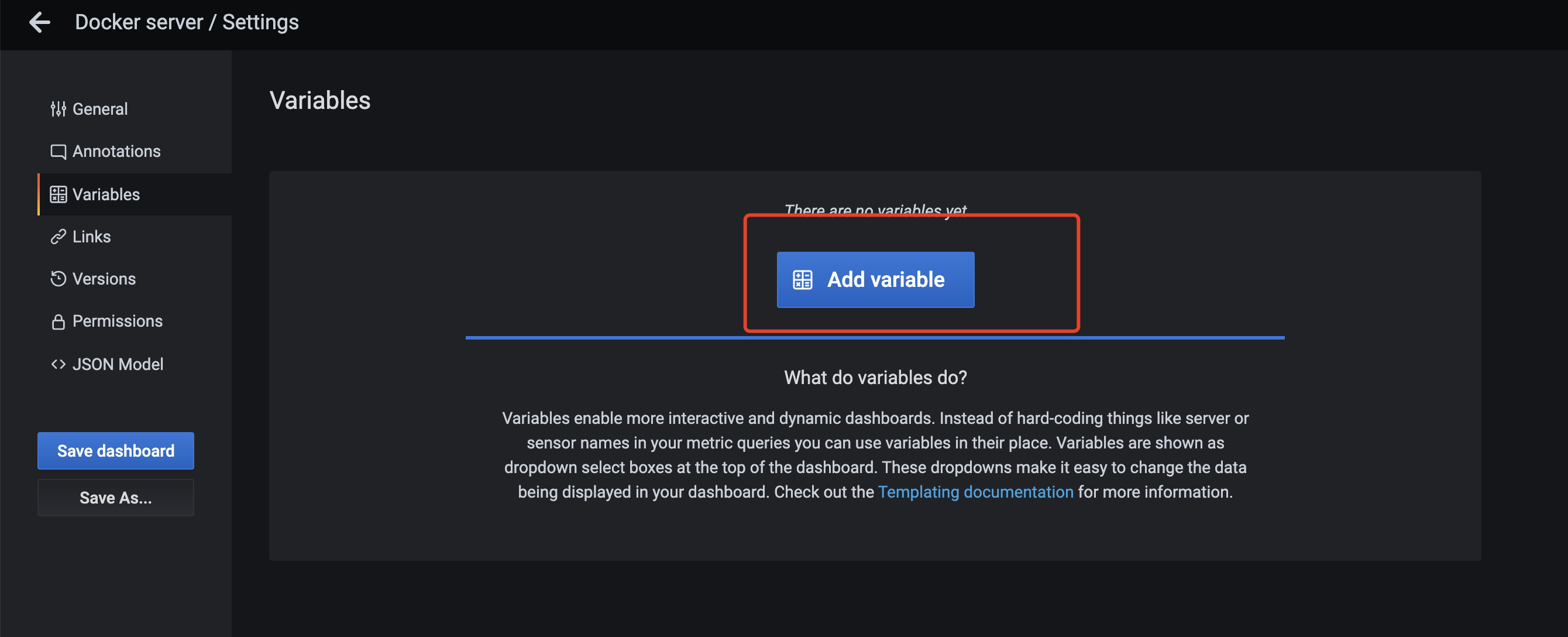
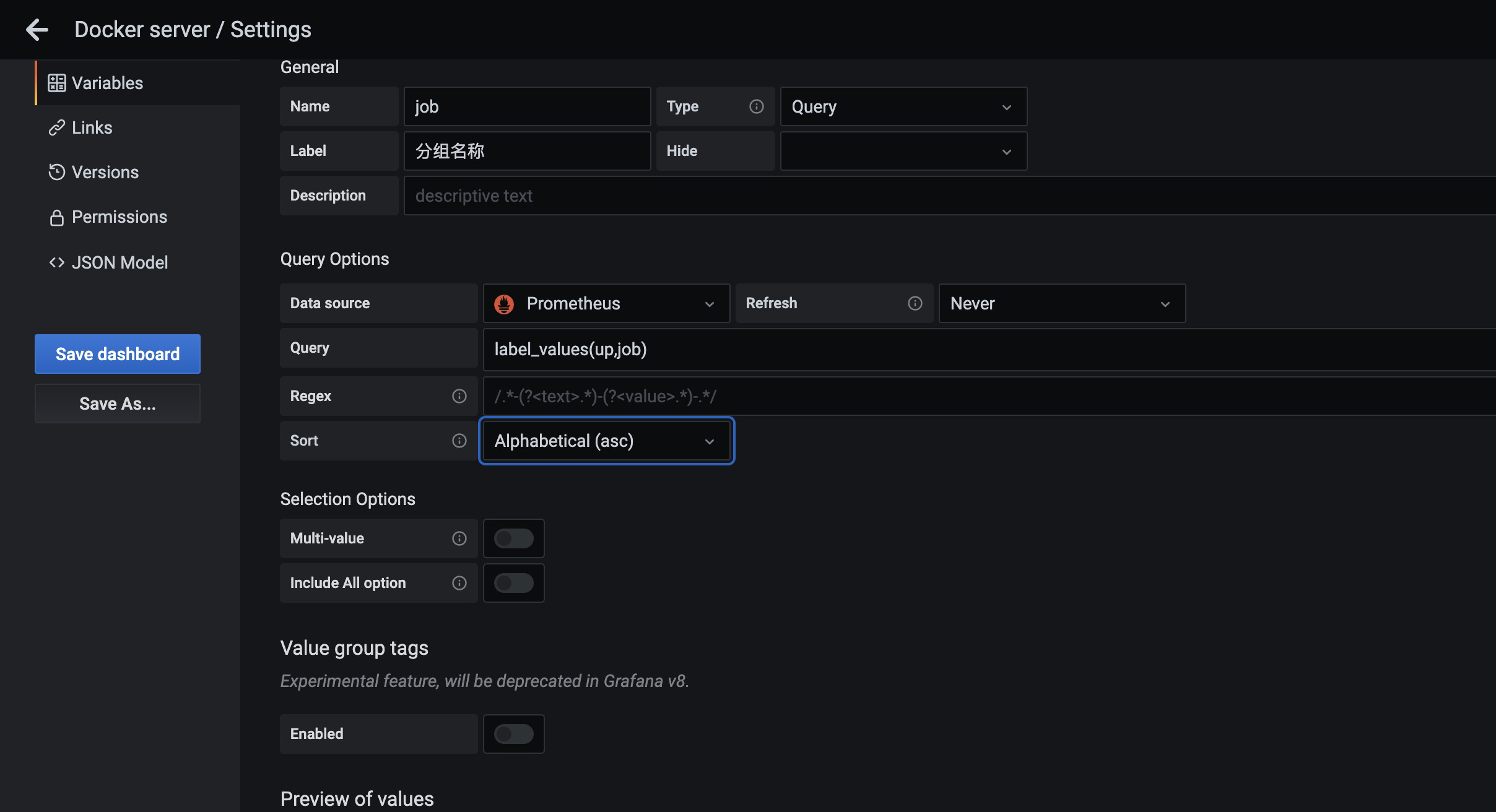
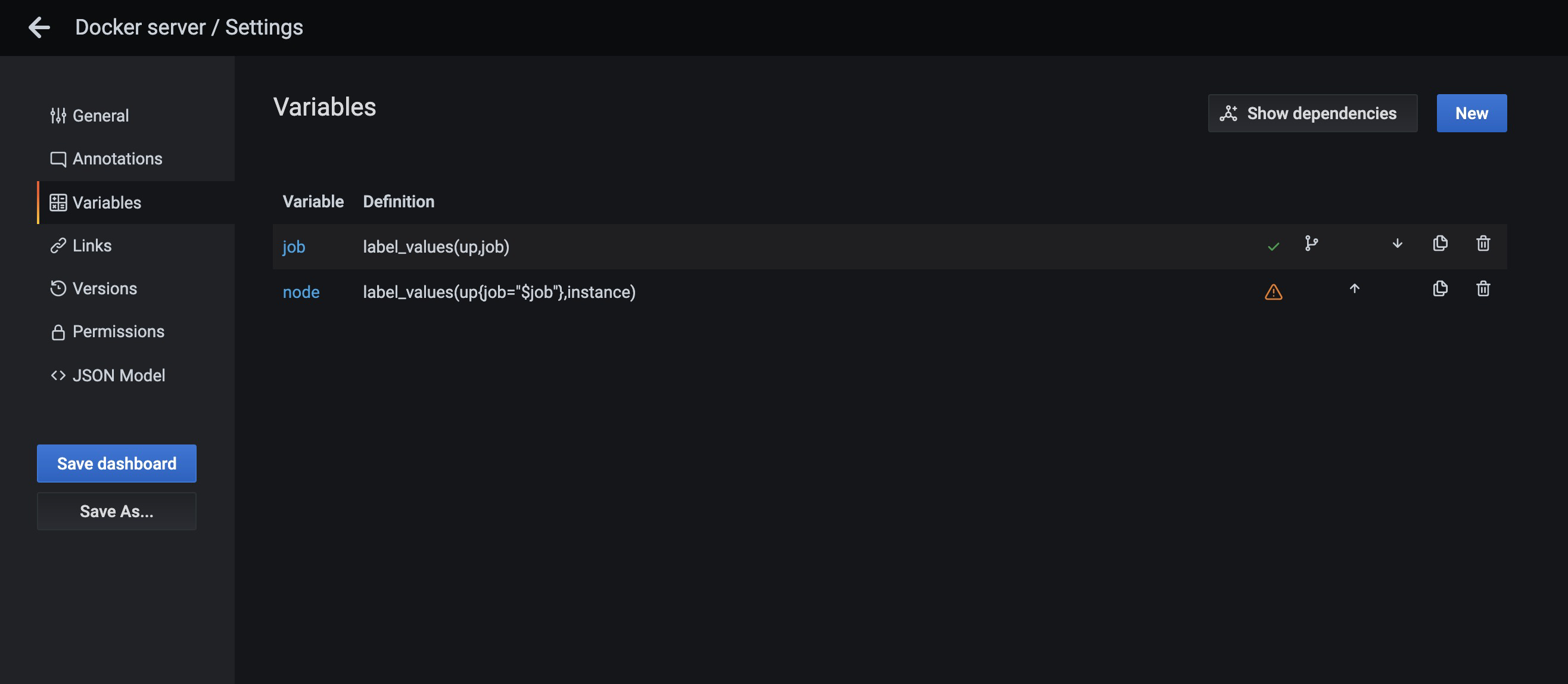
点击save dashboard保存
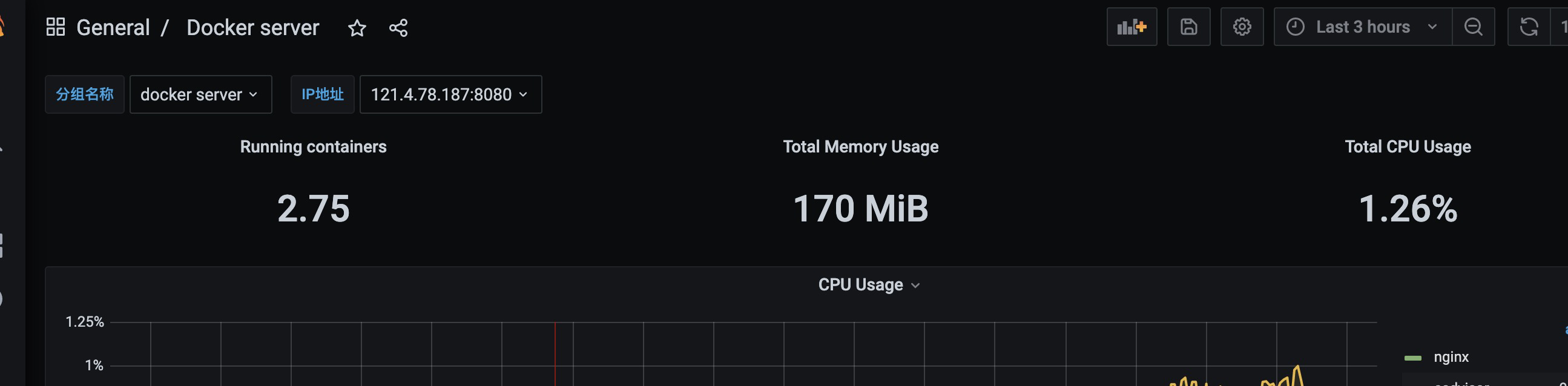
发现有了导航点击数据没有变化
我们需要修改图表信息
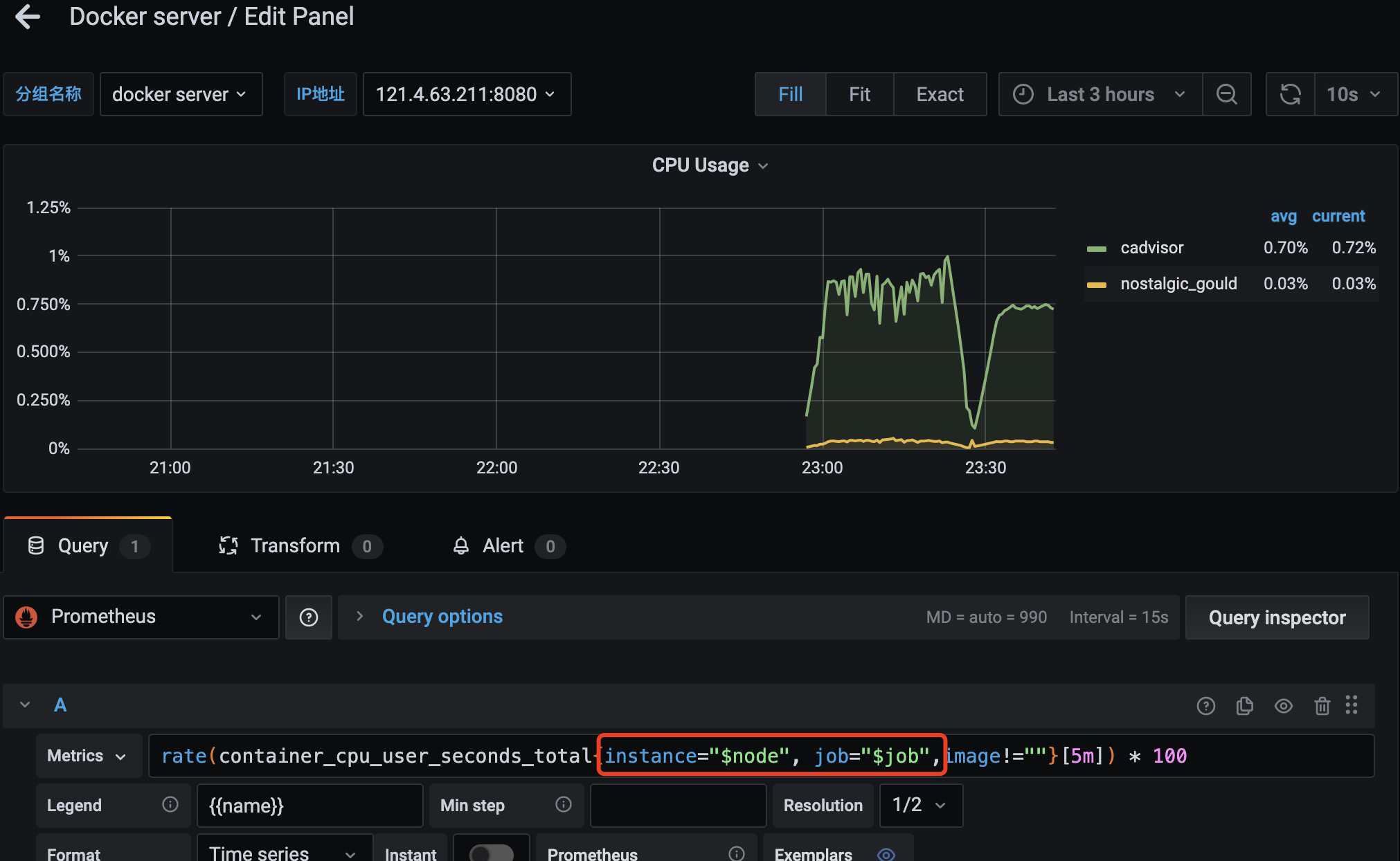
每张图片添加如上信息
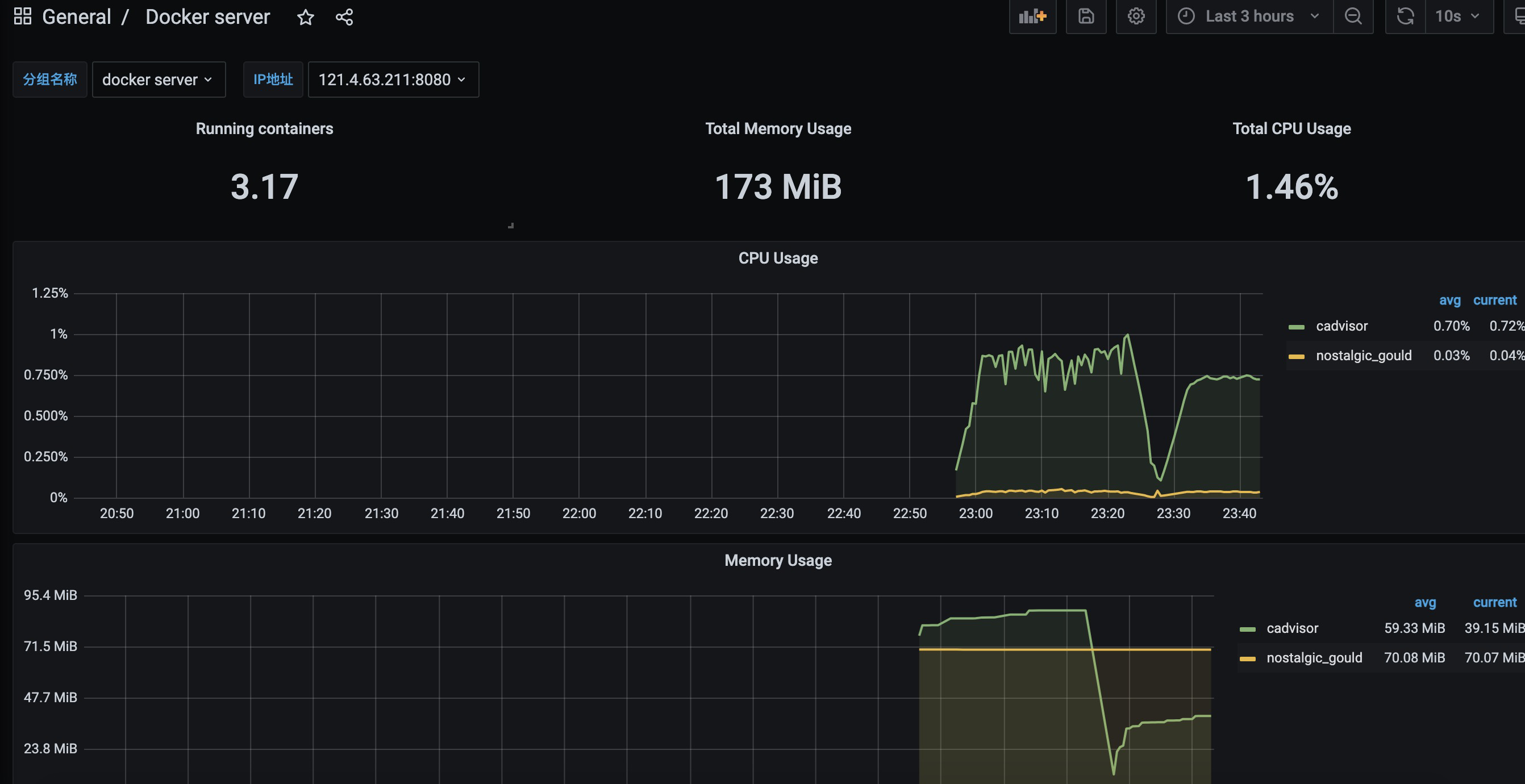
发现修改之后,就有了变化了
prometheus-监控docker服务器的更多相关文章
- Prometheus 监控Docker服务器及Granfanna可视化
Prometheus 监控Docker服务器及Granfanna可视化 cAdvisor(Container Advisor)用于收集正在运行的容器资源使用和性能信息. 使用Prometheus监控c ...
- Prometheus 监控linux服务器
Prometheus 监控linux服务器 node_exporter:用于*NIX系统监控,使用Go语言编写的收集器. 使用版本 node_exporter 0.17.0 相关文档 使用文档:htt ...
- Prometheus 监控Mysql服务器及Grafana可视化
Prometheus 监控Mysql服务器及Grafana可视化. mysql_exporter:用于收集MySQL性能信息. 使用版本 mysqld_exporter 0.11.0 官方地址 使用文 ...
- Prometheus监控Docker Swarm集群(一)
Prometheus监控Docker Swarm集群(一) cAdvisor简介 为了解决容器的监控问题,Google开发了一款容器监控工具cAdvisor(Container Advisor),它为 ...
- Grafana连接Prometheus监控Docker平台
Grafana是一款开源的分析平台. Grafana allows you to query, visualize, alert on and understand your metrics no m ...
- Prometheus入门到放弃(4)之cadvisor监控docker容器
Prometheus监控docker容器运行状态,我们用到cadvisor服务,cadvisor我们这里也采用docker方式直接运行. 1.下载镜像 [root@prometheus-server ...
- prometheus监控(小试牛刀)
prometheus监控(小试牛刀) 环境:全部服务都是基于docker运行 本文略微草率,好文章在这里,特别好如下: https://www.cnblogs.com/tchua/p/11120228 ...
- 6. 使用cadvisor监控docker容器
Prometheus监控docker容器运行状态,我们用到cadvisor服务,cadvisor我们这里也采用docker方式直接运行.这里我们可以服务端和客户端都使用cadvisor 客户端 1.下 ...
- cAdvisor+Prometheus+Grafana监控docker
cAdvisor+Prometheus+Grafana监控docker 一.cAdvisor(需要监控的主机都要安装) 官方地址:https://github.com/google/cadvisor ...
- 使用docker方式构建prometheus监控的学习
一.背景:近期学习部署prometheus监控系统,经研究发现prometheus提供docker运行模式.根据我的经验,能够使用docker模式构建系统一定多快好省. 二.环境: 1.centos7 ...
随机推荐
- 关于在Linux上安装aws cli版本1的记录
AWS Command Line Interface (AWS CLI) 是一种开源工具,让您能够在命令行 Shell 中使用命令与 AWS 服务进行交互. 因公司项目要求,要在Linux服务器安装a ...
- springboot+redis+虚拟机 springboot连接linux虚拟机中的redis服务
文章目录 1.前提条件:确保虚拟机开启.并且连接到redis 2.新建立一个springboot项目,创建项目时勾选web选项 3.在pom中引入redis依赖 4.在application.prop ...
- 为了讲明白继承和super、this关键字,群主发了20块钱群红包
摘要:以群主发红包为例,带你深入了解继承和super.this关键字. 本文分享自华为云社区<群主发红包带你深入了解继承和super.this关键字>,作者:共饮一杯无 . 需求 群主发随 ...
- 题解 P4058 [Code+#1]木材
前言 这什么题啊,不就是个二分答案我从65到100都经历了一遍--(瞬间气哭) \(\sf {Solution}\) 题目理解起来不难的,大意就懒得写了. 一眼二分答案. 此题属于在形如 \(\{0, ...
- 谣言检测()《Rumor Detection with Self-supervised Learning on Texts and Social Graph》
论文信息 论文标题:Rumor Detection with Self-supervised Learning on Texts and Social Graph论文作者:Yuan Gao, Xian ...
- JUC学习笔记——共享模型之管程
JUC学习笔记--共享模型之管程 在本系列内容中我们会对JUC做一个系统的学习,本片将会介绍JUC的管程部分 我们会分为以下几部分进行介绍: 共享问题 共享问题解决方案 线程安全分析 Monitor ...
- 【深入浅出 Yarn 架构与实现】3-3 Yarn Application Master 编写
本篇文章继续介绍 Yarn Application 中 ApplicationMaster 部分的编写方法. 一.Application Master 编写方法 上一节讲了 Client 提交任务给 ...
- 系统内置APK并签名并配置AndroidStudio
前言 最近在集成内置APK的时候遇到了些问题,遂整理一份文档以记录. 一,APP内置进系统固件 将APK源码或编译出的apk文件放在package或vendor等目录下,并且编写相应的android, ...
- kettel
下载教程:(目前最高版本7.1) 1.网址:https://community.hitachivantara.com/docs/DOC-1009855 2.
- oracle 内置函数(二)字符函数
主要函数: 大小写转换函数 获取子字符串函数(字符串截取) 获取字符串长度函数 字符串连接函数 去除子字符串函数 字符替换函数 字符串出现次数 字符串按照特定符号拆分多行 一.大小写转换 1.uppe ...