
How To Install Apache Tomcat 7 on CentOS 7 via Yum
摘自:https://www.digitalocean.com/community/tutorials/how-to-install-apache-tomcat-7-on-centos-7-via-yum
Introduction
Apache Tomcat is a web server and servlet container that is used to serve Java applications. Tomcat is an open source implementation of the Java Servlet and JavaServer Pages technologies, released by the Apache Software Foundation.
This tutorial covers the basic installation and some configuration of Tomcat 7 with yum on your CentOS 7 server. Please note that this will install the latest release of Tomcat that is in the official Ubuntu repositories, which may or may not be the latest release of Tomcat. If you want to guarantee that you are installing the latest version of Tomcat, you can always download the latest binary distribution.
Note: Tomcat can be installed automatically on your Droplet by adding this script to its User Data when launching it. Check out this tutorial to learn more about Droplet User Data.
Prerequisites
Before you begin with this guide, you should have a separate,
non-root user account set up on your server. You can learn how to do
this by completing the initial server setup for CentOS 7 tutorial. We will be using the demo user for the rest of this tutorial.
Install Tomcat
Now you are ready to install Tomcat 7. Run the following command to install the Tomcat package:
- sudo yum install tomcat
Answer y at the confirmation prompt to install tomcat. This will install Tomcat 7 and its dependencies, such as Java, and it will also create the tomcat user.
Most of the important Tomcat files will be located in /usr/share/tomcat. If you already have a Tomcat application that you want to run, you can place it in the /usr/share/tomcat/webapps directory, configure Tomcat, and restart the Tomcat service. In this tutorial, however, we will install a few additional packages that will help you manage your Tomcat applications and virtual hosts.
Let's make a quick change to the Java options that Tomcat uses when it starts. Open the Tomcat configuration file:
- sudo vi /usr/share/tomcat/conf/tomcat.conf
Add the following JAVA_OPTS line to the file. Feel free to change the Xmx and MaxPermSize values—these settings affect how much memory Tomcat will use:
JAVA_OPTS="-Djava.security.egd=file:/dev/./urandom -Djava.awt.headless=true -Xmx512m -XX:MaxPermSize=256m -XX:+UseConcMarkSweepGC"
Save and exit.
Note that the Tomcat service will not be running yet.
Install Admin Packages
If you are just getting started with Apache Tomcat, you will most likely want to install some admin tools that will help you deploy your Java applications and manage your virtual hosts. Luckily, there are packages that include these tools as web applications.
To install the default Tomcat root page (tomcat-webapps), and the Tomcat Web Application Manager and Virtual Host Manager (tomcat-admin-webapps), run this command:
- sudo yum install tomcat-webapps tomcat-admin-webapps
Answer y at the confirmation prompt.
This adds the ROOT, examples, sample, manager, and host-manager web apps to the tomcat/webapps directory.
Install Online Documentation (Optional)
If you want to install the Tomcat documentation, so that all of the links on the default Tomcat page will work, run this command:
- sudo yum install tomcat-docs-webapp tomcat-javadoc
Answer y at the prompt to install the documentation packages.
Configure Tomcat Web Management Interface
In order to use the manager webapp installed in the previous step, we must add a login to our Tomcat server. We will do this by editing the tomcat-users.xml file:
- sudo vi /usr/share/tomcat/conf/tomcat-users.xml
This file is filled with comments which describe how to configure the file. You may want to delete all the comments between the following lines, or you may leave them if you want to reference the examples:
<tomcat-users>

...

</tomcat-users>
You will want to add a user who can access the manager-gui and admin-gui (the management interface that we installed earlier). You can do so by defining a user similar to the example below. Be sure to change the username and password to something secure:
<tomcat-users>

    <user username="admin" password="password" roles="manager-gui,admin-gui"/>

</tomcat-users>
Save and exit the tomcat-users.xml file.
Now we're ready to start the Tomcat service.
Start Tomcat
To put our changes into effect, restart the Tomcat service:
- sudo systemctl start tomcat
If you started the service earlier for some reason, run the restart command instead:
- sudo systemctl restart tomcat
Enable Tomcat Service
If you want Tomcat to run every time the server is booted up, you will need to enable the service:
- sudo systemctl enable tomcat
Now we're ready to access the web interface.
Access the Web Interface
Now that Tomcat is up and running, let's access the web management interface in a web browser. You can do this by accessing the public IP address of the server, on port 8080:
http://server_IP_address:8080
You will see something like the following image:
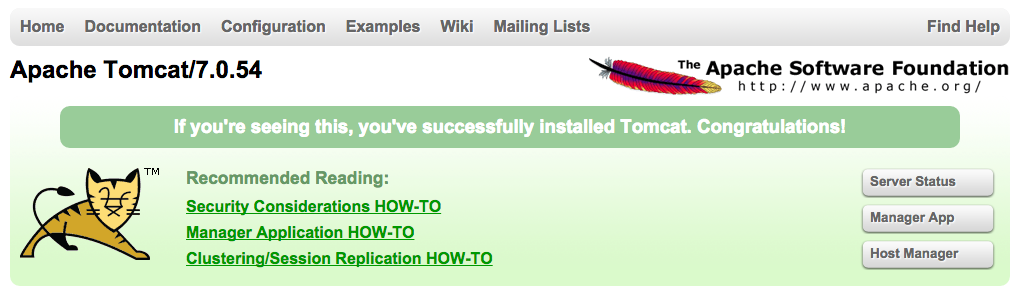
As you can see, there are links to the admin webapps that you installed earlier.
Let's take a look at the Manager App, accessible via the link or http://server_IP_address:8080/manager/html:
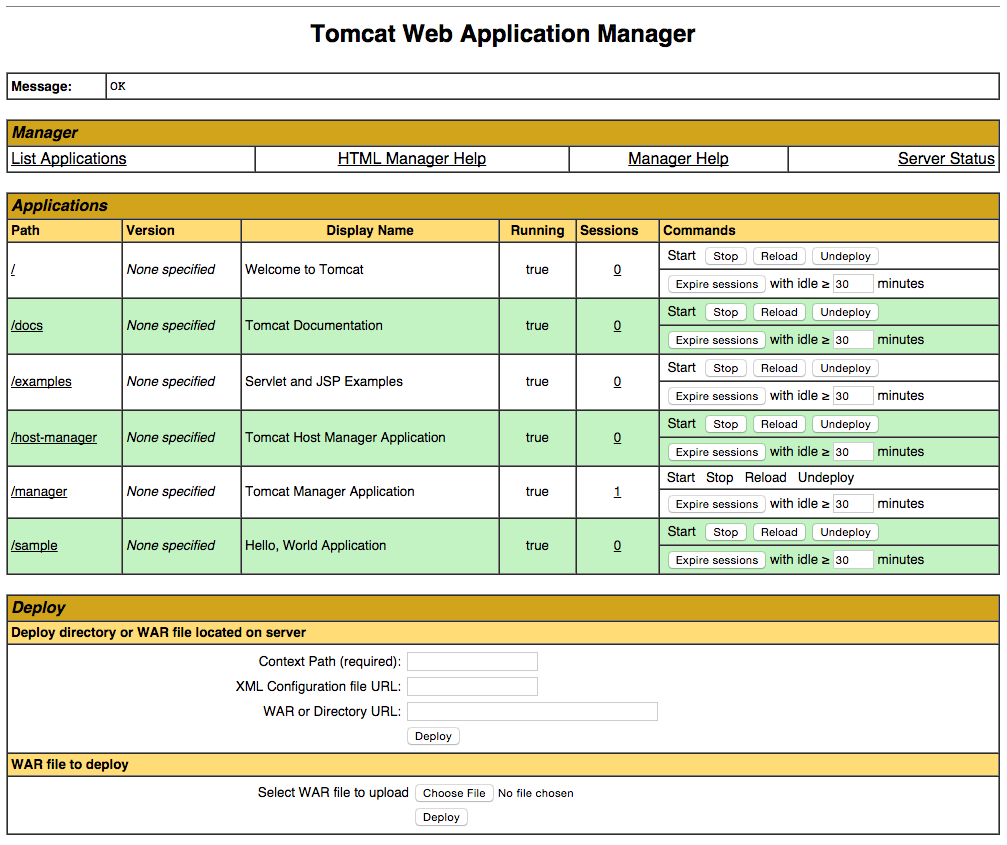
The Web Application Manager is used to manage your Java applications. You can Start, Stop, Reload, Deploy, and Undeploy here. You can also run some diagnostics on your apps (i.e. find memory leaks). Lastly, information about your server is available at the very bottom of this page.
Now let's take a look at the Host Manager, accessible via the link or http://server_IP_address:8080/host-manager/html/:
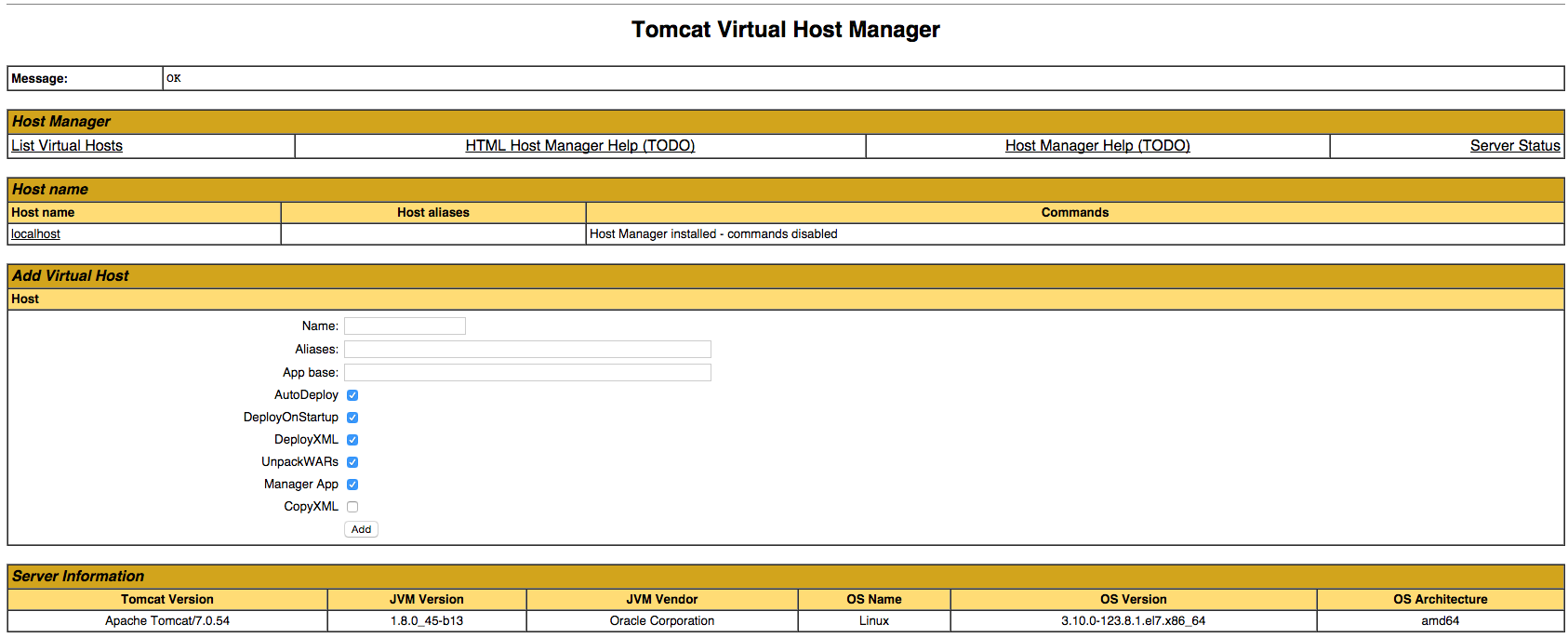
From the Virtual Host Manager page, you can add virtual hosts to serve your applications from.
Conclusion
Your installation of Tomcat is complete! Your are now free to deploy your own Java web applications!
How To Install Apache Tomcat 7 on CentOS 7 via Yum的更多相关文章
- How to Install Apache Tomcat 8.5 on CentOS 7.3
How to Install Apache Tomcat 8.5 on CentOS 7.3 From: https://www.howtoforge.com/tutorial/how-to-inst ...
- digitalocean --- How To Install Apache Tomcat 8 on Ubuntu 16.04
https://www.digitalocean.com/community/tutorials/how-to-install-apache-tomcat-8-on-ubuntu-16-04 Intr ...
- install openjdk & tomcat on the centos
1.检查当前服务器是否已安装openjdk
- [转载]How To Install Nginx And PHP-FPM On CentOS 6 Via Yum
http://www.lifelinux.com/how-to-install-nginx-and-php-fpm-on-centos-6-via-yum/ http://blog.csdn.net/ ...
- 基于RedHat发行的Apache Tomcat本地提权漏洞
描述 Tomcat最近总想搞一些大新闻,一个月都没到,Tomcat又爆出漏洞.2016年10月11日,网上爆出Tomcat本地提权漏洞,漏洞编号为CVE-2016-5425.此次受到影响的主要是基于R ...
- Install Tomcat 6 on CentOS or RHEL --转载
source:http://www.davidghedini.com/pg/entry/install_tomcat_6_on_centos This post will cover installa ...
- 腾讯云Centos下Nginx反向代理Apache+Tomcat
1. 安装Apahce, PHP, MySQL以及php连接mysql库的组件#yum -y install httpd php mysql mysql-server php-mysql // ...
- Linux CentOS 7 下 Apache Tomcat 7 安装与配置
前言 记录一下Linux CentOS 7安装Tomcat7的完整步骤. 下载 首先需要下载tomcat7的安装文件,地址如下: http://mirror.bit.edu.cn/apache/tom ...
- Install LAMP Server (Apache, MariaDB, PHP) On CentOS/RHEL/Scientific Linux 7
Install LAMP Server (Apache, MariaDB, PHP) On CentOS/RHEL/Scientific Linux 7 By SK - August 12, 201 ...
随机推荐
- BZOJ4827:[HNOI2017]礼物(FFT)
Description 我的室友最近喜欢上了一个可爱的小女生.马上就要到她的生日了,他决定买一对情侣手环,一个留给自己,一 个送给她.每个手环上各有 n 个装饰物,并且每个装饰物都有一定的亮度.但是在 ...
- 一段基于Redis-SortedSet的限流代码
[HttpGet] public async Task<ActionResult<string>> Get() { //限流周期:5秒 int period = 5; //周期 ...
- POJ 1328 Radar Installation(很新颖的贪心,区间贪心)
Radar Installation Time Limit: 1000MS Memory Limit: 10000K Total Submissions: 106491 Accepted: 2 ...
- Ajax全局加载框(Loading效果)的配置
在Ajax进行后台数据请求的过程中,我们有时候会希望用户能知道页面后台还在做一些事情,这时候就需要给用户一个非常明确的提示,也就是我们所谓的进度条 废话完成~ 实现原理: Jquery可以对ajax进 ...
- jquery实现页面图片轮播
1.创建一个html页面 <!DOCTYPE html><html lang="en"><head> <meta charset=&quo ...
- 大数据框架-Hbase
大规模结构化集群存储数据库.Table中的所有行都按照row key的字典序排列. 主键:row Key.访问行只能通过rowKey访问(范围或者准确值),或者全表扫描: 列族:cloumn fami ...
- 如果有人问你CAP理论是什么,就把这篇文章发给他。
绝对和你在网上看到的CAP定理介绍不一样. CAP 定理(CAP theorem)又被称作布鲁尔定理(Brewer's theorem),是加州大学伯克利分校的计算机科学家埃里克·布鲁尔(Eric B ...
- iOS 文件下载及断点续传
ios的下载我们可以使用的方法有:NSData.NSURLConnection.NSURLSession还有第三方框架AFNetworking和ASI 利用NSData方法和NSURLConnecti ...
- Android软件开发之SharedPreferences
SharedPreferences 一种轻量级的数据保存方式 以键值对的方式存储 用于存储小批量的数据 使用方法: SharedPreferences sp= getSharedPreferenc ...
- python drf+xadmin+react+dva+react-native+sentry+nginx 搭建前后端分离的博客完整平台
前言: 经过差不多半年的开发,搭建从前端到服务器,实现了前后端分离的一个集PC端.移动端的多端应用,实属不易,今天得空,好好写篇文章,记录这些天的成果.同时也做个分享. 演示网站地址: http:// ...