
centos7.2 安装 Elasticsearch5.2
打算上全文检索,就找到了找个产品,开始研究下……
1、官网地址:
https://www.elastic.co/guide/en/elasticsearch/reference/5.2/install-elasticsearch.html#install-elasticsearch
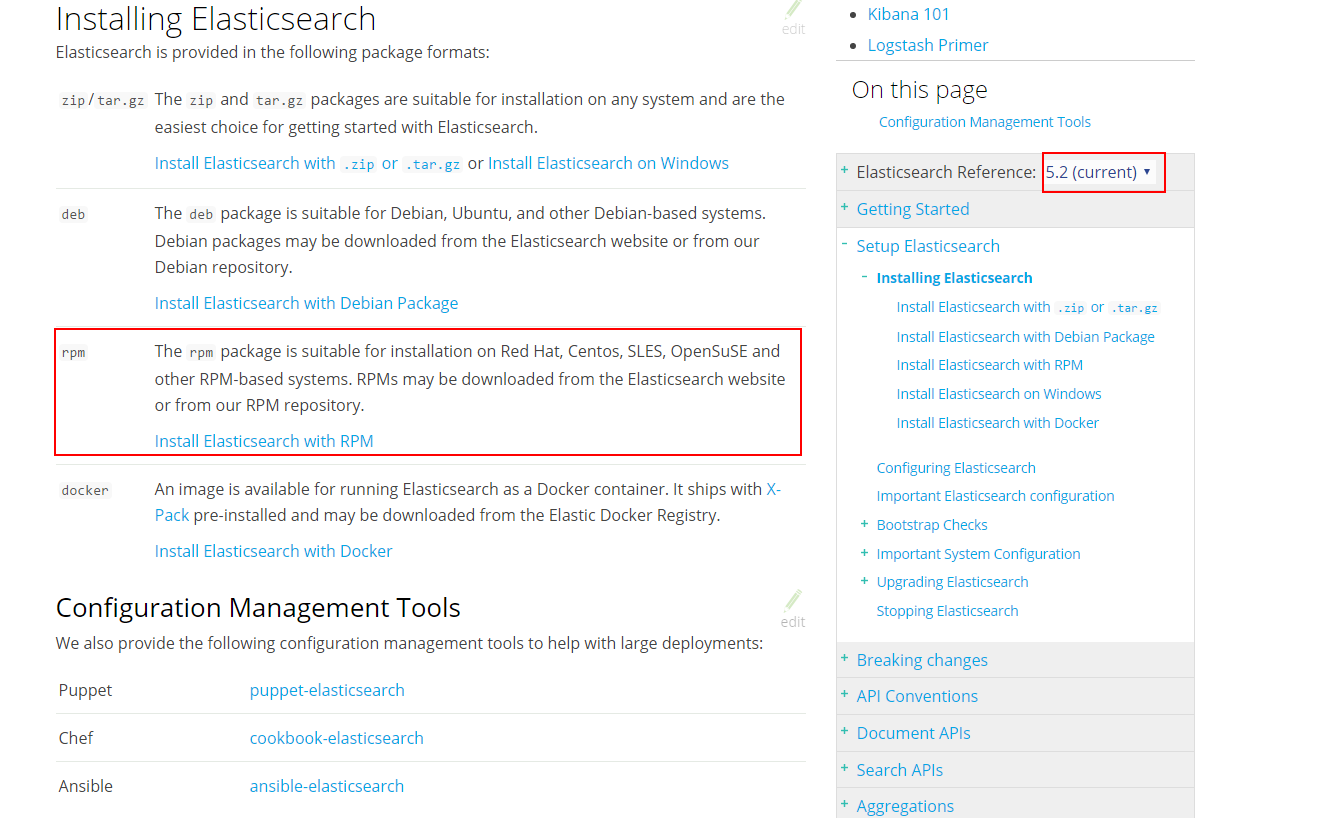
打算部署到Centos7 上,开始捣腾~
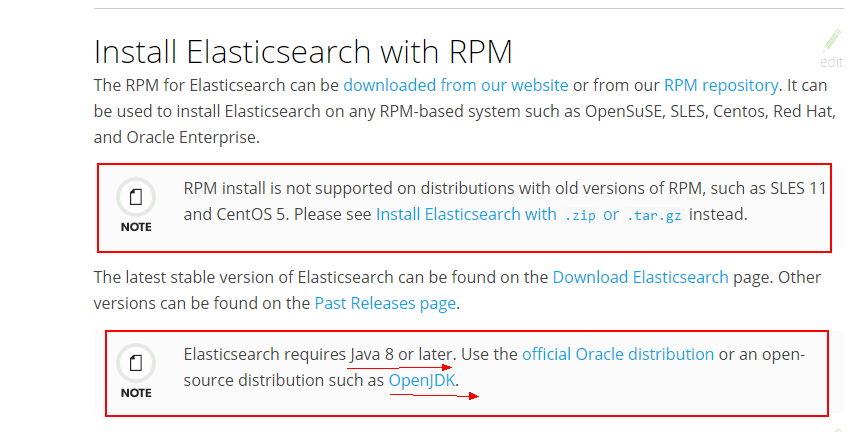
根据官方文档,注意两点
1、Centos5以前的不能RPM,可以选择zip 或者tar.gz的方式安装
2、这货需要java8 或者更高版本,这里推荐试用OpenJDK
首先查看目前系统中是否安装有,一般默认是有滴,我的centos7使用的最小安装,神马都木有的说,
查看java版本命令:
java -version

看到类似以上内容,说明已经装好了,PS:俺本地的虚拟机,
服务器输出:
[root@bogon ~]# java -version
-bash: java: command not found
表明这货是在裸奔中,好吧,打开OpenJDK官网:
http://openjdk.java.net/install/
找到如下内容:
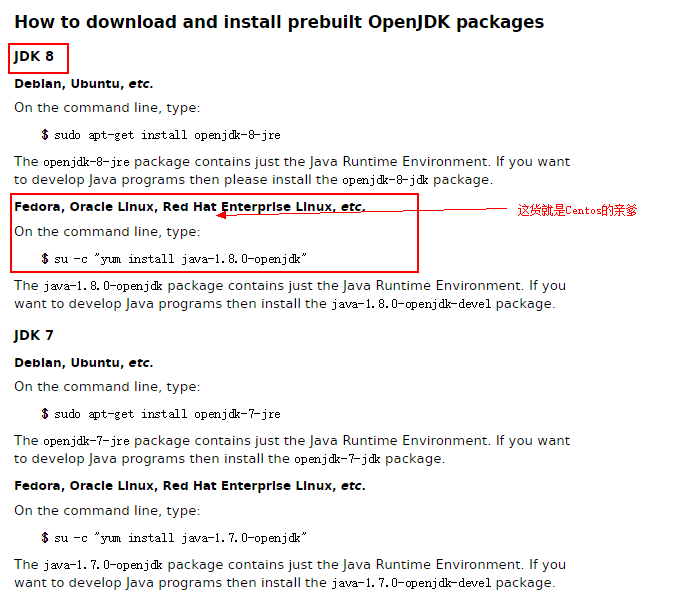
执行下面命令:(我是root用户)
yum install java-1.8.0-openjdk
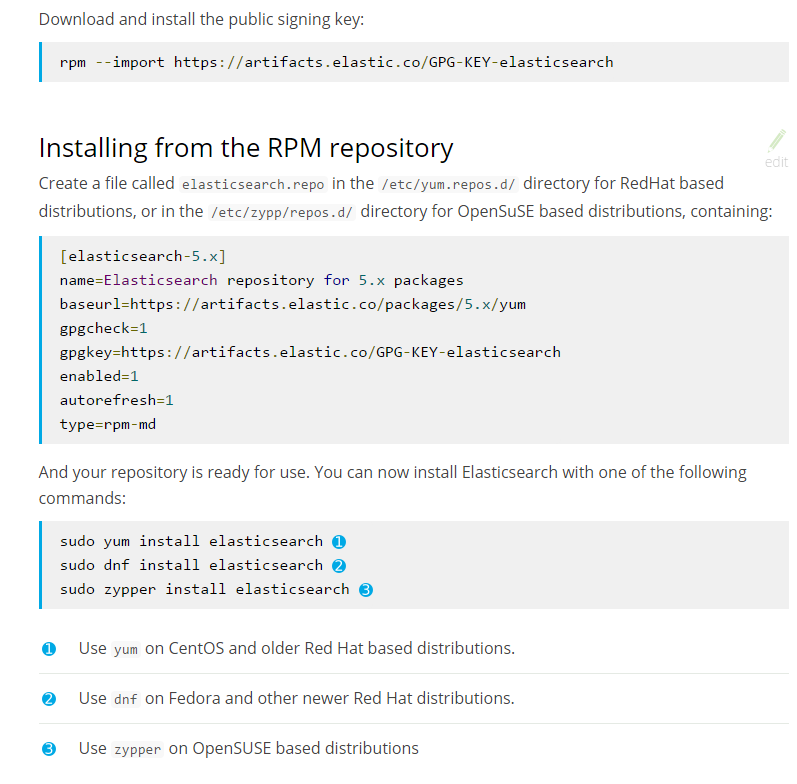
下载并安装 public signing key:
rpm --import https://artifacts.elastic.co/GPG-KEY-elasticsearch

在/etc/yum.repos.d/ 目录下新建 文件 elasticsearch.repo,

cd /etc/yum.repos.d/

vi elasticsearch.repo
输入以下内容并保存:
[elasticsearch-5.x]

name=Elasticsearch repository for 5.x packages

baseurl=https://artifacts.elastic.co/packages/5.x/yum

gpgcheck=1

gpgkey=https://artifacts.elastic.co/GPG-KEY-elasticsearch

enabled=1

autorefresh=1

type=rpm-md

执行安装命令:
yum install elasticsearch
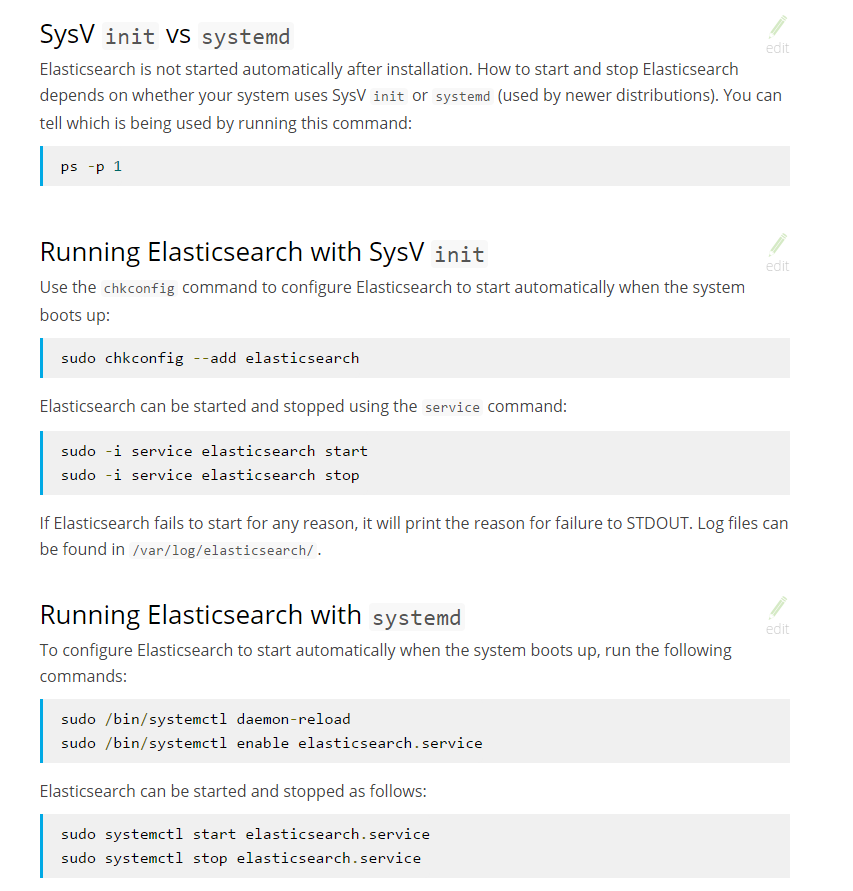
选择以systemd 方式运行:
sudo /bin/systemctl daemon-reload

sudo /bin/systemctl enable elasticsearch.service

可以使用下面命令启动和停止elasticsearch:
Elasticsearch can be started and stopped as follows:
sudo systemctl start elasticsearch.service

sudo systemctl stop elasticsearch.service
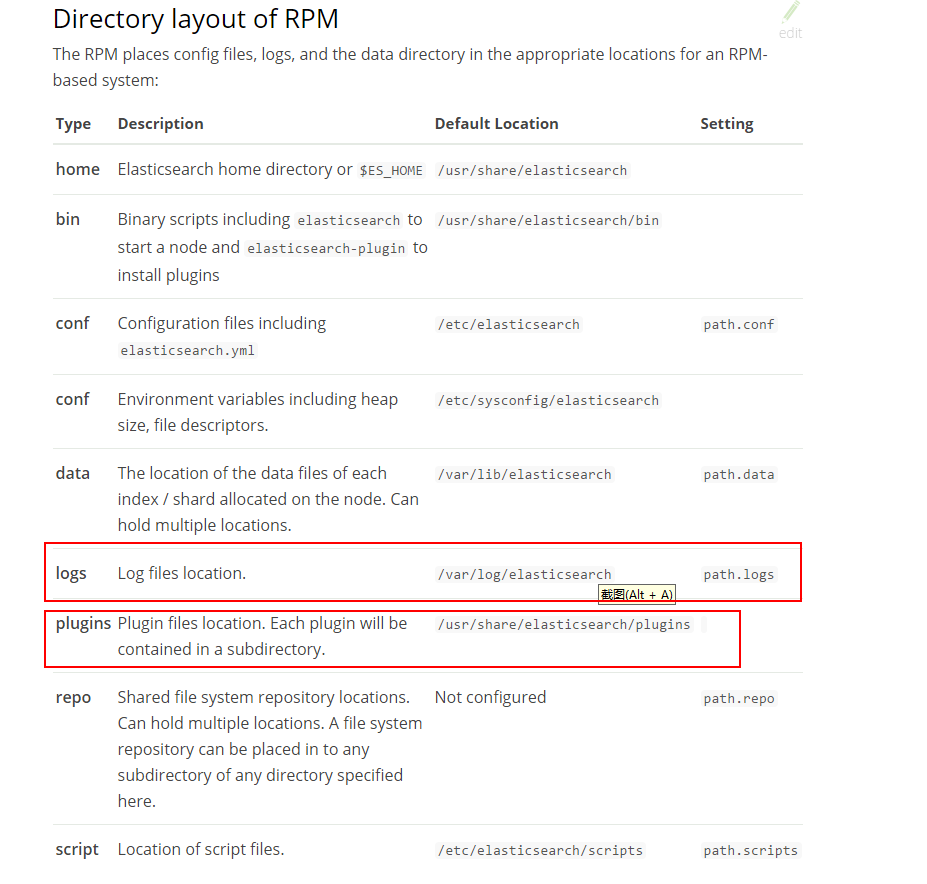
如上图,查看日志的路径和安装插件的路径
安装head 插件
官网:http://mobz.github.io/elasticsearch-head/
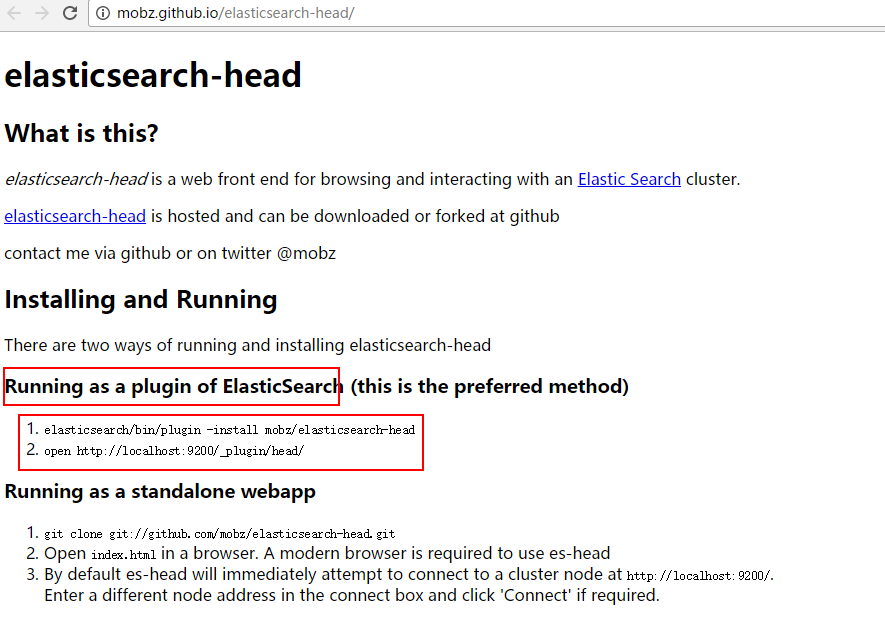
根据官网命令试了几次,发现命令是错误的,最后在github上华丽丽的给提交了一下,不知道会不会被采纳,
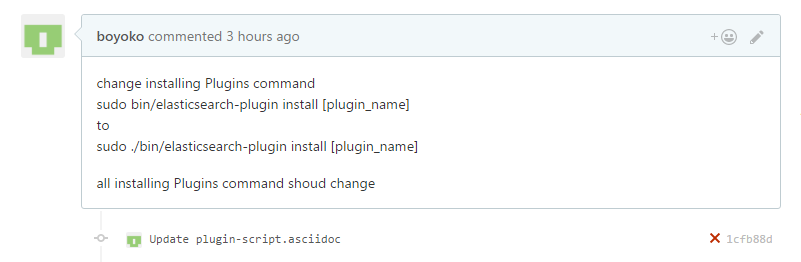
官网地址:https://www.elastic.co/guide/en/elasticsearch/plugins/5.2/installation.html
下面是截图:
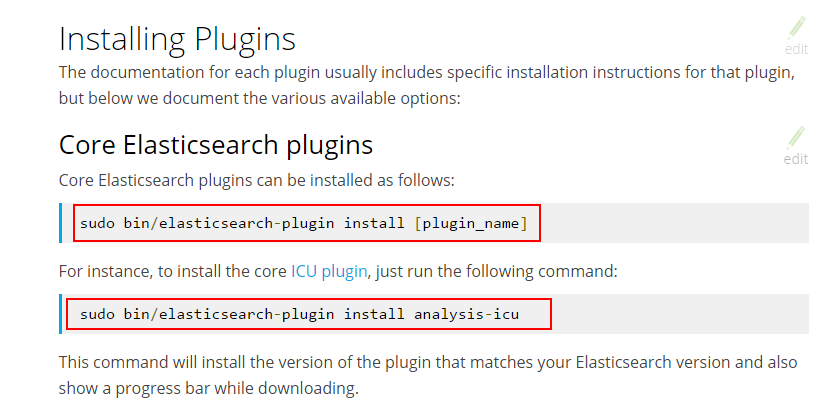
 命令应该修改为:(在bin上层目录中执行下面命令,定位到默认路径:/usr/share/elasticsearch/ 执行下面命令即可)
 ./bin/elasticsearch-plugin install analysis-icu
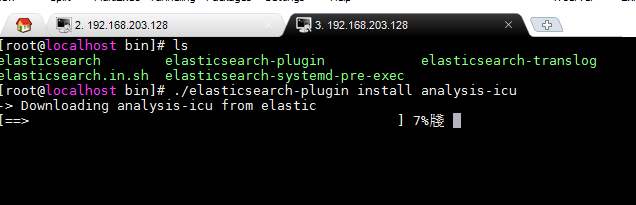
我是直接在bin 目录里执行的,如下图:
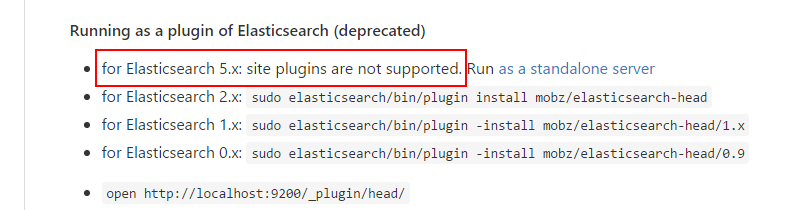
安装elasticsearch-head 插件,官网恨坑爹,没有说5.X版本后不支持插件形式,在github 上有说明:
https://github.com/mobz/elasticsearch-head
好吧,我们只能独立安装了~ 下图是官网上独立安装的步骤,不过对于裸机来说,首先需要安装git
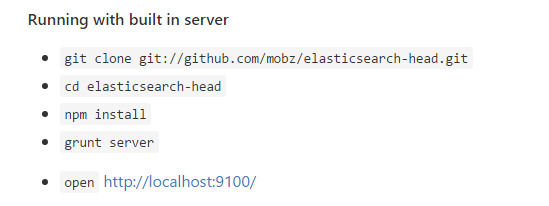
1、安装git
yum -y install git
2、安装 grunt
npm install -g grunt-cli
然后执行上面的命令进行安装,npm 没有安装的童鞋可以参考我以前的文章,安装nodejs
安装完以后并没有连接到es上,需要进行配置,看官网截图:
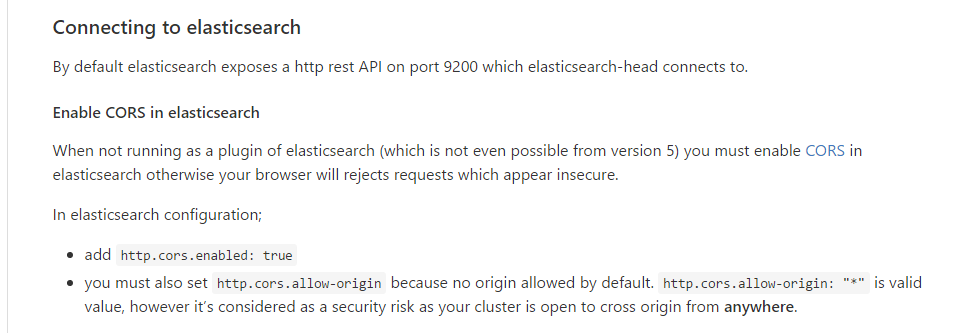
修改elasticsearch.yml 文件:
vi /etc/elasticsearch/elasticsearch.yml
在文件最后加入以下内容:
http.cors.enabled: true
http.cors.allow-origin: "*"
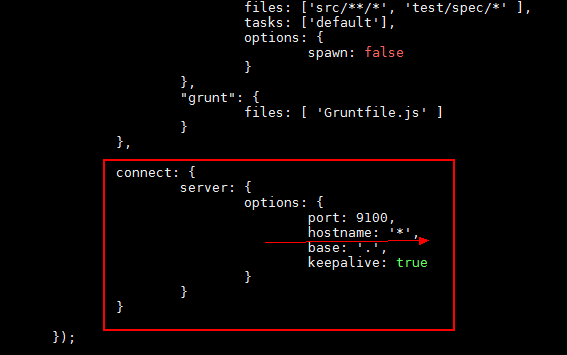
修改elasticsearch-head 配置:
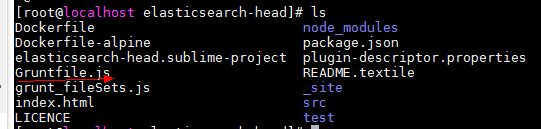
vi Gruntfile.js
里面内容比较多,增加:hostname: '*',
这点内容参考:http://www.cnblogs.com/xing901022/p/6030296.html
最近在搭建centos7.3 + elasticsearch5.5 的时候,使用root用户,发现一些问题,不能启动,查找了网上一些资料,大多是新建用户来解决的,配置很麻烦,如果想使用root用户,请按以下方式修改配置文件:
vi /etc/sysconfig/elasticsearch
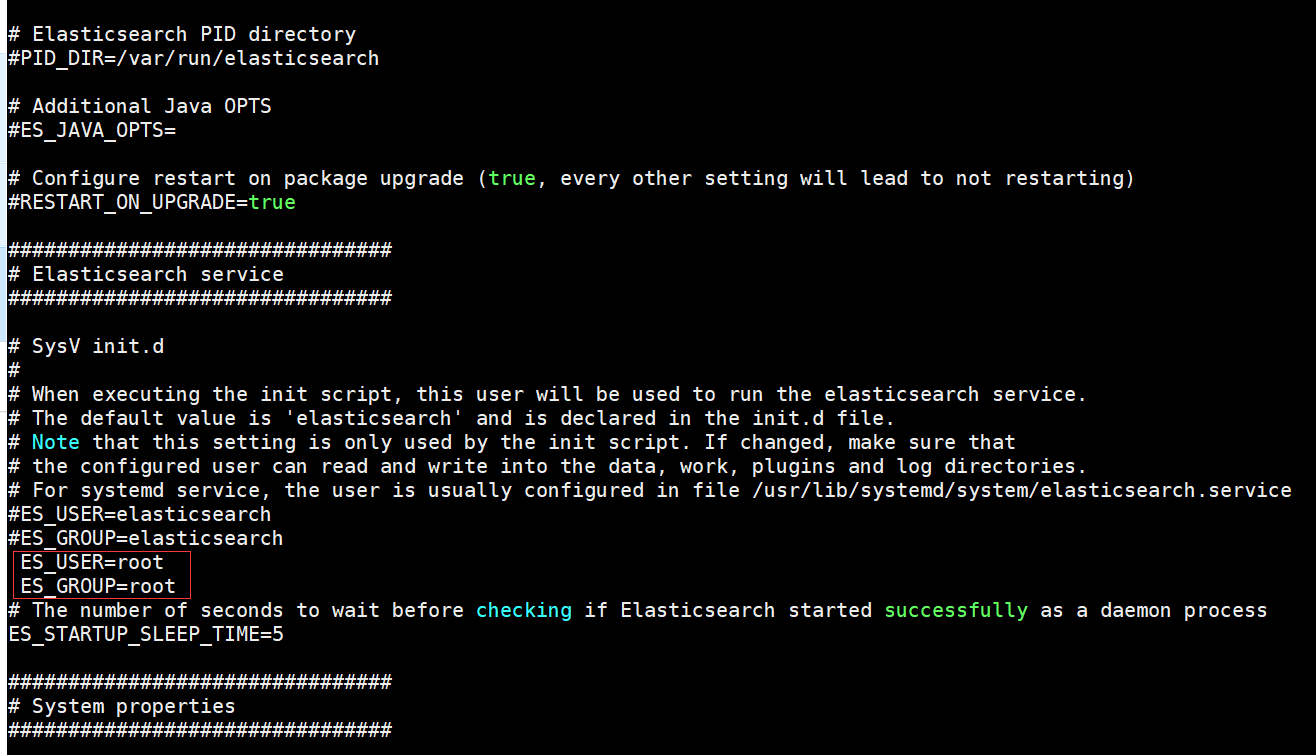
重点就在这里,官网文档写的很清楚,默认用户是 elasticsearch
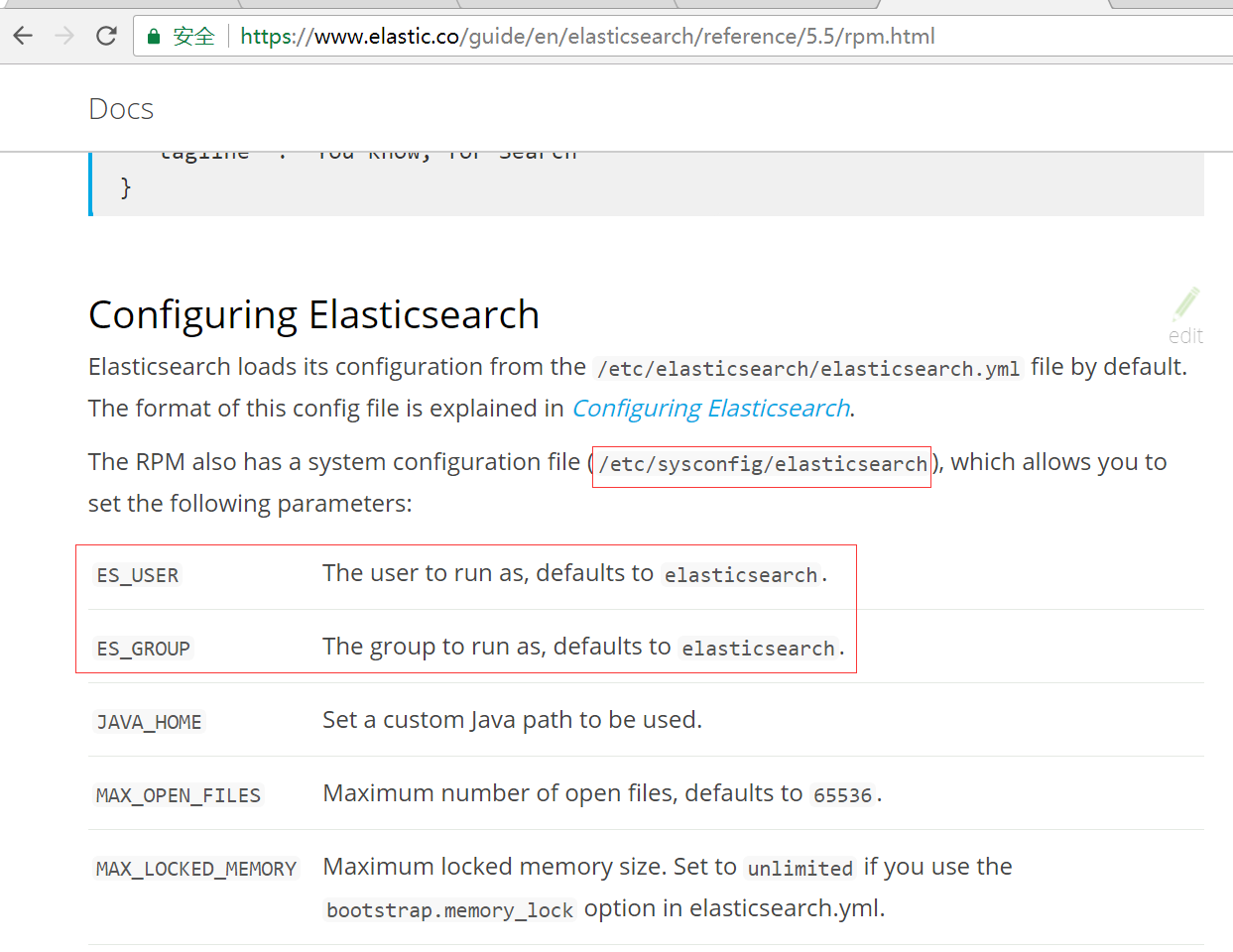
增加新用户来启动ES5,请参考这篇文章,作者有图有真相,确实会提示缺少config 文件的,官网也有说明
http://www.cnblogs.com/yswenli/p/6397351.html
安装IK中文分词插件:
https://github.com/medcl/elasticsearch-analysis-ik
定位到es目录:
cd /usr/share/elasticsearch/
运行安装命令:
./bin/elasticsearch-plugin install https://github.com/medcl/elasticsearch-analysis-ik/releases/download/v5.5.1/elasticsearch-analysis-ik-5.5.1.zip
重启ES5
说明:IK 分词插件的版本要和ES版本完全一致,否则会报错。
centos7.2 安装 Elasticsearch5.2的更多相关文章
- 在Centos7中安装elasticsearch5.5
在Centos7中安装elasticsearch5.5 第一步:必须要有jre支持 elasticsearch是用Java实现的,跑elasticsearch必须要有jre支持,所以必须先安装jre ...
- centos7虚拟机安装elasticsearch5.0.x-安装篇
https://blog.csdn.net/u012371450/article/details/51776505 请预先安装jdk 创建新用户(非root用户)elasticsearch只能用非ro ...
- centos7.2环境elasticsearch-5.0.1+kibana-5.0.1+zookeeper3.4.6+kafka_2.9.2-0.8.2.1部署详解
centos7.2环境elasticsearch-5.0.1+kibana-5.0.1+zookeeper3.4.6+kafka_2.9.2-0.8.2.1部署详解 环境准备: 操作系统:centos ...
- 在centos7上安装Jenkins
在centos7上安装Jenkins 安装 添加yum repos,然后安装 sudo wget -O /etc/yum.repos.d/jenkins.repo http://pkg.jenkins ...
- CentOS7 Jenkins安装
CentOS7 Jenkins安装 CentOS7 Jenkins安装 Download 从Jenkins下载apache-tomcat-8.0.18.tar.gz Install 安装 上传RPM文 ...
- 在 CentOS7 上安装 zookeeper-3.4.9 服务
在 CentOS7 上安装 zookeeper-3.4.9 服务 1.创建 /usr/local/services/zookeeper 文件夹: mkdir -p /usr/local/service ...
- 在 CentOS7 上安装 MongoDB
在 CentOS7 上安装 MongoDB 1 通过 SecureCRT 连接至 CentOS7 服务器: 2 进入到 /usr/local/ 目录: cd /usr/local 3 在当前目录下创建 ...
- 在 CentOS7 上安装 MySQL5.7
在 CentOS7 上安装 MySQL5.7 1 通过 SecureCRT 连接到阿里云 CentOS7 服务器: 2 进入到目录 /usr/local/ 中: cd /usr/local/ 3 创建 ...
- 在 CentOS7 上安装 Tomcat9
在 CentOS7 上安装 Tomcat9 1 通过 SecureCRT 连接到阿里云 CentOS7 服务器: 2 进入到目录 /usr/local/ 中: cd /usr/local/ 3 创建目 ...
随机推荐
- appium运行报错
1.new AppiumDriver<>(new URL(url), capabilities) 报错 java.lang.NoSuchMethodError:com.google.com ...
- 【转】dependency injection 的例子
Dependency Injection in PHP. Create your own DI container. / blog / PHP By my opinion one of the big ...
- 【翻译自mos文章】在11gR2 rac环境中,文件系统使用率紧张,而且lsof显示有非常多oraagent_oracle.l10 (deleted)
在11gR2 rac环境中,文件系统使用率紧张.而且lsof显示有非常多oraagent_oracle.l10 (deleted) 參考原文: High Space Usage and "l ...
- string 与BigDecimal互转
小编知道在java中数据类型非常 的严格了,我们如果一个地方不小心就会导致应用出问题了,今天 小编就在string 转BigDecimal上碰到了一些问题,下面整理了几个例子大家一起来看看. 例子 ...
- 在笛卡尔坐标系上描绘y=x^2-4/x^2-2x-3曲线
<!DOCTYPE html> <html lang="utf-8"> <meta http-equiv="Content-Type&quo ...
- easyui中combotree只能选子选项,父级不被选中
前言 前几天面试遇到一个需求(easyui中combotree只能选子选项,父级不被选中),回来特意整理下,大概的思想是如果该tree的节点被选中是判定一下是否有子节点,如果没有就说明是最终节点了,步 ...
- 浏览器开发调试工具的秘密 - Secrets of the Browser Developer Tools
来源:GBin1.com 如果你是一个前端开发人员的话,正确的了解和使用浏览器开发工具是一个必须的技能. Secrets of the Browser Developer Tools是一个帮助大家了解 ...
- Win7文件正在使用无法删除怎么办
Windows 7下删除文件提示被占用?系统内置工具搞定 Windows7之家(www.win7china.com):Windows7下删除文件提示被占用?系统内置工具搞定 在Windows中,删除文 ...
- Android 如何在关于手机界面添加个图片
前言 欢迎大家我分享和推荐好用的代码段~~ 声明 欢迎转载,但请保留文章原始出处: CSDN:http://www.csdn.net ...
- Python中的关键字的用法
Python有哪些关键字 -Python常用的关键字 and, del, from, not, while, as, elif, global, or, with, assert, else, if, ...