
redis 在windows 上的安装与使用
1.redis-windows
最近在做一个抢拍模块,由于过于平凡的insert与update I/O受不了,故只好把东西放内存里,等拍卖结束了,在写入磁盘.
至于为什么要用window呢? 因为服务器上的就是window的,没的选.
一打开官网就看到一些不怎么开心的东西.
Win64 Unofficial The Redis project does not directly support Windows, however the Microsoft Open Tech group develops and maintains an Windows port targeting Win64. Clone Other downloads are available on GitHub, Historical downloads are available on Google Code.
Scripts and other automatic downloads can easily access the tarball of the latest Redis stable version athttp://download.redis.io/redis-stable.tar.gz. The source code of the latest stable release is always browsable here, use the file src/version.h in order to extract the version in an automatic way.
但我去下载下来之后发现跟它本身那个没啥区别,该咋样,还咋样, 而且让我恶心的是它的描述文件让我很蛋疼,:
Where to find complete Redis documentation?

-------------------------------------------

This README is just a fast "quick start" document. You can find more detailed

documentation at http://redis.io

Building Redis

--------------

Redis can be compiled and used on Linux, OSX, OpenBSD, NetBSD, FreeBSD.

We support big endian and little endian architectures.

It may compile on Solaris derived systems (for instance SmartOS) but our

support for this platform is "best effort" and Redis is not guaranteed to

work as well as in Linux, OSX, and *BSD there.

It is as simple as:

% make

You can run a  bit Redis binary using:

% make 32bit

After building Redis is a good idea to test it, using:

% make test

Fixing problems building  bit binaries

...
算了,反正官方也说了它是非官方,不影响我使用就是了,我们也不该那么吊!
下载完后, 我们照着它的文档做:
How to build Redis using Visual Studio
You can use the free Visual Studio Express 2013 for Windows Desktop edition available athttp://www.microsoft.com/en-us/download/details.aspx?id=40787.
Open the solution file msvs\redisserver.sln in Visual Studio 2013, select a build configuration (Debug or Release) and target (Win32 or x64) then build.
This should create the following executables in the msvs\$(Target)\$(Configuration) folder:
- redis-server.exe
- redis-benchmark.exe
- redis-cli.exe
- redis-check-dump.exe
- redis-check-aof.exe
编译我选择 release-64bit 的版本,如下:
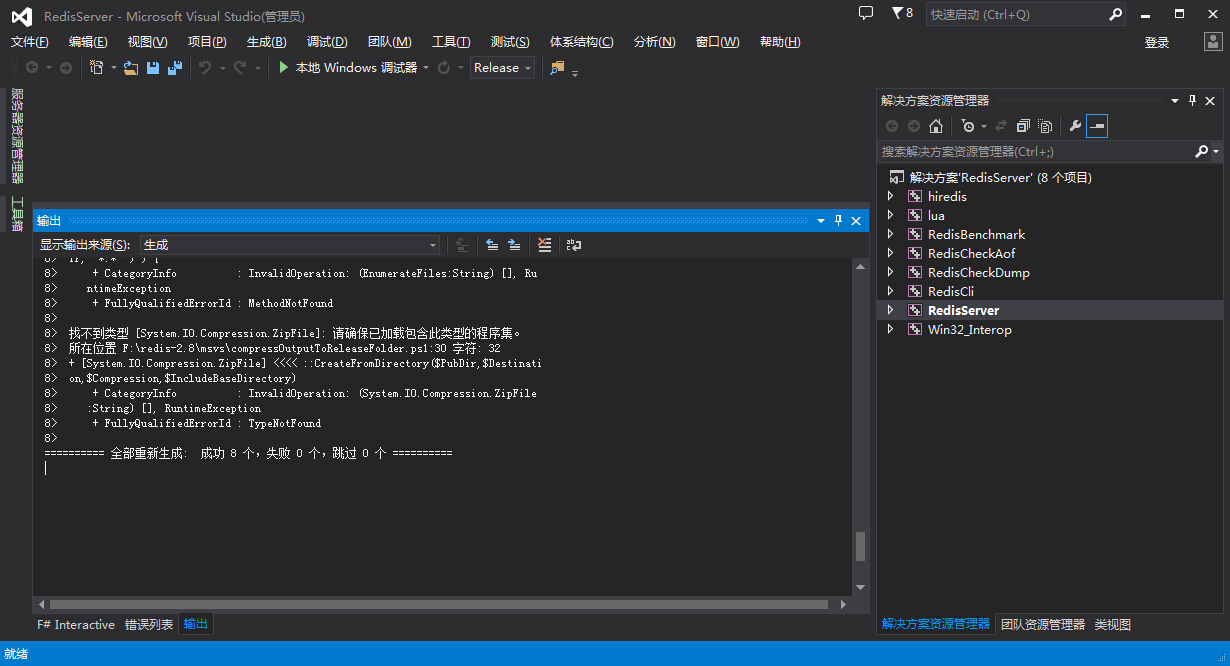
找到他的输出目录一般是在 msvs\x64\Release 目录下, 把其他一下非exe 的文件全干掉, 剩下如下几个:

然后我们把我们下载下来的那个压缩包中的redis.conf 拿出来,放在我们生产的目录中,用命令打开:
F:\redis-2.8>redis-server.exe  redis.conf

[]  Sep ::31.549 #

The Windows version of Redis allocates a large memory mapped file for sharing

the heap with the forked process used in persistence operations. This file

will be created in the current working directory or the directory specified by

the 'heapdir' directive in the .conf file. Windows is reporting that there is

insufficient disk space available for this file (Windows error 0x70).

You may fix this problem by either reducing the size of the Redis heap with

the --maxheap flag, or by moving the heap file to a local drive with sufficient

space.

Please see the documentation included with the binary distributions for more

details on the --maxheap and --heapdir flags.

Redis can not continue. Exiting.
根据提示,是 maxheap 标识有问题, 这个是因为位置文件中少了个配置:
我们在 redis.conf 头部加入一行
maxheap
如:
# Redis configuration file example

# Note on units: when memory size is needed, it is possible to specify

# it in the usual form of 1k 5GB 4M and so forth:

#

# 1k =>  bytes

# 1kb =>  bytes

# 1m =>  bytes

# 1mb => * bytes

# 1g =>  bytes

# 1gb => ** bytes

#

# units are case insensitive so 1GB 1Gb 1gB are all the same.

################################## INCLUDES ###################################

# Include one or more other config files here.  This is useful if you

# have a standard template that goes to all Redis server but also need

# to customize a few per-server settings.  Include files can include

# other files, so use this wisely.

#

# Notice option "include" won't be rewritten by command "CONFIG REWRITE"

# from admin or Redis Sentinel. Since Redis always uses the last processed

# line as value of a configuration directive, you'd better put includes

# at the beginning of this file to avoid overwriting config change at runtime.

#

# If instead you are interested in using includes to override configuration

# options, it is better to use include as the last line.

#

# include /path/to/local.conf

# include /path/to/other.conf

################################ GENERAL  #####################################

maxheap

# By default Redis does not run as a daemon. Use 'yes' if you need it.

# Note that Redis will write a pid file in /var/run/redis.pid when daemonized.

daemonize no

...
然后再次启动:
 F:\redis-2.8>redis-server.exe  redis.conf

                _._

           _.-``__ ''-._

      _.-``    `.  `_.  ''-._           Redis 2.8. (/)  bit

  .-`` .-```.  ```\/    _.,_ ''-._

 (    '      ,       .-`  | `,    )     Running in stand alone mode

 |`-._`-...-` __...-.``-._|'` _.-'|     Port:

 |    `-._   `._    /     _.-'    |     PID: 9316

  `-._    `-._  `-./  _.-'    _.-'

 |`-._`-._    `-.__.-'    _.-'_.-'|

 |    `-._`-._        _.-'_.-'    |           http://redis.io

  `-._    `-._`-.__.-'_.-'    _.-'

 |`-._`-._    `-.__.-'    _.-'_.-'|

 |    `-._`-._        _.-'_.-'    |

  `-._    `-._`-.__.-'_.-'    _.-'

      `-._    `-.__.-'    _.-'

          `-._        _.-'

              `-.__.-'

[]  Sep ::27.776 # Server started, Redis version 2.8.

[]  Sep ::27.776 * The server is now ready to accept connections on po

rt
双击打开 redis-cli.exe , 如果不报错,则连接上了本地服务器,然后测试,比如 set命令,get命令:
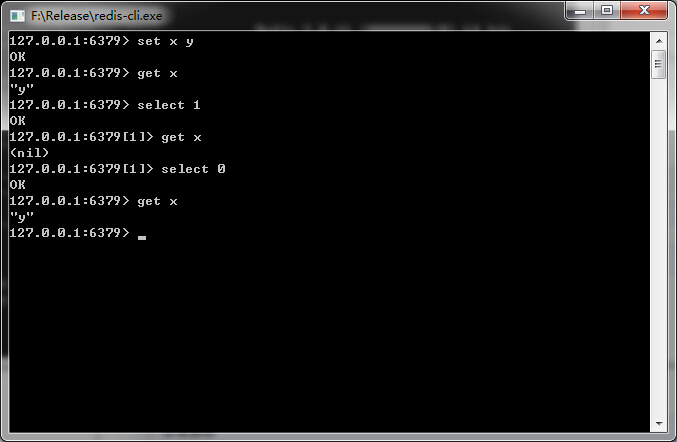
很明显, 哥成功了, 也祝大家好运
注意:
1. 这个版本是Win64的,所以32位windows就不要折腾了。
2. 我的操作系统是Windows 7 64位旗舰版,运行内存16GB,用户 是Administrator ,如果你不是,可能需要设置下 redis-server.exe 和redis-cli.exe 的属性中的兼容性权限(以管理员身份运行) .
3. 什么360啊,UAC啊,防火墙啊,该关的请关闭。。。
如果你懒得亲自动手,可以点这里 : 点击下载
redis 在windows 上的安装与使用的更多相关文章
- redis在windows上的安装
1.下载地址:https://github.com/MSOpenTech/redis 主要支持win64的,有个msi文件可以直接安装,安装后redis会变成一个服务,对于windows来说这种最方便 ...
- redis 在windows 上面的安装和使用,集群搭建
redis作为nosql数据库,将数据存储到内存中(缓存),具有非常高的性能.下面讲解一下redis的安装及java api的使用. 1:redis 安装 windows 上面直接下载msi文件,安装 ...
- 大数据高性能数据库Redis在Windows上的使用教程
Redis学习笔记----Redis在windows上的安装配置和使用 Redis简介 redis是一个key-value存储系统.和Memcached类似,它支持存储的value类型相对更多,包括s ...
- Redis for Windows(C#缓存)安装和使用
Redis for Windows(C#缓存)安装和使用 前言 前段时间写过两篇简单的有关Memcached缓存的相关文章,当然了只是入门的如何使用而已.最近这两天又发现了Redis这个神奇的东西,之 ...
- jinkins在windows上的安装 配置C#编译
首先jinkins在windows上的安装就不说,安装只需要下载相应安装包就可以了,后有些时候经常需要修改端口号.修改如下: 然后重启jenkins服务 首次运行界面 个人建议插件按需安装. 建立一个 ...
- (转)windows上virtualenv 安装及使用
[注意]要在某个含有空格的目录下面创建virtualenv环境,就要安装 win32api . 原文地址:http://blog.csdn.net/liuchunming033/article/det ...
- git在windows上的安装和简单使用
git在windows上的安装和简单使用. 参考: https://git-scm.com/book/zh/v1/Git-%E5%9F%BA%E7%A1%80-%E8%BF%9C%E7%A8%8B%E ...
- Windows上PostgreSQL安装配置教程
Windows上PostgreSQL安装配置教程 这篇文章主要为大家详细介绍了Windows上PostgreSQL安装配置教程,具有一定的参考价值,感兴趣的小伙伴们可以参考一下 PostgreSQL的 ...
- redis 在 windows 中的安装
redis 在 windows 中的安装 redis 官方并没有提供 redis 的 windows 版本.但是微软提供了 redis 的 windows 版本.有2.8和3.0版本.3.0版本支持集 ...
随机推荐
- Jquery 全选、反选问题解析
最近工作中,需要使用Jquery实现复选框的全选和反选,本人虽然不是专职撸前端的,但这个小问题感觉也没什么难度,下面直接上代码: <div id="list"> < ...
- px和em之间的转换
很多网页设计者在写css时都是在通用选择器中就设置了字体的大小,中文情况下一般为12px.然而IE浏览器却无法调整那些使用px作为单位的字体大小.其实使用em作为单位是可以避免这一情况的. 一.em和 ...
- Features for configuring JSON-to-Java mapping
Following on/off features are defined in DeserializationConfig.Feature (Jackson 1.x) or Deserializat ...
- Jersey(1.19.1) - Building URIs
A very important aspects of REST is hyperlinks, URIs, in representations that clients can use to tra ...
- oracle数据库创建表空间和表临时空间
1:创建临时表空间 create temporary tablespace user_temp tempfile 'Q:\oracle\product\10.2.0\oradata\Test\xyrj ...
- jQuery 自定义事件的学习笔记
jquery中提供了两种方法可以绑定自定义事件: bind()和one()而绑定的自定义事件的触发,必须得用jquery中的trigger()方法才能触发. 我们先来看on事件 代码如下 复制代码 ...
- JSPatch 遇上swift
swift使用JSPatch要点: 继承自NSObject的Swift类,其继承自父类的方法具有动态性,其他自定义方法.属性需要加dynamic修饰才可以获得动态性(public属性除外) 例子可参看 ...
- (转)优化tomcat,提高网站运行速度
网站优化方案: 网站优化有很多方面,这里我们先主要讲讲 tomcat优化.[主要针对tomcat6.0及以上版本] 1. 为jvm增加更多的内存,tomcat安装时,默认为126M,可以设置. To ...
- 拿到内存中dom元素的最后样式进行修改obj下的currentStyle方法
在用dom操作在对页面中的<style></style>里的样式进行操作时,发现时无效的,我觉得是因为页面DOM解析时此标签的样式内容才会被读到内存中,因此JS操作时取不到此标 ...
- java新手笔记31 集合实现类
Person类: package com.yfs.javase; import java.util.Date; public class Person implements Comparable { ...