
Gitlab在Centos7上的安装
一 官网说明
安装说明:本文只是用来给微服务当配置中心,只是较浅的记录一下安装步骤,后面会详细讲解及在docker上面的安装。
1.安装和配置必要的依赖项
在CentOS 7(和RedHat / Oracle / Scientific Linux 7)上,以下命令还将在系统防火墙中打开HTTP,HTTPS和SSH访问。
sudo yum install -y curl policycoreutils-python openssh-server

sudo systemctl enable sshd

sudo systemctl start sshd

sudo firewall-cmd --permanent --add-service=http

sudo firewall-cmd --permanent --add-service=https

sudo systemctl reload firewalld
接下来,安装Postfix以发送通知电子邮件。如果要使用其他解决方案发送电子邮件,请跳过此步骤, 并在安装GitLab之后配置外部SMTP服务器。
sudo yum install postfix

sudo systemctl enable postfix

sudo systemctl start postfix
在安装Postfix的过程中,可能会出现一个配置屏幕。选择“ Internet网站”,然后按Enter。使用服务器的外部DNS作为“邮件名”,然后按Enter。如果出现其他屏幕,请继续按Enter接受默认设置。
2.添加GitLab软件包存储库并安装软件包
添加GitLab软件包存储库。
curl https://packages.gitlab.com/install/repositories/gitlab/gitlab-ee/script.rpm.sh | sudo bash
接下来,安装GitLab软件包。更改https://gitlab.example.com为您要访问GitLab实例的URL。安装将自动配置并在该URL上启动GitLab。
对于https://URL,GitLab将使用Let's Encrypt自动请求证书,这需要入站HTTP访问和有效的主机名。您也可以使用自己的证书或仅使用http://。
sudo EXTERNAL_URL="https://gitlab.example.com" yum install -y gitlab-ee
二 开始安装
需要从官网下载 gitlab-ce-12.4.0-ce.0.el7.x86_64.rpm(ce为社区版,和ee没有太大区别)
- https://pan.baidu.com/s/17T6BhNoBKnp61EZ6FEj7kw
然后按照上面的步骤进行安装
sudo rpm -ivh gitlab-ce-12.4.0-ce.0.el7.x86_64.rpm

sudo yum install -y curl policycoreutils-python openssh-server

sudo systemctl enable sshd

sudo systemctl start sshd

sudo firewall-cmd --permanent --add-service=http

sudo firewall-cmd --permanent --add-service=https

sudo systemctl reload firewalld

sudo yum install postfix

sudo systemctl enable postfix

sudo systemctl start postfix

curl https://packages.gitlab.com/install/repositories/gitlab/gitlab-ce/script.rpm.sh | sudo bash

sudo EXTERNAL_URL="https://gitlab.example.com" yum install -y gitlab-ce
Gitlab服务操作
初始化配置 gitlab

gitlab-ctl reconfigure

启动 gitlab 服务

gitlab-ctl start

停止 gitlab 服务

gitlab-ctl stop
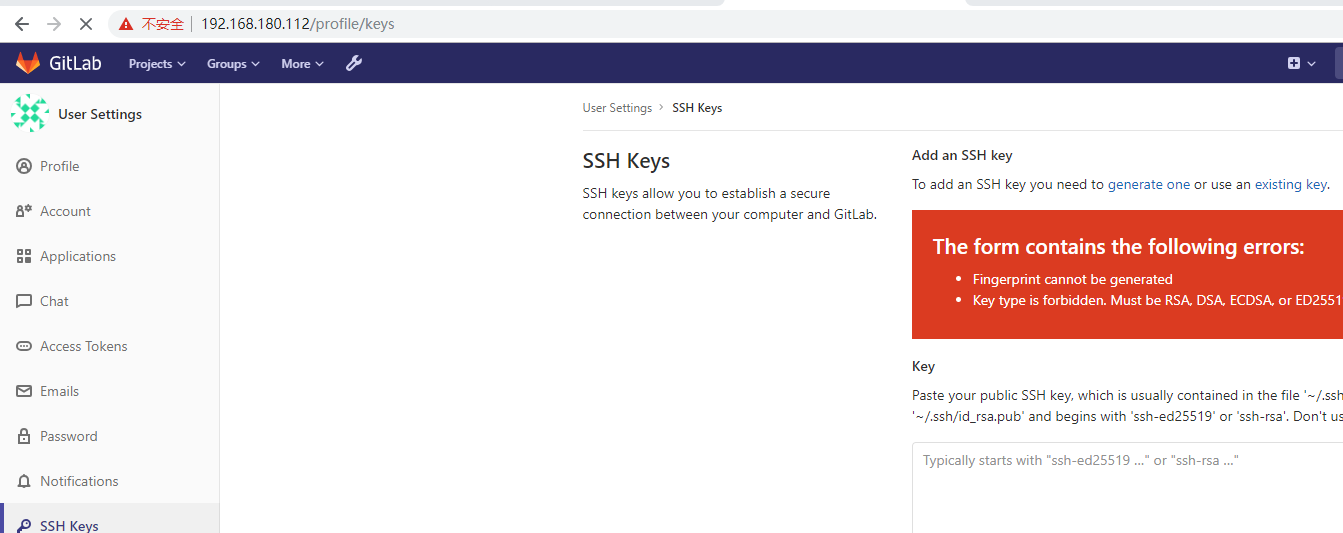
测试
Gitlab在Centos7上的安装的更多相关文章
- 【运维技术】CentOS7上从零开始安装阿里RocketMQ版本:release-4.0.1【亲测哈哈】
CentOS7上从零开始安装阿里RocketMQ版本:release-4.0.1[亲测哈哈] 安装git # 更新包 $ yum update # 安装git $ yum install git # ...
- 分布式文件系统FastDFS在CentOS7上的安装及与Springboot的整合
1. 概述 FastDFS 是目前比较流行的分布式文件系统,可以很容易的实现横向扩展.动态扩容.灾备.高可用和负载均衡. FastDFS 的服务分为 tracker 服务 和 storage 服务, ...
- solr7.3.1在CentOS7上的安装
1 solr的下载 从Solr官方网站(http://archive.apache.org/dist/lucene/solr/7.3.1/ )下载Solr最新版本, 根据Solr的运行环境,Linux ...
- centos7上docker安装和使用教程
Docker 是一个创建和管理 Linux 容器的开源工具.容器就像是轻量级的虚拟机,并且可以以毫秒级的速度来启动或停止.Docker 帮助系统管理员和程序员在容器中开发应用程序,并且可以扩展到成千上 ...
- 精简总结redis/rabbitmq/zookeeper在linux centos7上的安装
因为本博主之前已经写过了相关的一些安装及集群,可以参考前面的记录,但是由于博最近更换了VM14和centos7,为了适应这些环境,所以后续会逐渐重新搭建相关环境,并对之前的安装思路进一步精简梳理,以期 ...
- GitLab在centos7上安装和使用
git的优点 git是分布式的,svn不是 git分布式本地就可以用,可以随便保存各种历史痕迹,不用担心污染服务器,连不上服务器也能提交代码.查看log. GIT分支和SVN的分支不同 分支在SVN中 ...
- 【运维技术】CentOS7上从零开始安装LAMP安装织梦DedeCMS教程
前期准备数据 centos7 系统 安装 appache httpd # 更新httpd yum update httpd # 安装httpd yum install -y httpd # 启动服务 ...
- 在CentOs7上yum安装redis
在开始安装步骤之前,先把我的CentOs和redis版本号列出来: # 系统/软件 版本号 1 CentOS7 CentOS Linux release 7.2.1511 (Core) 2 redis ...
- mongoDB在centos7上的安装
1,下载安装包 下载MongoDB的安装文件 地址:https://www.mongodb.org/downloads#production 选择Linux 64-bit legacy 版本,下载到目 ...
随机推荐
- Spring boot 官网学习笔记 - 开发第一个Spring boot web应用程序(使用mvn执行、使用jar执行)
Creating the POM <?xml version="1.0" encoding="UTF-8"?> <project xmlns= ...
- jQuery常用方法(五)-jQuery CSS
JQuery CSS 方法说明 css( name ) 访问第一个匹配元素的样式属性. css( properties ) 把一个"名/值对"对象设置为所有匹配元素的样式属性. $ ...
- 算法题解:最大或最小的K个数(海量数据Top K问题)
题目 输入 n 个整数,找出其中最小的 k 个数.例如输入4.5.1.6.2.7.3.8 这8个数字,则最小的4个数字是1.2.3.4. 初窥 这道题最简单的思路莫过于把输入的 n 个整数排序,排序之 ...
- 1. jQuery中的DOM操作
1)查找节点 通过jQuery选择器来完成 2)创建节点 创建元素节点:var newTd = $("<td></td>") 创建文本节点:在创建元素节点时 ...
- asp.net core过滤器记录响应对象
百度到的基本上就是读取response.body的流.然后记录完了之后,把流的index重新复位,这样也太麻烦了. 其实asp.net core团队肯定已经考虑到了这种需求,比如记录请求响应日志.给响 ...
- js完整
jQuery jQuery介绍 jQuery是一个轻量级的.兼容多浏览器的JavaScript库. jQuery使用户能够更方便地处理HTML Document.Events.实现动画效果.方便地进行 ...
- 写在Python学习前
Python是一门非常有意思的语言,不需要太多的语言基础,就可以实现自己想要的操作.许多非计算机专业的学生都可以利用词云分析.分词.画图等实现自己想要的东西.学习Python和学习其他语言一样,需要耐 ...
- Ubuntu分区方案
swap: 4G(跟你自己内存一样大):主分区:空间起始位置:用于交换空间 /boot: 300M(太小会导致软件无法升级):逻辑分区:空间起始位置:EXT4:/boot /: 30G:主分区:空间起 ...
- 第3章(1) Linux内核相关概念
Linux内核的组成 1. Linux内核源代码的目录结构 arch:包含和硬件体系结构相关的代码,每种平台占一个相应的目录,如 i386.arm. arm64.powerpc.mips 等.Linu ...
- 动态分配内存-realloc
动态分配内存---relloc 关于 malloc 就不多说了,现在看看 realloc: 函数声明: void *realloc(void *ptr, size_t size); 功能:动态改变指针 ...