
scrollTop、scrollHeight与clientHeight
MDN上概念
scrollTop:获取或设置一个元素的内容垂直滚动的像素数。
scrollHeight:一个元素内容高度的度量,包括由于溢出导致的视图中不可见内容。
clientHeight:元素内部的高度(单位像素),包含内边距,但不包括水平滚动条、边框和外边距。
只看概念,似懂非懂,还是要自己测试一遍才知道,做个记录,以下为谷歌浏览器测试。
css
.box {

        height: 500px;

        width: 300px;

        overflow: scroll;

        color: #fff;

    }
html
<div class="box">

    <div>鸟语花香</div>

    <div>鸟语花香</div>

    ...

    <div>鸟语花香</div>

</div>
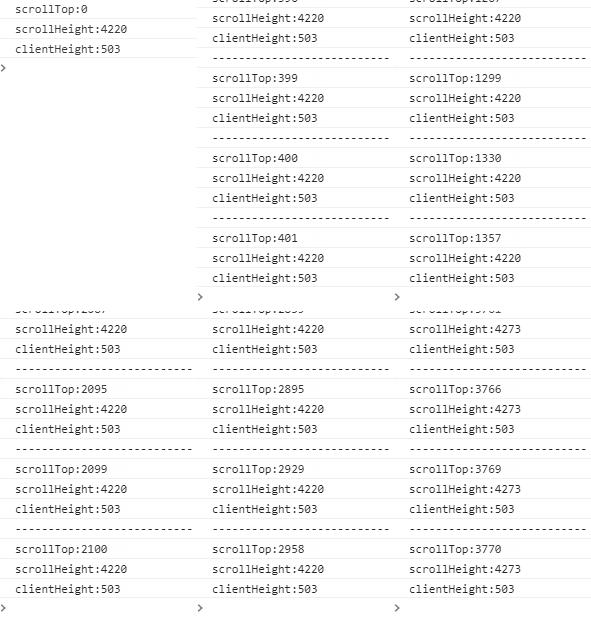
来看看scrollTop、scrollHeight与clientHeight都是多少
console.log("scrollTop:"+div.scrollTop)//页面内容的滚动距离

console.log("scrollHeight:"+div.scrollHeight)//滚动内容的总大小

console.log("clientHeight:"+div.clientHeight)//滚动容器的高
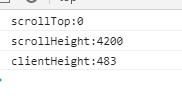
与magin的关系?css加上margin: 30px;
结果如下:
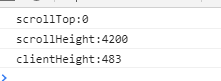
结论:没关系
与padding的关系?css加上padding: 10px;
结果如下:
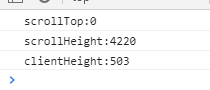
结论:有关系
scrollHeight=高度height(滚动内容)+上下padding
clientHeight=高度height(滚动容器)+上下padding
与border的关系?css加上border: 14px;
结果如下:
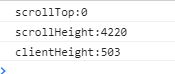
结论:没关系
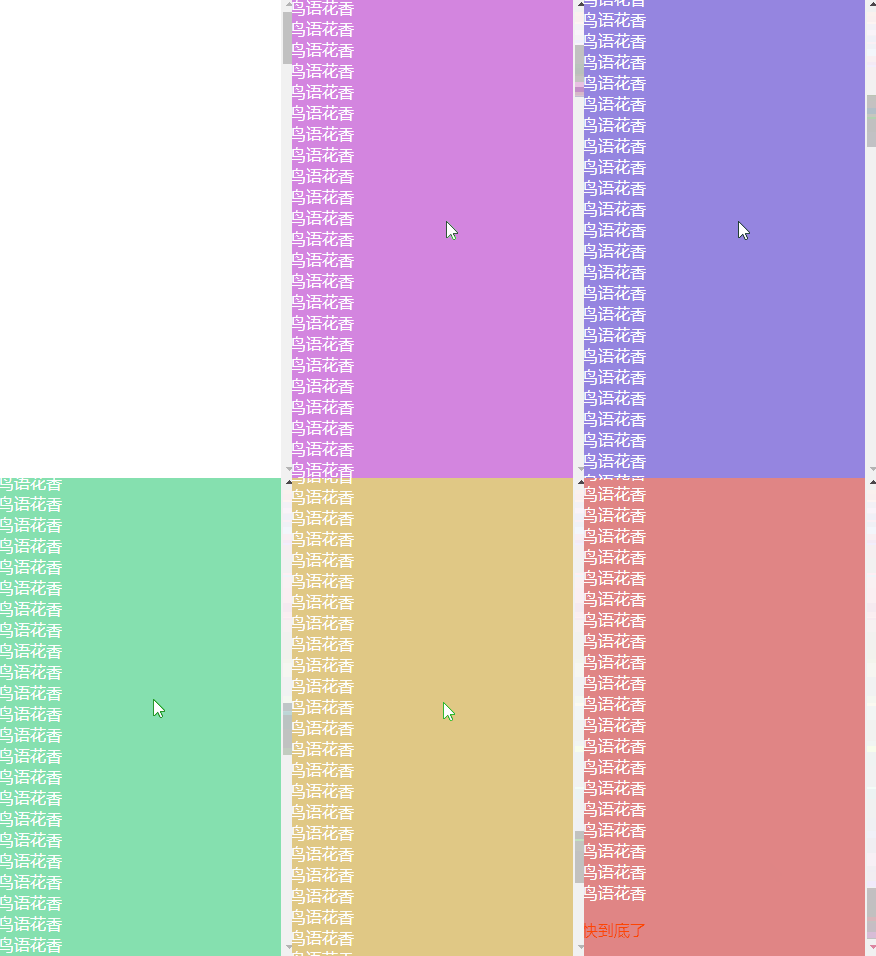
执行oncroll:
var div = document.querySelector(".box")

var istan = true  //加个开关,否则会append好多p标签

div.onscroll = function () {

    //距离底部300时执行

    if (div.scrollHeight - div.scrollTop < div.clientHeight + 300) {

        if (istan) {

            var p = document.createElement("p")

            p.style.color = "#f40"

            p.innerText = '快到底了'

            div.appendChild(p)

            istan = false

        }

    }

    var hue = 360 - 360 * (div.scrollTop + div.clientHeight) / div.scrollHeight

    //改变背景颜色

    div.style.backgroundColor = 'hsl(' + hue + ',60%,70%)'
如下图:
判断是否滚动到底
element.scrollHeight等于element.scrollTop+element.clientHeight的时候说明滚动到底了
element.scrollHeight - element.scrollTop === element.clientHeight
注:快滑到最后的时候scrollHeight多了53,是添加的p标签的高度(height+margin)
CSS hsl() 函数
hsl(hue, saturation, lightness)
hue 色相 0 (或 360) 为红色, 120 为绿色, 240 为蓝色
saturation 饱和度 色彩的纯度,越高色彩越纯,低则逐渐变灰,取0-100%的数值
lightness 亮度 取0-100%,增加亮度,颜色会向白色变化;减少亮度,颜色会向黑色变化。
实现效果
jq操作scroll
scrollLeft()
设置或返回匹配元素相对滚动条左侧的偏移。
scrollTop()
设置或返回匹配元素相对滚动条顶部的偏移。
scrollTop、scrollHeight与clientHeight的更多相关文章
- scrollTop,scrollHeight,clientTop,clientHeight,offsetTop,offsetHeight实际意义 及 计算方式 附实例说明
一.滚动距离.高度 scrollTop scrollLeft scrollHeight scrollWidth 二.相对位置.距离 offsetTop offsetLeft offsetHeight ...
- 各种位置和高度计算:.position()、.offset()、.outerHeight()、.scrollTop、.scrollHeight、.clientHeight
1..position()和.offset() jquery的.position()获取相对于最近的position为relative或absolute的父元素的偏移,返回.position().le ...
- 【日常总结】scrollTop、scrollHeight与clientHeight的重要关系
前言 在做一个需求的时候涉及懒加载,百度了一下,发现scrollTop.scrollHeight与clientHeight这三个元素起到了重要作用,以前做过类似demo但是时间过太久忘记了,现在已经完 ...
- offsetTop/offsetHeight scrollTop/scrollHeight 的区别
offsetTop/offsetHeight scrollTop/scrollHeight 这几个属性困扰了我N久,这次一定要搞定. 假设 obj 为某个 HTML 控件. obj.offset ...
- scrollHeight、clientHeight、offsetHeight、scrollTop等的定义以及图解
开发中经常遇到使用scrollHeight.scrollTop.clientHeight.offsetHeight等的情况,网上有众多关于这些属性的解释,但是并不全面和直观,现在将这些属性结合图例整理 ...
- JavaScript--clientX,clientY、pageX,pageY、offsetLeft,offsetTop/offsetWidth,offsetHeight、scrollLeft,scrollTop/scrollWidth,scrollHeight、clientHeight,clientWidth区别
/*在事件的内部console.dir(event)*/ /** * 事件对象event * clientX/clientY 获取鼠标基于浏览器窗口(可视区域的坐标位置)全兼容 * * pageX/p ...
- scrollWidth,offsetWidth,clientWidth,width;scrollHeight,offsetHeight,clientHeight,height;offsetTop,scrollTop,top;offsetLeft,scrollLeft,left还有谁
题中的那么多属性让人头都大了,他们到底是什么意思?不同浏览器的实现是一样的吗?以下所有结论来自chrome版本 53.0.2785.89 (64-bit)和firefox版本52.0.2,操作系统ub ...
- scrollLeft/scrollTop/scrollHeight
scrollHeight : It includes the element's padding, but not its border or margin.This property will ...
- offsetHeight、scrollHeight、clientHeight、height
对这几项进行彻底研究. 第一步:纯净div,没有margin,padding,border,height设置为200px. 添加滚动条,overflow:scroll,结果div的高度被压缩,因为被滚 ...
随机推荐
- Intellij IDEA设置自定义类描述信息
Intellij IDEA设置自定义类描述信息 样图 新建Java类自动生成模板信息:作者,时间,描述和其他信息 步骤 以 IntelliJ IDEA Community Edition 2020.1 ...
- pipeline 共享库
目录 一.简介 二.共享库扩展 共享库使用 共享库结构 pipeline模板 一些小问题 三.共享库例子 使用公共变量 使用共享库的src方法 使用共享库的vars方法 四.插件实现pipeline ...
- BUUCFT pwn asis2016_b00ks
看师傅们wp的时候,我才知道这个道题是wiki上面的例题.我看了一些师傅的wp,发现大家都是一种做法,都是通过mmap堆地址,来找libc基地址的.而我试了一下fastbisn attack,发现也可 ...
- Position定位详解
Position CSS position属性用于指定一个元素在文档中的定位方式.top,right,bottom 和 left 属性则决定了该元素的最终位置. 在分析position元素定位之前,先 ...
- CF1265B Beautiful Numbers 题解
Content 给定一个 \(1\sim n\) 的排列,请求出对于 \(1\leqslant m\leqslant n\),是否存在一个区间满足这个区间是一个 \(1\sim m\) 的排列. 数据 ...
- UVA294 约数 Divisors 题解
Content 给定 \(n\) 个区间 \([l,r]\),求出每个区间内约数个数最大的数. 数据范围:\(1\leqslant l<r\leqslant 10^{10}\),\(r-l\le ...
- AT4151 [ABC099B] Stone Monument 题解
Content 一个村里有 \(999\) 个房子,第 \(i\) 个房子的高度为 \(1+2+...+i=\sum\limits_{j=1}^ij\).现在下了一场雪,给定相邻两个房子没被雪覆盖的高 ...
- Django modules模块
http://www.cnblogs.com/wupeiqi/articles/5246483.html
- SpringBoot基础篇(一)
1.前言 什么是SpringBoot:springboot是当下一套流行的J2EE框架.借助微服务的思想.将业务分成一个个的服务.通过spring-cloud进行整合.最后通过spring-data进 ...
- 【LeetCode】1019. Next Greater Node In Linked List 解题报告 (Python&C++)
作者: 负雪明烛 id: fuxuemingzhu 个人博客:http://fuxuemingzhu.cn/ 目录 题目描述 题目大意 解题方法 单调递减栈 日期 题目地址:https://leetc ...