
Appium Remote webdriver调用
remote webdriver的模板
默认开启4723端口接受webdriver请求
默认开启4724用于和android通讯
#coding:utf-8

#Import the common package

import os

import unittest

from appium import webdriver

from time import sleep

#设置路径信息

PATH = lambda p: os.path.abspath(

    os.path.join(os.path.dirname(__file__), p)

)

class LoginAndroidTests(unittest.TestCase):

    def setUp(self):

        #初始化测试平台

        desired_caps = {}

        desired_caps['platformName'] = 'Android'

        desired_caps['platformVersion'] = '4.4.2'   #Android版本

        desired_caps['deviceName'] = '127.0.0.1:62001'  #连接到的设备名称,这个是夜神模拟器的名称

        #desired_caps['app'] = 'D:\apk\爱壁纸.apk'  #app的路径

        desired_caps['appPackage'] = 'com.lovebizhi.wallpaper'  #包名

        desired_caps['appActivity'] = 'com.lovebizhi.wallpaper.WelcomeActivity'  #activity名称

        self.driver = webdriver.Remote('http://127.0.0.1:4723/wd/hub', desired_caps)

    def tearDown(self):

        self.driver.quit()

    def test(self):

        #测试导航页

        print("start test...")

        #判断是否安装爱壁纸APP

        wallpaper = self.driver.is_app_installed("com.lovebizhi.wallpaper")

        if wallpaper:

            #self.driver.remove_app("com.lovebizhi.wallpaper")

            sleep(8)

            # 点击某一壁纸图片

            self.driver.find_elements_by_id("com.lovebizhi.wallpaper:id/image1")[4].click()

            sleep(4)

            # 点击设置壁纸

            self.driver.find_element_by_id("com.lovebizhi.wallpaper:id/btSetup").click()

            sleep(5)

        else:

            self.driver.install_app("D:\apk\爱壁纸.apk")

            sleep(30)if __name__ == '__main__':

    suite =unittest.TestLoader().loadTestsFromTestCase(LoginAndroidTests)

    unittest.TextTestRunner(verbosity=2).run(suite)
如何查看app的appPackage和APPactivity?
1、下载apktool-new的压缩包,并解压

2、双击decode.bat运行

3、将apk拖入decode.bat中回车即可得到对应apk的文件夹
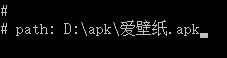

4、用记事本或notepad++等打开apk文件夹中的AndroidManifest.xml即可看到appPackage和APPactivity名称

在romote webdriver初始化的时候
desired_caps['appPackage'] = 'com.lovebizhi.wallpaper'

desired_caps['appActivity'] = 'com.lovebizhi.wallpaper.WelcomeActivity
已经确定了是要测试哪个APP和APP中的哪个界面。直接运行Python脚本时就会跳转到对应的界面,此时在test中就不能操作在本界面中不存在的元素。否则会报错
如:想要在主体部分写卸载该APP或其他APP,就会报错
#coding:utf-8

#Import the common package

import os

import unittest

from appium import webdriver

from time import sleep

#设置路径信息

PATH = lambda p: os.path.abspath(

    os.path.join(os.path.dirname(__file__), p)

)

class LoginAndroidTests(unittest.TestCase):

    def setUp(self):

        #初始化测试平台

        desired_caps = {}

        desired_caps['platformName'] = 'Android'

        desired_caps['platformVersion'] = '4.4.2'

        desired_caps['deviceName'] = '127.0.0.1:62001'

        #desired_caps['app'] = 'D:\apk\爱壁纸.apk'

        desired_caps['appPackage'] = 'com.lovebizhi.wallpaper'

        desired_caps['appActivity'] = 'com.lovebizhi.wallpaper.WelcomeActivity'

        self.driver = webdriver.Remote('http://127.0.0.1:4723/wd/hub', desired_caps)

    def tearDown(self):

        self.driver.quit()

    def test_1(self):

        #测试导航页

        print("start test1...")

        #判断是否安装爱壁纸APP

        wallpaper = self.driver.is_app_installed("com.lovebizhi.wallpaper")

        if wallpaper:

            self.driver.remove_app("com.lovebizhi.wallpaper")

            sleep(8)

        else:

            self.driver.install_app("D:\apk\爱壁纸.apk")

            sleep(30)

if __name__ == '__main__':

    suite =unittest.TestLoader().loadTestsFromTestCase(LoginAndroidTests)

    unittest.TextTestRunner(verbosity=2).run(suite)
报如下错误:


所以在初始化之后就不要使用卸载或安装程序了
Appium Remote webdriver调用的更多相关文章
- from appium import webdriver 使用python爬虫,批量爬取抖音app视频(requests+Fiddler+appium)
使用python爬虫,批量爬取抖音app视频(requests+Fiddler+appium) - 北平吴彦祖 - 博客园 https://www.cnblogs.com/stevenshushu/p ...
- 区分:AndroidDriver, iOSDriver, AppiumDriver and Remote WebDriver
区分:AndroidDriver, iOSDriver, AppiumDriver and Remote WebDriver 原文地址:https://discuss.appium.io/t/what ...
- appium---【已解决】【Mac】from appium import webdriver报错提示“Unresolved import webdriver”
报错提示: from appium import webdriver提示Unresolved import webdriver 报错原因:没有安装Appium_Python_Client 解决办法: ...
- 在eclipse中,Python项目遇到:…… from appium import webdriver ImportError: No module named appium
1) Traceback (most recent call last): File "D:\python workspace\src\p_test01\__init__.py" ...
- webDriver API——第11部分Remote WebDriver
The WebDriver implementation. class selenium.webdriver.remote.webdriver.WebDriver(command_executor=' ...
- from appium import webdriver 报错
from appium import webdriver 报错 看看你的文件是不是就叫appium
- appium ,selenium ,webdriver 运行原理与机制
做测试开发的童鞋都知道,UI自动化你绕不开selenium, webdrvier, appium框架,那么这三者之间有什么关联,它们的原理是什么呢? 简单来说就是: Selenium2 将浏览器原生 ...
- 关于IIS权限问题(Selenium WebDriver调用出错记录)
本地VS调试过程中用Selenium WebDriver打开FF浏览器可以正常工作,项目部署至IIS后请求调用浏览器一直提示超时,异常如下: 因为本地调试可以成功,首先排除组件版本问题和浏览器兼容问题 ...
- appium的webdriver执行swipe
# convenience method added to Appium (NOT Selenium 3) def swipe(self, start_x, start_y, end_x, end_y ...
随机推荐
- 1 安装企业wiki:confluence
使用wget下载命令下载文件. 下载成功使用dir可以看到文件目录 [root@localhost usr]# diratlassian-confluence-6.3.1-x64.bin bin ...
- IPMI的几个问题
IPMI针对大量监控.控制和自动回复服务器的作业,提供了智能型的管理方式.此标准适用于不同的服务器拓朴学,以及Windows.Linux. Solaris.Mac或是混合型的操作系统.此外,由于IPM ...
- FFmpeg 入门(3):播放音频
本文转自:FFmpeg 入门(3):播放音频 | www.samirchen.com 音频 SDL 提供了播放音频的方法.SDL_OpenAudio 函数用来让设备播放音频,它需要我们传入一个包含了所 ...
- 关于文件中的0D、0A
文件一般分为文本文件和二进制文件. 在windows文本文件中,分行即‘\n“,表示为0x0D 0x0A.分为两种情况: 如果你想一个文本文件中写入一个'\n',文本文件中会增加0x0D 0x0A两个 ...
- Elasticsearch+Kibana+Logstash安装
安装环境: [root@node- src]# cat /etc/redhat-release CentOS Linux release (Core) 安装之前关闭防火墙 firewalld 和 se ...
- [转]C语言 gets()和scanf()函数的区别
scanf( )函数和gets( )函数都可用于输入字符串,但在功能上有区别.若想从键盘上输入字符串"hi hello",则应该使用__gets__函数. gets可以接收空格:而 ...
- Centos 7 关闭邮件服务及禁用IPv6
关闭邮件服务(禁用25端口) sudo systemctl stop dovecot sudo systemctl stop postfix sudo systemctl disable doveco ...
- SQL调优简介及调优方式
引导语:我曾有一种感觉,不管何种调优方式,索引是最根本的方法,是一切优化手法的内功,所以一下我们 将讨论一些和索引相关的调优方式.索引是提高数据库性能的常用方法,它可以令数据库服务器以比没有索引快得多 ...
- Python学习笔记(十二)—Python3中pip包管理工具的安装【转】
本文转载自:https://blog.csdn.net/sinat_14849739/article/details/79101529 版权声明:本文为博主原创文章,未经博主允许不得转载. https ...
- mysql完全卸载
转载自(http://blog.csdn.net/typa01_kk/article/details/49057073) #################CentOS7下MySQL的卸载###### ...