
vue-router(路由嵌套)
1、项目结构

2、路由嵌套
import Vue from 'vue'

import Router from 'vue-router'

import Main from '../views/Main'

import Login from '../views/Login'

import Information from '../views/user/Information'

import ListUser from '../views/user/List'

Vue.use(Router)

export default new Router({

  routes: [

    {

      path:'/main',

      component:Main,

      children:[

        {path:'/user/information',component:Information},

        {path:'/user/list',component:ListUser}

      ]

    },

    {

      path:'/login',

      component:Login

    }

  ]

})
3、界面(使用elementui)
<template>

  <el-container>

    <el-header style="text-align: right" font-size:12px>

      <el-dropdown>

        <i class="el-icon-setting" style="margin-right: 15px"></i>

        <el-dropdown-menu slot="dropdown">

          <el-dropdown-item>个人信息</el-dropdown-item>

          <el-dropdown-item>退出登录</el-dropdown-item>

        </el-dropdown-menu>

      </el-dropdown>

    </el-header>

    <el-container>

      <el-aside width="200px">

        <el-menu :default-openeds="['1']">

          <el-submenu index="1">

            <template slot="title"><i class="el-icon-caret-right"></i>用户管理</template>

            <el-menu-item-group>

              <el-menu-item index="1-1">

                <router-link to="/user/information">用户信息</router-link>

              </el-menu-item>

              <el-menu-item index="1-2">

                <router-link to="/user/list">用户列表</router-link>

              </el-menu-item>

            </el-menu-item-group>

          </el-submenu>

          <el-submenu index="2">

            <template slot="title"><i class="el-icon-caret-right"></i>内容管理</template>

            <el-menu-item-group>

              <el-menu-item index="1-1">

                修改信息

              </el-menu-item>

              <el-menu-item index="1-2">

               修改密码

              </el-menu-item>

            </el-menu-item-group>

          </el-submenu>

        </el-menu>

      </el-aside>

      <el-main>

        <router-view/>

      </el-main>

    </el-container>

  </el-container>

</template>

<script>

    export default {

        name: "Main"

    }

</script>

<style scoped>

  .el-dropdown-link {

    cursor: pointer;

    color: #409EFF;

  }

  .el-icon-arrow-down {

    font-size: 12px;

  }

  .el-header, .el-footer {

    background-color: #B3C0D1;

    color: #333;

    text-align: center;

    line-height: 60px;

  }

  .el-aside {

    background-color: #D3DCE6;

    color: #333;

    text-align: center;

    line-height: 200px;

  }

  .el-main {

    background-color: #E9EEF3;

    color: #333;

    text-align: center;

    line-height: 160px;

  }

  body > .el-container {

    margin-bottom: 40px;

  }

  .el-container:nth-child(5) .el-aside,

  .el-container:nth-child(6) .el-aside {

    line-height: 260px;

  }

  .el-container:nth-child(7) .el-aside {

    line-height: 320px;

  }

</style>
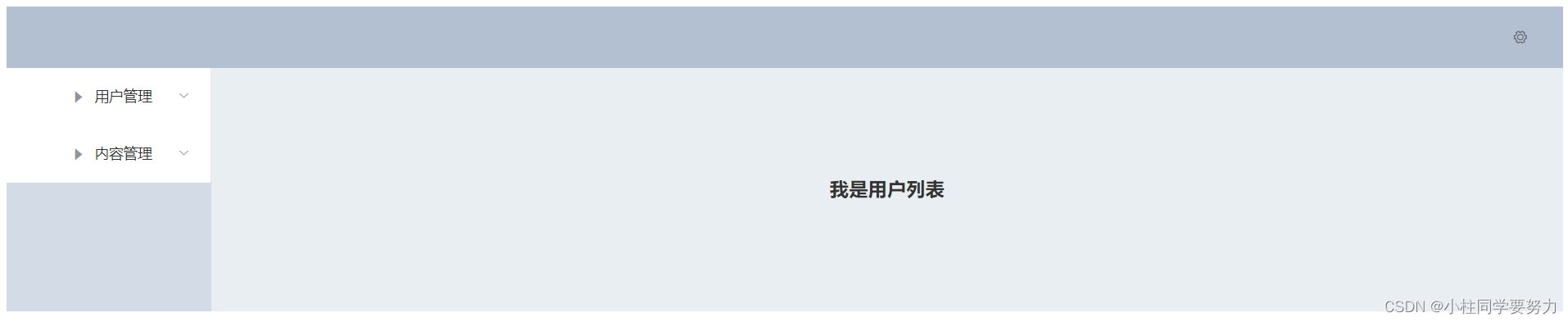
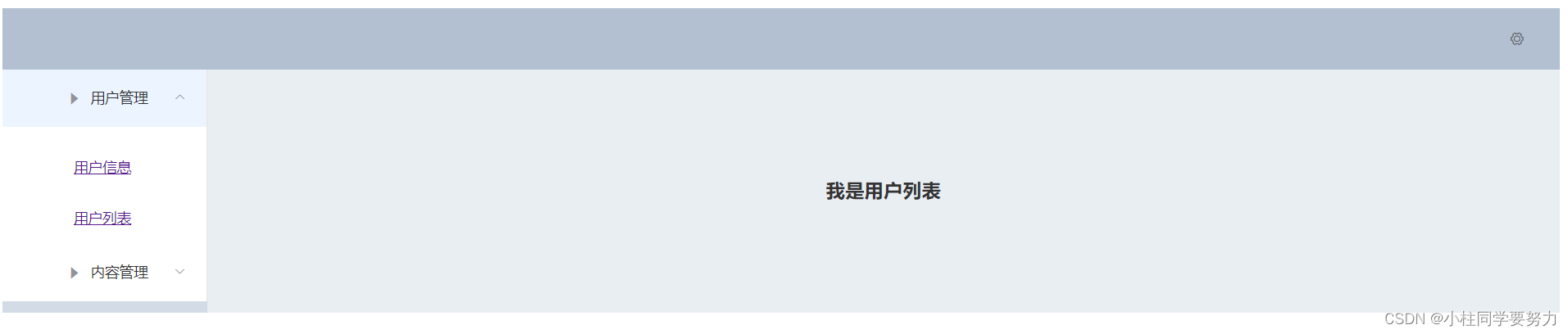
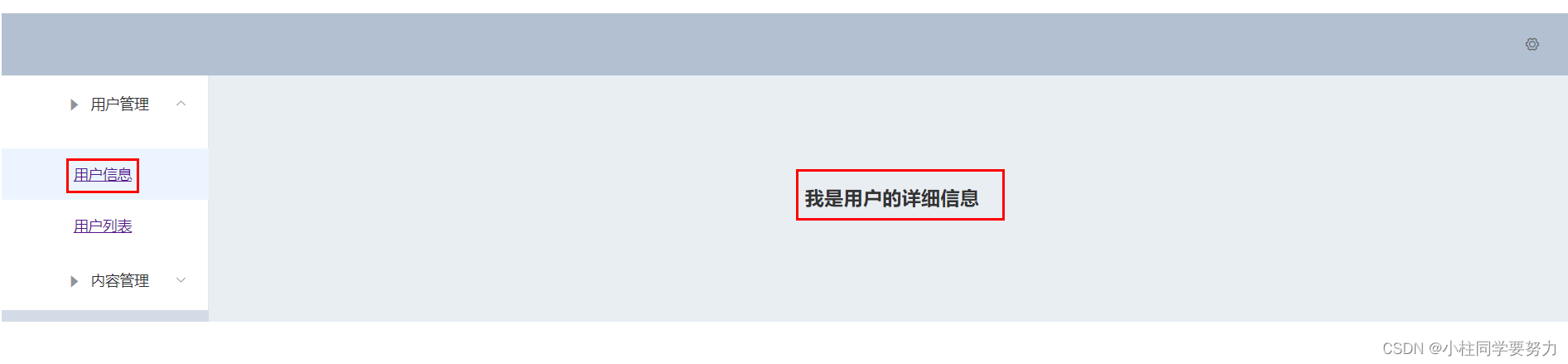
4、效果展示

vue-router(路由嵌套)的更多相关文章
- 前端MVC Vue2学习总结(八)——Vue Router路由、Vuex状态管理、Element-UI
一.Vue Router路由 二.Vuex状态管理 三.Element-UI Element-UI是饿了么前端团队推出的一款基于Vue.js 2.0 的桌面端UI框架,手机端有对应框架是 Mint U ...
- vue学习路由嵌套
1. 路由嵌套和参数传递 传参的两种形式: a.查询字符串:login?name=tom&pwd=123 {{$route.query}} ------ <li><route ...
- Vue系列:Vue Router 路由梳理
Vue Router 是 Vue.js 官方的路由管理器.它和 Vue.js 的核心深度集成,让构建单页面应用变得易如反掌.包含的功能有: 嵌套的路由/视图表 模块化的.基于组件的路由配置 路由参数. ...
- 04 Vue Router路由管理器
路由的基本概念与原理 Vue Router Vue Router (官网: https://router.vuejs.org/zh/)是Vue.js 官方的路由管理器. 它和vue.js的核心深度集成 ...
- Vue Router路由管理器介绍
参考博客:https://www.cnblogs.com/avon/p/5943008.html 安装介绍:Vue Router 版本说明 对于 TypeScript 用户来说,vue-router@ ...
- vue.js路由嵌套
<!DOCTYPE html> <html> <head> <title></title> <meta charset="u ...
- Vue Router 路由守卫:完整的导航解析流程
完整的导航解析流程 1 导航被触发. 2 在失活的组件里调用离开守卫. 3 调用全局的 beforeEach 守卫. 4 在重用的组件里调用 beforeRouteUpdate 守卫 (2.2+). ...
- Vue Router路由守卫妙用:异步获取数据成功后再进行路由跳转并传递数据,失败则不进行跳转
问题引入 试想这样一个业务场景: 在用户输入数据,点击提交按钮后,这时发起了ajax请求,如果请求成功, 则跳转到详情页面并展示详情数据,失败则不跳转到详情页面,只是在当前页面给出错误消息. 难点所在 ...
- vue 多级路由嵌套后打开页面是空白
在多层路由嵌套时,一级子目录必须有一个页面并且添加一具<router-view>,否则路由跳转页面为空,没有任何显示 来自为知笔记(Wiz)
- Vue Router 路由实现原理
一.概念 通过改变 URL,在不重新请求页面的情况下,更新页面视图. 二.实现方式 更新视图但不重新请求页面,是前端路由原理的核心之一,目前在浏览器环境中这一功能的实现主要有2种方式: 1.Hash ...
随机推荐
- Excel 数学函数(一):INT、TRUNC、ROUND、ROUNDUP 和 ROUNDDOWN
前言 INT.TRUNC.ROUND.ROUNDUP 和 ROUNDDOWN 都是对一个数进行取舍,但是,各自的取舍的方式不一样. INT 函数只有一个参数:TRUNC.ROUND.ROUNDUP 和 ...
- 使用docker简单编译k20pro内核
简介 本文将介绍一下如何使用docker编译红米k20pro的内核.作者当时尝试构建内核的原因是为了将3年前(好像是吧)购买的k20pro至尊版(已退役,12GB内存,512GB硬盘)制作成一个小的服 ...
- 【Java】学习路径61-“伪”枚举类型
public class RolyType { public static final int TEACHER = 0; public static final int STUDENT = 1; pu ...
- Linux安装GCC编译器
今天突然想到怎么样在Red Hat 8上练习C,安装GCC编译器,并运行出"hello world". 于是就有了以下操作 1 [root@localhost ~]# yum in ...
- Get请求使用请求体传递参数会报400异常的问题
问题描述: 前端使用Get请求并且使用请求体传递参数,后端使用@RequestBody注解封装参数,这时会出现400的异常信息. 解决方法: 1.Get请求不要使用请求体,使用请求体的话用POST请求 ...
- Netty使用手册翻译
前言 痛点 时至今日,我们通常会使用应用程序或第三方库去提供通信功能.比如:我们通常使用HTTP客户端库去Web服务器检索信息;通过web服务调用一个远程程序.然而,一个通用协议或者它的实现往往不能适 ...
- shell实现自动挂载优盘
#!/bin/sh is_empty_dir(){ return `ls -A $1|wc -w` } is_usb_in(){ return `dmesg |tail -100000|grep -i ...
- 详谈 MySQL 8.0 原子 DDL 原理
柯煜昌 青云科技研发顾问级工程师 目前从事 RadonDB 容器化研发,华中科技大学研究生毕业,有多年的数据库内核开发经验. 文章字数 3800+,阅读时间 15 分钟 背景 MySQL 5.7 的字 ...
- 【java8新特性】01:函数式编程及Lambda入门
我们首先需要先了解什么是函数式编程.函数式编程是一种结构化编程范式.类似于数学函数.它关注的重点在于数据操作.或者说它所提倡的思想是做什么,而不是如何去做. 自Jdk8中开始.它也支持函数式编程.函数 ...
- 云原生之旅 - 2)Docker 容器化你的应用
前言 上文中我们用Golang写了一个HTTP server,本篇文章我们讲述如何容器化这个应用,为后续部署到kubernetes 做准备. 关键词:Docker, Containerization, ...