
git push遇到的问题“Please make sure you have the correct access rights and the repository exists.”
问题:今天在用idea往github推送代码的时候,出现了下面的报错
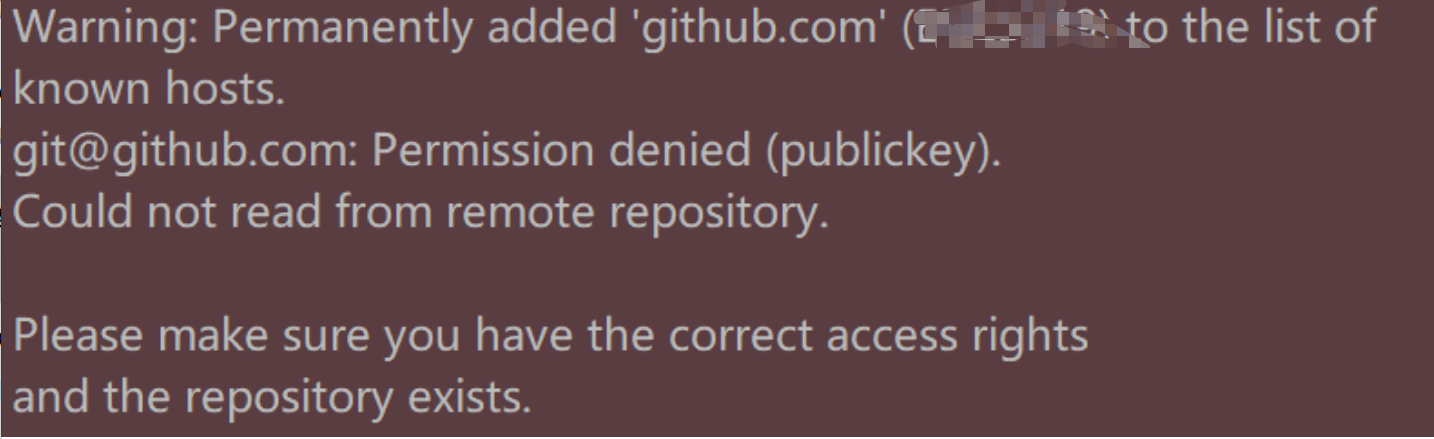
原因:是ssh key有问题,连接不上服务器
解决:
1.得重新在git设置一下身份的名字和邮箱
git config --global user.name "yourname"
git config --global user.email "your@email.com"
说明:yourname是你要设置的名字,your@email是你要设置的邮箱。
2.删除.ssh文件夹(在C:\Users\某某某)下的known_hosts
3.git输入命令
ssh-keygen -t rsa -C "your@email.com"
your@email是你之前要设置的邮箱。
敲完命令按下回车后出现
Generating public/private rsa key pair.
Enter file in which to save the key (/Users/your_user_directory/.ssh/id_rsa):
再次按下回车
这时在.ssh文件夹下会生成两个文件,id_rsa和id_rsa.pub,打开id_rsa.pub,将里面的内容全选复制。
4.在浏览器登录你的github账号,进入设置,点击这一项
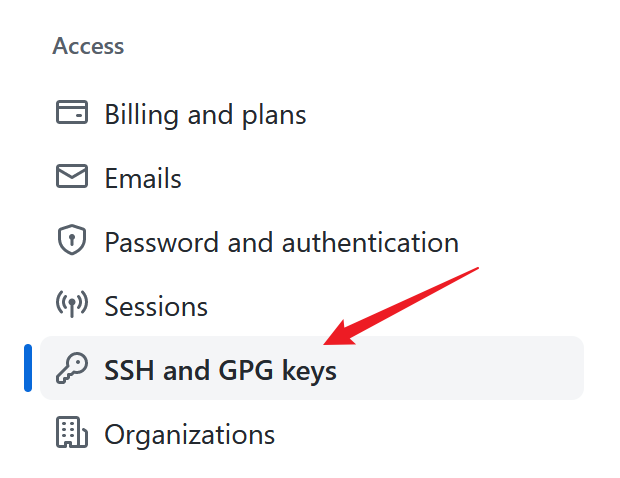

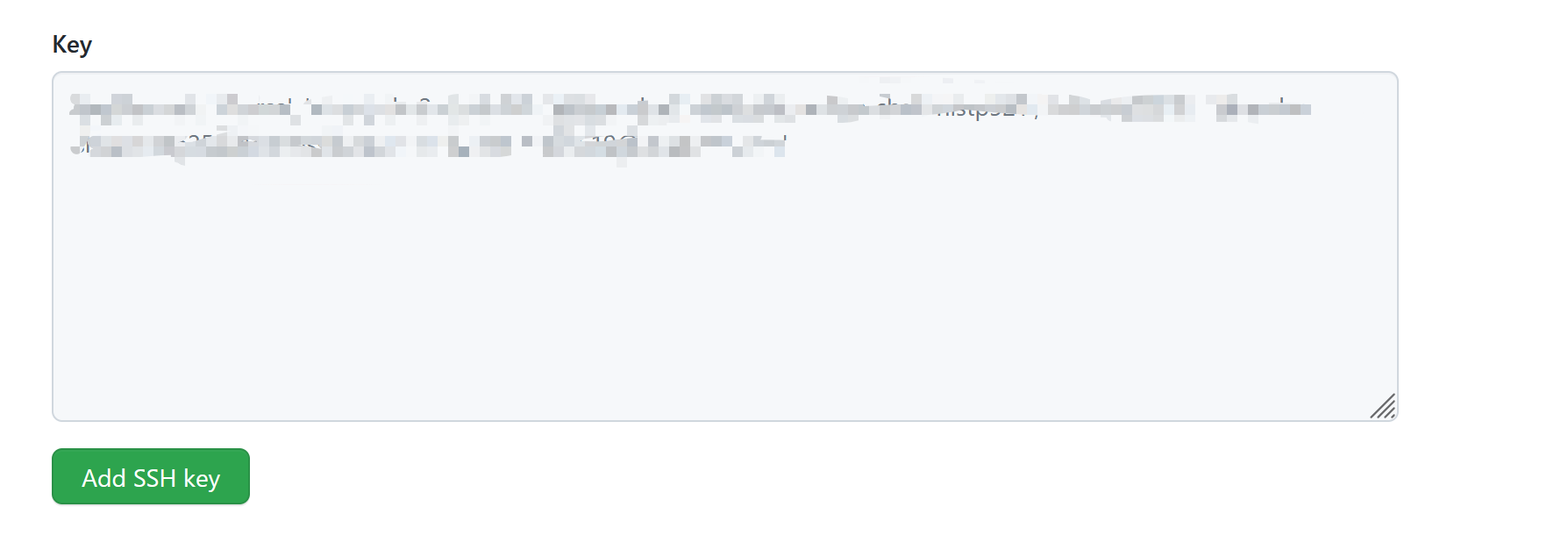
往key里面粘贴刚刚复制的内容,点击add ssh key.
5.在git中输入下面的命令
ssh -T git@github.com
显示一些信息,输入yes,回车,提示你成功了。
最后退出git和idea,重新进入,往远程库push代码,发现成功了。
完。
参考:https://blog.csdn.net/jingtingfengguo/article/details/51892864
git push遇到的问题“Please make sure you have the correct access rights and the repository exists.”的更多相关文章
- git遇到的问题之“Please make sure you have the correct access rights and the repository exists.”
对于git的提交一直很小心翼翼,感觉一不小心就会踩到莫名的坑. 这不, 某天commit 就遇到了On branch master nothing to commit (working directo ...
- Git push提交时报错Permission denied(publickey)...Please make sure you have the correct access rights and the repository exists.
一.git push origin master 时出错 错误信息为: Permission denied(publickey). fatal: Could not read from remote ...
- windows 部署 git 服务器报 Please make sure you have the correct access rights and the repository exists.错误
这两天在阿里云上弄windows 服务器,顺便部署了一个git服务.根据网上教程一步步操作下来,最后在 remote远程仓库的时候提示 fatal: 'yourpath/test.git' does ...
- git pull 出错 fatal: Could not read from remote repository.Please make sure you have the correct access rights.and the repository exists.
Warning: Permanently added the RSA host key for IP address '192.30.252.131' to the list of known hos ...
- 使用git时出现Please make sure you have the correct access rights and the repository exists.问题已解决。
使用git时,出现Please make sure you have the correct access rights and the repository exists.问题已解决. 今天我在使用 ...
- [Git]Please make sure you have the correct access rights and the repository exists
这个问题是这样,需要在已有github账号的A机器上,再创建一个github账号,新账号创建完毕,将代码通过机器A push上之后,再另一台机器B,clone 这个项目时报出了如下错误: Permis ...
- Git clone时出现Please make sure you have the correct access rights and the repository exists.问题已解决。
看了好多资料终于搞定了git 中clone命令报错这个问题,废话不多说直接上步骤希望对大家有帮助. 1 删除.ssh文件夹(直接搜索该文件夹)下的known_hosts(手动删除即可,不需要git ...
- 报错 Please make sure you have the correct access rights and the repository exists (git 添加ssh密钥 )
1.设置Git的user name和email $ git config --global user.name "wubaiwan" $ git config --global u ...
- Git提交时提示“Please make sure you have the correct access rights and the repository exists.”的解决方法
1.首先打开Git Bash设置名字和邮箱: git config --global user.name "你的名字" git config --global user.email ...
- Git出错:“Please make sure you have the correct access rights and the repository exists.”
此问题是需要重置ssh密钥 解决步骤如下: 1.重置用户名和邮箱: 打开Git Bash 进入Git命令,输入以下命令 git config --global user.name "你的用户 ...
随机推荐
- linux ssh连接
前言 整理以前的随笔. 正文 首先更新源 sudo apt-get update 安装ssh服务 sudo apt-get install openssh-server 检测是否已启动 ps -e | ...
- 【最简单】禁用Chrome的“请停用以开发者模式运行的扩展程序”提示
安装油猴插件后,每次打开Chrome浏览器后右上角都会提示,"请停用以开发者模式运行的扩展程序"的一个窗口,强迫症患者表示很烦. 小白的我试过网上多数方法,有些已经失效,有些都太麻 ...
- 【c++】类valarray介绍
valarray类用于处理数组中的数值,如将所有元素相加,找出最大.最小值,数组长度. 如何使用valarray类: 1.首先需要声明头文件 #include<valarray&g ...
- 力扣21(java&python)-合并两个有序链表(简单)
题目: 将两个升序链表合并为一个新的 升序 链表并返回.新链表是通过拼接给定的两个链表的所有节点组成的. 示例 1: 输入:l1 = [1,2,4], l2 = [1,3,4] 输出:[1,1,2,3 ...
- 在kubernetes集群中使用虚拟节点创建1万Pod-支持在线教育业务
使用虚拟节点提升k8s集群容量和弹性 在kubernetes集群中添加虚拟节点的方式已被非常多的客户普遍使用,基于虚拟节点可以极大提升集群的Pod容量和弹性,灵活动态的按需创建ECI Pod,免去集群 ...
- 面向K8s设计误区
K8s设计模式 Kubernetes是一个具有普遍意义的容器编排工具,它提供了一套基于容器构建分布式系统的基础依赖,其意义等同于Linux在操作系统中的地位,可以认为是分布式的操作系统. 自定义资源 ...
- 2021云栖大会开源引力峰会重磅发布的战略合作,Grafana服务到底是什么?
简介: 这几天关注云栖大会的小伙伴一定会发现阿里巴巴合伙人.阿里云高级研究员蒋江伟(小邪)在云栖大会开源引力峰会的演讲中,特别提到了一个叫 Grafana 服务的产品,并特意花费一页 PPT 介绍了这 ...
- [Docker] 假如宿主机 Nginx 代理到 Docker 的 PHP
其实没有多少区别,同样 php 镜像启动服务暴露一个端口,nginx 的 proxy_pass 代理过去,唯一要注意的是 nginx 配置的项目路径. nginx 配置的 root 是本地项目路径,给 ...
- 2018-2-13-C#-获得设备usb信息
title author date CreateTime categories C# 获得设备usb信息 lindexi 2018-2-13 17:23:3 +0800 2018-2-13 17:23 ...
- Kafka 监听器详解
Kafka 监听器详解 Kafka Assistant 是一款 Kafka GUI 管理工具--管理Broker,Topic,Group.查看消费详情.监控服务器状态.支持多种消息格式. 目录 Kaf ...