
[HDF]hdf-4.2.6类库的使用
HDF文件包括科学数据和VData部分。读取HDF格式的calipso数据,用GDAL可以方便的读取其中的子数据集,但是没有发现GDAL中提供读取Vdata的方法。所以只好考虑借助hdf-4.2.6类库本身。毕竟GDAL也是采用的hdf-4.2.6类库进行了一次封装。
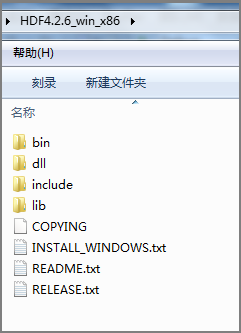
首先从HdfGroup网站下载一个编译好的安装包。解压后目录如下:
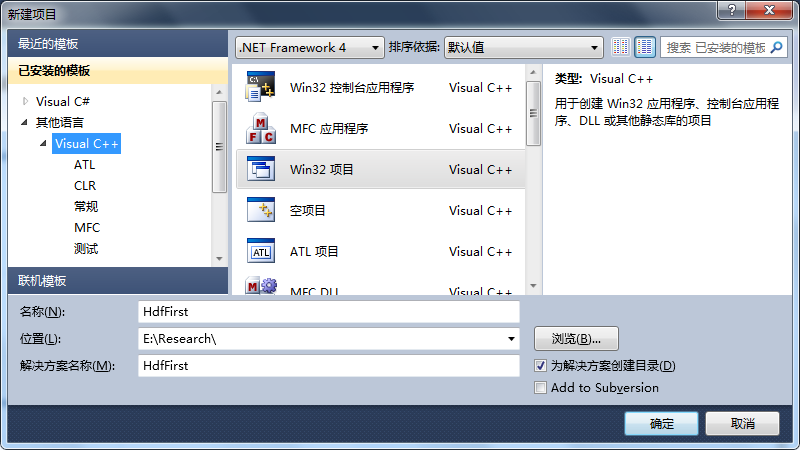
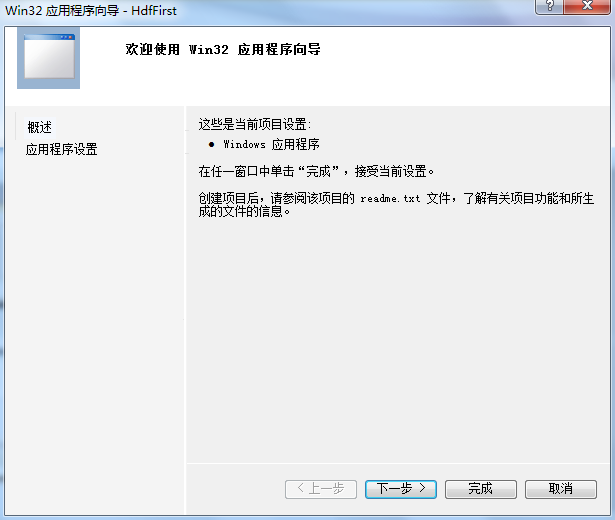
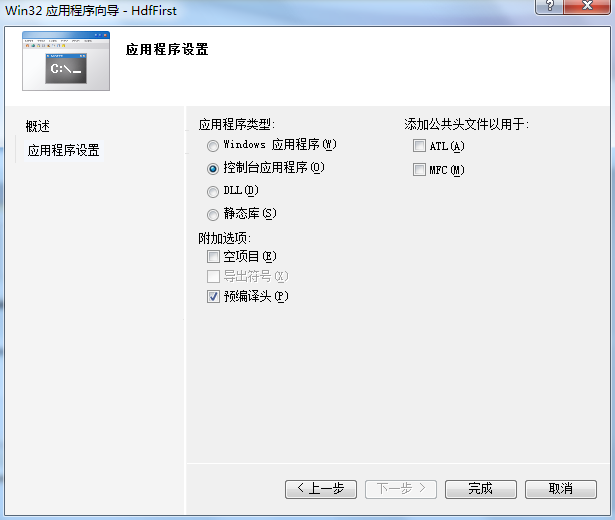
新建一个Win32控制台项目。
添加包含和引用的lib,注意安装目录文件夹下的lib文件夹中的.lib文件应该是relese版本的,我这里引用了dll文件夹下的.lib文件。
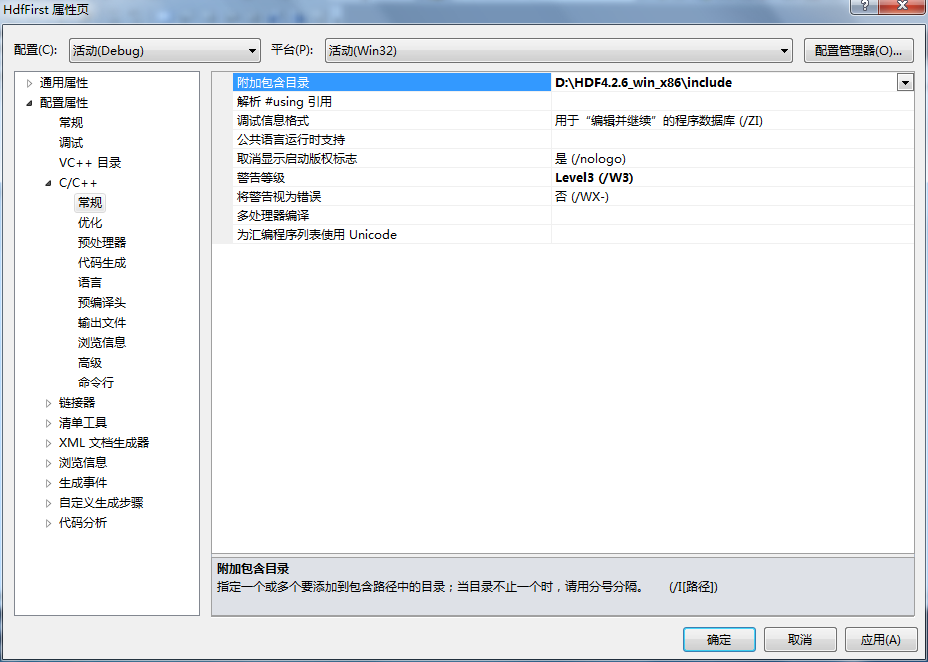
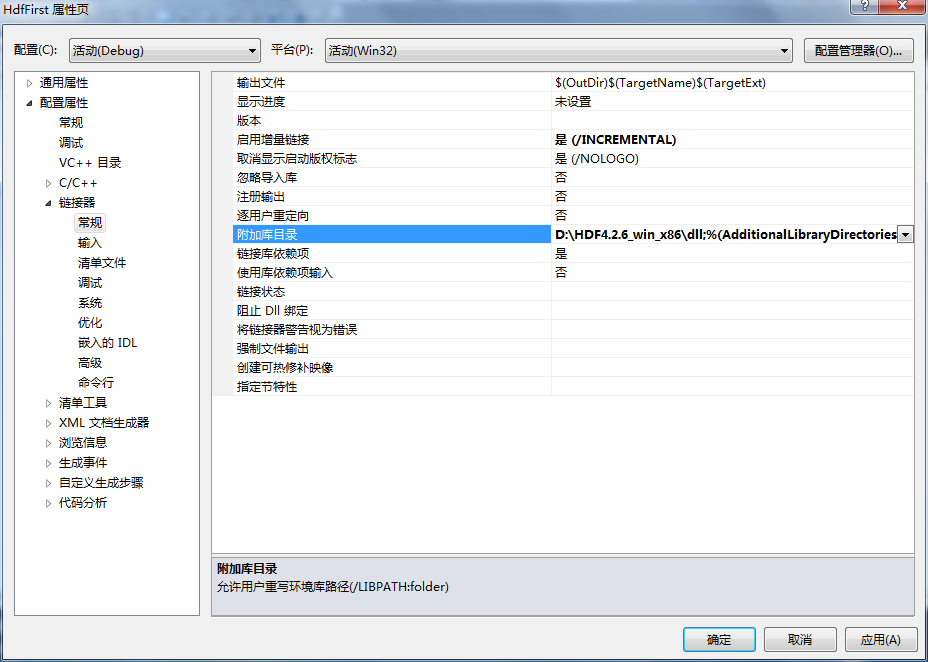
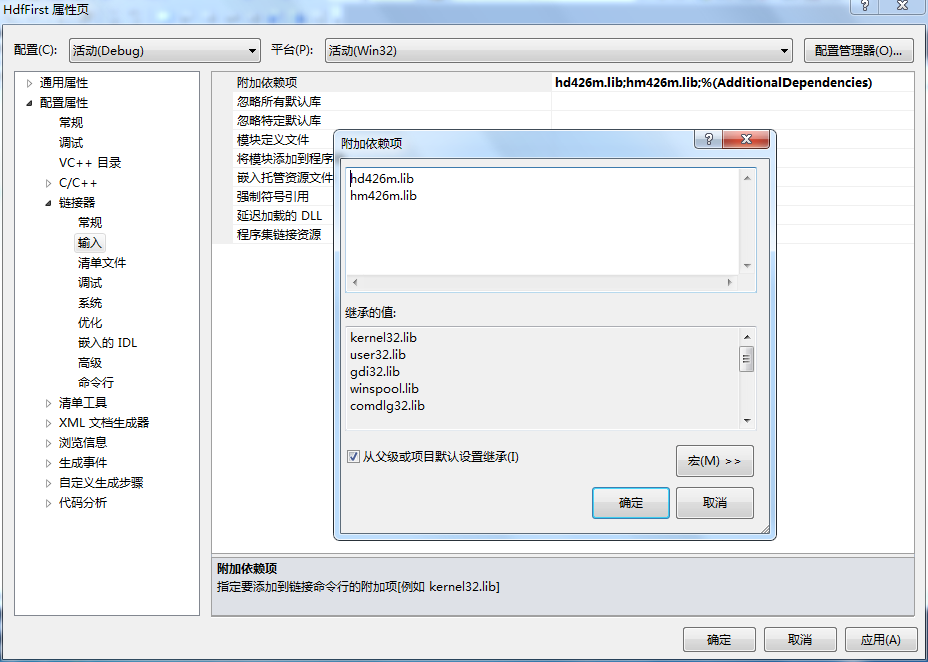
从Hdf4.2.6源码中找到VD_create_onefield_vdatas.c文件。我这里修改为VD_create_onefield_vdatas.cpp,添加到项目中,把项目中的HdfFirst.cpp直接排除掉,因为里面有个Main函数。
同时在VD_create_onefield_vdatas.cpp添加
#include "stdafx.h"
完整代码:
 #include "stdafx.h"

 #include "hdf.h"

 #define  FILE_NAME      "General_Vdatas.hdf"

 #define  CLASS1_NAME    "5x1 Array"

 #define  CLASS2_NAME    "6x4 Array"

 #define  VDATA1_NAME    "First Vdata"

 #define  VDATA2_NAME    "Second Vdata"

 #define  FIELD1_NAME    "Single-component Field"

 #define  FIELD2_NAME    "Multi-component Field"

 #define  N_RECORDS_1    5    /* number of records the first vdata contains  */

 #define  N_RECORDS_2    6    /* number of records the second vdata contains */

 #define  ORDER_2        4    /* order of the field in the second vdata      */

                 /* Note that the order of the field in the first vdata is 1 */

 int main( )

 {

    /************************* Variable declaration **************************/

    intn  status_n;      /* returned status for functions returning an intn  */

    int32 status_32;     /* returned status for functions returning an int32 */

    int32 file_id, vdata1_ref, vdata2_ref;

    /*

    * Define an array to buffer the data of the first vdata.

    */

    char8 vdata1_buf [N_RECORDS_1] = {'V', 'D', 'A', 'T', 'A'};

    /*

    * Define an array to buffer the data of the second vdata.

    */

    int32 vdata2_buf [N_RECORDS_2][ORDER_2] = {{, , , }, {, , , },

                                               {, , , }, {, , , },

                                               {, , , }, {, , , }};

    /********************** End of variable declaration **********************/

    /*

    * Open the HDF file for writing.

    */

    file_id = Hopen (FILE_NAME, DFACC_WRITE, );

    /*

    * Initialize the VS interface.

    */

    status_n = Vstart (file_id);

    /*

    * Create the first vdata and populate it with data from the vdata1_buf

    * array. Note that the buffer vdata1_buf is cast to (uint8 *) for the

    * benefit of generic data type.

    */

    vdata1_ref = VHstoredata (file_id, FIELD1_NAME, (uint8 *)vdata1_buf,

                        N_RECORDS_1, DFNT_CHAR8, VDATA1_NAME, CLASS1_NAME);

    /*

    * Create the second vdata and populate it with data from the vdata2_buf

    * array.

    */

    vdata2_ref = VHstoredatam (file_id, FIELD2_NAME, (uint8 *)vdata2_buf,

                N_RECORDS_2, DFNT_INT32, VDATA2_NAME, CLASS2_NAME, ORDER_2);

    /*

    * Terminate access to the VS interface and close the HDF file.

    */

    status_n = Vend (file_id);

    status_32 = Hclose (file_id);

    return ;

 }
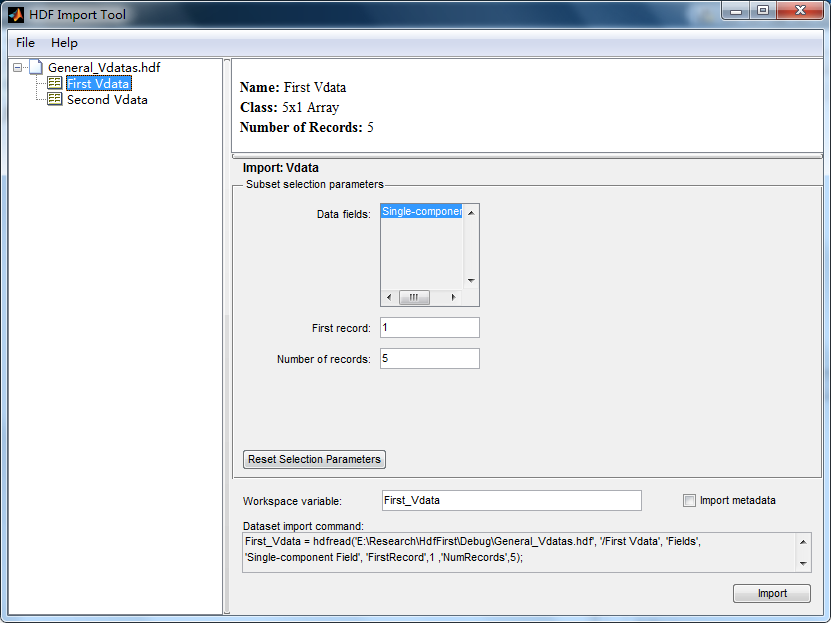
将Dll文件拷贝到Debug目录下,运行,发现目录下生成了General_Vdatas.hdf文件。在Matlab中查看:
[HDF]hdf-4.2.6类库的使用的更多相关文章
- 【神经网络与深度学习】什么是HDF
什么是HDF HDF 是用于存储和分发科学数据的一种自我描述.多对象文件格式.HDF 是由美国国家超级计算应用中心(NCSA)创建的,以满足不同群体的科学家在不同工程项目领域之需要.HDF 可以表示出 ...
- How to compile and install NCAR Command Language on IBM PowerPC 64 --- NCL编译安装步骤
作者:Sinsonglew 出处:http://www.cnblogs.com/sinsonglew 欢迎转载,也请保留这段声明.thanks :) 注记:NCL官方依赖安装包全集列表.官方源码编译指 ...
- 了解GDAL的图像处理/Python
GDAL是一个操作各种栅格地理数据格式的库.包括读取.写入.转换.处理各种栅格数据格式(有些特定的格式对一些操作如写入等不支持).它使用了一个单一的抽象数据模型就支持了大多数的栅格数据(GIS对栅格, ...
- CentOS7搭建 Hadoop + HBase + Zookeeper集群
摘要: 本文主要介绍搭建Hadoop.HBase.Zookeeper集群环境的搭建 一.基础环境准备 1.下载安装包(均使用当前最新的稳定版本,截止至2017年05月24日) 1)jdk-8u131 ...
- Python的工具包[1] -> pandas数据预处理 -> pandas 库及使用总结
pandas数据预处理 / pandas data pre-processing 目录 关于 pandas pandas 库 pandas 基本操作 pandas 计算 pandas 的 Series ...
- python 读hdf4文件,再转写成一个tif文件
1.安装pyhdf包 (1)通过此链接查找并下载pyhdf包:https://www.lfd.uci.edu/~gohlke/pythonlibs/#pygame(根据自己的系统及python版本选择 ...
- hdf第二周,每天加班,周末加班,周日健身
----------------------------------------------------------------------------- 受到挫折,写一些简单的练习,增加成就感 放大 ...
- [GDAL]读取HDF格式的calipso数据
探测地球云层分布的CloudSat和CALIPSO卫星 http://www.nasa.gov/mission_pages/calipso/main/index.html http://www.nas ...
- Hadoop处理HDF文件
1.前言 HDF文件是遥感应用中一种常见的数据格式,因为其高度结构化的特点,笔者曾被怎样使用Hadoop处理HDF文件这个问题困扰过相当长的一段时间.于是Google各种解决方式,但都没有找到一种理想 ...
随机推荐
- 如何删除 OpenStack Nova 僵尸实例
转自:http://www.vpsee.com/2011/11/how-to-delete-a-openstack-nova-zombie-instance/ 前天强制重启一台 OpenStack N ...
- JavaScript的My97Date日期工具类的使用
开发人员最喜欢的事情就是有工具然后拿来直接使用(. ~ .) 使用截图: 1.设置input标签 2.根据其DEMO文件,引入,进行事件处理 3.效果如图 4.效果如图 代码: <!DOCTYP ...
- gcc/g++链接时.o文件及库的顺序问题
折腾gcc/g++链接时.o文件及库的顺序问题 链接静态库的顺序问题 GCC 编译使用动态链接库和静态链接库--及先后顺序----及环境变量设置总结
- Maven问题总结:could not resolve archetype xxxxxxx from any of the configured repositories
错误提示 Eclipse中通过Archetype创建Maven项目时报错:Could not resolve archetype xxxxxxx from any of the configured ...
- NV 200, 300, 400, 500, 600, 700, 800
NV GF6系列架构分析(GPU gem2 读书笔记) http://www.cnblogs.com/wangdaniu/archive/2006/02/20/334089.html 总线带宽:PCI ...
- HTML5 viewport 标签与 CSS3 background-size 属性 使图片完全适应区域内容
要使一张图片不论在移动端还是在桌面端都能适应区域内容,可以使用 HTML5 的 viewport 标签结合 CSS3 的 background-size 属性. 适应区域内容是指图片的宽或高的长度满足 ...
- Google Chrome can not be run as root
Ubuntu运行Chrome出现"Google Chrome can not be run as root"的解决方法 编辑启动文件:/opt/google/chrome/goog ...
- PHP函数补完 - var_export
var_export() 函数返回关于传递给该函数的变量的结构信息,它和 var_dump() 类似,不同的是其返回的表示是合法的 PHP 代码.var_export必须返回合法的php代码, 也就是 ...
- Bootstrap页面布局13 - BS按钮
bootstrap中的按钮类 一般可以作为按钮的标签有:<a></a> <button></button> <input type='butt ...
- nginx proxy_pass
在nginx中配置proxy_pass时,如果是按照^~匹配路径时,要注意proxy_pass后的url最后的/,当加上了/,相当于是绝对根路径,则nginx不会把location中匹配的路径部分代理 ...