
osgGA::KeySwitchMatrixManipulator 跟随
#ifdef _WIN32

#include <Windows.h>

#endif // _WIN32

#include <osg/Group>

#include <osg/Camera>

#include <osgDB/ReadFile>

#include <osg/Node>

#include <osg/Geometry>

#include <osg/Image>

#include <osg/ShapeDrawable>

#include <osg/Texture2D>

#include <osg/MatrixTransform>

#include <osg/AnimationPath>

#include <osgViewer/Viewer>

#include <osgViewer/ViewerEventHandlers>

#include <osgGA/DriveManipulator>

#include <osgGA/GUIEventHandler>

#include <osgGA/GUIEventAdapter>

#include <osgGA/GUIActionAdapter>

#include <osgGA/AnimationPathManipulator>

#include <osgGA/KeySwitchMatrixManipulator>

#include <osgUtil/LineSegmentIntersector>

#include <iostream>

using namespace std;

class Follow:public osgGA::KeySwitchMatrixManipulator

{

public:

    Follow(osgViewer::Viewer *viewerParam)

    {

        m_vPosition = osg::Vec3(0.0, -200.0, -70.0);

        m_vRotation = osg::Vec3(osg::PI_2, 0.0f, 0.0f);

        m_fMoveSpeed = 2.0;

        m_fAnglg = 2.5;

        viewer1 = viewerParam;

    }

    virtual void setByMatrix()

    {

    }

    virtual void setByInverseMatrix()

    {

    }

    virtual osg::Matrixd getMatrix() const

    {

        osg::Matrixd mat1;

        mat1.makeRotate(m_vRotation.x(), osg::Vec3(1.0, 0.0, 0.0), m_vRotation.y(), osg::Vec3(0.0, 1.0, 0.0), m_vRotation.z(), osg::Vec3(0.0, 0.0, 1.0));

        return mat1*osg::Matrixd::translate(m_vPosition);

    }

    virtual osg::Matrixd getInverseMatrix() const

    {

        osg::Matrixd mat1;

        mat1.makeRotate(m_vRotation.x(), osg::Vec3(1.0, 0.0, 0.0), m_vRotation.y(), osg::Vec3(0.0, 1.0, 0.0), m_vRotation.z(), osg::Vec3(0.0, 0.0, 1.0));

        return osg::Matrixd::inverse(mat1*osg::Matrixd::translate(m_vPosition));

    }

    virtual float getFusionDistanceValue() const {

        //return _current->getFusionDistanceValue();

        return viewer1->getFusionDistanceValue();

    }

    virtual osgUtil::SceneView::FusionDistanceMode getFusionDistanceMode() const

    {

        return viewer1->getFusionDistanceMode();

    }

    void changePosition(osg::Vec3 delta)

    {

        m_vPosition += delta;

    }

    bool handle(const osgGA::GUIEventAdapter& gea,osgGA::GUIActionAdapter& gaa)

    {

        //

        switch (gea.getEventType())

        {

        case osgGA::GUIEventAdapter::DOUBLECLICK:

            std::cout << "-double click--" << std::endl;

            break;

        case osgGA::GUIEventAdapter::KEYDOWN:

            //std::cout << "-ket down--" << std::endl;

            if (gea.getKey()==)

            {

                changePosition(osg::Vec3(m_fMoveSpeed*cosf(osg::PI_2 + m_vRotation[]), m_fMoveSpeed*sinf(osg::PI_2 + m_vRotation[]), ));

            }

            else if (gea.getKey()==)

            {

                changePosition(osg::Vec3(-m_fMoveSpeed*cosf(osg::PI_2 + m_vRotation[]), -m_fMoveSpeed*sinf(osg::PI_2 + m_vRotation[]), ));

            }

            else if (gea.getKey()== 0xFF53)

            {

                m_vRotation._v[] -= osg::DegreesToRadians(m_fAnglg);

            }

            else if (gea.getKey()==0xFF51)

            {

                m_vRotation._v[] += osg::DegreesToRadians(m_fAnglg);

            }

            else

            {

            }

            break;

        default:

            break;

        }

        return false;

    }

private:

    osg::Vec3 m_vPosition;

    osg::Vec3 m_vRotation;

    float m_fMoveSpeed;

    float m_fAnglg;

    osgUtil::SceneView::FusionDistanceMode model1;

    osgViewer::Viewer *viewer1;

};

int main()

{

    osg::ref_ptr<osgViewer::Viewer> viewer1 = new osgViewer::Viewer;

    osg::ref_ptr<osg::Group> group1 = new osg::Group;

    osg::ref_ptr<osg::Node> node1 = osgDB::readNodeFile("D:\\参考手册\\BIM\\osg\\四合院2019.osgb");

    group1->addChild(node1.get());

    viewer1->setSceneData(group1);

    viewer1->setUpViewInWindow(, , , , );

    viewer1->setCameraManipulator(new Follow(viewer1));

    //viewer1->addEventHandler(new osgViewer::WindowSizeHandler);

    viewer1->realize();

    return viewer1->run();

}
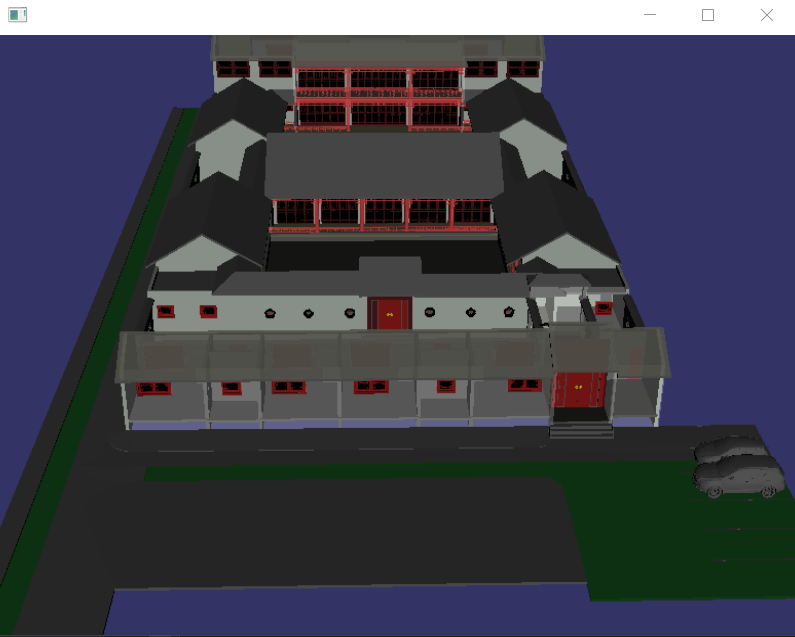
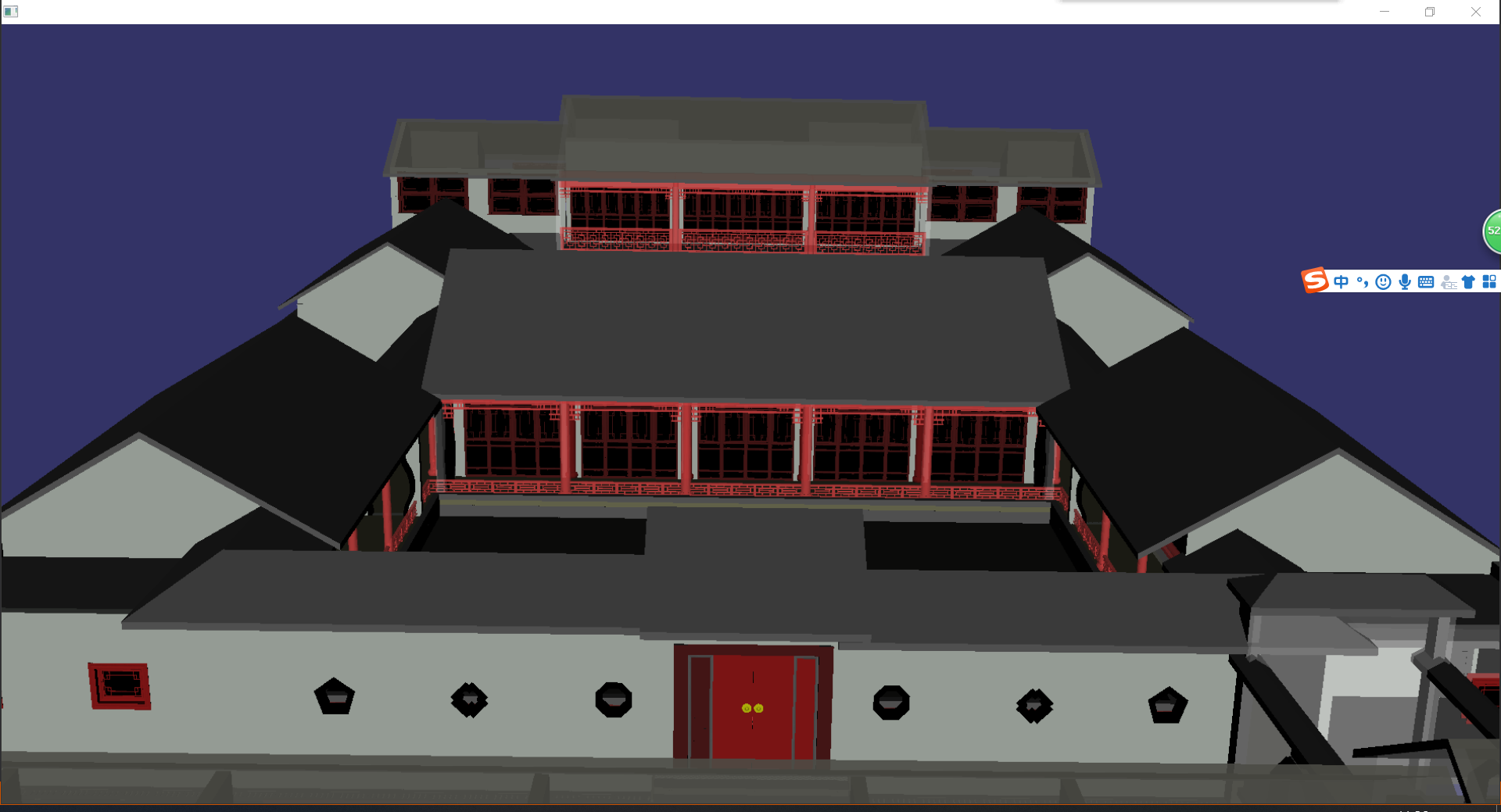
osgGA::KeySwitchMatrixManipulator 跟随的更多相关文章
- OSG 实现跟随节点的相机(转)
本章教程将继续使用回调和节点路径(NodePath)来检索节点的世界坐标. 本章目标: 在一个典型的仿真过程中,用户可能需要从场景中的各种车辆和人物里选择一个进行跟随.本章将介绍一种将摄像机“依附 ...
- OSG开源教程(转)
例:geom->addPrimitiveSet(new osg::DrawArrays(osg::PrimitiveSet::QUADS,0,4)); 来指定要利用这些数据生成一个怎么样的形状. ...
- OSGMFC
在OSG的Demo中找到MFC_OSG类文件. #pragma once #include <osgViewer/Viewer> #include <osgViewer/Viewer ...
- [osg][osgEarth][原]基于OE自定义自由飞行漫游器(初级版)
由于受够了OE的漫游器,想搞个可以在全球飞行的漫游器,所以就做了一个: 请无视我的起名规则······ 类头文件:EarthWalkManipulator.h #pragma once //南水之源 ...
- [原][osgEarth]在osgearth中添加相机路径动画
在osg中添加相机动画路径请参考:http://www.cnblogs.com/lyggqm/p/8075277.html 这里的代码是在osgearth中添加相机动画路径漫游器: #include ...
- osg for android学习之一:windows下编译(亲测通过)【转】
1. 首先需要一个OSG for android的环境 (1)NDK 现在Eclipse 对NDK已经相当友好了,已经不需要另外cygwin的参与,具体可以参考 Android NDK开发篇(一):新 ...
- osg编译日志-release
1>------ 已启动生成: 项目: ZERO_CHECK, 配置: Release x64 ------1> Checking Build System1> CMake does ...
- osg 加载 fbx文件
#ifdef _WIN32 #include <Windows.h> #endif // _WIN32 #include <osg/Group> #include <os ...
- osg 添加 fbx插件 osg中编译fbx
使用osg加载fbx模型,需要自己编译fbx插件,编译流程与插件使用案例如下 代码地址:https://github.com/shelltdf/osgFBX CMake Error: The foll ...
随机推荐
- String decryption with de4dot
Introduction de4dot is a wonderful tool for deobfuscating known and unknown .NET protections. Dealin ...
- HTTP 状态码(常见及分析)
首先得明白状态码的几个大类: 状态码 响应类别 出现原因 1XX 信息性状态码(Informational) 服务器正在处理请求 2XX 成功状态码(Success) 请求已正常处理完毕 3XX 重定 ...
- DYNAMIC LINK LIBRARY - DLL
https://www.tenouk.com/ModuleBB.html MODULE BB DYNAMIC LINK LIBRARY - DLL Part 1: STORY What do we h ...
- XML解析与xml和Map集合的互转
1.XML的解析.首先解析XML文件我们需要先获取到文件的存放路径,获取方法有三种分别获取xml文件不同的存放路径. 代码: public class PropertiesDemo { public ...
- javascript权威指南第22章高级技巧
HTML <!DOCTYPE html> <html> <head> </head> <body> <div style=" ...
- 012——C#打开ecxel修改数据(附教程)
(一)参考文献:[C#]将数据写入已存在的excel文件 C# 导入excel数据,解决关闭excel后不能释放资源的问题 (二)视频教程:https://v.qq.com/x/page/p30063 ...
- 学到了林海峰,武沛齐讲的Day18 迭代
x='hello' gxr=iter(x) gxr=x.__iter__() print(next(gxr)) print(gxr.__next__()) iter()===__iter__ next ...
- MongoDB 分片管理(四)数据均衡
通常来说,MongoDB会自动处理数据均衡. 1.1 集群分片的块的均衡 注意,均衡器只使用块的数量,而非数据大小,来作为衡量分片间是否均衡的指标. 1.2 均衡器 1.执行所有数据库管理操作前,都应 ...
- NetworkX系列教程(4)-设置graph的信息
小书匠Graph图论 要画出美观的graph,需要对graph里面的节点,边,节点的布局都要进行设置,具体可以看官方文档:Adding attributes to graphs, nodes, and ...
- spring boot aop 切库实现读写分离
项目结构: 主要代码 : 配置数据库 配置datasource 线程隔离: 已上传git gitee地址:https://gitee.com/xxoo0_297/springboot-aop.git