
使用dib element proliant-tools制作deploy image
element proliant-tools会在ipa ramdisk中安装一个rpm包hpssacli(HP的RAID管理工具),和一个python module proliantutils(里面ProliantHardwareManager继承了ironic_python_agent.hardware:GenericHardwareManager,实现了get_clean_steps/create_configuration/delete_configuration)。
export DIB_DEV_USER_USERNAME=devuser

export DIB_DEV_USER_PASSWORD=devuser

export DIB_DEV_USER_PWDLESS_SUDO=yes

disk-image-create centos7 ironic-agent devuser proliant-tools -o ironic-deploy
在/diskimage-builder/diskimage_builder/elements/proliant-tools找到了proliant-tools文件夹,查看README
This element can be used when building ironic-agent ramdisk.  It

  enables ironic-agent ramdisk to do in-band cleaning operations specific

  to HPE ProLiant hardware.

* Works with ubuntu and fedora distributions (on which ironic-agent

  element is supported).

* Currently the following utilities are installed:

  + `proliantutils`_ - This module registers an ironic-python-agent hardware

    manager for HPE ProLiant hardware, which implements in-band cleaning

    steps.  The latest version of ``proliantutils`` available is

    installed.  This python module is released with Apache license.

  + `HPE Smart Storage Administrator (HPE SSA) CLI for Linux -bit`_ - This

    utility is used by ``proliantutils`` library above for doing in-band RAID

    configuration on HPE ProLiant hardware.  Currently installed version is

    2.60.  Newer version of ``ssacli`` when available, may be installed to

    the ramdisk by using the environment variable ``DIB_SSACLI_URL``.

    ``DIB_SSACLI_URL`` should contain the HTTP(S) URL for downloading the

    RPM package for ``ssacli`` utility.  The old environmental variable

    ``DIB_HPSSACLI_URL``,a HTTP(S) URL for downloading the RPM package for

    ``hpssacli`` utility, is deprecated. The ``hpssacli`` utility is not

    supported anymore, use ``ssacli`` instead for the same functionality.

    Availability of newer versions can be in the Revision History

    in the above link.  This utility is closed source and is released with

    `HPE End User License Agreement – Enterprise Version`_
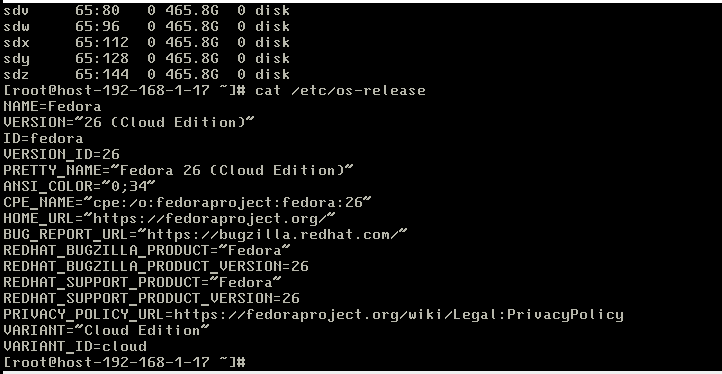
明确表示此版本支持fedora和ubuntu,于是重新做fedora系列
disk-image-create fedora ironic-agent devuser proliant-tools -o ironic-deploy-proliant

使用dib element proliant-tools制作deploy image的更多相关文章
- ironic如何支持部署时按需RAID?
新浪大神推荐使用element proliant-tools制作deploy image.element proliant-tools会在ipa ramdisk中安装一个rpm包hpssacli(HP ...
- Ironic 裸金属管理服务
目录 文章目录 目录 Ironic 软件架构设计 资源模型设计 全生命周期的状态机设计 Inspection 裸金属上架自检阶段 Provision 裸金属部署阶段 Clean 裸金属回收阶段 快速体 ...
- End-to end provisioning of storage clouds
Embodiments discussed in this disclosure provide an integrated provisioning framework that automates ...
- 手动集成 Ironic 裸金属管理服务(Rocky)
目录 文章目录 目录 前文列表 横向扩展裸金属管理服务节点 配置基础设施 安装 Ironic(BareMetal) 安装 Nova Compute(BareMetal) 配置 Neutron 提供 P ...
- LISA介绍及其使用方法
LISA是ARM公司开发的一款开源工具.在内核开发过程中,苦于无法针对修改内容进行一些量化或者可视化结果的测量,而无感.LISA对于模型调优,回归测试都有较强的支持. 什么是LISA? LISA是Li ...
- uboot命令及内核启动参数
修改:mw [内存地址] [值] [长度] 例如:mw 0x02000000 0 128 表示修改地址为0x02000000~0x02000000+128的内存值为0. 显示:md [内存地址 ...
- U盘安装Linux安装报错及解决方案
导读 从网上看到了<Linux就该这么学>后,偏离软件行业多年的我下定决心回归!这篇文章是我这一个小白的亲身经历,希望能被采纳! 开始按照<Linux就该这么学>中所讲在自己的 ...
- 转载 uboot 命令
1.bootm bootm [addr [arg ...]] - boot application image stored in memory passing arguments 'arg ...' ...
- UBoot常用命令手册
UBoot常用命令手册 U-Boot还提供了更加详细的命令帮助,可以通过”?”显示支持的命令列表,通过help [CommandName]命令还可以查看每个命令的参数说明. 1.bootm bootm ...
随机推荐
- JS面向对象、prototype、call()、apply()
一. 起因 那天用到prototype.js于是打开看看,才看几行就满头雾水,原因是对js的面向对象不是很熟悉,于是百度+google了一把,最后终于算小有收获,写此纪念一下^_^. prototyp ...
- C/C++语言代码规范
1.标识符名称: 标识符名称包括函数名.常量名.变量名等.这些名字应该能反映它所代表的实际东西,具有一定的意义,使其能 够见名知义,有助于对程序功能的理解.规则如下: 所有宏定义.枚举常数和const ...
- Intel MKL 多线程设置
对于多核程序,多线程对于程序的性能至关重要. 下面,我们将对Intel MKL 有关多线程方面的设置做一些介绍: 我们提到MKL 支持多线程,它包括的两个概念:1>MKL 是线程安全的: MKL ...
- django模板层(templates)
1.基础部分 通过使用模板,就可以在URL中直接调用HTML,它还是松耦合的,灵活性强,而且更容易维护 而且可以将变量通过一定的方式嵌入到HTML中,最终渲染到页面,总的来说基于模板完成了数据与用户之 ...
- 【Java】常用数据类型转换(BigDecimal、包装类、日期等)
新工作转到大数据方向,每天都要面对数据类型互相转换的工作,再加上先前面试发现这部分的知识盲点, 决定复习之余自己再写一套便捷的方法,以后会比较方便.(虽然公司有现成封装的类,里头还有些遗漏的地方,暂时 ...
- Mac openssl 和curl源码编译
1.先编译openssl, 下载源码后解压,终端进入源码目录,输入命令配置编译环境:./Configure darwin64-x86_64-cc 等待配置完成后,输入make 和make insta ...
- 1189: [HNOI2007]紧急疏散evacuate
Time Limit: 10 Sec Memory Limit: 128 MBSubmit: 3831 Solved: 1119[Submit][Status][Discuss] Descript ...
- 基于Ceph分布式集群实现docker跨主机共享数据卷
上篇文章介绍了如何使用docker部署Ceph分布式存储集群,本篇在此基础之上,介绍如何基于Ceph分布式存储集群实现docker跨主机共享数据卷. 1.环境准备 在原来的环境基础之上,新增一台cen ...
- spring-mybatis整合项目 异常处理2
org.apache.ibatis.builder.BuilderException: Error parsing Mapper XML. The XML location is 'com/imooc ...
- 多任务版udp聊天器
import socket import threading def send_msg(udp_socket): """获取键盘数据,并将其发送给对方"&quo ...