
CAShapeLayer的使用[2]
CAShapeLayer的使用[2]
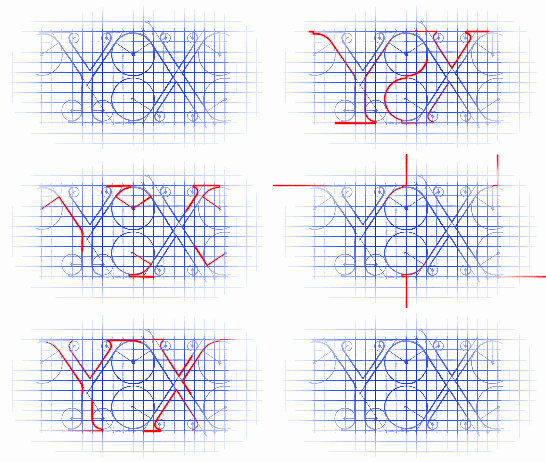
CAShapeLayer支持的动画类型有如下这些.
------------------------------------------------------------------------------
/* The path defining the shape to be rendered. If the path extends
* outside the layer bounds it will not automatically be clipped to the
* layer, only if the normal layer masking rules cause that. Defaults
* to null. Animatable. (Note that although the path property is
* animatable, no implicit animation will be created when the property
* is changed.) */
@property CGPathRef path;
------------------------------------------------------------------------------
/* The color to fill the path's stroked outline, or nil for no stroking.
* Defaults to nil. Animatable. */
@property CGColorRef strokeColor;
------------------------------------------------------------------------------
/* These values define the subregion of the path used to draw the
* stroked outline. The values must be in the range [0,1] with zero
* representing the start of the path and one the end. Values in
* between zero and one are interpolated linearly along the path
* length. strokeStart defaults to zero and strokeEnd to one. Both are
* animatable. */
@property CGFloat strokeStart, strokeEnd;
------------------------------------------------------------------------------
/* The line width used when stroking the path. Defaults to one.
* Animatable. */
@property CGFloat lineWidth;
------------------------------------------------------------------------------
/* The miter limit used when stroking the path. Defaults to ten.
* Animatable. */
@property CGFloat miterLimit;
------------------------------------------------------------------------------
/* The phase of the dashing pattern applied when creating the stroke.
* Defaults to zero. Animatable. */
@property CGFloat lineDashPhase;
------------------------------------------------------------------------------
现在来尝试path动画,结果如下:
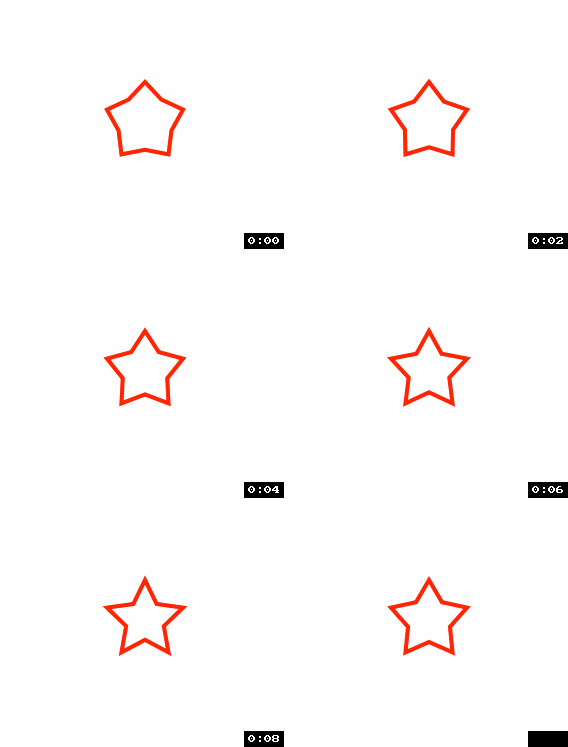
首先用工具生成path源码:
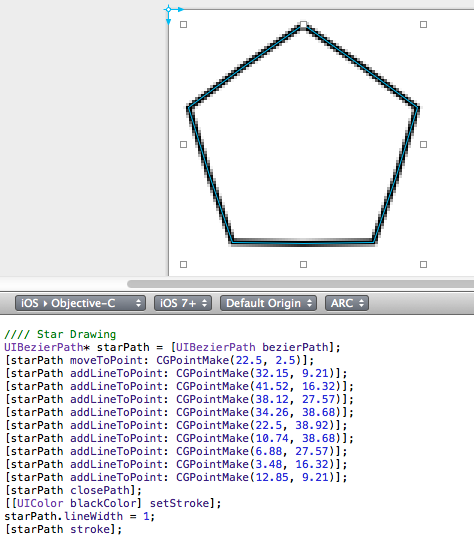

源码:
- (void)viewDidLoad

{

    [super viewDidLoad];

    // shapeLayer

    CAShapeLayer *circleLayer = [CAShapeLayer layer];

    circleLayer.frame         = (CGRect){CGPointMake(, ), CGSizeMake(, )};

    circleLayer.position      = self.view.center;

    circleLayer.path          = [self getStar1BezierPath].CGPath;

    circleLayer.fillColor     = [UIColor clearColor].CGColor;

    circleLayer.strokeColor   = [UIColor redColor].CGColor;

    circleLayer.lineWidth     = .f;

    [self.view.layer addSublayer:circleLayer];

    // 定时器

    _timer = [[GCDTimer alloc] initInQueue:[GCDQueue mainQueue]];

    [_timer event:^{

        static int i = ;

        if (i++ %  == )

        {

            CABasicAnimation *circleAnim = [CABasicAnimation animationWithKeyPath:@"path"];

            circleAnim.removedOnCompletion = NO;

            circleAnim.duration  = ;

            circleAnim.fromValue = (__bridge id)[self getStar1BezierPath].CGPath;

            circleAnim.toValue   = (__bridge id)[self getStar2BezierPath].CGPath;

            circleLayer.path = [self getStar2BezierPath].CGPath;

            [circleLayer addAnimation:circleAnim forKey:@"animateCirclePath"];

        }

        else

        {

            CABasicAnimation *circleAnim = [CABasicAnimation animationWithKeyPath:@"path"];

            circleAnim.removedOnCompletion = NO;

            circleAnim.duration  = ;

            circleAnim.fromValue = (__bridge id)[self getStar2BezierPath].CGPath;

            circleAnim.toValue   = (__bridge id)[self getStar1BezierPath].CGPath;

            circleLayer.path = [self getStar1BezierPath].CGPath;

            [circleLayer addAnimation:circleAnim forKey:@"animateCirclePath"];

        }

    } timeInterval:NSEC_PER_SEC];

    [_timer start];

}

-(UIBezierPath *)getStar1BezierPath

{

    //// Star Drawing

    UIBezierPath* starPath = [UIBezierPath bezierPath];

    [starPath moveToPoint: CGPointMake(22.5, 2.5)];

    [starPath addLineToPoint: CGPointMake(28.32, 14.49)];

    [starPath addLineToPoint: CGPointMake(41.52, 16.32)];

    [starPath addLineToPoint: CGPointMake(31.92, 25.56)];

    [starPath addLineToPoint: CGPointMake(34.26, 38.68)];

    [starPath addLineToPoint: CGPointMake(22.5, 32.4)];

    [starPath addLineToPoint: CGPointMake(10.74, 38.68)];

    [starPath addLineToPoint: CGPointMake(13.08, 25.56)];

    [starPath addLineToPoint: CGPointMake(3.48, 16.32)];

    [starPath addLineToPoint: CGPointMake(16.68, 14.49)];

    [starPath closePath];

    return starPath;

}

-(UIBezierPath *)getStar2BezierPath

{

    //// Star Drawing

    UIBezierPath* starPath = [UIBezierPath bezierPath];

    [starPath moveToPoint: CGPointMake(22.5, 2.5)];

    [starPath addLineToPoint: CGPointMake(32.15, 9.21)];

    [starPath addLineToPoint: CGPointMake(41.52, 16.32)];

    [starPath addLineToPoint: CGPointMake(38.12, 27.57)];

    [starPath addLineToPoint: CGPointMake(34.26, 38.68)];

    [starPath addLineToPoint: CGPointMake(22.5, 38.92)];

    [starPath addLineToPoint: CGPointMake(10.74, 38.68)];

    [starPath addLineToPoint: CGPointMake(6.88, 27.57)];

    [starPath addLineToPoint: CGPointMake(3.48, 16.32)];

    [starPath addLineToPoint: CGPointMake(12.85, 9.21)];

    [starPath closePath];

    return starPath;

}
CALayer中有一个令人抽搐的属性叫mask,据说可以做动画,官方文档上说可以:

但其属性说明中根本就没有animatable字眼.
/* A layer whose alpha channel is used as a mask to select between the
* layer's background and the result of compositing the layer's
* contents with its filtered background. Defaults to nil. When used as
* a mask the layer's `compositingFilter' and `backgroundFilters'
* properties are ignored. When setting the mask to a new layer, the
* new layer must have a nil superlayer, otherwise the behavior is
* undefined. */
@property(retain) CALayer *mask;
这是个bug哦:).
将CAShapeLayer当做mask做动画的效果:
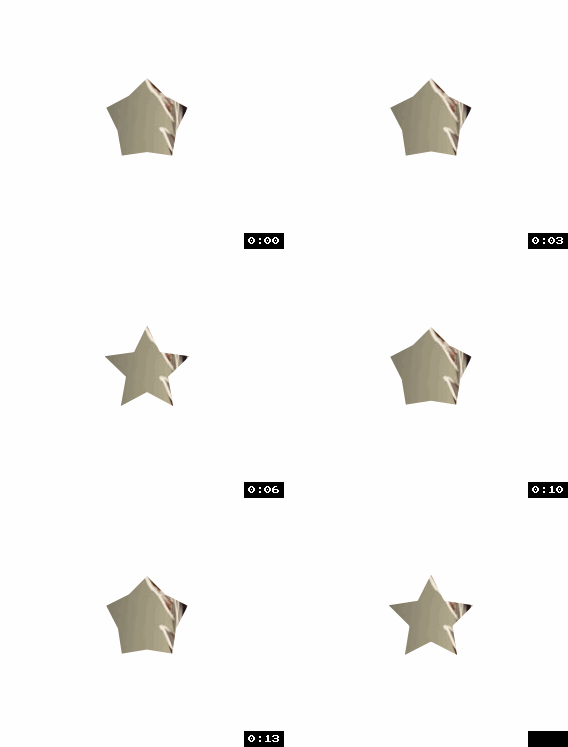
源码:
- (void)viewDidLoad

{

    [super viewDidLoad];

    // shapeLayer

    CAShapeLayer *circleLayer = [CAShapeLayer layer];

    circleLayer.frame         = (CGRect){CGPointMake(, ), CGSizeMake(, )};

    circleLayer.position      = self.view.center;

    circleLayer.path          = [self getStar1BezierPath].CGPath;

    circleLayer.fillColor     = [UIColor blackColor].CGColor;

    circleLayer.strokeColor   = [UIColor redColor].CGColor;

    circleLayer.lineWidth     = .f;

    // backgroundLayer

    CALayer *layer = [CALayer layer];

    layer.frame    = self.view.bounds;

    layer.contents = (__bridge id)([UIImage imageNamed:@"psb.jpg"].CGImage);

    layer.mask     = circleLayer;

    [self.view.layer addSublayer:layer];

    // 定时器

    _timer = [[GCDTimer alloc] initInQueue:[GCDQueue mainQueue]];

    [_timer event:^{

        static int i = ;

        if (i++ %  == )

        {

            CABasicAnimation *circleAnim = [CABasicAnimation animationWithKeyPath:@"path"];

            circleAnim.removedOnCompletion = NO;

            circleAnim.duration  = ;

            circleAnim.fromValue = (__bridge id)[self getStar1BezierPath].CGPath;

            circleAnim.toValue   = (__bridge id)[self getStar2BezierPath].CGPath;

            circleLayer.path = [self getStar2BezierPath].CGPath;

            [circleLayer addAnimation:circleAnim forKey:@"animateCirclePath"];

        }

        else

        {

            CABasicAnimation *circleAnim = [CABasicAnimation animationWithKeyPath:@"path"];

            circleAnim.removedOnCompletion = NO;

            circleAnim.duration  = ;

            circleAnim.fromValue = (__bridge id)[self getStar2BezierPath].CGPath;

            circleAnim.toValue   = (__bridge id)[self getStar1BezierPath].CGPath;

            circleLayer.path = [self getStar1BezierPath].CGPath;

            [circleLayer addAnimation:circleAnim forKey:@"animateCirclePath"];

        }

    } timeInterval:NSEC_PER_SEC];

    [_timer start];

}

-(UIBezierPath *)getStar1BezierPath

{

    //// Star Drawing

    UIBezierPath* starPath = [UIBezierPath bezierPath];

    [starPath moveToPoint: CGPointMake(22.5, 2.5)];

    [starPath addLineToPoint: CGPointMake(28.32, 14.49)];

    [starPath addLineToPoint: CGPointMake(41.52, 16.32)];

    [starPath addLineToPoint: CGPointMake(31.92, 25.56)];

    [starPath addLineToPoint: CGPointMake(34.26, 38.68)];

    [starPath addLineToPoint: CGPointMake(22.5, 32.4)];

    [starPath addLineToPoint: CGPointMake(10.74, 38.68)];

    [starPath addLineToPoint: CGPointMake(13.08, 25.56)];

    [starPath addLineToPoint: CGPointMake(3.48, 16.32)];

    [starPath addLineToPoint: CGPointMake(16.68, 14.49)];

    [starPath closePath];

    return starPath;

}

-(UIBezierPath *)getStar2BezierPath

{

    //// Star Drawing

    UIBezierPath* starPath = [UIBezierPath bezierPath];

    [starPath moveToPoint: CGPointMake(22.5, 2.5)];

    [starPath addLineToPoint: CGPointMake(32.15, 9.21)];

    [starPath addLineToPoint: CGPointMake(41.52, 16.32)];

    [starPath addLineToPoint: CGPointMake(38.12, 27.57)];

    [starPath addLineToPoint: CGPointMake(34.26, 38.68)];

    [starPath addLineToPoint: CGPointMake(22.5, 38.92)];

    [starPath addLineToPoint: CGPointMake(10.74, 38.68)];

    [starPath addLineToPoint: CGPointMake(6.88, 27.57)];

    [starPath addLineToPoint: CGPointMake(3.48, 16.32)];

    [starPath addLineToPoint: CGPointMake(12.85, 9.21)];

    [starPath closePath];

    return starPath;

}
附录:
用CAShapeLayer与贝塞尔曲线一起制作下载进度条是相当的容易的说:
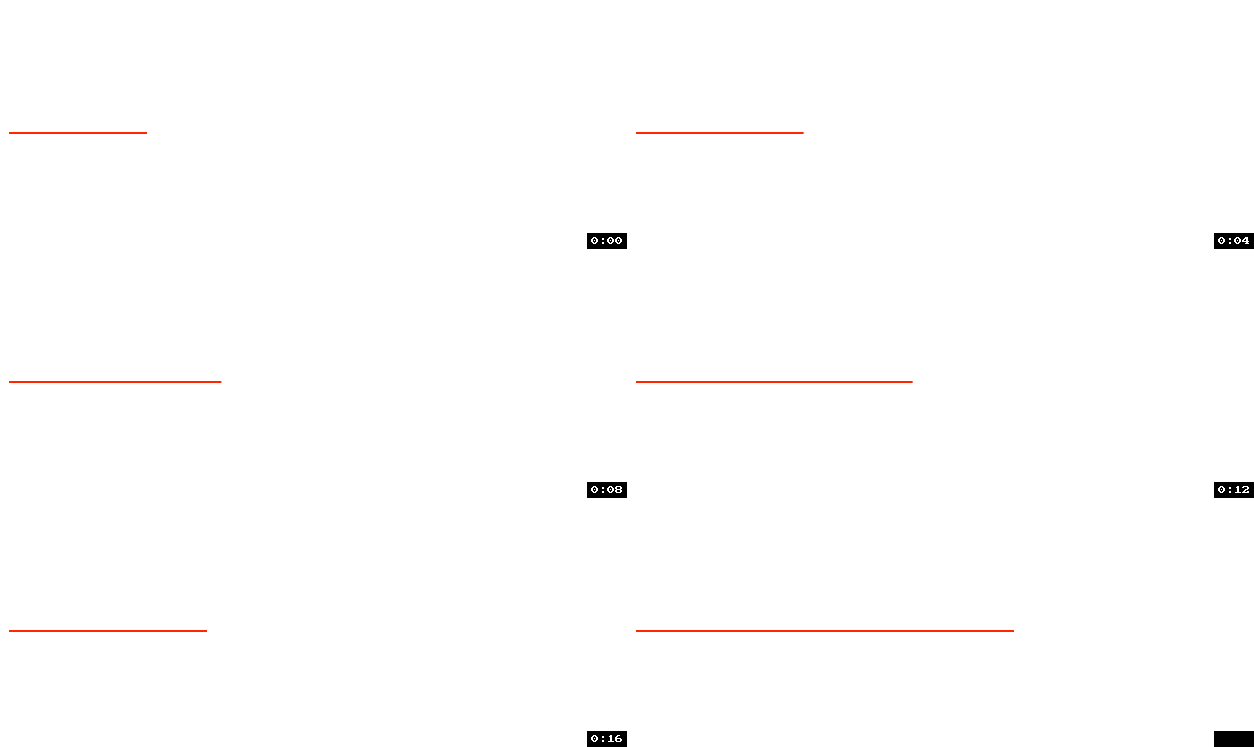
//
// RootViewController.m
//
// Copyright (c) 2014年 Y.X. All rights reserved.
//
#import "RootViewController.h"
#import "YXGCD.h"
@interface RootViewController ()
@property (nonatomic, strong) GCDTimer *timer;
@end
@implementation RootViewController
- (void)viewDidLoad
{
[super viewDidLoad];
// 获取path
UIBezierPath *path = [self getBezierPathWithLength:300 lineWidth:1];
// shapeLayer
CAShapeLayer *circleLayer = [CAShapeLayer layer];
circleLayer.frame = path.bounds;
circleLayer.position = self.view.center;
circleLayer.fillColor = [UIColor clearColor].CGColor;
circleLayer.strokeColor = [UIColor redColor].CGColor;
circleLayer.path = path.CGPath;
circleLayer.lineWidth = 1.f;
[self.view.layer addSublayer:circleLayer];
// 定时器
_timer = [[GCDTimer alloc] initInQueue:[GCDQueue mainQueue]];
[_timer event:^{
circleLayer.strokeEnd = arc4random()%100/100.f;
} timeInterval:NSEC_PER_SEC];
[_timer start];
}
-(UIBezierPath *)getBezierPathWithLength:(CGFloat)length lineWidth:(CGFloat)lineWidth
{
//// Bezier Drawing
UIBezierPath* bezierPath = [UIBezierPath bezierPath];
[bezierPath moveToPoint: CGPointMake(0, 0)];
[bezierPath addLineToPoint: CGPointMake(length, 0)];
bezierPath.lineWidth = lineWidth;
return bezierPath;
}
@end
CAShapeLayer的使用[2]的更多相关文章
- 用CAShapeLayer实现一个简单的饼状图(PieView)
自己写了一个简单的PieView,demo在这里:https://github.com/Phelthas/LXMPieView 效果如图: 参考了https://github.com/kevinzho ...
- 关于CAShapeLayer的一些实用案例和技巧【转】
本文授权转载,作者:@景铭巴巴 一.使用CAShapeLayer实现复杂的View的遮罩效果 1.1.案例演示 最近在整理一个聊天的项目的时候,发送图片的时候,会有一个三角的指向效果,指向这张图片的发 ...
- 动画黄金搭档:CADisplayLink&CAShapeLayer
我们在开发中有时会遇到一些看似非常复杂的动画,不知该如何下手,今天的这篇文章中我会讲到如何利用CADisplayLink和CAShapeLayer来构建一些复杂的动画,希望能在你下次构建动画中,给你一 ...
- 动画黄金搭档:CADisplayLink & CAShapeLayer
我们在开发中有时会遇到一些看似非常复杂的动画,不知该如何下手,今天的这篇文章中我会讲到如何利用CADisplayLink和CAShapeLayer来构建一些复杂的动画,希望能在你下次构建动画中,给你一 ...
- iOS关于CAShapeLayer与UIBezierPath的知识内容
使用CAShapeLayer与UIBezierPath可以实现不在view的drawRect方法中就画出一些想要的图形 . 1:UIBezierPath: UIBezierPath是在 UIKit 中 ...
- iOS CAShapeLayer记录
基本知识 看看官方说明: /* The shape layer draws a cubic Bezier spline in its coordinate space. * * The spline ...
- CAShapeLayer(持续更新)
CAShapeLayer 之前讲过CALayer动画相关知识,再来看看更加复杂的CAShapeLayer相关的动画知识. 普通CALayer在被初始化时是需要给一个frame值的,这个frame值一般 ...
- iOS 中 CAShapeLayer 的使用( 等待删除的博文)
等待删除. 1.CAShapeLayer 简介 1.CAShapeLayer继承至CALayer,可以使用CALayer的所有属性值 2.CAShapeLayer需要与贝塞尔曲线配合使用才有意义 3. ...
- CAShapeLayer
之前讲过CALayer动画相关知识,再来看看更加复杂的CAShapeLayer相关的动画知识. 普通CALayer在被初始化时是需要给一个frame值的,这个frame值一般都与给定view的boun ...
- CAShapeLayer 与贝塞尔曲线
一 CAShapeLayer 简介 1,CAShapeLayer继承至CALayer,可以使用CALayer的所有属性 2,CAShapeLayer需要与贝塞尔曲线配合使用才有意义:单独使用毫无意义 ...
随机推荐
- 【Guava】基于guava的重试组件Guava-Retryer
一.使用场景 在日常开发中,我们经常会遇到需要调用外部服务和接口的场景.外部服务对于调用者来说一般都是不可靠的,尤其是在网络环境比较差的情况下,网络抖动很容易导致请求超时等异常情况,这时候就需要使用失 ...
- PowerDesigner新建CDM设置相同属性
在 PowerDesigner设计逻辑模型CDM时,在一个包的一个域中,考虑到主外键名称可能冲突的问题,默认两个不同的实体中不能有相同的属性 但实际设计的时候,通常要在两个实体中使用相同的属性名, 比 ...
- shiro学习笔记_0200_认证
认证,身份验证,验证用户是否合法 在shiro中,用户需要提供principals (身份)和credentials(证明)给shiro,从而应用能验证用户身份: principals:用户的身份信息 ...
- InnoDB的行记录格式, Compact, Redundant, Compressed, Dynamic
InnoDB存储引擎和大多数数据库一样(如Oracle和Microsoft SQL Server数据库),记录是以行的形式存储的.这意味着页中保存着表中一行行的数据.到MySQL 5.1时,InnoD ...
- PTA (Advanced Level) 1019 General Palindromic Number
General Palindromic Number A number that will be the same when it is written forwards or backwards i ...
- Rest分享
分享提纲引言:微服务, 漂亮小姑娘,帅气小伙 这老头是个奇人,特别擅长抽象归纳和制造概念.特别是微服务这种新生的名词,都有一个特点:一解释就懂,一问就不知,一讨论就打架. REST是什么,是一个模式, ...
- 【angular5 项目积累总结】项目公共样式
main.css @font-face { font-family: 'wf_segoe-ui_normal'; src: local('Segoe UI'),url('../fonts/segoe- ...
- JS中的Map与Set
Map Map是一组键值对的结构,具有极快的查找速度. 举个例子,假设要根据同学的名字查找对应的成绩,如果用Array实现,需要两个Array: var names = ['Michael', 'Bo ...
- 如何在 Azure 中创建 ASP.NET Web 应用
Azure Web 应用提供高度可缩放.自修补的 Web 托管服务. 本快速入门演示如何将第一个 ASP.NET Web 应用部署到 Azure Web 应用中. 完成后,便拥有了一个资源组,该资源组 ...
- Vue学习笔记:Slot
转自:https://www.w3cplus.com/vue/vue-slot.html 在Vue中,slot也分多种,从Vue的官网中可以获知,其主要分为:单个插槽.具名插槽和作用域插槽三种 父组件 ...