
open-falcon(v0.2)安装grafana部署
下载rpm
wget https://s3-us-west-2.amazonaws.com/grafana-releases/release/grafana-4.4.3-1.x86_64.rpm
本地安装
yum localinstall grafana-4.4.3-1.x86_64.rpm
编译配置文件
vim /etc/grafana/grafana.ini
#默认数据、插件、日志存放

[paths]

# Path to where grafana can store temp files, sessions, and the sqlite3 db (if that is used)

#

data = /var/lib/grafana

#

# Directory where grafana can store logs

#

logs = /var/log/grafana

#

# Directory where grafana will automatically scan and look for plugins

#

plugins = /var/lib/grafana/plugins

#选择数据库

[database]

# You can configure the database connection by specifying type, host, name, user and password

# as seperate properties or as on string using the url propertie.

# Either "mysql", "postgres" or "sqlite3", it's your choice

type = mysql

host = 127.0.0.1:3306

name = grafana

user = root

# If the password contains # or ; you have to wrap it with trippel quotes. Ex """#password;"""

password = 123456

#设置登陆

[security]

# default admin user, created on startup

admin_user = admin

# default admin password, can be changed before first start of grafana,  or in profile settings

admin_password = admin

#设置存放日志的方式

[log.file]

;level =

# log line format, valid options are text, console and json

;format = text

# This enables automated log rotate(switch of following options), default is true

log_rotate = true

# Max line number of single file, default is 1000000

max_lines = 1000000

# Max size shift of single file, default is 28 means 1 << 28, 256MB

max_size_shift = 28

# Segment log daily, default is true

daily_rotate = true

# Expired days of log file(delete after max days), default is 7

max_days = 7
如果有修改请修改启动文件里面的配置地址
PATH=/bin:/usr/bin:/sbin:/usr/sbin

NAME=grafana-server

DESC="Grafana Server"

GRAFANA_USER=grafana

GRAFANA_GROUP=grafana

GRAFANA_HOME=/usr/share/grafana

CONF_DIR=/etc/grafana

WORK_DIR=$GRAFANA_HOME

DATA_DIR=/var/lib/grafana

PLUGINS_DIR=/var/lib/grafana/plugins

LOG_DIR=/var/log/grafana

CONF_FILE=$CONF_DIR/grafana.ini

MAX_OPEN_FILES=10000

PID_FILE=/var/run/$NAME.pid

DAEMON=/usr/sbin/$NAME
启动granfana
service grafana-server start
访问granfana地址(ip+port)

增加datasources


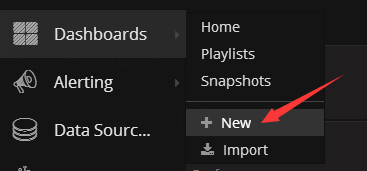
增加dashboard
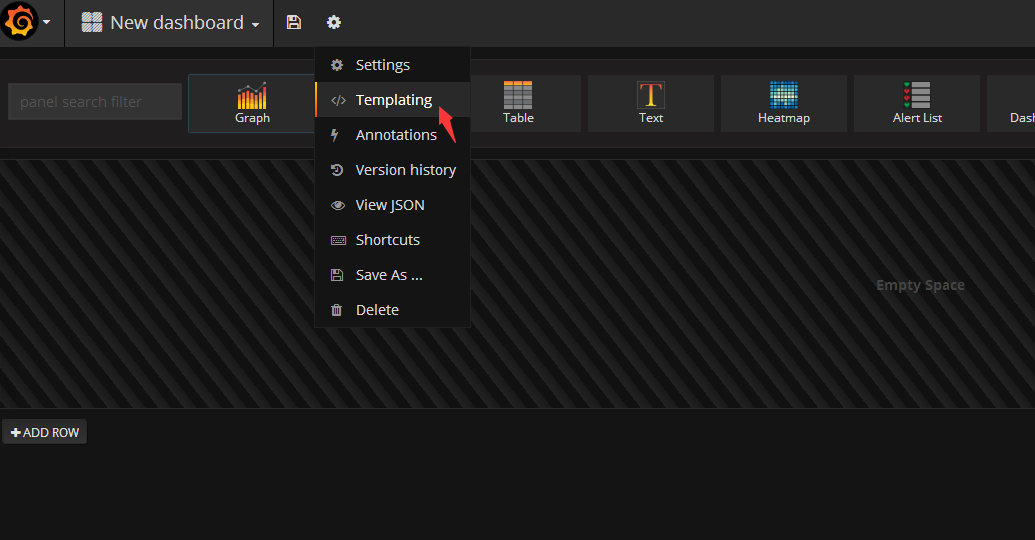
增加templating
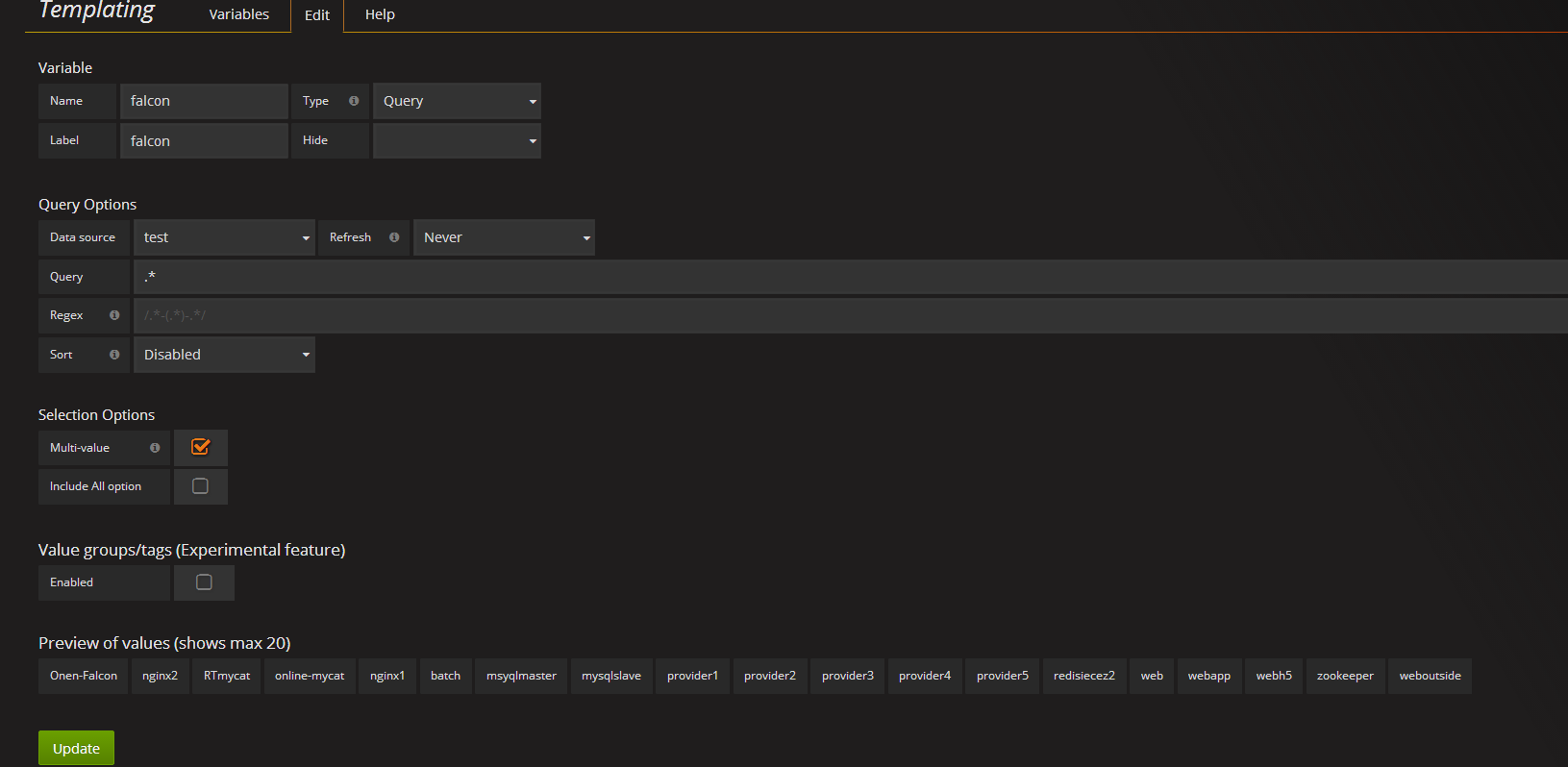
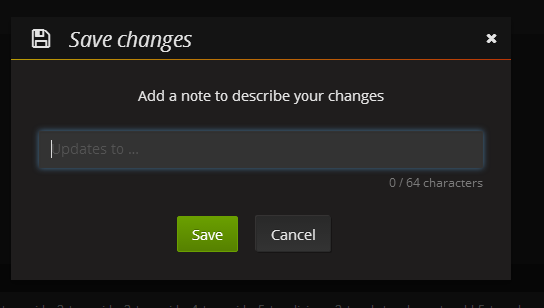
直接保存就行,默认我就是空
增加


点击 ADD ROW选择graph

在标题上点左键-点edit

增加展示名称

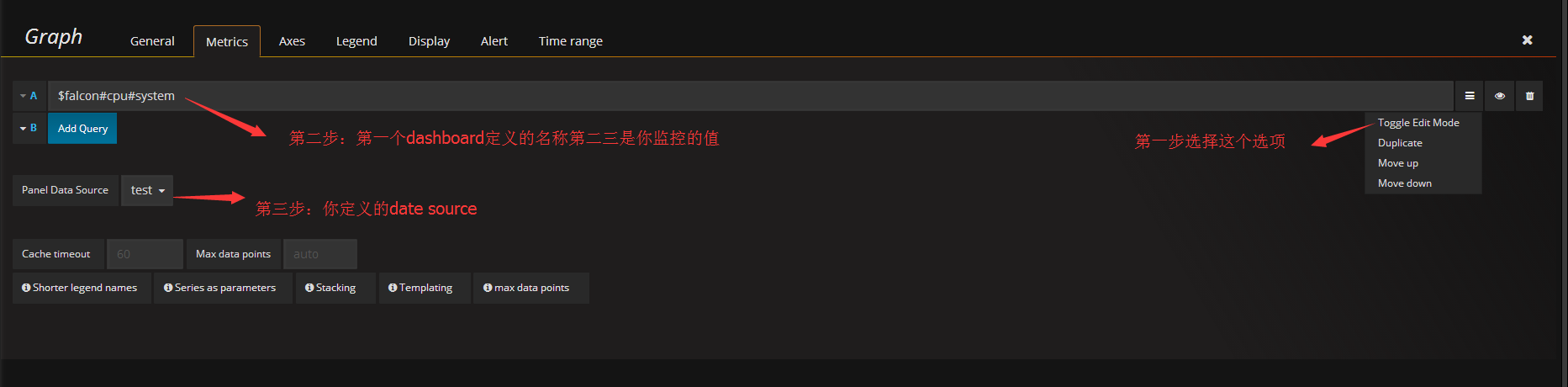
保存 我默认为空
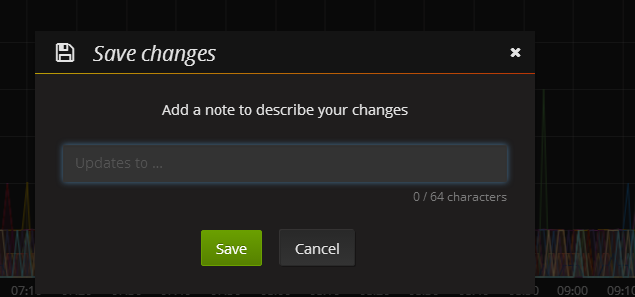
点击这个下拉箭头可以选择你安装过agent的机器进行监控


保存 我默认为空
open-falcon(v0.2)安装grafana部署的更多相关文章
- 容器编排系统K8s之Prometheus监控系统+Grafana部署
前文我们聊到了k8s的apiservice资源结合自定义apiserver扩展原生apiserver功能的相关话题,回顾请参考:https://www.cnblogs.com/qiuhom-1874/ ...
- Grafana部署监控docker服务
Grafana部署监控docker服务 一.使用InfluxDB+cAdvisor+Grafana配置Docker监控 1.1Docker监控组件 1.2cAdvisor: 1.3Docker监控安装 ...
- Windows Server 2012 虚拟化实战:SCVMM的安装和部署
本篇大概介绍一下在Windows Server 2012 R2上安装和部署SCVMM的过程及其注意事项.下图是我们数据中心SCVMM的基本架构,其中 SCVMM Database 是用于存储了所有配置 ...
- Linux下Redis的安装和部署
一.Redis介绍 Redis是当前比较热门的NOSQL系统之一,它是一个key-value存储系统.和Memcache类似,但很大程度补偿了Memcache的不足,它支持存储的value类型相对更多 ...
- 他山之石——vs2013 安装与部署及程序打包
C#打包需要这个:InstallShield 2013 Limited Edition for Visual Studio .下载地址: InstallShield 2013 Limited Edi ...
- 阿里云服务器Linux CentOS安装配置(六)resin多端口配置、安装、部署
阿里云服务器Linux CentOS安装配置(六)resin多端口配置.安装.部署 1.下载resin包 http://125.39.66.162/files/2183000003E08525/cau ...
- Kafka的安装和部署及测试
1.简介 大数据分析处理平台包括数据的接入,数据的存储,数据的处理,以及后面的展示或者应用.今天我们连说一下数据的接入,数据的接入目前比较普遍的是采用kafka将前面的数据通过消息的方式,以数据流的形 ...
- 日志分析 第七章 安装grafana
grafana依赖mysql存储数据,首先需要安装mysql 安装mysql 解压 # groupadd mysql # useradd -s /sbin/nologin -g mysql mysql ...
- Redis的安装与部署
为了解决公司产品数据增长过快,初始化太耗费时间的问题,决定使用redis作为缓存服务器. Windows下的安装与部署: 可以直接参考这个文章,我也是实验了一遍:http://www.runoob.c ...
随机推荐
- lua API函数大全
Lua5.1中的API函数 lua_State* luaL_newstate()Lua脚本的编译执行是相互独立的,在不同的线程上执行.通过luaL_newstate()函数可以申请一个虚拟机,返回指针 ...
- jq获取被选中的option的值。jq获取被选中的单选按钮radio的值。
温故而知新,一起复习下jq的知识点. (1) jq获取被选中的option的值 <select id="select_id"> <option value=&qu ...
- Java数据结构和算法(三)——冒泡、选择、插入排序算法
上一篇博客我们实现的数组结构是无序的,也就是纯粹按照插入顺序进行排列,那么如何进行元素排序,本篇博客我们介绍几种简单的排序算法. 1.冒泡排序 这个名词的由来很好理解,一般河水中的冒泡,水底刚冒出来的 ...
- 深入理解ES6之——JS类的相关知识
基本的类声明 类声明以class关键字开始,其后是类的名称:剩余部分的语法看起来像对象字面量中的方法简写,并且在方法之间不需要使用逗号. class Person { //等价于prototype的构 ...
- Java基础概念1
一.Java数据类型 1.byte 字节型 1byte = 8bit 表示数范围:-2^7~2^7-1(-128~127): 2.short 短整型 2 byte = 16bit 表示数范围:-2^1 ...
- 在php代码中执行liunx命令
- Web 动画帧率(FPS)计算
我们知道,动画其实是由一帧一帧的图像构成的.有 Web 动画那么就会存在该动画在播放运行时的帧率.而帧率在不同设备不同情况下又是不一样的. 有的时候,一些复杂或者重要动画,我们需要实时监控它们的帧率, ...
- Python3使用PyQt5制作简单的画板/手写板
0.目录 1.前言 2.简单的画板1.0 在定点和移动中的鼠标所在处画一条线 3.简单的画板2.0 在定点和移动中的鼠标所在处画一条线 并将画过的线都保留在窗体上 4.简单的画板3.0 将按住鼠标后移 ...
- nginx利用反向代理调试后台接口
1.location 支持配置项目的绝对路径 2.假设我们的后台API地址是以API开头,location ^~ /api/ 代表nginx将会拦截请求地址中包含"/api/"字样 ...
- Spark之搜狗日志查询实战
1.下载搜狗日志文件: 地址:http://www.sogou.com/labs/resource/chkreg.php 2.利用WinSCP等工具将文件上传至集群. 3.创建文件夹,存放数据: mk ...