
jsvascript篮球梦
首先让我们先欣赏一下效果图:
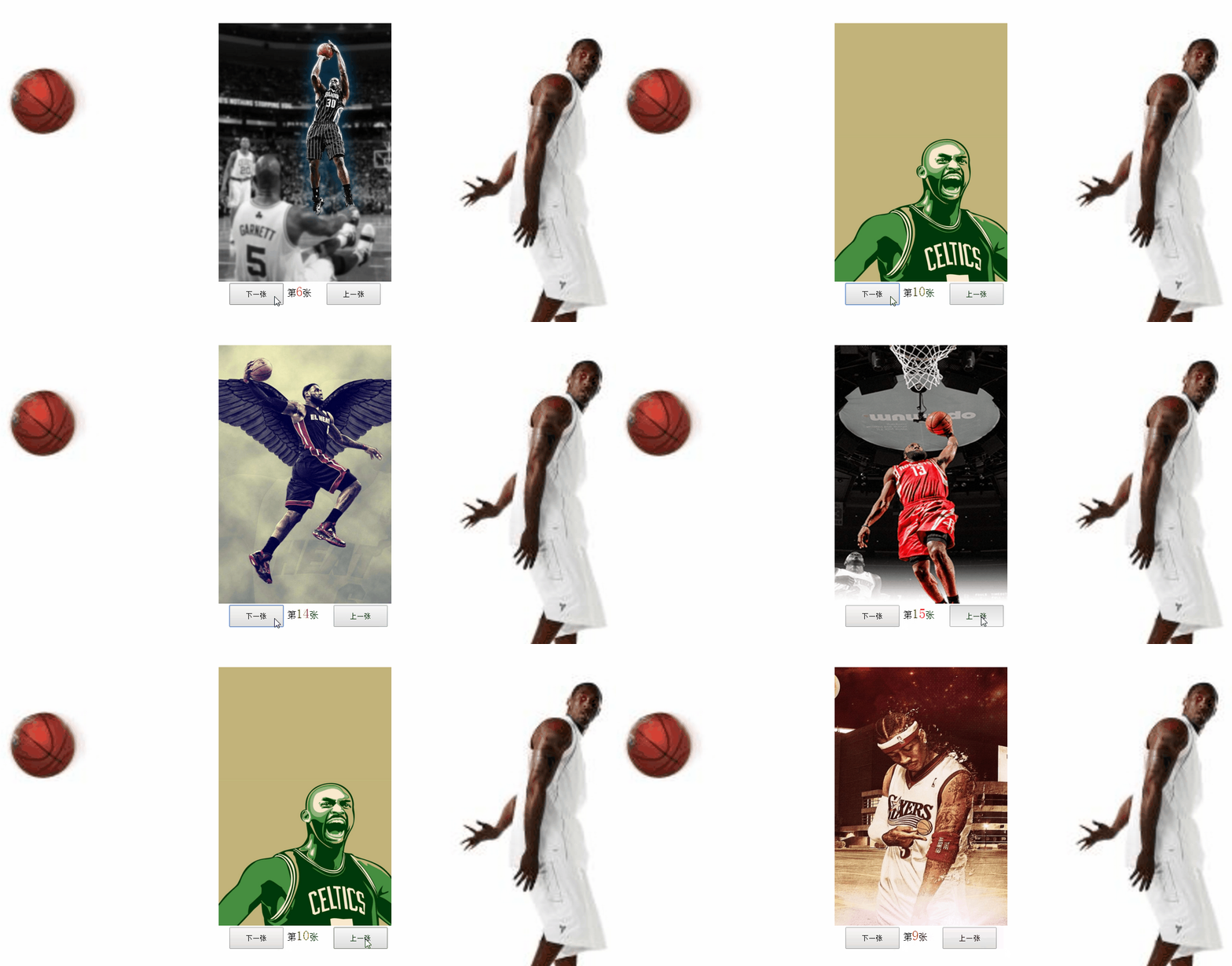
html文本:
 <div class="box">

        <img id="imgshow" src="lanqiu/1.jpg" alt="">

        <input type="button" value="下一张" id="btnNext">

            第<span id="zeyu">1</span>张

        <input type="button" value="上一张" id="btnLaxt">

    </div>
css样式:
  body{

        margin:0;

        background:url(zeyu.jpg);

        background-size: 100%;

    }

    .box{

        width:320px;

        height:520px;

        margin:100px auto;

    }

    img{

        width:320px;

        height:480px;

    }

    input{

        width:100px;

        height: 40px;

        margin-left:20px;

    }

    span{

        color: #f00;

        font-size: 25px;

    }
JS:
 var index=1;

    document.getElementById("btnNext").onclick=function(){

            if(index<19){

                index++;

            }

        document.getElementById("zeyu").innerHTML=index;

        document.getElementById("imgshow").src="lanqiu/"+index+".jpg";

    }

    document.getElementById("btnLaxt").onclick=function(){

            if(index>1){

                index--;

            }

        document.getElementById("zeyu").innerHTML=index;

        document.getElementById("imgshow").src="lanqiu/"+index+".jpg";

    }
源码:
  <!DOCTYPE html>

<html lang="en">

<head>

    <meta charset="UTF-8">

    <meta name="viewport" content="width=device-width, initial-scale=1.0">

    <meta http-equiv="X-UA-Compatible" content="ie=edge">

    <title>篮球图集</title>

    <style>

        body{

            margin:0;

            background:url(zeyu.jpg);

            background-size: 100%;

        }

        .box{

            width:320px;

            height:520px;

            margin:100px auto;

        }

        img{

            width:320px;

            height:480px;

        }

        input{

            width:100px;

            height: 40px;

            margin-left:20px;

        }

        span{

            color: #f00;

            font-size: 25px;

        }

    </style>

</head>

<body>

    <div class="box">

        <img id="imgshow" src="lanqiu/1.jpg" alt="">

        <input type="button" value="下一张" id="btnNext">

            第<span id="zeyu">1</span>张

        <input type="button" value="上一张" id="btnLaxt">

    </div>

    <script>

        var index=1;

        document.getElementById("btnNext").onclick=function(){

                if(index<19){

                    index++;

                }

            document.getElementById("zeyu").innerHTML=index;

            document.getElementById("imgshow").src="lanqiu/"+index+".jpg";

        }

        document.getElementById("btnLaxt").onclick=function(){

                if(index>1){

                    index--;

                }

            document.getElementById("zeyu").innerHTML=index;

            document.getElementById("imgshow").src="lanqiu/"+index+".jpg";

        }

    </script>

</body>

</html>
持续更新,欢迎大家指教!
jsvascript篮球梦的更多相关文章
- HDU--杭电--4504--威威猫系列故事——篮球梦--DP
威威猫系列故事——篮球梦 Time Limit: 300/100 MS (Java/Others) Memory Limit: 65535/32768 K (Java/Others) Total ...
- HDUOJ----4504 威威猫系列故事——篮球梦
威威猫系列故事——篮球梦 Time Limit: 300/100 MS (Java/Others) Memory Limit: 65535/32768 K (Java/Others)Total ...
- HDU 4504 威威猫系列故事——篮球梦(dp)
http://acm.hdu.edu.cn/showproblem.php?pid=4504 题目大意: 中文都看得懂.不过我是看hint才正确理解什么意思的.开始的时候理解错了. 解题思路: 给定时 ...
- 【HDOJ】4504 威威猫系列故事——篮球梦
水题. #include <cstdio> #include <cstdlib> #include <cstring> #define MAXN 25 ]; voi ...
- hdu 4504 威威猫系列故事——篮球梦_简单dp
题目链接 题意:你现在分数为a,对方分数为b,你比赛还有n分钟,每次进攻需要15分钟,现在你先进攻,每次进攻可以得1或2或3,对方每次进攻得一分,问超过对方分数有多少种打法 思路:因为情况太多要用__ ...
- 2013腾讯编程马拉松初赛第〇场(HDU 4504)威威猫系列故事——篮球梦
http://acm.hdu.edu.cn/showproblem.php?pid=4504 题目大意: 篮球赛假如我们现在已经知道当前比分 A:B,A代表我方的比分,B代表对方的比分,现在比赛还剩下 ...
- NSIS
NSIS 是“Nullsoft 脚本安装系统”(Nullsoft Scriptable Installation System) 的缩写,它是一个免费的 Win32 安装.卸载系统,采用了简洁高效的脚 ...
- hdu4504java
import java.util.*; class Main{ public static void main(String[] args) { Scanner cin=new Scanner( ...
- ZT I Believe I Can Fly(我相信我能飞)
I Believe I Can Fly(我相信我能飞) 歌手:R. Kelly(罗 凯利) 歌词部分 I used to think that I could not go on 我原以为我无法坚持下 ...
随机推荐
- python爬虫和数据分析、数据挖掘
一.python爬虫脑图: 二.python爬虫流程: 三.python数据分析简介 四.python数据预处理方法 五.python数据挖掘 六.数据探索基础
- linux 有了源码创建git版本库(coding)
进入目录,比如ewei_shop 执行 git init 瞬间Git就把仓库建好了,而且告诉你是一个空的仓库(empty Git repository),当前目录下多了一个.git的目录,如果没有看到 ...
- Office 365管理中心门户
一.使用Office 365管理员账户登陆到由世纪互联运营的Office 365 登陆地址 https://portal.partner.microsoftonline.cn 1.登陆完成后,选择左上 ...
- F5 BIG-IP之二LTM术语
Node : Pool:中有设置负载均衡方式 Virtual Server :监听客户端请求的 根据 IP 和 端口号 Profile: VS 调用 Profile
- 5)添加分发参数c,选择控制器
目录关系: 代码展示: newnewnew.controller.class.php <?php /** * Created by PhpStorm. * User: Interact * D ...
- nginx负载均衡如何实现
什么是nginx?Nginx("engine x")是一款是由俄罗斯的程序设计师Igor Sysoev所开发高性能的Web和反向代理服务器,也是一个 IMAP/POP3/SMTP ...
- Mysql————基本sql语句
mysql中的基本语法有四种: 1.DDL语句:(用CREAT和DROP操作的语句) 用于创建.修改.和删除数据库内的数据结构,如:1:创建和删除数据库(CREATE DATABASE || DROP ...
- jQuery插件开发小结
jQuery插件开发规范 1. 使用闭包 (function($) { // Code goes here })(jQuery); 这是来自jQuery官方的插件开发规范要求,使用这种编写方式有什么好 ...
- svn使用2(转)
首先打开VisualSVN Server Manager,如图: 可以在窗口的右边看到版本库的一些信息,比如状态,日志,用户认证,版本库等.要建立版本库,需要右键单击左边窗口的Repositores, ...
- 多版本firefox共存
https://blog.csdn.net/gavinxlf/article/details/53173034 https://blog.csdn.net/weixin_33979745/articl ...