
分享一款基于aui框架的图文发布界面
本文出自APICloud官方论坛,
感谢论坛版主 川哥哥 的分享。
分享一款基于aui框架的图文发布界面,可以添加多张图可以删除,类似qq空间发布说说,没做服务器后端,只演示前端操作。
需要用到UIMediaScanner模块
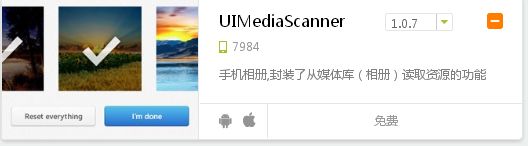
项目源码:
<!DOCTYPE html>
<html>
<head>
<meta charset="utf-8">
<meta name="viewport" content="maximum-scale=1.0,minimum-scale=1.0,user-scalable=0,width=device-width,initial-scale=1.0"/>
<meta name="format-detection" content="telephone=no,email=no,date=no,address=no">
<link rel="stylesheet" type="text/css" href="../css/aui.css" />
<style>
.sm textarea {
color: #979797;
height: 6.4rem
}
.aui-list {
border-top: none;
}
@media screen and (-webkit-min-device-pixel-ratio: 1.5) {
.aui-list {
border: none;
background-size: 100% 0px;
}
}
.aui-list .aui-list-item:active {
background-color: #FFFFFF;
}
.imglist {
width: 100%;
clear: both;
margin: 1rem auto;
}
.imglist img {
width: 4rem;
height: 4rem;
}
.add {
width: 4rem;
height: 4rem;
background: url(../res/add.png) no-repeat;
background-size: 100% 100%;
float: left;
margin-right: 1rem;
}
.addimg {
float: left;
height: 4rem;
width: 4rem;
margin-right: 1rem;
margin-bottom: 1rem;
}
.addimg img {
width: 4rem;
height: 4rem;
}
.addimg .x img {
width: 0.8rem;
height: 0.8rem;
position: relative;
top: -4.4rem;
left: -0.5rem;
}
/*遮罩层*/
.mask {
width: 100%;
height: 100%;
background: rgba(0, 0, 0, .5);
position: fixed;
top: 0;
left: 0;
z-index: 999;
display: none;
}
.alert {
width: 12rem;
height: 7.42rem;
border-radius: 0.2rem;
background: #fff;
font-size: 0.75rem;
text-align: center;
position: absolute;
left: 50%;
top: 50%;
margin-left: -6rem;
margin-top: -4.2rem;
}
.alert p:nth-child(1) {
line-height: 5rem;
border-bottom: 1px solid #EBEBEB;
font-size: 0.9rem;
}
.alert p:nth-child(2) span {
display: inline-block;
width: 49%;
height: 2.4rem;
line-height: 2.4rem;
float: left;
font-size: 0.8rem;
}
.cancel {
border-right: 1px solid #EBEBEB;
color: #00BB3D;
}
.sure {
color: #F60;
}
</style>
</head>
<body>
<header class="aui-bar aui-bar-nav">
<a class="aui-btn aui-pull-left"> <span class="aui-iconfont aui-icon-left"></span> 返回</a>
<div class="aui-title">
新生指引
</div>
<a class="aui-pull-right" >发 表</a>
</header>
<div class="aui-card-list">
<div class="aui-content aui-margin-b-15">
<ul class="aui-list aui-form-list">
<li class="aui-list-item">
<div class="aui-list-item-inner sm">
<textarea id="sm" placeholder="说点什么吧" ></textarea>
</div>
</li>
<li class="aui-list-item">
<div class="imglist">
<div class="add" onclick="upimg()"></div>
</div>
<div class="mask">
<div class="alert">
<p>
确定要删除这张图片吗?
</p>
<p>
<span class="cancel">取消</span>
<span class="sure">确定</span>
</p>
</div>
</div>
</li>
</ul>
<ul class="aui-list aui-list-in">
<li class="aui-list-item">
<div class="aui-list-item-label-icon">
<i class="aui-iconfont aui-icon-location aui-text-success"></i>
</div>
<div class="aui-list-item-inner">
<div class="aui-list-item-title">
地址
</div>
<div class="aui-list-item-right">
<input type="checkbox" checked class="aui-switch" id="ts">
</div>
</div>
</li>
</ul>
</div>
</div>
</body>
<script type="text/javascript" src="../script/api.js"></script>
<script type="text/javascript">
apiready = function() {
$api.fixStatusBar($api.dom('.aui-bar'));
};
function upimg() {
api.actionSheet({
title : '上传照片',
cancelTitle : '取消',
buttons : ['拍照', '相册']
}, function(ret, err) {
if (ret) {
getPicture(ret.buttonIndex);
}
});
}
function getPicture(sourceType) {
if (sourceType == 1) {
api.getPicture({
sourceType : 'camera',
encodingType : 'png',
mediaValue : 'pic',
allowEdit : false,
saveToPhotoAlbum : false
}, function(ret, err) {
var imgs = $api.dom(".imglist");
var imgList = document.getElementsByClassName("addimg");
if (!ret.data.length) {
} else {
if (imgList.length >= 6) {
api.toast({
msg : '不能再添加啦',
duration : 3000,
location : 'bottom'
});
} else {
var dcc = document.createElement("div");
dcc.setAttribute("class", "addimg");
dcc.setAttribute("onclick", "yichu(this)");
dcc.innerHTML = '<div onclick="yichu(this)"><img src="' + ret.data + '"/><div class="x" ><img src="../res/x.png"/></div></div>';
prependChild(dcc, imgs)
}
}
});
} else if (sourceType == 2) {
var obj = api.require('UIMediaScanner');
obj.open({
type : 'picture',
column : 4,
max : 6,
classify : true,
sort : {
key : 'time',
order : 'desc'
},
texts : {
stateText : '已选择*项',
cancelText : '取消',
finishText : '完成'
},
styles : {
bg : '#fff',
mark : {
icon : '',
position : 'top_right',
size : 28
},
nav : {
bg : '#eee',
stateColor : '#000',
stateSize : 16,
cancleBg : 'rgba(0,0,0,0)',
cancelColor : '#000',
cancelSize : 16,
finishBg : 'rgba(0,0,0,0)',
finishColor : '#000',
finishSize : 16
}
}
}, function(ret) {
var imgs = $api.dom(".imglist");
var imgList = document.getElementsByClassName("addimg");
if (ret.eventType == 'cancel') {
} else if (ret.list.length > 0) {
if (imgList.length >= 6) {
api.toast({
msg : '不能再添加啦',
duration : 3000,
location : 'bottom'
});
} else {
for (var i = 0; i < ret.list.length; i++) {
var dcc = document.createElement("div");
dcc.setAttribute("class", "addimg");
dcc.setAttribute("onclick", "yichu(this)");
dcc.innerHTML = '<img src="' + ret.list[i].thumbPath + '"/><div class="x" ><img src="../res/x.png"/></div>';
prependChild(dcc, imgs)
}
}
}
});
}
}
function yichu(el) {
$api.css($api.dom(".mask"), 'display:block');
$api.dom(".cancel").onclick = function() {
$api.css($api.dom(".mask"), 'display:none');
};
$api.dom(".sure").onclick = function() {
$api.css($api.dom(".mask"), 'display:none');
$api.remove(el);
};
}
function prependChild(html, el) {
if (el.hasChildNodes()) {
el.insertBefore(html, el.firstChild);
} else {
el.appendChild(html);
}
}
</script>
</html>
复制代码
分享一款基于aui框架的图文发布界面的更多相关文章
- SZhe_Scan碎遮:一款基于Flask框架的web漏洞扫描神器
SZhe_Scan碎遮:一款基于Flask框架的web漏洞扫描神器 天幕如遮,唯我一刀可碎千里华盖,纵横四海而无阻,是谓碎遮 --取自<有匪> 写在前面 这段时间很多时间都在忙着编写该项目 ...
- rtvue-lowcode:一款基于uniapp框架和uview组件库的开源低代码开发平台
rtvue-lowcode低代码开发平台 rtvue-lowcode一款基于uniapp框架和uview组件库的低代码开发平台,项目提供可视化拖拽编辑器,采用MIT开源协议,适用于app.小程序等项目 ...
- 一款基于SSM框架技术的全栈Java web项目(已部署可直接体验)
概述 此项目基于SSM框架技术的Java Web项目,是全栈项目,涉及前端.后端.插件.上线部署等各个板块,项目所有的代码都是自己编码所得,每一步.部分都有清晰的注释,完全不用担心代码混乱,可以轻松. ...
- 分享一款基于jquery的圆形动画按钮
之前为大家介绍过一款纯css3实现的圆形旋转分享按钮.今天要给大家带来一款基于jquery的圆形动画按钮.这款按钮鼠标经过的时候以边框转圈,然后逐渐消息,在实例中给出了四种颜色的demo.效果图如下: ...
- MindInsight:一款基于MindSpore框架的训练可视化插件
技术背景 在深度学习或者其他参数优化领域中,对于结果的可视化以及中间网络结构的可视化,也是一个非常重要的工作.一个好的可视化工具,可以更加直观的展示计算结果,可以帮助人们更快的发掘大量的数据中最有用的 ...
- 一款基于jQuery轮播切换焦点图,可播放多张图片
今天给大家分享一款基于jQuery轮播切换焦点图,可播放多张图片,在这个组件中,你可以任意指定8张图片,然后插件就会帮你自动生成缩略图,并且自动开始切换播放图片.当然,你也可以手动切换图片,只要点击缩 ...
- 9款基于CSS3 Transitions实现的鼠标经过图标悬停特效
之前给大家分享了很多css3实现的按钮特效.今天给大家分享9款基于CSS3 Transitions实现的鼠标经过图标悬停特效.这款特效适用浏览器:360.FireFox.Chrome.Safari.O ...
- 一款基于css3的3D图片翻页切换特效
今天给大家分享一款基于css3的3D图片翻页切换特效.单击图片下方的滑块会切换上方的图片.动起你的鼠标试试吧,效果图如下: 在线预览 源码下载 实现的代码. html代码: <div id= ...
- 一款基于jQuery仿淘宝红色分类导航
今天给大家分享一款基于jQuery仿淘宝红色分类导航.这款分类导航适用浏览器:IE8.360.FireFox.Chrome.Safari.Opera.傲游.搜狗.世界之窗.效果图如下: 在线预览 ...
随机推荐
- Bi-LSTM-CRF for Sequence Labeling
做了一段时间的Sequence Labeling的工作,发现在NER任务上面,很多论文都采用LSTM-CRFs的结构.CRF在最后一层应用进来可以考虑到概率最大的最优label路径,可以提高指标. 一 ...
- java构造方法的私有化
有的时候我们为了避免外界创建某类的实例,就将某类的构造方法私有化,即将它的构造方法用private修饰: 外界如何用到? 提供get方法!不提供的话外界就没法创建对象!(对反射无效) Eg:packa ...
- Python--day39--管道和数据共享(面试可能会问到)
1,管道 上面所述挂起即为阻塞 管道.py from multiprocessing import Pipe, Process def func(conn1,conn2): conn2.close() ...
- Spring Security 5.x兼容多种密码加密方式
1 spring security PasswordEncoder spring security 5不需要配置密码的加密方式,而是用户密码加前缀的方式表明加密方式,如: {MD5}88e2d8cd1 ...
- Vue中qs插件的使用
qs 是一个增加了一些安全性的查询字符串解析和序列化字符串的库. 在项目中使用命令行工具输入:npm install qs安装完成后在需要用到的组件中:import qs from ‘qs’具体使用中 ...
- background:url(./images.png) no-repeat 0 center的用法
background:url(./images.png) no-repeat 0 center; //图像地址 不重复 水平位置0 垂直位置居中 background:url(./images.png ...
- vue-cli常用插件集合
element - 饿了么出品的Vue2的web UI工具套件 Vux - 基于Vue和WeUI的组件库 mint-ui - Vue 2的移动UI元素 iview - 基于 Vuejs 的开源 UI ...
- SAPI(PHP常见的四种运行模式)
SAPI(Server Application Programming Interface)服务器应用程序编程接口,即PHP与其他应用交互的接口,PHP脚本要执行有很多方式,通过Web服务器,或者直接 ...
- 使用 Visual Studio Code 进行远程开发
使用 Visual Studio Code 进行远程开发 在完成了 AT 指令入门的学习之后,接下来就要使用 AT 指令进行 Socket 通信了.问题在于,之前 .NET 的 Socket 编程只需 ...
- IntelliJ IDEA+springboot+jdbctemplet+easyui+maven+oracle搭建简易开发框架(一)
前言: 这两天为了巩固easyui的各个控件用法,搭建了一个简易的框架用于开发,大家可以用来参考,如果发现文章中有哪些不正确不合理的地方,也请各位不吝赐教,感激不尽.文章最下面有源码,可以用于参考.整 ...