
ELK之使用filebeat收集系统数据及其他程序并生成可视化图表
当您要面对成百上千、甚至成千上万的服务器、虚拟机和容器生成的日志时,请告别 SSH 吧。Filebeat 将为您提供一种轻量型方法,用于转发和汇总日志与文件,让简单的事情不再繁杂。
1,安装filebeat
rpm -ivh /nas/nas/softs/elk/6.5.4/filebeat-6.5.4-x86_64.rpm
查看模块
[root@prd-elk-kafka-01 ~]# filebeat modules list

Enabled:

kafka

system

Disabled:

apache2

auditd

elasticsearch

haproxy

icinga

iis

kibana

logstash

mongodb

mysql

nginx

osquery

postgresql

redis

suricata

traefik
如需要启用某个模块使用命令
filebeat modules enable system
修改配置文件把filebeat输出至elasticsearch和kibana
/etc/filebeat/filebeat.yml
filebeat.config.modules:

  path: ${path.config}/modules.d/*.yml

  reload.enabled: false

setup.template.settings:

  index.number_of_shards: 3

output.elasticsearch:

  hosts: ["172.16.90.24:9200"]

#  username: "admin"

#  password: "admin"

setup.kibana:

  host: "172.16.90.24:5601"

processors:

  - add_host_metadata:

  - add_cloud_metadata:

#  - drop_fields:

#      fields: ["beat", "input", "source", "offset", "prospector","host"]
模块路径为/etc/filebeat/modules.d/
2,设置系统模块system
启用系统模块
/etc/filebeat/filebeat.yml
编辑系统模块配置文件,这里使用默认
/etc/filebeat/modules.d/system.yml
- module: system

  # Syslog

  syslog:

    enabled: true

    # Set custom paths for the log files. If left empty,

    # Filebeat will choose the paths depending on your OS.

    #var.paths:

    # Convert the timestamp to UTC. Requires Elasticsearch >= 6.1.

    #var.convert_timezone: false

  # Authorization logs

  auth:

    enabled: true

    # Set custom paths for the log files. If left empty,

    # Filebeat will choose the paths depending on your OS.

    #var.paths:

    # Convert the timestamp to UTC. Requires Elasticsearch >= 6.1.

    #var.convert_timezone: false
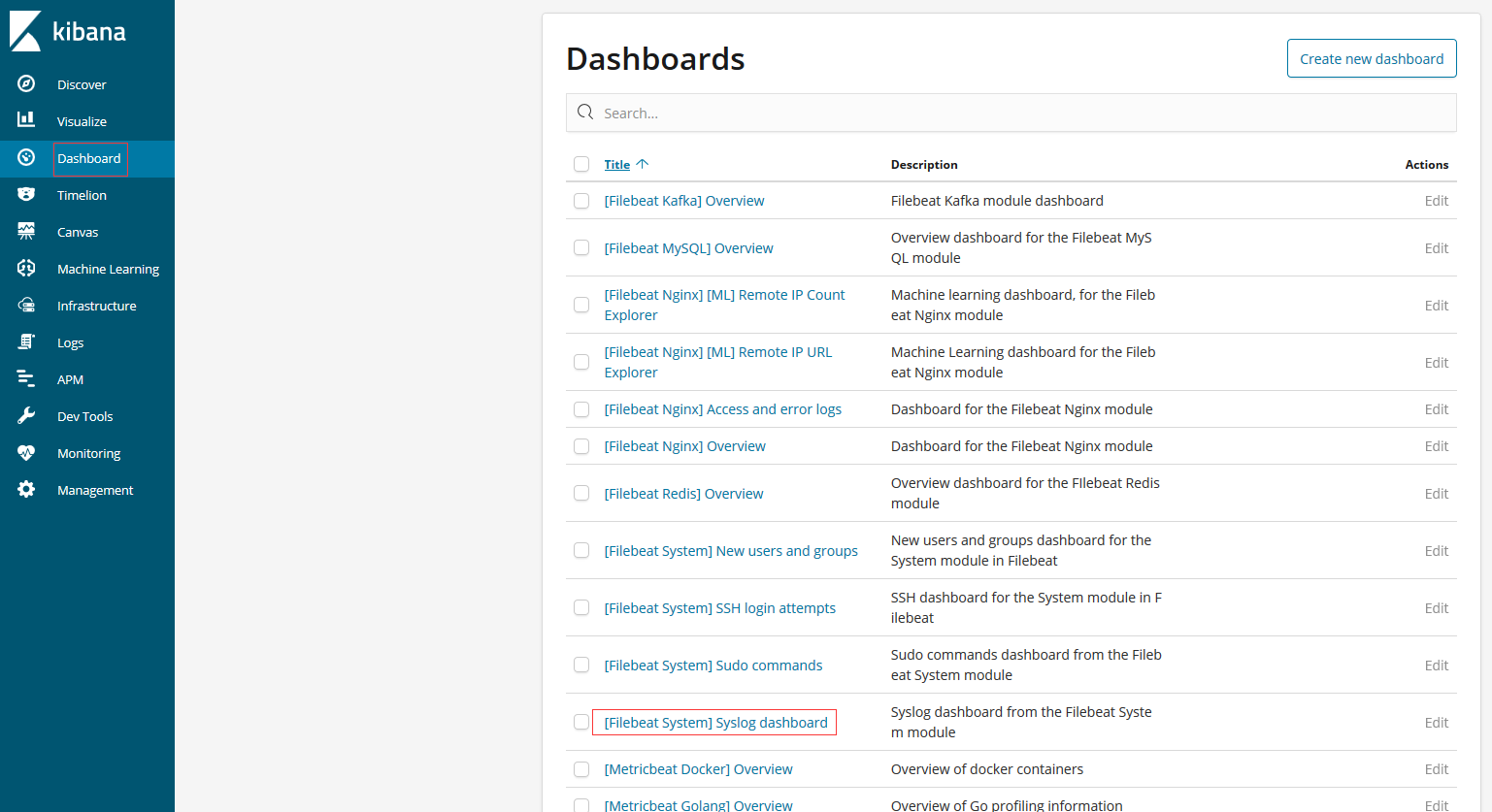
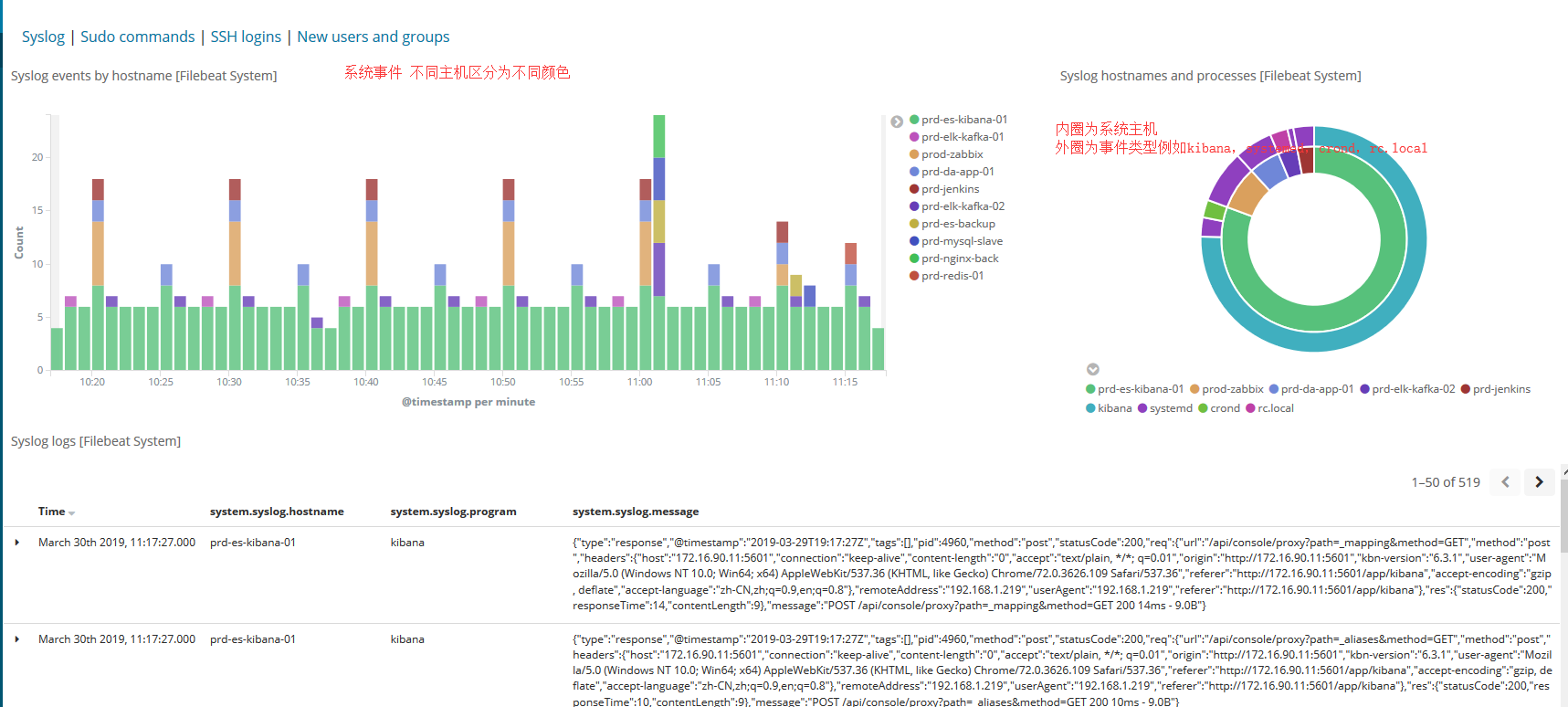
系统模块每一台主机都需要安装,启用后查看kibana
3,设置nginx模块
启动nginx模块
filebeat modules enable nginx
修改配置文档
/etc/filebeat/modules.d/nginx.yml
输入access日志及error日志路径
- module: nginx

  # Access logs

  access:

    enabled: true

    # Set custom paths for the log files. If left empty,

    # Filebeat will choose the paths depending on your OS.

    var.paths:

      - "/opt/log/wwwaccess.log"

      - "/opt/log/workaccess.log"

      - "/opt/log/datavaccess.log"

  # Error logs

  error:

    enabled: true

    # Set custom paths for the log files. If left empty,

    # Filebeat will choose the paths depending on your OS.

    var.paths:

      - "/opt/log/wwwerror.log"

      - "/opt/log/workerror.log"

      - "/opt/log/dataverror.log"
kibana查看
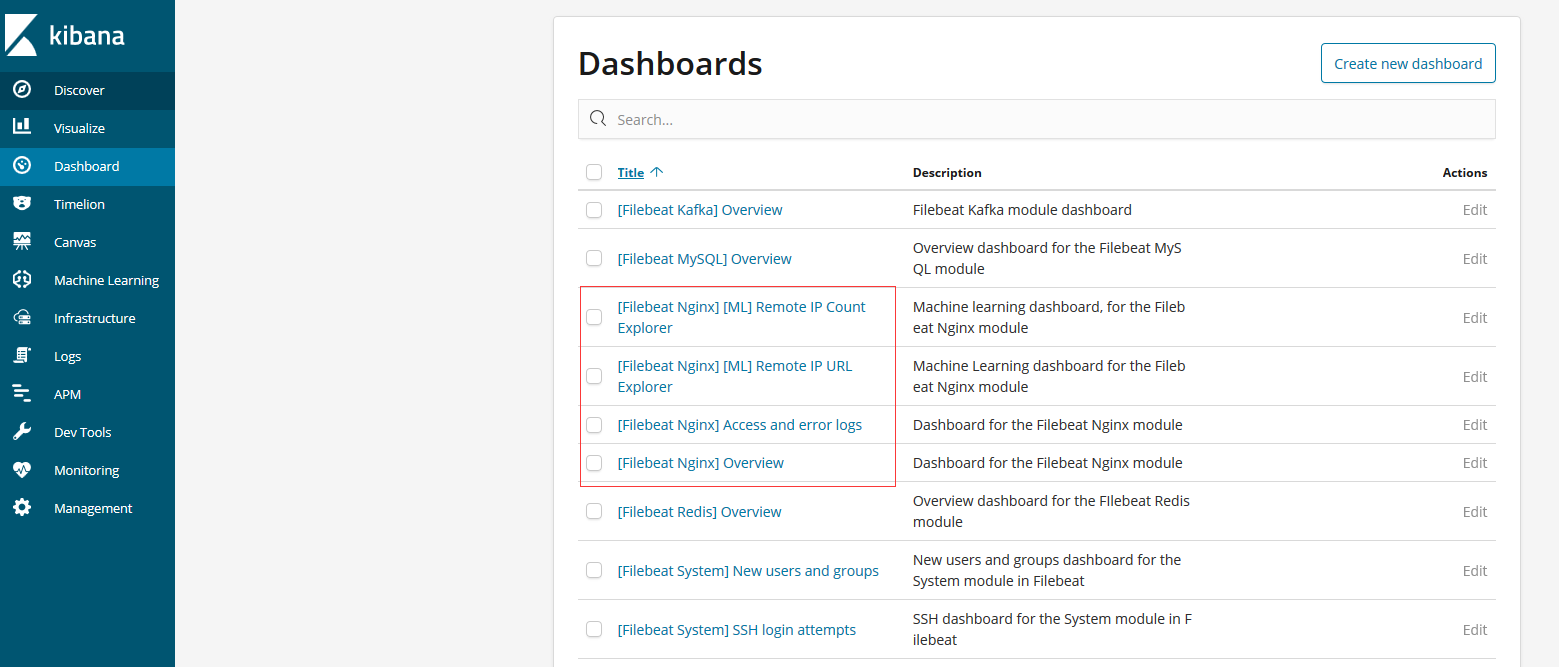


要显示客户端城市及浏览器信息需要安装elasticsearch插件
bin/elasticsearch-plugin install ingest-geoip

bin/elasticsearch-plugin install ingest-user-agent
4,设置redis模块
启用redis模块
filebeat modules enable redis
修改redis配置文件
/etc/filebeat/modules.d/redis.yml
- module: redis

  # Main logs

  log:

    enabled: true

    # Set custom paths for the log files. If left empty,

    # Filebeat will choose the paths depending on your OS.

    var.paths: ["/nas/nas/logs/redis/redis-server.log"]

  # Slow logs, retrieved via the Redis API (SLOWLOG)

  slowlog:

    enabled: true

    # The Redis hosts to connect to.

    var.hosts: ["localhost:6379"]

    # Optional, the password to use when connecting to Redis.

    var.password: "password"
kibana页面查看


5,设置kafka模块
启用kafka模块
filebeat modules enable kafka
修改配置文件
/etc/filebeat/modules.d/kafka.yml
- module: kafka

  # All logs

  log:

    enabled: true

    # Set custom paths for Kafka. If left empty,

    # Filebeat will look under /opt.

    #var.kafka_home:

    # Set custom paths for the log files. If left empty,

    # Filebeat will choose the paths depending on your OS.

    var.paths:

      - "/usr/local/kafka/logs/controller.log*"

      - "/usr/local/kafka/logs/server.log*"

      - "/usr/local/kafka/logs/state-change.log*"

      - "/usr/local/kafka/logs/kafka-*.log*"

    # Convert the timestamp to UTC. Requires Elasticsearch >= 6.1.

    #var.convert_timezone: false
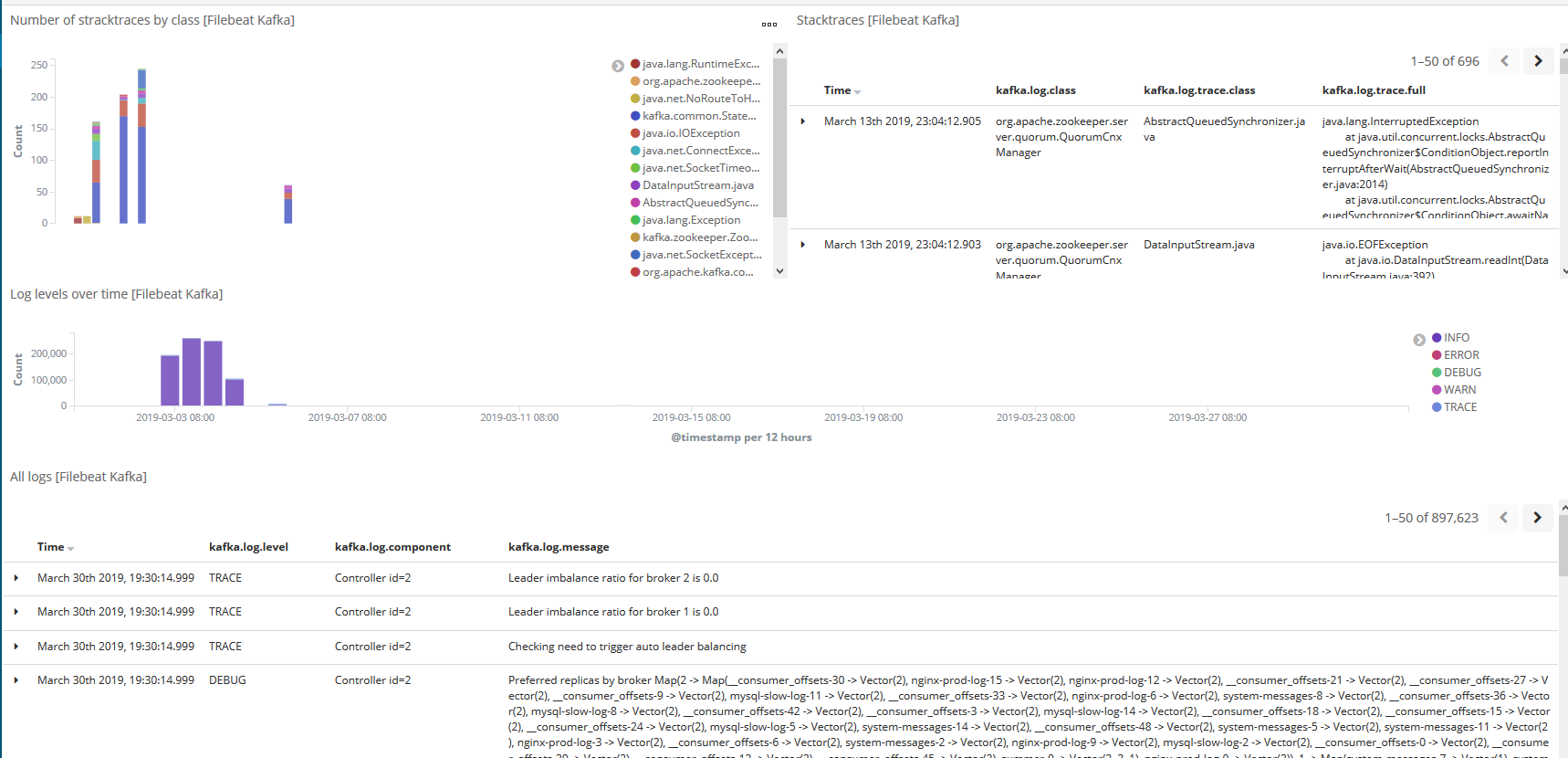
kibana查看

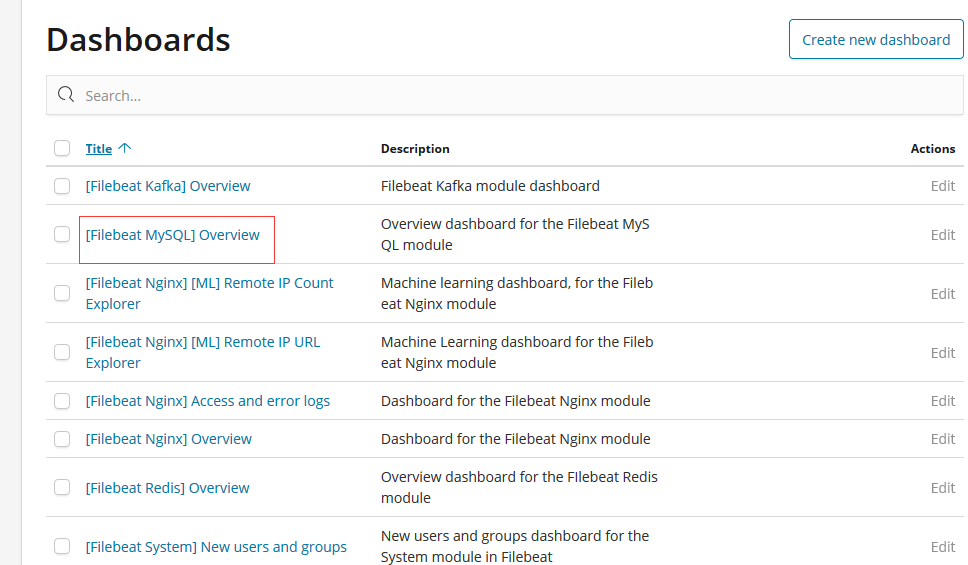
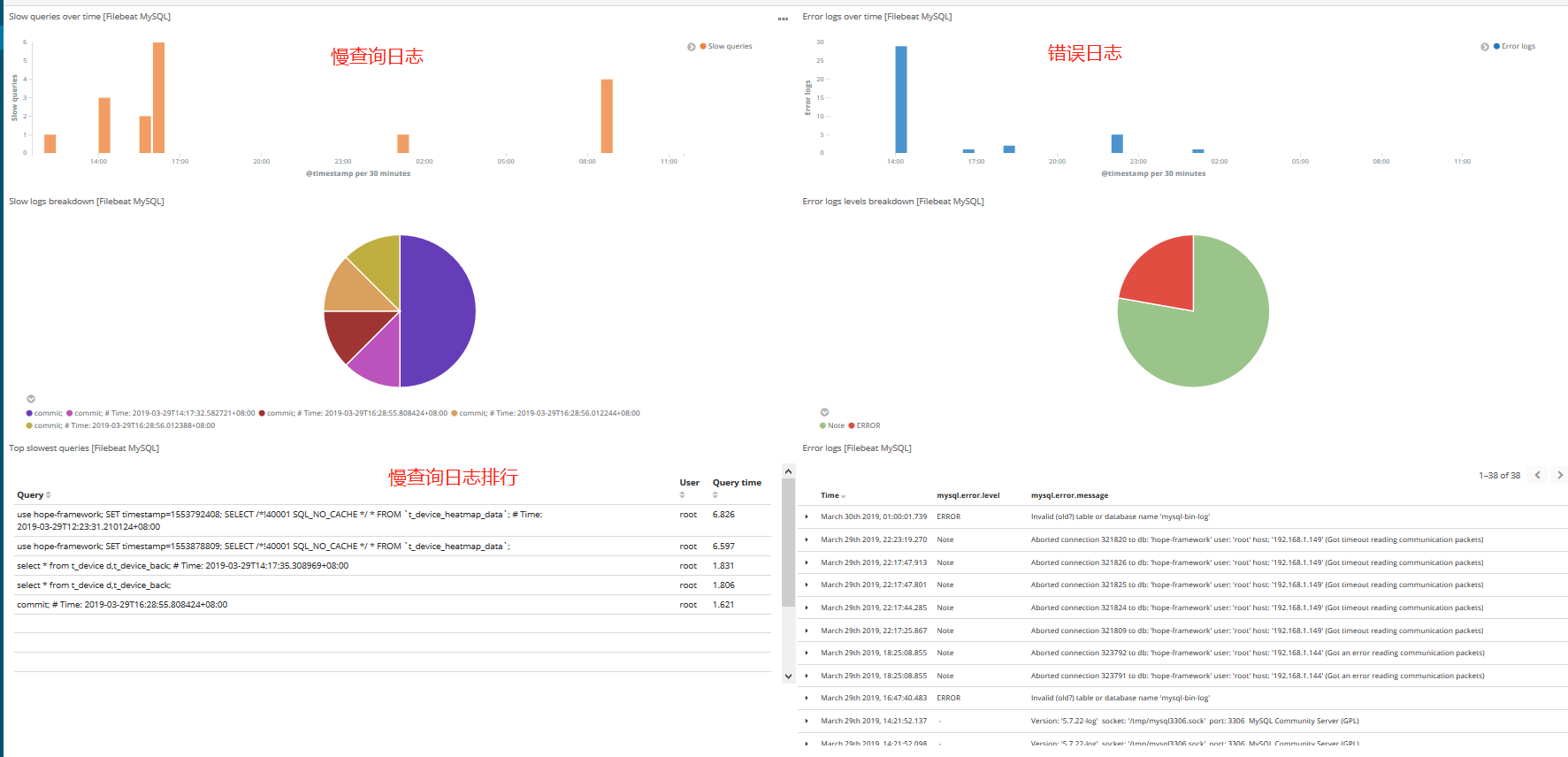
6,设置MySQL模块
开启mysql模块
filebeat modules enable mysql
修改配置文件
/etc/filebeat/modules.d/mysql.yml
输入日志及慢查询日志文件路径
- module: mysql

  # Error logs

  error:

    enabled: true

    # Set custom paths for the log files. If left empty,

    # Filebeat will choose the paths depending on your OS.

    var.paths: ["/var/log/mysql3306.log"]

  # Slow logs

  slowlog:

    enabled: true

    # Set custom paths for the log files. If left empty,

    # Filebeat will choose the paths depending on your OS.

    var.paths: ["/nas/nas/logs/mysql/slow3306.log"]
kibana查看
更多模块查看官方文档https://www.elastic.co/guide/en/beats/filebeat/6.5/filebeat-modules.html
ELK之使用filebeat收集系统数据及其他程序并生成可视化图表的更多相关文章
- ELK之使用metricbeat收集系统数据及其他程序并生成可视化图表
将 Metricbeat 部署到您所有的 Linux.Windows 和 Mac 主机,并将它连接到 Elasticsearch 就大功告成啦:您可以获取系统级的 CPU 使用率.内存.文件系统.磁盘 ...
- ELK+kafka构建日志收集系统
ELK+kafka构建日志收集系统 原文 http://lx.wxqrcode.com/index.php/post/101.html 背景: 最近线上上了ELK,但是只用了一台Redis在 ...
- Kubernetes部署ELK并使用Filebeat收集容器日志
本文的试验环境为CentOS 7.3,Kubernetes集群为1.11.2,安装步骤参见kubeadm安装kubernetes V1.11.1 集群 1. 环境准备 Elasticsearch运行时 ...
- ELK之使用filebeat收集java运行日志
安装filebeat修改配置文件/etc/filebeat/filebeat.yml filebeat.prospectors: - type: log enabled: true #日志路径 pat ...
- filebeat收集日志到elsticsearch中并使用ingest node的pipeline处理
filebeat收集日志到elsticsearch中 一.需求 二.实现 1.filebeat.yml 配置文件的编写 2.创建自定义的索引模板 3.加密连接到es用户的密码 1.创建keystore ...
- nGrinder对监控机器收集自定义数据及源码分析
转载:https://blog.csdn.net/neven7/article/details/50782451 0.背景 性能测试工具nGrinder支持在无需修改源码的情况下,对目标服务器收集自定 ...
- [Xcode 实际操作]七、文件与数据-(1)获取程序沙箱结构中常用的几个目录
目录:[Swift]Xcode实际操作 本文将演示如何获取程序沙箱结构中,常见的几个目录. 在项目导航区,打开视图控制器的代码文件[ViewController.swift] import UIKit ...
- 使用VS2017 编写Linux系统上的Opencv程序
背景 之前写图像算法的程序都是在window10下使用VS编写,VS这个IDE结合“ImageWatch.vsix“插件,用于调试opencv相关的图像算法程序十分方便.后因项目需要,需将相关程序移植 ...
- Kafka+Zookeeper+Filebeat+ELK 搭建日志收集系统
ELK ELK目前主流的一种日志系统,过多的就不多介绍了 Filebeat收集日志,将收集的日志输出到kafka,避免网络问题丢失信息 kafka接收到日志消息后直接消费到Logstash Logst ...
随机推荐
- Darwin Streaming Server服务器mp4文件点播返回”415 Unsupported Media Type“错误
Darwin Streaming Server中mp4文件点播失败,通过抓包发现服务器返回”415 Unsupported Media Type“错误,如下: RTSP/ Unsupported Me ...
- spring boot 搭建
http://www.ityouknow.com/springboot/2018/06/12/spring-boo-java-simple.html 在http://start.spring.io/下 ...
- 基于properties文件的Spring Boot多环境切换
当我们使用properties文件作为Spring Boot的配置文件而不是yaml文件时,怎样实现多环境使用不同的配置信息呢? 在Spring Boot中,多环境配置的文件名需要满足appl ...
- 【OCR技术系列之五】自然场景文本检测技术综述(CTPN, SegLink, EAST)
文字识别分为两个具体步骤:文字的检测和文字的识别,两者缺一不可,尤其是文字检测,是识别的前提条件,若文字都找不到,那何谈文字识别.今天我们首先来谈一下当今流行的文字检测技术有哪些. 文本检测不是一件简 ...
- python 信息同时输出到控制台与文件
python编程中,往往需要将结果用print等输出,如果希望输出既可以显示到IDE的屏幕上,也能存到文件中(如txt)中,该怎么办呢? 方法1 可通过日志logging模块输出信息到文件或屏幕.但可 ...
- Matlab信号处理基础
一. 简介 离散傅立叶.离散余弦和离散小波变换是图像.音频信号常用基础操作,时域信号转换到不同变换域以后,会导致不同程度的能量集中,信息隐藏利用这个原理在变换域选择适当位置系数进行修改,嵌入信息,并确 ...
- session_id()和session_regenerate_id()对原来session文件和其中数据是怎么处理的
一.session_id()对原来session文件和里面的数据,是怎么处理的? 测验办法:<?php $sid = md5("aaad");session_id($sid) ...
- linux 查找并kill进程
以php以关键字查找进程 $ ps aux | grep php root 32957 0.0 0.1 2470904 8908 s002 S+ 4:53下 ...
- 【Qt】信号和槽对值传递参数和引用传递参数的总结
在同一个线程中 当信号和槽都在同一个线程中时,值传递参数和引用传递参数有区别: 值传递会复制对象:(测试时,打印传递前后的地址不同) 引用传递不会复制对象:(测试时,打印传递前后的地址相同) 不在同一 ...
- Python3集合
集合(set)是一个无序的不重复元素序列. 可以使用大括号 { } 或者 set() 函数创建集合,注意:创建一个空集合必须用 set() 而不是 { },因为 { } 是用来创建一个空字典. 创建格 ...