
liunx 安装ActiveMQ 及 spring boot 初步整合 activemq
源码地址: https://gitee.com/kevin9401/microservice.git
一、安装 ActiveMQ:
1. 下载 ActiveMQ
wget https://archive.apache.org/dist/activemq/5.14.0/apache-activemq-5.14.0-bin.tar.gz

2. 解压 并且重命名 为 activemq
tar -zxvf apache-activemq-5.14.0-bin.tar.gz && mv apache-activemq-5.14.0 activemq


3. 配置环境变量(不做也行,暂时没发现用处)
vim /etc/profile
添加
export ACTIVEMQ_HOME=/usr/local/softwares/activemq
export PATH=:$JAVA_HOME/bin:$ACTIVEMQ_HOME/bin:$PATH

使配置生效:
source /etc/profile
4. 进入目录,启动 activemq
cd /usr/local/softwares/activemq/bin/linux-x86-64

执行
./activemq start

5. 访问
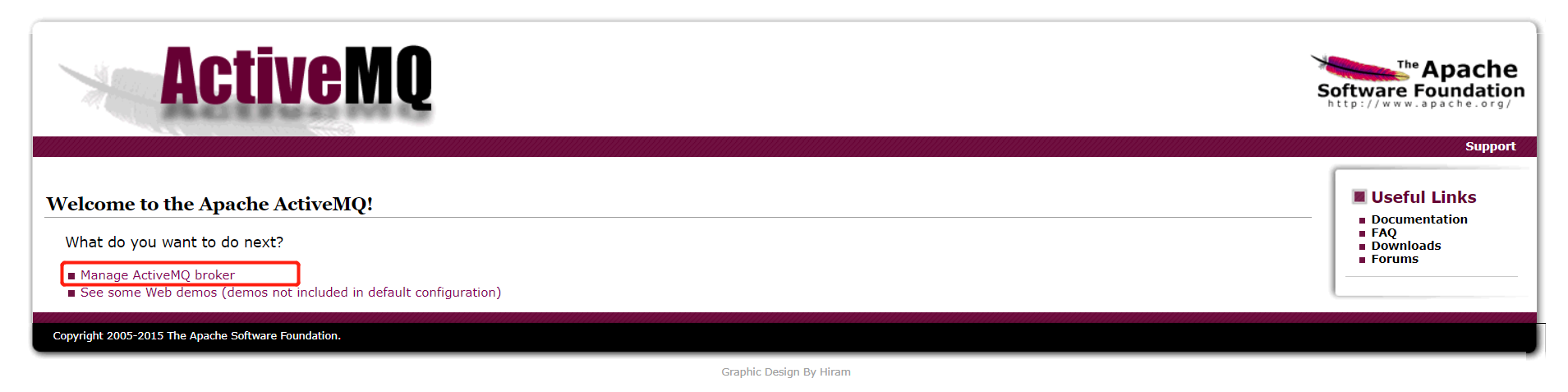
ip:8161
点击 Manage ActiveMQ broker
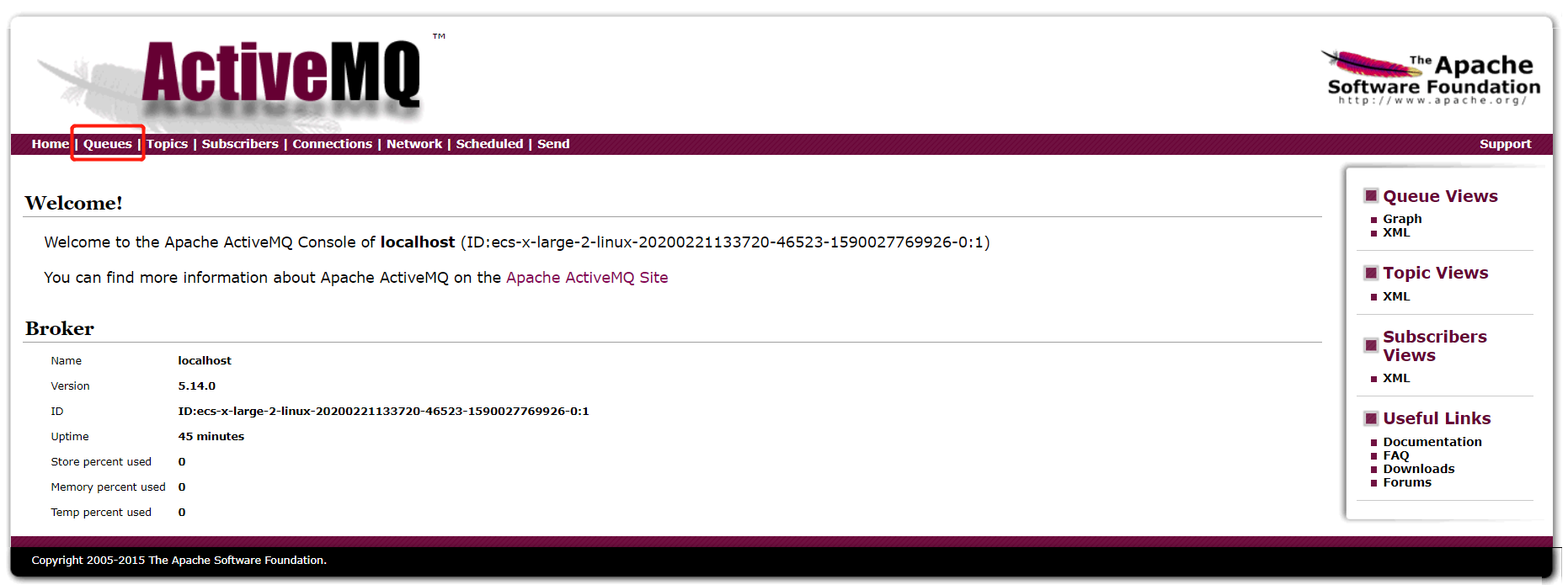
6. 如果要输入用户名、密码,默认的是 admin/admin
【备注】 如果访问不了,应该是被防火墙阻挡了,可以选择 关闭防火墙,或者在放行列表中 添加 8161(web管理页面端口)、61616(activemq服务监控端口) 两个端口
如果防火墙是开启的:
打开linux防火墙端口
/sbin/iptables -I INPUT -p tcp --dport 8161 -j ACCEPT&&/etc/init.d/iptables save&&service iptables restart&&/etc/init.d/iptables status
/sbin/iptables -I INPUT -p tcp --dport 61616 -j ACCEPT&&/etc/init.d/iptables save&&service iptables restart&&/etc/init.d/iptables status
二、spring boot 整合 activemq
1. 引入依赖
<dependency>

    <groupId>org.springframework.boot</groupId>

    <artifactId>spring-boot-starter-activemq</artifactId>

</dependency>

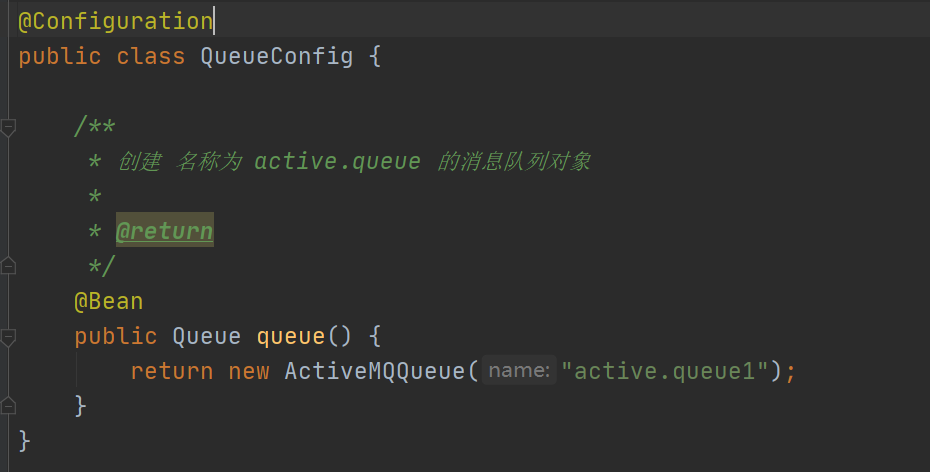
2. 创建消息队列对象
@Configuration

public class QueueConfig {

    /**

     * 创建 名称为 active.queue 的消息队列对象

     *

     * @return

     */

    @Bean

    public Queue queue() {

        return new ActiveMQQueue("active.queue1");

    }

}
3. 创建消息生产者
@RestController

public class QueueController {

    @Autowired

    private JmsMessagingTemplate messagingTemplate;

    @Autowired

    private Queue queue;

    /**

     * 消息生产者

     */

    @RequestMapping(value = "/send")

    public void send() {

        messagingTemplate.convertAndSend(queue, "hello world");

    }

}
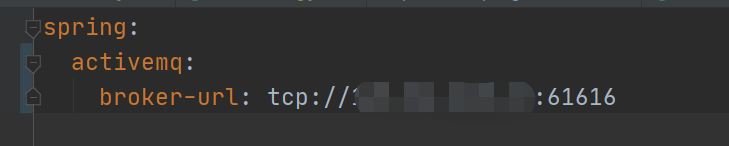
4. 在 application.yml 中配置连接
spring:

  activemq:

    broker-url: tcp://ip:61616
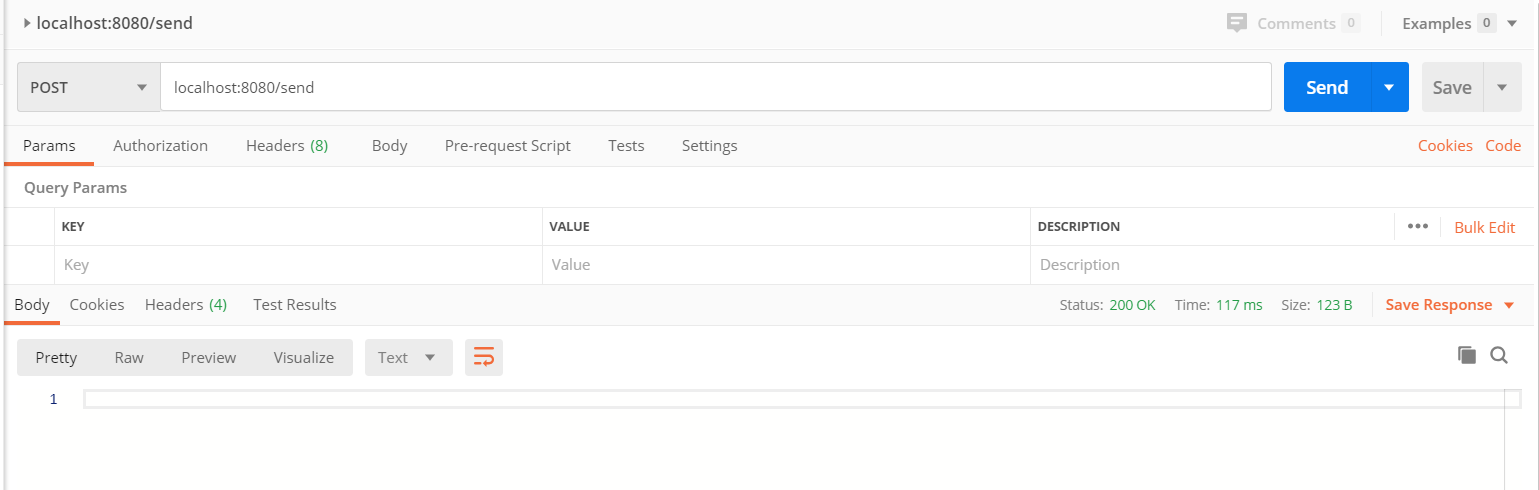
5. 启动项目,调用发送消息接口
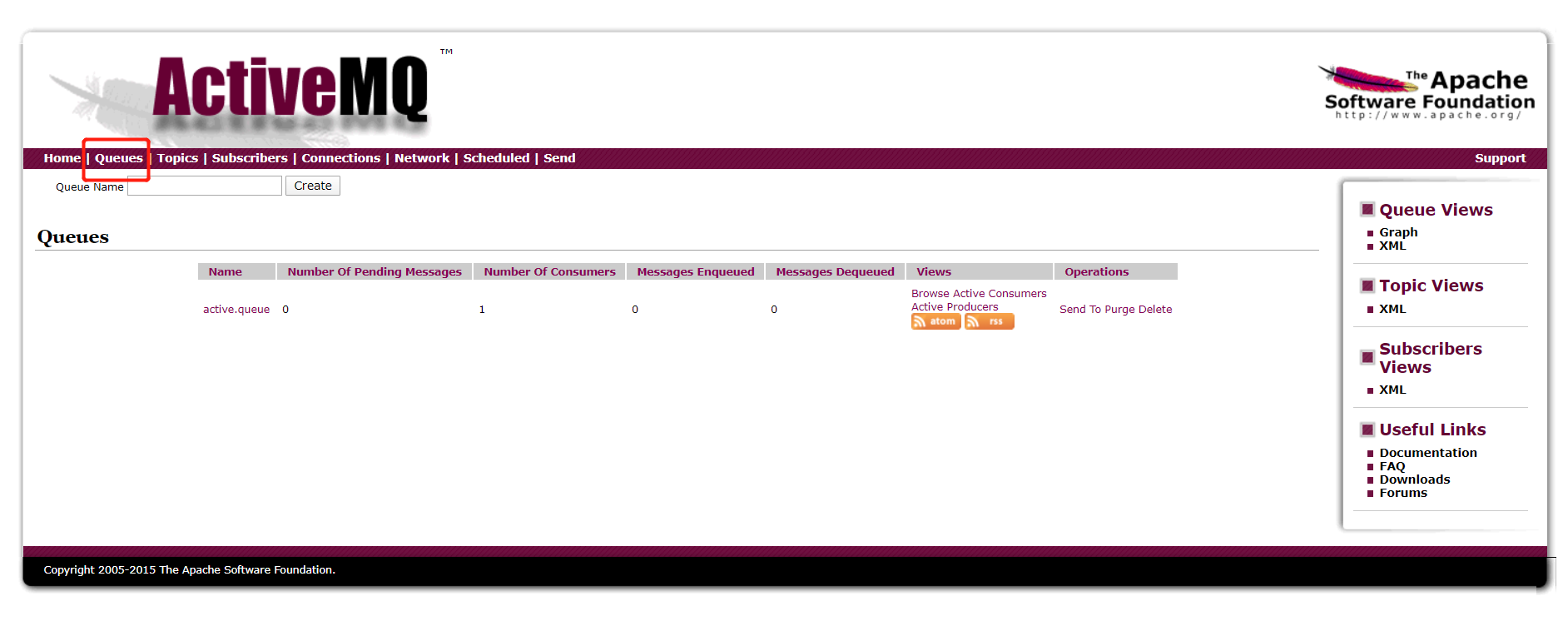
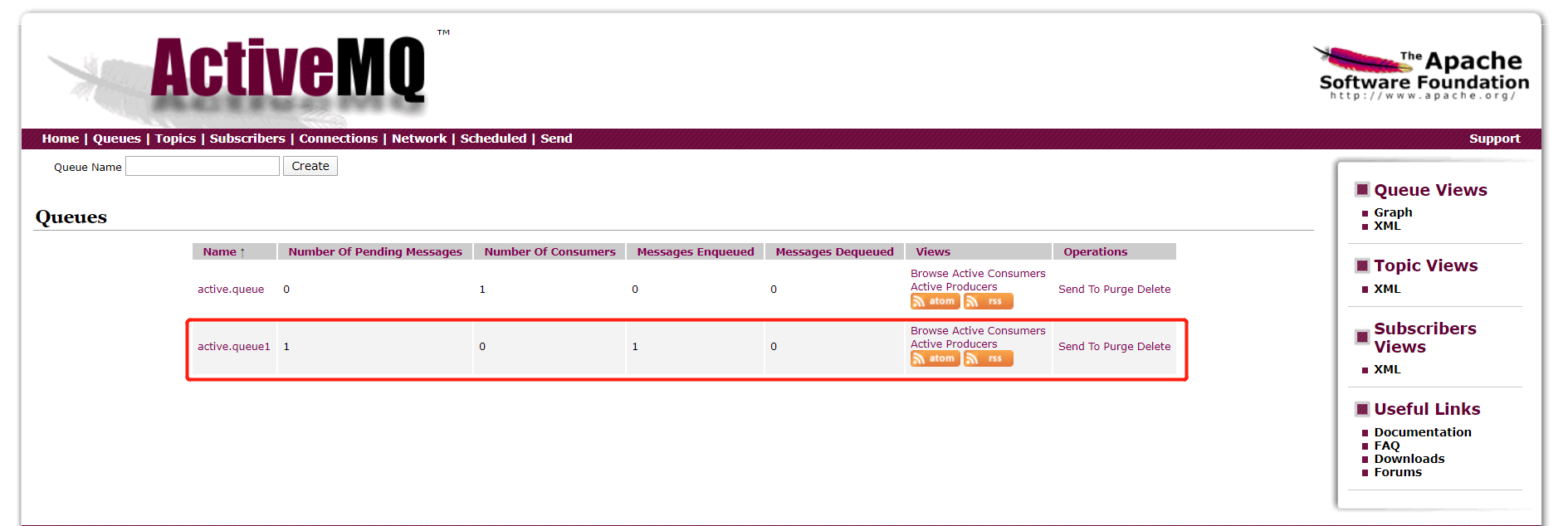
6. 查看消息队列
参考:https://www.cnblogs.com/shamo89/p/7645651.html
------------恢复内容开始------------
源码地址:
一、安装 ActiveMQ:
1. 下载 ActiveMQ
wget https://archive.apache.org/dist/activemq/5.14.0/apache-activemq-5.14.0-bin.tar.gz
2. 解压 并且重命名 为 activemq
tar -zxvf apache-activemq-5.14.0-bin.tar.gz && mv apache-activemq-5.14.0 activemq
3. 配置环境变量(不做也行,暂时没发现用处)
vim /etc/profile
添加
export ACTIVEMQ_HOME=/usr/local/softwares/activemq
export PATH=:$JAVA_HOME/bin:$ACTIVEMQ_HOME/bin:$PATH
使配置生效:
source /etc/profile
4. 进入目录,启动 activemq
cd /usr/local/softwares/activemq/bin/linux-x86-64
执行
./activemq start
5. 访问
ip:8161
点击 Manage ActiveMQ broker
6. 如果要输入用户名、密码,默认的是 admin/admin
【备注】 如果访问不了,应该是被防火墙阻挡了,可以选择 关闭防火墙,或者在放行列表中 添加 8161(web管理页面端口)、61616(activemq服务监控端口) 两个端口
如果防火墙是开启的:
打开linux防火墙端口
/sbin/iptables -I INPUT -p tcp --dport 8161 -j ACCEPT&&/etc/init.d/iptables save&&service iptables restart&&/etc/init.d/iptables status
/sbin/iptables -I INPUT -p tcp --dport 61616 -j ACCEPT&&/etc/init.d/iptables save&&service iptables restart&&/etc/init.d/iptables status
二、spring boot 整合 activemq
1. 引入依赖
<dependency>

    <groupId>org.springframework.boot</groupId>

    <artifactId>spring-boot-starter-activemq</artifactId>

</dependency>
2. 创建消息队列对象
@Configuration

public class QueueConfig {

    /**

     * 创建 名称为 active.queue 的消息队列对象

     *

     * @return

     */

    @Bean

    public Queue queue() {

        return new ActiveMQQueue("active.queue1");

    }

}
3. 创建消息生产者
@RestController

public class QueueController {

    @Autowired

    private JmsMessagingTemplate messagingTemplate;

    @Autowired

    private Queue queue;

    /**

     * 消息生产者

     */

    @RequestMapping(value = "/send")

    public void send() {

        messagingTemplate.convertAndSend(queue, "hello world");

    }

}
4. 在 application.yml 中配置连接
spring:

  activemq:

    broker-url: tcp://ip:61616
5. 启动项目,调用发送消息接口
6. 查看消息队列
参考:https://www.cnblogs.com/shamo89/p/7645651.html
------------恢复内容结束------------
liunx 安装ActiveMQ 及 spring boot 初步整合 activemq的更多相关文章
- elasticsearch 的安装配置与spring boot的整合应用
linux上的elasticsearch安装 一.下载elasticsearch 直接进入elasticsearch的官网,下载最新的安装包:https://www.elastic.co/downlo ...
- Spring Boot 监听 Activemq 中的特定 topic ,并将数据通过 RabbitMq 发布出去
1.Spring Boot 和 ActiveMQ .RabbitMQ 简介 最近因为公司的项目需要用到 Spring Boot , 所以自学了一下, 发现它与 Spring 相比,最大的优点就是减少了 ...
- 【ActiveMQ】2.spring Boot下使用ActiveMQ
在spring boot下使用ActiveMQ,需要一下几个条件 1.安装并启动了ActiveMQ,参考:http://www.cnblogs.com/sxdcgaq8080/p/7919489.ht ...
- Spring Boot Security 整合 JWT 实现 无状态的分布式API接口
简介 JSON Web Token(缩写 JWT)是目前最流行的跨域认证解决方案.JSON Web Token 入门教程 - 阮一峰,这篇文章可以帮你了解JWT的概念.本文重点讲解Spring Boo ...
- Spring boot Mybatis 整合(完整版)
个人开源项目 springboot+mybatis+thymeleaf+docker构建的个人站点开源项目(集成了个人主页.个人作品.个人博客) 朋友自制的springboot接口文档组件swagge ...
- Spring boot Mybatis 整合
PS: 参考博客 PS: spring boot配置mybatis和事务管理 PS: Spring boot Mybatis 整合(完整版) 这篇博客里用到了怎样 生成 mybatis 插件来写程 ...
- spring boot 学习(二)spring boot 框架整合 thymeleaf
spring boot 框架整合 thymeleaf spring boot 的官方文档中建议开发者使用模板引擎,避免使用 JSP.因为若一定要使用 JSP 将无法使用. 注意:本文主要参考学习了大神 ...
- Spring Boot 应用系列 5 -- Spring Boot 2 整合logback
上一篇我们梳理了Spring Boot 2 整合log4j2的配置过程,其中讲到了Spring Boot 2原装适配logback,并且在非异步环境下logback和log4j2的性能差别不大,所以对 ...
- Spring boot Mybatis 整合(注解版)
之前写过一篇关于springboot 与 mybatis整合的博文,使用了一段时间spring-data-jpa,发现那种方式真的是太爽了,mybatis的xml的映射配置总觉得有点麻烦.接口定义和映 ...
随机推荐
- js运算符 及 运算符优先级
「运算符」是用于实现赋值.比较和执行算数运算等功能的符号.常用运算符分类如下符号 算数运算符 递增和递减运算符 比较运算符 逻辑运算符 赋值运算符 算数运算符 运算符 描述 案例 + 加 10+20= ...
- vm扩展磁盘容量后不能启动
主要原因是,新添加的磁盘空间没有分配,系统识别不出来,导致不能开机. 解决方法: 找到虚拟机的文件路径地址,默认是C:\Users\用户名\Documents\Virtual Machines\Cen ...
- jQuery css()选择器使用说明
css选择器只是jquery中的一个功能罢了,下面我来给各位朋友详细介绍jQuery css()选择器使用方法与说明详解,有需要了解学习的同学可参考. CSS操作有一个重要的方法:CSS() CSS( ...
- Python 匿名函数用法和return语句
匿名函数用法1.什么是匿名函数 函数定义过程中,没有给定名称函数,python中用lambda表达式创建匿名函数 lambda只是一个表达式,函数体比def简单 lambda主题是一 ...
- 生产者消费者模型及Golang简单实现
简介:介绍生产者消费者模型,及go简单实现的demo. 一.生产者消费者模型 生产者消费者模型:某个模块(函数等〉负责产生数据,这些数据由另一个模块来负责处理(此处的模块是广义的,可以是类.函数.协程 ...
- 理解ASP.NET Core - 错误处理(Handle Errors)
注:本文隶属于<理解ASP.NET Core>系列文章,请查看置顶博客或[点击此处查看全文目录](https://www.cnblogs.com/xiaoxiaotank/p/151852 ...
- [cf1168E]Xor Permutations
(与题目中下标不同,这里令下标为$[0,2^{k})$来方便运算) 根据异或的性质,显然有解的必要条件是$\bigoplus_{i=0}^{2^{k}-1}a_{i}=0$ 在此基础上,我们考虑构造- ...
- [loj3331]选课
考虑$P=0$,由于$T-\sum_{i=1}^{m}s_{i}\le 40$,因此一个第$i$个分类中最多得到$s_{i}+42$的学分,可以对每一类分别背包 暴力背包复杂度为$o(n^{2})$, ...
- 从零开始学Kotlin第六课
Kotlin调用java代码: 1.如果是内部工程的类,直接调用,如果是外部的工程项目按照java的方式将jar包导入进来. 2.实例化java对象 我们之前学java的时候实例化对象是这个样子的. ...
- NOIOL #2 爆零记
没有假是真的爆零了,原因:万恶的文操.不管怎样写份题解吧. T1: 做题经历:看了下题发现:不是 edu 的原题吗?兴奋地拿出赛中写的程序搞上去. 大约比赛开始 30min 后开始发现 \(k\) 可 ...