
用android studio多渠道打包
1. 官方教程
https://developer.android.com/studio/build/build-variants.html
2. 设置Build Types参数
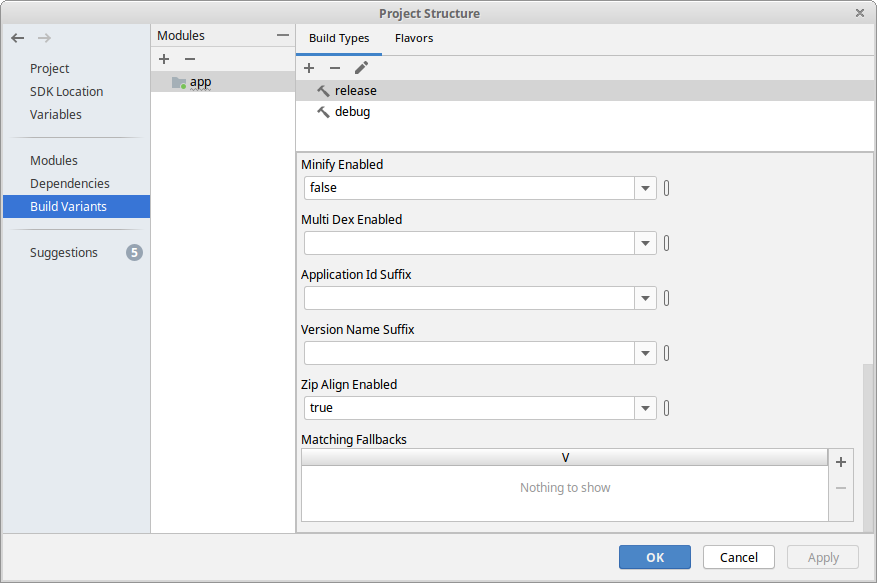
打开 Project Sturcture --> Build Variatns --> Build Types
设置参数如:zipalign = true
3. 创建 dimension
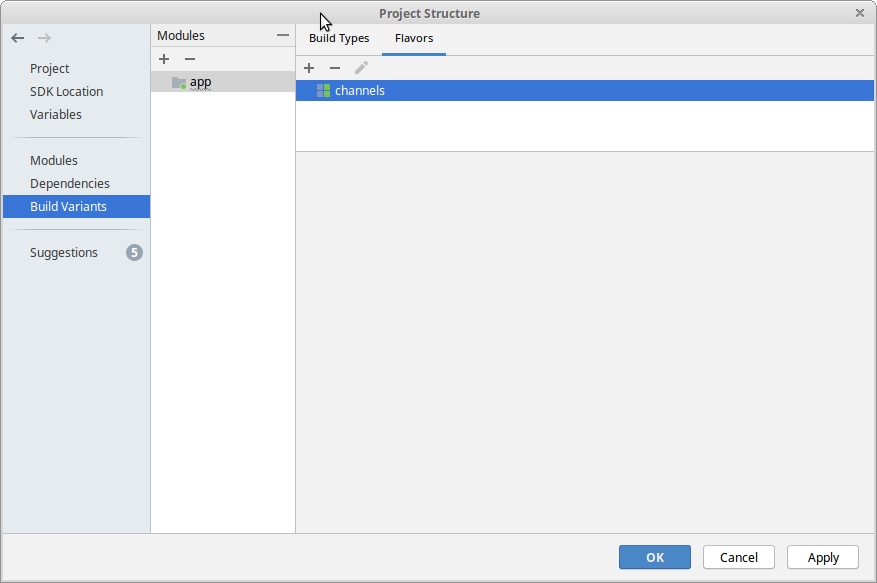
进入第2个选项卡: Flavors 创建 dimension
4. 添加渠道,设置渠道参数
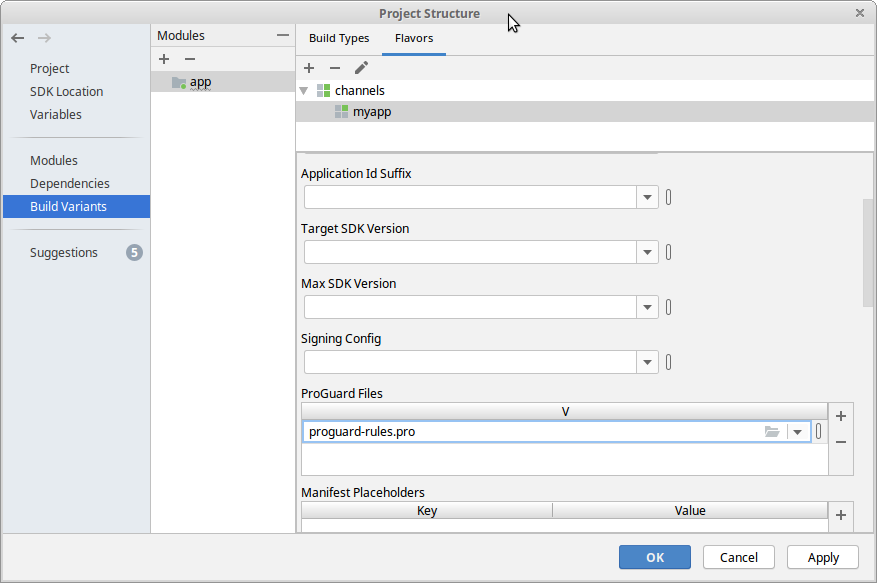
点 + 按钮 ---> 点 Add Product Flavor -- > 输入渠道名字 --> 设置渠道参数,如ProGuard Files.
5. 添加其它渠道
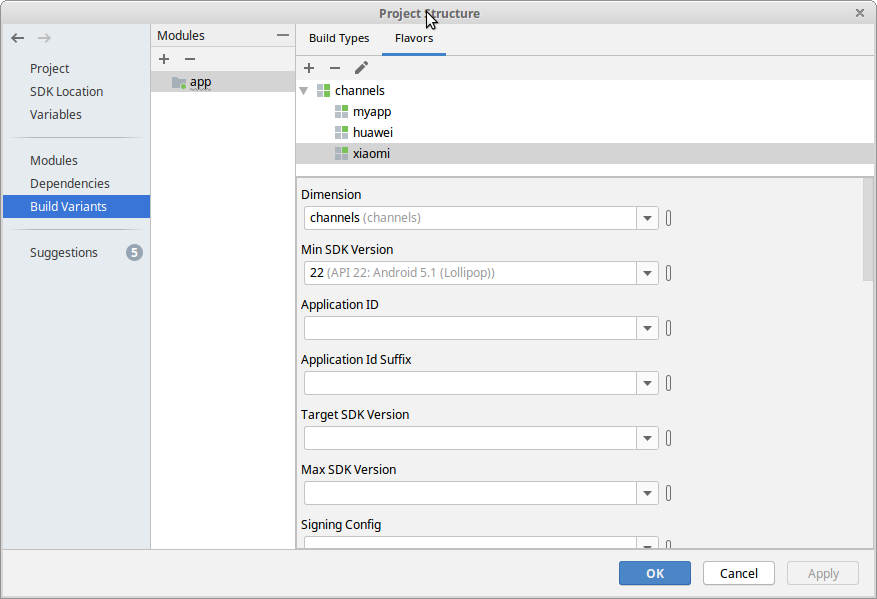
如上.添加完后,如下:
6. 设置生成apk的名字
module 的 build.gradle 文件
 apply plugin: 'com.android.application'

 apply plugin: 'org.greenrobot.greendao' // apply plugin

 apply plugin: 'com.jakewharton.butterknife'

 def buildTime(){

     return new Date().format("yyMMdd", TimeZone.getTimeZone("UTC"))

 }

 android {

     compileSdkVersion 28

     buildToolsVersion '28.0.3'

     defaultConfig {

         applicationId "cn.com.example.app"

         minSdkVersion 15

         targetSdkVersion 26

         versionCode 5

         versionName "v3.1.2.180103"

         testInstrumentationRunner "androidx.test.runner.AndroidJUnitRunner"

     }

     buildTypes {

         release {

             minifyEnabled false

             shrinkResources false

             proguardFiles getDefaultProguardFile('proguard-android.txt'), 'proguard-rules.pro'

             zipAlignEnabled = true

             applicationVariants.all { variant ->

                 variant.outputs.all { output ->

                     outputFileName = new File(

                         "${applicationId}_${variant.productFlavors[0].name}_${versionName}_${buildTime()}.apk".toLowerCase())

                 }

             }

         }

     }

     sourceSets { main { res.srcDirs = ['src/main/res', 'src/main/res/values-zh'] } }

     compileOptions {

         sourceCompatibility = '1.8'

         targetCompatibility = '1.8'

     }

     flavorDimensions 'channels'

     productFlavors {

         myapp {

             dimension = 'channels'

             minSdkVersion 22

             proguardFiles 'proguard-rules.pro'

         }

         huawei {

             dimension = 'channels'

             minSdkVersion 22

             proguardFiles 'proguard-rules.pro'

         }

         xiaomi {

             dimension = 'channels'

             minSdkVersion 22

         }

     }

 }

 dependencies {

     implementation fileTree(include: ['*.jar'], dir: 'libs')

     androidTestImplementation('androidx.test.espresso:espresso-core:3.1.0', {

         exclude group: 'com.android.support', module: 'support-annotations'

     })

     // add library

     //...

     implementation 'com.github.bumptech.glide:glide:4.9.0'

     annotationProcessor 'com.github.bumptech.glide:compiler:4.9.0'

 }
- buildTime()是个自定义函数,返回时间.
- "${applicationId}_${variant.productFlavors[0].name}_${versionName}_${buildTime()}.apk".toLowerCase() 包名_渠道名_版本名_时间.apk
用android studio多渠道打包的更多相关文章
- [Android Studio] Android studio 多渠道打包(超简洁版)
[Android Studio] Android studio 多渠道打包(超简洁版) 转载:http://xuyazhou.com/archives/461 http://relex.me/usin ...
- Android studio 使用心得(四)—android studio 多渠道打包(二)
Android studio 使用心得(四)—android studio 多渠道打包 这篇文章讲了一种打包方式.是直接在android studio 里面可视化操作,结合配置文件.我个人觉得严格上来 ...
- Android studio 多渠道打包
一般用渠道的统计无非是用友盟或者其它之类的,今天就以友盟的为例吧. 渠道信息一般在 AndroidManifest.xml中修改以下值: <meta-data android:name=&quo ...
- Android Studio多渠道打包(二)
虽然多渠道打包的方式有很多种,那么今天我要说的通过工具的形式进行多渠道打包 首先,打开Android studio,找到顶部Build,点开 选择红色部分,里面的编辑框可以帮助我们更快的熟悉Gradl ...
- Android Studio多渠道打包
本文所讲述的多渠道打包是基于友盟统计实施的. 多渠道打包的步骤: 1.在AndroidManifest.xml里设置动态渠道变量 <meta-data android:name="UM ...
- Android Studio多渠道打包(一)
1. 多渠道的概念 APP发布到不同的应用平台,监测用户是从哪个平台安装的. 2. 为什么要多渠道打包 统计用户安装APP来源 批量修改生成的apk文件名 可更改包名 生成不同应用名称或图标 3.多渠 ...
- Android Studio多渠道打包的使用
项目地址 https://github.com/mcxiaoke/gradle-packer-plugin 项目介绍 gradle-packer-plugin 是Android多渠道打包工具Gradl ...
- Android studio 自定义打包apk名
Android Studio打包应用默认生成的apk名称是:app-release.apk .如果我们要让生成的apk名跟我们版本包名有联系的话,那我们就要自定义生成的apk名了 需要在build.g ...
- android studio多渠道多包名多apk打包
转自 利用 Android Studio 和 Gradle 打包多版本APK 搬砖的道路上,经常会有各种不同的需求,比如今天就碰到过一个打包版本的apk的要求, 比如一个apk给多个客户使用,如张三 ...
随机推荐
- vmware15虚拟机安装教程
自己碰到的问题:本人win7 64位旗舰版系统.之前用VMware12pro版本的软件,在安装Ubuntu18.04之后,有时候开启Ubuntu虚拟机时有点问题,重启就可以了.但是不稳定,所以改用VM ...
- K短路 学习笔记
K短路,顾名思义,是让你求从$s$到$t$的第$k$短的路. 暴力当然不可取,那么我们有什么算法可以解决这个问题? -------------------------- 首先,我们要维护一个堆. st ...
- Mybatis 的连接池技术
我们在前面的 WEB 课程中也学习过类似的连接池技术,而在 Mybatis 中也有连接池技术,但是它采用的是自 己的连接池技术.在 Mybatis 的 SqlMapConfig.xml 配置文件中,通 ...
- 正确认识springcloud的作用。分布式从了解架构到springcloud支撑
转载于 https://www.cnblogs.com/williamjie/p/9369681.html 基于springCloud的分布式架构体系 Spring Cloud作为一套微服务治理的 ...
- layui 事件监听触发
1:监听select 改变 <!-- 不用form 用div也可以 --> <form class="layui-form"> <div class= ...
- SpringBoot2 整合Ehcache组件,轻量级缓存管理
本文源码:GitHub·点这里 || GitEE·点这里 一.Ehcache缓存简介 1.基础简介 EhCache是一个纯Java的进程内缓存框架,具有快速.上手简单等特点,是Hibernate中默认 ...
- C#LeetCode刷题之#657-机器人能否返回原点(Robot Return to Origin)
问题 该文章的最新版本已迁移至个人博客[比特飞],单击链接 https://www.byteflying.com/archives/3959 访问. 在二维平面上,有一个机器人从原点 (0, 0) 开 ...
- 自动化特征工程—Featuretools
Featuretools是一个可以自动进行特征工程的python库,主要原理是针对多个数据表以及它们之间的关系,通过转换(Transformation)和聚合(Aggregation)操作自动生成新的 ...
- 谈谈代码评审(code review)
什么是代码评审(code review)? 根据维基百科的定义,代码评审是一种通过若干人员检阅源代码方式来进行的软件质量保证活动.根据软件工程的经典理论,代码评审应该是收益很高的活动,因其产生在Cod ...
- excel如何复制筛选内容
https://jingyan.baidu.com/article/ca00d56c75b7e5e99eebcf3c.html