
Panel结构
参考weui的Panel结构
核心:定位,补充:对容器设置font-size:0,消除img下多出的3px,防止居中出现偏差。
<!DOCTYPE html>

<html lang="en">

<head>

    <meta charset="UTF-8">

    <meta name="viewport" content="width=device-width, initial-scale=1.0">

    <meta http-equiv="X-UA-Compatible" content="ie=edge">

    <title>Document</title>

    <style>

        .flex{display:-webkit-box;display:-webkit-flex;display:-ms-flexbox;display:flex;}

        .flex-col{-webkit-box-orient:vertical;-webkit-flex-direction:column;-ms-flex-direction:column;flex-direction:column;}

        .flex-row{-webkit-box-orient:vertical;-webkit-flex-direction:row;-ms-flex-direction:row;flex-direction:row;}

        .flex-1{-webkit-box-flex:1;-webkit-flex:1;-ms-flex:1;flex:1;}

        .flex-align-center{-webkit-box-align:center;-webkit-align-items:center;-ms-flex-align:center;align-items:center;}

        .flex-pack-center{-webkit-box-pack:center;-webkit-justify-content:center;-ms-flex-pack:center;justify-content:center;}

        .flex-pack-justify{-webkit-box-pack:justify;-webkit-justify-content:space-between;-ms-flex-pack:justify;justify-content:space-between;}

        body,html,ul,li,p{

            margin:0;padding:0;

        }

        img{

            display:block;

        }

        .box_appmsg{

            padding:15px;

            border:1px solid red;

        }

        .box_appmsg .box_hd{

            font-size:0;

            width: 60px;

            height: 60px;

            line-height: 60px;

            text-align: center;

            position: relative;

            border:1px solid black;

        }

        .box_appmsg .box_thumb{

            position: absolute;

            top: 0;

            bottom: 0;

            left: 0;

            right: 0;

            margin: auto;

            max-width: 100%;

            max-height: 100%;

        }

        .list-info{

            margin-left:.8em;

        }

    </style>

</head>

<body>

    <ul>

        <li class="flex flex-row flex-align-center box_appmsg">

            <div class="box_hd">

                <img class="box_thumb" src="http://c.hiphotos.baidu.com/image/pic/item/5366d0160924ab1835f8e0fd3cfae6cd7a890b09.jpg" alt="">

            </div>

            <div class="flex-1 list-info">

                <p>商品</p>

                <p>价格</p>

            </div>

        </li>

    </ul>

</body>

</html>
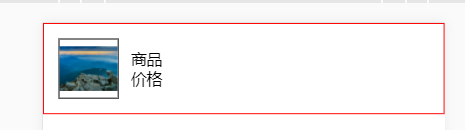
预览:
https://besswang.github.io/Panel/index.html
拓展:
还有一种居中的方案,不过是针对文字的居中。是文字内容,不是所有的标签;
核心思想:父级:text-align:center; 子级:vertical-align:middle;
<!DOCTYPE html>

<html lang="en">

<head>

    <meta charset="UTF-8">

    <meta name="viewport" content="width=device-width, initial-scale=1.0">

    <meta http-equiv="X-UA-Compatible" content="ie=edge">

    <title>Document</title>

    <style>

        .flex{display:-webkit-box;display:-webkit-flex;display:-ms-flexbox;display:flex;}

        .flex-col{-webkit-box-orient:vertical;-webkit-flex-direction:column;-ms-flex-direction:column;flex-direction:column;}

        .flex-row{-webkit-box-orient:vertical;-webkit-flex-direction:row;-ms-flex-direction:row;flex-direction:row;}

        .flex-1{-webkit-box-flex:1;-webkit-flex:1;-ms-flex:1;flex:1;}

        .flex-align-center{-webkit-box-align:center;-webkit-align-items:center;-ms-flex-align:center;align-items:center;}

        .flex-pack-center{-webkit-box-pack:center;-webkit-justify-content:center;-ms-flex-pack:center;justify-content:center;}

        .flex-pack-justify{-webkit-box-pack:justify;-webkit-justify-content:space-between;-ms-flex-pack:justify;justify-content:space-between;}

        body,html,ul,li,p{

            margin:0;padding:0;

        }

        img{

            display:block;

        }

        .box_appmsg{

            padding:15px;

            border:1px solid red;

        }

        .box_appmsg .box_hd{

            width: 60px;

            height: 60px;

            line-height: 60px;

            text-align: center;

            border:1px solid black;

        }

        .box_appmsg .box_thumb{

            max-width: 100%;

            max-height: 100%;

            vertical-align: middle;

        }

        .list-info{

            margin-left:.8em;

        }

    </style>

</head>

<body>

    <ul>

        <li class="flex flex-row flex-align-center box_appmsg">

            <div class="box_hd">

                2233

                <!-- <img class="box_thumb" src="http://c.hiphotos.baidu.com/image/pic/item/5366d0160924ab1835f8e0fd3cfae6cd7a890b09.jpg" alt=""> -->

            </div>

            <div class="flex-1 list-info">

                <p>商品</p>

                <p>价格</p>

            </div>

        </li>

    </ul>

</body>

</html>
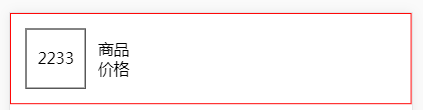
Panel结构的更多相关文章
- Lesson5——Pandas Panel三维数据结构
pandas目录 1 简介 自 Pandas 0.25 版本后, Panel 结构已经被废弃. pd.__version__ #查看pandas版本 #'1.2.4' #或者 pd.show_vers ...
- Bootstrap3 入门实战
因为公司选择了使用BootStrap3作为项目的前台展示框架,所以花了半天时间来学习Bootstrap, 如果你是第一次听说,或者说以前听说过,但没有使用过这个框架的话,希望这篇入门实战能够让你快速掌 ...
- C++: 基于四叉树数据结构的自适应网格(初探)
C++: 基于四叉树数据结构的自适应网格 二叉树是一种典型的非线性存储数据结构,查找效率可以达到\(O(log_2N)\),同样,这类树状结构存在许多种变体,详细参考邓俊辉老师的<数据结构C++ ...
- 轻量级富文本编辑器wangEditor源码结构介绍
1. 引言 wangEditor——一款轻量级html富文本编辑器(开源软件) 网站:http://www.wangeditor.com/ demo演示:http://www.wangeditor.c ...
- NGUI创建Camera参数为Simple 2D的UI UI对象的结构UI Root(2D)
NGUI创建Camera参数为Simple 2D的UI UI对象的结构UI Root(2D) 使用NGUI创建的Camera参数为Simple 2D的UI,会在游戏的场景中生成1个名为UI Root( ...
- ExtJS MVC结构
概述 大型的应用在开发和运维上都存在着困难.应用功能的调整和开发人员的调动都会影响对项目的掌控.ExtJS4带来了一种新的应用结构.这种结构不止用于组织代码,也能有效的减少必要的代码量. 这次ExtJ ...
- 深入浅出ExtJS 第五章 树形结构
5.1 TreePanel的基本使用 //树是一种非常典型的数据结构; 5.1.1 创建一棵树 //树控件有Ext.tree.TreePanel类定义,控件的名称为TreePanel;TreePane ...
- 无废话网页重构系列——(6)HTML主干结构:站点(site)、页面(page)
本文作者:大象本文地址:http://www.cnblogs.com/daxiang/p/4653546.html 在分析和切出设计稿,以及部署项目目录文件后,开始写HTML Demo. 首先,弄出H ...
- Ext.tree.Panel Extjs 在表格中添加树结构,并实现节点移动功能
最近在用Extjs 做后台管理系统,真的非常好用.总结的东西分享一下. 先展示一下效果图 好了,开始吧! 首先说一下我的创建结构: 一.构造内容 这个函数中包括store的创建,treePanel的创 ...
随机推荐
- HttpURLConnection和HttpClient的区别(转)
HTTP 协议可能是现在 Internet 上使用得最多.最重要的协议了,越来越多的 Java 应用程序需要直接通过 HTTP 协议来访问网络资源.在 JDK 的 java.net 包中已经提供了访问 ...
- 【发包工具】http多线程发包工具
[发包工具]http多线程发包工具 使用方法:输入地址,发送的内容,线程数,等待时间,每个线程发送的次数,GET/POST请求. 源代码 package com.xmxkkk.httptest; im ...
- VBscript实现开机自动启动,自动复制原件后启动
set fso = createobject("scripting.filesystemobject") set ws = createobject("wscript.s ...
- springmvc+jsp 拦截器下如何设置欢迎页面
0.需求 如何让用户在浏览器地址栏键入[http://XXX.XXX.XX.XX:端口号/应用名/]以后自动跳转到系统的登录界面 1.web.xml 1.1 注意welcome-file-list的配 ...
- 【转载】MongoDB集群和实战详解
1.概述 最近有同学和网友私信我,问我MongoDB方面的问题:这里我整理一篇博客来赘述下MongoDB供大家学习参考,博客的目录内容如下: 基本操作 CRUD MapReduce 本篇文章是基于Mo ...
- 内省Introspector(反射操作javaBean)
一:内省是一种特殊的反射,来更方便的操作javaBean对象,通过内省可以获取到类字节码的描述器, 然后解剖每一个字段,获取每个字段的读写方法,即get/set方法的反射,然后获取或者是封装bean的 ...
- Python_selenium二次封装selenium的几个方法
Python_selenium二次封装selenium的几个方法 将常用的几个webdriver方法封装到自己写的一个类中去,此实例中是将"浏览器后退.浏览器前进.打开站点和关闭浏览器&qu ...
- Unity&C# Time时间相关
1.Unity Time类 1/ Time.time 表示从游戏开发到现在的时间,会随着游戏的暂停而停止计算. 2/ Time.timeSinceLevelLoad 表示从当前Scene开始到目前为止 ...
- NHibernate 数据查询之Linq to NHibernate
刚学NHibernate的时候觉得,HQL挺好用的,但是终归没有与其他技术相关联,只有NHibernate用到,一来容易忘记,二来没有智能提示,排除错误什么的都不给力,直到看到一个同事用Linq to ...
- 【Winform】自定义Messagebox
1.保持Msgbox的Icon 2.可以追加Checkbox,RadioBOx 下载