
ios20--xib2
故事板控制器:
//

//  ViewController.m

//  03-通过xib自定义商品的View

#import "ViewController.h"

#import "XMGShopView.h"

@interface ViewController ()

@end

@implementation ViewController

- (void)viewDidLoad {

    [super viewDidLoad];

    // 加载xib

//    XMGShopView *shopView = [[[NSBundle mainBundle] loadNibNamed:@"XMGShopView" owner:nil options:nil] firstObject];

//    XMGShopView *shopView = [[XMGShopView alloc] initWithFrame: CGRectMake(100, 100, 80, 100)];

    XMGShopView *shopView = [XMGShopView shopView];

    shopView.frame = CGRectMake(, , , );

    // 给子控件设置属性

    /*

    UIImageView *imageView = [shopView viewWithTag:100];

    UILabel *titleLabel = [shopView viewWithTag:200];

    imageView.image = [UIImage imageNamed:@"danjianbao"];

    titleLabel.text = @"单肩包";

    */

    [shopView setName:@"单肩包"];

    [shopView setIcon:@"danjianbao"];

    [self.view addSubview:shopView];

}

@end
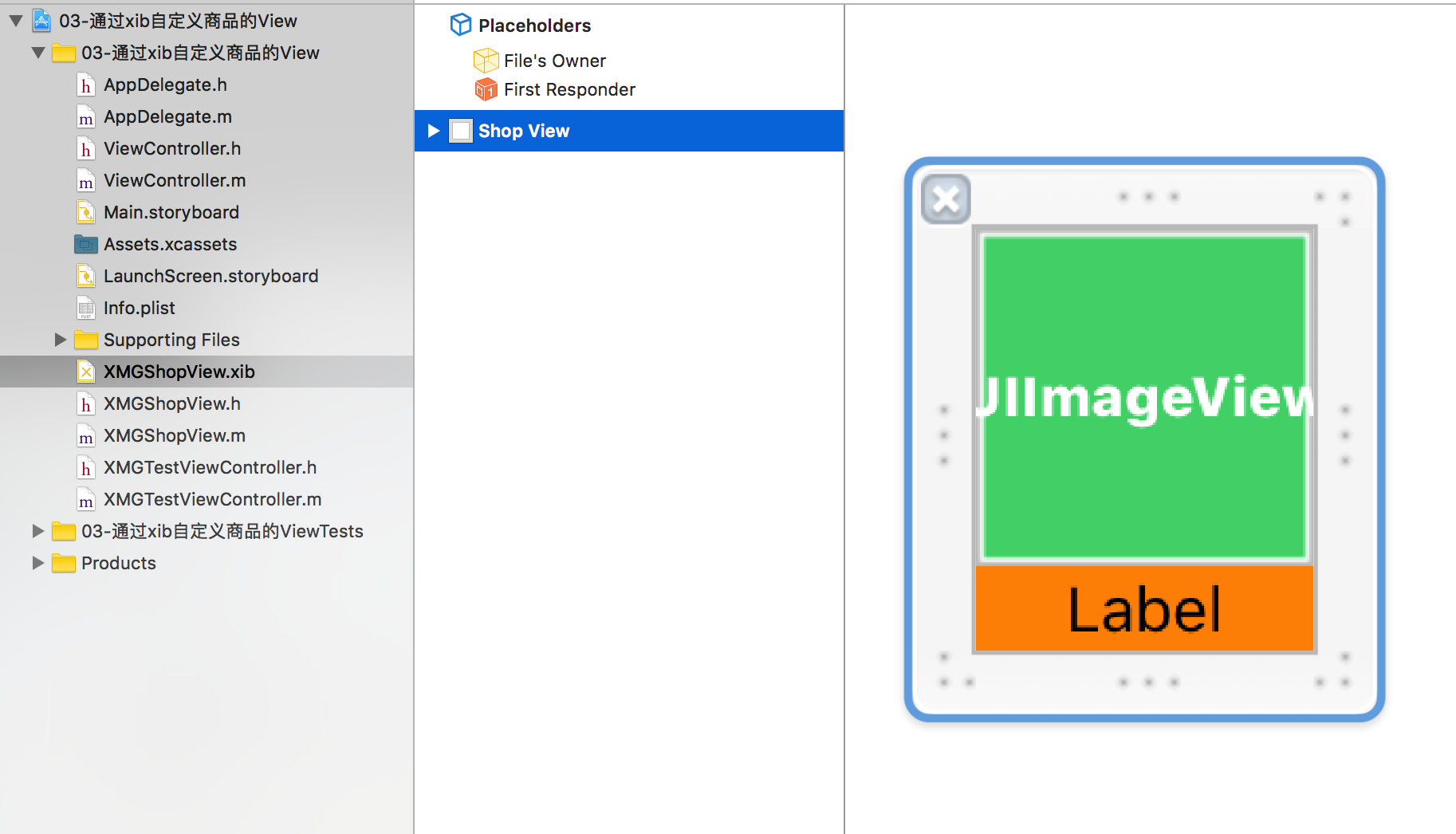
xib对应的类:
//

//  XMGShopView.h

#import <UIKit/UIKit.h>

@interface XMGShopView : UIView

// 提供set方法

- (void)setIcon: (NSString *)icon;

- (void)setName: (NSString *)name;

// 提供快速创建方法

+ (instancetype)shopView;

@end
//  XMGShopView.m

/**

   xib使用注意事项:

   1> 如果一个view从xib中加载,就不能用[xxx alloc] init] 和 [xxx alloc] initWithFrame:]创建

   2> 如果一个xib经常被使用,应该提供快速构造类方法

   3> 如果一个view从xib中加载:

      用代码添加一些子控件,得在 initWithCoder: 和 awakeFromNib 创建

   4> 如果一个view从xib中加载,会调用initWithCoder: 和 awakeFromNib,不会调用init和initWithFrame:方法

 */

#import "XMGShopView.h"

@interface XMGShopView ()

    @property (weak, nonatomic) IBOutlet UIImageView *iconView;

    @property (weak, nonatomic) IBOutlet UILabel *titleLabel;

    /** 测试label */

    @property (nonatomic, weak) UILabel *label;

    /** 毛玻璃 */

    @property (nonatomic, weak) UIToolbar *toolBar;

@end

@implementation XMGShopView

/**

 *  如果View从xib中加载,就不会调用init和initWithFrame:方法

 *

 */

/*

- (instancetype)init{

    if (self = [super init]) {

        NSLog(@"%s", __func__);

    }

    return self;

}

- (instancetype)initWithFrame:(CGRect)frame{

    if (self = [super initWithFrame:frame]) {

       NSLog(@"%s", __func__);

    }

    return self;

}

 */

/**

*  如果View从xib中加载,就会调用initWithCoder:方法

*  创建子控件,...

   注意: 如果子控件(UIImageView,UILabel)是从xib中创建,是处于未唤醒状态

*/

- (instancetype)initWithCoder:(NSCoder *)aDecoder{

    if (self = [super initWithCoder:aDecoder]) {

        /*

         UILabel *label = [[UILabel alloc] init];

         label.backgroundColor = [UIColor grayColor];

         label.text = @"哈哈哈哈哈哈";

         [self addSubview:label];

         self.label = label;

        */

        NSLog(@"");

    }

    return self;

}

#pragma mark - xib的加载原理

- (UIView *)loadFormNib{//加载应该返回View。

    XMGShopView *shopView = [[XMGShopView alloc] initWithCoder:nil];

    shopView.frame = CGRectMake(, , , );

    UIImageView *iconView = [[UIImageView alloc] initWithCoder:nil];

    iconView.backgroundColor = [UIColor greenColor];

    iconView.frame = CGRectMake(, , , );

    iconView.tag = ;

    [shopView addSubview:iconView];

    self.iconView = iconView;

    UILabel *label = [[UILabel alloc] initWithCoder:nil];

    label.backgroundColor = [UIColor orangeColor];

    label.tag = ;

    [shopView addSubview:label];

    self.titleLabel = label;

    return shopView;

}

/**

 *  从xib中唤醒

    添加 xib中创建的子控件 的子控件

 */

- (void)awakeFromNib{

    // 往imageView上加毛玻璃

    UIToolbar *toolBar = [[UIToolbar alloc] init];

    [self.iconView addSubview:toolBar];

    self.toolBar = toolBar;

    NSLog(@"");

}

#pragma mark - 快速构造方法

+ (instancetype)shopView{

    return [[[NSBundle mainBundle] loadNibNamed:@"XMGShopView" owner:nil options:nil] firstObject];

}

#pragma mark - 布局子控件

- (void)layoutSubviews{

    [super layoutSubviews];

    /*

    self.label.frame = self.bounds;

     */

    self.toolBar.frame = self.iconView.bounds;

}

#pragma mark - 设置数据

- (void)setIcon:(NSString *)icon{

    self.iconView.image = [UIImage imageNamed:icon];

}

- (void)setName:(NSString *)name{

    self.titleLabel.text = name;

}

@end
ios20--xib2的更多相关文章
- react native初步常见问题
首先按照资料一步步搭建环境运行,然后成功了,很激动,可是,安卓就是没这么容易成功,还是太年轻了 could not get batchedbridge, make sure your bundle i ...
- SQLite3
记录一个基础的IOS下SQLite的例子: @implementation ViewController - (void)viewDidLoad { [super viewDidLoad]; NSAr ...
- PLSQL_性能优化系列11_Oracle Bulk Collect批处理
2014-10-04 Created By BaoXinjian
- xcode xib 加载 、注意点
加载xib2中方式 NSArray *array = [[NSBundle mainBundle] loadNibNamed:@"xib名称" owner:nil options: ...
- IOS UI 第五篇:基本UI
添加个导航栏: Xib1 *xib1 = [[Xib1 alloc] initWithNibName:@"Xib1" bundle:nil]; UINavig ...
- IOS UI 第四篇:基本UI
ViewController 应用 再第一个XIB页面创建另一个XIB页面,并且通过按钮调用它 - (IBAction)GoSecond:(id)sender { secondVie ...
- iOS开发 -------- 图片浏览器初步
一 示例代码 // // RootViewController.m // 图片浏览器初步 // // Created by lovestarfish on 15/11/1. // Copyright ...
- iOS开发 -------- transform属性(形变)
一 transform属性 在OC中,通过transform属性可以修改对象的平移,比例和旋转角度 常用的创建transform结构体的方法分两大类 (1) 创建"基于控件初始位置&qu ...
- ios19---xib
// // ViewController.m #import "ViewController.h" @interface ViewController () @end @imple ...
随机推荐
- jsMap地图网点
<!DOCTYPE html><html><head> <meta charset="utf-8"> <meta name=& ...
- vue 封装自定义组件
组件结构 sjld >index.js >sjid.vue 最好单独放一个文件夹,有依赖的话装依赖 Sjld.vue 内容 <template id="sjld" ...
- 树莓派 -- i2c学习
硬件平台 RaspberryPi-3B+ Pioneer600外扩版 i2c芯片为DS3231,adddress 0x68 首先来看一下i2ctool的使用 i2ctool 使用 https://i2 ...
- (十三)python 3 集合
定义: 1.不同元素组成 2.无序 3.集合中的元素必须是不可变类型 创建集合 s = {1,2,3,4,5,6,7,8} 1.定义可变集合 >>> set_test = set(' ...
- UvaLive 4917 Abstract Extract (模拟)
题意: 给定一篇文章, 文章中有段落, 段落中有句子. 句子只会以'!' , '.' , '?' 结尾, 求出每段中含有与他下面同样是该段落中相同单词数最多的句子, 注意, 单词忽略大小写, 重复的单 ...
- express中间件的意思
中间件就是请求req和响应res之间的一个应用,请求浏览器向服务器发送一个请求后,服务器直接通过request定位属性的方式得到通过request携带过去的数据,就是用户输入的数据和浏览器本身的数据信 ...
- [TyvjP1050] 最长公共子序列(DP)
传送门 f[i][j] 表示第 1 个串匹配到第 i 位,第 2 个串匹配到第 j 位的答案. f[i][j] = max(f[i - 1][j], f[i][j - 1]) (a[i] != ...
- MTK平台添加防止误触代码
ltr559_old: #include <linux/interrupt.h> #include <linux/i2c.h> #include <linux/slab. ...
- 【HDOJ5714】拍照(线性扫描)
题意:小明在旅游的路上看到了一条美丽的河,河上有许多船只,有的船只向左航行,有的船只向右航行.小明希望拍下这一美丽的风景,并且把尽可能多的船只都完整地拍到一张照片中. 小明位于河的边上,并且可以在河边 ...
- apple网址
https://developer.apple.com/downloads/index.action# 开发工具下载