
nextjs-demo
这个是根据nextjs服务端渲染做的一个小demo
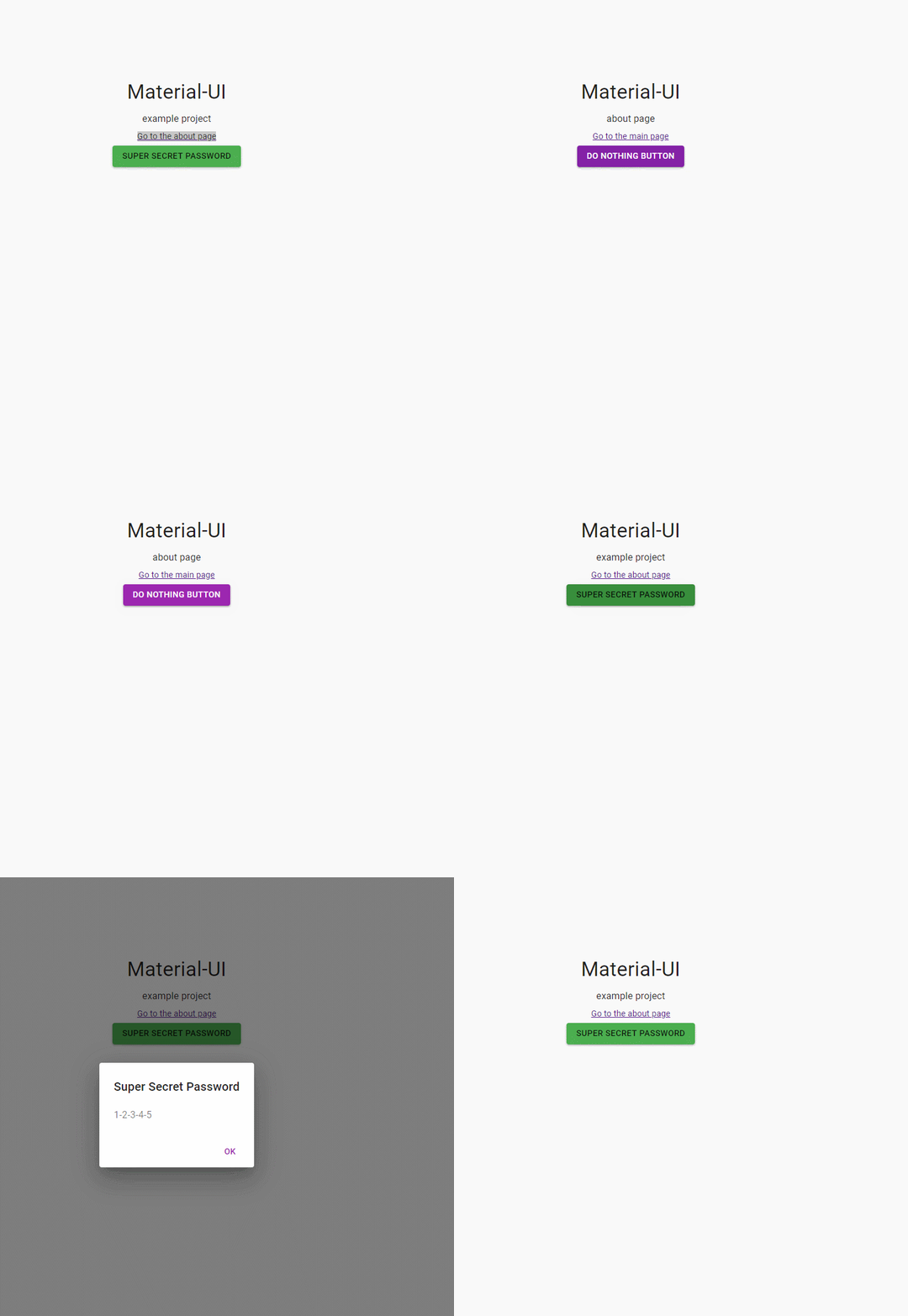
关键性代码,主要是控制模态框显示隐藏
关于index页面
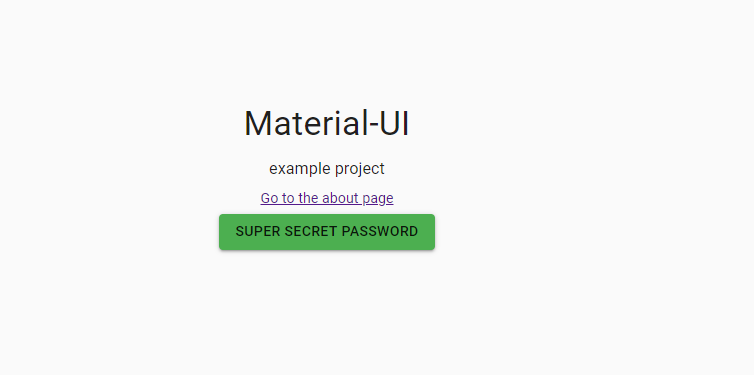
//index.js

/* eslint-disable jsx-a11y/anchor-is-valid */

import React from 'react';

import PropTypes from 'prop-types';

import Button from '@material-ui/core/Button';

import Dialog from '@material-ui/core/Dialog';

import DialogTitle from '@material-ui/core/DialogTitle';

import DialogContent from '@material-ui/core/DialogContent';

import DialogContentText from '@material-ui/core/DialogContentText';

import DialogActions from '@material-ui/core/DialogActions';

import Typography from '@material-ui/core/Typography';

import { withStyles } from '@material-ui/core/styles';

import Link from 'next/link';

const styles = theme => ({

  root: {

    textAlign: 'center',

    paddingTop: theme.spacing.unit * 20,

  },

});

class Index extends React.Component {

  state = {

    open: false,

  };

  handleClose = () => {

    this.setState({

      open: false,

    });

  };

  handleClick = () => {

    this.setState({

      open: true,

    });

  };

  render() {

    const { classes } = this.props;

    const { open } = this.state;

    return (

      <div className={classes.root}>

        <Dialog open={open} onClose={this.handleClose}>

          <DialogTitle>Super Secret Password</DialogTitle>

          <DialogContent>

            <DialogContentText>1-2-3-4-5</DialogContentText>

          </DialogContent>

          <DialogActions>

            <Button color="primary" onClick={this.handleClose}>

              OK

            </Button>

          </DialogActions>

        </Dialog>

        <Typography variant="h4" gutterBottom>

          Material-UI

        </Typography>

        <Typography variant="subtitle1" gutterBottom>

          example project

        </Typography>

        <Typography gutterBottom>

          <Link href="/about">

            <a>Go to the about page</a>

          </Link>

        </Typography>

        <Button variant="contained" color="secondary" onClick={this.handleClick}>

          Super Secret Password

        </Button>

      </div>

    );

  }

}

Index.propTypes = {

  classes: PropTypes.object.isRequired,

};

export default withStyles(styles)(Index);
关于about页面

代码如下:
//about.js

/* eslint-disable jsx-a11y/anchor-is-valid */

import React from 'react';

import PropTypes from 'prop-types';

import Button from '@material-ui/core/Button';

import Typography from '@material-ui/core/Typography';

import { withStyles } from '@material-ui/core/styles';

import Link from 'next/link';

const styles = theme => ({

  root: {

    textAlign: 'center',

    paddingTop: theme.spacing.unit * 20,

  },

});

function About(props) {

  const { classes } = props;

  console.log('classes..props',classes);

  return (

    <div className={classes.root}>

      <Typography variant="h4" gutterBottom>

        Material-UI

      </Typography>

      <Typography variant="subtitle1" gutterBottom>

        about page

      </Typography>

      <Typography gutterBottom>

        <Link href="/">

          <a>Go to the main page</a>

        </Link>

      </Typography>

      <Button variant="contained" color="primary">

        Do nothing button

      </Button>

    </div>

  );

}

About.propTypes = {

  classes: PropTypes.object.isRequired,

};

export default withStyles(styles)(About);
//app.js

import React from 'react';

import App, { Container } from 'next/app';

import Head from 'next/head';

import { MuiThemeProvider } from '@material-ui/core/styles';

import CssBaseline from '@material-ui/core/CssBaseline';

import JssProvider from 'react-jss/lib/JssProvider';

import getPageContext from '../src/getPageContext';

class MyApp extends App {

  constructor() {

    super();

    this.pageContext = getPageContext();

  }

  componentDidMount() {

    // Remove the server-side injected CSS.

    const jssStyles = document.querySelector('#jss-server-side');

    if (jssStyles && jssStyles.parentNode) {

      jssStyles.parentNode.removeChild(jssStyles);

    }

  }

  render() {

    const { Component, pageProps } = this.props;

    return (

      <Container>

        <Head>

          <title>My page</title>

        </Head>

        {/* Wrap every page in Jss and Theme providers */}

        <JssProvider

          registry={this.pageContext.sheetsRegistry}

          generateClassName={this.pageContext.generateClassName}

        >

          <MuiThemeProvider

            theme={this.pageContext.theme}

            sheetsManager={this.pageContext.sheetsManager}

          >

            {/* CssBaseline kickstart an elegant, consistent, and simple baseline to build upon. */}

            <CssBaseline />

            {/* Pass pageContext to the _document though the renderPage enhancer

                to render collected styles on server-side. */}

            <Component pageContext={this.pageContext} {...pageProps} />

          </MuiThemeProvider>

        </JssProvider>

      </Container>

    );

  }

}

export default MyApp;
nextjs-demo的更多相关文章
- 通过一个demo了解Redux
TodoList小demo 效果展示 项目地址 (单向)数据流 数据流是我们的行为与响应的抽象:使用数据流能帮我们明确了行为对应的响应,这和react的状态可预测的思想是不谋而合的. 常见的数据流框架 ...
- 很多人很想知道怎么扫一扫二维码就能打开网站,就能添加联系人,就能链接wifi,今天说下这些格式,明天做个demo
有些功能部分手机不能使用,网站,通讯录,wifi基本上每个手机都可以使用. 在看之前你可以扫一扫下面几个二维码先看看效果: 1.二维码生成 网址 (URL) 包含网址的 二维码生成 是大家平时最常接触 ...
- 在线浏览PDF之PDF.JS (附demo)
平台之大势何人能挡? 带着你的Net飞奔吧!:http://www.cnblogs.com/dunitian/p/4822808.html#skill 下载地址:http://mozilla.gith ...
- 【微框架】Maven +SpringBoot 集成 阿里大鱼 短信接口详解与Demo
Maven+springboot+阿里大于短信验证服务 纠结点:Maven库没有sdk,需要解决 Maven打包找不到相关类,需要解决 ps:最近好久没有写点东西了,项目太紧,今天来一篇 一.本文简介 ...
- vue双向数据绑定原理探究(附demo)
昨天被导师叫去研究了一下vue的双向数据绑定原理...本来以为原理的东西都非常高深,没想到vue的双向绑定真的很好理解啊...自己动手写了一个. 传送门 双向绑定的思想 双向数据绑定的思想就是数据层与 ...
- Android Studio-—使用OpenCV的配置方法和demo以及开发过程中遇到的问题解决
前提: 1.安装Android Studio(过程略) 2.官网下载OpenCV for Android 网址:http:opencv.org/downloads.html 我下载的是下图的版本 3. ...
- iOS之ProtocolBuffer搭建和示例demo
这次搭建iOS的ProtocolBuffer编译器和把*.proto源文件编译成*.pbobjc.h 和 *.pbobjc.m文件时,碰到不少问题! 搭建pb编译器到时没有什么问题,只是在把*.pro ...
- 钉钉开放平台demo调试异常问题解决:hostname in certificate didn't match
今天研究钉钉的开放平台,结果一个demo整了半天,这帮助系统写的也很难懂.遇到两个问题: 1.首先是执行demo时报unable to find valid certification path to ...
- 无限分级和tree结构数据增删改【提供Demo下载】
无限分级 很多时候我们不确定等级关系的层级,这个时候就需要用到无限分级了. 说到无限分级,又要扯到递归调用了.(据说频繁递归是很耗性能的),在此我们需要先设计好表机构,用来存储无限分级的数据.当然,以 ...
- 轻量级通信引擎StriveEngine —— C/S通信demo(附源码)
前段时间,有几个研究ESFramework的朋友对我说,ESFramework有点庞大,对于他们目前的项目来说有点“杀鸡用牛刀”的意思,因为他们的项目不需要文件传送.不需要P2P.不存在好友关系.也不 ...
随机推荐
- Web前端性能优化的三个偏方
首先牢骚几句...这一次性能优化针对的模块,初次开发阶段客户给的时间就非常少,俩月时间跳过设计一边需求分析一边编码,最后干出6000+的代码行.最终结果嘛,呵呵,除开一堆bug不说,性能就是个非常大的 ...
- mybatis 排坑记录
1. mapper xml resultMap 中定义 property 时不能出现空格 否则会出现反射错误,找不到 do 对应的 set 方法
- MyBatis缓存通俗易懂
1.1 mybatis缓存介绍 如下图,是mybatis一级缓存和二级缓存的区别图解: Mybatis一级缓存的作用域是同一个SqlSession,在同一个sqlSession中两次执行相同的 ...
- textarea的maxlength属性兼容解决方案
IE10版本的textarea才支持maxlength属性:低版本的IE都不兼容,实际上低版本的IE的市场存在率还是很高的: 所以还是很有必要来整合一套解决方案的: Jquery版本 $(functi ...
- 51NOD1965:奇怪的式子
传送门 拆开变成 \[\prod_{i=1}^{n}\sigma_0(i)^{\mu(i)}\prod_{i=1}^{n}\sigma_0(i)^{i}\] 考虑 \(\prod_{i=1}^{n}\ ...
- Mac Iterm 或者自带终端 bogon:~ username$
mac 在用Iterm2 遇到命令行前缀自带 bogon:~ username$ 太长问题.有代码洁癖的我,终于找到了解决办法. 具体问题见下图: 而我想要的结果是: 解决办法:是安装 Oh My Z ...
- C++学习笔记(6)----基类和派生类的构造函数和析构函数的执行顺序
基类和派生类:构造函数和析构函数的执行顺序 在Visual Studio中,新建控制台工程,构造类如下: #include<iostream> using namespace std; c ...
- 解决servlet在web.xml中的路径跳转问题
<?xml version="1.0" encoding="UTF-8"?> <web-app version="3.0" ...
- How To Install Cacti On Ubuntu 14
How To Install Cacti On Ubuntu 14.04/14.10 by anismaj Cacti is an open source web based network moni ...
- 基于Apache Curator框架的ZooKeeper使用详解
一 简介 Apache Curator是一个比较完善的ZooKeeper客户端框架,通过封装的一套高级API 简化了ZooKeeper的操作.通过查看官方文档,可以发现Curator主要解决了三类问题 ...