
用selenium实现打码平台
注:本文以 人人网登陆 为例
import time

from selenium import webdriver

# 准备一个名为yudama的py文件

from yudama import indetify_by_filepath

driver = webdriver.Chrome()

driver.get('http://www.renren.com/')

# 输入账号框的id:email

    输入人人网账号

# 输入密码框的id:password

    输入人人网密码

driver.find_element_by_id('email').send_keys('xxx')

driver.find_element_by_id('password').send_keys('xxx')

# 半自动

# icode = input('请输入验证码:')

# 全自动解决验证码

time.sleep(1)

# 验证码id:verifyPic_login

# 根据验证码图片的id找到验证码

verifyPic = driver.find_elements_by_id('verifyPic_login')

if verifyPic:

    img = verifyPic[0].screenshot_as_png

    icode=indetify_by_filepath(img)

    # 输入验证码框的id:icode

    driver.find_element_by_id('icode').send_keys(icode)

    # 登录键id:login

    driver.find_element_by_id('login').click()

# time.sleep(5)

# driver.close()
百度搜索 云打码
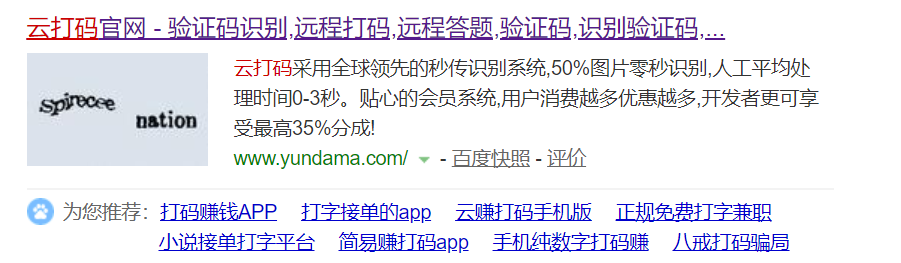
点击开发文档

调用示例及最新DLL --> PythonHTTP示例下载
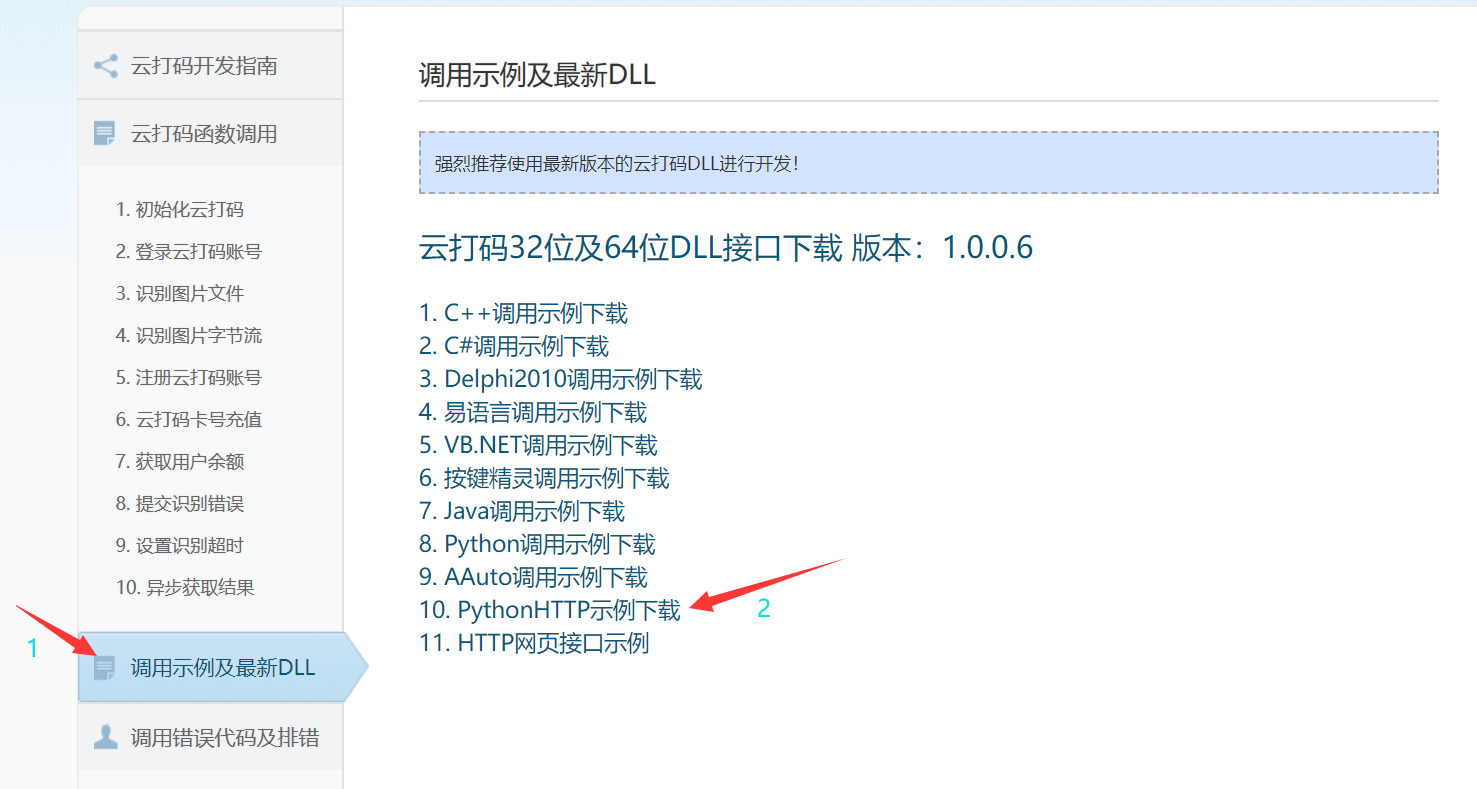
打开下载好的py文件,更改配置
yudama.py
#coding=utf-8

import http.client, mimetypes, urllib, json, time, requests

######################################################################

class YDMHttp:

    apiurl = 'http://api.yundama.com/api.php'

    username = ''

    password = ''

    appid = ''

    appkey = ''

    def __init__(self, username, password, appid, appkey):

        self.username = username

        self.password = password

        self.appid = str(appid)

        self.appkey = appkey

    def request(self, fields, files=[]):

        response = self.post_url(self.apiurl, fields, files)

        response = json.loads(response)

        return response

    def balance(self):

        data = {'method': 'balance', 'username': self.username, 'password': self.password, 'appid': self.appid,

                'appkey': self.appkey}

        response = self.request(data)

        if (response):

            if (response['ret'] and response['ret'] < 0):

                return response['ret']

            else:

                return response['balance']

        else:

            return -9001

    def login(self):

        data = {'method': 'login', 'username': self.username, 'password': self.password, 'appid': self.appid,

                'appkey': self.appkey}

        response = self.request(data)

        if (response):

            if (response['ret'] and response['ret'] < 0):

                return response['ret']

            else:

                return response['uid']

        else:

            return -9001

    def upload(self, filename, codetype, timeout):

        data = {'method': 'upload', 'username': self.username, 'password': self.password, 'appid': self.appid,

                'appkey': self.appkey, 'codetype': str(codetype), 'timeout': str(timeout)}

        file = {'file': filename}

        response = self.request(data, file)

        if (response):

            if (response['ret'] and response['ret'] < 0):

                return response['ret']

            else:

                return response['cid']

        else:

            return -9001

    def result(self, cid):

        data = {'method': 'result', 'username': self.username, 'password': self.password, 'appid': self.appid,

                'appkey': self.appkey, 'cid': str(cid)}

        response = self.request(data)

        return response and response['text'] or ''

    def decode(self, filename, codetype, timeout):

        cid = self.upload(filename, codetype, timeout)

        if (cid > 0):

            for i in range(0, timeout):

                result = self.result(cid)

                if (result != ''):

                    return cid, result

                else:

                    time.sleep(1)

            return -3003, ''

        else:

            return cid, ''

    def post_url(self, url, fields, files=[]):

        # for key in files:

        #     files[key] = open(files[key], 'rb');

        res = requests.post(url, files=files, data=fields)

        return res.text

######################################################################

# 用户名  输入自己云打码账号

username = 'xxx'

# 密码  输入自己的云打码密码

password = 'xxx'

# appid

appid = 1

# appkey

appkey = '22cc5376925e9387a23cf797cb9ba745'

# 验证码类型

codetype = 1005

# 超时

timeout = 60

def indetify(response_content):

    if (username == 'username'):

        print('请设置好相关参数再测试')

    else:

        # 初始化

        yundama = YDMHttp(username, password, appid, appkey)

        # 登陆云打码

        uid = yundama.login()

        print('uid: %s' % uid)

        # 查询余额

        balance = yundama.balance()

        print('balance: %s' % balance)

        # 开始识别,图片路径,验证码类型ID,超时时间(秒),识别结果

        cid, result = yundama.decode(response_content, codetype, timeout)

        print('cid: %s, result: %s' % (cid, result))

        return result

def indetify_by_filepath(file_path): #打开注释

    if (username == 'username'):

        print('请设置好相关参数再测试')

    else:

        # 初始化

        yundama = YDMHttp(username, password, appid, appkey)

        # 登陆云打码

        uid = yundama.login()

        print('uid: %s' % uid)

        # 查询余额

        balance = yundama.balance()

        print('balance: %s' % balance)

        # 开始识别,图片路径,验证码类型ID,超时时间(秒),识别结果

        cid, result = yundama.decode(file_path, codetype, timeout)

        print('cid: %s, result: %s' % (cid, result))

        return result

######################################################################

if __name__ == '__main__':

    url = "http://qian.sicent.com/Login/code.do"

    content = requests.get(url).content

    # 以二进制形式写入文件

    with open("test.png", "wb") as f:

        f.write(content)

    indetify(content)
用selenium实现打码平台的更多相关文章
- Python 自动登录哔哩哔哩(2captcha打码平台)
前言 研究爬虫的各位小伙伴都知道,需要登录才能获取信息的网站,是比较难爬的,原因就是在于,现在各大网站为了反爬,都加入了图片验证码,滑动验证码之类的干扰 本篇就针对哔哩哔哩的滑动验证码进行讲解和破解 ...
- python爬虫之selenium+打码平台识别验证码
1.常用的打码平台:超级鹰.打码兔等 2.打码平台在识别图形验证码和点触验证码上比较好用 (1)12306点触验证码 from selenium import webdriver from selen ...
- selenium模块使用详解、打码平台使用、xpath使用、使用selenium爬取京东商品信息、scrapy框架介绍与安装
今日内容概要 selenium的使用 打码平台使用 xpath使用 爬取京东商品信息 scrapy 介绍和安装 内容详细 1.selenium模块的使用 # 之前咱们学requests,可以发送htt ...
- uu云验证码识别平台,验证码,验证码识别,全自动验证码识别技术,优优云全自动打码,代答题系统,优优云远程打码平台,uu云打码
uu云验证码识别平台,验证码,验证码识别,全自动验证码识别技术,优优云全自动打码,代答题系统,优优云远程打码平台,uu云打码 优优云验证码识别答题平台介绍 优优云|UU云(中国公司)是全球唯一领先的智 ...
- 代理 IP 云打码平台的使用
代理ip 获取代理ip的网站: 快代理 西祠代理 www.goubanjia.com #代理ip import requests headers = { 'User-Agent':'Mozilla/5 ...
- 若快打码平台python开发文档修改版
一.打码的作用 在进行爬虫过程中,部分网站的登录验证码是比较简单的,例如四个英文数字随机组合而成的验证码,有的是全数字随机组成的验证码,有的是全中文随机组成的验证码.为了爬虫进行自动化,需要解决自动登 ...
- Python学习--打码平台
打码平台介绍 作用:可以通过第三方平台进行智能识别或者人工识别图片. 优点:1. 价格便宜: 2. 使用简单: 3. 识别率高 平台介绍: - 云打码(推荐) [http://www.yundama. ...
- Python 通过打码平台实现验证码
在爬虫时,经常遇到登录需要验证码的情况,简单的验证码可以自己解决,复制的验证码需要借助机器学习,有一定的难度.还有一个简单的方案就是采用付费的打码平台. 比如R若快(http://www.ruokua ...
- 调用打码平台api获取验证码 (C#版)
一.打码平台很多,这里选择两个:联众和斐斐 联众开发文档: https://www.jsdati.com/docs/guide 斐斐开发文档: http://docs.fateadm.com/web/ ...
随机推荐
- python编程基础之十二
列表:一种有序的集合,可以同时存储多个数据,列表元素可修改,属于可变序列 创建列表: 列表名 = [列表选项一,列表选项二,列表选项三,......] list1 = [] list2 = [10,2 ...
- COGS 2095. 不平凡的引线
2095. 不平凡的引线 ★☆ 输入文件:firelead.in 输出文件:firelead.out 简单对比 时间限制:1 s 内存限制:256 MB [题目描述] 这里说的引线是炮 ...
- ZCU104搭建Ubuntu桌面系统-1安装Petalinux
参考教程: https://xilinx-wiki.atlassian.net/wiki/spaces/A/pages/18841948/Zynq+UltraScalePlus+MPSoC+-+Ubu ...
- Java学习笔记之基础语法(顺序,条件,循环语句)
顺序结构:自上而下 条件分支选择结构: if条件语句 1,一旦某一个分支确定执行以后,其他分支就不会执行.if后面的条件必须是boolean类型 2,if 后面如果不加大括号,默认相邻的下一 ...
- vue+element 实现商品sku效果
在网上搜索了很久,没有发现合适sku编辑的文章,只能自己写一个vue+element 的sku编辑功能.实现的效果如下图 除成本.售价.库存.货号这几个写死的属性外,可自行添加/删除商品属性,自行添加 ...
- Circle Problem From 3Blue1Brown (分圆问题)
Background\text{Background}Background Last night, lots of students from primary school came to our c ...
- springboot Jar包 部署到Linux服务器运行脚本
1.jar包同级目录 , 如下: #!/bin/sh RESOURCE_NAME=demo.jar tpid=`ps -ef|grep $RESOURCE_NAME|grep -v grep|grep ...
- 一个有趣的C语言问题
这个问题是知乎上的一个问题,看了以后觉得比较有意思.代码短到只有十多行,但是这么短的代码却输出了很奇怪的结果.很多人回答的时候都是站在理论的角度上说明代码的问题,但是实际的问题还是没有说明其中的问题. ...
- python方法是什么?
python方法是什么? 方法用来描述对象所具有的行为. 在类中定义的方法可以粗略分为四大类:公有方法.私有方法.静态方法.类方法. 公有方法.私有方法一般所指属于对象的实例方法, 私有方法的名字以两 ...
- java-反编译工具(luyten)
下载地址:https://github.com/deathmarine/Luyten