
scrapy获取当当网中数据
创建爬虫文件
scrapy_dangdang\scrapy_dangdang\scrapy> scrapy genspider dang http://category.dangdang.com/cp01.01.02.00.00.00.html
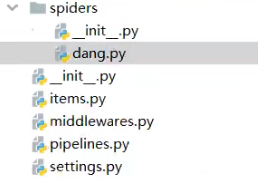
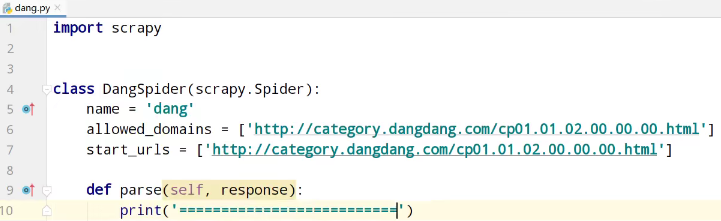
测试运行,爬虫文件
scrapy_dangdang\scrapy_dangdang\scrapy> scrapy crawl dang


items.py定义数据结构
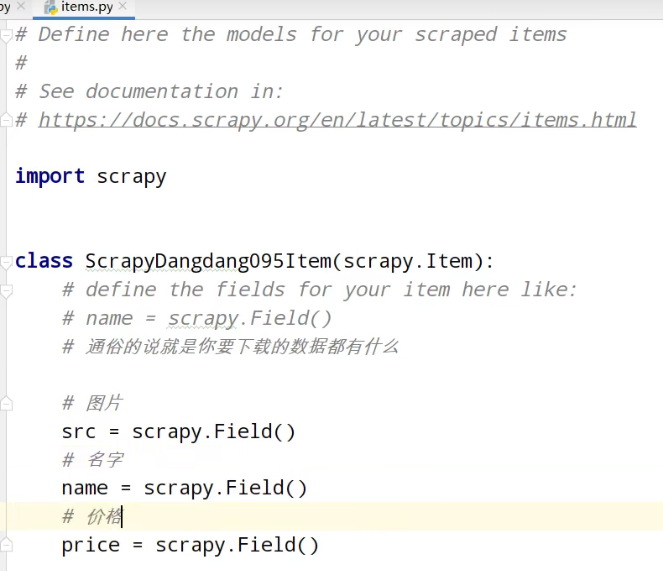
获取数据
找到书图片的src
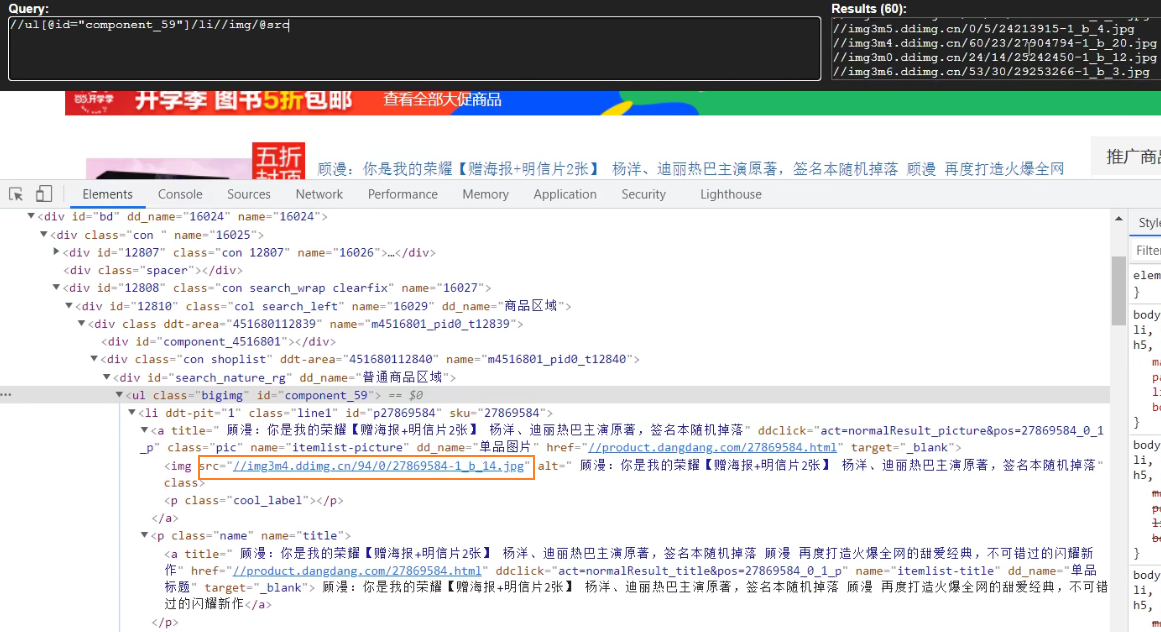
找到书名称的alt
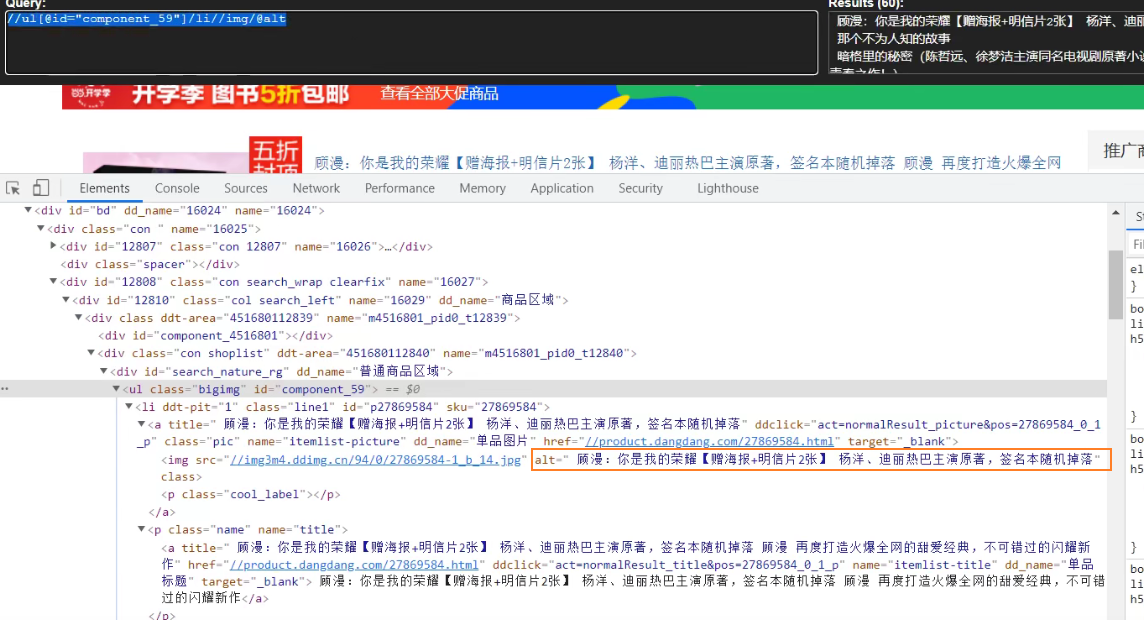
找到书价格的span
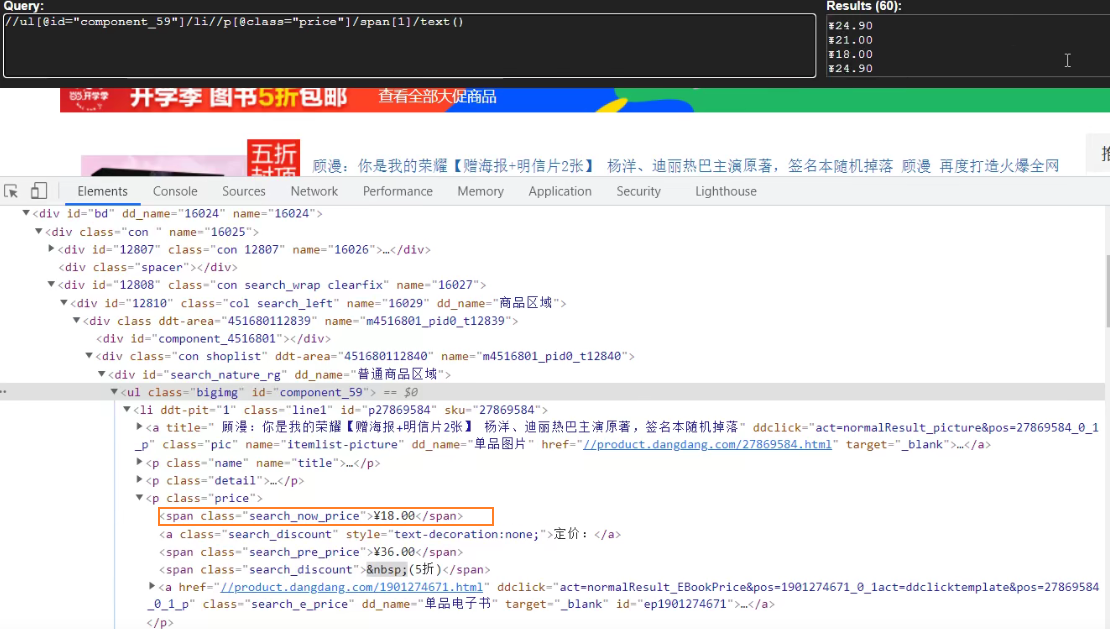
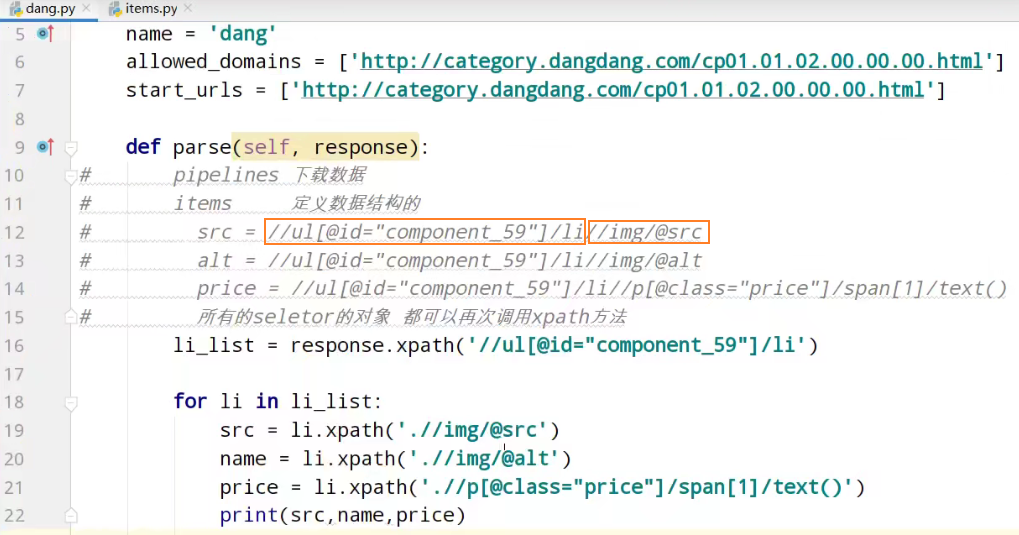
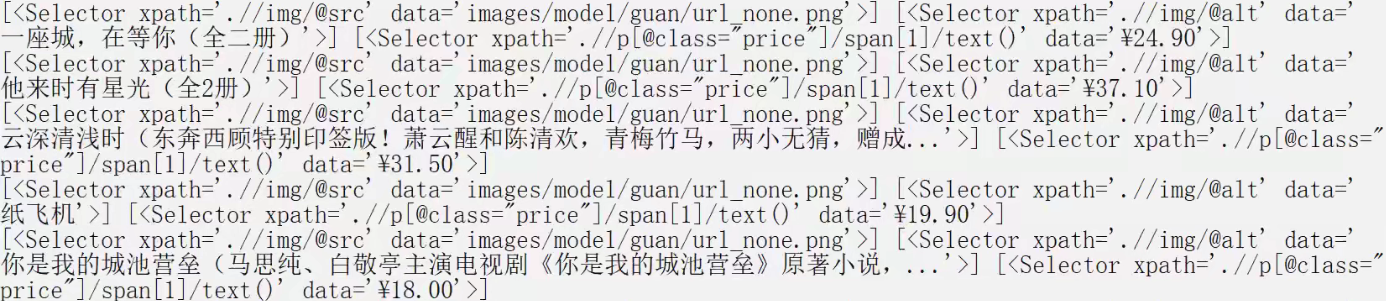
获取selector对象列表的data属性值
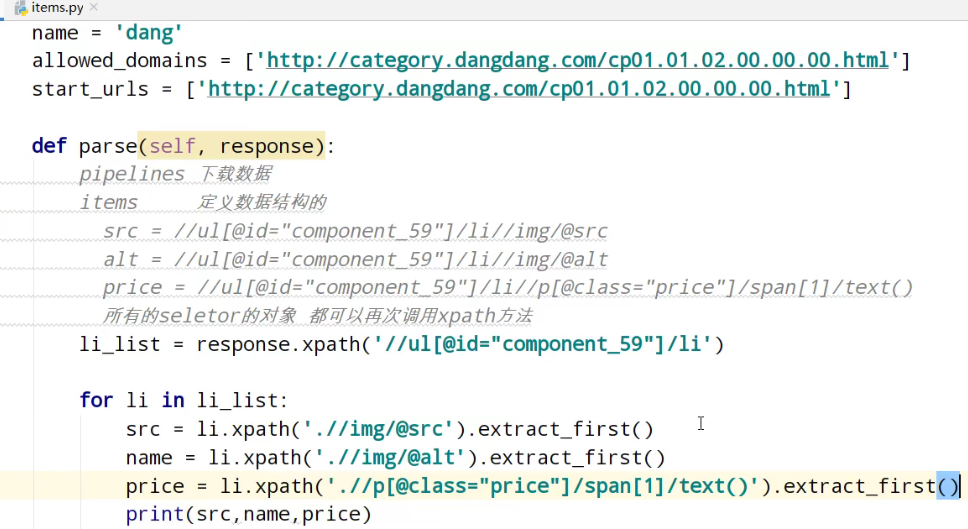


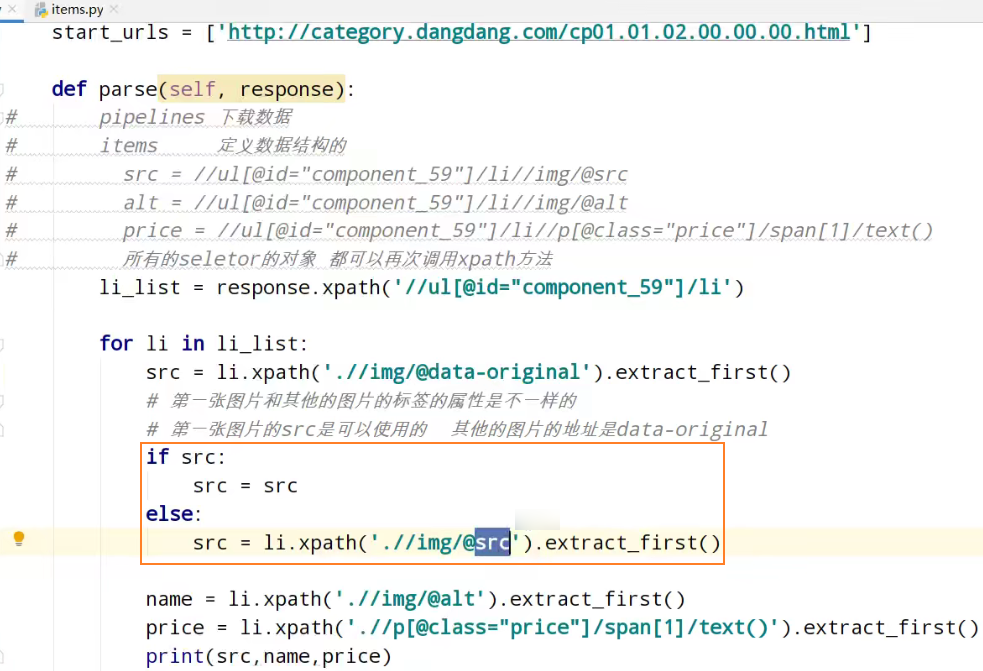
发现src相同,解决懒加载情况
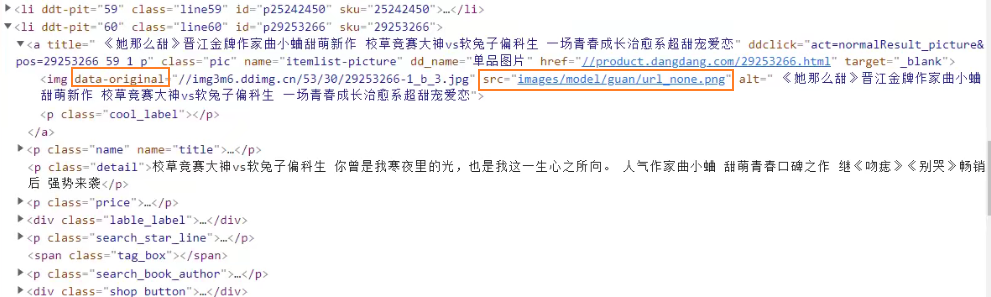
网页向下滑动
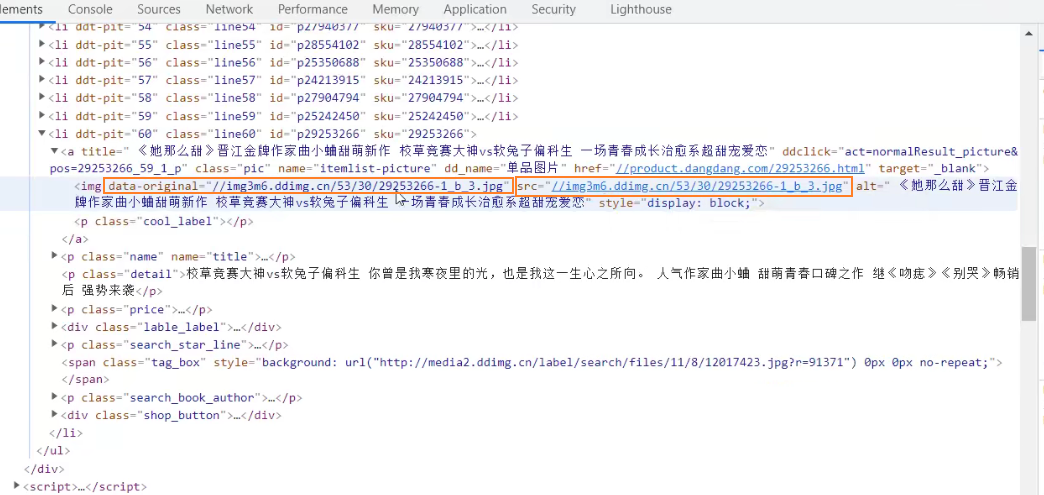
使用图片的data-original值
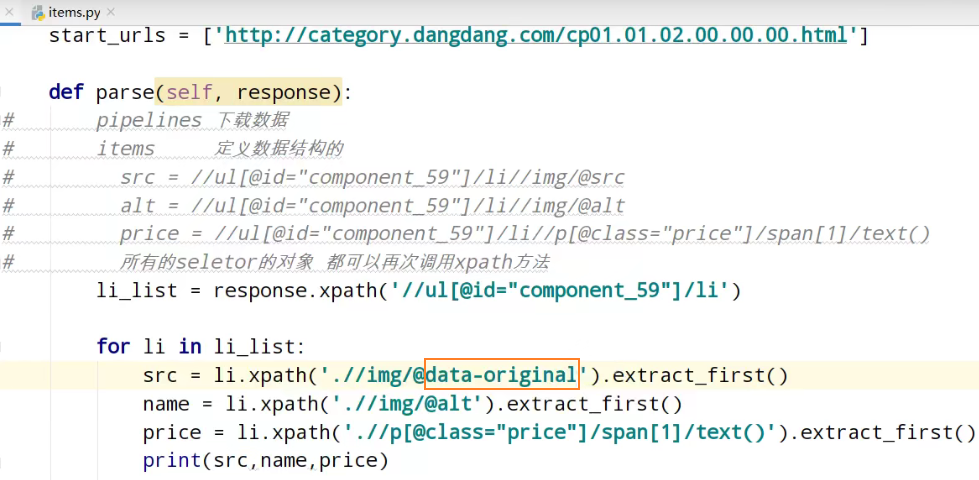

解决第一张图的src使用none空

第一张图的img只有src属性

第二张图及之后图的img有data-original属性


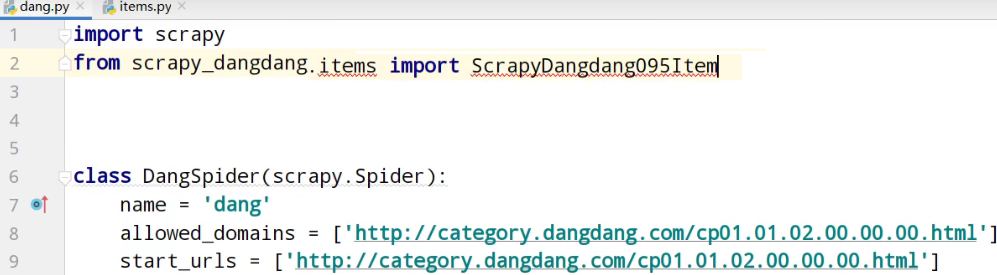
导入
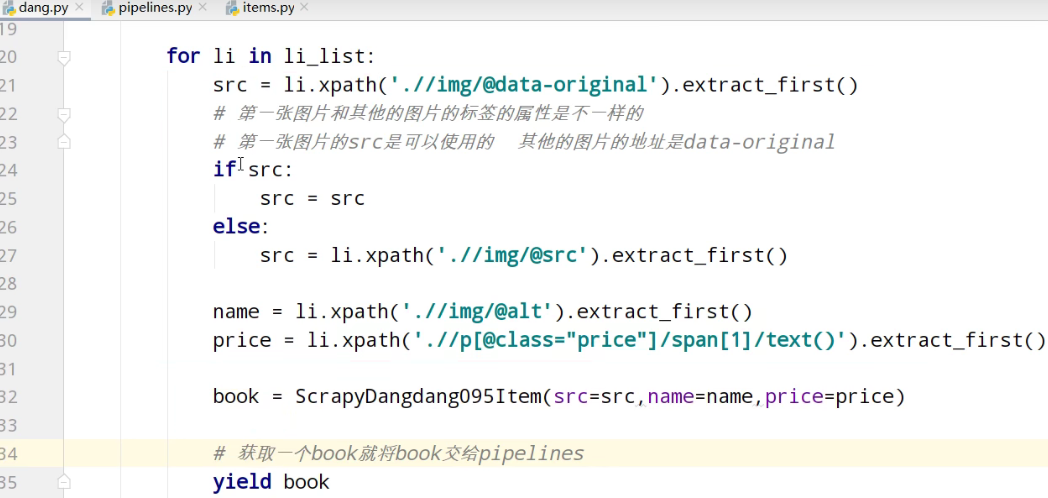
yield返回值到pipelines管道
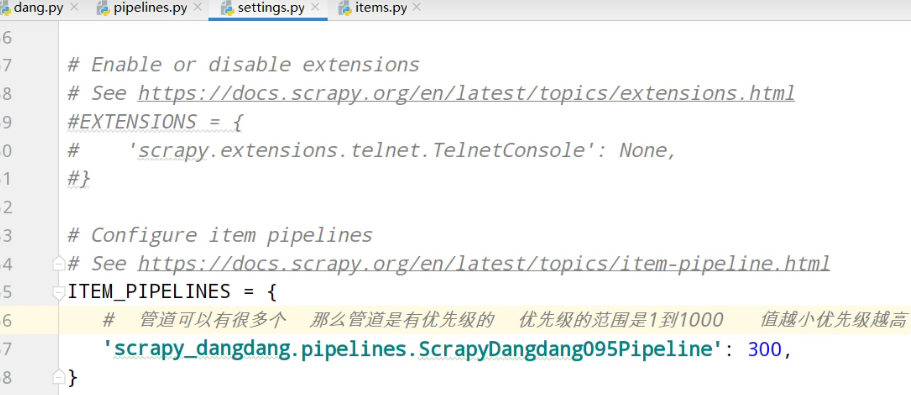
settings中开启管道
pipelines管道的封装
追加写入数据
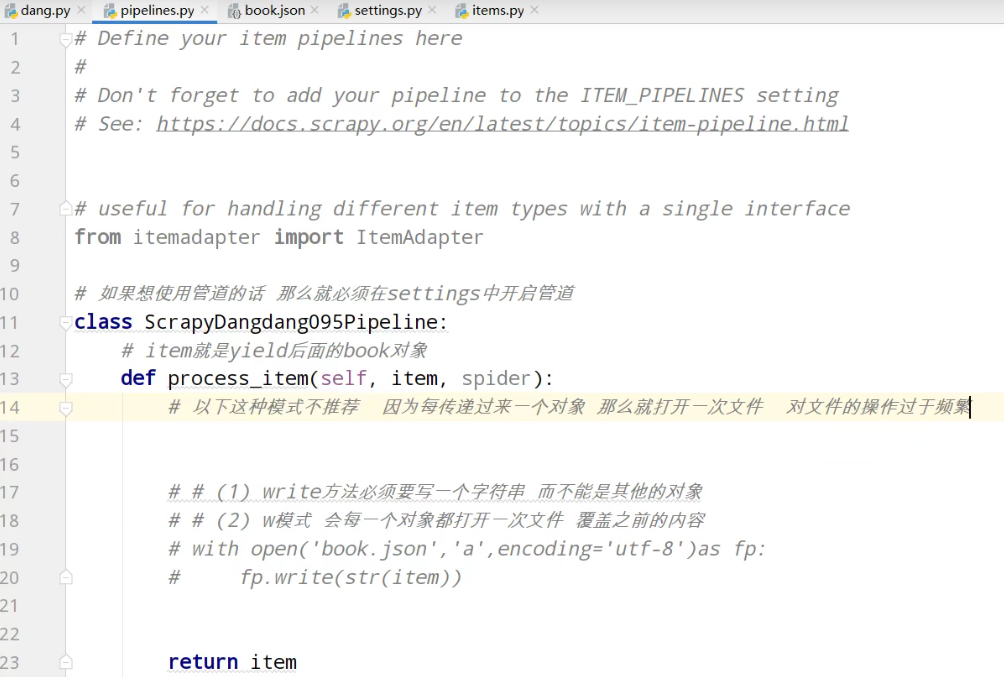

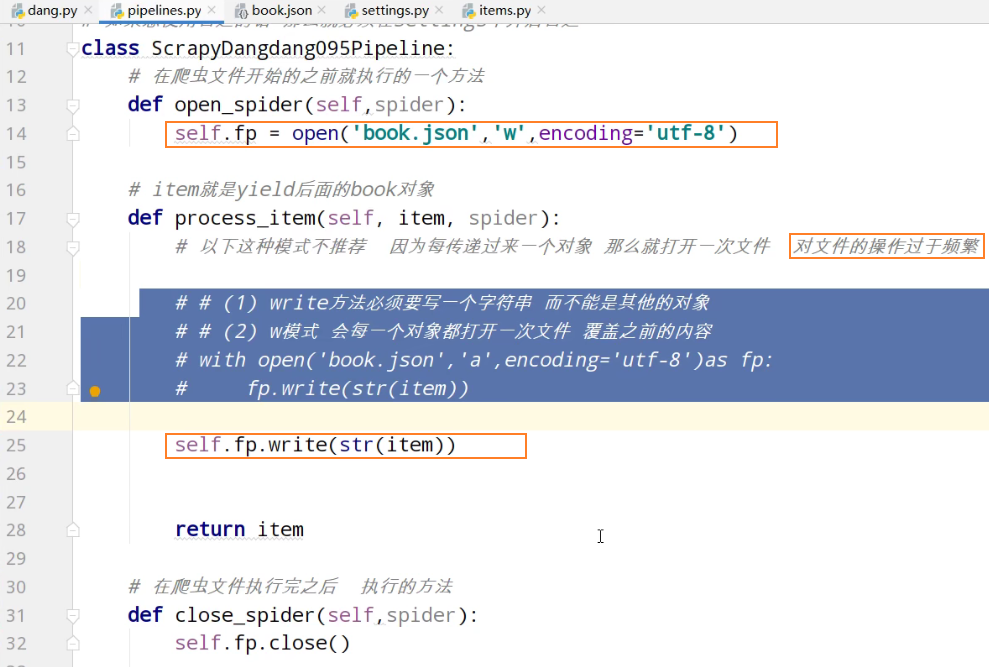
爬虫文件执行之,前执行

爬虫文件执行之,后执行

解决操作文件过于频繁
book.json

多条管道的下载
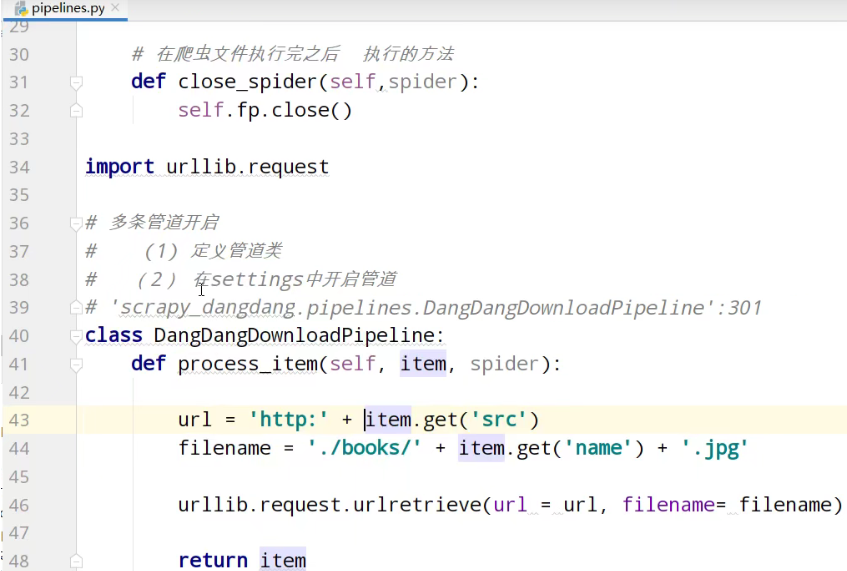
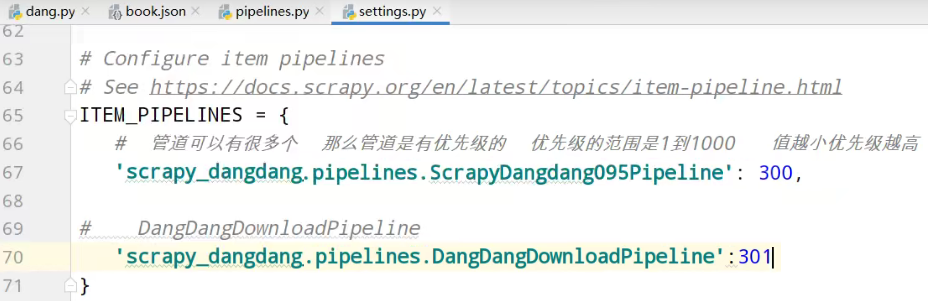
开启图片下载管道
运行



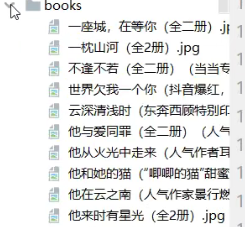
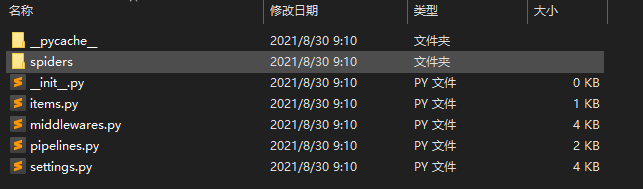
项目结构,及代码
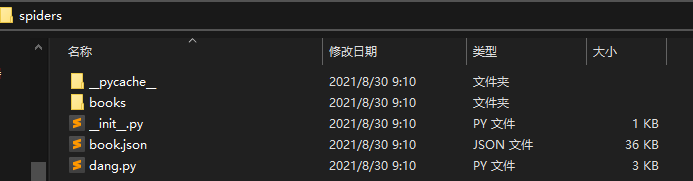
dang.py爬虫核心功能
import scrapy

from scrapy_dangdang.items import ScrapyDangdang095Item

class DangSpider(scrapy.Spider):

    # 如果是多页下载的话 那么必须要调整的是allowed_domains的范围 一般情况下只写域名

    allowed_domains = ['http://category.dangdang.com/cp01.01.02.00.00.00.html']

    start_urls = ['http://category.dangdang.com/cp01.01.02.00.00.00.html']

    def parse(self, response):

#       pipelines 下载数据

#       items     定义数据结构的

#         src = //ul[@id="component_59"]/li//img/@src

#         alt = //ul[@id="component_59"]/li//img/@alt

#         price = //ul[@id="component_59"]/li//p[@class="price"]/span[1]/text()

#         所有的seletor的对象 都可以再次调用xpath方法

        li_list = response.xpath('//ul[@id="component_59"]/li')

        for li in li_list:

            src = li.xpath('.//img/@data-original').extract_first()

            # 第一张图片和其他的图片的标签的属性是不一样的

            # 第一张图片的src是可以使用的  其他的图片的地址是data-original

            if src:

                src = src

            else:

                src = li.xpath('.//img/@src').extract_first()

            name = li.xpath('.//img/@alt').extract_first()

            price = li.xpath('.//p[@class="price"]/span[1]/text()').extract_first()

            book = ScrapyDangdang095Item(src=src,name=name,price=price)

            # 获取一个book就将book交给pipelines

            yield book
items.py定义数据结构,类
# Define here the models for your scraped items

#

# See documentation in:

# https://docs.scrapy.org/en/latest/topics/items.html

import scrapy

class ScrapyDangdang095Item(scrapy.Item):

    # define the fields for your item here like:

    # name = scrapy.Field()

    # 通俗的说就是你要下载的数据都有什么

    # 图片

    src = scrapy.Field()

    # 名字

    name = scrapy.Field()

    # 价格

    price = scrapy.Field()
pipelines.py管道功能
# Define your item pipelines here

#

# Don't forget to add your pipeline to the ITEM_PIPELINES setting

# See: https://docs.scrapy.org/en/latest/topics/item-pipeline.html

# useful for handling different item types with a single interface

from itemadapter import ItemAdapter

# 如果想使用管道的话 那么就必须在settings中开启管道

class ScrapyDangdang095Pipeline:

    # 在爬虫文件开始的之前就执行的一个方法

    def open_spider(self,spider):

        self.fp = open('book.json','w',encoding='utf-8')

    # item就是yield后面的book对象

    def process_item(self, item, spider):

        # 以下这种模式不推荐  因为每传递过来一个对象 那么就打开一次文件  对文件的操作过于频繁

        # # (1) write方法必须要写一个字符串 而不能是其他的对象

        # # (2) w模式 会每一个对象都打开一次文件 覆盖之前的内容

        # with open('book.json','a',encoding='utf-8')as fp:

        #     fp.write(str(item))

        self.fp.write(str(item))

        return item

    # 在爬虫文件执行完之后  执行的方法

    def close_spider(self,spider):

        self.fp.close()

import urllib.request

# 多条管道开启

#    (1) 定义管道类

#   (2) 在settings中开启管道

# 'scrapy_dangdang_095.pipelines.DangDangDownloadPipeline':301

class DangDangDownloadPipeline:

    def process_item(self, item, spider):

        url = 'http:' + item.get('src')

        filename = './books/' + item.get('name') + '.jpg'

        urllib.request.urlretrieve(url = url, filename= filename)

        return item
settings.py配置管道
# Scrapy settings for scrapy_dangdang_095 project

#

# For simplicity, this file contains only settings considered important or

# commonly used. You can find more settings consulting the documentation:

#

#     https://docs.scrapy.org/en/latest/topics/settings.html

#     https://docs.scrapy.org/en/latest/topics/downloader-middleware.html

#     https://docs.scrapy.org/en/latest/topics/spider-middleware.html

BOT_NAME = 'scrapy_dangdang'

SPIDER_MODULES = ['scrapy_dangdang.spiders']

NEWSPIDER_MODULE = 'scrapy_dangdang.spiders'

# Crawl responsibly by identifying yourself (and your website) on the user-agent

#USER_AGENT = 'scrapy_dangdang_095 (+http://www.yourdomain.com)'

# Obey robots.txt rules

ROBOTSTXT_OBEY = True

# Configure maximum concurrent requests performed by Scrapy (default: 16)

#CONCURRENT_REQUESTS = 32

# Configure a delay for requests for the same website (default: 0)

# See https://docs.scrapy.org/en/latest/topics/settings.html#download-delay

# See also autothrottle settings and docs

#DOWNLOAD_DELAY = 3

# The download delay setting will honor only one of:

#CONCURRENT_REQUESTS_PER_DOMAIN = 16

#CONCURRENT_REQUESTS_PER_IP = 16

# Disable cookies (enabled by default)

#COOKIES_ENABLED = False

# Disable Telnet Console (enabled by default)

#TELNETCONSOLE_ENABLED = False

# Override the default request headers:

#DEFAULT_REQUEST_HEADERS = {

#   'Accept': 'text/html,application/xhtml+xml,application/xml;q=0.9,*/*;q=0.8',

#   'Accept-Language': 'en',

#}

# Enable or disable spider middlewares

# See https://docs.scrapy.org/en/latest/topics/spider-middleware.html

#SPIDER_MIDDLEWARES = {

#    'scrapy_dangdang_095.middlewares.ScrapyDangdang095SpiderMiddleware': 543,

#}

# Enable or disable downloader middlewares

# See https://docs.scrapy.org/en/latest/topics/downloader-middleware.html

#DOWNLOADER_MIDDLEWARES = {

#    'scrapy_dangdang_095.middlewares.ScrapyDangdang095DownloaderMiddleware': 543,

#}

# Enable or disable extensions

# See https://docs.scrapy.org/en/latest/topics/extensions.html

#EXTENSIONS = {

#    'scrapy.extensions.telnet.TelnetConsole': None,

#}

# Configure item pipelines

# See https://docs.scrapy.org/en/latest/topics/item-pipeline.html

ITEM_PIPELINES = {

   #  管道可以有很多个  那么管道是有优先级的  优先级的范围是1到1000   值越小优先级越高

   'scrapy_dangdang.pipelines.ScrapyDangdang095Pipeline': 300,

#    DangDangDownloadPipeline

   'scrapy_dangdang.pipelines.DangDangDownloadPipeline':301

}

# Enable and configure the AutoThrottle extension (disabled by default)

# See https://docs.scrapy.org/en/latest/topics/autothrottle.html

#AUTOTHROTTLE_ENABLED = True

# The initial download delay

#AUTOTHROTTLE_START_DELAY = 5

# The maximum download delay to be set in case of high latencies

#AUTOTHROTTLE_MAX_DELAY = 60

# The average number of requests Scrapy should be sending in parallel to

# each remote server

#AUTOTHROTTLE_TARGET_CONCURRENCY = 1.0

# Enable showing throttling stats for every response received:

#AUTOTHROTTLE_DEBUG = False

# Enable and configure HTTP caching (disabled by default)

# See https://docs.scrapy.org/en/latest/topics/downloader-middleware.html#httpcache-middleware-settings

#HTTPCACHE_ENABLED = True

#HTTPCACHE_EXPIRATION_SECS = 0

#HTTPCACHE_DIR = 'httpcache'

#HTTPCACHE_IGNORE_HTTP_CODES = []

#HTTPCACHE_STORAGE = 'scrapy.extensions.httpcache.FilesystemCacheStorage'
scrapy获取当当网中数据的更多相关文章
- scrapy获取当当网多页的获取
结合上节,网多页的获取只需要修改 dang.py import scrapy from scrapy_dangdang.items import ScrapyDangdang095Item class ...
- scrapy项目3:爬取当当网中机器学习的数据及价格(spider类)
1.网页解析 当当网中,人工智能数据的首页url如下为http://category.dangdang.com/cp01.54.12.00.00.00.html 点击下方的链接,一次观察各个页面的ur ...
- Python爬虫库Scrapy入门1--爬取当当网商品数据
1.关于scrapy库的介绍,可以查看其官方文档:http://scrapy-chs.readthedocs.io/zh_CN/latest/ 2.安装:pip install scrapy 注意这 ...
- [转载]JAVA获取word表格中数据的方案
上一个项目的开发中需要实现从word中读取表格数据的功能,在JAVA社区搜索了很多资料,终于找到了两个相对最佳的方案,因为也得到了不少网友们的帮助,所以不敢独自享用,在此做一个分享. 两个方案分别是: ...
- [原创]JAVA获取word表格中数据的方案
上一个项目的开发中需要实现从word中读取表格数据的功能,在JAVA社区搜索了很多资料,终于找到了两个相对最佳的方案,因为也得到了不少网友们的帮助,所以不敢独自享用,在此做一个分享. 两个方案分别是: ...
- python xlrd 模块(获取Excel表中数据)
python xlrd 模块(获取Excel表中数据) 一.安装xlrd模块 到python官网下载http://pypi.python.org/pypi/xlrd模块安装,前提是已经安装了pyt ...
- 【记录】mybatis中获取常量类中数据
部分转载,已注明来源: 1.mybatis中获取常量类中数据 <update id="refuseDebt"> UPDATE dt_debt a SET ...
- scrapy项目4:爬取当当网中机器学习的数据及价格(CrawlSpider类)
scrapy项目3中已经对网页规律作出解析,这里用crawlspider类对其内容进行爬取: 项目结构与项目3中相同如下图,唯一不同的为book.py文件 crawlspider类的爬虫文件book的 ...
- scrapy获取汽车之家数据
1.创建scrapy项目 >scrapy startproject scrapy_carhome 2.找到对应接口 3.创建爬虫文件 > cd scrapy_carhome\scrapy_ ...
随机推荐
- Kettle学习笔记(四)— 总结
目录 Kettle学习笔记(一)- 环境部署及运行 Kettle学习笔记(二)- 基本操作 kettle学习笔记(三)- 定时任务的脚本执行 Kettle学习笔记(四)- 总结 Kettle中设置编码 ...
- 实现线程按顺序输出ABC
线程按顺序输出ABC 实现描述:建立三个线程A.B.C,分别按照顺序输出十次ABC 首先建立一个方法,按照条件进行输出 class PrintABC{ private int index=0; pub ...
- 题解 [CTSC2006]歌唱王国
题目传送门 Desctiption 见题面. Solution 人类智慧... 考虑这样一个赌博游戏,现在有一个猴子,它随机从 \(1\sim n\) 中选一个打出来.现在有若干个赌徒,他们一开始都有 ...
- bash手册
目录 bash手册 man命令 man man 分页程序(page) Linux手册页惯用的节名 Linux手册页的内容区域 查看命令在Linux手册页中的区域 info页面 help帮助 bash手 ...
- websocket方案调研及实践
目录 webscoket方案调研及实践 一.使用场景 二.方案调研 1.Ajax短轮询 2.long-polling长轮询 3.iframe长连接 4.XHR-streaming 5.Websocke ...
- LiveVideoStackCon2021 北京站专访:从上云到创新,视频云的新技术、新场景
伴随着视频技术的进步和标准的迭代,视频产业从模拟进入到数字时代,完成了从电影电视到互联网的媒介转换,并且衍生出了超高清.3D.AR/VR 等多种创新形态.特别是在后疫情的当下,我们可以看到音视频技术领 ...
- Flutter的环境配置以及一些常见问题
flutter & AndroidStudio flutter的下载与配置 flutter是Google推出的基于Dart语言开发的跨平台开源UI框架,能够支持安卓与iOS. flutter框 ...
- 单片机stm32F103单片机晶振不起振的原因分析
这是我在做单片机最小系统板时候碰到的问题,之前虽然也做过相似的板子,可是未曾出现过无源晶振不起振的问题.下面是我在遇到问题后的一些检查,排除问题的过程.本人小菜鸟一个,文章中如有错误和不足,还望各位大 ...
- Nginx(一):初识Nginx
一.什么是Nginx? Nginx 是异步框架的Web服务器,也可以用作反向代理.负载平衡器和HTTP缓存.选择Nginx的一些优点:可以高并发连接.内存消耗少.成本低廉.配置文件简单.节省带宽.稳定 ...
- 计算机网络-3-2-点对点协议PPP
点对点协议PPP 在通信链路较差的年代,在数据链路层使用可靠传输协议曾经是一种好方法,比较简单的点对点PPP协议则是目前使用最广泛的数据链路层协议. PPP协议的特点 互联网用户通过都要连接到某个IS ...