
Boostrap(3)
常用标签
1.文字
- p标签(段落)
- small标签(让文字呈现灰色)
- em标签(文字斜体)
- blokcquote标签(文字内容为引用时用该标签)
- class=”pull-right"右浮动
 <!doctype html>

 <html>

 <head>

 <meta charset="utf-8">

 <title>start</title>

 <link href="../CSS/bootstrap.min.css" rel="stylesheet" type="text/css">

 <script type="text/javascript" src="../js/jquery-1.11.2.min.js"></script>

 <script type="text/javascript" src="../js/bootstrap.js"></script>

 <meta name="viewport" content="width=device-width,initial-scale=1"/>

 <!--[if lt IE 9]>

         <script src="http://html5shim.googlecode.com/svn/trunk/html5.js"></script>

 <![endif]-->

 </head>

 <body>

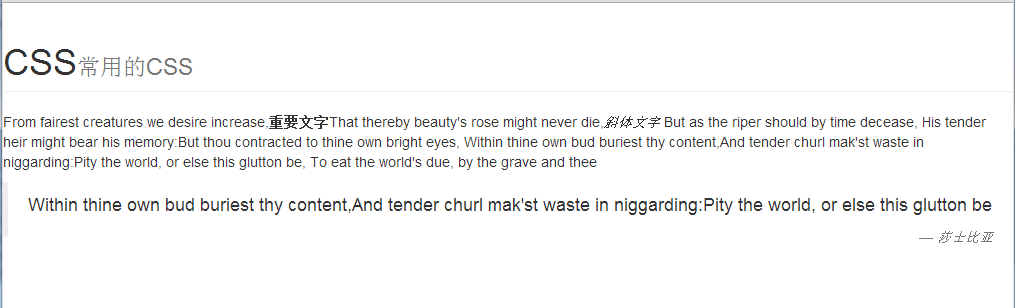
     <h1 class="page-header">CSS<small>常用的CSS</small></h1>

     <p>From fairest creatures we desire increase,<strong>重要文字</strong>That thereby beauty's rose might never die,<em>斜体文字</em>

 But as the riper should by time decease, His tender heir might bear his memory:But thou contracted to thine own bright eyes,

 Within thine own bud buriest thy content,And tender churl mak'st waste in niggarding:Pity the world, or else this glutton be,

 To eat the world's due, by the grave and thee</p>

 <blockquote><p>Within thine own bud buriest thy content,And tender churl mak'st waste in niggarding:Pity the world, or else this glutton be</p>

 <small class="pull-right"><cite>莎士比亚</cite></small></blockquote>

 </body>

 </html>
显示效果:
2.列表
- ul 无序列表
- ol 有序列表
- dl 自定义列表
 <!doctype html>

 <html>

 <head>

 <meta charset="utf-8">

 <title>start</title>

 <link href="../CSS/bootstrap.min.css" rel="stylesheet" type="text/css">

 <script type="text/javascript" src="../js/jquery-1.11.2.min.js"></script>

 <script type="text/javascript" src="../js/bootstrap.js"></script>

 <meta name="viewport" content="width=device-width,initial-scale=1"/>

 <!--[if lt IE 9]>

         <script src="http://html5shim.googlecode.com/svn/trunk/html5.js"></script>

 <![endif]-->

 <style>

     dl dd{text-indent:2%;}

 </style>

 </head>

 <body>

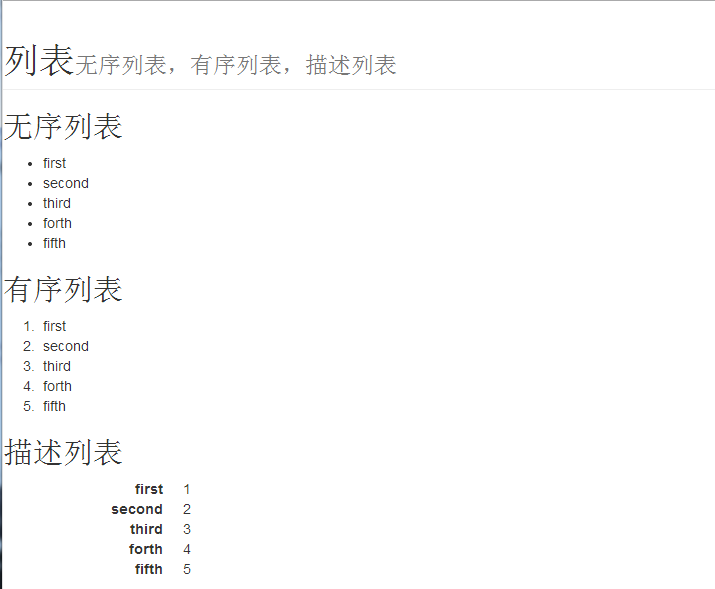
 <h1 class="page-header">列表<small>无序列表,有序列表,描述列表</small></h1>

 <h2>无序列表</h2>

 <ul>

   <li>first</li>

   <li>second</li>

   <li>third</li>

   <li>forth</li>

   <li>fifth</li>

 </ul>

 <h2>有序列表</h2>

 <ol>

   <li>first</li>

   <li>second</li>

   <li>third</li>

   <li>forth</li>

   <li>fifth</li>

 </ol>

 <h2>描述列表</h2>

 <dl class="dl-horizontal">

   <dt>first</dt>

   <dd>1</dd>

   <dt>second</dt>

   <dd>2</dd>

   <dt>third</dt>

   <dd>3</dd>

   <dt>forth</dt>

   <dd>4</dd>

   <dt>fifth</dt>

   <dd>5</dd>

 </dl>

 </body>

 </html>
显示效果:
3.表格标签
- 普通表格
- 条纹表格
- 带边框表格
- 压缩式表格
这几种表格是可以叠加在一起的
<!doctype html>
<html>
<head>
<meta charset="utf-8">
<title>start</title>
<link href="../CSS/bootstrap.min.css" rel="stylesheet" type="text/css">
<script type="text/javascript" src="../js/jquery-1.11.2.min.js"></script>
<script type="text/javascript" src="../js/bootstrap.js"></script>
<meta name="viewport" content="width=device-width,initial-scale=1"/>
<!--[if lt IE 9]>
<script src="http://html5shim.googlecode.com/svn/trunk/html5.js"></script>
<![endif]-->
<style>
dl dd {
text-indent: 2%;
}
</style>
</head>
<body>
<h1 class="page-header">表格<small><table></small></h1> <div class="container">
<h2>普通表格</h2>
<table class="table table-hover">
<thead >
<th>星期一 </th>
<th>星期二 </th>
<th>星期三 </th>
<th>星期四 </th>
<th>星期五 </th>
<th>星期六 </th>
</thead>
<tr >
<td>y</td>
<td>s</td>
<td>y</td>
<td>y</td>
<td>w</td>
<td>j</td>
</tr>
<tr >
<td>s</td>
<td>s</td>
<td>d</td>
<td>l</td>
<td>h</td>
<td>j</td>
</tr>
<tr >
<td>h</td>
<td>y</td>
<td>t</td>
<td>j</td>
<td>y</td>
<td>j</td>
</tr>
<tr >
<td>z</td>
<td>y</td>
<td>t</td>
<td>l</td>
<td>d</td>
<td>j</td>
</tr>
</table>
<h2>条纹表格</h2>
<table class="table table-hover">
<thead >
<th>星期一 </th>
<th>星期二 </th>
<th>星期三 </th>
<th>星期四 </th>
<th>星期五 </th>
<th>星期六 </th>
</thead>
<tr >
<td>y</td>
<td>s</td>
<td>y</td>
<td>y</td>
<td>w</td>
<td>j</td>
</tr>
<tr >
<td>s</td>
<td>s</td>
<td>d</td>
<td>l</td>
<td>h</td>
<td>j</td>
</tr>
<tr >
<td>h</td>
<td>y</td>
<td>t</td>
<td>j</td>
<td>y</td>
<td>j</td>
</tr>
<tr >
<td>z</td>
<td>y</td>
<td>t</td>
<td>l</td>
<td>d</td>
<td>j</td>
</tr>
</table>
<h2>带边框表格</h2>
<table class="table table-bordered">
<thead >
<th>星期一 </th>
<th>星期二 </th>
<th>星期三 </th>
<th>星期四 </th>
<th>星期五 </th>
<th>星期六 </th>
</thead>
<tr >
<td>y</td>
<td>s</td>
<td>y</td>
<td>y</td>
<td>w</td>
<td>j</td>
</tr>
<tr >
<td>s</td>
<td>s</td>
<td>d</td>
<td>l</td>
<td>h</td>
<td>j</td>
</tr>
<tr >
<td>h</td>
<td>y</td>
<td>t</td>
<td>j</td>
<td>y</td>
<td>j</td>
</tr>
</table>
<h2>压缩式表格</h2>
<table class="table table-bordered table-condensed">
<thead >
<th>星期一 </th>
<th>星期二 </th>
<th>星期三 </th>
<th>星期四 </th>
<th>星期五 </th>
<th>星期六 </th>
</thead>
<tr >
<td>y</td>
<td>s</td>
<td>y</td>
<td>y</td>
<td>w</td>
<td>j</td>
</tr>
<tr >
<td>s</td>
<td>s</td>
<td>d</td>
<td>l</td>
<td>h</td>
<td>j</td>
</tr>
<tr >
<td>h</td>
<td>y</td>
<td>t</td>
<td>j</td>
<td>y</td>
<td>j</td>
</tr>
</table>
</div>
</body>
</html>

4.表单
<!doctype html>
<html>
<head>
<meta charset="utf-8">
<title>start</title>
<link href="../CSS/bootstrap.min.css" rel="stylesheet" type="text/css">
<script type="text/javascript" src="../js/jquery-1.11.2.min.js"></script>
<script type="text/javascript" src="../js/bootstrap.js"></script>
<meta name="viewport" content="width=device-width,initial-scale=1"/>
<!--[if lt IE 9]>
<script src="http://html5shim.googlecode.com/svn/trunk/html5.js"></script>
<![endif]-->
</head>
<body>
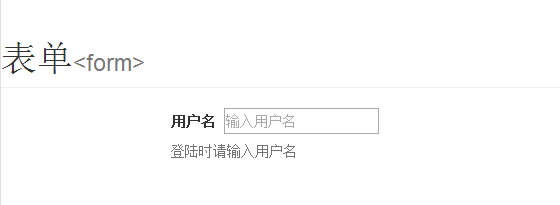
<h1 class="page-header">表单<small><form></small></h1> <div class="container">
<form action="#" method="post">
<label for="username">用户名</label>
<input id="username" type="text" placeholder="输入用户名" />
<span class="help-block">登陆时请输入用户名</span>
</form>
</div>
</body>
</html>
显示效果:
5.文本框前缀与后缀
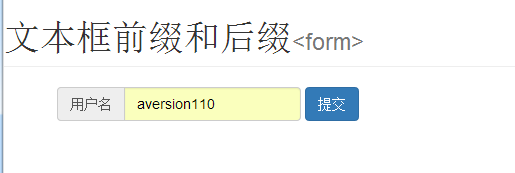
5.1 前缀
<!doctype html>
<html>
<head>
<meta charset="utf-8">
<title>start</title>
<link href="../CSS/bootstrap.min.css" rel="stylesheet" type="text/css">
<script type="text/javascript" src="../js/jquery-1.11.2.min.js"></script>
<script type="text/javascript" src="../js/bootstrap.js"></script>
<meta name="viewport" content="width=device-width,initial-scale=1"/>
<!--[if lt IE 9]>
<script src="http://html5shim.googlecode.com/svn/trunk/html5.js"></script>
<![endif]-->
</head>
<body>
<h1 class="page-header">文本框前缀和后缀<small><form></small></h1>
<div class="container">
<form action="#" method="post" class="form-inline">
<div class="form-group">
<label class="sr-only" for="username">用户名</label>
<div class="input-group">
<div class="input-group-addon">用户名</i></div>
<input type="text" class="form-control" id="username" placeholder="请输入用户名" >
</div>
</div>
<button type="submit" class="btn btn-primary" >提交</button>
</form>
</div>
</body>
</html>
5.2 后缀
<!doctype html>
<html>
<head>
<meta charset="utf-8">
<title>start</title>
<link href="../CSS/bootstrap.min.css" rel="stylesheet" type="text/css">
<script type="text/javascript" src="../js/jquery-1.11.2.min.js"></script>
<script type="text/javascript" src="../js/bootstrap.js"></script>
<meta name="viewport" content="width=device-width,initial-scale=1"/>
<!--[if lt IE 9]>
<script src="http://html5shim.googlecode.com/svn/trunk/html5.js"></script>
<![endif]-->
</head>
<body>
<h1 class="page-header">文本框前缀和后缀<small><form></small></h1>
<div class="container">
<form action="#" method="post" class="form-inline">
<div class="form-group">
<label class="sr-only" for="username">用户名</label>
<div class="input-group">
<input type="text" class="form-control" id="username" placeholder="请输入用户名" >
<div class="input-group-addon">搜索</div>
</div>
</div>
</form>
</div>
</body>
</html>
效果:

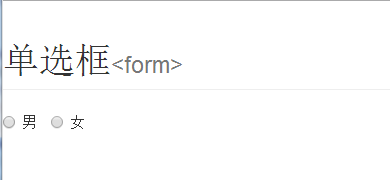
6.单选框
<!doctype html>
<html>
<head>
<meta charset="utf-8">
<title>start</title>
<link href="../CSS/bootstrap.min.css" rel="stylesheet" type="text/css">
<script type="text/javascript" src="../js/jquery-1.11.2.min.js"></script>
<script type="text/javascript" src="../js/bootstrap.js"></script>
<meta name="viewport" content="width=device-width,initial-scale=1"/>
<!--[if lt IE 9]>
<script src="http://html5shim.googlecode.com/svn/trunk/html5.js"></script>
<![endif]-->
</head>
<body>
<h1 class="page-header">单选框<small><form></small></h1> <form action="#" method="post" class="form-inline">
<div class="form-group">
<label class="radio-inline">
<input type="radio" name="sex" value="male" >男
</label>
<label class="radio-inline">
<input type="radio" name="sex" value="female">女
</label>
</div>
</form> </body>
</html>
效果:
7.复选框
<!doctype html>
<html>
<head>
<meta charset="utf-8">
<title>start</title>
<link href="../CSS/bootstrap.min.css" rel="stylesheet" type="text/css">
<script type="text/javascript" src="../js/jquery-1.11.2.min.js"></script>
<script type="text/javascript" src="../js/bootstrap.js"></script>
<meta name="viewport" content="width=device-width,initial-scale=1"/>
<!--[if lt IE 9]>
<script src="http://html5shim.googlecode.com/svn/trunk/html5.js"></script>
<![endif]-->
</head>
<body>
<h1 class="page-header">复选框<small><form></small></h1> <form action="#" method="post" class="form-inline">
<div class="form-group">
<label>活动内容</label>
<label class="checkbox-inline">
<input type="checkbox" name="program" value="music" >音乐
</label>
<label class="checkbox-inline">
<input type="checkbox" name="program" value="dance">舞蹈
</label>
<label class="checkbox-inline">
<input type="checkbox" name="program" value="swimming">游泳
</label>
</div>
</form> </body>
</html>
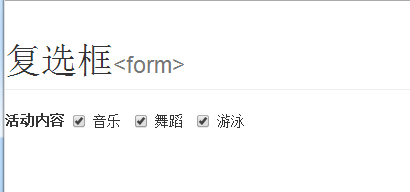
效果:
8、表单排版
<!doctype html>
<html>
<head>
<meta charset="utf-8">
<title>start</title>
<link href="../CSS/bootstrap.min.css" rel="stylesheet" type="text/css">
<script type="text/javascript" src="../js/jquery-1.11.2.min.js"></script>
<script type="text/javascript" src="../js/bootstrap.js"></script>
<meta name="viewport" content="width=device-width,initial-scale=1"/>
<!--[if lt IE 9]>
<script src="http://html5shim.googlecode.com/svn/trunk/html5.js"></script>
<![endif]-->
</head>
<body>
<h1 class="page-header">表单<small><form></small></h1>
<div class="container">
<form action="#" method="post" class="form-horizontal">
<fieldset>
<legend>用户登录</legend>
<div class="form-group">
<label for="username" class="col-sm-2 control-label">用户名</label>
<div class="col-md-3">
<input type="text" id="username" class="form-control" placeholder="请输入用户名">
<p class="help-block">请输入用户名</p>
</div>
</div>
<div class="form-group">
<label for="username" class="col-sm-2 control-label">密码</label>
<div class="col-md-3">
<input type="password" id="password" class="form-control" >
<p class="help-block">请输入密码</p>
</div>
</div>
<div class="form-group">
<div class="col-md-offset-2 col-md-10">
<button type="submit" class="btn btn-primary">登录</button>
</div>
</fieldset>
</form>
</div>
</body>
</html>
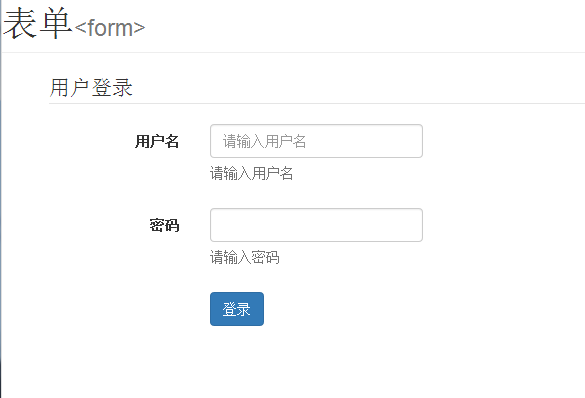
效果:
Boostrap(3)的更多相关文章
- Boostrap入门(一)
1.第一步:下载Boostrap有关文件 Boostrap中文网:http://www.bootcss.com/ -->--> 2.第二步: 如下代码:引入相关文件即可. <!DOC ...
- Boostrap
基本认知: Boostrap绝对是目前最流行用得最广泛的一款框架.它是一套优美,直观并且给力的web设计工具包,可以用来开发跨浏览器兼容并且美观大气的页面. Bootstrap的优缺点: 缺点: 1. ...
- 【转】Validate + Boostrap tooltip 表单验证示例
一.工具准备: 1.boostrap: 下载地址 http://getbootstrap.com/ jquery: jQuery版本需大于或等于1.8.0 jquery.validate.min.j ...
- 用H5+Boostrap做简单的音乐播放器
前言:这个是综合一下我最近在学的东西做的小Demo,到实际使用还有距离,但是用来练手巩固知识点还是不错的,最近在二刷JS书和Boostrap.css的源码,做完这个Demo也算是暂告一段落,接下来是j ...
- vue.js+boostrap最佳实践
一.为什么要写这篇文章 最近忙里偷闲学了一下vue.js,同时也复习了一下boostrap,发现这两种东西如果同时运用到一起,可以发挥很强大的作用,boostrap优雅的样式和丰富的组件使得页面开发变 ...
- 我发现调用boostrap的弹框
在引用了boostrap.js和boostrap.css之后 本来boostrap是基于jQuery的.但是我们的项目里没有用jQuery,而是用的zepto. 调用boostrap的弹框有两种方式: ...
- Boostrap栅格系统
Boostrap排版.链接样式设置了基本的全局样式.分别是:为body元素设置 布局容器:Bootstrap需要为页面内容和栅格系统包裹一个:container容器.Bootstrap提供了两个作此用 ...
- boostrap中lg,md,sm,xs
boostrap中lg,md,sm,xs分别表示多少px? .col-xs- 超小屏幕 手机 (<768px).col-sm- 小屏幕 平板 (≥768px).col-md- 中等屏幕 桌面显示 ...
- AngularJS Boostrap Pagination Sample
首先,样式是这样的 首先,Service端是Webapi REST JSON格式 第二,我们建立一个Wrapper Class,这里你也可以定义一个Generic<T>,作为示例,我们这里 ...
- H5+Boostrap的音乐播放器
H5+Boostrap做简单的音乐播放器 前言:这个是综合一下我最近在学的东西做的小Demo,到实际使用还有距离,但是用来练手巩固知识点还是不错的,最近在二刷JS书和Boostrap.css的源码,做 ...
随机推荐
- Warning:mailcious javascript detected on this domain来由
http://www.thenewslens.com/post/144232/ 这是原文介绍,可能国内要用网络加速器才能查看. 以下是国外的一些文档介绍:Cyberspace Administrati ...
- ffmpeg编译x264, 这个libffmpeg即可解码又可以h264编码
http://blog.csdn.net/u012917616/article/details/40921861 不废话,直接上.sh脚本: export NDK=/home/xxx/my_sof ...
- [转]IOS上路_01-Win7+VMWare9+MacOSX10.8+XCode4.6.3
本文转自:http://my.oschina.net/vigiles/blog/141689 目录[-] 1. 资源准备: 1)实体机: 2)VMWare9: 3)VM for MacOS 补丁: 4 ...
- [转]angularjs 设置全局变量的3种方法
本文转自:http://blog.51yip.com/jsjquery/1601.html angularjs自身有二种,设置全局变量的方法,在加上js的设置全局变量的方法,总共有三种.要实现的功能是 ...
- 有限状态机HDL模板
逻辑设计, 顾名思义, 只要理清了逻辑和时序, 剩下的设计只是做填空题而已. 下面给出了有限状态机的标准设计,分别为 VHDL 和 Verilog 代码 1 有限状态机 2 VHDL模板之一 li ...
- MySQL数据库学习笔记(八)----JDBC入门及简单增删改数据库的操作
[声明] 欢迎转载,但请保留文章原始出处→_→ 生命壹号:http://www.cnblogs.com/smyhvae/ 文章来源:http://www.cnblogs.com/smyhvae/p/4 ...
- Mobile Prototype Dev Res Collection(Unity原型开发资源储备)
资源储备 本文针对mobile原型开发阶段的资源收集 在做移动端的开发时,当有灵感想做些东西时,若是此时缺少美术资源和可用的脚本,此刻会有些纠结,今天在Assets Store上Mark了一些移动端开 ...
- JMeter学习(五)检查点
JMeter也有像LR中的检查点,本篇就来介绍下JMeter的检查点如何去实现. JMeter里面的检查点通过添加断言来完成. 检查点:上一章讲到,我们对用户名和密码进行了参数化,那么怎样来判断jme ...
- 使用appscan实现多站扫描简单自动化
因为appscan在新建扫描任务的时候只能输入一个target,并且没有awvs/nessus那样提供web接口,导致我以前一直以为appscan不能像awvs那样批量建立任务自动扫描. 不过,今天要 ...
- [Android Studio] Android studio 多渠道打包(超简洁版)
[Android Studio] Android studio 多渠道打包(超简洁版) 转载:http://xuyazhou.com/archives/461 http://relex.me/usin ...