
创建一个dynamics 365 CRM online plugin (九) - Context.Depth
让我们来看看官方文档是怎么讲的 https://docs.microsoft.com/en-us/previous-versions/dynamicscrm-2016/developers-guide/gg326836(v=crm.8)
Every time a running plug-in or Workflow issues a message request to the Web services that triggers another plug-in or Workflow to execute, the Depth property of the execution context is increased. If the depth property increments to its maximum value within the configured time limit, the platform considers this behavior an infinite loop and further plug-in or Workflow execution is aborted.
The maximum depth (8) and time limit (one hour) are configurable by the Microsoft Dynamics 365 administrator using the PowerShell command Set-CrmSetting. The setting is WorkflowSettings.MaxDepth. For more information, see, “Administer the deployment using Windows PowerShell” in the Deploying and administering Microsoft Dynamics CRM.
每当一个plugin或者workflow触发了一个请求到web service 并且触发了另一个plugin 和workflow去执行, Depth这个property会增长.如果在规定的时间内增长到最大值,CRM平台会认为这是一个infinit loop, 并且未来的plugin 和 worklow执行将会失败.
depth的最大值为8, 最大时间为1小时.
让我们创建一个ContextDepth.cs 的class
然后把以下的代码复制进去
// The InputParameters collection contains all the data passed in the message request.

            if (context.InputParameters.Contains("Target") && context.InputParameters["Target"] is Entity)

            {

                // Obtain the target entity from the input parameters.

                Entity account = (Entity)context.InputParameters["Target"];

                try

                {

                    tracingService.Trace(context.Depth.ToString());

                    if (context.Depth > )

                    {

                        return;

                    }

                    // In case the user removes the value

                    if (account.Attributes["revenue"] != null)

                    {

                        var revenue = ((Money)account.Attributes["revenue"]).Value;

                        revenue += ;

                        account.Attributes["revenue"] = new Money(revenue);

                    }

                }

                catch (FaultException<OrganizationServiceFault> ex)

                {

                    throw new InvalidPluginExecutionException("An error occurred in MyPlug-in.", ex);

                }

                catch (Exception ex)

                {

                    tracingService.Trace("MyPlugin: {0}", ex.ToString());

                    throw;

                }

            }
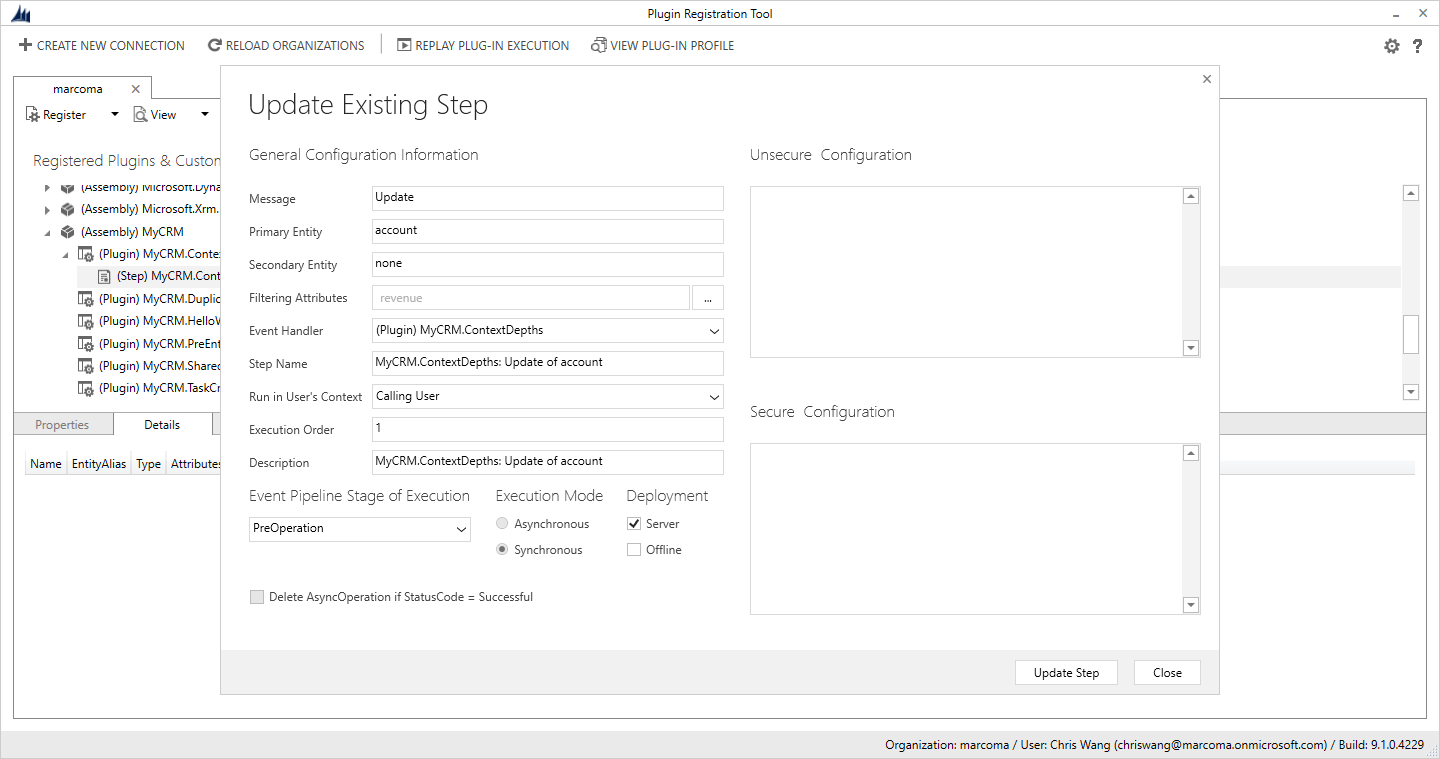
让我们使用plugin registeration tool 把这个assembly register到crm中.
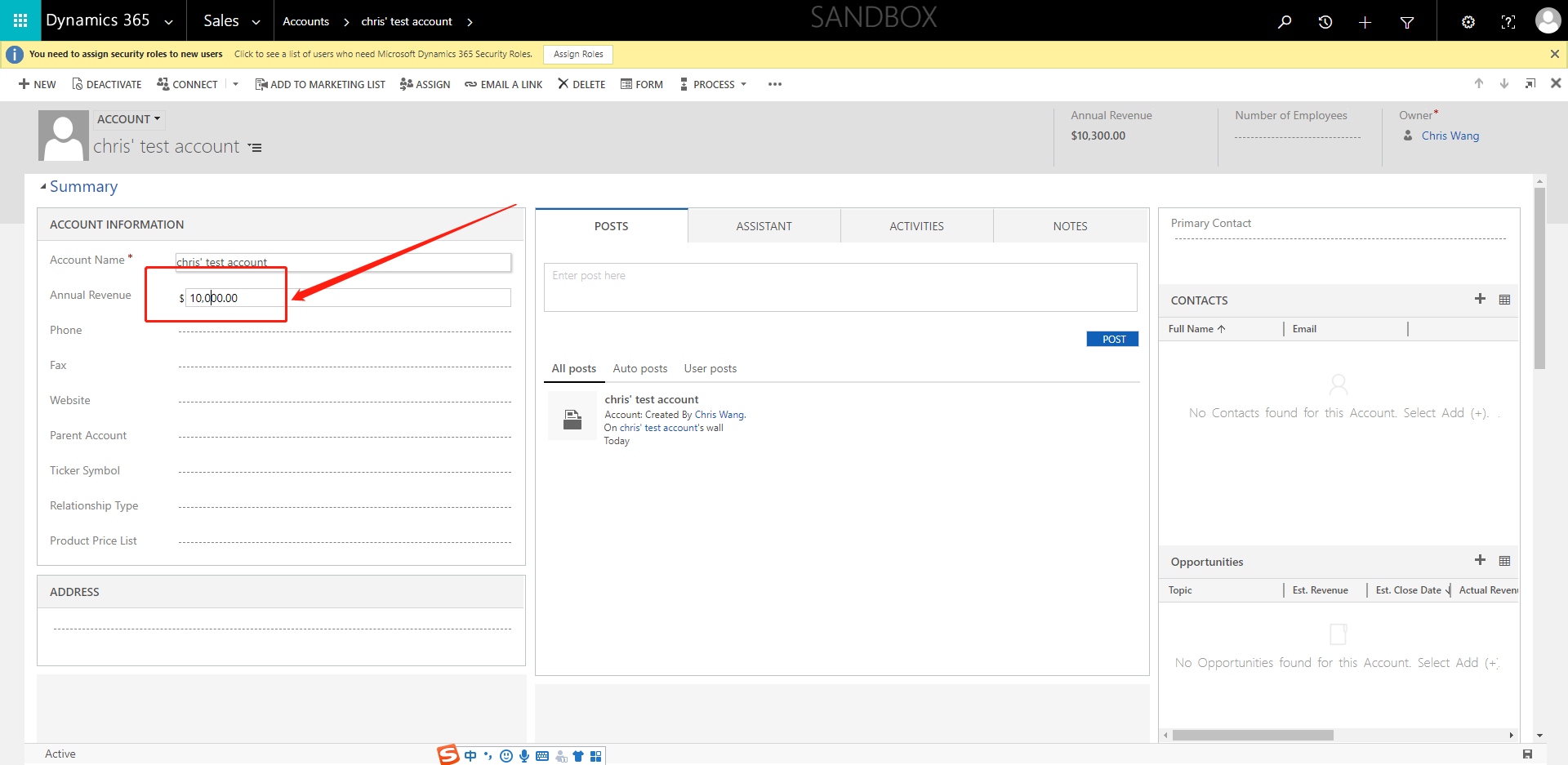
让我们改动 annual revenue的值
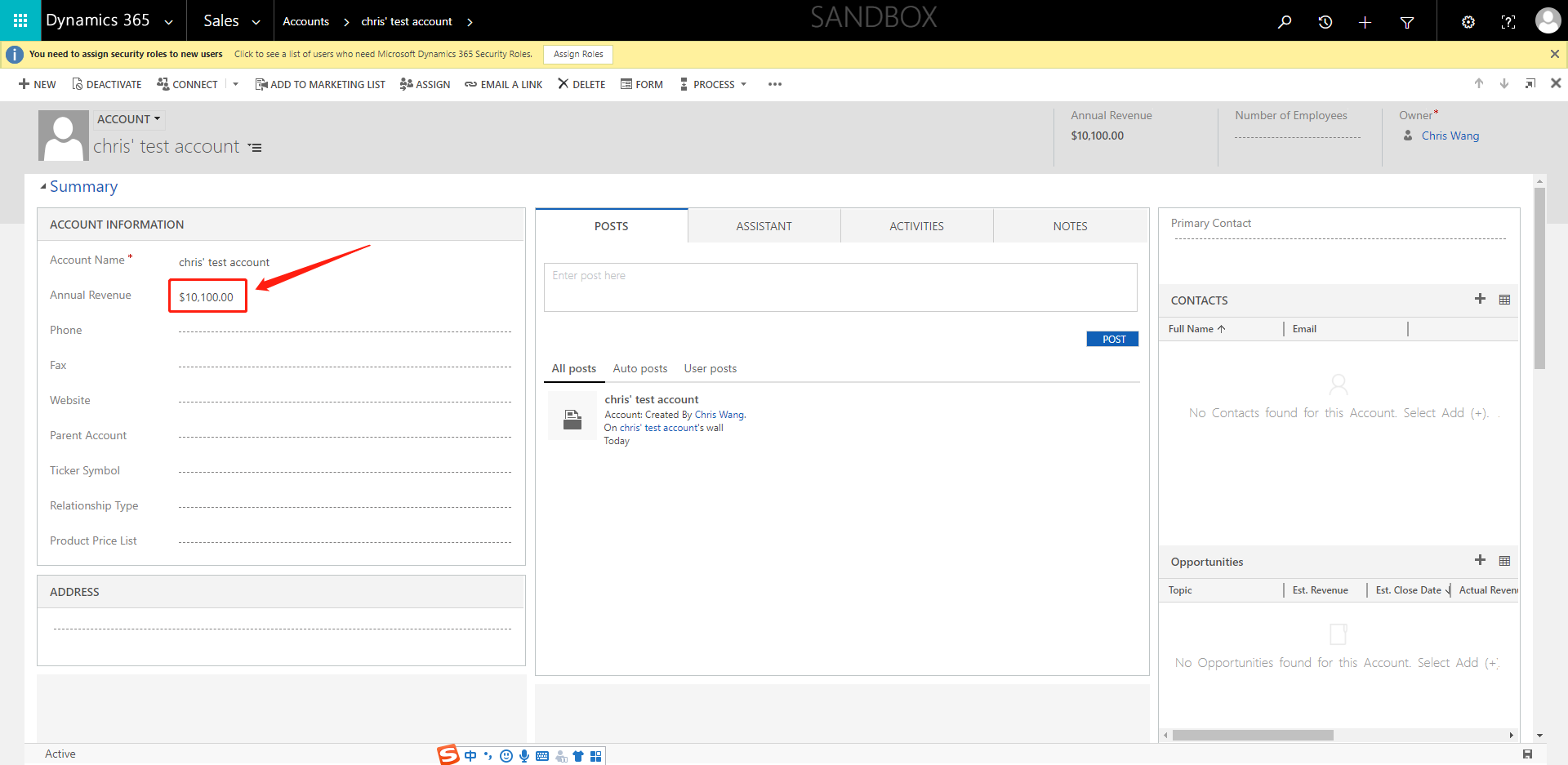
保存之后,我们发现annual revenue的值已经被更改
创建一个dynamics 365 CRM online plugin (九) - Context.Depth的更多相关文章
- 创建一个dynamics 365 CRM online plugin (七) - plugin当中的Impersonation角色
我们之前创建的plugin都是使用default的 run in User's Context. 理解就是使用正在登陆的security context用户信息 那有个问题,如果当前用户的securi ...
- 创建一个dynamics 365 CRM online plugin (四) - PreValidation
开始之前,我们要确认一下 Plugin 的 pipeline. PreValidation -> PreOperation -> Server Side System Main Event ...
- 创建一个dynamics 365 CRM online plugin (三) - PostOperation
上两节我们创建了一个 PreOperation的plugin 今天我们创建一个PostOpeartion的plugin和之前的plugin连接起来 当创建contact之后,我们要添加一个task给新 ...
- 创建一个dynamics 365 CRM online plugin (一) - Hello World Plugin
源代码连接:https://github.com/TheMiao/Dynamics365CRM/blob/master/MyCRM/MyCRM/HelloWorld.cs 首先,我们需要创建一个.NE ...
- 创建一个dynamics 365 CRM online plugin (十) - Isolation mode or trust mode
Isolation Mode 也被称作为Plugin Trust CRM里面有两种plugin trust / isolation mode 1. Full Trust 只在OP系统中可使用,没有限制 ...
- 创建一个dynamics 365 CRM online plugin (五) - Images in Plugin
Snapshots of the primary entity's attributes from database before(pre) and after (post) the core pla ...
- 创建一个dynamics 365 CRM online plugin (八) - 使用Shared Variables 在plugins 之前传递data
CRM 可以实现plugin之前的值传递. 我们可以使用SharedVariables 把值在plugin之间传递 实现plugins之间的传递非常简单,我们只需要用key value pair来配对 ...
- 创建一个dynamics 365 CRM online plugin (六) - Delete plugin from CRM
我们之前都学习到怎么添加,debug还有update plugin. 今天带大家过一下怎么从CRM instance当中删除plugin. 首先让我们打开Settings -> Customiz ...
- 创建一个dynamics 365 CRM online plugin (二) - fields检查
Golden Rules 1. Platform only passes Entity attributes to Plugin that has change of data. 2. If the ...
随机推荐
- kafka consumer 0.8.2.1示例代码
package test_kafka; import java.util.ArrayList; import java.util.HashMap; import java.util.List; imp ...
- 使用shell安装lnmp
1.简介 使用shell脚本安装lnmp,纯粹是偷懒,平时安装一些东西都写成脚本了,方便以后在其他机器安装的时候不用再去查找文档. PHP版本5.6.6 MYSQL版本5.6.26 NGINX版本1. ...
- div css 图片和文字上下居中对齐
想要图片和文字水平居中对齐很容易,可今天做这个树的时候,遇到了要将图片上下居中.这下就不知道怎么搞. 拿手册看也看不出所以然来,不同的浏览器对DIV的支持不一个,目前最好的浏览器是Firefox. 这 ...
- 分页(pagination)样式表
ul { list-style: none; padding:; margin:; } .pagination{ display:inline-block; padding-left:; border ...
- 模糊查询出list
<resultMap id="shipList" type="com.sinochem.yunlian.yunliantraffic.domain.Ship&quo ...
- ios12更新开发者需要做的
1.StatusBar内部结构改变 现象:crash crash log: -[_UIStatusBarIdentifier isEqualToString:]: unrecognized selec ...
- Django models 的字段类型
1.models.AutoField ---自增列 = int(11) 如果没有的话,默认会生成一个名称为 id 的列,如果要显示的自定义一个自增列,必须将给列设置为主键 primary_k ...
- [LeetCode&Python] Problem 101. Symmetric Tree
Given a binary tree, check whether it is a mirror of itself (ie, symmetric around its center). For e ...
- css的各种动画
/*淡入*/@keyframes fade-in { 0% { opacity: 0; } /*初始状态 透明度为0*/ 40% { opacity: 0; } /*过渡状态 透明度为0*/ 100% ...
- 2.4 逻辑运算符 &&(与)、||(或)、非(!)
一.逻辑运算符 &&(与).||(或).非(!) 逻辑运算符两边的表达式一定是布尔值,结果也是布尔值. 1.1.1 逻辑与 && => 表示并且.且的意思: tr ...