
创建一个dynamics 365 CRM online plugin (四) - PreValidation
开始之前,我们要确认一下 Plugin 的 pipeline. PreValidation -> PreOperation -> Server Side System Main Event-> PostOperation
PreValidation 是在security check 之前, 通常会用来加载外部数据和用户不相关的内容.
PreOperation 是在security check 之后 服务器处理之前, 通常会用来做一系列的功能.
PostOperation 是在System Main Event 在服务器处理发生之后, 通常是用来对Event做一些额外添加.
Database Transaction Support
DTS 值在PreOperation 和PostOperation中有效.
DTS是 当你有exception的时候, 你的所有的data 都会roll back 不会记录到数据库中. 只有完全execute的Plugin的数据才会储存
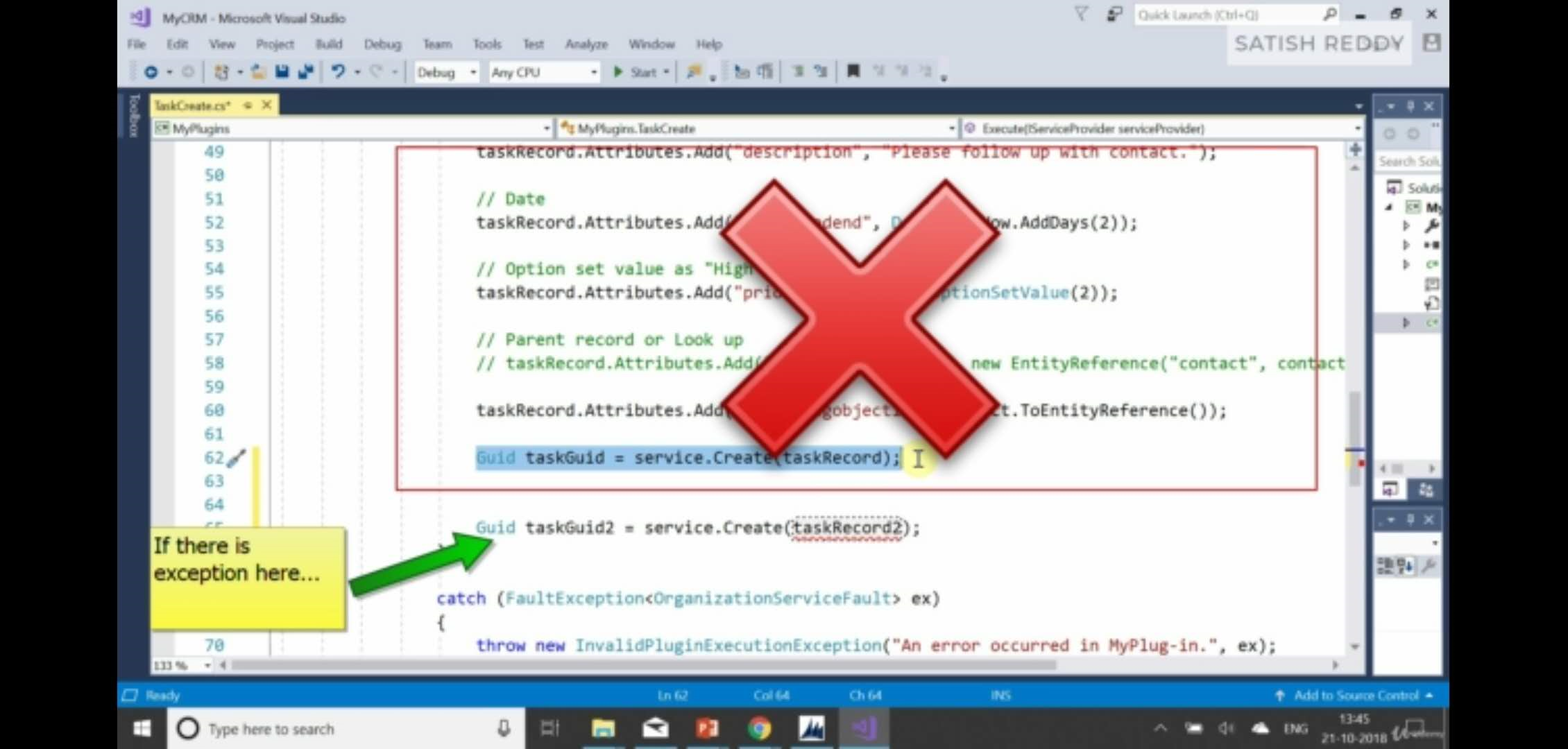
我们开始做我们第三个plugin. PreValidation
这个Plugin的功能是查重. 是的,虽然系统内置有查重功能,但是为了做PreValidation的plugin,我们实现一下.
这里我们用QueryExpression用来查询email address
// Plug-in business logic goes here.

                    string email = string.Empty;

                    if (contact.Attributes.Contains("emailaddress1"))

                    {

                        email = contact.Attributes["emailaddress1"].ToString();

                        // Now we need use query to retrieve email

                        // select * from contact where emailaddress1 == 'email'

                        var query = new QueryExpression("contact");

                        query.ColumnSet = new ColumnSet(new string[] { "emailaddress1" });

                        query.Criteria.AddCondition("emailaddress1", ConditionOperator.Equal, email);

                        var collection = service.RetrieveMultiple(query);

                        if (collection.Entities.Count > )

                        {

                            throw new InvalidPluginExecutionException("Contact with email already exists!!!");

                        }

                    }
我们把代码复制到try里面之后rebuild. 用PluginRegistration tool把代码重新部署到instance当中.
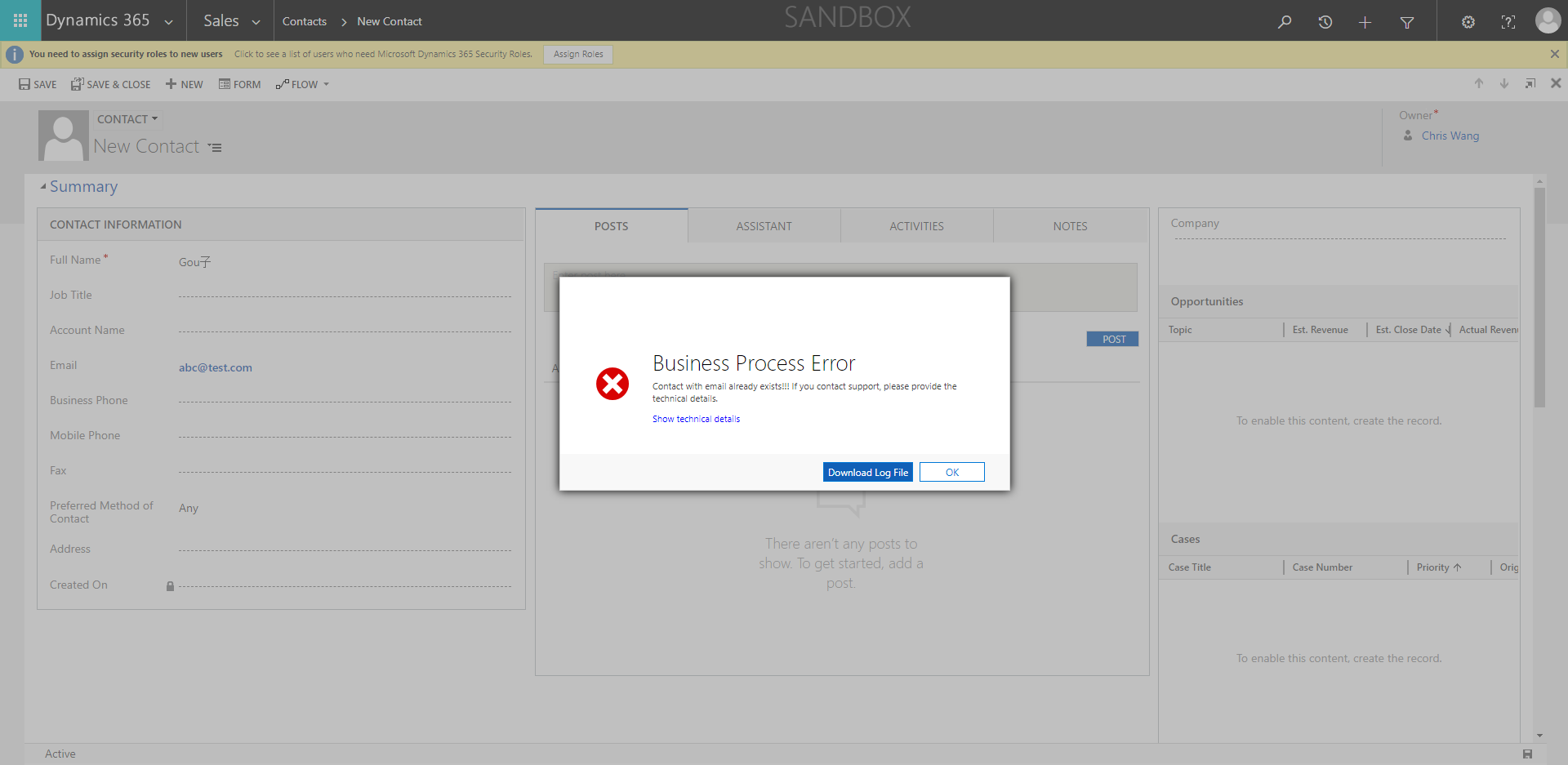
之后我们创建一个contact填写好邮箱,用contact2来填写相同邮箱.
这时候就会出现我们的bug
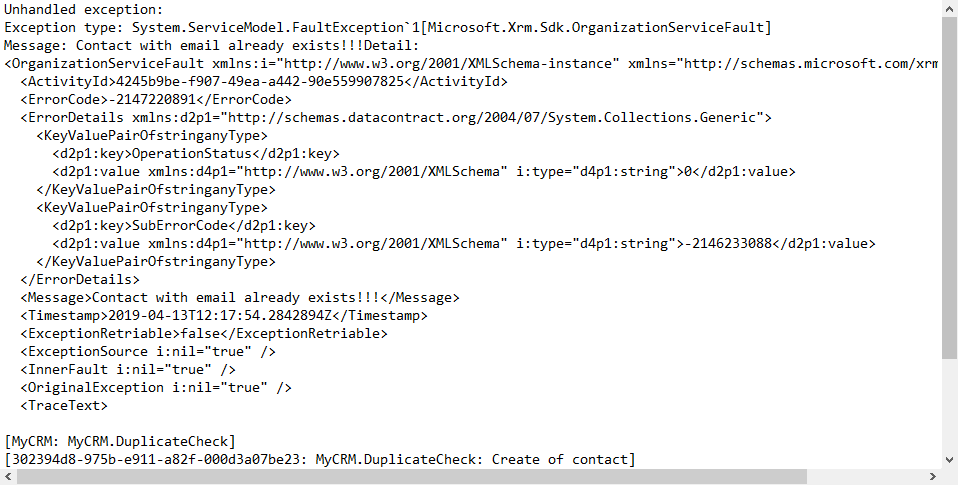
让我们打开Error Log 发现我们的message是之前代码中编译好的.
创建一个dynamics 365 CRM online plugin (四) - PreValidation的更多相关文章
- 创建一个dynamics 365 CRM online plugin (九) - Context.Depth
让我们来看看官方文档是怎么讲的 https://docs.microsoft.com/en-us/previous-versions/dynamicscrm-2016/developers-guide ...
- 创建一个dynamics 365 CRM online plugin (七) - plugin当中的Impersonation角色
我们之前创建的plugin都是使用default的 run in User's Context. 理解就是使用正在登陆的security context用户信息 那有个问题,如果当前用户的securi ...
- 创建一个dynamics 365 CRM online plugin (三) - PostOperation
上两节我们创建了一个 PreOperation的plugin 今天我们创建一个PostOpeartion的plugin和之前的plugin连接起来 当创建contact之后,我们要添加一个task给新 ...
- 创建一个dynamics 365 CRM online plugin (一) - Hello World Plugin
源代码连接:https://github.com/TheMiao/Dynamics365CRM/blob/master/MyCRM/MyCRM/HelloWorld.cs 首先,我们需要创建一个.NE ...
- 创建一个dynamics 365 CRM online plugin (十) - Isolation mode or trust mode
Isolation Mode 也被称作为Plugin Trust CRM里面有两种plugin trust / isolation mode 1. Full Trust 只在OP系统中可使用,没有限制 ...
- 创建一个dynamics 365 CRM online plugin (五) - Images in Plugin
Snapshots of the primary entity's attributes from database before(pre) and after (post) the core pla ...
- 创建一个dynamics 365 CRM online plugin (八) - 使用Shared Variables 在plugins 之前传递data
CRM 可以实现plugin之前的值传递. 我们可以使用SharedVariables 把值在plugin之间传递 实现plugins之间的传递非常简单,我们只需要用key value pair来配对 ...
- 创建一个dynamics 365 CRM online plugin (六) - Delete plugin from CRM
我们之前都学习到怎么添加,debug还有update plugin. 今天带大家过一下怎么从CRM instance当中删除plugin. 首先让我们打开Settings -> Customiz ...
- 创建一个dynamics 365 CRM online plugin (二) - fields检查
Golden Rules 1. Platform only passes Entity attributes to Plugin that has change of data. 2. If the ...
随机推荐
- AJAX的简单示例:注册校验
众所周知,我们每次需要注册一个网站的用户名时,都会校验该邮箱.用户名是不是正确的格式.是不是有被使用过,密码是否符合规则,二次确认是否符合. 如果这些校验都采用form表单提交的话,会给用户带来极不好 ...
- java xml 转 json
<dependency> <groupId>org.json</groupId> <artifactId>json</artifactId> ...
- ajax提交表单向后台发送数据
Ajax提交表单 <!DOCTYPE html> <html lang="en"> <head> <meta charset=" ...
- 芯片烧录器编程AT24C02
网上买了两款芯片烧录器,因为项目用的到.芯片以后的类型可能是IIC 接口的.就选则了一个IIC接口的AT24C02EEPROM.进行尝试.手头上没有这款芯片. 就想起自己单片机上有这款芯片.然后就开始 ...
- soapui 测试 带hear 验证的写法
<soapenv:Envelope xmlns:soapenv="http://schemas.xmlsoap.org/soap/envelope/" xmlns:web=& ...
- 基于ZYNQ的双核启动与通信问题解决
1 处理器间的通信 为AMP 设计创建应用之前,您需要考虑应用如何进行通信(如有需要).最简单的方法是使用片上存储器.Zynq SoC 配备256KB 的片上SRAM,可从以下四个源地址进行访问 ...
- Labview多列列表框
前面板创建多列列表框 如何写入数据: 右键 创建属性节点 项名 创建属性节点 项符号 创造自定义项符号: 右键 创建调用节点 自定义项符号 设置为自定义符号 然后添加索引号 利用图片与声音 ...
- 2018上C语言程序设计(初级)作业- 第2次作业
一.预习作业 在课前或者课后观看浙江大学程序设计入门-C语言课程中第2周.第3周的判断部分和第4周的判断部分. 二.PTA作业 完成第7周.第8周和第9周和第10周共8次pta作业,将PTA作业中部分 ...
- MYSQL HA 部署手册
1 MySQL启用主主双写复制 1.1 卸载系统默认的数据库mariadb 安装mysql出现安装包不兼容问题,首先卸载掉系统自带mariadb 查看已经安装的mariadb rpm -qa|grep ...
- 【软件安装与环境配置】TX2安装配置caffe过程
Tx2刷机 sudo sh ./caffe_dependency.sh 注意python的版本问题. 问题 LD -o .build_release/lib/libcaffe.so. /usr/bin ...